display Peugeot 308 2016 Workshop Manual
[x] Cancel search | Manufacturer: PEUGEOT, Model Year: 2016, Model line: 308, Model: Peugeot 308 2016Pages: 398, PDF Size: 9.38 MB
Page 182 of 398
180
308_en_Chap06_conduite_ed02-2015
Active cruise control
this systems allows the vehicle's speed to be
m aintained at a value set by the driver.
In addition it allows (when circumstances
permit) an inter-vehicle time that you have
selected to be maintained between your vehicle
and the one in front.Principles of
operation
using a radar with a range of about 100 metres,
l ocated at the front of the vehicle, this system
detects a vehicle running in front of your
vehicle.
It automatically adapts the speed of your
vehicle to that of the vehicle in front.
If the vehicle in front is running more slowly,
the system progressively reduces the speed of
your vehicle using just engine braking (as if the
driver had pressed the " -" b ut to n).
If your vehicle is too close to, or approaching
too quickly the vehicle in front, the cruise
control is automatically deactivated.
the
d
river is then alerted by an audible signal,
accompanied by a message.
If the vehicle in front accelerates or changes
lane, the active cruise control progressively
accelerates your vehicle to return to the
programmed speed.
If the driver operates a direction indicator to
overtake a slower vehicle, the active cruise
control allows your vehicle to temporarily
approach the vehicle in front to assist the
overtaking manoeuvre, though never exceeding
the programmed speed.
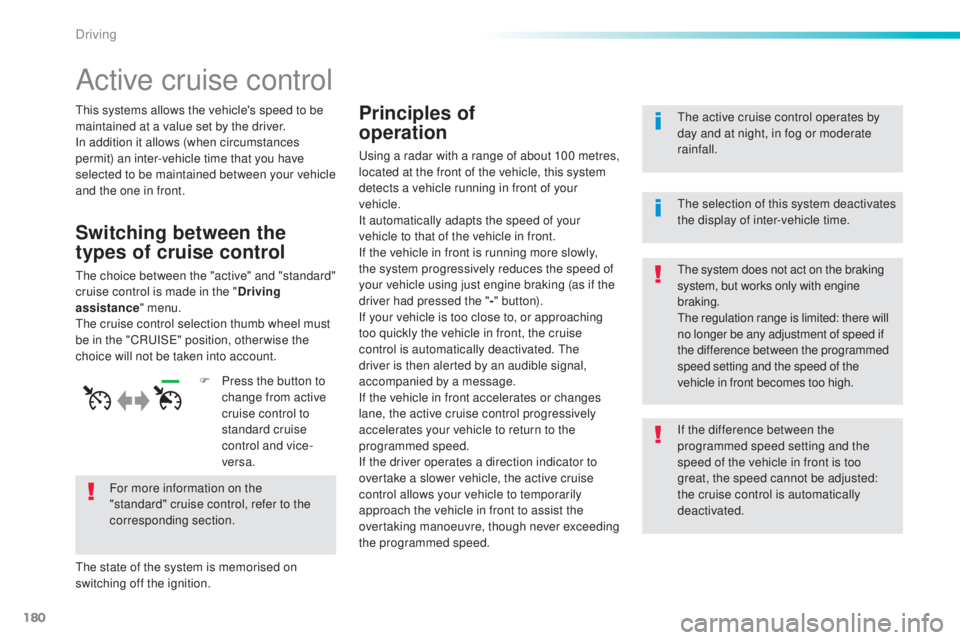
Switching between the
types of cruise control
the choice between the "active" and "standard"
c ruise control is made in the " Driving
assistance " menu.
the c
ruise control selection thumb wheel must
be in the "CR
uISe" po
sition, other wise the
choice will not be taken into account.
For more information on the
"standard" cruise control, refer to the
corresponding section.
the s
tate of the system is memorised on
switching off the ignition. F
Pr
ess the button to
change from active
cruise control to
standard cruise
control and vice-
versa.
the a
ctive cruise control operates by
day and at night, in fog or moderate
rainfall.the sy stem does not act on the braking
system, but works only with engine
braking.
the r
egulation range is limited: there will
no longer be any adjustment of speed if
the difference between the programmed
speed setting and the speed of the
vehicle in front becomes too high.
the s
election of this system deactivates
the display of inter-vehicle time.
If the difference between the
programmed speed setting and the
speed of the vehicle in front is too
great, the speed cannot be adjusted:
the cruise control is automatically
deactivated.
Driving
Page 184 of 398
182
308_en_Chap06_conduite_ed02-2015
the active cruise control must be selected in
t he " Driving assistance " menu.
F
t
ur
n the wheel 1 to the " CRUISE" position:
cruise control mode is selected, but not
started (Pause).
F
Pr
ess one of the buttons 2 or 3 : the current
speed of your vehicle becomes the cruise
speed setting.
the c
ruise control is activated (ON).
By default, the inter-vehicle time is set at
2
se
conds.
Otherwise, the last setting made will be used
when switching on the system.
Switching on
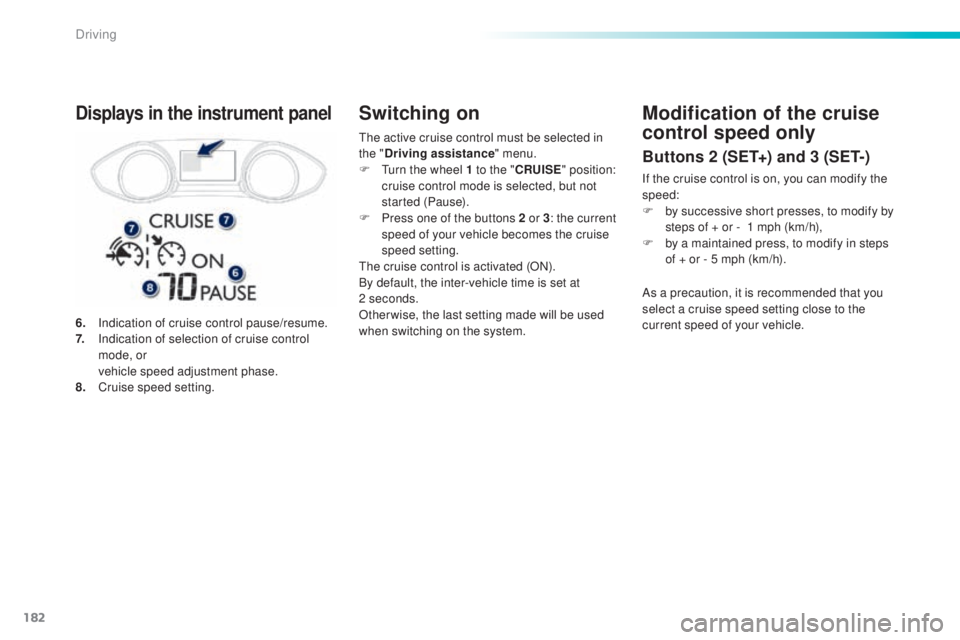
6. Indication of cruise control pause/resume.
7. In dication of selection of cruise control
mode, or
ve
hicle speed adjustment phase.
8.
Cr
uise speed setting.
Displays in the instrument panelModification of the cruise
control speed only
Buttons 2 (SET+) and 3 (SET-)
If the cruise control is on, you can modify the
speed:
F
by s
uccessive short presses, to modify by
steps of + or -
1 m
ph (km/h),
F
by a m
aintained press, to modify in steps
of + or - 5 mph (km/h).
As a precaution, it is recommended that you
select a cruise speed setting close to the
current speed of your vehicle.
Driving
Page 185 of 398
183
308_en_Chap06_conduite_ed02-2015
Modification of the cruise control speed and/or
the inter-vehicle time
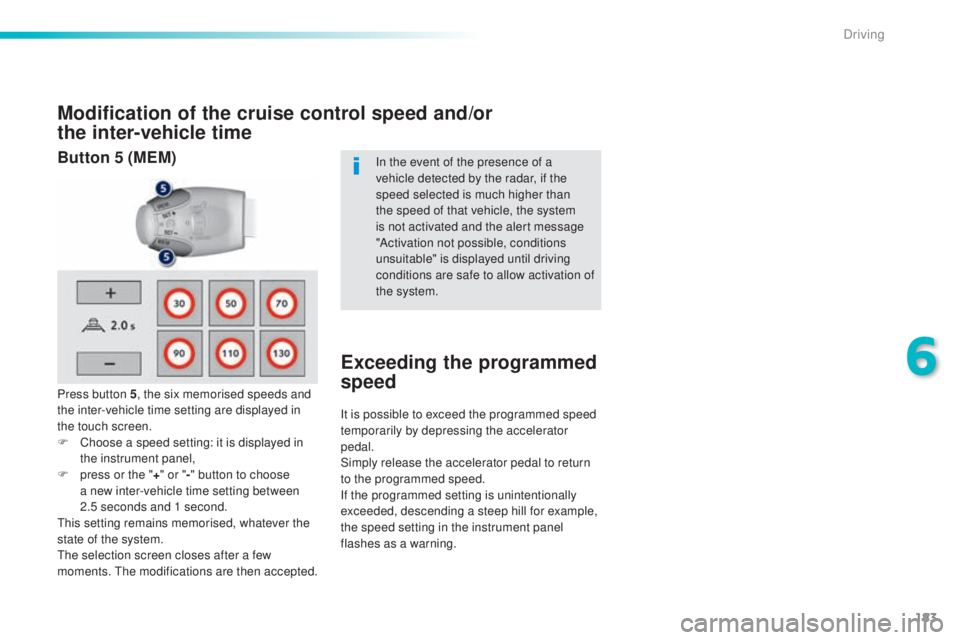
Press button 5, the six memorised speeds and
the inter-vehicle time setting are displayed in
the touch screen.
F
Ch
oose a speed setting: it is displayed in
the instrument panel,
F
pr
ess or the " +" or " -" button to choose
a new inter-vehicle time setting between
2.5
se
conds and 1 second.
thi
s setting remains memorised, whatever the
state of the system.
the s
election screen closes after a few
moments.
the m
odifications are then accepted. In the event of the presence of a
vehicle detected by the radar, if the
speed selected is much higher than
the speed of that vehicle, the system
is not activated and the alert message
"Activation not possible, conditions
unsuitable" is displayed until driving
conditions are safe to allow activation of
the system.
Exceeding the programmed
speed
It is possible to exceed the programmed speed
temporarily by depressing the accelerator
pedal.
Simply release the accelerator pedal to return
to the programmed speed.
If the programmed setting is unintentionally
exceeded, descending a steep hill for example,
the speed setting in the instrument panel
flashes as a warning.
Button 5 (MEM)
6
Driving
Page 186 of 398
184
308_en_Chap06_conduite_ed02-2015
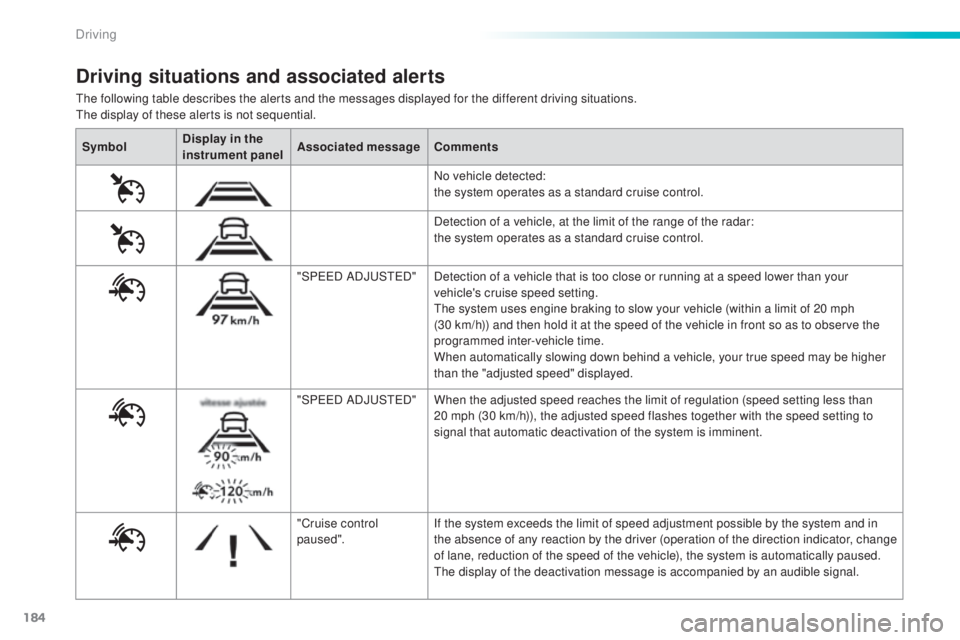
the following table describes the alerts and the messages displayed for the different driving situations.the display of these alerts is not sequential.
Driving situations and associated alerts
Symbol Display in the
instrument panel Associated message
Comments
No vehicle detected:
the system operates as a standard cruise control.
Detection of a vehicle, at the limit of the range of the radar:
the system operates as a standard cruise control.
"SP
eeD A
DJ
uSteD"D
etection of a vehicle that is too close or running at a speed lower than your
vehicle's cruise speed setting.
the s
ystem uses engine braking to slow your vehicle (within a limit of 20 mph
(30 km/h)) and then hold it at the speed of the vehicle in front so as to observe the
programmed inter-vehicle time.
When automatically slowing down behind a vehicle, your true speed may be higher
than the "adjusted speed" displayed.
"SP
eeD A
DJ
uSteD"W
hen the adjusted speed reaches the limit of regulation (speed setting less than
20 mph (30 km/h)), the adjusted speed flashes together with the speed setting to
signal that automatic deactivation of the system is imminent.
"Cruise control
paused". If the system exceeds the limit of speed adjustment possible by the system and in
the absence of any reaction by the driver (operation of the direction indicator, change
of lane, reduction of the speed of the vehicle), the system is automatically paused.
the d
isplay of the deactivation message is accompanied by an audible signal.
Driving
Page 187 of 398
185
308_en_Chap06_conduite_ed02-2015
When the active cruise control is
automatically paused, it can only be
reactivated when safe conditions are
restored.
the
message "Activation
not possible, conditions unsuitable"
is displayed while reactivation is not
possible.
When the conditions allow, it is
recommended that the function be
reactivated by pressing button 2 (S
et+)
or 3 (S
et-)
, which will make the current
speed of your vehicle the new cruise
speed setting, rather than by pressing
button 4 (on/pause) which reactivates
the cruise control using the old cruise
speed setting, which may be very
different from the current speed of your
vehicle.the s peed regulation range is limited to a
maximum difference of 20 mph (30 km/h)
between the speed setting and the speed of the
vehicle in front.
Above this, the system goes into pause if the
safe distance becomes too low.
the a
ctive cruise control uses only engine
braking to slow the vehicle. Consequently the
vehicle looses speed slowly, as when releasing
the accelerator pedal.
the s
ystem is paused automatically:
-
if t
he vehicle in front slows down to much
or too suddenly, and the driver does not
brake,
-
if a v
ehicle comes between your vehicle
and the vehicle in front,
-
if t
he system does not slow the vehicle
enough to continue to maintain a safe
distance, for example when descending a
steep hill.
Limits of operation
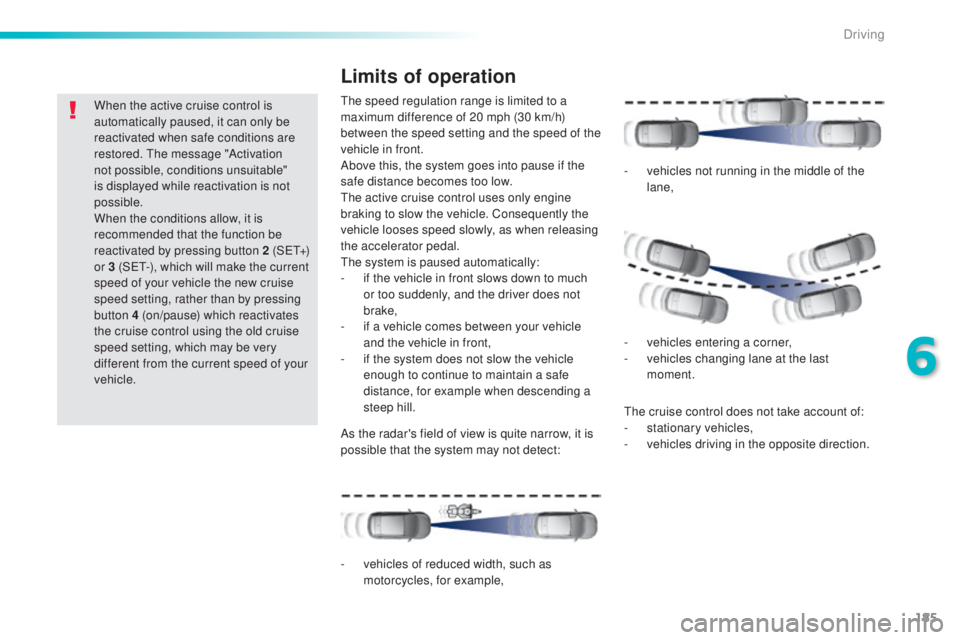
As the radar's field of view is quite narrow, it is
possible that the system may not detect:
the c
ruise control does not take account of:
- st ationary vehicles,
- ve hicles driving in the opposite direction.
-
ve
hicles of reduced width, such as
motorcycles, for example, -
ve
hicles not running in the middle of the
lane,
-
veh
icles entering a corner,
-
ve
hicles changing lane at the last
moment.
6
Driving
Page 188 of 398
186
308_en_Chap06_conduite_ed02-2015
In the event of a fault with the active cruise
control, you are alerted by an audible signal
and display of the message message "Driving
aid functions fault".
Have the system checked by a P
eu
ge
Ot
d
ealer or a qualified workshop. When the cruise control is working, take
care if making a maintained press on
one of the cruise control programmed
speed modification buttons: this can
lead to a very quick change in the
speed of your vehicle.
Do not use the active cruise control on
slippery sur faces or in heavy traffic.
When descending a steep hill, the
cruise control may not be able to
prevent the vehicle from exceeding the
programmed speed.
When ascending a steep hill or when
towing, it might not be possible to attain
or maintain the programmed speed.
Operating fault
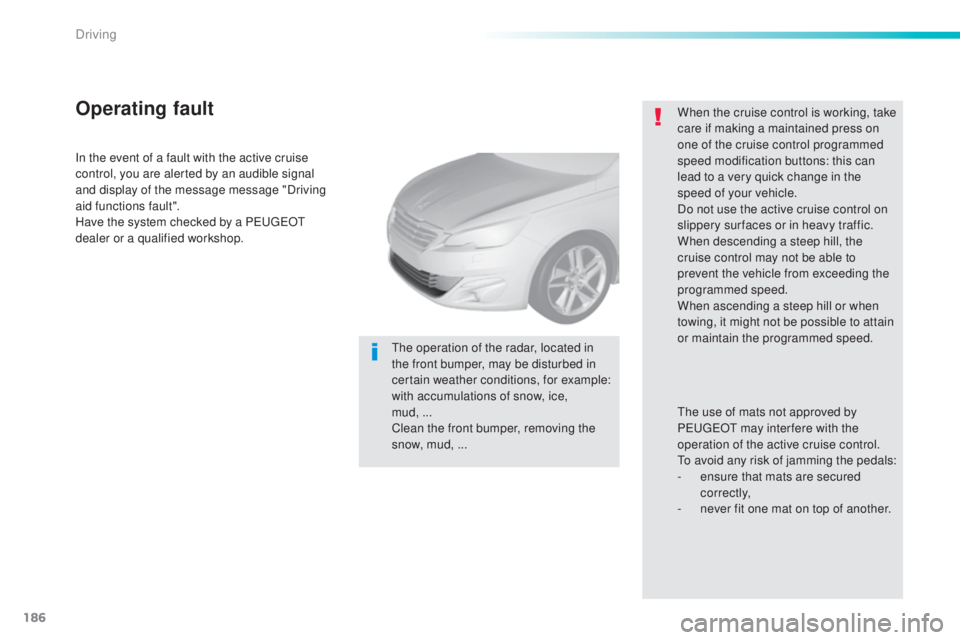
the operation of the radar, located in
t he front bumper, may be disturbed in
certain weather conditions, for example:
with accumulations of snow, ice,
mud,
...
C
lean the front bumper, removing the
snow, mud, ...
the u
se of mats not approved by
P
eu
ge
Ot m
ay inter fere with the
operation of the active cruise control.
to av
oid any risk of jamming the pedals:
-
en
sure that mats are secured
c o r r e c t l y,
-
ne
ver fit one mat on top of another.
Driving
Page 189 of 398
187
308_en_Chap06_conduite_ed02-2015
Display of inter-vehicle time
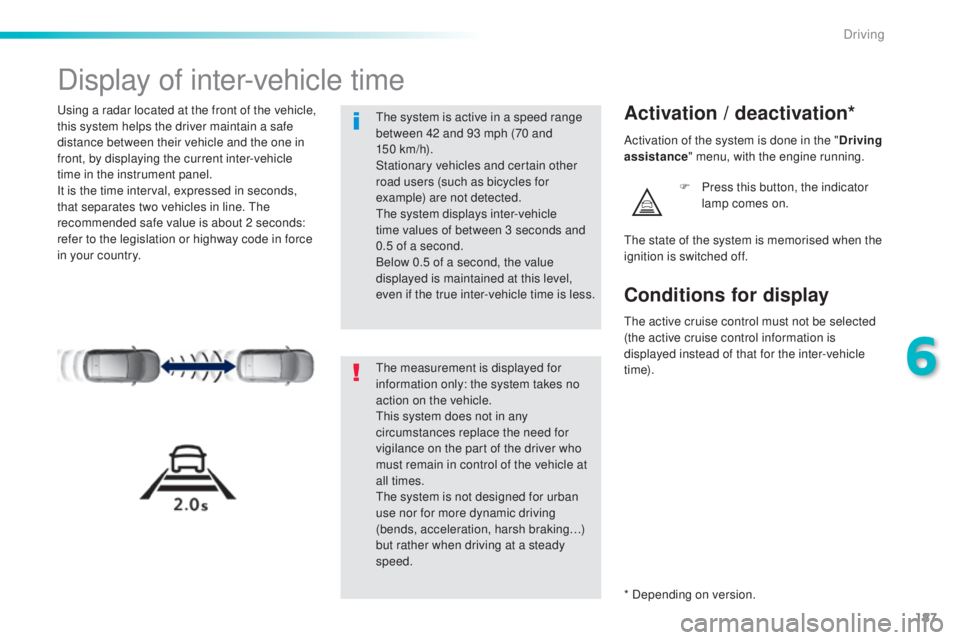
using a radar located at the front of the vehicle,
t his system helps the driver maintain a safe
distance between their vehicle and the one in
front, by displaying the current inter-vehicle
time in the instrument panel.
It is the time interval, expressed in seconds,
that separates two vehicles in line.
the
r
ecommended safe value is about 2 seconds:
refer to the legislation or highway code in force
in your country.Activation / deactivation*
F Press this button, the indicator
l amp comes on.
the m
easurement is displayed for
information only: the system takes no
action on the vehicle.
thi
s system does not in any
circumstances replace the need for
vigilance on the part of the driver who
must remain in control of the vehicle at
all times.
the s
ystem is not designed for urban
use nor for more dynamic driving
(bends, acceleration, harsh braking…)
but rather when driving at a steady
speed.
the s
ystem is active in a speed range
between 42 and 93 mph (70 and
150
k
m/h).
Stationary vehicles and certain other
road users (such as bicycles for
example) are not detected.
the s
ystem displays inter-vehicle
time values of between 3 seconds and
0.5 of a second.
Below 0.5 of a second, the value
displayed is maintained at this level,
even if the true inter-vehicle time is less.
the s
tate of the system is memorised when the
ignition is switched off. Activation of the system is done in the " Driving
assistance " menu, with the engine running.
* Depending on version.
Conditions for display
the active cruise control must not be selected
( the active cruise control information is
displayed instead of that for the inter-vehicle
t i m e).
6
Driving
Page 190 of 398
188
308_en_Chap06_conduite_ed02-2015
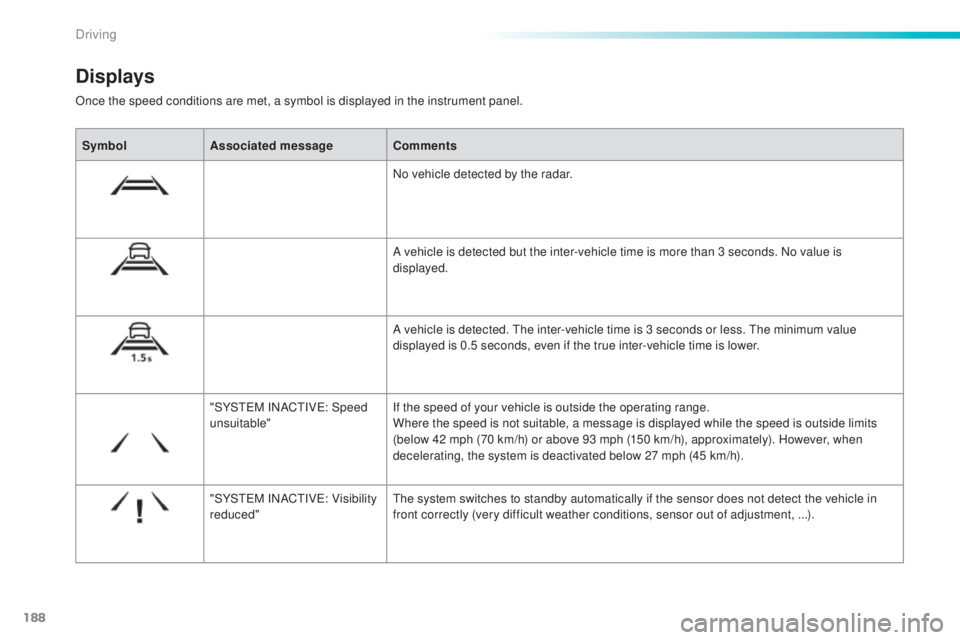
Once the speed conditions are met, a symbol is displayed in the instrument panel.
Displays
SymbolAssociated message Comments
No vehicle detected by the radar.
A vehicle is detected but the inter-vehicle time is more than 3 seconds. No value is
displayed.
A vehicle is detected.
the i
nter-vehicle time is 3 seconds or less.
the m
inimum value
displayed is 0.5 seconds, even if the true inter-vehicle time is lower.
"SYS
teM IN
AC
tIVe: Sp
eed
unsuitable" If the speed of your vehicle is outside the operating range.
Where the speed is not suitable, a message is displayed while the speed is outside limits
(below 42 mph (70 km/h) or above 93 mph (150 km/h), approximately). However, when
decelerating, the system is deactivated below 27 mph (45 km/h).
"SYS
teM IN
AC
tIVe: Vi
sibility
reduced"
the s
ystem switches to standby automatically if the sensor does not detect the vehicle in
front correctly (very difficult weather conditions, sensor out of adjustment, ...).
Driving
Page 191 of 398
189
308_en_Chap06_conduite_ed02-2015
the vehicle being followed may not be detected
i n certain conditions such as, for example:
-
when
turning,
-
wh
en changing lane,
-
wh
en the vehicle in front is out of the range
of the sensor (maximum range: around
10 0
m)
.
Operating limits
In the event of a fault with the system,
this warning lamp is displayed
accompanied by a message.
Operating fault
Have the system checked by a Peu geOt
d ealer or a qualified workshop.
At the first use of the system after
repair, a message may be displayed
indicating that the system is initialising.
the s
ystem is not available while this is
in progress. As soon as the message
disappears the system is operational
again. If the message does not
disappear, contact a P
eu
ge
Ot d
ealer
or a qualified workshop.
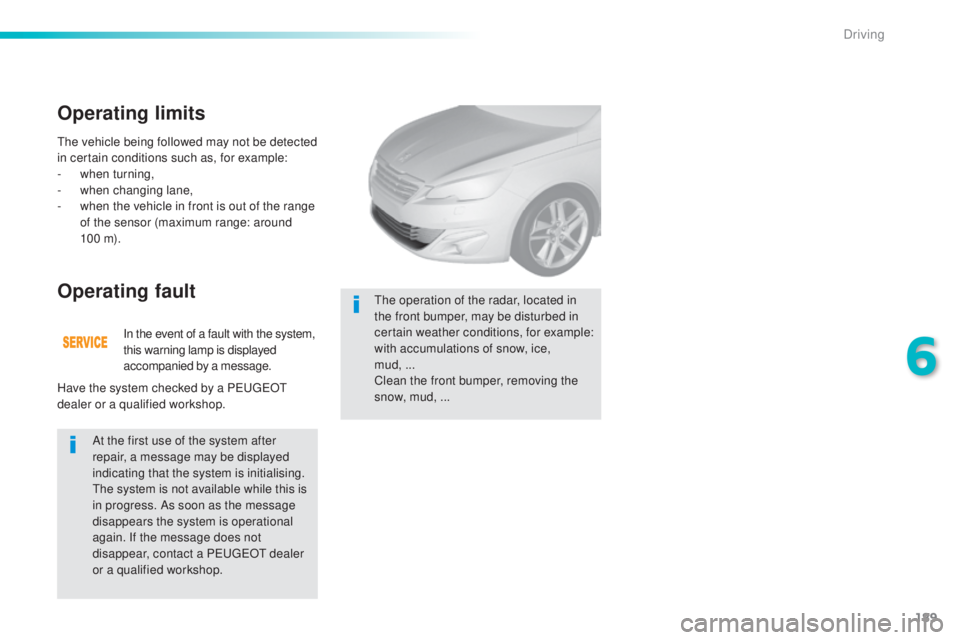
the o
peration of the radar, located in
the front bumper, may be disturbed in
certain weather conditions, for example:
with accumulations of snow, ice,
mud,
...
C
lean the front bumper, removing the
snow, mud, ...
6
Driving
Page 194 of 398
192
308_en_Chap06_conduite_ed02-2015
the change from one level of alert
t o the next takes place if the driving
conditions do not change (speed
unchanged, no change of lane...). If the speed of your vehicle is too high
when approaching another vehicle, the
first level of alert may not be displayed:
the level 2 alert may be displayed
di r e c t l y.
On the other hand, the level 1 alert
is never displayed with the "close"
triggering threshold 3.
Severe weather conditions (very heavy
rain, accumulations of snow in front
of the radar) may inter fere with the
operation of the system, resulting in
the display of this message "
SYSTEM
INACTIVE: Reduced visibility ".
the
s
ystem will remain unavailable until the
message disappears.
the em
ergency collision alert system
does not replace the need for vigilance
on the part of the driver.
Alerts
According to the collision risk detected by
the system and the alert threshold chosen,
different levels of alert can be given.
Level 1: visual alert only (orange)
indicating that the vehicle in front is
very close.
the m
essage "Vehicle
close " is displayed.
Level 2 : visual (red) and audible
alerts indicating that a collision is
imminent.
the m
essage "Brake!"
is displayed.
thi
s level of alert is based on the inter-vehicle
time between your vehicle and the one in front.
thi
s level of alert is based on a time before
collision. It takes account of the vehicle
dynamics, the speed of your vehicle and
the speed of the vehicle in front, the driving
conditions, the situation with your vehicle
(cornering, pedals pressed, etc.) to trigger the
alert at the right moment.
Driving