display Peugeot 308 2016 Repair Manual
[x] Cancel search | Manufacturer: PEUGEOT, Model Year: 2016, Model line: 308, Model: Peugeot 308 2016Pages: 398, PDF Size: 9.38 MB
Page 196 of 398
194
308_en_Chap06_conduite_ed02-2015
Operating fault
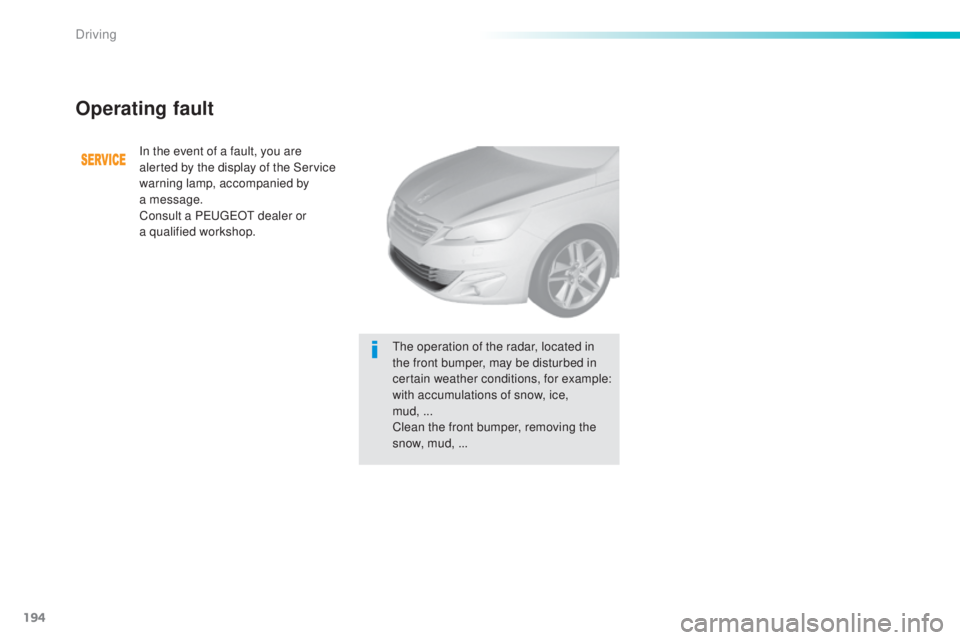
In the event of a fault, you are
alerted by the display of the Service
warning lamp, accompanied by
a
m
essage.
Consult a P
eu
ge
Ot d
ealer or
a
q
ualified workshop.
the o
peration of the radar, located in
the front bumper, may be disturbed in
certain weather conditions, for example:
with accumulations of snow, ice,
mud,
...
C
lean the front bumper, removing the
snow, mud, ...
Driving
Page 200 of 398
198
308_en_Chap06_conduite_ed02-2015
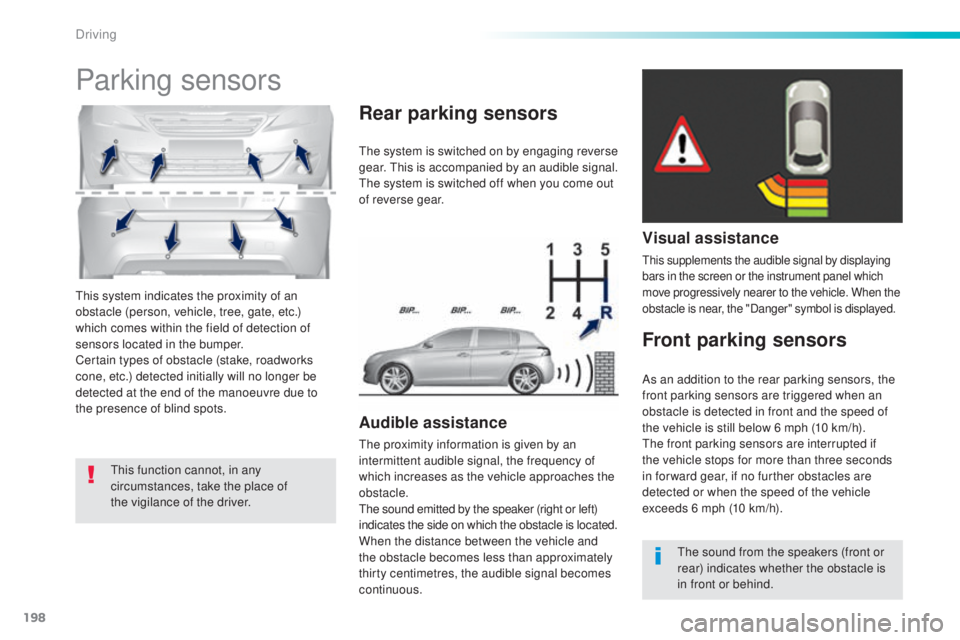
this system indicates the proximity of an
o bstacle (person, vehicle, tree, gate, etc.)
which comes within the field of detection of
sensors located in the bumper.
Certain types of obstacle (stake, roadworks
cone, etc.) detected initially will no longer be
detected at the end of the manoeuvre due to
the presence of blind spots.
Parking sensors
this function cannot, in any
c ircumstances, take the place of
the vigilance of the driver.
the s
ystem is switched on by engaging reverse
gear.
thi
s is accompanied by an audible signal.
the s
ystem is switched off when you come out
of reverse gear.
Audible assistance
the proximity information is given by an
i ntermittent audible signal, the frequency of
which increases as the vehicle approaches the
obstacle.
the s
ound emitted by the speaker (right or left)
indicates the side on which the obstacle is located.
When the distance between the vehicle and
the obstacle becomes less than approximately
thirty centimetres, the audible signal becomes
continuous.
Rear parking sensors
Visual assistance
this supplements the audible signal by displaying
b ars in the screen or the instrument panel which
move progressively nearer to the vehicle. When the
obstacle is near, the "Danger" symbol is displayed.
Front parking sensors
the sound from the speakers (front or
r ear) indicates whether the obstacle is
in front or behind.
As an addition to the rear parking sensors, the
front parking sensors are triggered when an
obstacle is detected in front and the speed of
the vehicle is still below 6 mph (10 km/h).
the f
ront parking sensors are interrupted if
the vehicle stops for more than three seconds
in for ward gear, if no further obstacles are
detected or when the speed of the vehicle
exceeds 6 mph (10 km/h).
Driving
Page 202 of 398
200
308_en_Chap06_conduite_ed02-2015
Reversing camera
Opening the tailgate causes the display
to disappear.
the
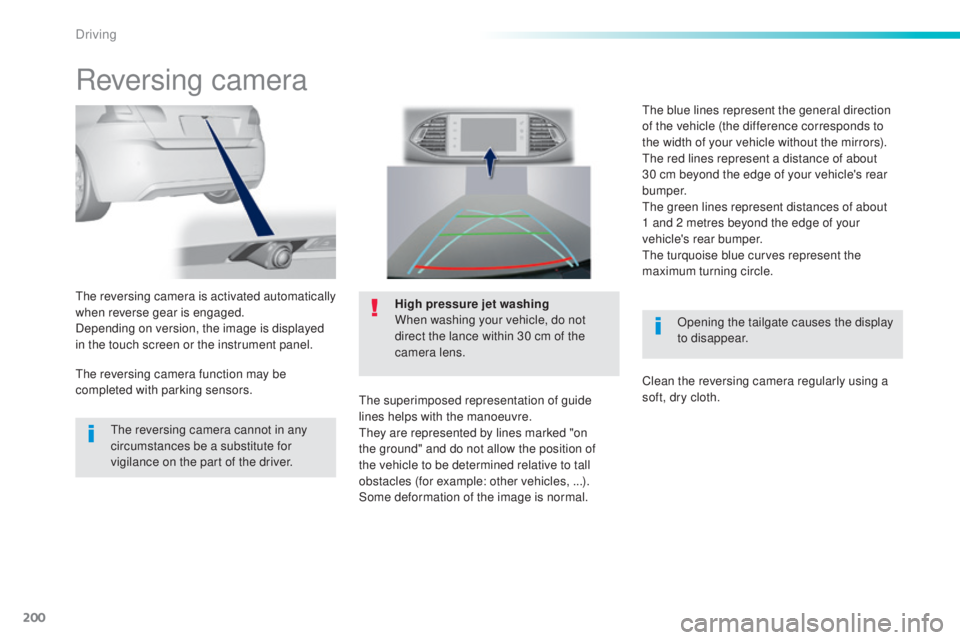
reversing camera is activated automatically
when reverse gear is engaged.
Depending on version, the image is displayed
in the touch screen or the instrument panel. High pressure jet washing
When washing your vehicle, do not
direct the lance within 30 cm of the
camera lens.
the s
uperimposed representation of guide
lines helps with the manoeuvre.
the
y are represented by lines marked "on
the ground" and do not allow the position of
the vehicle to be determined relative to tall
obstacles (for example: other vehicles, ...).
Some deformation of the image is normal.
the r
eversing camera cannot in any
circumstances be a substitute for
vigilance on the part of the driver.
the r
eversing camera function may be
completed with parking sensors.
the b
lue lines represent the general direction
of the vehicle (the difference corresponds to
the width of your vehicle without the mirrors).
the r
ed lines represent a distance of about
30 cm beyond the edge of your vehicle's rear
b u m p e r.
the g
reen lines represent distances of about
1
a
nd 2 metres beyond the edge of your
vehicle's rear bumper.
the t
urquoise blue curves represent the
maximum turning circle.
Clean the reversing camera regularly using a
soft, dry cloth.
Driving
Page 204 of 398
202
308_en_Chap06_conduite_ed02-2015
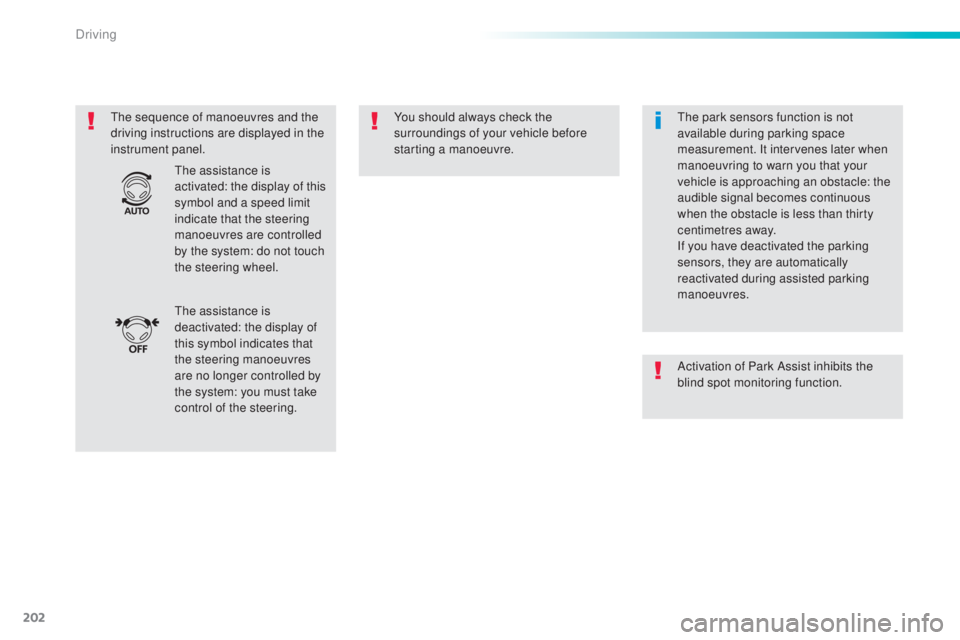
the sequence of manoeuvres and the
d riving instructions are displayed in the
instrument panel. You should always check the
surroundings of your vehicle before
starting a manoeuvre.
the a
ssistance is
deactivated: the display of
this symbol indicates that
the steering manoeuvres
are no longer controlled by
the system: you must take
control of the steering.
the a
ssistance is
activated: the display of this
symbol and a speed limit
indicate that the steering
manoeuvres are controlled
by the system: do not touch
the steering wheel.the p ark sensors function is not
available during parking space
measurement. It intervenes later when
manoeuvring to warn you that your
vehicle is approaching an obstacle: the
audible signal becomes continuous
when the obstacle is less than thirty
centimetres away.
If you have deactivated the parking
sensors, they are automatically
reactivated during assisted parking
manoeuvres.
Activation of Park Assist inhibits the
blind spot monitoring function.
Driving
Page 206 of 398
204
308_en_Chap06_conduite_ed02-2015
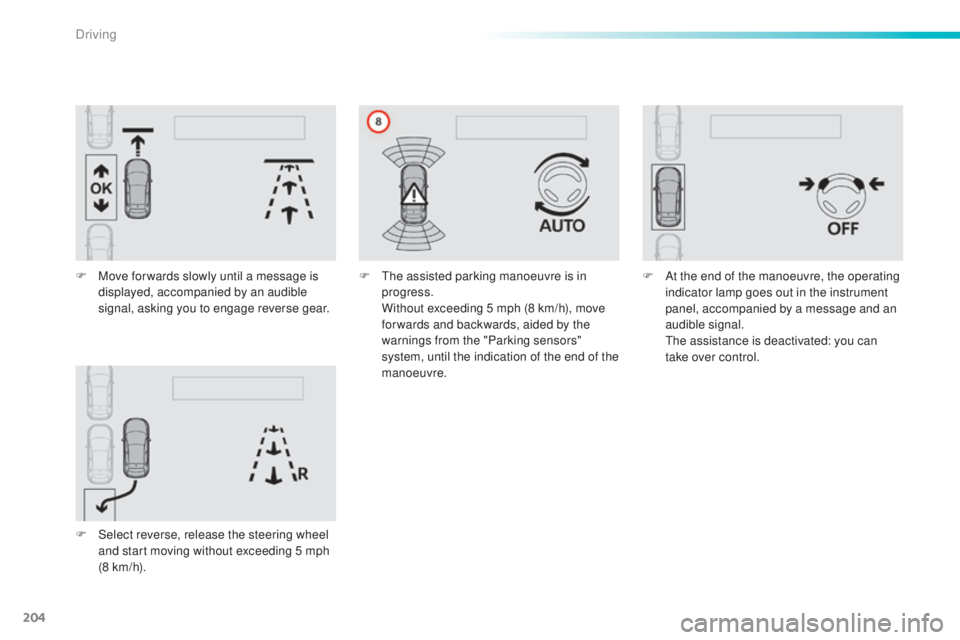
F Move for wards slowly until a message is
displayed, accompanied by an audible
signal, asking you to engage reverse gear.
F
Se
lect reverse, release the steering wheel
and start moving without exceeding 5 mph
(8 km/h). F
the a ssisted parking manoeuvre is in
progress.
Wi
thout exceeding 5 mph (8 km/h), move
for wards and backwards, aided by the
warnings from the "Parking sensors"
system, until the indication of the end of the
manoeuvre. F At t
he end of the manoeuvre, the operating
indicator lamp goes out in the instrument
panel, accompanied by a message and an
audible signal.
the a
ssistance is deactivated: you can
take over control.
Driving
Page 208 of 398
206
308_en_Chap06_conduite_ed02-2015
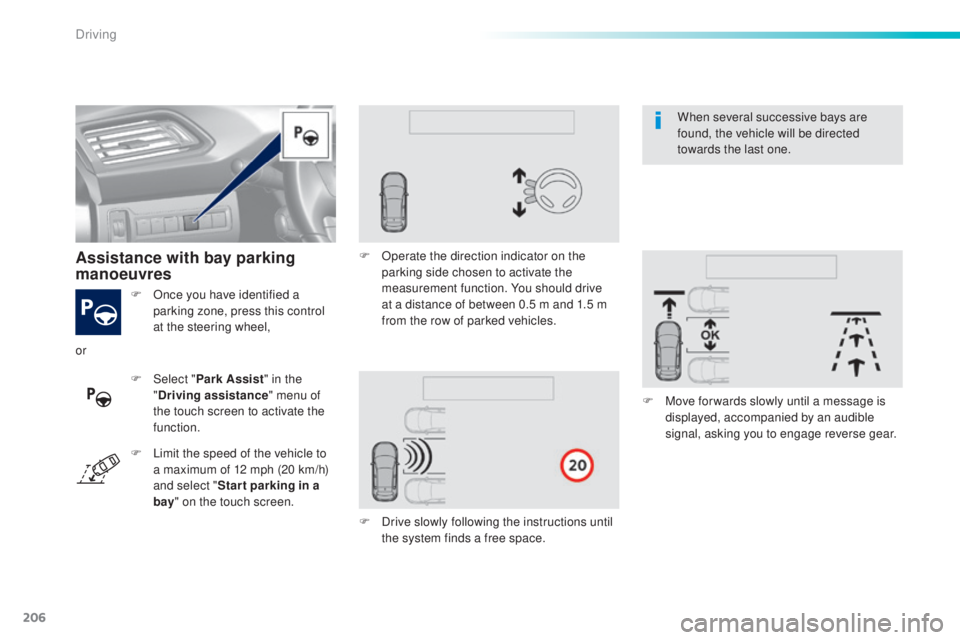
F Once you have identified a
parking zone, press this control
at the steering wheel,
Assistance with bay parking
manoeuvres
F Select " P ark Assist" in the
" Driving assistance " menu of
the touch screen to activate the
function. F
Op
erate the direction indicator on the
parking side chosen to activate the
measurement function. You should drive
at a distance of between 0.5 m and 1.5 m
from the row of parked vehicles.
F
Dr
ive slowly following the instructions until
the system finds a free space. F
Mov
e for wards slowly until a message is
displayed, accompanied by an audible
signal, asking you to engage reverse gear.
or
F
Li
mit the speed of the vehicle to
a maximum of 12 mph (20 km/h)
and select " Star t parking in a
bay " on the touch screen. When several successive bays are
found, the vehicle will be directed
towards the last one.
Driving
Page 209 of 398
207
308_en_Chap06_conduite_ed02-2015
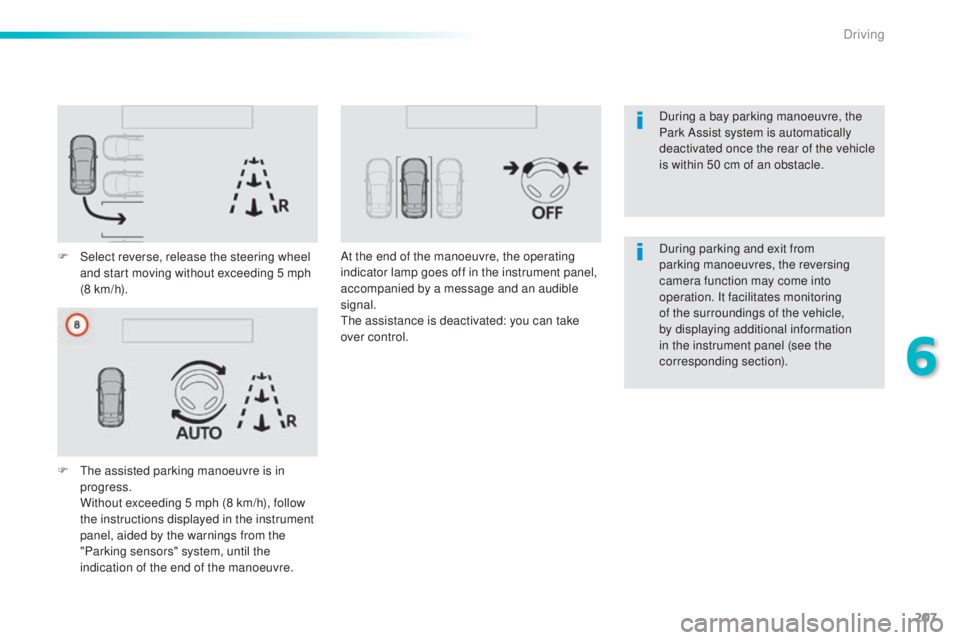
F Select reverse, release the steering wheel
and start moving without exceeding 5 mph
(8 km/h).
F
t
he a
ssisted parking manoeuvre is in
progress.
Wi
thout exceeding 5 mph (8 km/h), follow
the instructions displayed in the instrument
panel, aided by the warnings from the
"Parking sensors" system, until the
indication of the end of the manoeuvre. At the end of the manoeuvre, the operating
indicator lamp goes off in the instrument panel,
accompanied by a message and an audible
signal.
the a
ssistance is deactivated: you can take
over control. During parking and exit from
parking manoeuvres, the reversing
camera function may come into
operation. It facilitates monitoring
of the surroundings of the vehicle,
by displaying additional information
in the instrument panel (see the
corresponding section). During a bay parking manoeuvre, the
Park Assist system is automatically
deactivated once the rear of the vehicle
is within 50 cm of an obstacle.
6
Driving
Page 210 of 398
208
308_en_Chap06_conduite_ed02-2015
the system is deactivated by pressing the
c ontrol.
the s
ystem is deactivated automatically:
-
on s
witching off the ignition,
-
if t
he engine stalls,
-
if n
o manoeuvre is started within 5 minutes
of selection of the type of manoeuvre,
-
af
ter a prolonged stop of the vehicle during
a manoeuvre,
-
if t
he road wheel anti-slip regulation (ASR)
is triggered,
-
if t
he speed of the vehicle exceeds the
stated limit,
-
wh
en the driver interrupts movement of the
steering wheel,
-
af
ter 4 manoeuvre cycles,
-
on
opening the driver's door,
-
if o
ne of the front wheels encounters an
obstacle.
the o
peration indicator lamp goes off in the
instrument panel and a message is displayed
accompanied by an audible signal.
the d
river should then take back control of the
vehicle's steering.
Deactivation
If the system is deactivated during a
manoeuvre, the drive should reactivate it to
repeat the measurement.
the s
ystem is switched off automatically:
-
wh
en towing a trailer,
-
if t
he driver's door is opened,
-
if t
he speed of the vehicle is above 42 mph
(70 km/h).
to sw
itch the system of for a prolonged period,
contact a P
eu
ge
Ot d
ealer or a qualified
workshop.
-
th
is warning lamp comes on
in the instrument panel and a
message appears, accompanied
by an audible signal,
Operating faults
In the event of a fault, the symbol
for the button changes to alert
mode and the warning lamp flashes
for a few moments then goes off.
Contact a P
eu
ge
Ot d
ealer or a qualified
workshop.
Switching off
In bad weather or in winter, ensure that
the sensors are not covered by road
dirt, ice or snow.
In the event of a fault, have the system
checked by a P
eu
ge
Ot d
ealer or a
qualified workshop.
-
th
is symbol changes to alert
mode, its warning lamp flashes
for a few moments, then goes off. If the lateral distance between your vehicle
and the space is too great, the system may
not be able to measure the space.
Anything projecting beyond the envelope
of the vehicle (long or wide load) is not
taken into account by the Park Assist
system during a manoeuvre.
Depending on version:
Driving
Page 212 of 398
210
308_en_Chap06_conduite_ed02-2015
Under-inflation alertReinitialisation
Before reinitialising the system, ensure
that the pressures of the four tyres are
correct for the use of the vehicle and in
line with the recommendations on the
tyre pressure label.
the u
nder-inflation alert can only be
relied on if the reinitialisation of the
system has done with the pressures in
the four tyres correctly adjusted.
the u
nder-inflation detection system
does not give a warning if a pressure is
incorrect at the time of reinitialisation.
thi
s is given by fixed illumination of
this warning lamp, accompanied by
an audible signal and, depending on
equipment, the display of a message. It is necessary to reinitialise the system every
time one or more tyre pressures are adjusted,
and after changing one or more wheels.
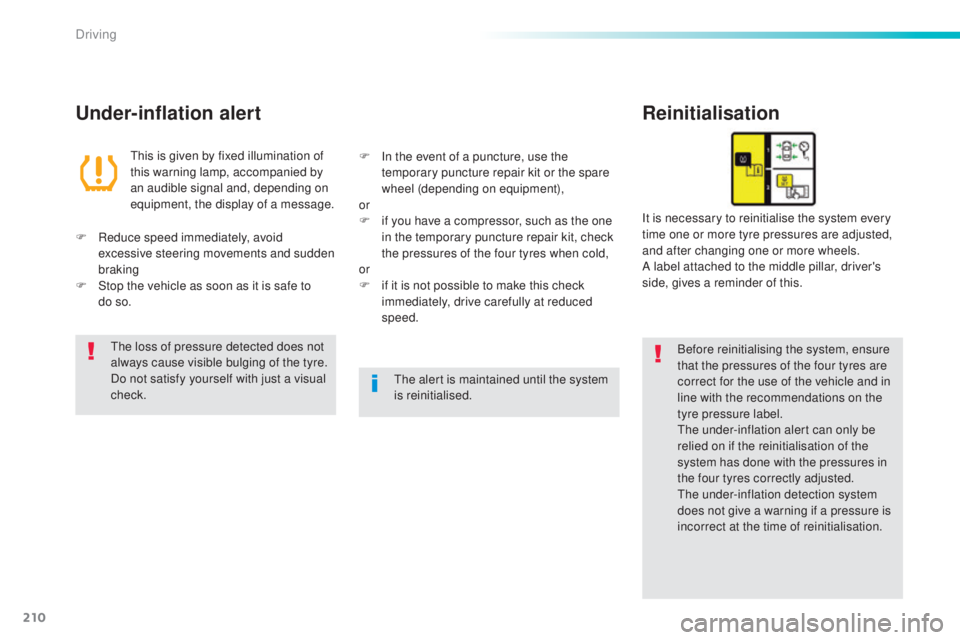
A label attached to the middle pillar, driver's
side, gives a reminder of this.
F
Red
uce speed immediately, avoid
excessive steering movements and sudden
braking
F
St
op the vehicle as soon as it is safe to
do
s
o. F
In t
he event of a puncture, use the
temporary puncture repair kit or the spare
wheel (depending on equipment),
or
F
if y
ou have a compressor, such as the one
in the temporary puncture repair kit, check
the pressures of the four tyres when cold,
or
F
if i
t is not possible to make this check
immediately, drive carefully at reduced
speed.the l
oss of pressure detected does not
always cause visible bulging of the tyre.
Do not satisfy yourself with just a visual
check.
the a
lert is maintained until the system
is reinitialised.
Driving
Page 238 of 398
236
308_en_Chap07_info-pratiques_ed02-2015
Range indicators
Once the AdBlue® tank is on reserve or after
detection of a fault with the SCR emissions
control system, when the ignition is switched
on, an indicator displays an estimate of the
distance that can be covered, the range, before
engine starting is prevented.
In the event of simultaneous system fault and
low AdBlue
® level, the shortest range figure is
the one displayed.
In the event of the risk of non-starting related to a lack of AdBlue®
the engine start prevention system
r equired by regulations is activated
automatically once the AdBlue
® tank is
e m pt y.
Remaining range greater than 1 500 miles (2 400 km )
Pressing this button will display the remaining
range.
F
t
hen se
lect "Diagnostic ".
Above 3 000 miles (5 000 km), the value is not
specified. When switching on the ignition, there is no
automatic display of range in the instrument
panel.
the r
ange at that moment is then displayed.
You can access this information in the touch
screen, if your vehicle has one.
F
Selec
t the "Driving assistance "
menu.
Remaining range between 350 and 1500 miles (600 and 2 400 km)
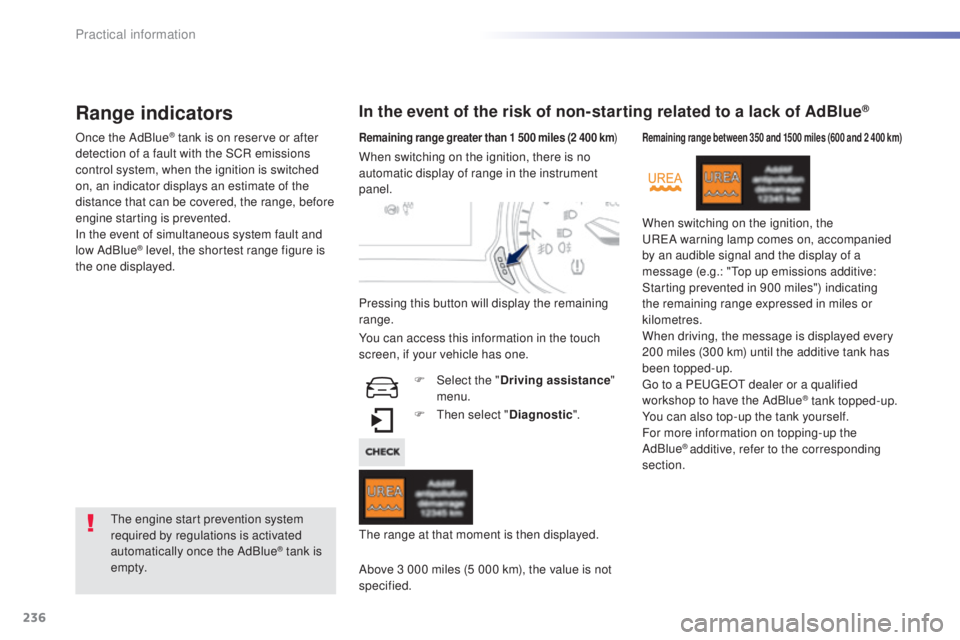
When switching on the ignition, the uReA w arning lamp comes on, accompanied
by an audible signal and the display of a
message (e.g.: "
top u
p emissions additive:
Starting prevented in 900 miles") indicating
the remaining range expressed in miles or
kilometres.
When driving, the message is displayed every
200 miles (300 km) until the additive tank has
been topped-up.
go to a Peu
ge
Ot d
ealer or a qualified
workshop to have the AdBlue
® tank topped-up.
You can also top-up the tank yourself.
For more information on topping-up the
AdBlue
® additive, refer to the corresponding
section.
Practical information