Screenwash PEUGEOT 308 2024 Owners Manual
[x] Cancel search | Manufacturer: PEUGEOT, Model Year: 2024, Model line: 308, Model: PEUGEOT 308 2024Pages: 280, PDF Size: 8.13 MB
Page 7 of 280
5
Overview
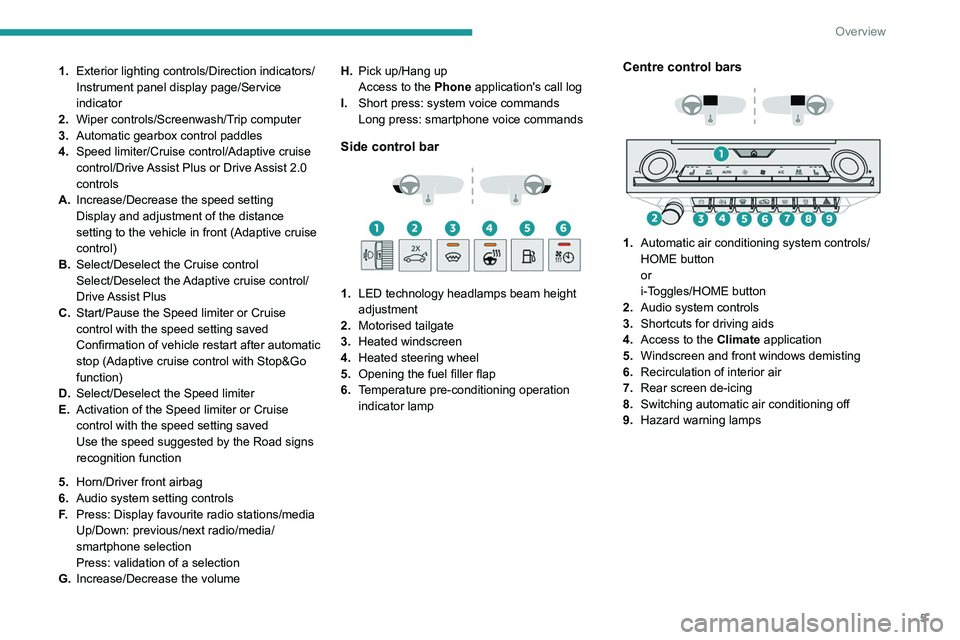
1.Exterior lighting controls/Direction indicators/
Instrument panel display page/Service
indicator
2. Wiper controls/Screenwash/Trip computer
3. Automatic gearbox control paddles
4. Speed limiter/Cruise control/Adaptive cruise
control/Drive Assist Plus or Drive Assist 2.0
controls
A. Increase/Decrease the speed setting
Display and adjustment of the distance
setting to the vehicle in front (Adaptive cruise
control)
B. Select/Deselect the Cruise control
Select/Deselect the Adaptive cruise control/
Drive Assist Plus
C. Start/Pause the Speed limiter or Cruise
control with the speed setting saved
Confirmation of vehicle restart after automatic
stop (Adaptive cruise control with Stop&Go
function)
D. Select/Deselect the Speed limiter
E. Activation of the Speed limiter or Cruise
control with the speed setting saved
Use the speed suggested by the Road signs
recognition function
5. Horn/Driver front airbag
6. Audio system setting controls
F. Press: Display favourite radio stations/media
Up/Down: previous/next radio/media/
smartphone selection
Press: validation of a selection
G. Increase/Decrease the volume H.
Pick up/Hang up
Access to the Phone application's call log
I. Short press: system voice commands
Long press: smartphone voice commands
Side control bar
1. LED technology headlamps beam height
adjustment
2. Motorised tailgate
3. Heated windscreen
4. Heated steering wheel
5. Opening the fuel filler flap
6. Temperature pre-conditioning operation
indicator lamp
Centre control bars
1. Automatic air conditioning system controls/
HOME button
or
i-Toggles/HOME button
2. Audio system controls
3. Shortcuts for driving aids
4. Access to the Climate application
5. Windscreen and front windows demisting
6. Recirculation of interior air
7. Rear screen de-icing
8. Switching automatic air conditioning off
9. Hazard warning lamps
Page 61 of 280
59
Ease of use and comfort
3This function is activated automatically when the front screenwash is used or
reverse gear is engaged.
Front demisting/defrosting
This mode allows the windscreen and side windows to be demisted or defrosted as quickly
as possible.
► Press this button to activate/deactivate
the mode (confirmed by the illumination/
extinction of the
indicator lamp).
The mode automatically manages the air
conditioning, air flow, air intake and distributes
ventilation optimally to the windscreen and side
windows.
The air flow can be changed manually without
deactivating this mode.
With Stop & Start, when demisting has
been activated, STOP mode is not
available.
In wintry conditions, before moving off, it
is essential to remove any snow or ice
from the windscreen around the camera.
Otherwise, the operation of the equipment
using the camera may be affected.
Rear screen demisting/
defrosting
This demisting/de-icing only works with the engine running.
Depending on version, it also demists/de-ices
the door mirrors.
► Press this button to activate/deactivate
the function (confirmed by the indicator
lamp coming on/switching off).
The function can be activated whatever the outside temperature may be.
The period of operation depends on the outside
temperature.
Demisting/defrosting therefore switches
off automatically to prevent an excessive
consumption of electrical current.
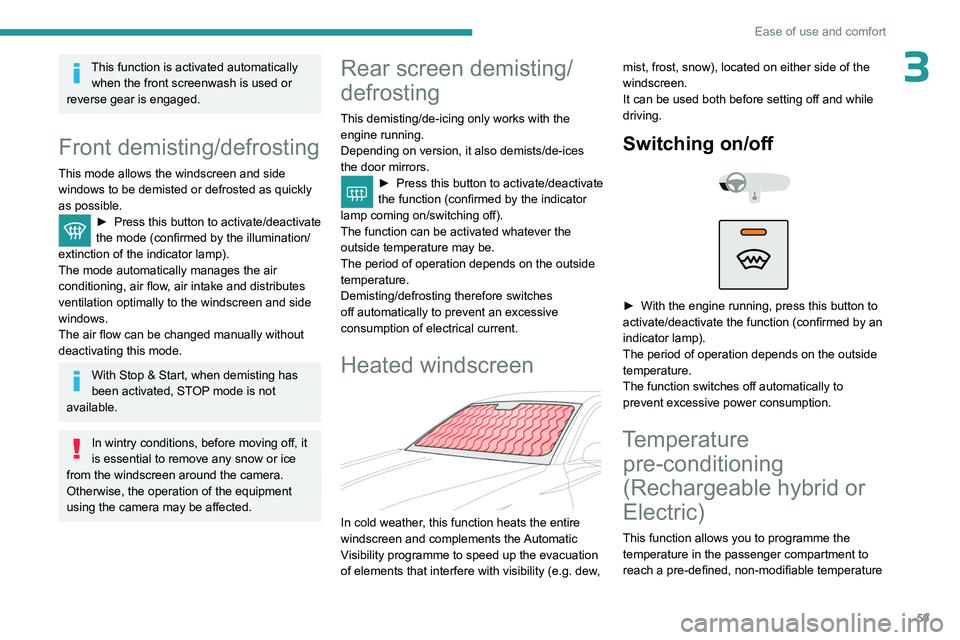
Heated windscreen
In cold weather, this function heats the entire
windscreen and complements the Automatic
Visibility programme to speed up the evacuation
of elements that interfere with visibility (e.g.
dew, mist, frost, snow), located on either side of the
windscreen.
It can be used both before setting off and while
driving.
Switching on/
off
► With the engine running, press this button to
activate/deactivate the function (confirmed by an
indicator lamp).
The period of operation depends on the outside
temperature.
The function switches off automatically to
prevent excessive power consumption.
Temperature pre-conditioning
(Rechargeable hybrid or
Electric)
This function allows you to programme the
temperature in the passenger compartment to
reach a pre-defined, non-modifiable temperature
Page 78 of 280
76
Lighting and visibility
In position 1 or 2, the wiping frequency is
automatically reduced when the speed of
the vehicle drops below 3
mph (5 km/h).
When the speed is above 6
mph (10 km/h)
again, the wiping frequency returns to the
original frequency (fast or normal).
Single wipe
If the wiper control stalk is:
► In the INT or AUTO position, pull the stalk
briefly towards you then release it.
►
In the
0 position, press briefly on the stalk
then release it.
Pressing and holding triggers continuous wiping
at the normal wiping speed.
Windscreen wash
► Pull the wiper control stalk towards you and
hold.
A
final wiping cycle is performed when
screenwashing ends.
The windscreen wash jets are incorporated into the tip of each wiper
arm.
An additional jet is installed below the
midpoint of the arm on the driver's side.
Screenwash fluid is sprayed along the length
of the wiper blade. This improves visibility and
reduces screenwash fluid consumption.
With automatic air conditioning, any
action on the screenwash control results
in temporary closure of the air intake to
protect the passenger compartment from any
odour.
To avoid damaging the wiper blades, do not operate the screenwash if the
screenwash reservoir is empty.
Only operate the screenwash if there is no
risk of the fluid freezing on the windscreen
and hindering visibility. During the winter
period, use "very cold climate" rated products.
Never top up with water.
Rear wiper
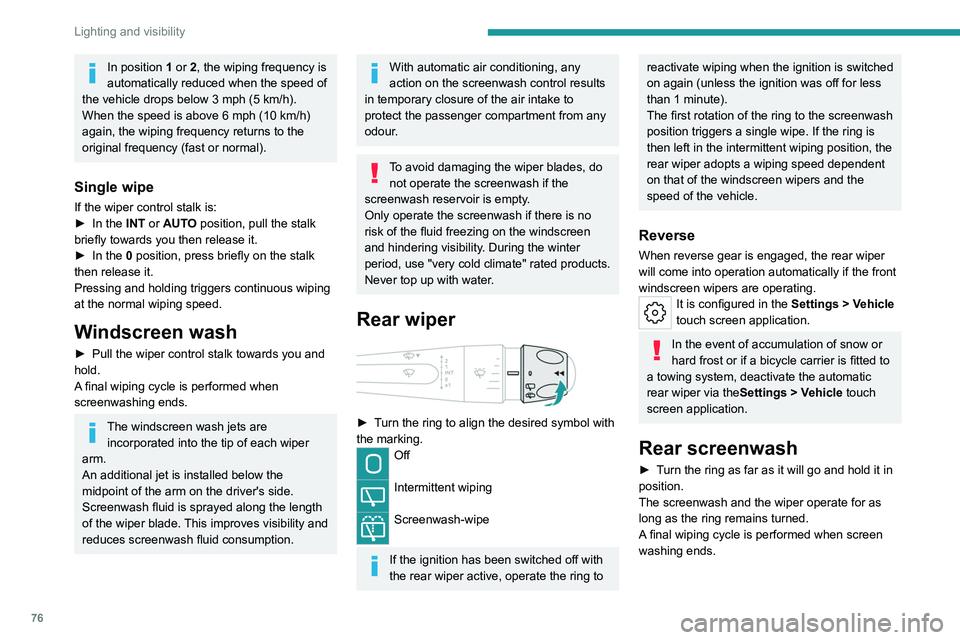
► Turn the ring to align the desired symbol with
the marking.
Off
Intermittent wiping
Screenwash-wipe
If the ignition has been switched off with
the rear wiper active, operate the ring to
reactivate wiping when the ignition is switched
on again (unless the ignition was off for less
than 1 minute).
The first rotation of the ring to the screenwash
position triggers a single wipe. If the ring is
then left in the intermittent wiping position, the
rear wiper adopts a wiping speed dependent
on that of the windscreen wipers and the
speed of the vehicle.
Reverse
When reverse gear is engaged, the rear wiper
will come into operation automatically if the front
windscreen wipers are operating.
It is configured in the Settings > Vehicle
touch screen application.
In the event of accumulation of snow or
hard frost or if a bicycle carrier is fitted to
a towing system, deactivate the automatic
rear wiper via the Settings
> Vehicle touch
screen application.
Rear screenwash
► Turn the ring as far as it will go and hold it in
position.
The screenwash and the wiper operate for as
long as the ring remains turned.
A final wiping cycle is performed when screen
washing ends.
Page 80 of 280
78
Lighting and visibility
In winter, wait until the windscreen is
completely clear of ice before activating the
automatic wipers.
Malfunction
If a fault occurs with the automatic wipers, the
wipers operate in intermittent mode.
Have it checked by a PEUGEOT dealer or a
qualified workshop.
Special position of the
windscreen wipers
This maintenance position is used while cleaning
or replacing the wiper blades. It can also be
useful, in wintry weather (ice, snow), to release
the wiper blades from the windscreen.
To maintain the effectiveness of the flat wiper blades, it is advisable to:
–
handle them with care.
–
clean them regularly using soapy water
.
–
avoid using them to hold cardboard on the
windscreen.
–
replace them at the first signs of wear
.
Before removing a windscreen wiper blade
Operating the wiper control stalk immediately
after switching off the ignition will place the wiper
blades in a vertical position.
►
Proceed with the desired operation or the
replacement of the wiper blades.
After refitting a windscreen wiper blade
► To return the wiper blades to their initial
position after the operation, switch on the ignition
and operate the wiper control stalk.
Changing a wiper blade
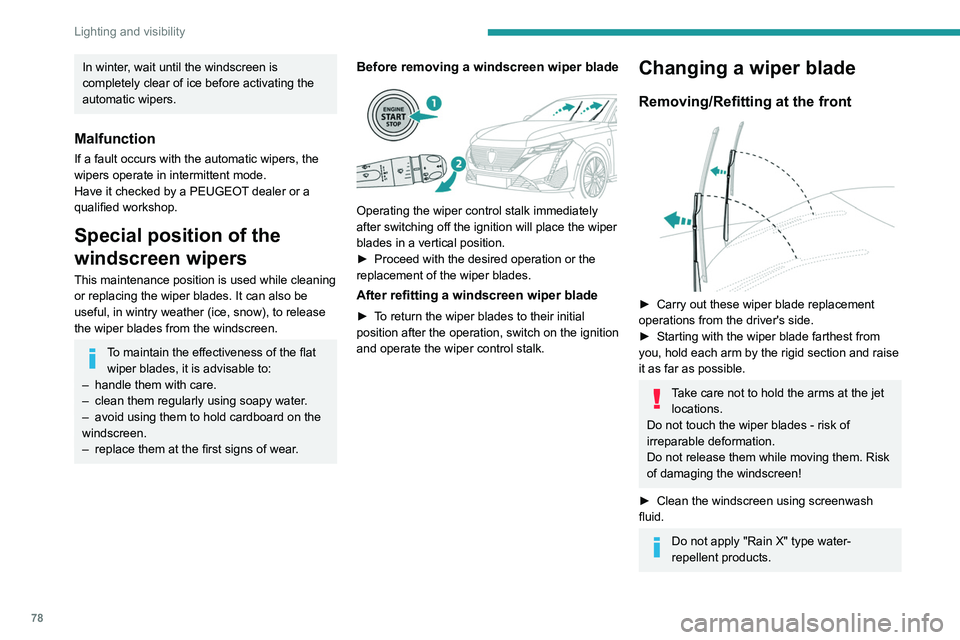
Removing/Refitting at the front
► Carry out these wiper blade replacement
operations from the driver's side.
►
Starting with the wiper blade farthest from
you, hold each arm by the rigid section and raise
it as far as possible.
Take care not to hold the arms at the jet locations.
Do not touch the wiper blades - risk of
irreparable deformation.
Do not release them while moving them. Risk
of damaging the windscreen!
►
Clean the windscreen using screenwash
fluid.
Do not apply "Rain X" type water-
repellent products.
Page 81 of 280
79
Lighting and visibility
4► Unclip the worn wiper blade closest to you
and remove it.
►
Install the new wiper blade and clip it to the
arm.
►
Repeat the procedure for the other wiper
blade.
►
Starting with the wiper blade closest to you,
once again hold each arm by the rigid section,
then guide it carefully onto the windscreen.
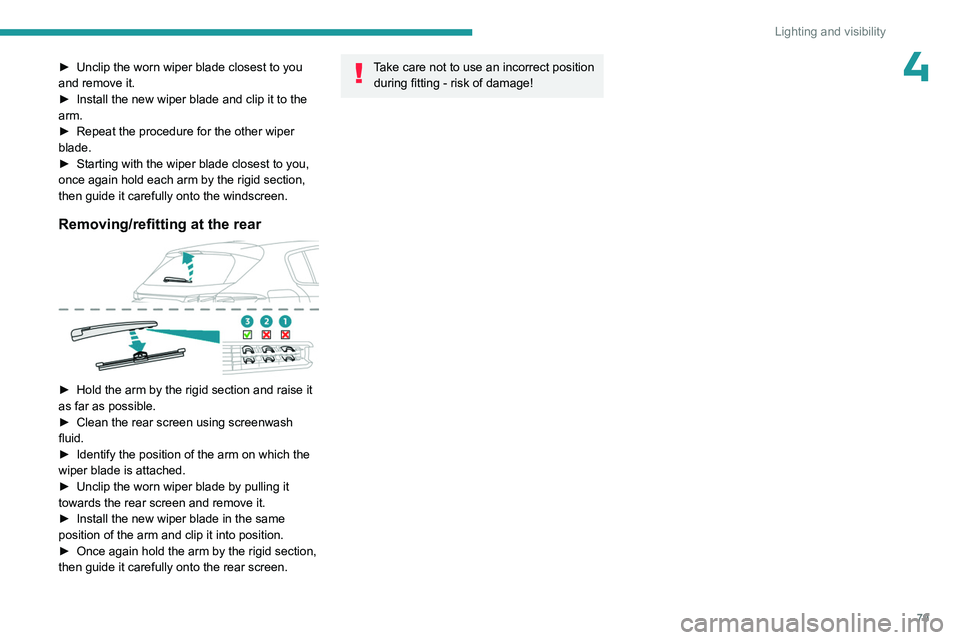
Removing/refitting at the rear
► Hold the arm by the rigid section and raise it
as far as possible.
►
Clean the rear screen using screenwash
fluid.
►
Identify the position of the arm on which the
wiper blade is attached.
►
Unclip the worn wiper blade by pulling it
towards the rear screen and remove it.
►
Install the new wiper blade in the same
position of the arm and clip it into position.
►
Once again hold the arm by the rigid section,
then guide it carefully onto the rear screen.
Take care not to use an incorrect position during fitting - risk of damage!
Page 191 of 280
189
Practical information
7Closing
► Lower the bonnet and release it near the end
of its travel.
►
Check the locking.
Because of the presence of electrical
equipment under the bonnet, it is strongly
recommended that exposure to water (rain,
washing, etc.) be limited.
Engine compartment
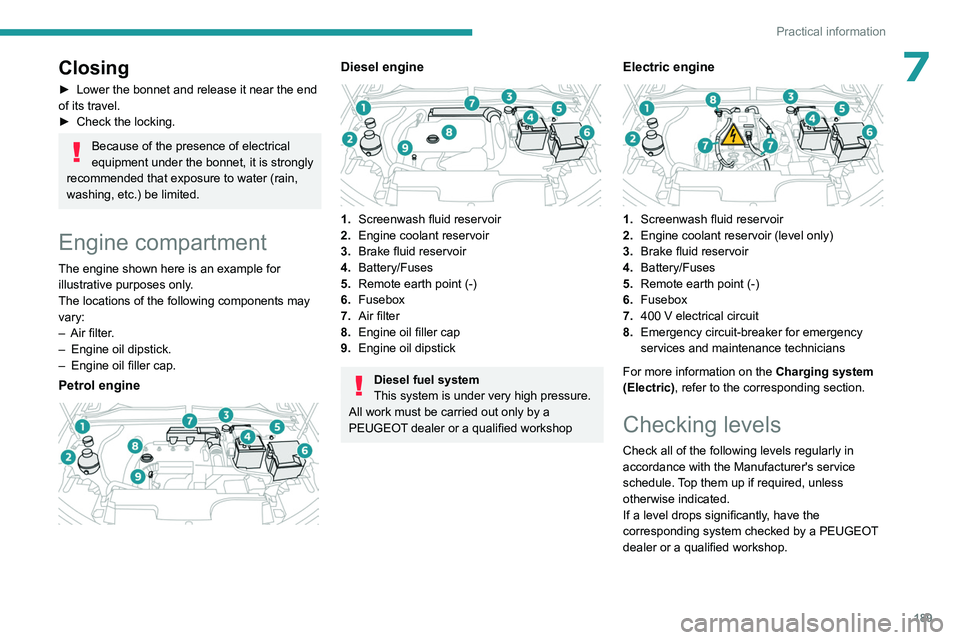
The engine shown here is an example for
illustrative purposes only.
The locations of the following components may
vary:
–
Air filter
.
–
Engine oil dipstick.
–
Engine oil filler cap.
Petrol engine
Diesel engine
1. Screenwash fluid reservoir
2. Engine coolant reservoir
3. Brake fluid reservoir
4. Battery/Fuses
5. Remote earth point (-)
6. Fusebox
7. Air filter
8. Engine oil filler cap
9. Engine oil dipstick
Diesel fuel system
This system is under very high pressure.
All work must be carried out only by a
PEUGEOT dealer or a qualified workshop
Electric engine
1. Screenwash fluid reservoir
2. Engine coolant reservoir (level only)
3. Brake fluid reservoir
4. Battery/Fuses
5. Remote earth point (-)
6. Fusebox
7. 400
V electrical circuit
8. Emergency circuit-breaker for emergency
services and maintenance technicians
For more information on the Charging system
(Electric), refer to the corresponding section.
Checking levels
Check all of the following levels regularly in
accordance with the Manufacturer's service
schedule. Top them up if required, unless
otherwise indicated.
If a level drops significantly, have the
corresponding system checked by a PEUGEOT
dealer or a qualified workshop.
Page 193 of 280
191
Practical information
7Brake fluid
The level of this fluid should be close to the "MAX" mark. If not, check the brake
pads for wear.
To know how often the brake fluid should be
replaced, refer to the manufacturer's servicing
schedule.
Clean the cap before removing it to refill.
Use only DOT4 brake fluid from a sealed
container.
Engine coolant
For petrol, Diesel, hybrid or rechargeable
hybrid versions
It is normal to top up this fluid between
two services.
The check and top-up must only be done with
the engine cold.
A level of coolant that is too low risks causing
major damage to the engine; the coolant level
must be close to the "MAX" mark without ever
going above it.
If the level is close to or below the " MIN" mark, it
is essential to top it up.
When the engine is hot, the temperature of the
coolant is regulated by the fan.
As the cooling system is pressurised, wait at
least one hour after switching off the engine
before carrying out any work.
In order to avoid the risk of scalding if you need
to top up in an emergency, wrap a cloth around
the cap and unscrew the cap by two turns to
allow the pressure to drop.
Once the pressure has dropped, remove the cap
and top up to the required level.
For electric versionsDo not top up the coolant.
If the level is close to or below
the "MIN" mark, it is essential to contact a
PEUGEOT dealer or a qualified workshop.
Screenwash fluid
Top up to the required level when necessary.
Fluid specification
The fluid must be topped up with a pre-mixed
product.
In winter (temperatures below zero), a fluid
containing an anti-freeze agent which is
appropriate for the temperature conditions
must be used in order to protect the system's
components (pump, tank, ducts, jets).
Filling with pure water is prohibited in all
circumstances (risk of freezing,
limescale, etc.).
Diesel fuel additive (Diesel
with particle filter)
On reaching the minimum level in the
particle filter additive tank, this warning
lamp comes on fixed, accompanied by an
audible signal and a warning message.
Topping up
The topping up of this additive must be carried
out quickly.
Go to a PEUGEOT dealer or a qualified
workshop.
AdBlue® (BlueHDi)
An alert is triggered when the reserve level is
reached.
For more information on the Indicators and in
particular the AdBlue range indicators, refer to
the corresponding section.
To avoid the vehicle being immobilised in
accordance with regulations, you must top up the
AdBlue tank.
For more information on AdBlue
® (BlueHDi),
and in particular the supply of AdBlue, refer to
the corresponding section.
Checks
Unless otherwise indicated, check these
components in accordance with the
Manufacturer's service schedule and according
to your engine.
Page 253 of 280
251
Alphabetical index
I
Ignition 101, 242
Ignition on
101
Immobiliser, electronic
100
Indicator, AdBlue® range
21
Indicator, coolant temperature
21
Indicator, engine oil level
20
Indicators, direction
70
Indicator, service
19
Inflating tyres
193, 228
Inflating tyres and accessories
(using the kit)
201, 203
Information, vehicle
11, 245
Infrared camera
120
Instrument panel
11, 25, 25–26, 120
Instrument panels
11
ISOFIX mountings
93, 95–96
J
Jack 200–201, 204
Jump starting
210, 213
K
Key 30, 32, 35
Key, electronic
32–33
Keyless Entry and Starting
30, 32–33, 100–101
Key not recognised 102
Key with remote control
30, 100
Kit, hands-free
237
Kit, puncture repair
200–201
Kit, temporary puncture repair
200–203
Klaxon
81
L
Labels, identification 228
Lamps, parking
70
Lamps, rear
208–209
Lamps with Full LED technology
71, 73
Lane keeping assist
148
Lane positioning assist
130, 135–136
Leather (care)
198
LEDs - Light-emitting diodes
70, 208–209
Level, AdBlue®
191
Level, brake fluid
191
Level, Diesel additive
192
Level, engine coolant
21, 191
Level, engine oil
20, 190
Levels and checks
189–191
Level, screenwash fluid
76, 191
Light-emitting diodes - LEDs
70, 208–209
Lighting, boot
68
Lighting dimmer
25
Lighting, exterior
69, 72
Lighting, guide-me home
71
Lighting, interior
64
Lighting, mood
64
Lighting, welcome 71–72
Loading
185
Load reduction mode
188
Locating your vehicle
31
Locking
31–33
Locking from the inside
34
Locking the doors
34
Log, alerts
25
Long-distance blind spot monitoring
150
Long objects, transporting
64
Lumbar
48
M
Mains socket (domestic network) 168–169, 175
Maintenance (advice)
163–164, 196
Maintenance, routine
120, 191, 193
Manoeuvring aids (recommendations)
119
Map reading lamps
64
Markings, identification
228
Massage function
50
Massage, multi-point
50
Mat
63, 120
Menu, shortcuts
27
Minimum traction battery charge level
(Electric)
24
Mirror, rear view
52
Mirrors, door
51–52, 59, 150
Mirror, vanity
61
Misfuel prevention
161
Mobile application
29, 59, 170, 172, 177, 178
Page 254 of 280
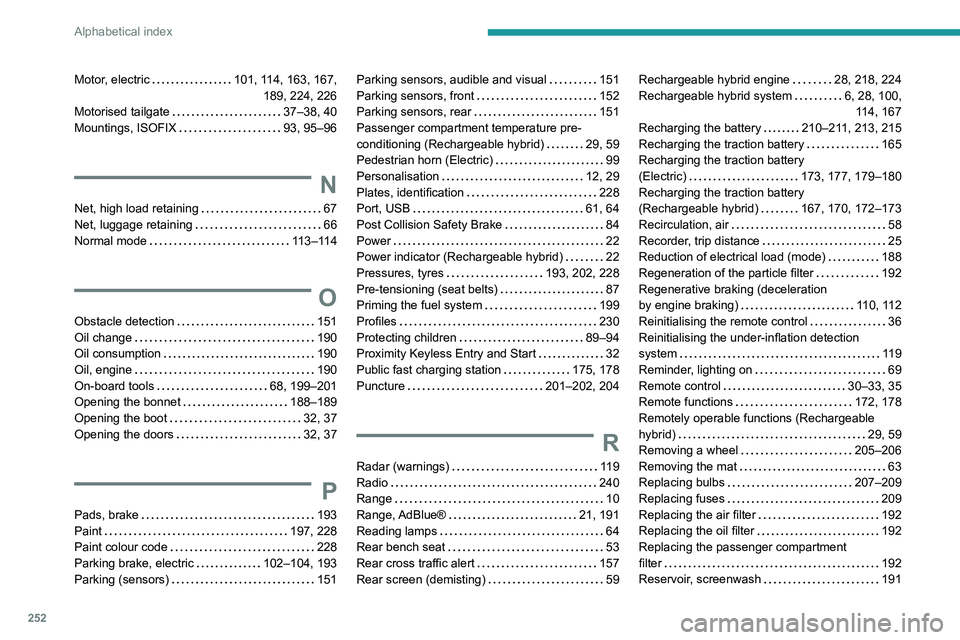
252
Alphabetical index
Motor, electric 101, 114, 163, 167,
189, 224, 226
Motorised tailgate
37–38, 40
Mountings, ISOFIX
93, 95–96
N
Net, high load retaining 67
Net, luggage retaining
66
Normal mode
113–114
O
Obstacle detection 151
Oil change
190
Oil consumption
190
Oil, engine
190
On-board tools
68, 199–201
Opening the bonnet
188–189
Opening the boot
32, 37
Opening the doors
32, 37
P
Pads, brake 193
Paint
197, 228
Paint colour code
228
Parking brake, electric
102–104, 193
Parking (sensors)
151
Parking sensors, audible and visual 151
Parking sensors, front
152
Parking sensors, rear
151
Passenger compartment temperature pre-
conditioning (Rechargeable hybrid)
29, 59
Pedestrian horn (Electric)
99
Personalisation
12, 29
Plates, identification
228
Port, USB
61, 64
Post Collision Safety Brake
84
Power
22
Power indicator (Rechargeable hybrid)
22
Pressures, tyres
193, 202, 228
Pre-tensioning (seat belts)
87
Priming the fuel system
199
Profiles
230
Protecting children
89–94
Proximity Keyless Entry and Start
32
Public fast charging station
175, 178
Puncture
201–202, 204
R
Radar (warnings) 119
Radio
240
Range
10
Range, AdBlue®
21, 191
Reading lamps
64
Rear bench seat
53
Rear cross traffic alert
157
Rear screen (demisting)
59
Rechargeable hybrid engine 28, 218, 224
Rechargeable hybrid system
6, 28, 100, 114, 167
Recharging the battery
210–211, 213, 215
Recharging the traction battery
165
Recharging the traction battery
(Electric)
173, 177, 179–180
Recharging the traction battery
(Rechargeable hybrid)
167, 170, 172–173
Recirculation, air
58
Recorder, trip distance
25
Reduction of electrical load (mode)
188
Regeneration of the particle filter
192
Regenerative braking (deceleration
by engine braking)
110, 112
Reinitialising the remote control
36
Reinitialising the under-inflation detection
system
119
Reminder, lighting on
69
Remote control
30–33, 35
Remote functions
172, 178
Remotely operable functions (Rechargeable
hybrid)
29, 59
Removing a wheel
205–206
Removing the mat
63
Replacing bulbs
207–209
Replacing fuses
209
Replacing the air filter
192
Replacing the oil filter
192
Replacing the passenger compartment
filter
192
Reservoir, screenwash
191
Page 255 of 280
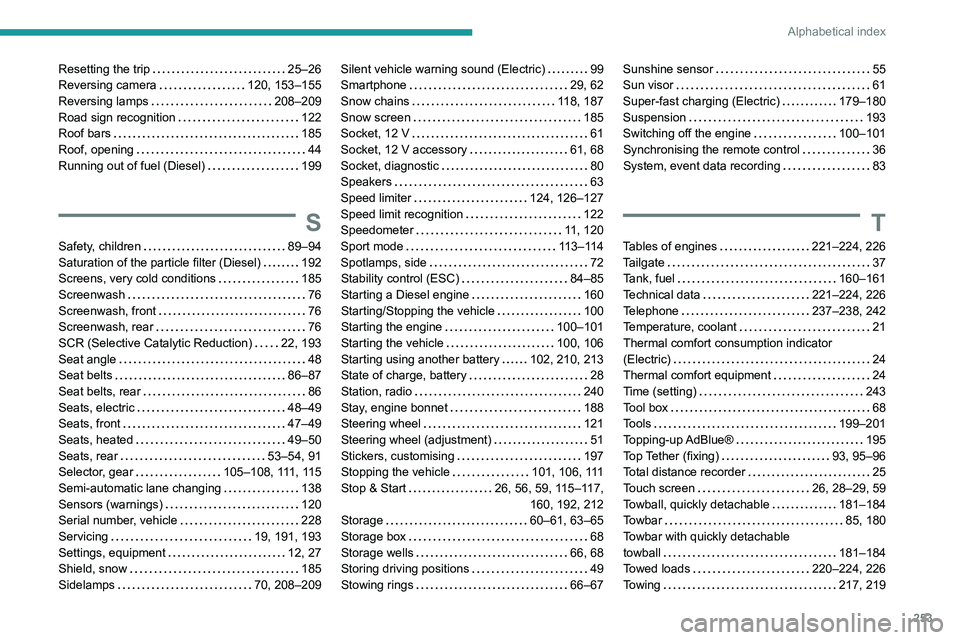
253
Alphabetical index
Resetting the trip 25–26
Reversing camera
120, 153–155
Reversing lamps
208–209
Road sign recognition
122
Roof bars
185
Roof, opening
44
Running out of fuel (Diesel)
199
S
Safety, children 89–94
Saturation of the particle filter (Diesel)
192
Screens, very cold conditions
185
Screenwash
76
Screenwash, front
76
Screenwash, rear
76
SCR (Selective Catalytic Reduction)
22, 193
Seat angle
48
Seat belts
86–87
Seat belts, rear
86
Seats, electric
48–49
Seats, front
47–49
Seats, heated
49–50
Seats, rear
53–54, 91
Selector, gear
105–108, 111, 115
Semi-automatic lane changing
138
Sensors (warnings)
120
Serial number, vehicle
228
Servicing
19, 191, 193
Settings, equipment
12, 27
Shield, snow
185
Sidelamps
70, 208–209
Silent vehicle warning sound (Electric) 99
Smartphone
29, 62
Snow chains
118, 187
Snow screen
185
Socket, 12 V
61
Socket, 12 V accessory
61, 68
Socket, diagnostic
80
Speakers
63
Speed limiter
124, 126–127
Speed limit recognition
122
Speedometer
11, 120
Sport mode
113–114
Spotlamps, side
72
Stability control (ESC)
84–85
Starting a Diesel engine
160
Starting/Stopping the vehicle
100
Starting the engine
100–101
Starting the vehicle
100, 106
Starting using another battery
102, 210, 213
State of charge, battery
28
Station, radio
240
Stay, engine bonnet
188
Steering wheel
121
Steering wheel (adjustment)
51
Stickers, customising
197
Stopping the vehicle
101, 106, 111
Stop & Start
26, 56, 59, 115–117,
160, 192, 212
Storage
60–61, 63–65
Storage box
68
Storage wells
66, 68
Storing driving positions
49
Stowing rings
66–67Sunshine sensor 55
Sun visor
61
Super-fast charging (Electric)
179–180
Suspension
193
Switching off the engine
100–101
Synchronising the remote control
36
System, event data recording
83
T
Tables of engines 221–224, 226
Tailgate
37
Tank, fuel
160–161
Technical data
221–224, 226
Telephone
237–238, 242
Temperature, coolant
21
Thermal comfort consumption indicator
(Electric)
24
Thermal comfort equipment
24
Time (setting)
243
Tool box
68
Tools
199–201
Topping-up AdBlue®
195
Top Tether (fixing)
93, 95–96
Total distance recorder
25
Touch screen
26, 28–29, 59
Towball, quickly detachable
181–184
Towbar
85, 180
Towbar with quickly detachable
towball
181–184
Towed loads
220–224, 226
Towing
217, 219