instrument panel PEUGEOT 4008 2014 User Guide
[x] Cancel search | Manufacturer: PEUGEOT, Model Year: 2014, Model line: 4008, Model: PEUGEOT 4008 2014Pages: 368, PDF Size: 20.33 MB
Page 50 of 368
48
Monitoring
The various menus may change between the type 1
instrument panel and the type 2 instrument panel.
Adjusting vehicle settings
When the vehicle is
stationary
, it allows the
user to change the following
settings:
- the reinitialisation
mode for average
fuel consumption and
average speed,
)
Press and hold the INFO
button for a few
seconds to display the menu screen.
)
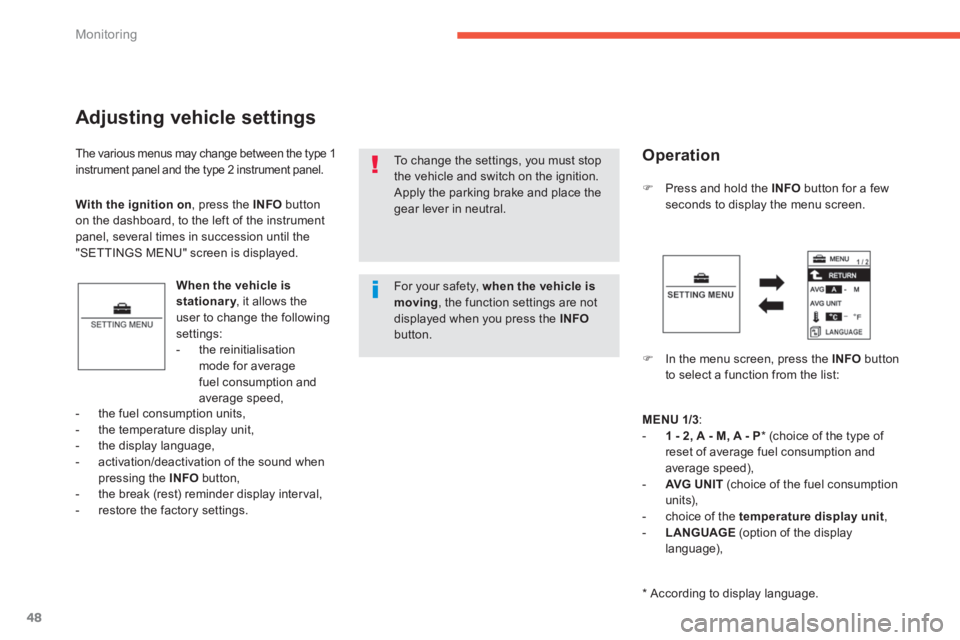
In the menu screen, press the INFO
button
to select a function from the list:
- the fuel consumption units,
- the temperature display unit,
- the display language,
- activation/deactivation of the sound when
pressing the INFO
button,
- the break (rest) reminder display inter val,
- restore the factory settings.
To change the settings, you must stop
the vehicle and switch on the ignition.
Apply the parking brake and place the
gear lever in neutral.
With the ignition on
, press the INFO
button
on the dashboard, to the left of the instrument
panel, several times in succession until the
"SETTINGS MENU" screen is displayed.
Operation
MENU
1/3
:
- 1 - 2, A - M, A - P
* (choice of the type of
reset of average fuel consumption and
average speed),
- AVG UN I T
(choice of the fuel consumption
units),
- choice of the temperature display unit
,
- LANGUAGE
(option of the display
language),
*
According to display language.
For your safety, when the vehicle is
moving
, the function settings are not
displayed when you press the INFO
button.
Page 51 of 368
1
49
Monitoring
MENU
2/3:
- a/b
(option of displaying a different
language in the instrument panel screen
and the navigation screen),
- activation / deactivation of the INFO
button sound
,
- ALERT
(changing of the "REST
REMINDER" display inter val),
- selection of the sound
of the direction
indicators,
- activation / deactivation of the current
fuel consumption
,
Press and hold the INFO
button for a
few seconds to return to the previous
screen.
When the menu screen is displayed,
if no operation is carried out within
15 seconds, the Settings Menu screen
is displayed.
MENU 3/3:
- RESET
(restore factory settings).
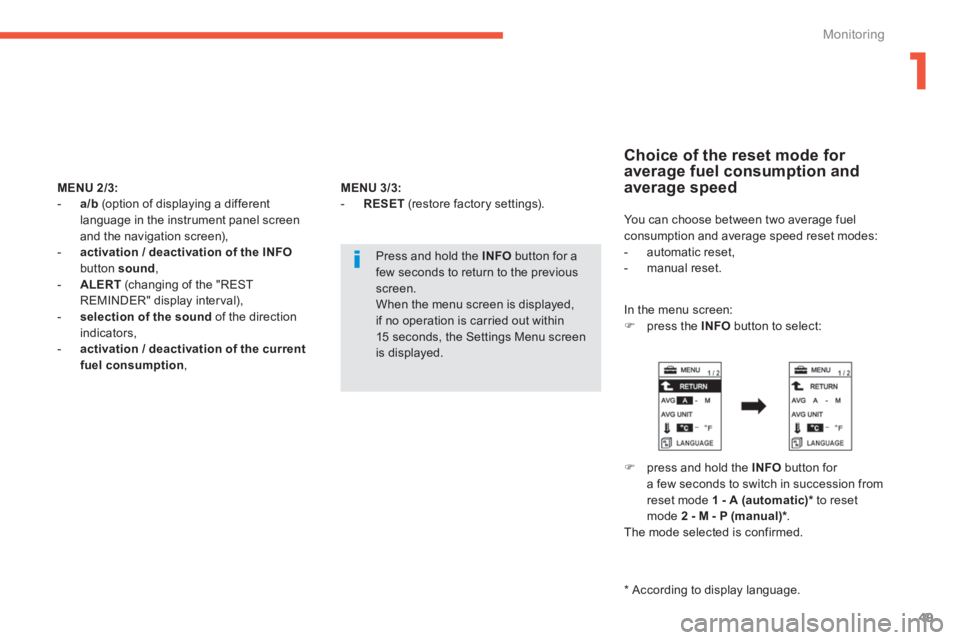
Choice of the reset mode for
average fuel consumption and
average speed
You can choose between two average fuel
consumption and average speed reset modes:
- automatic reset,
- manual reset.
In the menu screen:
)
press the INFO
button to select:
)
press and hold the INFO
button for
a few seconds to switch in succession from
reset mode 1
- A (automatic) *
to reset
mode 2 - M - P (manual) *
.
The mode selected is confirmed.
*
According to display language.
Page 55 of 368
1
53 Monitoring
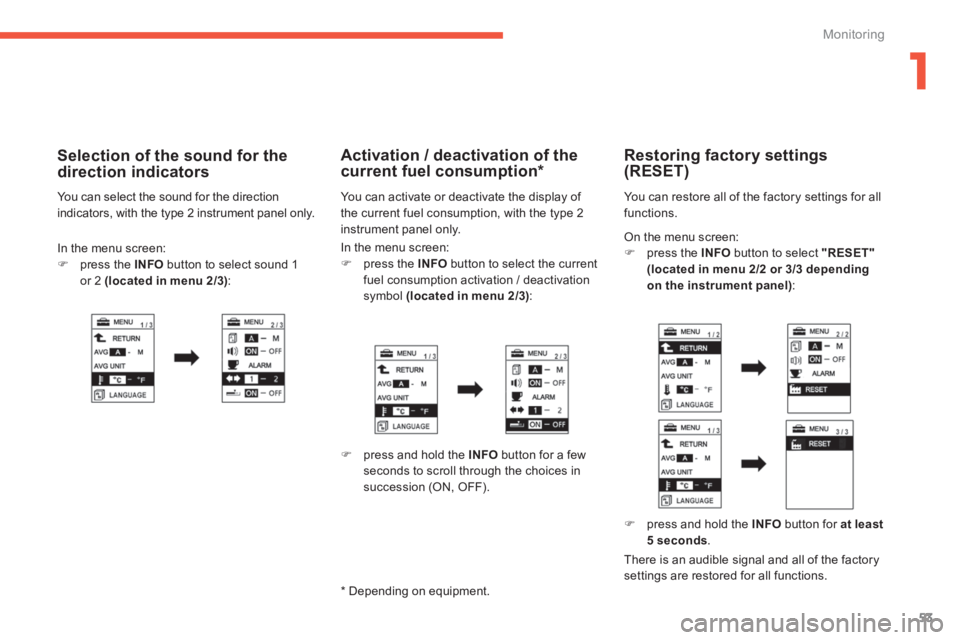
On the menu screen:
)
press the INFO
button to select "RESET"
(located in menu 2/2 or 3/3 depending
on the instrument panel)
:
Restoring factory settings
(RESET)
You can restore all of the factory settings for all
functions.
)
press and hold the INFO
button for at least
5 seconds
.
There is an audible signal and all of the factory
settings are restored for all functions.
In the menu screen:
)
press the INFO
button to select the current
fuel consumption activation / deactivation
symbol (located in menu 2/3)
:
Activation / deactivation of the
current fuel consumption *
You can activate or deactivate the display of
the current fuel consumption, with the type 2
instrument panel only.
)
press and hold the INFO
button for a few
seconds to scroll through the choices in
succession (ON, OFF).
*
Depending on equipment.
In the menu screen:
)
press the INFO
button to select sound 1
or 2 (located in menu 2/3)
:
Selection of the sound for the
direction indicators
You can select the sound for the direction
indicators, with the type 2 instrument panel only.
Page 63 of 368
1
61
Monitoring
Lighting dimmer
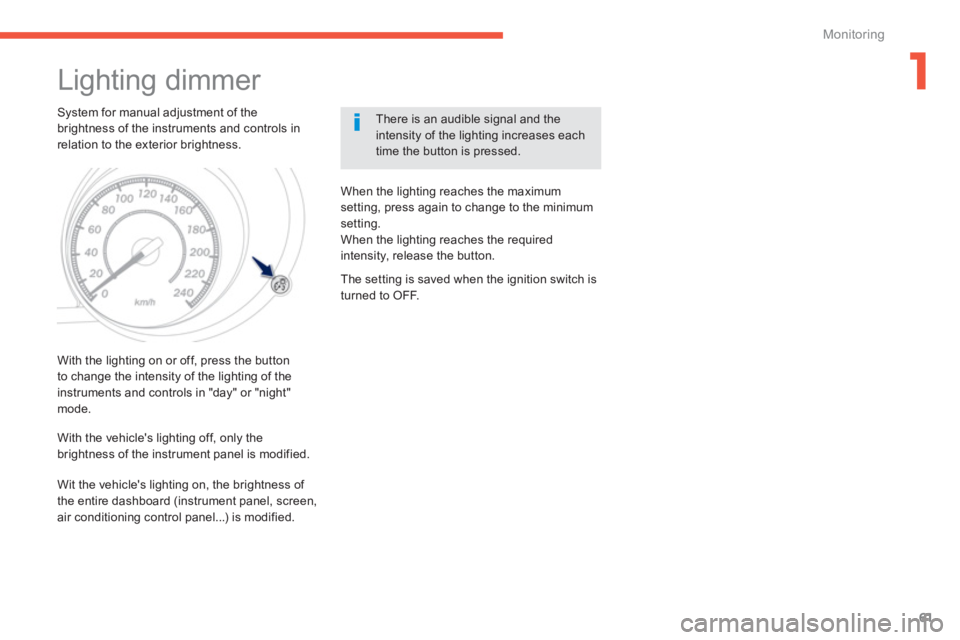
System for manual adjustment of the
brightness of the instruments and controls in
relation to the exterior brightness.
There is an audible signal and the
intensity of the lighting increases each
time the button is pressed.
With the lighting on or off, press the button
to change the intensity of the lighting of the
instruments and controls in "day" or "night"
mode.
When the lighting reaches the maximum
setting, press again to change to the minimum
setting.
When the lighting reaches the required
intensity, release the button.
With the vehicle's lighting off, only the
brightness of the instrument panel is modified.
The setting is saved when the ignition switch is
turned to OFF.
Wit the vehicle's lighting on, the brightness of
the entire dashboard (instrument panel, screen,
air conditioning control panel...) is modified.
Page 72 of 368
70
Access
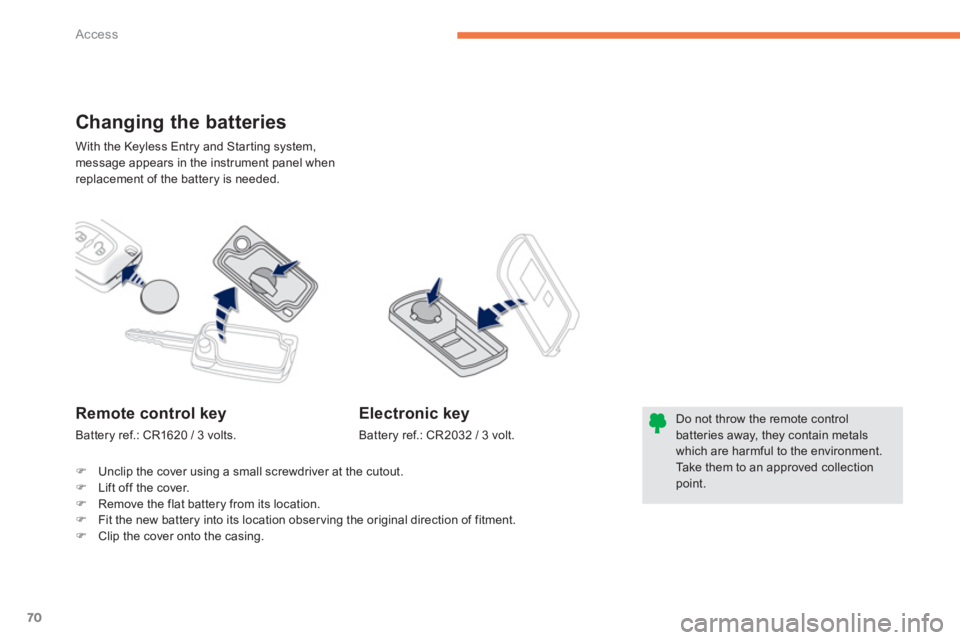
With the Keyless Entry and Starting system,
message appears in the instrument panel when
replacement of the battery is needed.
Changing the batteries
Do not throw the remote control
batteries away, they contain metals
which are harmful to the environment.
Take them to an approved collection
point.
Remote control key
Battery ref.: CR1620 / 3 volts.
Electronic key
Battery ref.: CR2032 / 3 volt.
)
Unclip the cover using a small screwdriver at the cutout.
)
Lift off the cover.
)
Remove the flat battery from its location.
)
Fit the new battery into its location obser ving the original direction of fitment.
)
Clip the cover onto the casing.
Page 74 of 368
72
Access
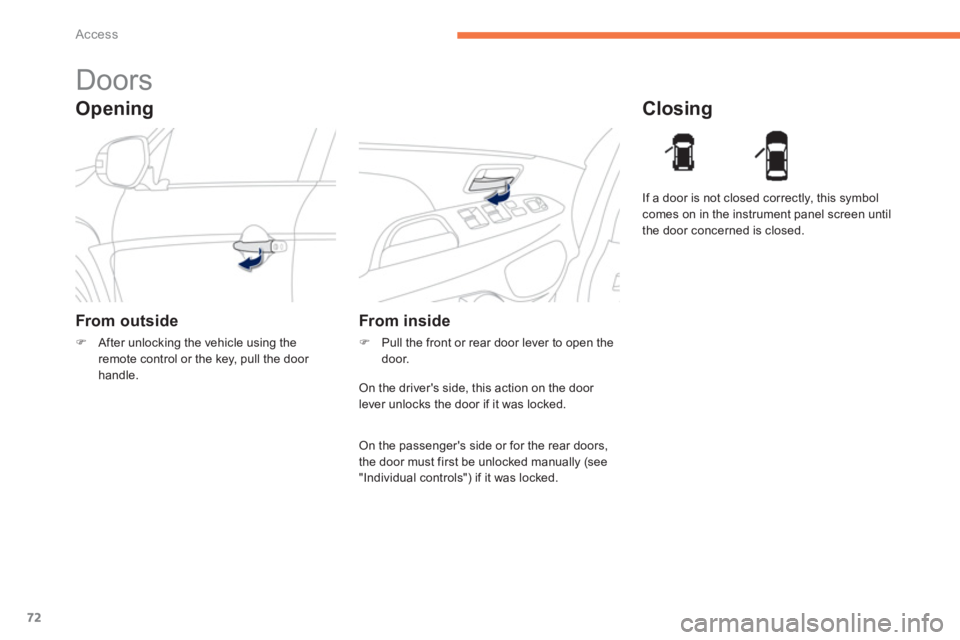
Opening
Doors
From outside
)
After unlocking the vehicle using the
remote control or the key, pull the door
handle.
Closing
From inside
)
Pull the front or rear door lever to open the
door. If a door is not closed correctly, this symbol
comes on in the instrument panel screen until
the door concerned is closed.
On the driver's side, this action on the door
lever unlocks the door if it was locked.
On the passenger's side or for the rear doors,
the door must first be unlocked manually (see
"Individual controls") if it was locked.
Page 75 of 368
73
2
Access
Boot
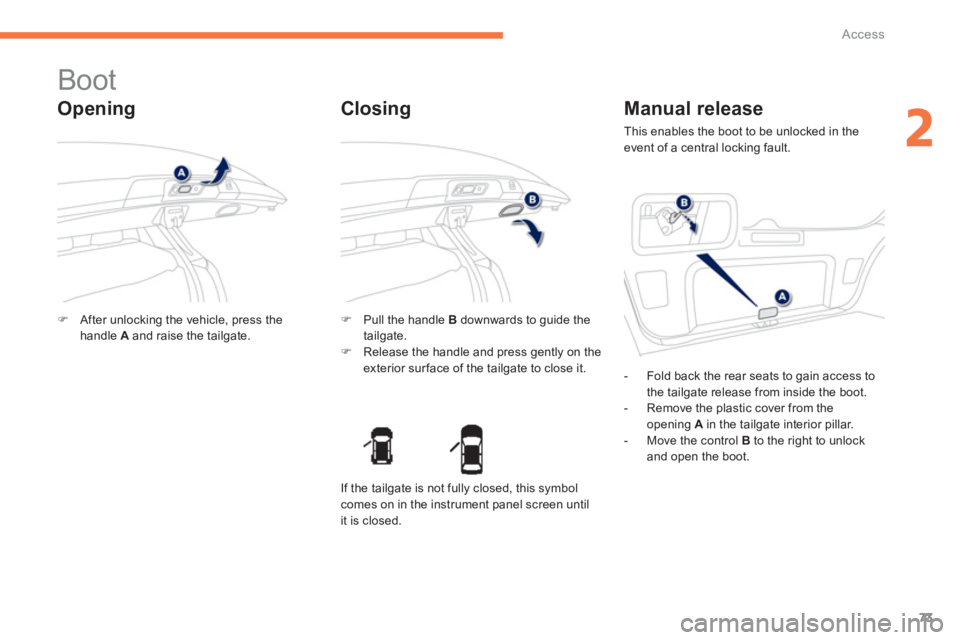
Opening
)
After unlocking the vehicle, press the
handle A
and raise the tailgate.
)
Pull the handle B
downwards to guide the
tailgate.
)
Release the handle and press gently on the
exterior sur face of the tailgate to close it.
Closing
Manual release
This enables the boot to be unlocked in the
event of a central locking fault.
- Fold back the rear seats to gain access to
the tailgate release from inside the boot.
- Remove the plastic cover from the
opening A
in the tailgate interior pillar.
- Move the control B
to the right to unlock
and open the boot.
If the tailgate is not fully closed, this symbol
comes on in the instrument panel screen until
it is closed.
Page 79 of 368
77
2
Access
Triggering of the alarm
This is indicated by sounding of the siren
and flashing of the direction indicators for
thirty seconds.
A message then appears in the instrument
panel screen while the siren is operating.
When the ignition is next switched on (ON
mode if your vehicle has the "Keyless Entry
and Starting" system), an audible signal sounds
four times to inform you that the alarm was
triggered during your absence.
Complete deactivation of
the alarm
)
Switch off the ignition (OFF mode if
your vehicle has the "Keyless Entry and
Starting" system).
)
Remove the key from the ignition switch,
if your vehicle does not have the "Keyless
Entry and Starting" system.
)
Open the driver's door.
)
Place the lighting control stalk in the " OFF
"
position.
)
Pull the wiper control stalk towards you and
hold.
After about ten seconds there is an audible
signal.
)
When the audible signal stops, continue to
hold the wiper stalk pulled towards you and
press the remote control locking button. You can completely deactivate the alarm
system. To do this, proceed as follows:
)
The state of the system is then signalled to
you by the number of beeps:
One beep: the alarm system is completely
deactivated.
Two beeps: the alarm system is activated.
Each new press of the remote control
locking button changes the state of the
system.
Page 112 of 368
110
Driving
For Diesel vehicles, when
the engine is cold starting
does not take place until the
pre-heater warning lamp has
gone off.
If one of the starting conditions is not
met, a reminder message appears in
the instrument panel screen. In some
circumstances, it is necessary to
turn the steering wheel slightly while
pressing the " START/STOP
" button
to assist unlocking of the steering;
a message warns you when this is
needed.
The presence of the electronic key
in the defined zone is essential. For
reasons of safety, do not leave this area
when the engine is running.
Switching off using the
electronic key
If the vehicle is not immobilised, the
engine will not stop.
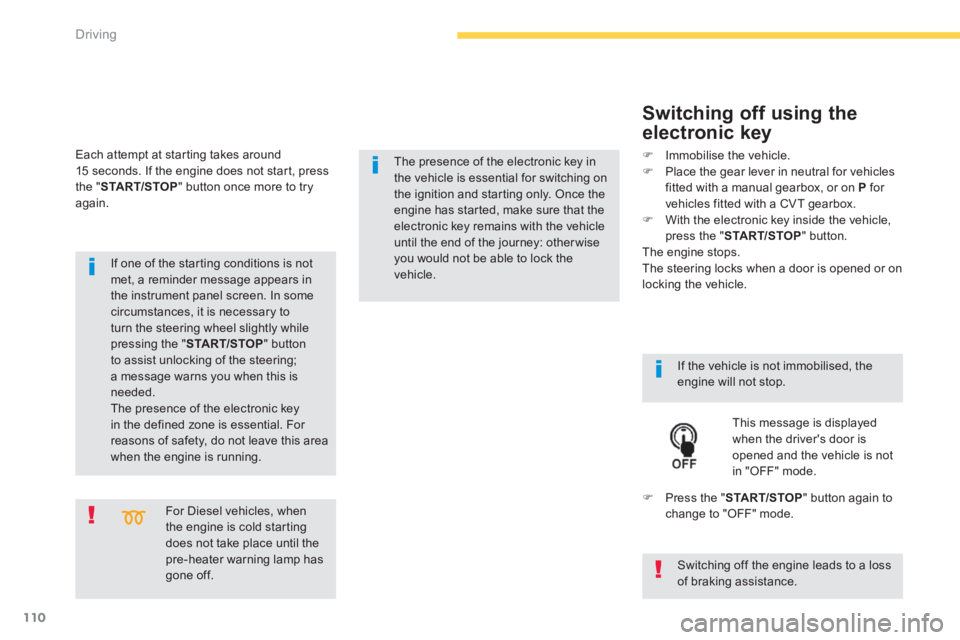
This message is displayed
when the driver's door is
opened and the vehicle is not
in "OFF" mode.
)
Press the " START/STOP
" button again to
change to "OFF" mode.
)
Immobilise the vehicle.
)
Place the gear lever in neutral for vehicles
fitted with a manual gearbox , or on P
for
vehicles fitted with a CVT gearbox .
)
With the electronic key inside the vehicle,
press the " START/STOP
" button.
The engine stops.
The steering locks when a door is opened or on
locking the vehicle.
Each attempt at starting takes around
15 seconds. If the engine does not start, press
the " START/STOP
" button once more to try
again.
The presence of the electronic key in
the vehicle is essential for switching on
the ignition and starting only. Once the
engine has started, make sure that the
electronic key remains with the vehicle
until the end of the journey: other wise
you would not be able to lock the
vehicle.
Switching off the engine leads to a loss
of braking assistance.
Page 114 of 368
112
Driving
Anti-theft protection
Electronic engine immobiliser
The keys contain an electronic chip which has
a secret code. When the ignition is switched
on, this code must be recognised in order for
starting to be possible.
This electronic engine immobiliser locks the
engine management system a few minutes
after the ignition is switched off and prevents
starting of the engine by anyone who does not
have the key.
In the event of a malfunction, you are informed
by a message in the instrument panel screen.
In this case, your vehicle does not start; contact
a PEUGEOT dealer as soon as possible.
Applying
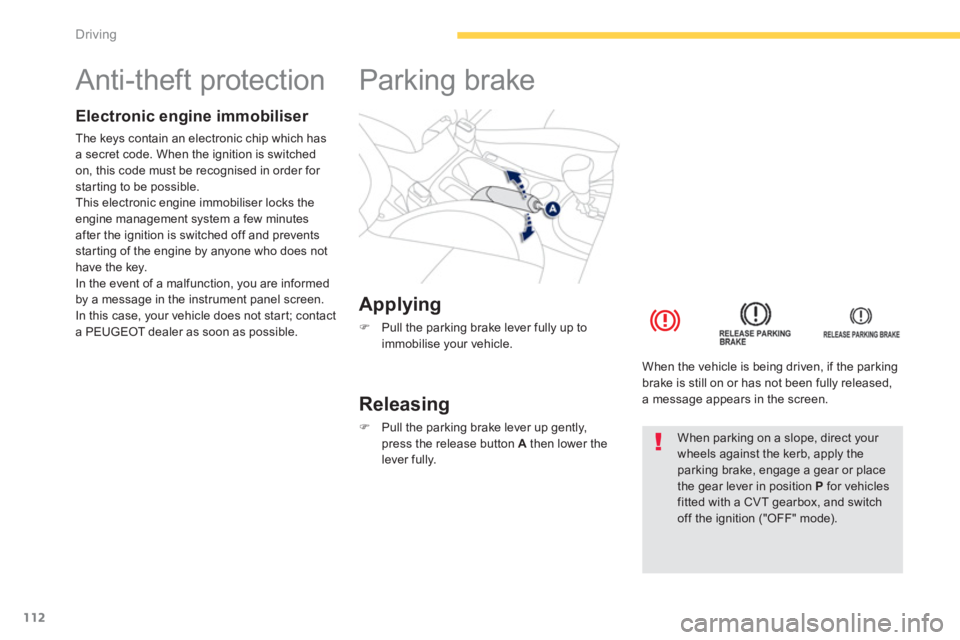
)
Pull the parking brake lever fully up to
immobilise your vehicle.
Parking brake
Releasing
)
Pull the parking brake lever up gently,
press the release button A
then lower the
lever fully.
When the vehicle is being driven, if the parking
brake is still on or has not been fully released,
a message appears in the screen.
When parking on a slope, direct your
wheels against the kerb, apply the
parking brake, engage a gear or place
the gear lever in position P
for vehicles
fitted with a CVT gearbox, and switch
off the ignition ("OFF" mode).