radio Peugeot 406 2002 User Guide
[x] Cancel search | Manufacturer: PEUGEOT, Model Year: 2002, Model line: 406, Model: Peugeot 406 2002Pages: 166, PDF Size: 1.89 MB
Page 47 of 166
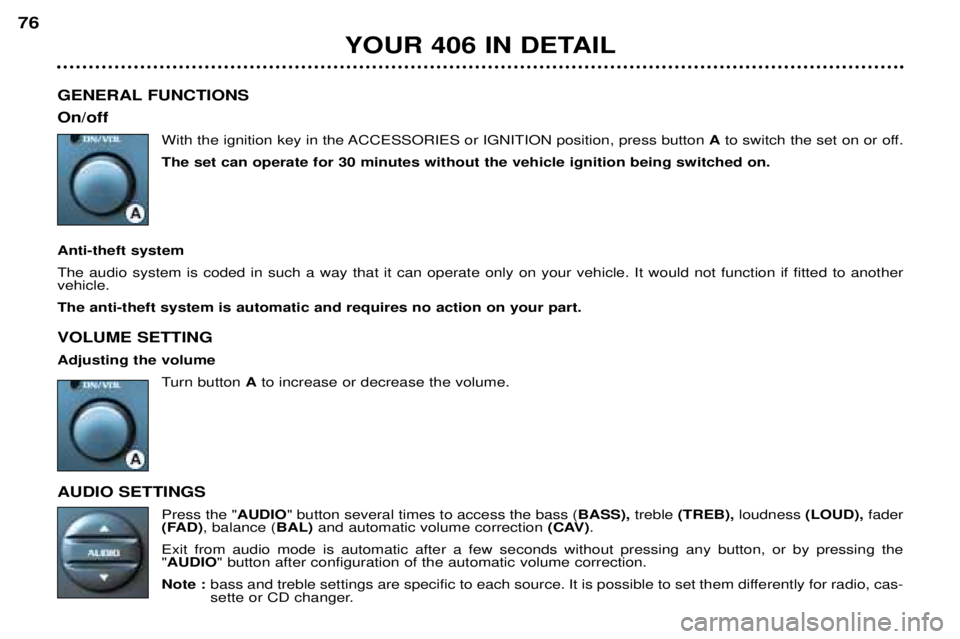
GENERAL FUNCTIONS On/offWith the ignition key in the ACCESSORIES or IGNITION position, press button Ato switch the set on or off.
The set can operate for 30 minutes without the vehicle ignition being switched on.
Anti-theft systemThe audio system is coded in such a way that it can operate only on your vehicle. It would not function if fitted to another vehicle. The anti-theft system is automatic and requires no action on your part. VOLUME SETTING Adjusting the volume Turn button Ato increase or decrease the volume.
AUDIO SETTINGS Press the "AUDIO" button several times to access the bass ( BASS), treble(TREB), loudness (LOUD), fader
(FAD) , balance ( BAL)and automatic volume correction (CAV).
Exit from audio mode is automatic after a few seconds without pressing any button, or by pressing the " AUDIO " button after configuration of the automatic volume correction.
Note : bass and treble settings are specific to each source. It is possible to set them differently for radio, cas-
sette or CD changer.
YOUR 406 IN DETAIL
76
Page 49 of 166
RADIO Notes on radio reception
Car radio receivers are subject to phenomena which do not affect domestic radio sets. Both MW/LW and FM reception are
subject to various forms of interference. This is no reflection on the quality of the equipment, but is due to the nature of the
signals and the way in which they are transmitted.
On MW/LW, interference may be noticed when passing under high voltage power lines or bridges, or in tunnels.
On FM, interference may be the result of increasing distance from the transmitter, deflection of the signals by obstacles
(mountains, hills, buildings etc), or of being in an area which is not covered by a transmitter. Selecting radio mode
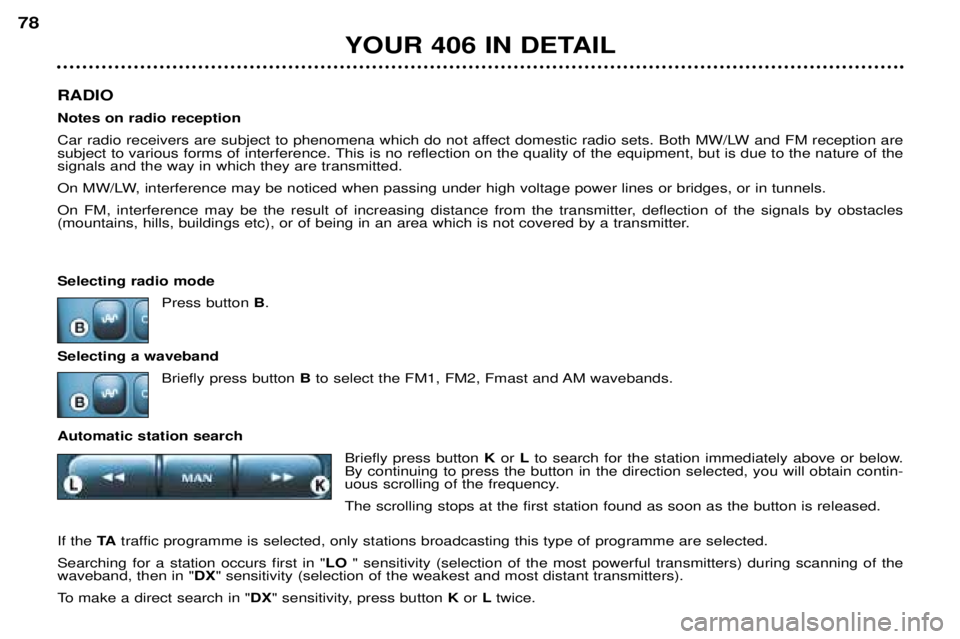
Press button B.
Selecting a waveband Briefly press button Bto select the FM1, FM2, Fmast and AM wavebands.
Automatic station search Briefly press button K or Lto search for the station immediately above or below.
By continuing to press the button in the direction selected, you will obtain contin-
uous scrolling of the frequency. The scrolling stops at the first station found as soon as the button is released.
If the TAtraffic programme is selected, only stations broadcasting this type of programme are selected.
Searching for a station occurs first in " LO" sensitivity (selection of the most powerful transmitters) during scanning of the
waveband, then in " DX" sensitivity (selection of the weakest and most distant transmitters).
To make a direct search in " DX" sensitivity, press button Kor Ltwice.
YOUR 406 IN DETAIL
78
Page 51 of 166

RDS Using the RDS (Radio Data System) function on FMRadio Data System allows you to continue listening to the same station, whatever frequency it is using for the region you are going through. Briefly press the " RDS" button to switch the function on or off;
the display will show:
-"RDS" if the function is selected.
-"(RDS)" if the function is selected but not available.
RDS station following
The display indicates the name of the station selected. The radio is continually searching for the station which has the best reception and which is transmitting the same programme.
Traffic information programme Press the "TA" button to switch the function on or off.
The display will show:
-" TA " if the function is selected,
-"(TA)" if the function is selected but not available.
Any traffic information flash will be given priority, whatever source you are listening to (radio, cassette or CD changer). If you wish to interrupt a message, press the " TA" button; this switches the function off.
Note: the volume of traffic information announcements is independent of the volume of normal radio listening. You can adjust it using the volume button. The setting will be stored and will be used when the next messages arebroadcast.
YOUR 406 IN DETAIL
80
Page 58 of 166
YOUR 406 IN DETAIL
88
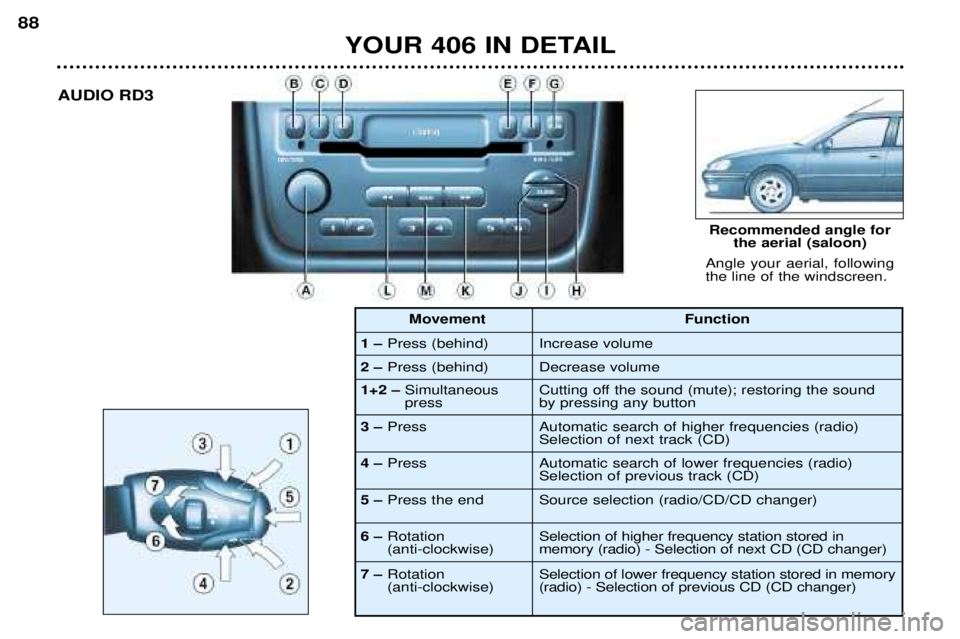
Angle your aerial, following the line of the windscreen. Recommended angle for
the aerial (saloon)
AUDIO RD3
1
– Press (behind)
2
– Press (behind) Function
Increase volume Decrease volume
1+2
–Simultaneous press
3
– Press Cutting off the sound (mute); restoring the sound by pressing any button Automatic search of higher frequencies (radio) Selection of next track (CD)
4
– Press Automatic search of lower frequencies (radio) Selection of previous track (CD)
5
– Press the end Source selection (radio/CD/CD changer)
6
–Rotation (anti-clockwise) Selection of higher frequency station stored in memory (radio) - Selection of next CD (CD changer)
7
–Rotation (anti-clockwise) Selection of lower frequency station stored in memory(radio) - Selection of previous CD (CD changer)
Movement
Page 59 of 166
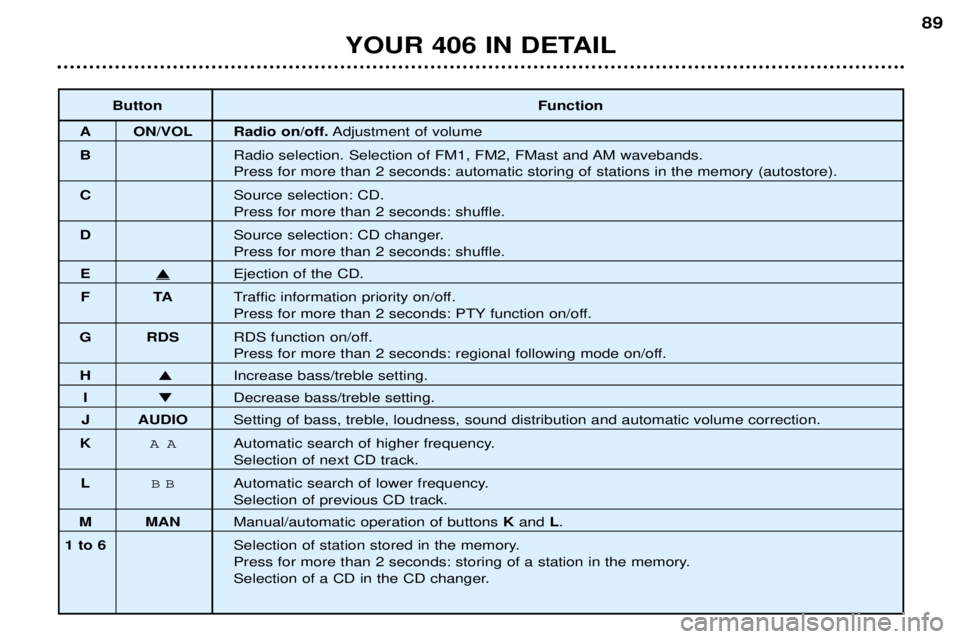
ButtonFunction
A ON/VOL Radio on/off.Adjustment of volume
B Radio selection. Selection of FM1, FM2, FMast and AM wavebands.
Press for more than 2 seconds: automatic storing of stations in the memory (autostore).
C Source selection: CD.
Press for more than 2 seconds: shuffle.
D Source selection: CD changer.
Press for more than 2 seconds: shuffle.
EEjection of the CD.
FT ATraffic information priority on/off.
Press for more than 2 seconds: PTY function on/off.
G RDS RDS function on/off.
Press for more than 2 seconds: regional following mode on/off.
HIncrease bass/treble setting.
I Decrease bass/treble setting.
J AUDIO Setting of bass, treble, loudness, sound distribution and automatic volume correction.
K
AAAutomatic search of higher frequency.
Selection of next CD track.
L
BBAutomatic search of lower frequency.
Selection of previous CD track.
M MAN Manual/automatic operation of buttons K and L.
1 to 6 Selection of station stored in the memory.
Press for more than 2 seconds: storing of a station in the memory.
Selection of a CD in the CD changer.
YOUR 406 IN DETAIL 89
Page 60 of 166

GENERAL FUNCTIONS On/offWith the ignition key in the ACCESSORIES or IGNITION position, press button Ato switch the set on or off.
The set can operate for 30 minutes without the vehicle ignition being switched on.
ANTI-THEFT SYSTEMThe audio system is coded in such a way that it can operate only on your vehicle. It would not function if fitted to another ve hicle.
The anti-theft system is automatic and requires no action on your part. VOLUME SETTING Adjusting the volume
Turn button Ato increase or decrease the volume of the set.
Note:If you have a telephone fitted with a "mute"signal output connected to the set, the set will automatically
change to " mute" when the telephone is used.
AUDIO SETTINGS Press the "AUDIO"button several times to access the bass ( BASS),treble(TREB), loudness (LOUD), fader
(FAD) , balance ( BAL)and the automatic volume correction (CAV).
Exit from audio mode is automatic after a few seconds without pressing any button, or by pressing the " AUDIO " button after configuration of the automatic volume correction.
Note: the bass and treble settings are specific to each source. It is possible to set them differently for radio,
CD, or CD changer.
YOUR 406 IN DETAIL
90
Page 62 of 166
RADIO Notes on radio reception
Car radio receivers are subject to phenomena which do not affect domestic radio sets. Both MW/LW and FM reception are
subject to various forms of interference. This is no reflection on the quality of the equipment, but is due to the nature of the
signals and the way in which they are transmitted.
On MW/LW, interference may be noticed when passing under high voltage power lines or bridges, or in tunnels.
On FM, interference may be the result of increasing distance from the transmitter, deflection of the signals by obstacles
(mountains, hills, buildings etc), or of being in an area which is not covered by a transmitter. Selecting radio mode
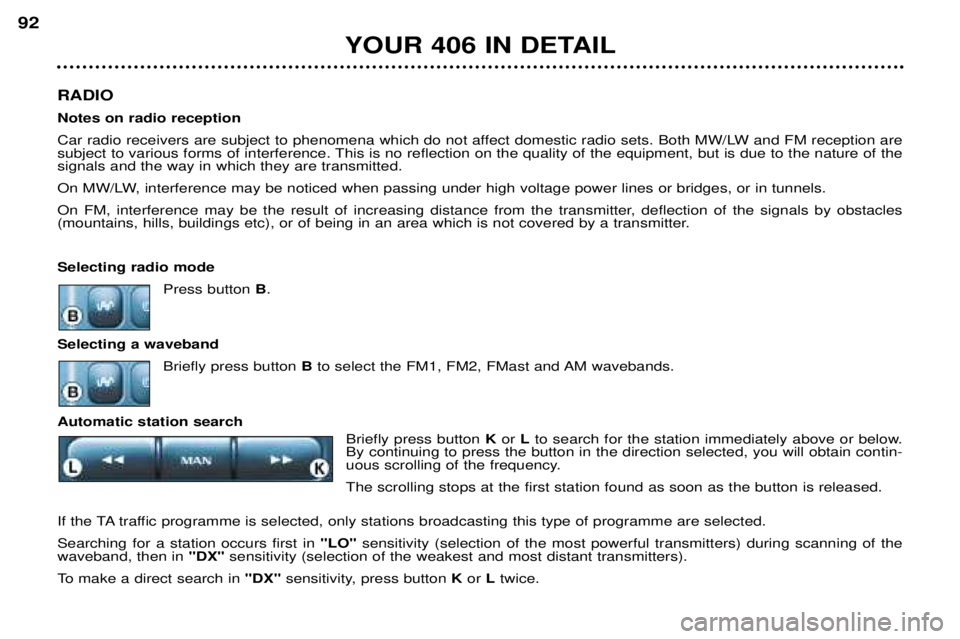
Press button B.
Selecting a waveband Briefly press button Bto select the FM1, FM2, FMast and AM wavebands.
Automatic station search Briefly press button Kor Lto search for the station immediately above or below.
By continuing to press the button in the direction selected, you will obtain contin-
uous scrolling of the frequency. The scrolling stops at the first station found as soon as the button is released.
If the TA traffic programme is selected, only stations broadcasting this type of programme are selected.Searching for a station occurs first in "LO"sensitivity (selection of the most powerful transmitters) during scanning of the
waveband, then in "DX"sensitivity (selection of the weakest and most distant transmitters).
To make a direct search in "DX"sensitivity, press button Kor Ltwice.
YOUR 406 IN DETAIL
92
Page 64 of 166

RDS Using the RDS (Radio Data System) function on FMRadio Data System allows you to continue listening to the same station, whatever frequency it is using for the region you are going through.
Briefly press the " RDS" button to switch the function on or off; the display will show:
- "RDS" if the function is selected.
- "(RDS)" if the function is selected but not available.
RDS station following
The display indicates the name of the station selected. The radio is continually searching for the station which has the best reception and which is transmitting the same programme.
Traffic information programme Press the "TA"button to switch the function on or off.
The display will show:
- "TA" if the function is selected,
- "(TA)" if the function is selected but not available.
Any traffic information flash will be given priority, whatever source you are listening to (radio, CD or CD changer). If you wish to interrupt a message, press the "TA"button; this switches the function off.
Note: the volume of traffic information announcements is independent of the volume of normal radio listening. You can adjust it using the volume button. The setting will be stored and will be used when the next messages are broad-cast. Regional following mode When they are part of a network, certain stations broadcast regional programmes in the various areas they serve. With regional following mode you can keep listening to the same programme.
Press the "RDS"button for more than two seconds to switch the function on or off.
YOUR 406 IN DETAIL
94
Page 68 of 166
THE SATELLITE NAVIGATION SYSTEM Introduction The satellite navigation system guides you to the destination of yourchoice by means of vocal and visual
instructions. The heart of the systemlies in the use of a map databaseand GPS (Global Positioning Sys-
tem). This enables your position tobe located by means of severalsatellites. The satellite navigation system con- sists of the following components:
- the remote control,
- the display,
- the control unit,
- the last voice message recall con-trol,
- the CD ROM.
Some functions or services
described in this guide may vary depending on the CD ROM version or the country.The remote control
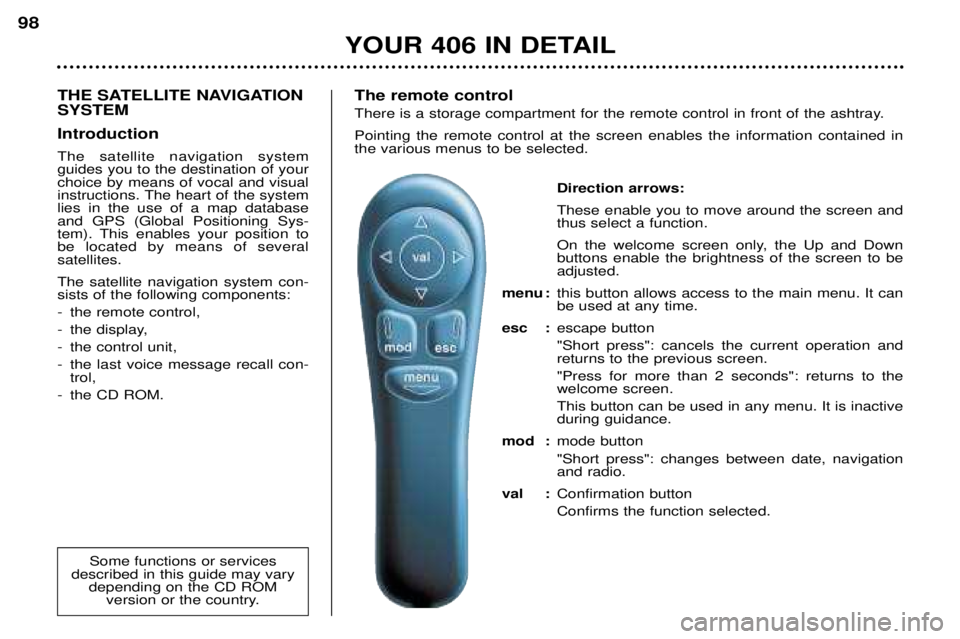
There is a storage compartment for the remote control in front of the ashtray. Pointing the remote control at the screen enables the information contained in the various menus to be selected.
Direction arrows: These enable you to move around the screen and thus select a function.
On the welcome screen only, the Up and Down buttons enable the brightness of the screen to beadjusted.
menu : this button allows access to the main menu. It canbe used at any time.
esc : escape button "Short press": cancels the current operation and returns to the previous screen. "Press for more than 2 seconds": returns to the welcome screen. This button can be used in any menu. It is inactive during guidance.
mod : mode button "Short press": changes between date, navigation and radio.
val : Confirmation button Confirms the function selected.
YOUR 406 IN DETAIL
98
Page 71 of 166
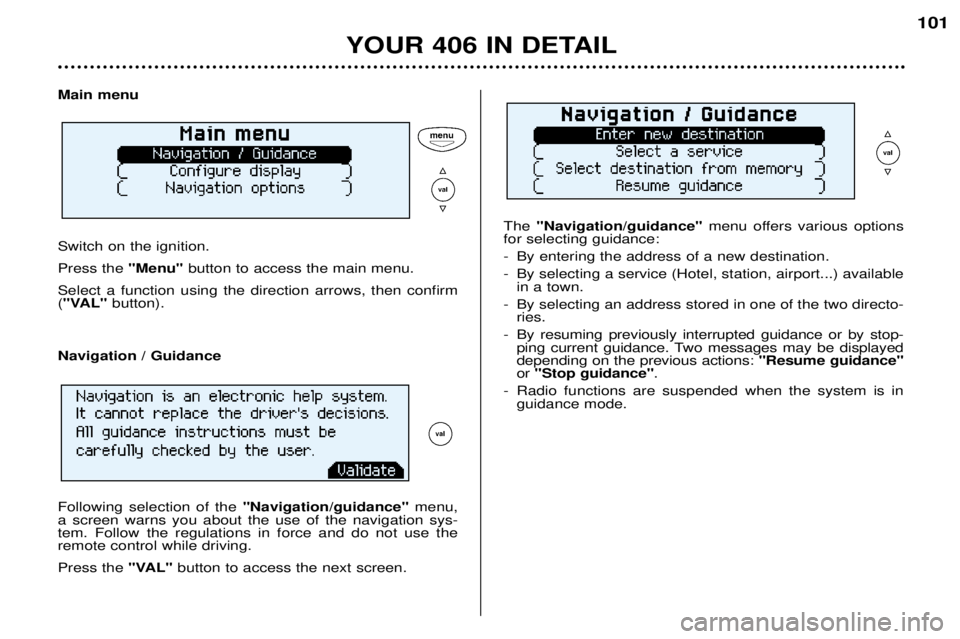
Main menu Switch on the ignition. Press the "Menu"button to access the main menu.
Select a function using the direction arrows, then confirm ( "VAL" button). The
"Navigation/guidance" menu offers various options
for selecting guidance:
- By entering the address of a new destination.
- By selecting a service (Hotel, station, airport...) available in a town.
- By selecting an address stored in one of the two directo- ries.
- By resuming previously interrupted guidance or by stop- ping current guidance. Two messages may be displayed depending on the previous actions: "Resume guidance"
or "Stop guidance" .
- Radio functions are suspended when the system is in guidance mode.
YOUR 406 IN DETAIL 101
Navigation / Guidance Following selection of the
"Navigation/guidance"menu,
a screen warns you about the use of the navigation sys- tem. Follow the regulations in force and do not use theremote control while driving. Press the "VAL"button to access the next screen.