instrument panel PEUGEOT 5008 2012 User Guide
[x] Cancel search | Manufacturer: PEUGEOT, Model Year: 2012, Model line: 5008, Model: PEUGEOT 5008 2012Pages: 340, PDF Size: 16.42 MB
Page 51 of 340
M
U
49
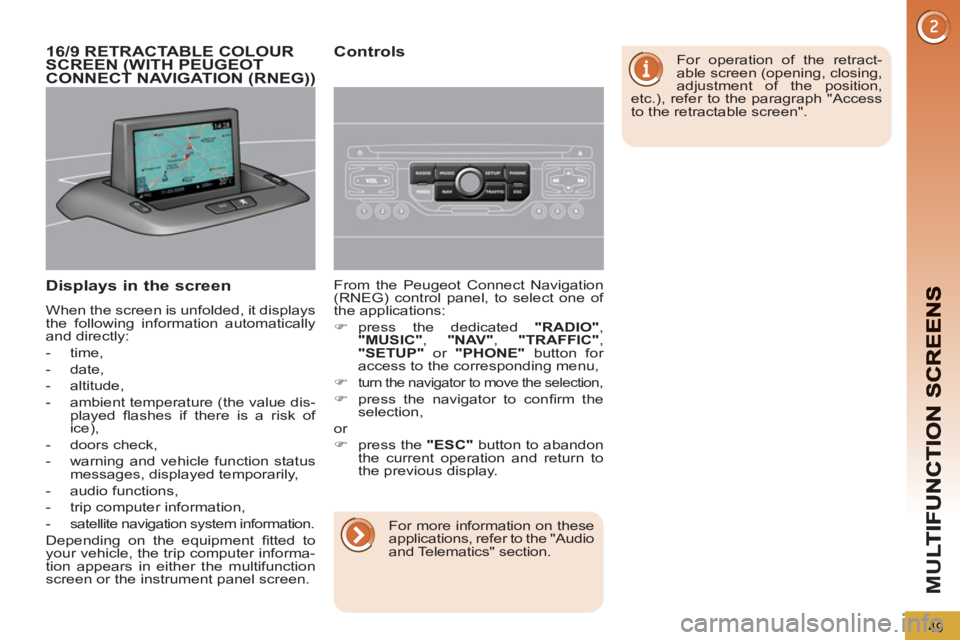
Displays in the screen
When the screen is unfolded, it displays
the following information automatically
and directly:
- time,
- date,
- altitude,
- ambient temperature (the value dis-
played fl ashes if there is a risk of
ice),
- doors check,
- warning and vehicle function status
messages, displayed temporarily,
- audio functions,
- trip computer information,
- satellite navigation system information.
Depending on the equipment fi tted to
your vehicle, the trip computer informa-
tion appears in either the multifunction
screen or the instrument panel screen. From the Peugeot Connect Navigation
(RNEG) control panel, to select one of
the applications:
)
press the dedicated "RADIO"
,
"MUSIC"
, "NAV"
, "TRAFFIC"
,
"SETUP"
or "PHONE"
button for
access to the corresponding menu,
)
turn the navigator to move the selection,
)
press the navigator to confi rm the
selection,
or
)
press the "ESC"
button to abandon
the current operation and return to
the previous display.
16/9 RETRACTABLE COLOUR
SCREEN (WITH PEUGEOT
CONNECT NAVIGATION (RNEG))
Controls
For operation of the retract-
able screen (opening, closing,
adjustment of the position,
etc.), refer to the paragraph "Access
to the retractable screen".
For more information on these
applications, refer to the "Audio
and Telematics" section.
Page 57 of 340
M
U
55
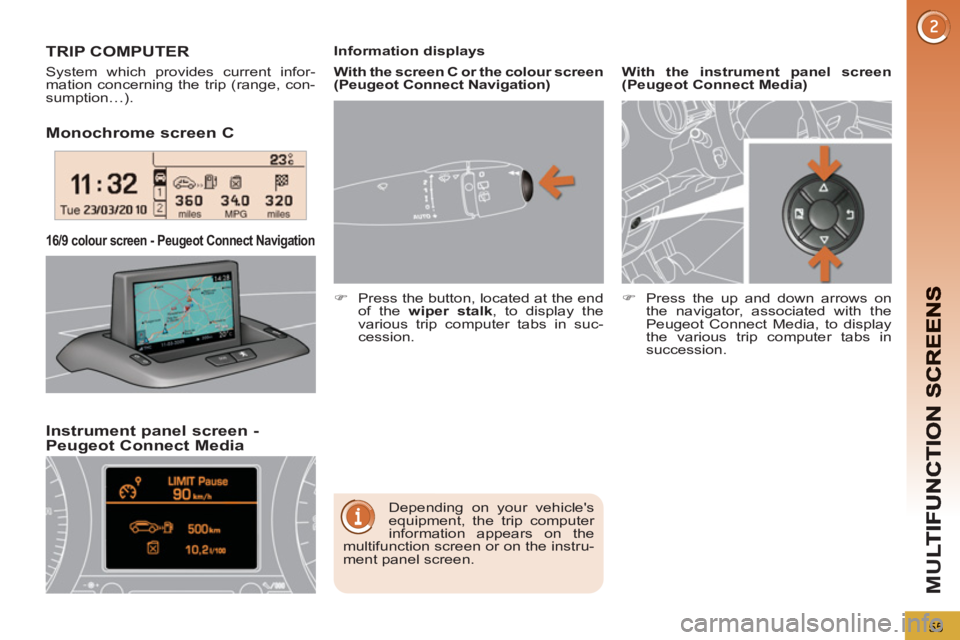
Monochrome screen C
Instrument
panel screen - Peugeot Connect Media
16/9 colour screen - Peugeot Connect Navigation
TRIP COMPUTER
System which provides current infor-
mation concerning the trip (range, con-
sumption…).
Depending on your vehicle's
equipment, the trip computer
information appears on the
multifunction screen or on the instru-
ment panel screen.
Information displays
)
Press the button, located at the end
of the wiper stalk
, to display the
various trip computer tabs in suc-
cession.
With the instrument panel screen
(Peugeot Connect Media)
)
Press the up and down arrows on
the navigator, associated with the
Peugeot Connect Media, to display
the various trip computer tabs in
succession.
With the screen C or the colour screen
(Peugeot Connect Navigation)
Page 58 of 340
56
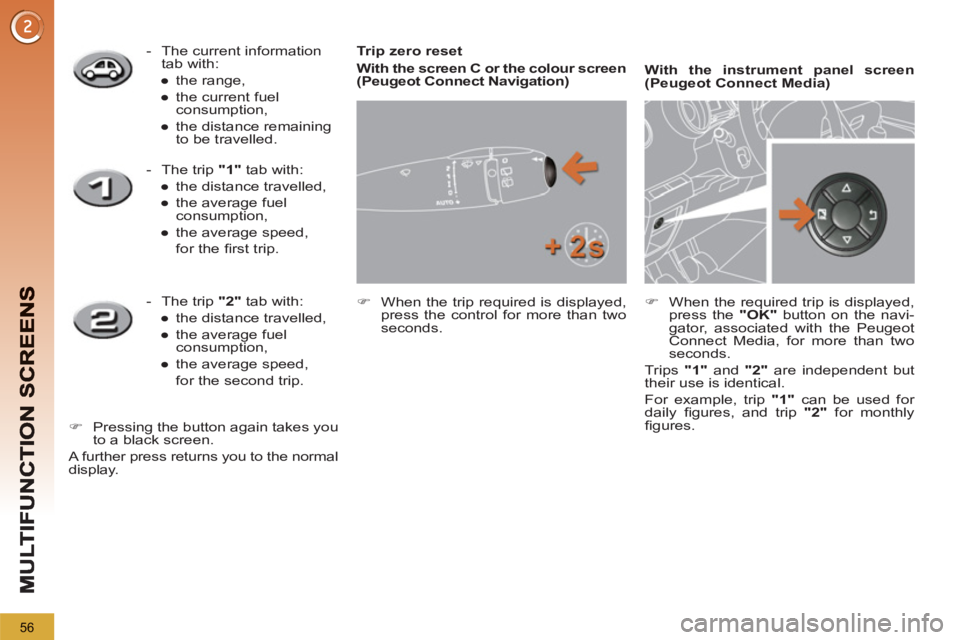
Trip zero reset
With the screen C or the colour screen
(Peugeot Connect Navigation)
)
When the trip required is displayed,
press the control for more than two
seconds.
With the instrument panel screen
(Peugeot Connect Media)
)
When the required trip is displayed,
press the "OK"
button on the navi-
gator, associated with the Peugeot
Connect Media, for more than two
seconds.
Trips "1"
and "2"
are independent but
their use is identical.
For example, trip "1"
can be used for
daily fi gures, and trip "2"
for monthly
fi gures.
- The current information
tab with:
●
the range,
●
the current fuel
consumption,
●
the distance remaining
to be travelled.
- The trip "1"
tab with:
●
the distance travelled,
●
the average fuel
consumption,
●
the average speed,
for the fi rst trip.
- The trip "2"
tab with:
●
the distance travelled,
●
the average fuel
consumption,
●
the average speed,
for the second trip.
)
Pressing the button again takes you
to a black screen.
A further press returns you to the normal
display.
Page 91 of 340
AC
89
The key cannot be removed
from the lock until the cap is
put back on the tank.
Opening the cap may trigger an in-
rush of air. This vacuum, which is
completely normal, is caused by the
sealing of the fuel system.
FUEL TANK
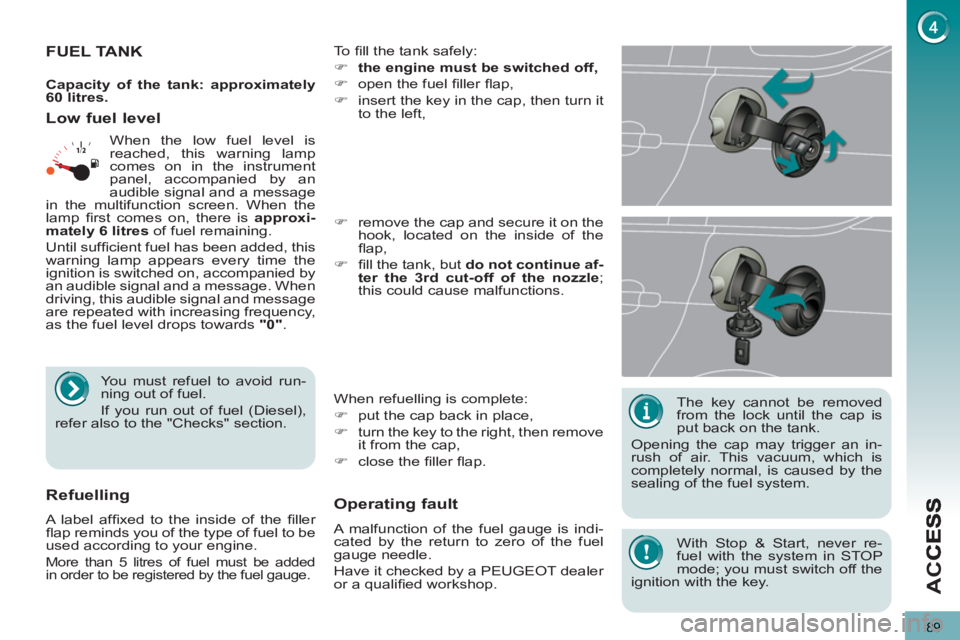
To fi ll the tank safely:
)
the engine must be switched off,
)
open the fuel fi ller fl ap,
)
insert the key in the cap, then turn it
to the left,
When refuelling is complete:
)
put the cap back in place,
)
turn the key to the right, then remove
it from the cap,
)
close the fi ller fl ap.
)
remove the cap and secure it on the
hook, located on the inside of the
fl ap,
)
fi ll the tank, but do not continue af-
ter the 3rd cut-off of the nozzle
;
this could cause malfunctions.
Low fuel level
Operatin
g fault
A malfunction of the fuel gauge is indi-
cated by the return to zero of the fuel
gauge needle.
Have it checked by a PEUGEOT dealer
or a qualifi ed workshop.
Refuelling
A label affi xed to the inside of the fi ller
fl ap reminds you of the type of fuel to be
used according to your engine.
More than 5 litres of fuel must be added
in order to be registered by the fuel gauge.
When the low fuel level is
reached, this warning lamp
comes on in the instrument
panel, accompanied by an
audible signal and a message
in the multifunction screen. When the
lamp fi rst comes on, there is approxi-
mately
6 litres
of fuel remaining.
Until suffi cient fuel has been added, this
warning lamp appears every time the
ignition is switched on, accompanied by
an audible signal and a message. When
driving, this audible signal and message
are repeated with increasing frequency,
as the fuel level drops towards "0"
.
You must refuel to avoid run-
ning out of fuel.
If you run out of fuel (Diesel),
refer also to the "Checks" section.
Capacity of the tank: approximately
60 litres.
With Stop & Start, never re-
fuel with the system in STOP
mode; you must switch off the
ignition with the key.
Page 93 of 340
VIS
91
LIGHTING CONTROLS
System for selection and control of the
various front and rear lamps providing
the vehicle's lighting.
Main lighting
The various front and rear lamps of
the vehicle are designed to adapt the
lighting progressively in relation to the
climatic conditions and so improve the
driver's visibility:
- sidelamps, to be seen,
- dipped beam headlamps to see
without dazzling other drivers,
- main beam headlamps to see clearly
when the road is clear,
- directional headlamps for improved
visibility when cornering.
Additional lighting
Other lamps are installed to fulfi l the
requirements of particular driving con-
ditions:
- a rear foglamp to be seen from a
distance,
- front foglamps for even better visibility,
- daytime running lamps to be seen
during the day.
Programming
Various automatic lighting control
modes are also available according to
the following options:
- guide-me-home lighting,
- automatic lighting,
- directional headlamps.
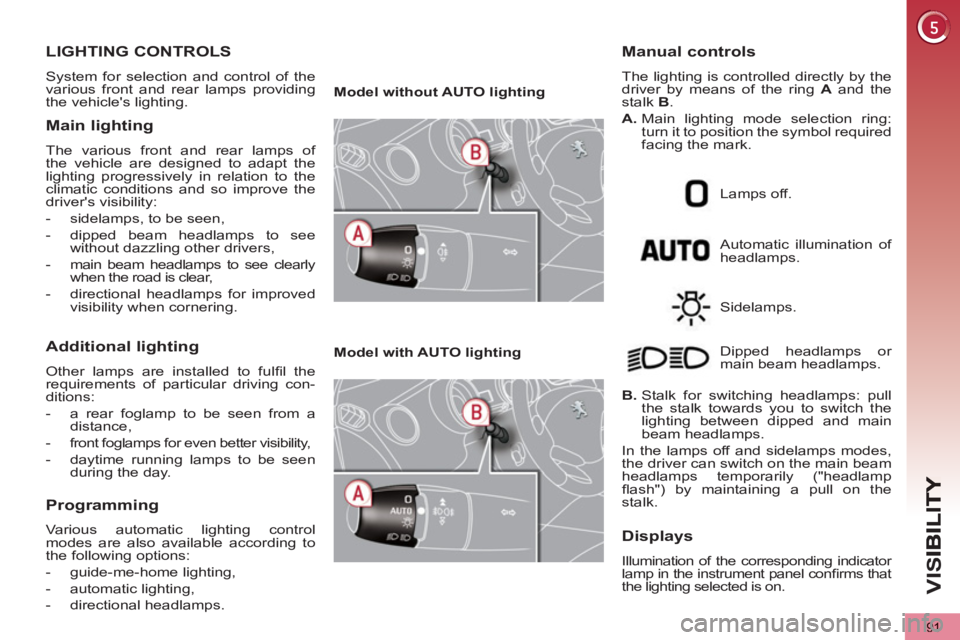
Model without AUTO lighting
Model with AUTO lighting
Automatic illumination of
headlamps.
Manual controls
The lighting is controlled directly by the
driver by means of the ring A
and the
stalk B
.
A.
Main lighting mode selection ring:
turn it to position the symbol required
facing the mark.
Lamps off.
Sidelamps.
B.
Stalk for switching headlamps: pull
the stalk towards you to switch the
lighting between dipped and main
beam headlamps.
In the lamps off and sidelamps modes,
the driver can switch on the main beam
headlamps temporarily ("headlamp
fl ash") by maintaining a pull on the
stalk. Dipped headlamps or
main beam headlamps.
Displays
Illumination of the corresponding indicator
lamp in the instrument panel confi rms that
the lighting selected is on.
Page 95 of 340
VIS
93
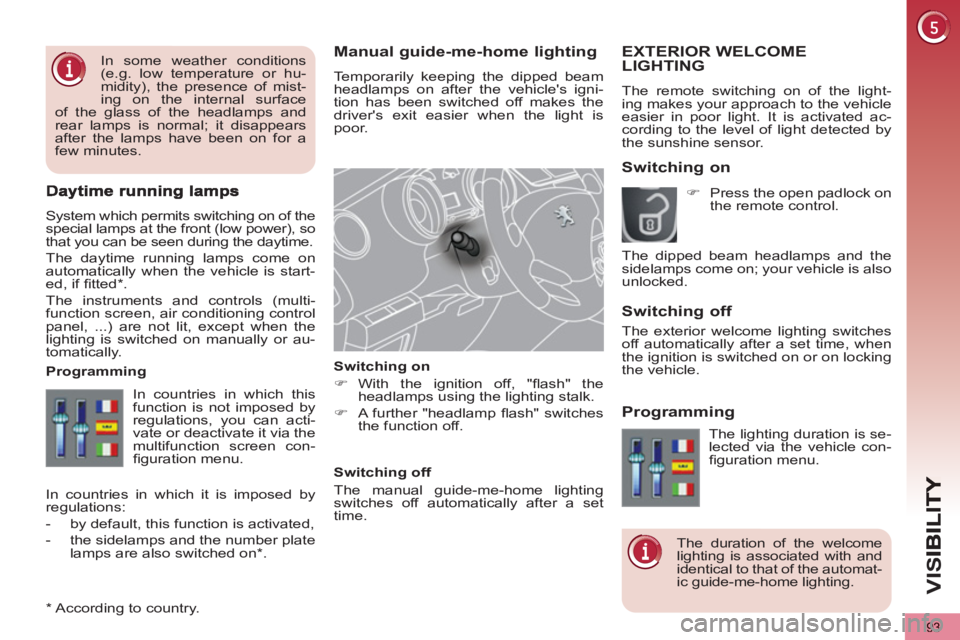
Manual guide-me-home lighting
Temporarily keeping the dipped beam
headlamps on after the vehicle's igni-
tion has been switched off makes the
driver's exit easier when the light is
poor.
Switching on
)
With the ignition off, "fl ash" the
headlamps using the lighting stalk.
)
A further "headlamp fl ash" switches
the function off.
Switching off
The manual guide-me-home lighting
switches off automatically after a set
time.
System which permits switching on of the
special lamps at the front (low power), so
that you can be seen during the daytime.
The daytime running lamps come on
automatically when the vehicle is start-
ed, if fi tted * .
The instruments and controls (multi-
function screen, air conditioning control
panel, ...) are not lit, except when the
lighting is switched on manually or au-
tomatically.
*
According to country.
EXTERIOR WELCOMELIGHTING
The remote switching on of the light-
ing makes your approach to the vehicle
easier in poor light. It is activated ac-
cording to the level of light detected by
the sunshine sensor.
Switching on
Switchin
g off
Programming
In countries in which this
function is not imposed by
regulations, you can acti-
vate or deactivate it via the
multifunction screen con-
fi guration menu.
Programming
The lighting duration is se-
lected via the vehicle con-
fi guration menu.
The duration of the welcome
lighting is associated with and
identical to that of the automat-
ic guide-me-home lighting.
In countries in which it is imposed by
regulations:
- by default, this function is activated,
- the sidelamps and the number plate
lamps are also switched on * .
)
Press the open padlock on
the remote control.
The dipped beam headlamps and the
sidelamps come on; your vehicle is also
unlocked.
In some weather conditions
(e.g. low temperature or hu-
midity), the presence of mist-
ing on the internal surface
of the glass of the headlamps and
rear lamps is normal; it disappears
after the lamps have been on for a
few minutes.
The exterior welcome lighting switches
off automatically after a set time, when
the ignition is switched on or on locking
the vehicle.
Page 96 of 340
VIS
94
In fog or snow, the sunshine
sensor may detect suffi cient
light. In this case, the lighting
will not come on automatically.
Do not cover the sunshine sensor,
coupled with the rain sensor and lo-
cated in the centre of the windscreen
behind the rear view mirror; the as-
sociated functions would no longer
be controlled.
Associated with the automatic
"Guide-me-home" lighting
Association with the automatic lighting
provides the "guide-me-home" lighting
with the following additional options:
- selection of the lighting duration of
15, 30 or 60 seconds in the vehicle
parameters in the vehicle confi gura-
tion menu,
- automatic activation of "guide-me-
home" lighting when automatic lillumi-
nation of headlamps is in operation.
Automatic illumination of headlamps
The sidelamps and dipped beam head-
lamps are switched on automatically,
without any action on the part of the
driver, when a low level of external light
is detected or in certain cases of activa-
tion of the windscreen wipers.
As soon as the brightness returns to a
suffi cient level or after the windscreen
wipers are switched off, the lamps are
switched off automatically.
Activation
)
Turn the ring to the "AUTO"
posi-
tion. The automatic illumination of
headlamps is accompanied by a
message in the screen.
Deactivation
)
Turn the ring to another position.
Deactivation is accompanied by a
message in the screen.
Operating fault
In the event of a malfunction of
the sunshine sensor, the lighting
comes on, this warning lamp is
displayed in the instrument panel
and/or a message appears in the screen,
accompanied by an audible signal.
Contact a PEUGEOT dealer or a quali-
fi ed workshop.
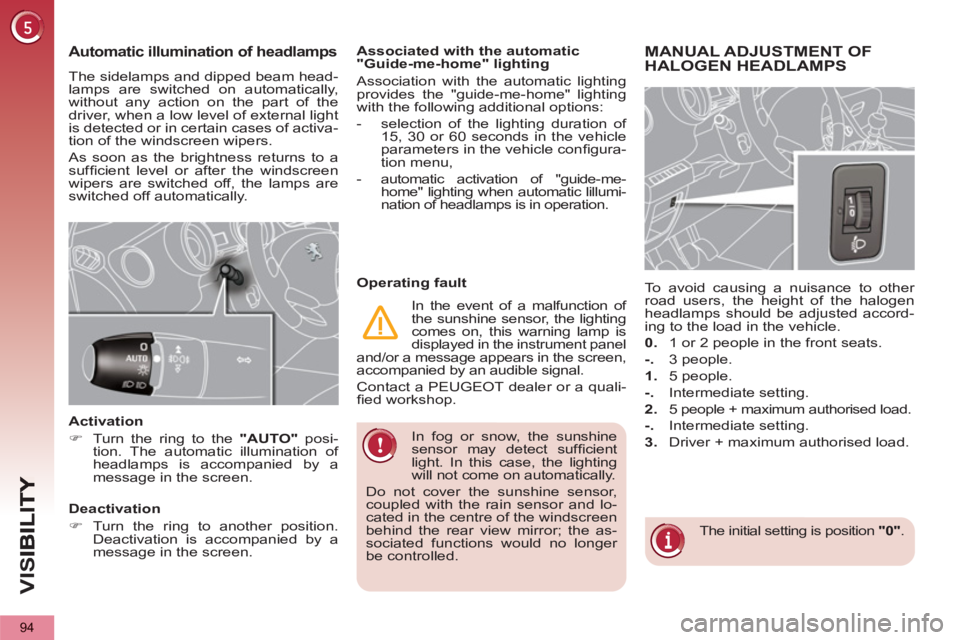
MANUAL ADJUSTMENT OF
HALOGEN HEADLAMPS
The initial setting is position "0"
.
To avoid causing a nuisance to other
road users, the height of the halogen
headlamps should be adjusted accord-
ing to the load in the vehicle.
0.
1 or 2 people in the front seats.
-.
3 people.
1.
5 people.
-.
Intermediate setting.
2.
5 people + maximum authorised load.
-.
Intermediate setting.
3.
Driver + maximum authorised load.
Page 97 of 340
VIS
95
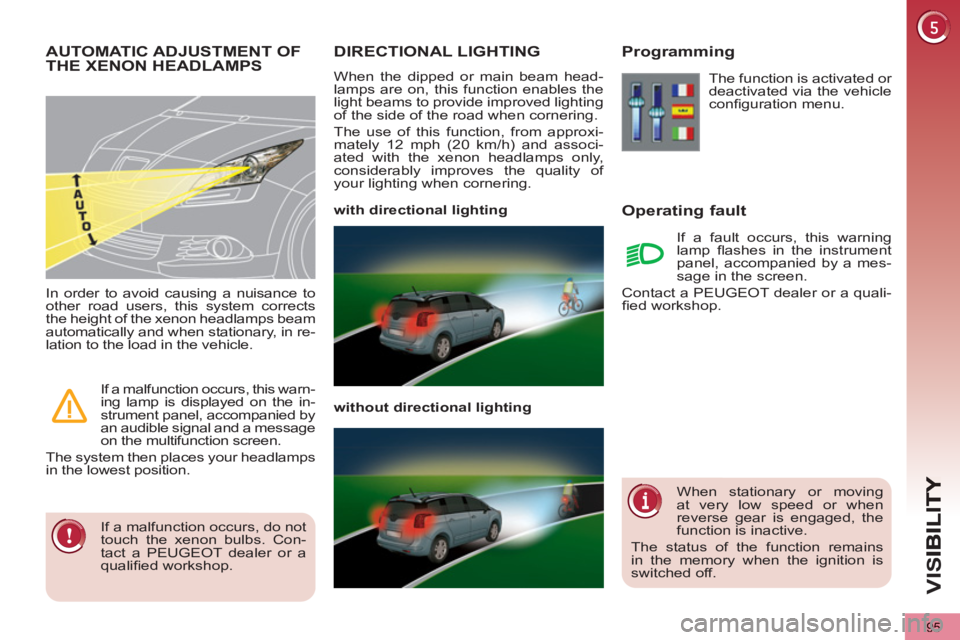
DIRECTIONAL LIGHTING
When the dipped or main beam head-
lamps are on, this function enables the
light beams to provide improved lighting
of the side of the road when cornering.
The use of this function, from approxi-
mately 12 mph (20 km/h) and associ-
ated with the xenon headlamps only,
considerably improves the quality of
your lighting when cornering.
with directional lighting
without directional lighting
Programming
Operatin
g fault
The function is activated or
deactivated via the vehicle
confi guration menu.
If a fault occurs, this warning
lamp fl ashes in the instrument
panel, accompanied by a mes-
sage in the screen.
Contact a PEUGEOT dealer or a quali-
fi ed workshop.
AUTOMATIC ADJUSTMENT OF THE XENON HEADLAMPS
If a malfunction occurs, do not
touch the xenon bulbs. Con-
tact a PEUGEOT dealer or a
qualifi ed workshop.
In order to avoid causing a nuisance to
other road users, this system corrects
the height of the xenon headlamps beam
automatically and when stationary, in re-
lation to the load in the vehicle.
If a malfunction occurs, this warn-
ing lamp is displayed on the in-
strument panel, accompanied by
an audible signal and a message
on the multifunction screen.
The system then places your headlamps
in the lowest position.
When stationary or moving
at very low speed or when
reverse gear is engaged, the
function is inactive.
The status of the function remains
in the memory when the ignition is
switched off.
Page 99 of 340
VIS
97
Windscreen and headlamp
wash
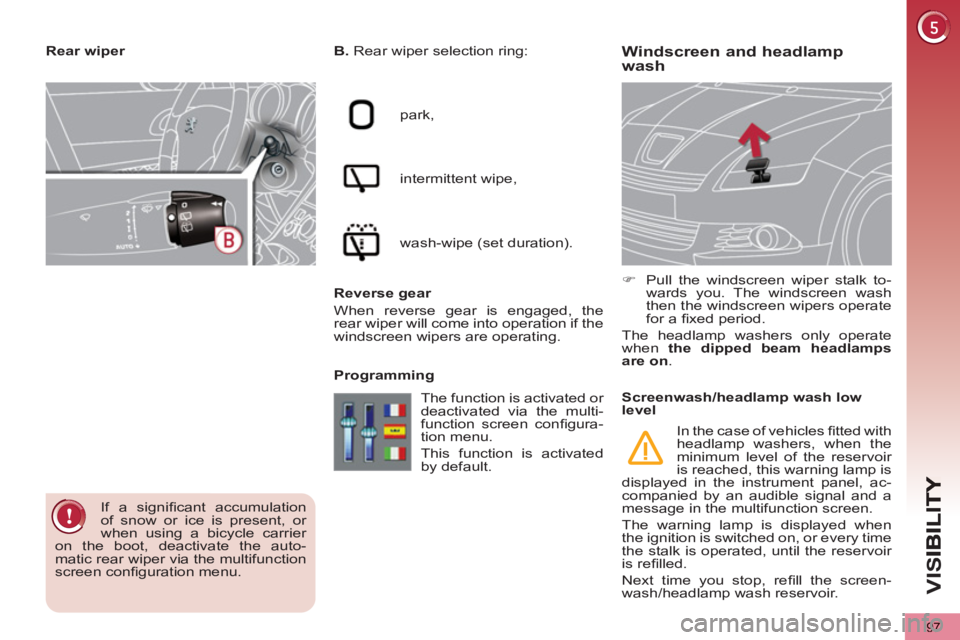
B.
Rear wiper selection ring:
park,
intermittent wipe,
wash-wipe (set duration).
Reverse gear
When reverse gear is engaged, the
rear wiper will come into operation if the
windscreen wipers are operating.
Programming
)
Pull the windscreen wiper stalk to-
wards you. The windscreen wash
then the windscreen wipers operate
for a fi xed period.
The headlamp washers only operate
when the dipped beam headlamps
are on
.
Rear wiper
If a signifi cant accumulation
of snow or ice is present, or
when using a bicycle carrier
on the boot, deactivate the auto-
matic rear wiper via the multifunction
screen confi guration menu. The function is activated or
deactivated via the multi-
function screen confi gura-
tion menu.
This function is activated
by default.
Screenwash/headlamp wash low
level
In the case of vehicles fi tted with
headlamp washers, when the
minimum level of the reservoir
is reached, this warning lamp is
displayed in the instrument panel, ac-
companied by an audible signal and a
message in the multifunction screen.
The warning lamp is displayed when
the ignition is switched on, or every time
the stalk is operated, until the reservoir
is refi lled.
Next time you stop, refi ll the screen-
wash/headlamp wash reservoir.
Page 131 of 340
SA
F
129
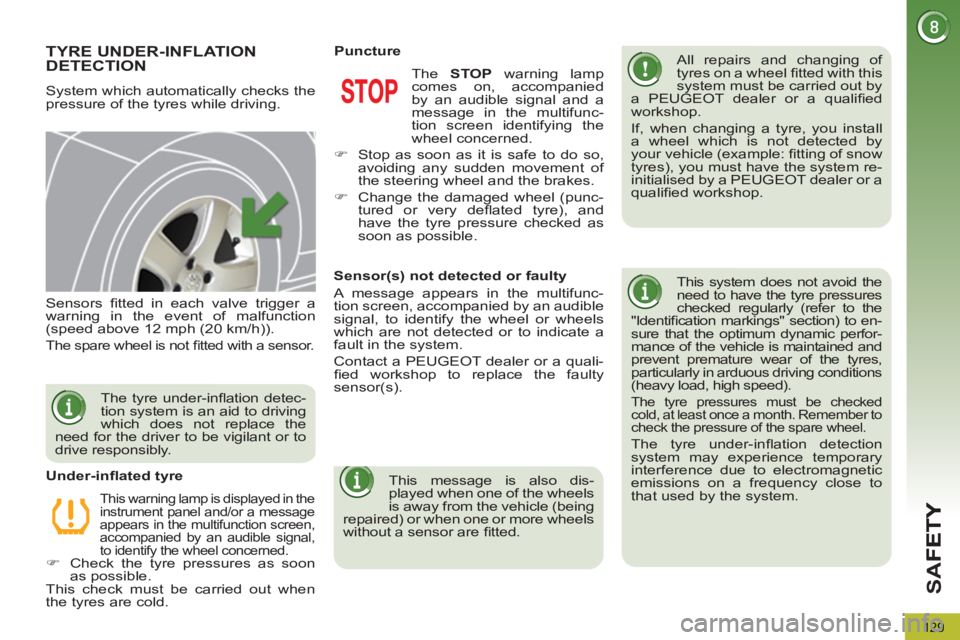
TYRE UNDER-INFLATION DETECTION
System which automatically checks the
pressure of the tyres while driving.
All repairs and changing of
tyres on a wheel fi tted with this
system must be carried out by
a PEUGEOT dealer or a qualifi ed
workshop.
If, when changing a tyre, you install
a wheel which is not detected by
your vehicle (example: fi tting of snow
tyres), you must have the system re-
initialised by a PEUGEOT dealer or a
qualifi ed workshop.
This system does not avoid the
need to have the tyre pressures
checked regularly (refer to the
"Identifi cation markings" section) to en-
sure that the optimum dynamic perfor-
mance of the vehicle is maintained and
prevent premature wear of the tyres,
particularly in arduous driving conditions
(heavy load, high speed).
The tyre pressures must be checked
cold, at least once a month. Remember to
check the pressure of the spare wheel.
The tyre under-infl ation detection
system may experience temporary
interference due to electromagnetic
emissions on a frequency close to
that used by the system.
Sensors fi tted in each valve trigger a
warning in the event of malfunction
(speed above 12 mph (20 km/h)).
The spare wheel is not fi tted with a sensor.
This warning lamp is displayed in the
instrument panel and/or a message
appears in the multifunction screen,
accompanied by an audible signal,
to identify the wheel concerned.
)
Check the tyre pressures as soon
as possible.
This check must be carried out when
the tyres are cold.
Under-infl ated tyre The STOP
warning lamp
comes on, accompanied
by an audible signal and a
message in the multifunc-
tion screen identifying the
wheel concerned.
)
Stop as soon as it is safe to do so,
avoiding any sudden movement of
the steering wheel and the brakes.
)
Change the damaged wheel (punc-
tured or very defl ated tyre), and
have the tyre pressure checked as
soon as possible.
Puncture
The tyre under-infl ation detec-
tion system is an aid to driving
which does not replace the
need for the driver to be vigilant or to
drive responsibly.
Sensor(s) not detected or faulty
A message appears in the multifunc-
tion screen, accompanied by an audible
signal, to identify the wheel or wheels
which are not detected or to indicate a
fault in the system.
Contact a PEUGEOT dealer or a quali-
fi ed workshop to replace the faulty
sensor(s).
This message is also dis-
played when one of the wheels
is away from the vehicle (being
repaired) or when one or more wheels
without a sensor are fi tted.