fuel PEUGEOT 5008 2017 User Guide
[x] Cancel search | Manufacturer: PEUGEOT, Model Year: 2017, Model line: 5008, Model: PEUGEOT 5008 2017Pages: 404, PDF Size: 15.31 MB
Page 50 of 404
48
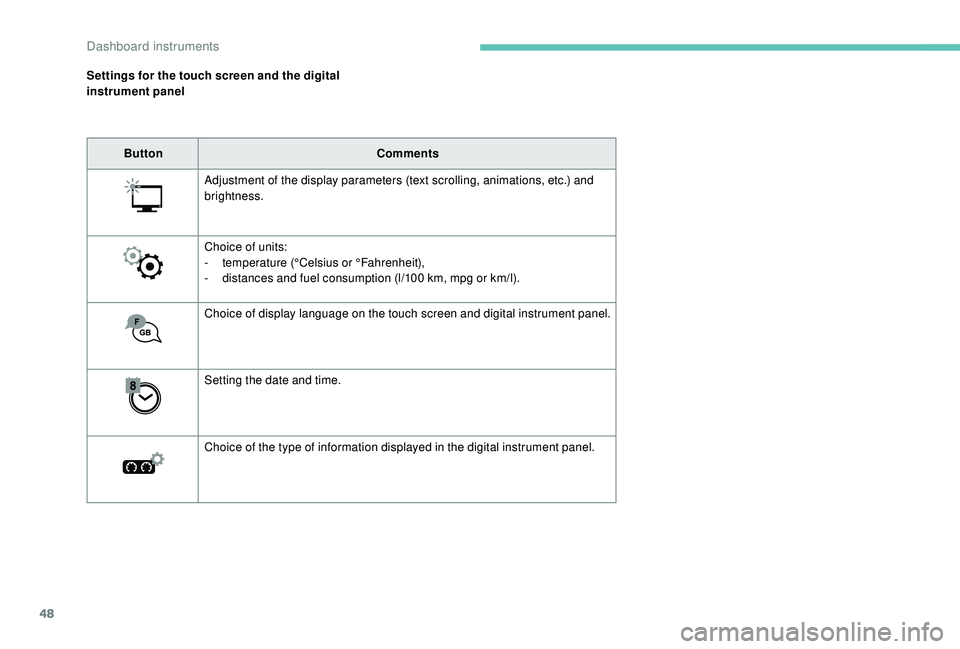
Settings for the touch screen and the digital
instrument panelButton Comments
Adjustment of the display parameters (text scrolling, animations, etc.) and
brightness.
Choice of units:
-
t
emperature (°Celsius or °Fahrenheit),
-
d
istances and fuel consumption (l/100 km, mpg or km/l).
Choice of display language on the touch screen and digital instrument panel.
Setting the date and time.
Choice of the type of information displayed in the digital instrument panel.
Dashboard instruments
Page 52 of 404

50
Locking the vehicle
Normal locking
F Press this button.
On the first press of the locking button,
illumination of the direction indicators for a few
seconds indicates:
-
l
ocking of the vehicle for versions without
alarm,
-
a
ctivation of the alarm for other versions.
Depending on version, the door mirrors fold.
Unlocking the vehicle
Version with K eyless Entr y and Star ting
F P ull on this button to remove the key from
the housing.
To return it to the housing, first pull on this
button.
Complete unlocking
F Press this button.
Selective unlocking
Driver door and fuel flap
The setting is done in the vehicle configuration
menu.
Opening the windows F
P
ress this button.
F
T
o unlock the other doors and
the boot, press this button again.
On the first press of the unlocking button,
flashing of the direction indicators for a few
seconds signals:
-
c
omplete or selective unlocking of the
vehicle for versions without alarm,
-
d
eactivation of the alarm for other versions.
Depending on version, the door mirrors unfold.
Depending on version, pressing and
holding the unlocking buttons opens
the windows to the desired position.
The windows stop when you release
the button. An access that is not properly closed
(door or tailgate) prevents locking of the
vehicle. However, if your vehicle has an
alarm, this will be fully activated after
about 45
seconds.
If the vehicle is unlocked inadvertently
and there is then no action on the doors
or boot, the vehicle will automatically lock
itself again after about 30
seconds. If the
alarm was previously activated, it will be
reactivated automatically.
Access
Page 54 of 404
52
Keyless Entry and
Starting
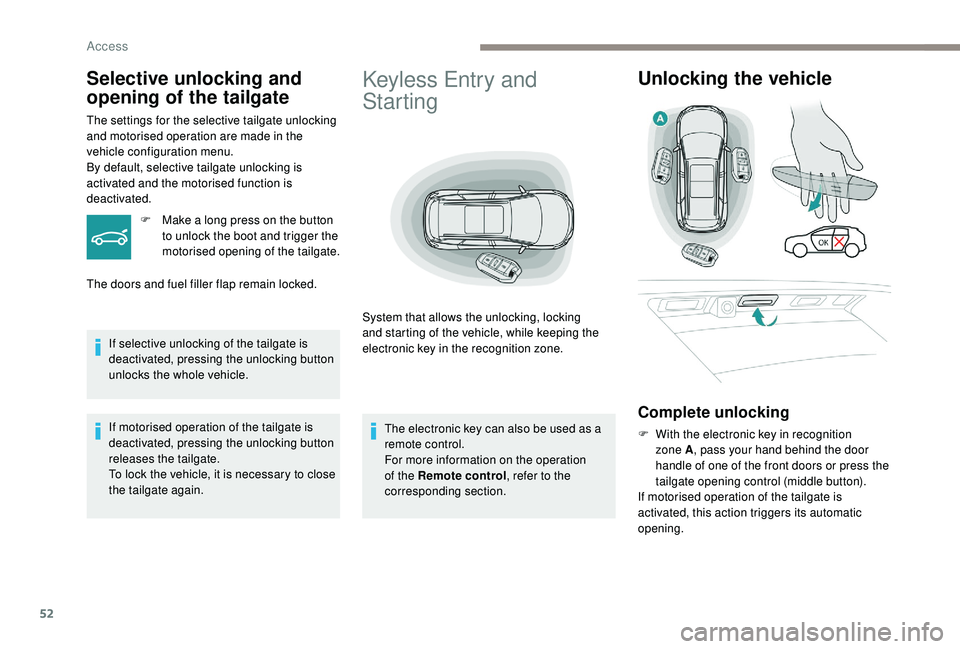
System that allows the unlocking, locking
and starting of the vehicle, while keeping the
electronic key in the recognition zone.
Unlocking the vehicle
Complete unlocking
F With the electronic key in recognition zone A , pass your hand behind the door
handle of one of the front doors or press the
tailgate opening control (middle button).
If motorised operation of the tailgate is
activated, this action triggers its automatic
opening.
Selective unlocking and
opening of the tailgate
The settings for the selective tailgate unlocking
and motorised operation are made in the
vehicle configuration menu.
By default, selective tailgate unlocking is
activated and the motorised function is
deactivated.
F
M
ake a long press on the button
to unlock the boot and trigger the
motorised opening of the tailgate.
The doors and fuel filler flap remain locked.
If selective unlocking of the tailgate is
deactivated, pressing the unlocking button
unlocks the whole vehicle.
If motorised operation of the tailgate is
deactivated, pressing the unlocking button
releases the tailgate.
To lock the vehicle, it is necessary to close
the tailgate again. The electronic key can also be used as a
remote control.
For more information on the operation
of the Remote control
, refer to the
corresponding section.
Access
Page 55 of 404
53
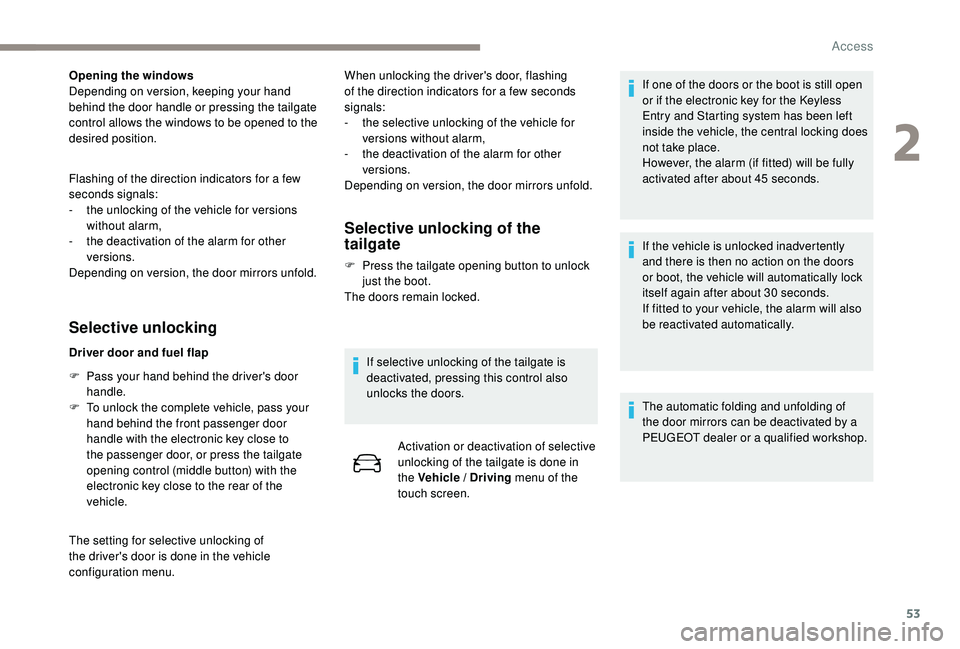
Opening the windows
Depending on version, keeping your hand
behind the door handle or pressing the tailgate
control allows the windows to be opened to the
desired position.
Flashing of the direction indicators for a few
seconds signals:
-
t
he unlocking of the vehicle for versions
without alarm,
-
t
he deactivation of the alarm for other
versions.
Depending on version, the door mirrors unfold.
Selective unlocking
Driver door and fuel flap
F
P
ass your hand behind the driver's door
handle.
F
T
o unlock the complete vehicle, pass your
hand behind the front passenger door
handle with the electronic key close to
the passenger door, or press the tailgate
opening control (middle button) with the
electronic key close to the rear of the
vehicle.
The setting for selective unlocking of
the driver's door is done in the vehicle
configuration menu. When unlocking the driver's door, flashing
of the direction indicators for a few seconds
signals:
-
t
he selective unlocking of the vehicle for
versions without alarm,
-
t
he deactivation of the alarm for other
versions.
Depending on version, the door mirrors unfold.
Selective unlocking of the
tailgate
F Press the tailgate opening button to unlock just the boot.
The doors remain locked.
If selective unlocking of the tailgate is
deactivated, pressing this control also
unlocks the doors. Activation or deactivation of selective
unlocking of the tailgate is done in
the Vehicle / Driving menu of the
touch screen. If one of the doors or the boot is still open
or if the electronic key for the
K
eyless
Entry and Starting system has been left
inside the vehicle, the central locking does
not take place.
However, the alarm (if fitted) will be fully
activated after about 45
seconds.
If the vehicle is unlocked inadvertently
and there is then no action on the doors
or boot, the vehicle will automatically lock
itself again after about 30
seconds.
If fitted to your vehicle, the alarm will also
be reactivated automatically.
The automatic folding and unfolding of
the door mirrors can be deactivated by a
PEUGEOT dealer or a qualified workshop.
2
Access
Page 83 of 404
81
Before moving the seat backwards,
ensure that there is nothing that might
prevent the full travel of the seat.
There is a risk of trapping or pinching
passengers if present in the rear seats
or jamming the seat if large objects are
placed on the floor behind the seat.
Storing driving positions
Associated with adjustments of the electrical
driver’s seat, this function allows two driving
positions to be memorised, to make these
adjustments easier if there are frequent driver
changes.
It takes account of the electric adjustments of
the seat and the door mirrors.
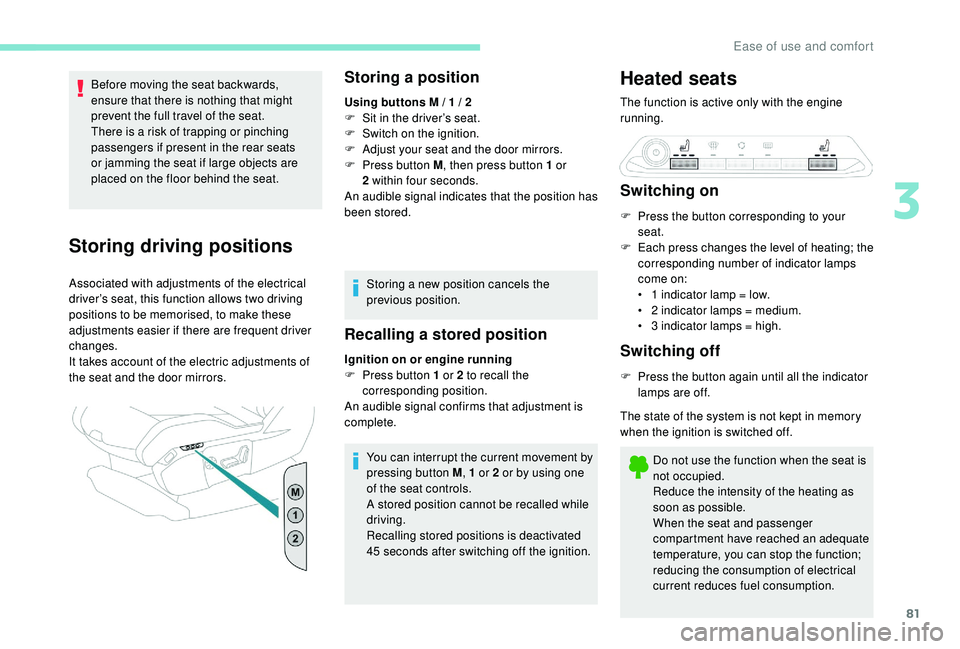
Storing a position
Using buttons M / 1 / 2
F S it in the driver’s seat.
F
S
witch on the ignition.
F
A
djust your seat and the door mirrors.
F
P
ress button M , then press button 1
or
2
within four seconds.
An audible signal indicates that the position has
been stored.
Storing a new position cancels the
previous position.
Recalling a stored position
Ignition on or engine running
F P ress button 1 or 2 to recall the
corresponding position.
An audible signal confirms that adjustment is
complete.
You can interrupt the current movement by
pressing button M , 1
or 2 or by using one
of the seat controls.
A stored position cannot be recalled while
driving.
Recalling stored positions is deactivated
45
seconds after switching off the ignition.
Heated seats
The function is active only with the engine
running.
Switching on
F Press the button corresponding to your seat.
F
E
ach press changes the level of heating; the
corresponding number of indicator lamps
come on:
•
1
indicator lamp = low.
•
2
indicator lamps = medium.
•
3
indicator lamps = high.
Switching off
F Press the button again until all the indicator lamps are off.
The state of the system is not kept in memory
when the ignition is switched off.
Do not use the function when the seat is
not occupied.
Reduce the intensity of the heating as
soon as possible.
When the seat and passenger
compartment have reached an adequate
temperature, you can stop the function;
reducing the consumption of electrical
current reduces fuel consumption.
3
Ease of use and comfort
Page 107 of 404
105
Switching off
Demisting/defrosting switches off automatically
to prevent an excessive consumption of
current.F
I
t is possible to stop the
demisting/defrosting operation
before it is switched off
automatically by pressing the
button again.
The indicator lamp associated with the button
goes off.
Switch off the demisting/defrosting of
the rear screen and door mirrors as
soon as appropriate, as lower current
consumption results in reduced fuel
consumption.
Programmable heating
The programmable heating operates
independently of the engine.
With the engine off, it preheats the coolant
circuit to ensure optimal engine operating
temperature as soon as it is started up.
The programmable heating is switched on
by the long range remote control. It may be
immediate or deferred depending on the
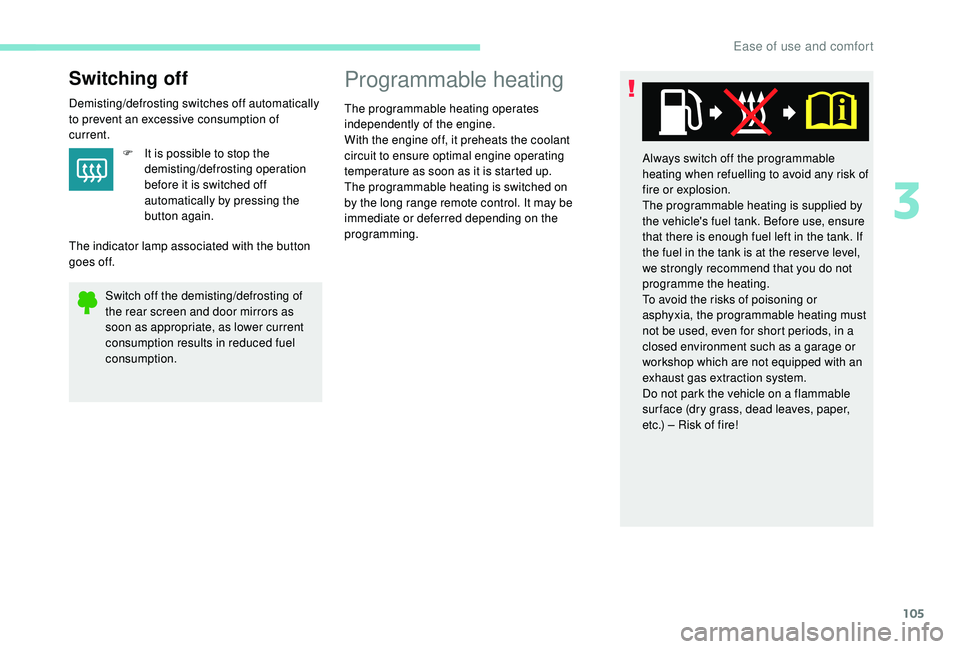
programming. Always switch off the programmable
heating when refuelling to avoid any risk of
fire or explosion.
The programmable heating is supplied by
the vehicle's fuel tank. Before use, ensure
that there is enough fuel left in the tank. If
the fuel in the tank is at the reser ve level,
we strongly recommend that you do not
programme the heating.
To avoid the risks of poisoning or
asphyxia, the programmable heating must
not be used, even for short periods, in a
closed environment such as a garage or
workshop which are not equipped with an
exhaust gas extraction system.
Do not park the vehicle on a flammable
sur face (dry grass, dead leaves, paper,
etc.) – Risk of fire!
3
Ease of use and comfort
Page 148 of 404
146
SandYou can deactivate the ASR
and DSC systems by turning
the knob to the "OFF" position.
The ASR and DSC systems will no longer
act on the engine operation or the brakes
in the event of an involuntary change of
trajectory.
These systems are reactivated
automatically from 30
mph (50 km/h) or
every time the ignition is switched on.
Recommendations
Your vehicle is designed principally to
drive on tarmac roads but it allows you to
occasionally drive on other less passable
terrain.
However, it does not permit off-road
driving such as:
-
c
rossing and driving on terrain which
could damage the underbody or strip
away components (fuel pipe, fuel
cooler, etc.) due to obstacles or stones
in particular,
-
d
riving on terrain with steep gradients
and poor grip,
-
c
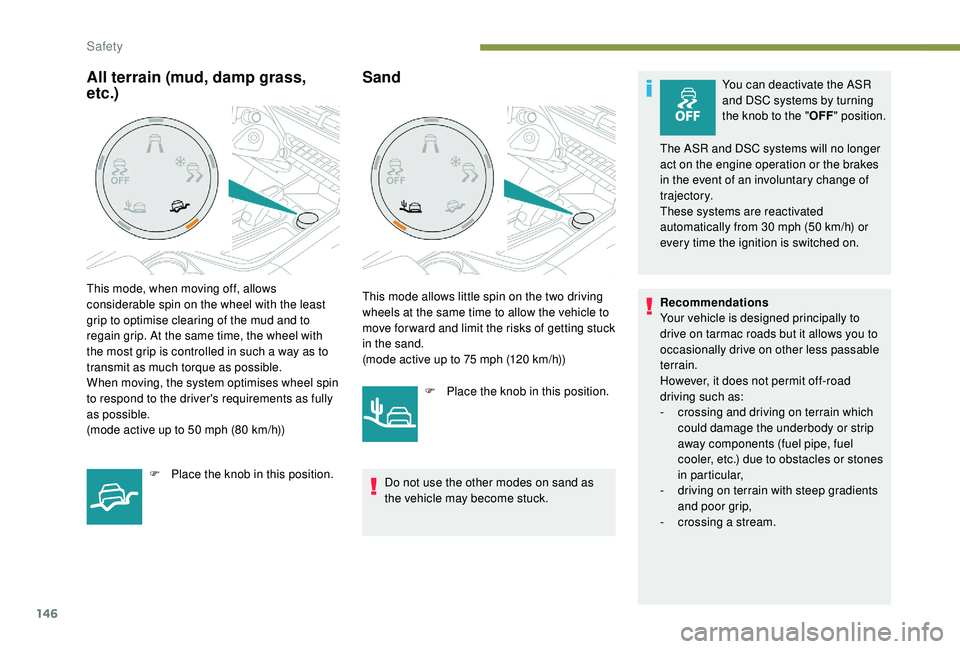
rossing a stream.All terrain (mud, damp grass,
etc.)
This mode, when moving off, allows
considerable spin on the wheel with the least
grip to optimise clearing of the mud and to
regain grip. At the same time, the wheel with
the most grip is controlled in such a way as to
transmit as much torque as possible.
When moving, the system optimises wheel spin
to respond to the driver's requirements as fully
as possible.
(mode active up to 50 mph (80 km/h))
F
P
lace the knob in this position. This mode allows little spin on the two driving
wheels at the same time to allow the vehicle to
move for ward and limit the risks of getting stuck
in the sand.
(mode active up to 75
mph (120 km/h))
F
P
lace the knob in this position.
Do not use the other modes on sand as
the vehicle may become stuck.
Safety
Page 189 of 404
187
SPORT
SPORT
"Sport" button
With the engine running, when the programme
associated with the button is active, the
gearbox delays changing up for a more
dynamic driving style.
The programme is automatically deactivated
when the ignition is switched off.
Activating the Sport programme or the
Dynamic pack is not recommended in the
following situations:
-
o
ne of the special modes (other than
standard mode) of Advanced Grip Control is
on,
-
l
ow fuel level reached,
-
l
ow AdBlue level reached.Pressing this button has no effect when a
trailer is connected.
Sport programme
In D mode, pressing this button
activates the Sport programme.
" S" appears in the instrument panel.
Dynamic pack
The indicator lamp in the button
is on when the Dynamic pack is
activated.
Displays on the instrument
panel
If the driver's door is opened with the ignition
on, a message is displayed asking you to put
the gearbox into P mode.
The state of the gearbox is displayed in the
instrument panel for a few moments after
switching off the ignition.
Operation
You can activate or deactivate the function:
- b y pressing this button,
or
-
v
ia the i-Cockpit Amplify function, by
modifying the setting for an ambience in the
touch screen.
For more information on the Dynamic Pack
and the i-Cockpit Amplify function, refer to
the corresponding section.
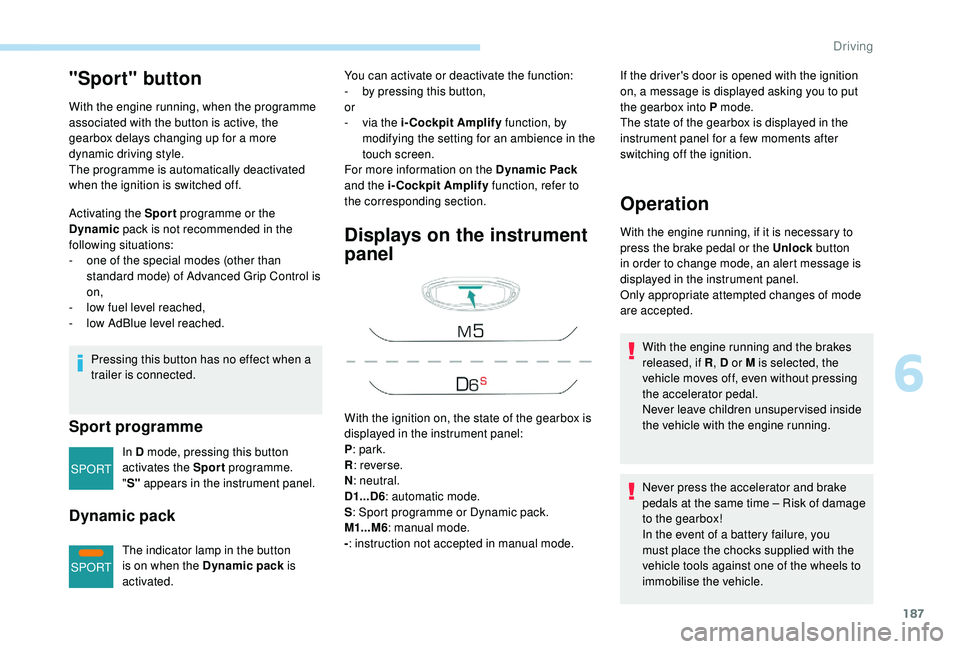
With the ignition on, the state of the gearbox is
displayed in the instrument panel:
P : park.
R : reverse.
N : neutral.
D1...D6 : automatic mode.
S : Sport programme or Dynamic pack.
M1...M6 : manual mode.
- : instruction not accepted in manual mode. With the engine running, if it is necessary to
press the brake pedal or the Unlock
button
in order to change mode, an alert message is
displayed in the instrument panel.
Only appropriate attempted changes of mode
are accepted.
Never press the accelerator and brake
pedals at the same time – Risk of damage
to the gearbox!
In the event of a battery failure, you
must place the chocks supplied with the
vehicle tools against one of the wheels to
immobilise the vehicle. With the engine running and the brakes
released, if R , D or M is selected, the
vehicle moves off, even without pressing
the accelerator pedal.
Never leave children unsuper vised inside
the vehicle with the engine running.
6
Driving
Page 193 of 404
191
SPORT
Dynamic pack
This pack influences:
- t he acoustic ambience of the engine,
-
t
he level of power assistance for the
steering,
-
acceleration,
-
h
andling gear transitions with the automatic
gearbox,
-
t
he display on the instrument panel of
information about the dynamic parameters
of the vehicle ("PERSONAL" mode).
Activation / Deactivation
F Press this button; the button indicator lamp lights up to
confirm activation of the
function.
The Dynamic pack is also managed
by the i-Cockpit Amplify function.
For more information on the i-Cockpit Amplify
function, refer to the corresponding section.
If the indicator lamp flashes, activation is
not available (example: if Park Assist is
selected).
If the indicator lamp continues flashing for
a long time, contact a PEUGEOT dealer or
a qualified workshop.
Displays
To show this information on the instrument
panel, select the "PERSONAL" mode and then
the type of information required.This telemetry information (power
output, turbocharger pressure, torque,
longitudinal and lateral acceleration, etc.)
is given as a guide only.
Gear shift indicator
(Depending on engine.)
System which reduces fuel consumption by
recommending the most appropriate gear.
Operation
Depending on the driving situation and your
vehicle's equipment, the system may advise
you to skip one (or more) gear(s). You can
follow this instruction without engaging the
intermediate gears.
Gear shift recommendations are for information
only. In fact, the road layout, the traffic density
and safety remain the deciding factors when
choosing the best gear. The driver therefore
remains responsible for deciding whether or not
to follow the indications issued by the system.
This function cannot be deactivated.
With an automatic gearbox, the system is
only active in manual mode.
The information is displayed in the instrument
panel in the form of an arrow.
6
Driving
Page 194 of 404
192
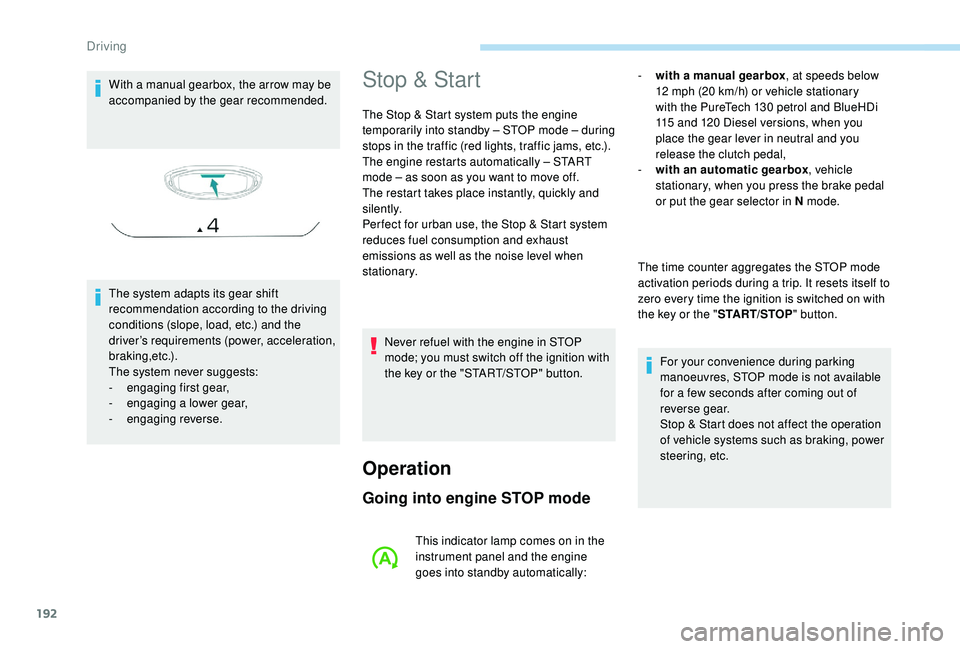
With a manual gearbox, the arrow may be
accompanied by the gear recommended.
The system adapts its gear shift
recommendation according to the driving
conditions (slope, load, etc.) and the
driver’s requirements (power, acceleration,
b r a k i n g ,e t c .) .
The system never suggests:
-
e
ngaging first gear,
-
enga
ging a lower gear,
-
enga
ging reverse.Stop & Start
The Stop & Start system puts the engine
temporarily into standby – STOP mode – during
stops in the traffic (red lights, traffic jams, etc.).
The engine restarts automatically – START
mode – as soon as you want to move off.
The restart takes place instantly, quickly and
silently.
Per fect for urban use, the Stop & Start system
reduces fuel consumption and exhaust
emissions as well as the noise level when
stationary.
Operation
Going into engine STOP mode
- with a manual gearbox , at speeds below
12 mph (20 km/h) or vehicle stationary
with the PureTech 130
petrol and BlueHDi
115
and 120 Diesel versions, when you
place the gear lever in neutral and you
release the clutch pedal,
-
w
ith an automatic gearbox , vehicle
stationary, when you press the brake pedal
or put the gear selector in N mode.
The time counter aggregates the STOP mode
activation periods during a trip. It resets itself to
zero every time the ignition is switched on with
the key or the " START/STOP" button.
For your convenience during parking
manoeuvres, STOP mode is not available
for a few seconds after coming out of
reverse gear.
Stop & Start does not affect the operation
of vehicle systems such as braking, power
steering, etc.
Never refuel with the engine in STOP
mode; you must switch off the ignition with
the key or the "START/STOP" button.
This indicator lamp comes on in the
instrument panel and the engine
goes into standby automatically:
Driving