fuel PEUGEOT 5008 2018 Owners Manual
[x] Cancel search | Manufacturer: PEUGEOT, Model Year: 2018, Model line: 5008, Model: PEUGEOT 5008 2018Pages: 364, PDF Size: 13.03 MB
Page 5 of 364
3
.
bit.ly/helpPSA
.
Driving recommendations 155
Anti-theft protection 1 56
Starting/Switching off the engine with
the key
1
56
Starting/Switching off the engine with
K
eyless Entry and Starting
1
58
Electric parking brake
1
61
Manual gearbox
1
64
Automatic gearbox
1
65
Hill start assist
1
69
Dynamic pack
1
70
Gear shift indicator
1
70
Stop & Start
1
71
Under-inflation detection
1
74
Memorising speeds
1
75
Recognition of speed limit signs and
recommendation
1
76
Speed limiter
1
79
Cruise control
1
81
Adaptive cruise control
1
84
Distance Alert and Active Safety Brake
1
92
Fatigue detection system
1
96
Lane Departure Warning System
1
98
Active Lane Departure Warning System
1
98
Blind Spot Monitoring System
2
03
Parking sensors
2
05
Visiopark 1 - Visiopark 2
2
07
Park Assist
2
12Fuel
220
Misfuel prevention (Diesel) 2 21
Compatibility of fuels
2
22
Towing device
2
23
Towbar with quickly detachable towball
2
24
Load reduction mode
2
27
Energy economy mode
2
27
Very cold climate screen
2
28
Snow chains
2
28
Fitting roof bars
2
29
Bonnet
23
0
Engine compartment
2
31
Checking levels
23
2
Checks
235
AdBlue
® (BlueHDi engines) 2 37
Warning triangle
2
40
Running out of fuel (Diesel)
2
40
Tool kit
2
41
Temporary puncture repair kit
2
43
Spare wheel
2
46
Changing a
bulb
2
52
Changing a
wiper blade
2
57
Changing a
fuse
2
57
12
V battery
2
62
Towing the vehicle
2
65Engine technical data and towed loads
2
67
Petrol engines and towed loads
2
68
Diesel engines and towed loads
2
69
Dimensions
272
Identification markings
2
73
Driving
Practical information Technical data
Alphabetical index
In the event of a
breakdownAudio equipment and telematics
PEUGEOT Connect Nav
PEUGEOT Connect Radio
Bluetooth audio system
Access to additional videos
.
Contents
Page 8 of 364
6
As a passenger, if you avoid connecting your
m ultimedia devices (film, music, video game
etc.), you will contribute towards limiting the
consumption of electrical energy, and so of
fuel.
Disconnect your portable devices before
leaving the vehicle.
Eco- driving
Eco-driving is a range of everyday practices that allow the motorist to optimise their fuel consumption and CO2 emissions.
Optimise the use of your
gearbox
With a manual gearbox, move off gently
an d change up without waiting. During
acceleration change up early.
With an automatic gearbox, give preference
to automatic mode and avoid pressing the
accelerator pedal heavily or suddenly.
The gear shift indicator invites you to engage
the most suitable gear: as soon as the
indication is displayed in the instrument panel,
follow it straight away.
For vehicles fitted with an automatic gearbox,
this indicator appears only in manual mode.
Drive smoothly
Maintain a safe distance between vehicles,
u se engine braking rather than the
brake pedal, and press the accelerator
progressively. These practices contribute
towards a
reduction in fuel consumption and
CO
2 emissions and also help reduce the
background traffic noise.
If your vehicle has cruise control, make use of
the system at speeds above 25
mph (40 km/h)
when the traffic is flowing well.
Control the use of your electrical
equipment
Before moving off, if the passenger
compartment is too warm, ventilate it by
opening the windows and air vents before
using the air conditioning.
Above 31
mph (50 km/h), close the windows
and leave the air vents open.
Consider using equipment that can help
keep the temperature in the passenger
compartment down (sunroof blind and window
blinds, etc.). Switch off the headlamps and front foglamps
when the ambient light level does not require
their use.
Avoid running the engine before moving off,
particularly in winter; your vehicle will warm up
much faster while driving. Unless it has automatic regulation, switch off
the air conditioning as soon as the desired
temperature has been reached.
Switch off the demisting and defrosting
controls, if these are not automatically
managed.
Switch off the heated seat as soon as
possible.
Eco-driving
Page 9 of 364
7
Limit the causes of excess
consumption
Spread loads throughout the vehicle; place
the heaviest items in the bottom of the boot,
as close as possible to the rear seats.
Limit the loads carried in the vehicle and
reduce wind resistance (roof bars, roof rack,
bicycle carrier, trailer, etc.). Preferably, use a
roof box.
Remove roof bars and roof racks after use.
At the end of winter, remove snow tyres and
refit your summer tyres.
Observe the recommendations
on maintenance
Check the tyre pressures regularly, when cold,
referring to the label in the door aperture,
driver's side.
Carry out this check in particular:
-
b
efore a long journey,
-
a
t each change of season,
-
a
fter a long period out of use.
Do not forget the spare wheel and the tyres on
any trailer or caravan. Have your vehicle ser viced regularly (engine
oil, oil filter, air filter, cabin filter, etc.) and
obser ve the schedule of operations in the
manufacturer's service schedule.
When filling the tank, do not continue after the
3
rd cut-off of the nozzle to avoid over flow.
At the wheel of your new vehicle, it is only
after the first 1,900
miles (3,000 kilometres)
that you will see the fuel consumption settle
down to a
consistent average.
With a
BlueHDi Diesel engine, if the SCR
system is faulty, your vehicle becomes
polluting. As soon as possible, visit
a
PEUGEOT dealer or a qualified workshop
to make your vehicle's level of nitrogen oxides
emissions compliant to the standard.
.
Eco-driving
Page 10 of 364
8
Head-up digital screen
Customisable digital instrument panel.
Depending on the selected display mode,
some information may be hidden or shown in
a different way.
Digital screen
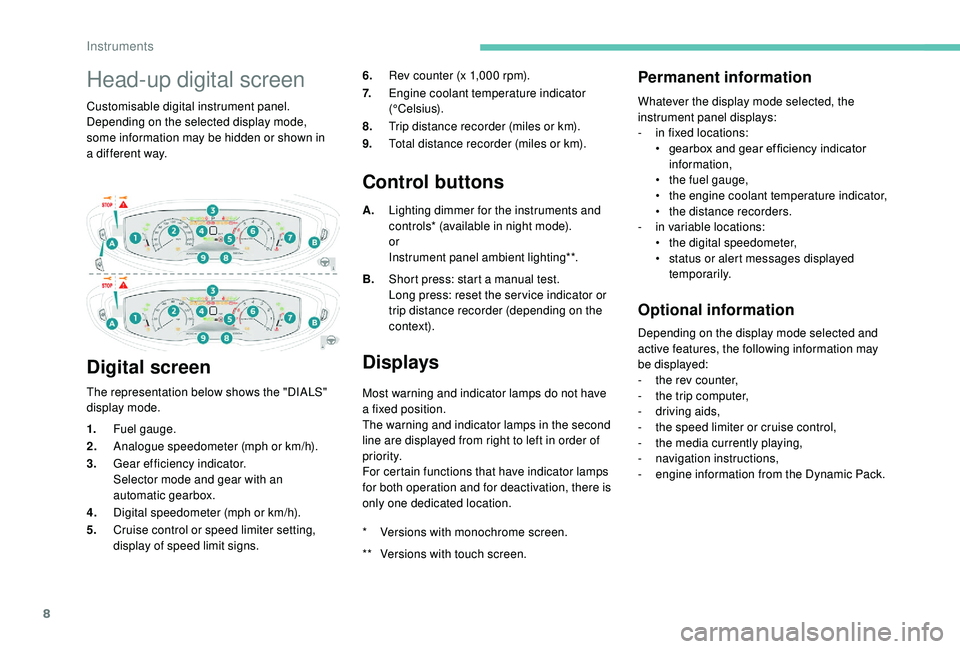
The representation below shows the "DIALS"
display mode. 6.
Rev counter (x 1,000 rpm).
7. Engine coolant temperature indicator
(°Celsius).
8. Trip distance recorder (miles or km).
9. Total distance recorder (miles or km).
Control buttons
A.Lighting dimmer for the instruments and
controls* (available in night mode).
or
Instrument panel ambient lighting**.
B. Short press: start a
manual test.
Long press: reset the ser vice indicator or
trip distance recorder (depending on the
contex t).
Displays
Most warning and indicator lamps do not have
a fixed position.
The warning and indicator lamps in the second
line are displayed from right to left in order of
priority.
For certain functions that have indicator lamps
for both operation and for deactivation, there is
only one dedicated location.
Permanent information
Whatever the display mode selected, the
instrument panel displays:
-
i
n fixed locations:
•
g
earbox and gear ef ficiency indicator
information,
•
t
he fuel gauge,
•
t
he engine coolant temperature indicator,
•
t
he distance recorders.
-
i
n variable locations:
•
t
he digital speedometer,
•
s
tatus or alert messages displayed
temporarily.
Optional information
Depending on the display mode selected and
active features, the following information may
be displayed:
-
t
he rev counter,
-
t
he trip computer,
-
d
riving aids,
-
t
he speed limiter or cruise control,
-
t
he media currently playing,
-
n
avigation instructions,
-
e
ngine information from the Dynamic Pack.
1.
Fuel gauge.
2. Analogue speedometer (mph or km/h).
3. Gear efficiency indicator.
Selector mode and gear with an
automatic gearbox.
4. Digital speedometer (mph or km/h).
5. Cruise control or speed limiter setting,
display of speed limit signs. *
V
ersions with monochrome screen.
**
V
ersions with touch screen.
Instruments
Page 11 of 364
9
* Versions with monochrome screen.
**
V
ersions with touch screen.
Customisation of the
instrument panel
You can modify the appearance of the
instrument panel, by choosing:
-
t
he instrument panel display colour**,
-
a d
isplay mode.
Display language and units
They depend on the configuration of the
multifunction screen (configuration menu).
When travelling abroad, the speed must
be shown in the of ficial units of the
country you are driving in (km/h, km or
mph, miles).
As a
safety measure, these adjustments
must be carried out with the vehicle
stationary.
**
V
ersions with touch screen.
Choosing a display colour
This depends on the ambience activated by the
i- Cockpit Amplify function.
The possible choices are:
F
"Relax ": grey,
F
"Boost ": red,
F
"Normal " (no ambience activated): blue.
For more information on the i-Cockpit Amplify
function , refer to the corresponding section.
Choice of display mode
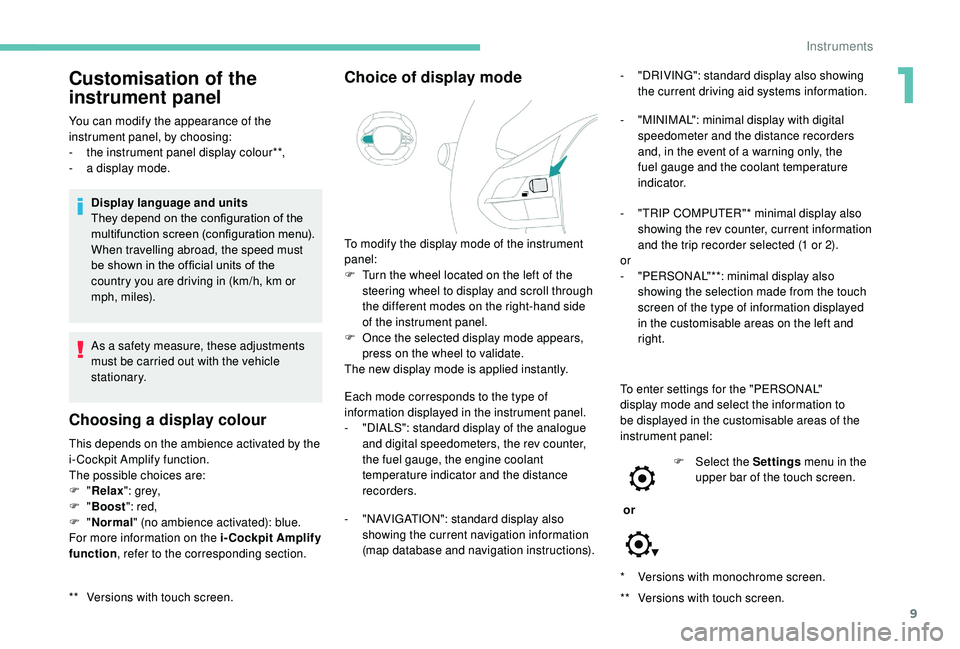
To modify the display mode of the instrument
panel:
F
T
urn the wheel located on the left of the
steering wheel to display and scroll through
the different modes on the right-hand side
of the instrument panel.
F
O
nce the selected display mode appears,
press on the wheel to validate.
The new display mode is applied instantly.
Each mode corresponds to the type of
information displayed in the instrument panel.
-
"
DIALS": standard display of the analogue
and digital speedometers, the rev counter,
the fuel gauge, the engine coolant
temperature indicator and the distance
recorders.
-
"
NAVIGATION": standard display also
showing the current navigation information
(map database and navigation instructions). -
"
DRIVING": standard display also showing
the current driving aid systems information.
-
"
MINIMAL": minimal display with digital
speedometer and the distance recorders
and, in the event of a warning only, the
fuel gauge and the coolant temperature
i n d i c a t o r.
-
"
TRIP COMPUTER"* minimal display also
showing the rev counter, current information
and the trip recorder selected (1 or 2).
or
-
"
PERSONAL"**: minimal display also
showing the selection made from the touch
screen of the type of information displayed
in the customisable areas on the left and
right.
To enter settings for the "PERSONAL"
display mode and select the information to
be displayed in the customisable areas of the
instrument panel:
or F
Sel
ect the Settings menu in the
upper bar of the touch screen.
1
Instruments
Page 21 of 364
19
Warning/indicator lampStateCause Action/Observations
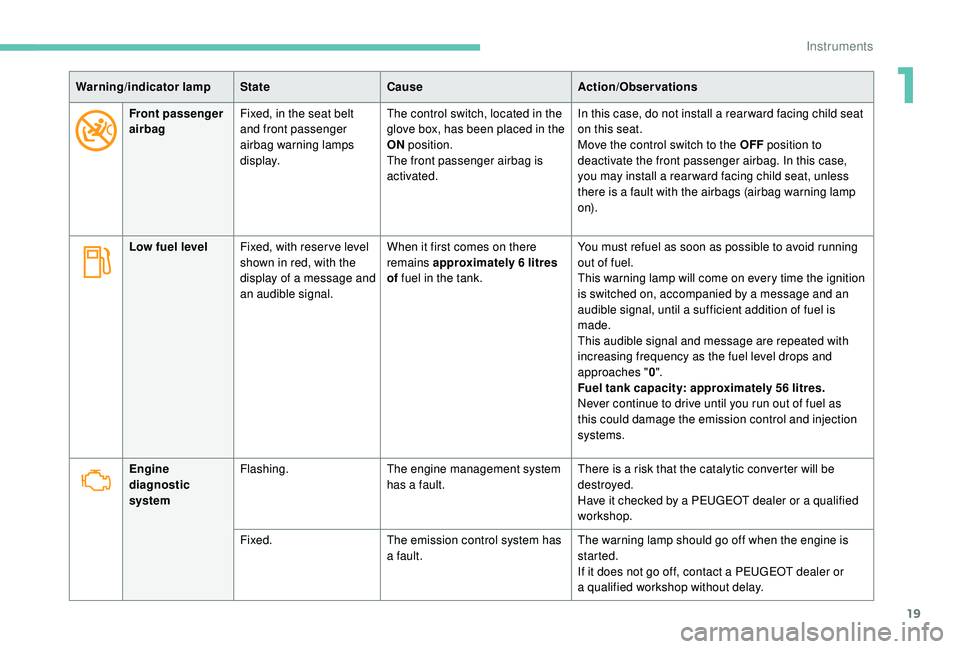
Front passenger
airbag Fixed, in the seat belt
and front passenger
airbag warning lamps
display. The control switch, located in the
glove box, has been placed in the
ON
position.
The front passenger airbag is
activated. In this case, do not install a
rear ward facing child seat
on this seat.
Move the control switch to the OFF position to
deactivate the front passenger airbag. In this case,
you may install a
rear ward facing child seat, unless
there is a
fault with the airbags (airbag warning lamp
o n).
Low fuel level Fixed, with reser ve level
shown in red, with the
display of a
message and
an audible signal. When it first comes on there
remains approximately 6
litres
of fuel in the tank. You must refuel as soon as possible to avoid running
out of fuel.
This warning lamp will come on every time the ignition
is switched on, accompanied by a
message and an
audible signal, until a
sufficient addition of fuel is
made.
This audible signal and message are repeated with
increasing frequency as the fuel level drops and
approaches " 0".
Fuel tank capacity: approximately 56
litres.
Never continue to drive until you run out of fuel as
this could damage the emission control and injection
systems.
Engine
diagnostic
system Flashing.
The engine management system
has a
fault.There is a
risk that the catalytic converter will be
destroyed.
Have it checked by a
PEUGEOT dealer or a qualified
workshop.
Fixed. The emission control system has
a
fault.The warning lamp should go off when the engine is
started.
If it does not go off, contact a
PEUGEOT dealer or
a
qualified workshop without delay.
1
Instruments
Page 39 of 364
37
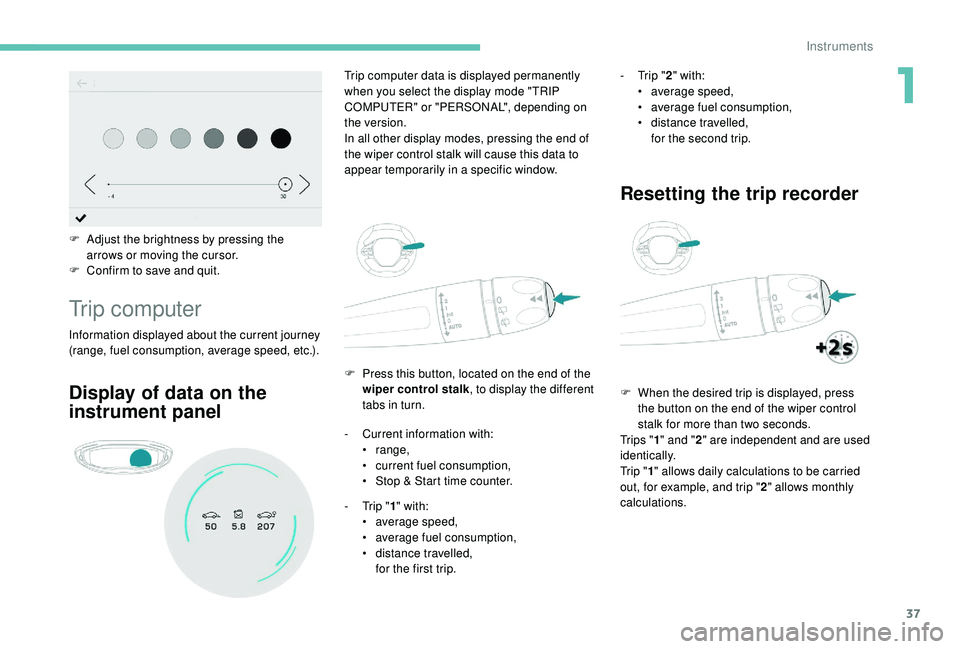
F Adjust the brightness by pressing the arrows or moving the cursor.
F
C
onfirm to save and quit.
Trip computer
Information displayed about the current journey
(range, fuel consumption, average speed, etc.). F
P
ress this button, located on the end of the
wiper control stalk , to display the different
tabs in turn.
Trip computer data is displayed permanently
when you select the display mode "TRIP
COMPUTER" or "PERSONAL", depending on
the version.
In all other display modes, pressing the end of
the wiper control stalk will cause this data to
appear temporarily in a specific window.
Display of data on the
instrument panel
- Current information with:
• range,
•
c
urrent fuel consumption,
•
S
top & Start time counter.
-
T
rip "1" with:
•
a
verage speed,
•
a
verage fuel consumption,
•
d
istance travelled,
for the first trip. -
T
rip "
2" with:
•
a
verage speed,
•
a
verage fuel consumption,
•
d
istance travelled,
for the second trip.
Resetting the trip recorder
F When the desired trip is displayed, press the button on the end of the wiper control
stalk for more than two seconds.
Tr i p s " 1" and " 2" are independent and are used
identically.
Tr i p " 1" allows daily calculations to be carried
out, for example, and trip " 2" allows monthly
calculations.
1
Instruments
Page 40 of 364
38
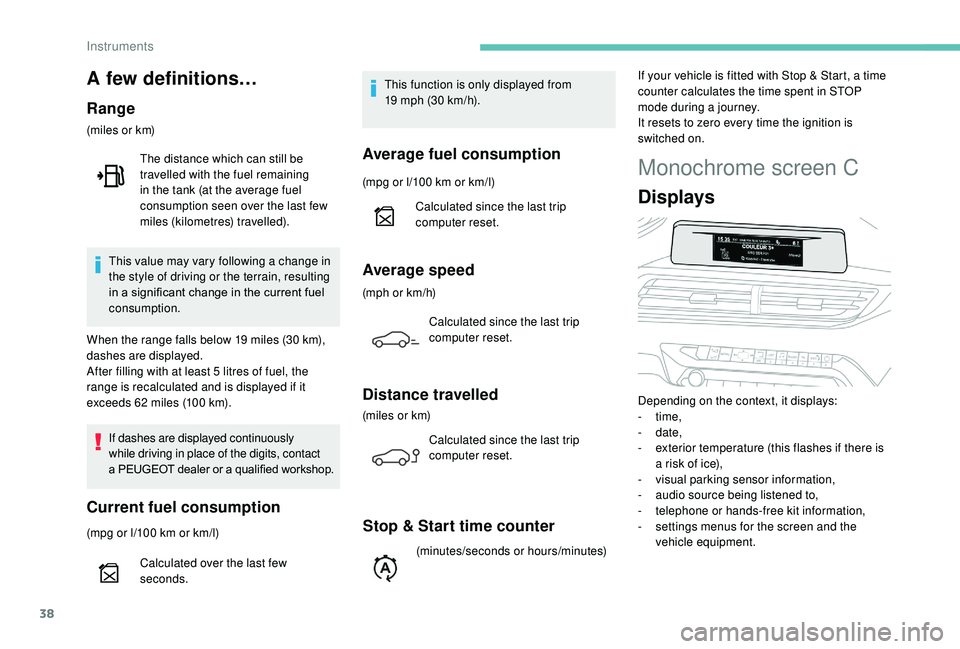
Monochrome screen C
Displays
Depending on the context, it displays:
- time,
-
date,
-
e
xterior temperature (this flashes if there is
a
risk of ice),
-
v
isual parking sensor information,
-
a
udio source being listened to,
-
t
elephone or hands-free kit information,
-
s
ettings menus for the screen and the
vehicle equipment.
A few definitions…
Range
(miles or km)
If dashes are displayed continuously
while driving in place of the digits, contact
a
PEUGEOT dealer or a qualified workshop.
Current fuel consumption
(mpg or l/100 km or km/l) T his function is only displayed from
19 mph (30 km/h).
This value may vary following a change in
the style of driving or the terrain, resulting
in a significant change in the current fuel
consumption. The distance which can still be
travelled with the fuel remaining
in the tank (at the average fuel
consumption seen over the last few
miles (kilometres) travelled).
When the range falls below 19 miles (30 km),
dashes are displayed.
After filling with at least 5 litres of fuel, the
range is recalculated and is displayed if it
exceeds 62 miles (100 km).
Calculated over the last few
seconds.
Average fuel consumption
(mpg or l/100 km or km/l)
C alculated since the last trip
computer reset.
Average speed
(mph or km/h)
Calculated since the last trip
computer reset.
Distance travelled
(miles or km)Calculated since the last trip
computer reset.
Stop & Start time counter
(minutes/seconds or hours/minutes) If your vehicle is fitted with Stop & Start, a time
counter calculates the time spent in STOP
mode during a
journey.
It resets to zero every time the ignition is
switched on.
Instruments
Page 47 of 364
45
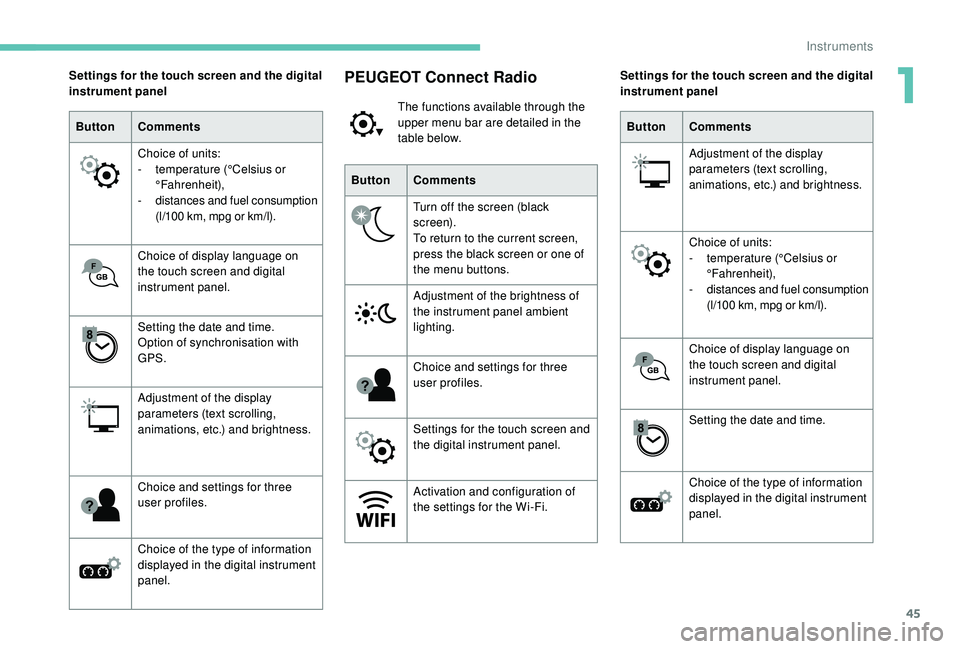
PEUGEOT Connect Radio
The functions available through the
upper menu bar are detailed in the
table below.
Button Comments
Turn off the screen (black
screen).
To return to the current screen,
press the black screen or one of
the menu buttons.
Adjustment of the brightness of
the instrument panel ambient
lighting.
Choice and settings for three
user profiles.
Settings for the touch screen and
the digital instrument panel.
Activation and configuration of
the settings for the Wi-Fi.
Settings for the touch screen and the digital
instrument panel
Button Comments
Choice of units:
-
t
emperature (°Celsius or
°Fahrenheit),
-
d
istances and fuel consumption
(l/100
km, mpg or km/l).
Choice of display language on
the touch screen and digital
instrument panel.
Setting the date and time.
Option of synchronisation with
GPS.
Adjustment of the display
parameters (text scrolling,
animations, etc.) and brightness.
Choice and settings for three
user profiles.
Choice of the type of information
displayed in the digital instrument
panel. Settings for the touch screen and the digital
instrument panel
Button Comments
Adjustment of the display
parameters (text scrolling,
animations, etc.) and brightness.
Choice of units:
-
t
emperature (°Celsius or
°Fahrenheit),
-
d
istances and fuel consumption
(l/100
km, mpg or km/l).
Choice of display language on
the touch screen and digital
instrument panel.
Setting the date and time.
Choice of the type of information
displayed in the digital instrument
panel.
1
Instruments
Page 48 of 364
46
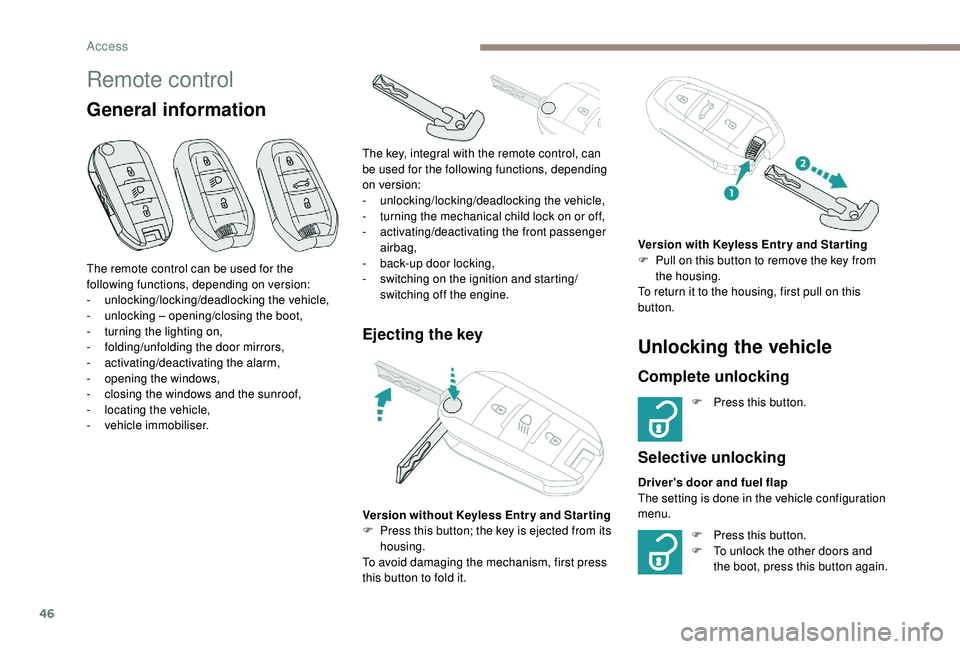
Remote control
General information
Ejecting the key
The remote control can be used for the
following functions, depending on version:
-
u
nlocking/locking/deadlocking the vehicle,
-
u
nlocking – opening/closing the boot,
-
t
urning the lighting on,
-
fo
lding/unfolding the door mirrors,
-
a
ctivating/deactivating the alarm,
-
o
pening the windows,
-
c
losing the windows and the sunroof,
-
l
ocating the vehicle,
-
v
ehicle immobiliser. The key, integral with the remote control, can
be used for the following functions, depending
on version:
-
u
nlocking/locking/deadlocking the vehicle,
-
t
urning the mechanical child lock on or off,
-
a
ctivating/deactivating the front passenger
airbag,
- b ack-up door locking,
- s witching on the ignition and starting/
switching off the engine.
Version without
K
eyless Entr y and Star ting
F
P
ress this button; the key is ejected from its
housing.
To avoid damaging the mechanism, first press
this button to fold it.
Unlocking the vehicle
Complete unlocking
F Press this button.
Selective unlocking
Driver's door and fuel flap
The setting is done in the vehicle configuration
menu. Version with
K
eyless Entr y and Star ting
F
P
ull on this button to remove the key from
the housing.
To return it to the housing, first pull on this
button.
F
P
ress this button.
F
T
o unlock the other doors and
the boot, press this button again.
Access