sat nav Peugeot 508 2014 Owner's Manual - RHD (UK, Australia)
[x] Cancel search | Manufacturer: PEUGEOT, Model Year: 2014, Model line: 508, Model: Peugeot 508 2014Pages: 352, PDF Size: 13.51 MB
Page 9 of 352
.
7
Familiarisation
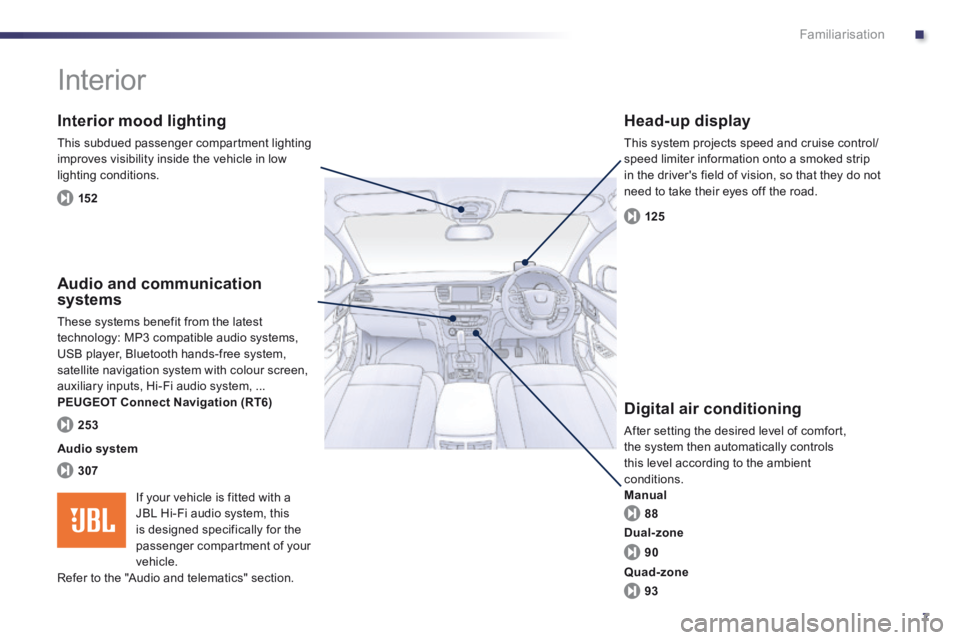
Interior
Interior mood lighting
This subdued passenger compartment lighting improves visibility inside the vehicle in low lighting conditions.
Head-up display
This system projects speed and cruise control/speed limiter information onto a smoked strip in the driver's field of vision, so that they do not need to take their eyes off the road.
Digital air conditioning
After setting the desired level of comfort, the system then automatically controls this level according to the ambient conditions. Manual
Audio and communication systems
These systems benefit from the latest technology: MP3 compatible audio systems, USB player, Bluetooth hands-free system, satellite navigation system with colour screen, auxiliary inputs, Hi-Fi audio system, ... PEUGEOT Connect Navigation (RT6)
152
125
88
307
253
Audio system
90
93
Dual-zone
Quad-zone
If your vehicle is fitted with a JBL Hi-Fi audio system, this is designed specifically for the
passenger compartment of your vehicle. Refer to the "Audio and telematics" section.
Page 44 of 352
42
Monitoring
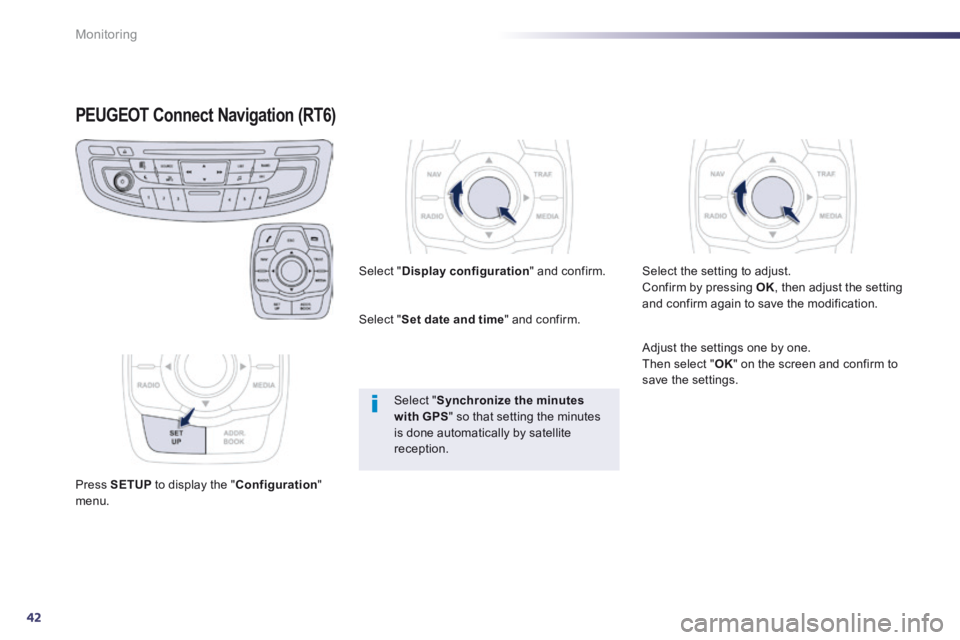
PEUGEOT Connect Navigation (RT6) PEUGEOT Connect Navigation (RT6) PEUGEOT
Press SETUP to display the " Configuration " menu.
Select " Display configuration " and confirm.
Select " Set date and time " and confirm.
Select " Synchronize the minutes with GPS " so that setting the minutes
is done automatically by satellite reception.
Select the setting to adjust. Confirm by pressing OK , then adjust the setting and confirm again to save the modification.
Adjust the settings one by one. Then select " OK " on the screen and confirm to save the settings.
Page 209 of 352
8
207
Practical information
The batteries contain harmful substances such as sulphuric acid and lead. They must be disposed of in accordance with regulations and must not, in any circumstances, be discarded with household waste. Take used remote control batteries and vehicle batteries to a special collection point.
Do not reverse the polarity and use only a 12 V charger. Do not disconnect the terminals while the engine is running. Do not charge the batteries without disconnecting the terminals first. Do not push the vehicle to start the engine if it is fitted with the 6 -speed electronic gearbox system or an
automatic gearbox.
It is advisable to disconnect the 12 V battery if the vehicle is to be left unused for more than one month.
Before disconnecting the battery
Wait 2 minutes after switching off the ignition before disconnecting the 12 V battery.
Close the windows and the doors before disconnecting the battery.
Following reconnection of the battery
Following reconnection of the 12 V battery, switch on the ignition and wait 1 minute before starting to permit initialisation of the electronic systems. However, if problems remain following this operation, contact a PEUGEOT dealer or a qualified workshop. Referring to the corresponding section, you must yourself reinitialise: - the remote control key, - the panoramic sunroof blind, - the GPS satellite navigation system.
Load reduction mode
System which manages the use of certain functions according to the level of charge remaining in the battery. When the vehicle is being driven, the load reduction function temporarily deactivates certain functions, such as the air conditioning, the heated rear screen... The deactivated functions are reactivated automatically as soon as conditions permit.
Page 255 of 352
253
The system is protected in such a way that it will only operate in your vehicle.
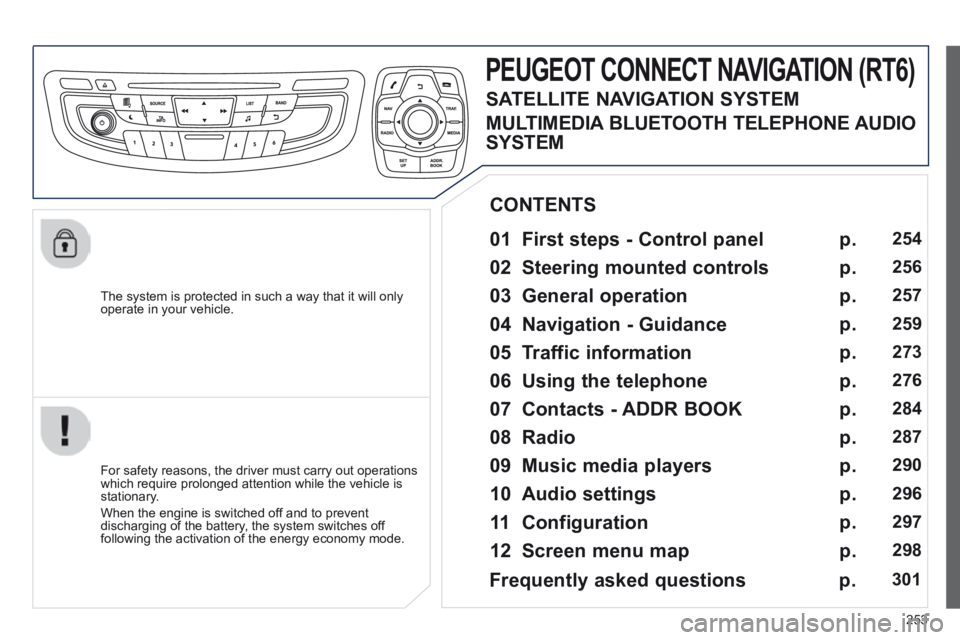
PEUGEOT CONNECT NAVIGATION (RT6)
01 First steps - Control panel
For safety reasons, the driver must carry out operations which require prolonged attention while the vehicle is stationary.
When the engine is switched off and to prevent discharging of the battery, the system switches off following the activation of the energy economy mode.
CONTENTS
02 Steering mounted controls
03 General operation
04 Navigation - Guidance
05 Traffic information
06 Using the telephone
07 Contacts - ADDR BOOK
08 Radio
09 Music media players
10 Audio settings
11 Configuration
12 Screen menu map p.
p.
p.
p.
p.
p.
p.
p.
p.
p.
p.
p.
254
256
257
259
273
276
284
287
290
296
297
298
Frequently asked questions
p. 301
SATELLITE NAVIGATION SYSTEM
MULTIMEDIA BLUETOOTH TELEPHONE AUDIO
SYSTEM
Page 259 of 352
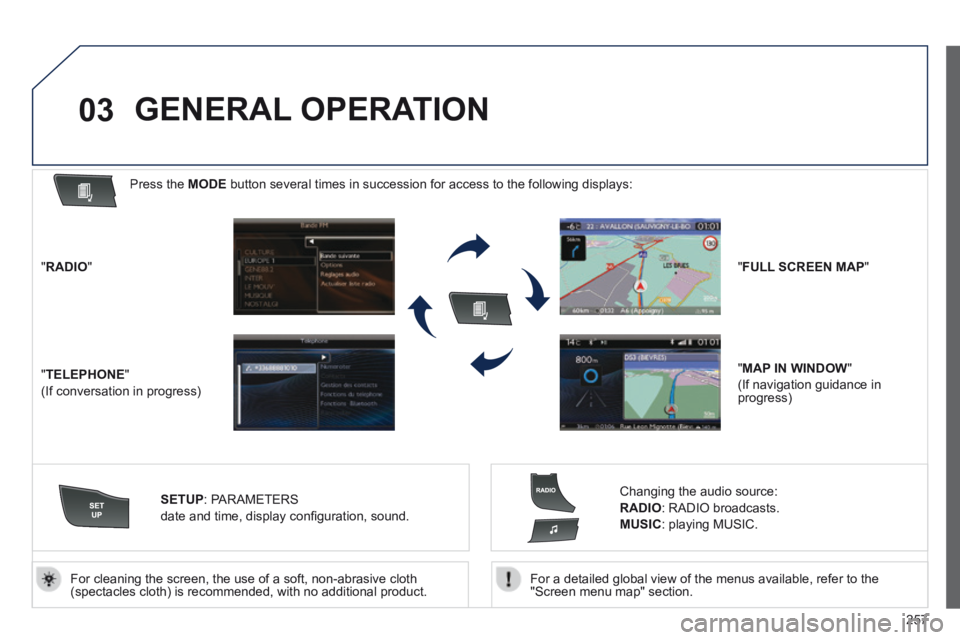
257
03
For a detailed global view of the menus available, refer to the "Screen menu map" section. For cleaning the screen, the use of a soft, non-abrasive cloth (spectacles cloth) is recommended, with no additional product.
" RADIO "
" TELEPHONE "
(If conversation in progress)
SETUP : PARAMETERS
date and time, display confi guration, sound.
Changing the audio source:
RADIO : RADIO broadcasts.
MUSIC : playing MUSIC.
Press the MODE button several times in succession for access to the following displays\
:
GENERAL OPERATION
" FULL SCREEN MAP "
" MAP IN WINDOW "
(If navigation guidance in progress)