peu Peugeot 508 2016 User Guide
[x] Cancel search | Manufacturer: PEUGEOT, Model Year: 2016, Model line: 508, Model: Peugeot 508 2016Pages: 371, PDF Size: 12.12 MB
Page 247 of 371
245
508_en_Chap08_en-cas-de-pannes_ed01-2016
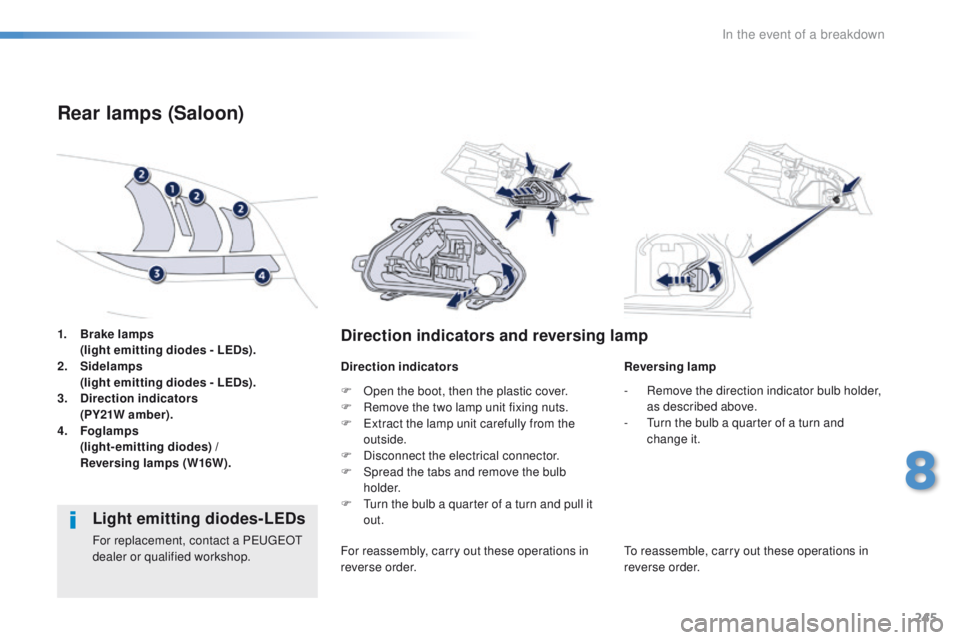
1. Brake lamps
( light emitting diodes - LEDs).
2.
Si
delamps
(
light emitting diodes - LEDs).
3.
D
irection indicators
(
PY21W amber).
4.
Fo
glamps
(
light-emitting diodes) /
R
eversing lamps (W16W).
Rear lamps (Saloon)
Direction indicators and reversing lamp
Direction indicators Reversing lamp
Light emitting diodes-LEDs
For replacement, contact a PeugeOt
dealer or qualified workshop. F
O
pen the boot, then the plastic cover.
F
R
emove the two lamp unit fixing nuts.
F e
x
tract the lamp unit carefully from the
outside.
F
D
isconnect the electrical connector.
F
S
pread the tabs and remove the bulb
h o l d e r.
F t
u
rn the bulb a quarter of a turn and pull it
out.
For reassembly, carry out these operations in
reverse order. -
R
emove the direction indicator bulb holder,
as described above.
- t
u
rn the bulb a quarter of a turn and
change it.to r eassemble, carry out these operations in
reverse order.
8
In the event of a breakdown
Page 250 of 371
248
508_en_Chap08_en-cas-de-pannes_ed01-2016
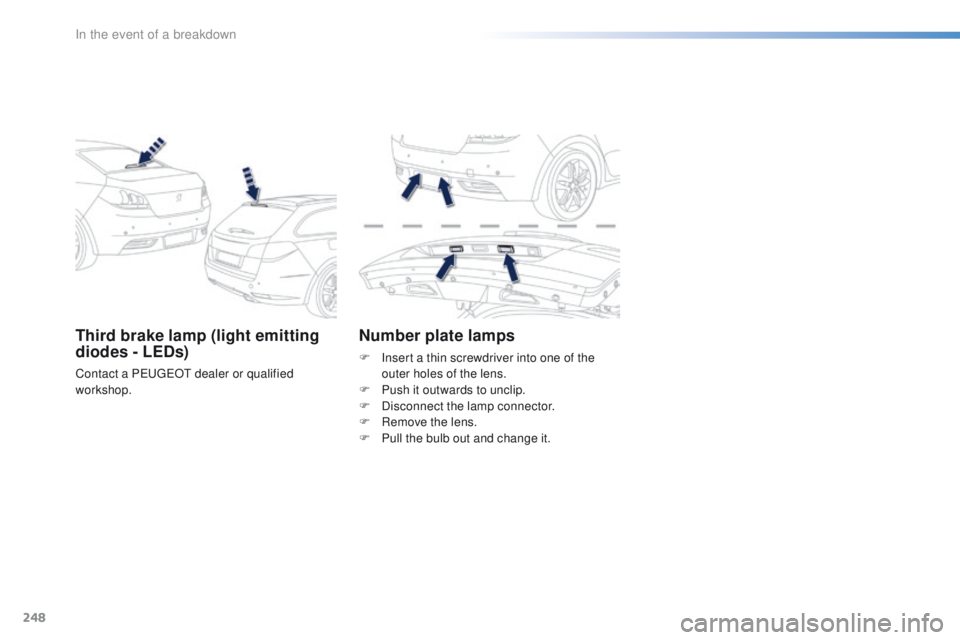
Third brake lamp (light emitting
diodes - LEDs)
Contact a PeugeOt dealer or qualified
workshop.
Number plate lamps
F Insert a thin screwdriver into one of the outer holes of the lens.
F
P
ush it outwards to unclip.
F
D
isconnect the lamp connector.
F
R
emove the lens.
F
P
ull the bulb out and change it.
In the event of a breakdown
Page 276 of 371
274
508_en_Chap10a_BtA_ed01-2016
emergency or assistance call
If an impact is detected by the airbag
control unit, and independently of
the deployment of any airbags, an
emergency call is made automatically.
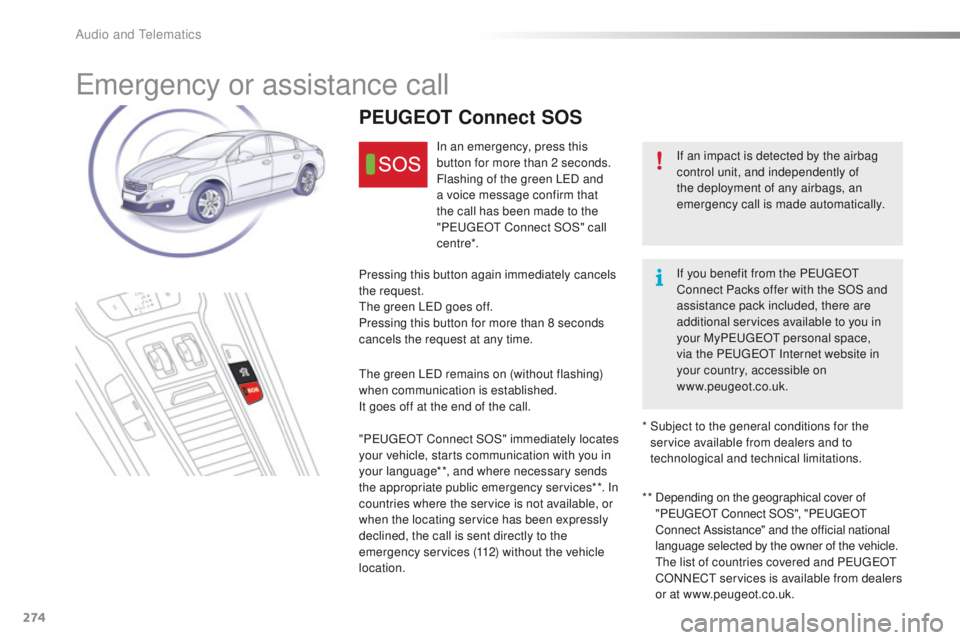
PEUGEOT Connect SOS
In an emergency, press this
button for more than 2 seconds.
Flashing of the green L
eD a
nd
a voice message confirm that
the call has been made to the
"P
e
uge
Ot
Connect SOS" call
c e nt re*.
Pressing this button again immediately cancels
the request.
th
e green L
eD g
oes off.
Pressing this button for more than 8 seconds
cancels the request at any time.
th
e green L
eD r
emains on (without flashing)
when communication is established.
It goes off at the end of the call.
" Peuge
O
t Connect SOS" immediately locates
your vehicle, starts communication with you in
your language**, and where necessary sends
the appropriate public emergency services**. In
countries where the service is not available, or
when the locating service has been expressly
declined, the call is sent directly to the
emergency services (112) without the vehicle
location. * *
D
epending on the geographical cover of
"P
e
uge
Ot
Connect SOS", "P
e
uge
Ot
C
onnect Assistance" and the official national
language selected by the owner of the vehicle.
th
e list of countries covered and P
e
uge
Ot
CONN
eCt
services is available from dealers
or at www.peugeot.co.uk.
*
S
ubject to the general conditions for the
service available from dealers and to
technological and technical limitations. If you benefit from the P
e
uge
Ot
Connect Packs offer with the SOS and
assistance pack included, there are
additional services available to you in
your MyP
e
uge
Ot
personal space,
via
the P
e
uge
Ot
Internet website in
your country, accessible on
www.peugeot.co.uk.
Audio and telematics
Page 277 of 371
275
508_en_Chap10a_BtA_ed01-2016
PEUGEOT Connect Assistance
If you purchased your vehicle outside
the Pe
ugeOt dealer network, we
invite you to have a dealer check the
configuration of these services and, if
desired, modified to suit your wishes.
In a multi-lingual country, configuration
is possible in the official national
language of your choice.
For technical reasons and in particular
to improve the quality of "P
e
uge
Ot
CONN
eCt
services" services to
customers, the manufacturer reserves
the right to carry out updates to the
vehicle's on-board telematic system.
A fault with the system does not
prevent the vehicle being driven. Press this button for more than
2
seconds to request assistance
if the vehicle breaks down.
A voice message confirms that
the call has been made**.
Pressing this button again immediately cancels
the request.
th
e cancellation is confirmed by a voice
message.
th
e orange L
eD i
s on continuously: the backup
battery must be replaced.
In either case, the emergency and assistance
calls may not function.
Contact a qualified repairer as soon as
possible.
Operation of the system
When the ignition is switched
on, the green LeD c omes on for
3 seconds indicating that the
system is operating correctly.
If the orange L
eD f
lashes then
goes off: there is a system fault.
**
Depending on the geographical cover of
"PeugeOt Connect SOS", "Pe ugeOt
Connect Assistance" and the official national
language selected by the owner of the vehicle.
the list of countries covered and Pe ugeOt
CONNeCt services is available from dealers
or at www.peugeot.co.uk.
.
Audio and telematics
Page 278 of 371
276
508_en_Chap10b_JBL_ed01-2016
JBL eQuIPMeNt
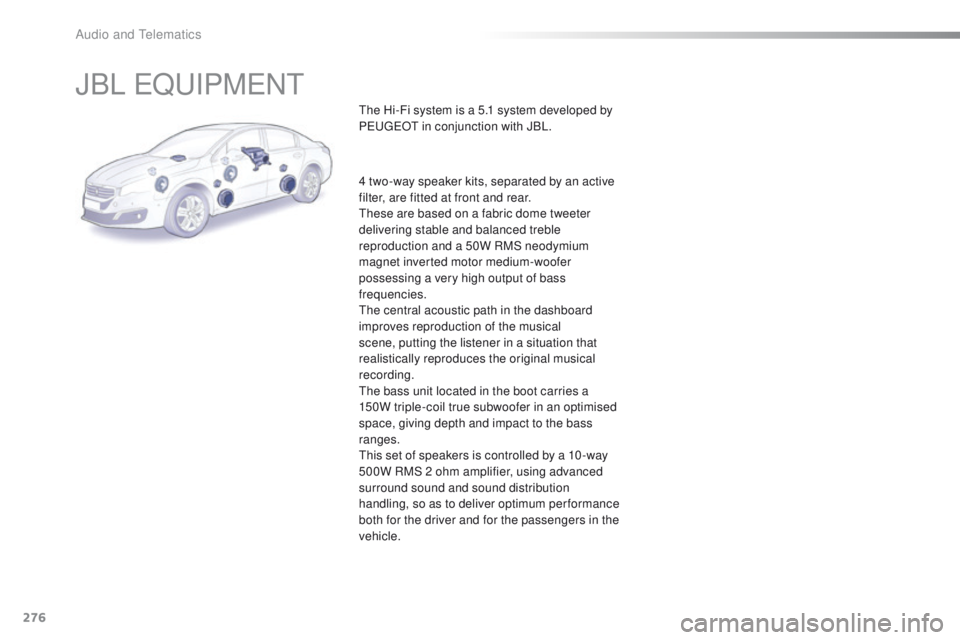
the Hi-Fi system is a 5.1 system developed by
PeugeOt in conjunction with JBL.
4 two-way speaker kits, separated by an active
filter, are fitted at front and rear.
th
ese are based on a fabric dome tweeter
delivering stable and balanced treble
reproduction and a 50W RMS neodymium
magnet inverted motor medium-woofer
possessing a very high output of bass
frequencies.
th
e central acoustic path in the dashboard
improves reproduction of the musical
scene, putting the listener in a situation that
realistically reproduces the original musical
recording.
th
e bass unit located in the boot carries a
150W triple-coil true subwoofer in an optimised
space, giving depth and impact to the bass
ranges.
th
is set of speakers is controlled by a 10 -way
500W RMS 2 ohm amplifier, using advanced
surround sound and sound distribution
handling, so as to deliver optimum performance
both for the driver and for the passengers in the
vehicle.
Audio and telematics
Page 283 of 371
281
508_en_Chap10c_SMegplus_ed01-2016
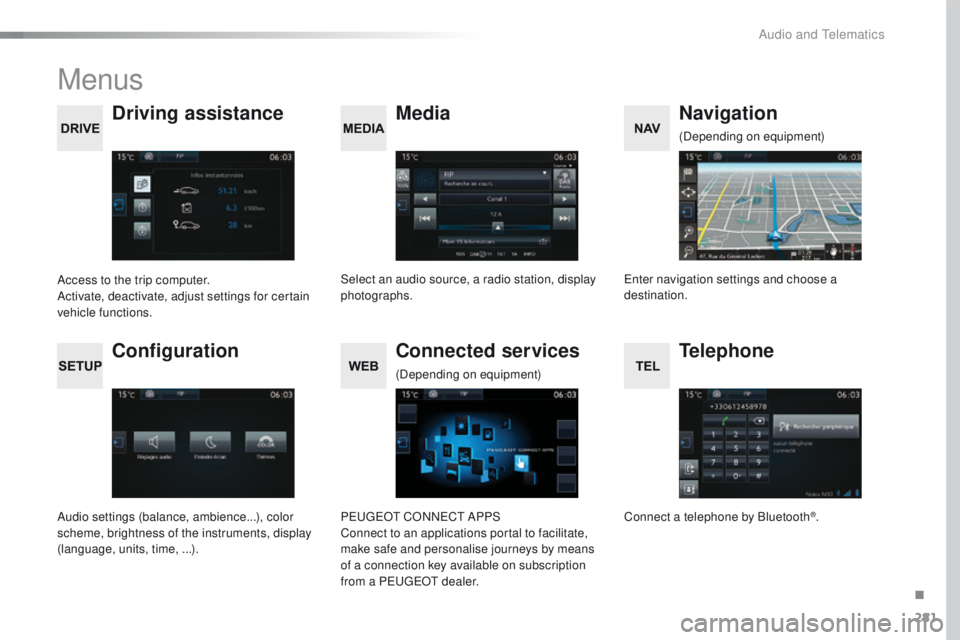
Menus
Media
Driving assistance Navigation
Select an audio source, a radio station, display
photographs.
Access to the trip computer.
Activate, deactivate, adjust settings for certain
vehicle functions.en
ter navigation settings and choose a
destination. (Depending on equipment)
Configuration
Audio settings (balance, ambience...), color
scheme, brightness of the instruments, display
(language, units, time, ...).
Connected services
PeugeOt C
ONNeCt A PPS
Connect to an applications portal to facilitate,
make safe and personalise journeys by means
of a connection key available on subscription
from a P
e
uge
Ot
dealer.
(Depending on equipment)
Telephone
Connect a telephone by Bluetooth®.
.
Audio and telematics
Page 309 of 371
307
508_en_Chap10c_SMegplus_ed01-2016
An annual mapping update allows new
points of interest to be presented to
you.
You can also update the Risk areas /
Danger areas every month.
th
e detailed procedure is available on:
http://peugeot.navigation.com.
.
Audio and telematics
Page 321 of 371
319
508_en_Chap10c_SMegplus_ed01-2016
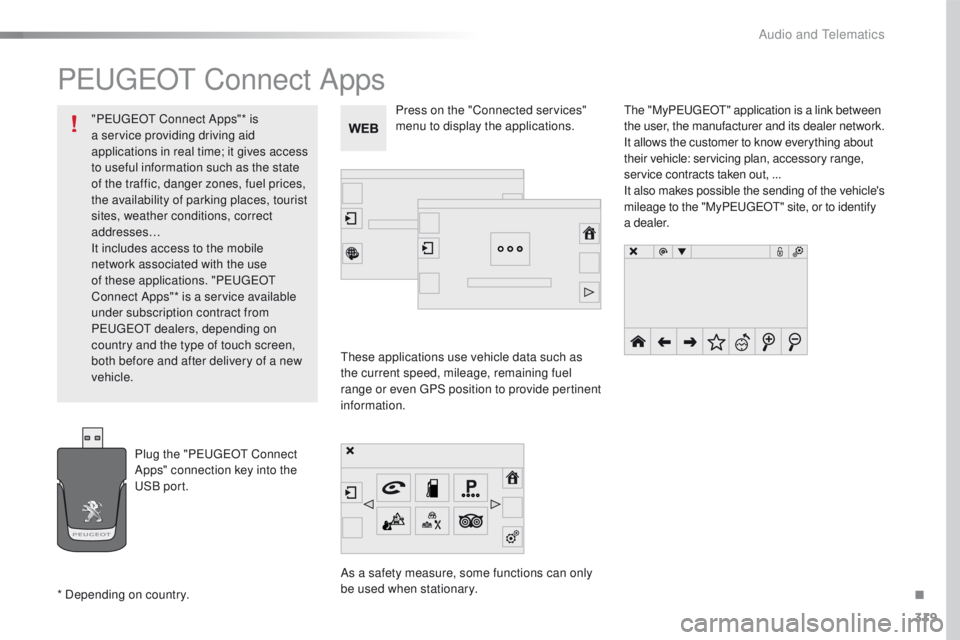
PeugeOt Connect Apps
these applications use vehicle data such as
the current speed, mileage, remaining fuel
range or even
g
P
S position to provide pertinent
information.
As a safety measure, some functions can only
be used when stationary.
th
e "MyP
e
uge
Ot" a
pplication is a link between
the user, the manufacturer and its dealer network.
It allows the customer to know everything about
their vehicle: servicing plan, accessory range,
service contracts taken out, ...
It also makes possible the sending of the vehicle's
mileage to the "MyP
e
uge
Ot" s
ite, or to identify
a dealer.
Press on the "Connected services"
menu to display the applications.
Plug the "P
e
uge
Ot
Connect
Apps" connection key into the
uS
B port.
* Depending on country. "P
e
uge
Ot
Connect Apps"* is
a service providing driving aid
applications in real time; it gives access
to useful information such as the state
of the traffic, danger zones, fuel prices,
the availability of parking places, tourist
sites, weather conditions, correct
addresses…
It includes access to the mobile
network associated with the use
of these applications. "P
e
uge
Ot
Connect Apps"* is a service available
under subscription contract from
P
e
uge
Ot d
ealers, depending on
country and the type of touch screen,
both before and after delivery of a new
vehicle.
.
Audio and telematics
Page 327 of 371
325
508_en_Chap10c_SMegplus_ed01-2016
the services available depend on
the network, the SIM card and the
compatibility of the Bluetooth telephone
used. Check the telephone manual and
with your network provider for details of
the services available to you.
th
e ability of the system to connect
with only one profile depends on the
telephone.
t
h
e three profiles may all
connect by default.
Visit www.peugeot.co.uk for more information
(compatibility, additional help, ...).
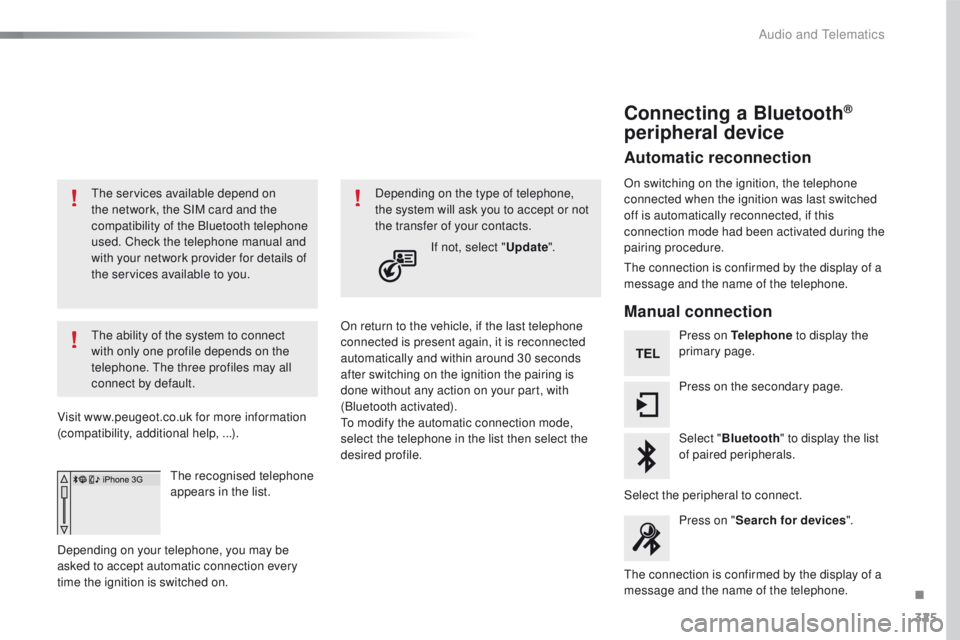
the
recognised telephone
appears in the list.
Depending on your telephone, you may be
asked to accept automatic connection every
time the ignition is switched on. On return to the vehicle, if the last telephone
connected is present again, it is reconnected
automatically and within around 30 seconds
after switching on the ignition the pairing is
done without any action on your part, with
(Bluetooth activated).
to m
odify the automatic connection mode,
select the telephone in the list then select the
desired profile. Depending on the type of telephone,
the system will ask you to accept or not
the transfer of your contacts.
If not, select " Update".
Connecting a Bluetooth®
peripheral device
Automatic reconnection
On switching on the ignition, the telephone
connected when the ignition was last switched
off is automatically reconnected, if this
connection mode had been activated during the
pairing procedure.
th
e connection is confirmed by the display of a
message and the name of the telephone.
Manual connection
Press on Telephone to display the
primary page.
Press on the secondary page.
Select " Bluetooth " to display the list
of paired peripherals.
Select the peripheral to connect. Press on " Search for devices ".
th
e connection is confirmed by the display of a
message and the name of the telephone.
.
Audio and telematics
Page 337 of 371
335
508_en_Chap10c_SMegplus_ed01-2016
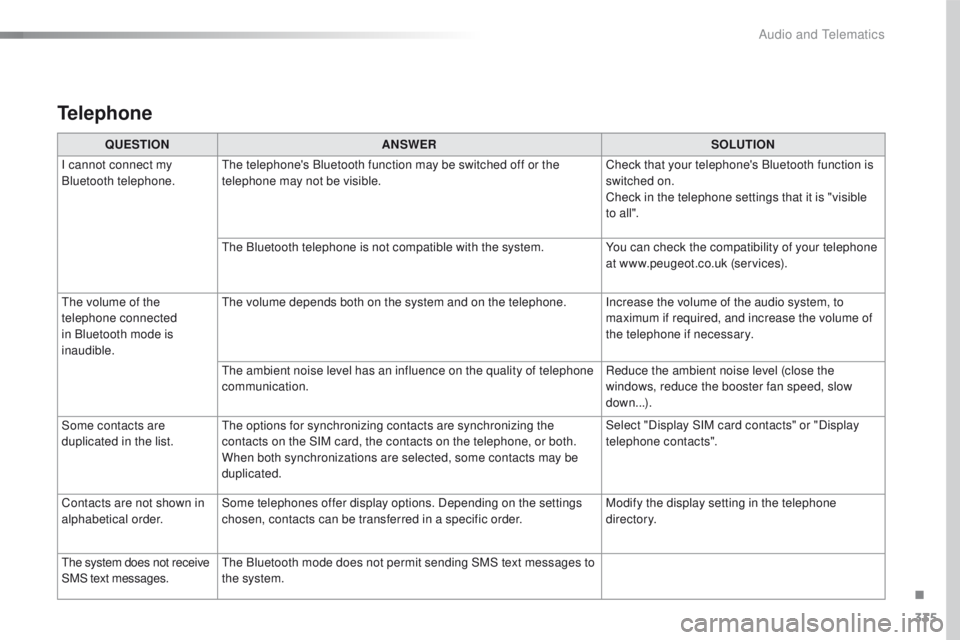
Telephone
QUESTIONANSWER SOLUTION
I cannot connect my
Bluetooth telephone.
th
e telephone's Bluetooth function may be switched off or the
telephone may not be visible. Check that your telephone's Bluetooth function is
switched on.
Check in the telephone settings that it is "visible
to all ".
th
e Bluetooth telephone is not compatible with the system. You can check the compatibility of your telephone
at www.peugeot.co.uk (services).
th
e volume of the
telephone connected
in Bluetooth mode is
inaudible.
th
e volume depends both on the system and on the telephone. Increase the volume of the audio system, to maximum if required, and increase the volume of
the telephone if necessary.
th
e ambient noise level has an influence on the quality of telephone
communication. Reduce the ambient noise level (close the
windows, reduce the booster fan speed, slow
down...).
Some contacts are
duplicated in the list.
th
e options for synchronizing contacts are synchronizing the
contacts on the SIM card, the contacts on the telephone, or both.
When both synchronizations are selected, some contacts may be
duplicated. Select "Display SIM card contacts" or "Display
telephone contacts".
Contacts are not shown in
alphabetical order. Some telephones offer display options. Depending on the settings
chosen, contacts can be transferred in a specific order. Modify the display setting in the telephone
di r e c to r y.
th
e system does not receive
SMS text messages.
th
e Bluetooth mode does not permit sending SMS text messages to
the system.
.
Audio and telematics