buttons Peugeot 508 2016 Owner's Guide
[x] Cancel search | Manufacturer: PEUGEOT, Model Year: 2016, Model line: 508, Model: Peugeot 508 2016Pages: 371, PDF Size: 12.12 MB
Page 191 of 371
189
508_en_Chap06_conduite_ed01-2016
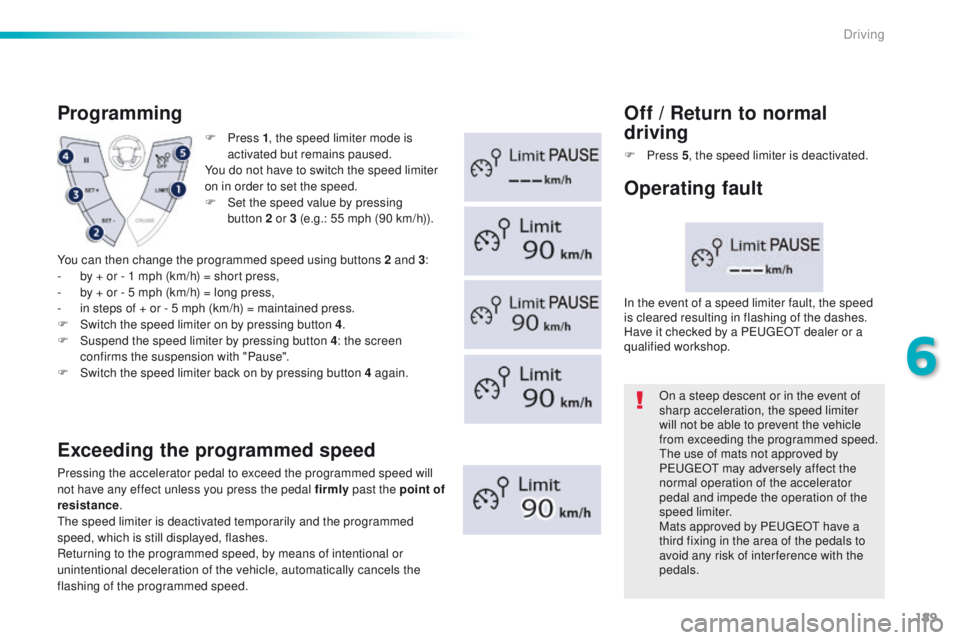
F Press 1, t he speed limiter mode is
activated but remains paused.
You do not have to switch the speed limiter
on in order to set the speed.
F
S
et the speed value by pressing
button
2 or 3 (e.g.: 55 mph (90 km/h)).
Programming
Exceeding the programmed speed
Pressing the accelerator pedal to exceed the programmed speed will
not have any effect unless you press the pedal firmly past the point of
resistance .
th
e speed limiter is deactivated temporarily and the programmed
speed, which is still displayed, flashes.
Returning to the programmed speed, by means of intentional or
unintentional deceleration of the vehicle, automatically cancels the
flashing of the programmed speed.
Off / Return to normal
d riving
F Press 5, t he speed limiter is deactivated.
On a steep descent or in the event of
sharp acceleration, the speed limiter
will not be able to prevent the vehicle
from exceeding the programmed speed.
th
e use of mats not approved by
P
e
uge
Ot
may adversely affect the
normal operation of the accelerator
pedal and impede the operation of the
speed limiter.
Mats approved by P
e
uge
Ot
have a
third fixing in the area of the pedals to
avoid any risk of inter ference with the
pedals.
In the event of a speed limiter fault, the speed
is cleared resulting in flashing of the dashes.
Have it checked by a P
e
uge
Ot
dealer or a
qualified workshop.
Operating fault
You can then change the programmed speed using buttons 2 and 3 :
- b y + or - 1 mph (km/h) = short press,
-
b
y + or - 5 mph (km/h) = long press,
-
i
n steps of + or - 5 mph (km/h) = maintained press.
F
S
witch the speed limiter on by pressing button 4 .
F
S
uspend the speed limiter by pressing button 4 : the screen
confirms the suspension with "Pause".
F
S
witch the speed limiter back on by pressing button 4 again.
6
Driving
Page 193 of 371
191
508_en_Chap06_conduite_ed01-2016
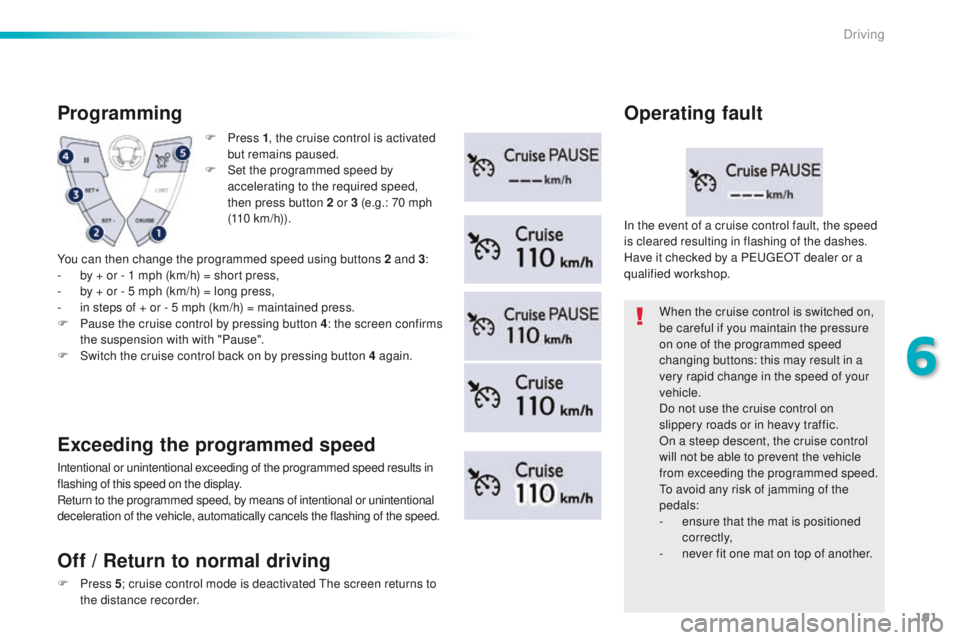
F Press 1, t he cruise control is activated
but remains paused.
F
S
et the programmed speed by
accelerating to the required speed,
then press button 2 or 3 (e.g.: 70 mph
(110
km/h)).
Programming
You can then change the programmed speed using buttons 2 and 3 :
- b y + or - 1 mph (km/h) = short press,
-
b
y + or - 5 mph (km/h) = long press,
-
i
n steps of + or - 5 mph (km/h) = maintained press.
F
P
ause the cruise control by pressing button 4 : the screen confirms
the suspension with with "Pause".
F
S
witch the cruise control back on by pressing button 4 again.
Exceeding the programmed speed
Intentional or unintentional exceeding of the programmed speed results in
flashing of this speed on the display.
Return to the programmed speed, by means of intentional or unintentional
deceleration of the vehicle, automatically cancels the flashing of the speed. When the cruise control is switched on,
be careful if you maintain the pressure
on one of the programmed speed
changing buttons: this may result in a
very rapid change in the speed of your
vehicle.
Do not use the cruise control on
slippery roads or in heavy traffic.
On a steep descent, the cruise control
will not be able to prevent the vehicle
from exceeding the programmed speed.
to a
void any risk of jamming of the
pedals:
-
e
nsure that the mat is positioned
c o r r e c t l y,
-
n
ever fit one mat on top of another.
In the event of a cruise control fault, the speed
is cleared resulting in flashing of the dashes.
Have it checked by a P
e
uge
Ot
dealer or a
qualified workshop.
Operating fault
Off
/ Return to normal driving
F Press 5; c ruise control mode is deactivated th e screen returns to
the distance recorder.
6
Driving
Page 280 of 371
278
508_en_Chap10c_SMegplus_ed01-2016
First steps
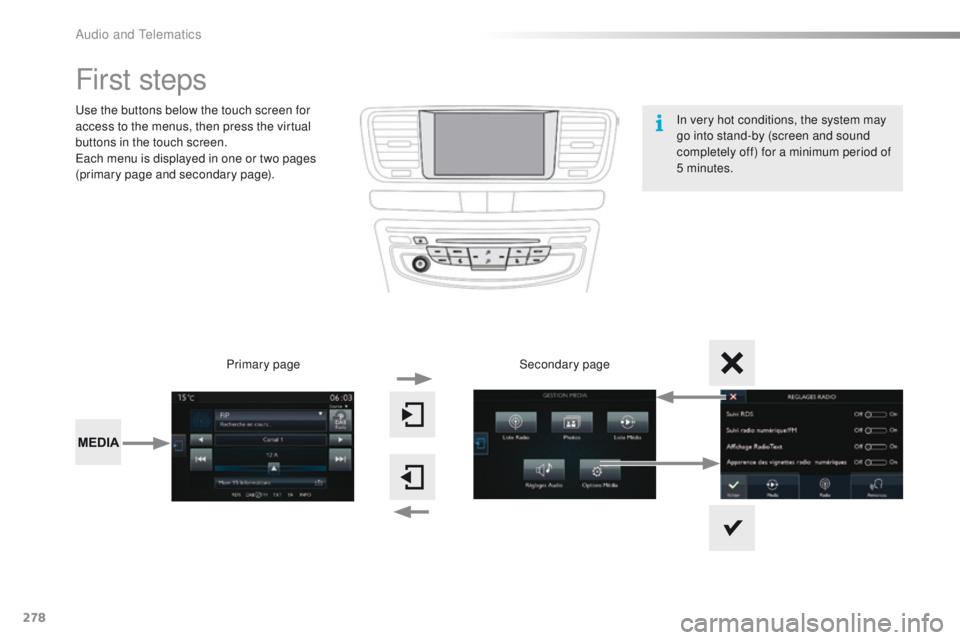
use the buttons below the touch screen for
access to the menus, then press the virtual
buttons in the touch screen.
ea
ch menu is displayed in one or two pages
(primary page and secondary page).
Secondary page
Primary page In very hot conditions, the system may
go into stand-by (screen and sound
completely off) for a minimum period of
5 minutes.
Audio and telematics
Page 281 of 371
279
508_en_Chap10c_SMegplus_ed01-2016
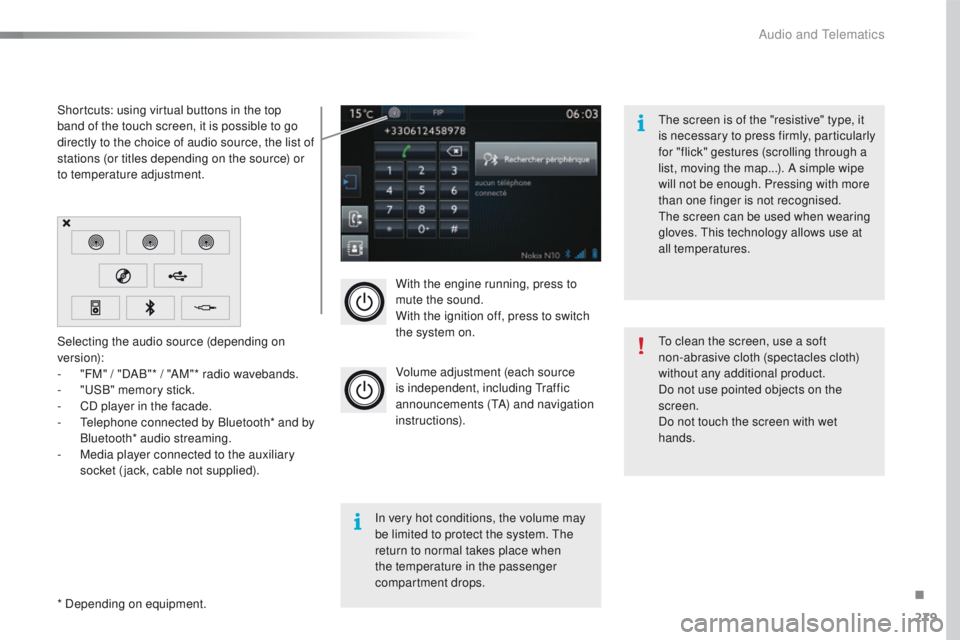
With the engine running, press to
mute the sound.
With the ignition off, press to switch
the system on.
Volume adjustment (each source
is independent, including t
r
affic
announcements (
tA
) and navigation
instructions).
Selecting the audio source (depending on
version):
-
"
FM" / "DAB"* / "AM"* radio wavebands.
-
"uS
B" memory stick.
-
C
D player in the facade.
-
t
e
lephone connected by Bluetooth* and by
Bluetooth* audio streaming.
-
M
edia player connected to the auxiliary
socket (jack, cable not supplied).
* Depending on equipment. Shortcuts: using virtual buttons in the top
band of the touch screen, it is possible to go
directly to the choice of audio source, the list of
stations (or titles depending on the source) or
to temperature adjustment.
th
e screen is of the "resistive" type, it
is necessary to press firmly, particularly
for "flick" gestures (scrolling through a
list, moving the map...). A simple wipe
will not be enough. Pressing with more
than one finger is not recognised.
th
e screen can be used when wearing
gloves. t
h
is technology allows use at
all temperatures.
In very hot conditions, the volume may
be limited to protect the system. t
h
e
return to normal takes place when
the temperature in the passenger
compartment drops.
to c
lean the screen, use a soft
non-abrasive cloth (spectacles cloth)
without any additional product.
Do not use pointed objects on the
screen.
Do not touch the screen with wet
hands.
.
Audio and telematics
Page 292 of 371
290
508_en_Chap10c_SMegplus_ed01-2016
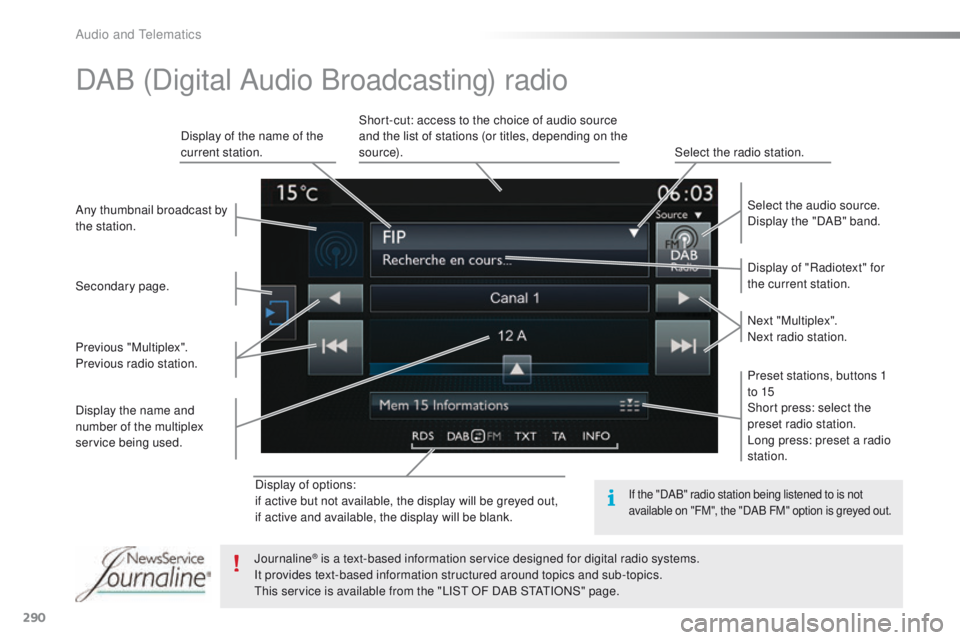
Display of options:
if active but not available, the display will be greyed out,
if active and available, the display will be blank.Display of "Radiotext" for
the current station. Select the audio source.
Display the "DAB" band.
Display of the name of the
current station.
Short-cut: access to the choice of audio source
and the list of stations (or titles, depending on the
s o u r c e).
Select the radio station.
Any thumbnail broadcast by
the station.
Preset stations, buttons 1
to 15
Short press: select the
preset radio station.
Long press: preset a radio
station. Next "Multiplex".
Next radio station.
Secondary page.
Display the name and
number of the multiplex
service being used. Previous "Multiplex".
Previous radio station.
DAB (Digital Audio Broadcasting) radio
If the "DAB" radio station being listened to is not
available on "FM", the "DAB FM" option is greyed out.
Journaline® is a text-based information service designed for digital radio systems.
I
t provides text-based information structured around topics and sub-topics.
th
is service is available from the "LIS
t
OF DAB S
tAtI
ONS" page.
Audio and telematics
Page 296 of 371
294
508_en_Chap10c_SMegplus_ed01-2016
Bluetooth® audio streaming
Streaming allows audio files on your telephone
to be played through the vehicle's spx`eakers.
Connect the telephone: see the "Telephone"
section, then " Bluetooth".
Choose the " Audio" or "All" profile.
If play does not start automatically, it may be
necessary to start the audio playback from the
telephone.
Control is from the peripheral device or by
using the audio system buttons.
Once connected in streaming mode,
the telephone is considered to be a
media source.
It is recommended that you activate
"Repeat " on the Bluetooth peripheral.
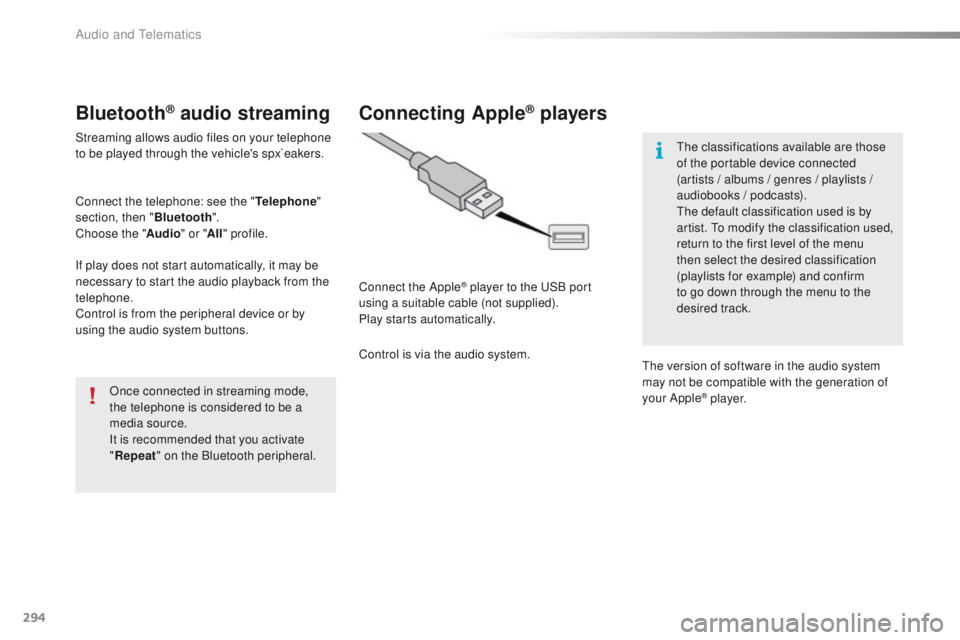
Connecting Apple® players
Connect the Apple® player to the uS B port
using a suitable cable (not supplied).
Play starts automatically.
Control is via the audio system.
th
e classifications available are those
of the portable device connected
(artists / albums / genres / playlists /
audiobooks / podcasts).
th
e default classification used is by
artist. t
o m
odify the classification used,
return to the first level of the menu
then select the desired classification
(playlists for example) and confirm
to go down through the menu to the
desired track.
th
e version of software in the audio system
may not be compatible with the generation of
your Apple
® p l aye r.
Audio and telematics
Page 345 of 371
343
508_en_Chap10d_RD5_ed01-2016
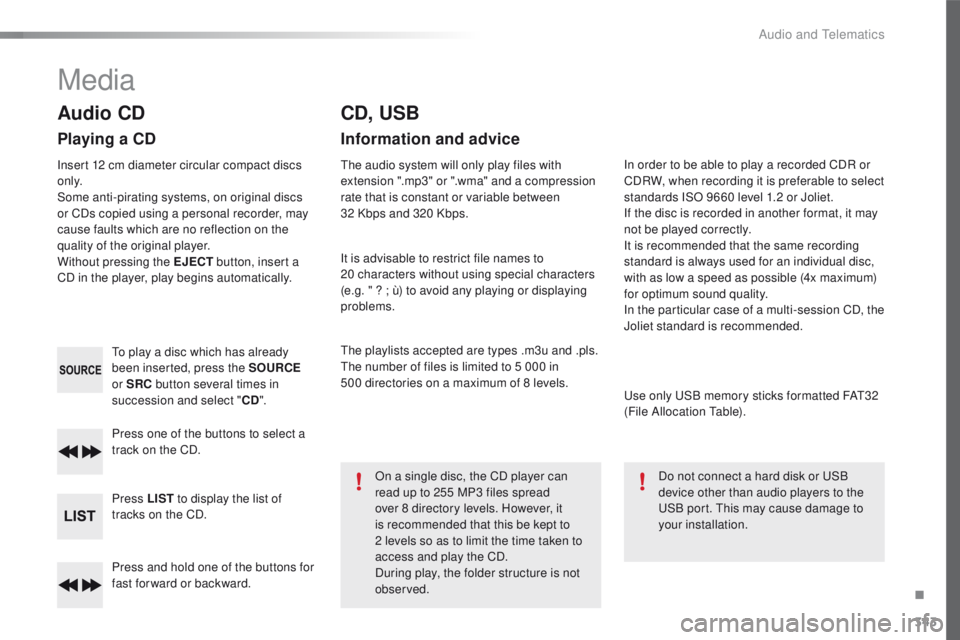
Press and hold one of the buttons for
fast for ward or backward. Press one of the buttons to select a
track on the CD.
Press LIST to display the list of
tracks on the CD.
to p
lay a disc which has already
been inserted, press the SOURCE
or SRC button several times in
succession and select " CD".
Audio CD
Playing a CD
Insert 12 cm diameter circular compact discs
o n l y.
Some anti-pirating systems, on original discs
or CDs copied using a personal recorder, may
cause faults which are no reflection on the
quality of the original player.
Without pressing the EJECT button, insert a
CD in the player, play begins automatically.
CD, USB
Information and advice
the audio system will only play files with
extension ".mp3" or ".wma" and a compression
rate that is constant or variable between
32
Kbps and 320 Kbps.
It is advisable to restrict file names to
20
characters without using special characters
(e.g. " ? ; ù) to avoid any playing or displaying
problems.
th
e playlists accepted are types .m3u and .pls.
th
e number of files is limited to 5 000 in
500
directories on a maximum of 8 levels.On a single disc, the CD player can
read up to 255 MP3 files spread
over 8 directory levels. However, it
is recommended that this be kept to
2
levels so as to limit the time taken to
access and play the CD.
During play, the folder structure is not
observed. In order to be able to play a recorded CDR or
CDRW, when recording it is preferable to select
standards ISO 9660 level 1.2 or Joliet.
If the disc is recorded in another format, it may
not be played correctly.
It is recommended that the same recording
standard is always used for an individual disc,
with as low a speed as possible (4x maximum)
for optimum sound quality.
In the particular case of a multi-session CD, the
Joliet standard is recommended.
us
e only u
S
B memory sticks formatted FA
t3
2
(File Allocation
t
a
ble).
Do not connect a hard disk or
u
S
B
device other than audio players to the
uS
B port. t
h
is may cause damage to
your installation.
Media
.
Audio and telematics
Page 346 of 371
344
508_en_Chap10d_RD5_ed01-2016
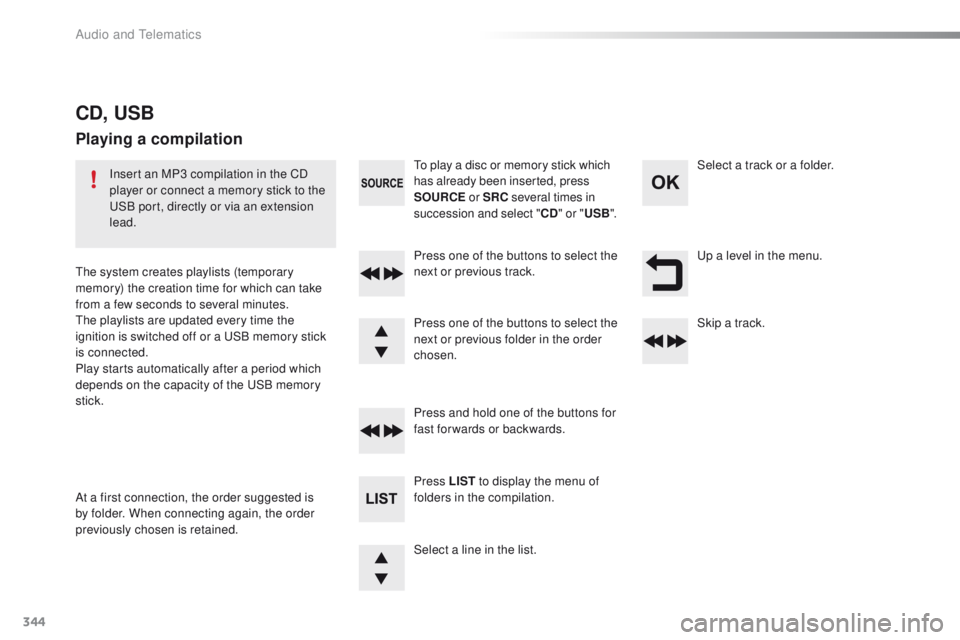
up a level in the menu.
Select a line in the list. Press one of the buttons to select the
next or previous track.
Press and hold one of the buttons for
fast forwards or backwards. Skip a track. Select a track or a folder.
Press LIST to display the menu of
folders in the compilation.
to p
lay a disc or memory stick which
has already been inserted, press
SOURCE or SRC several times in
succession and select " CD" or " USB".
Press one of the buttons to select the
next or previous folder in the order
chosen.
CD, USB
Playing a compilation
Insert an MP3 compilation in the CD
player or connect a memory stick to the
uS
B port, directly or via an extension
lead.
th
e system creates playlists (temporary
memory) the creation time for which can take
from a few seconds to several minutes.
th
e playlists are updated every time the
ignition is switched off or a
u
S
B memory stick
is connected.
Play starts automatically after a period which
depends on the capacity of the
u
S
B memory
stick.
At a first connection, the order suggested is
by folder. When connecting again, the order
previously chosen is retained.
Audio and telematics
Page 369 of 371
Audio and Telematics
6
508-additif_en_Chap10a_BTA-2_BTA-3R_ed01-2016
PEUGEOT Connect Assistance
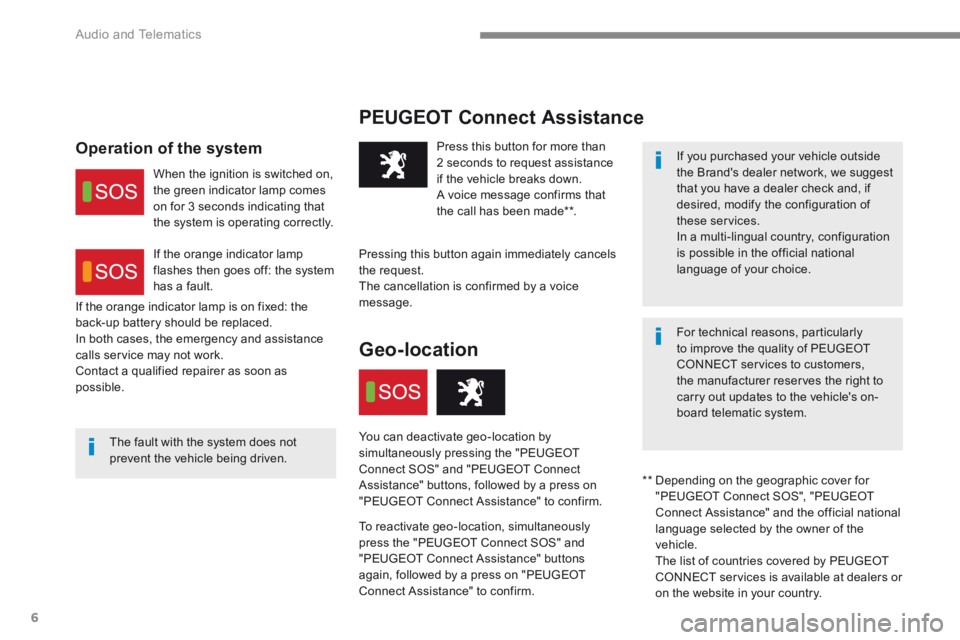
The fault with the system does not prevent the vehicle being driven.
Press this button for more than 2 seconds to request assistance if the vehicle breaks down. A voice message confirms that the call has been made ** .
Pressing this button again immediately cancels the request. The cancellation is confirmed by a voice message.
Geo-location
You can deactivate geo-location by simultaneously pressing the "PEUGEOT Connect SOS" and "PEUGEOT Connect Assistance" buttons, followed by a press on "PEUGEOT Connect Assistance" to confirm.
To reactivate geo-location, simultaneously press the "PEUGEOT Connect SOS" and "PEUGEOT Connect Assistance" buttons again, followed by a press on "PEUGEOT Connect Assistance" to confirm.
If the orange indicator lamp is on fixed: the back-up battery should be replaced. In both cases, the emergency and assistance calls service may not work. Contact a qualified repairer as soon as possible.
Operation of the system
When the ignition is switched on, the green indicator lamp comes on for 3 seconds indicating that the system is operating correctly.
If the orange indicator lamp flashes then goes off: the system has a fault.
If you purchased your vehicle outside the Brand's dealer network, we suggest that you have a dealer check and, if desired, modify the configuration of these services. In a multi-lingual country, configuration is possible in the official national language of your choice.
For technical reasons, particularly to improve the quality of PEUGEOT CONNECT services to customers, the manufacturer reserves the right to carry out updates to the vehicle's on-board telematic system.
** Depending on the geographic cover for "PEUGEOT Connect SOS", "PEUGEOT Connect Assistance" and the official national language selected by the owner of the vehicle. The list of countries covered by PEUGEOT CONNECT services is available at dealers or
on the website in your country.
Page 371 of 371
Audio and Telematics
8
508-additif_en_Chap10a_BTA-2_BTA-3R_ed01-2016
PEUGEOT Connect Assistance If you purchased your vehicle outside the Brand's dealer network, we invite you to have a dealer check the configuration of these services and, if desired, modified to suit your wishes. In a multi-lingual country, configuration is possible in the official national language of your choice.
For technical reasons and in particular to improve the quality of "PEUGEOT CONNECT services" services to customers, the manufacturer reserves the right to carry out updates to the vehicle's on-board telematic system.
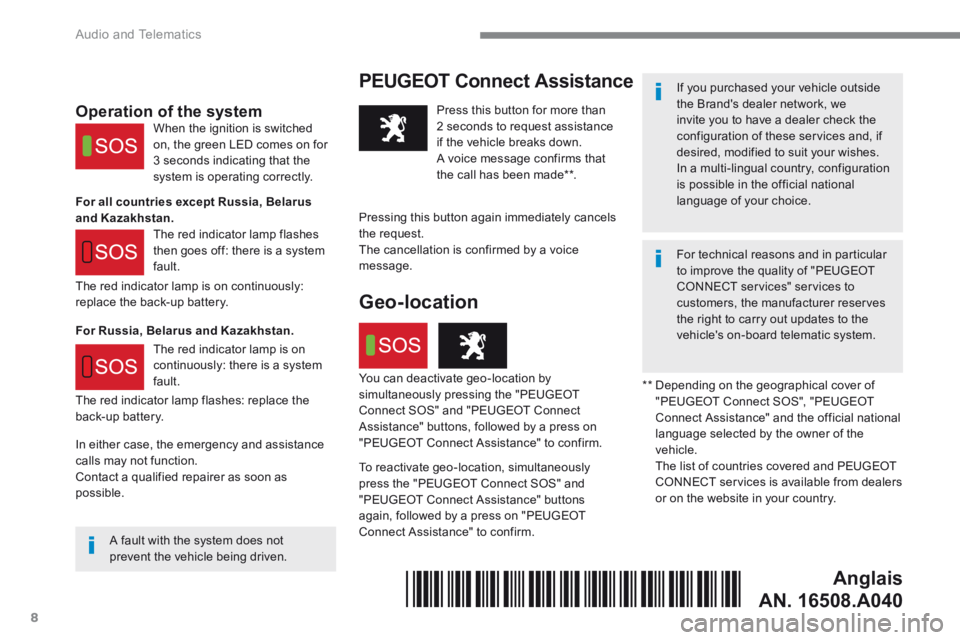
A fault with the system does not prevent the vehicle being driven.
Press this button for more than 2 seconds to request assistance if the vehicle breaks down. A voice message confirms that the call has been made ** .
Pressing this button again immediately cancels
the request. The cancellation is confirmed by a voice message.
The red indicator lamp is on continuously: replace the back-up battery.
The red indicator lamp flashes: replace the back-up battery.
Operation of the system
For all countries except Russia, Belarus and Kazakhstan.
For Russia, Belarus and Kazakhstan.
When the ignition is switched on, the green LED comes on for 3 seconds indicating that the system is operating correctly.
The red indicator lamp flashes then goes off: there is a system fault.
The red indicator lamp is on continuously: there is a system fault. ** Depending on the geographical cover of "PEUGEOT Connect SOS", "PEUGEOT Connect Assistance" and the official national language selected by the owner of the vehicle. The list of countries covered and PEUGEOT CONNECT services is available from dealers or on the website in your country.
Geo-location
You can deactivate geo-location by simultaneously pressing the "PEUGEOT Connect SOS" and "PEUGEOT Connect Assistance" buttons, followed by a press on "PEUGEOT Connect Assistance" to confirm.
To reactivate geo-location, simultaneously press the "PEUGEOT Connect SOS" and "PEUGEOT Connect Assistance" buttons again, followed by a press on "PEUGEOT Connect Assistance" to confirm.
In either case, the emergency and assistance calls may not function. Contact a qualified repairer as soon as possible.
Anglais
AN. 16508.A040*16508.A040*