start stop button Peugeot 508 2018 Owner's Guide
[x] Cancel search | Manufacturer: PEUGEOT, Model Year: 2018, Model line: 508, Model: Peugeot 508 2018Pages: 320, PDF Size: 10.09 MB
Page 142 of 320
140
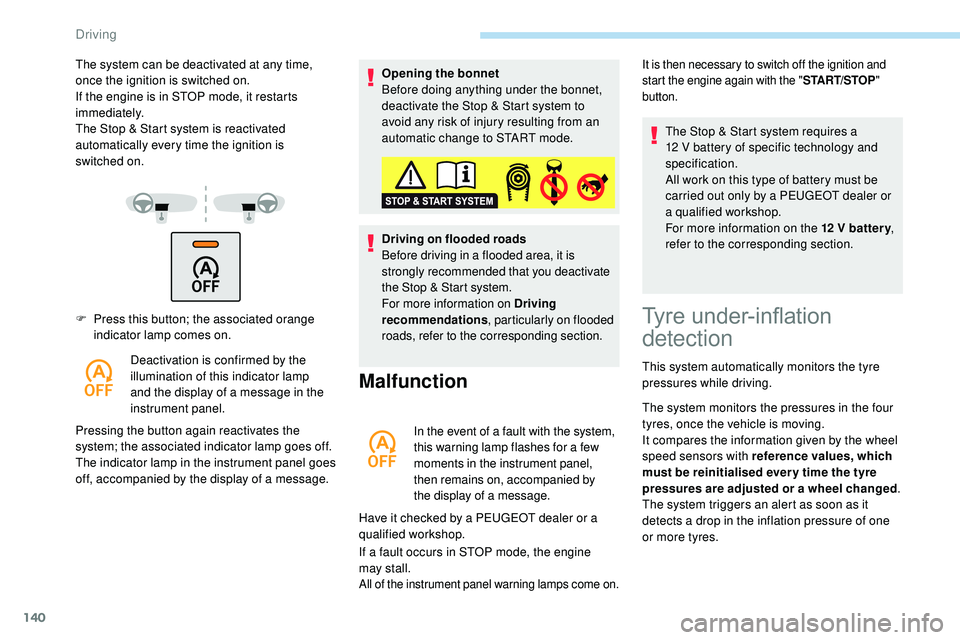
F Press this button; the associated orange indicator lamp comes on.
Deactivation is confirmed by the
illumination of this indicator lamp
and the display of a message in the
instrument panel.
Pressing the button again reactivates the
system; the associated indicator lamp goes off.
The indicator lamp in the instrument panel goes
off, accompanied by the display of a message. Opening the bonnet
Before doing anything under the bonnet,
deactivate the Stop & Start system to
avoid any risk of injury resulting from an
automatic change to START mode.
Driving on flooded roads
Before driving in a flooded area, it is
strongly recommended that you deactivate
the Stop & Start system.
For more information on Driving
recommendations
, particularly on flooded
roads, refer to the corresponding section.
Malfunction
In the event of a fault with the system,
this warning lamp flashes for a few
moments in the instrument panel,
then remains on, accompanied by
the display of a message.
Have it checked by a PEUGEOT dealer or a
qualified workshop.
If a fault occurs in STOP mode, the engine
may
stall.
All of the instrument panel warning lamps come on.
The system can be deactivated at any time,
once the ignition is switched on.
If the engine is in STOP mode, it restarts
immediately.
The Stop & Start system is reactivated
automatically every time the ignition is
switched
on.It is then necessary to switch off the ignition and
start the engine again with the " START/STOP"
button.
Tyre under-inflation
detection
This system automatically monitors the tyre
pressures while driving.
The system monitors the pressures in the four
tyres, once the vehicle is moving.
It compares the information given by the wheel
speed sensors with reference values, which
must be reinitialised ever y time the tyre
pressures are adjusted or a wheel changed .
The system triggers an alert as soon as it
detects a drop in the inflation pressure of one
or more tyres. The Stop & Start system requires a
12
V battery of specific technology and
specification.
All work on this type of battery must be
carried out only by a PEUGEOT dealer or
a qualified workshop.
For more information on the 12 V batter y
,
refer to the corresponding section.
Driving
Page 155 of 320
153
Steering mounted control
For more information on Speed Limit
recognition and recommendation,
refer
to
the corresponding section.
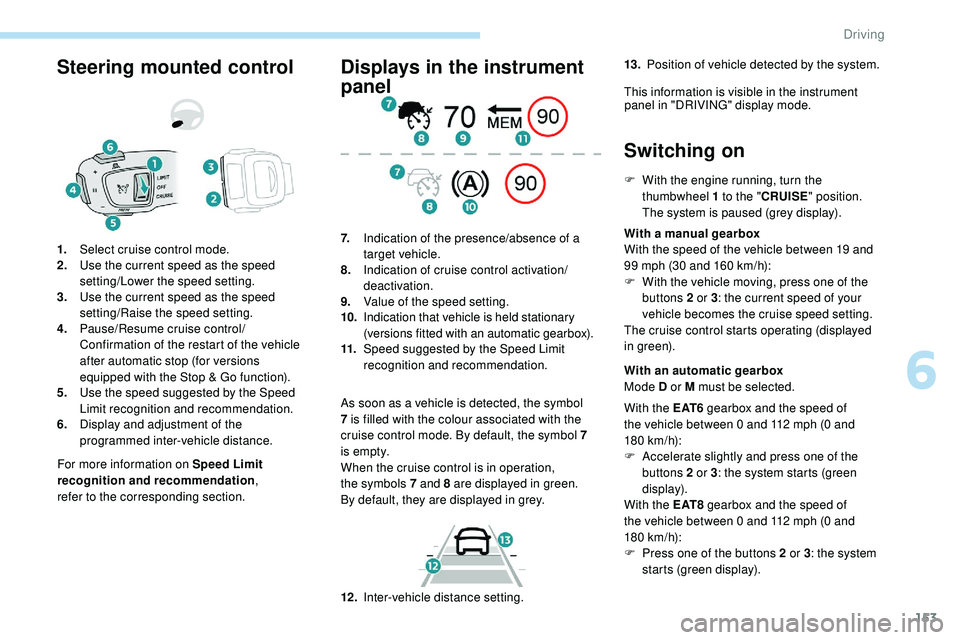
1.
Select cruise control mode.
2. Use the current speed as the speed
setting/Lower the speed setting.
3. Use the current speed as the speed
setting/Raise the speed setting.
4. Pause/Resume cruise control/
Confirmation of the restart of the vehicle
after automatic stop (for versions
equipped with the Stop & Go function).
5. Use the speed suggested by the Speed
Limit recognition and recommendation.
6. Display and adjustment of the
programmed inter-vehicle distance.
Displays in the instrument
panel
As soon as a vehicle is detected, the symbol
7
is filled with the colour associated with the
cruise control mode. By default, the symbol 7
i s e m pt y.
When the cruise control is in operation,
the
symbols 7 and 8 are displayed in green.
By
default, they are displayed in grey.
7.
Indication of the presence/absence of a
target vehicle.
8. Indication of cruise control activation/
deactivation.
9. Value of the speed setting.
10. Indication that vehicle is held stationary
(versions fitted with an automatic gearbox).
11. Speed suggested by the Speed Limit
recognition and recommendation.
Switching on
F With the engine running, turn the
thumbwheel 1 to the "CRUISE" position.
The system is paused (grey display).
With a manual gearbox
With the speed of the vehicle between 19 and
99 mph (30 and 160
km/h):
F
W
ith the vehicle moving, press one of the
buttons 2 or 3 : the current speed of your
vehicle becomes the cruise speed setting.
The cruise control starts operating (displayed
in green).
12 . Inter-vehicle distance setting. With an automatic gearbox
Mode D or M must be selected.
With the E AT 6 gearbox and the speed of
the vehicle between 0 and 112 mph (0
and
180
km/h):
F
A
ccelerate slightly and press one of the
buttons 2 or 3 : the system starts (green
display).
With the E AT 8 gearbox and the speed of
the vehicle between 0 and 112 mph (0
and
180
km/h):
F
P
ress one of the buttons 2 or 3 : the system
starts (green display).
13.
Position of vehicle detected by the system.
This information is visible in the instrument panel in "DRIVING" display mode.
6
Driving
Page 156 of 320
154
When the cruise control is paused, it
can only be reactivated when all of the
safety conditions are met. The "Activation
denied, conditions unsuitable" message is
displayed if reactivation is not possible.
Reactivating the function
With a manual gearbox
To reactivate the function, the driver must
accelerate to reach at least 19 mph (30 km/h),
then press one of the buttons 2, 3 or 4. the driver must confirm the vehicle restart by
pressing button 4 or the accelerator pedal.
If the driver takes no action following this
immobilisation, the electric parking brake is
applied automatically after a while (approx. five
minutes).
As a safety measure, wait until the current
speed approaches the speed setting
to reactivate the function by pressing
button 4 .
Modification of the speed
setting
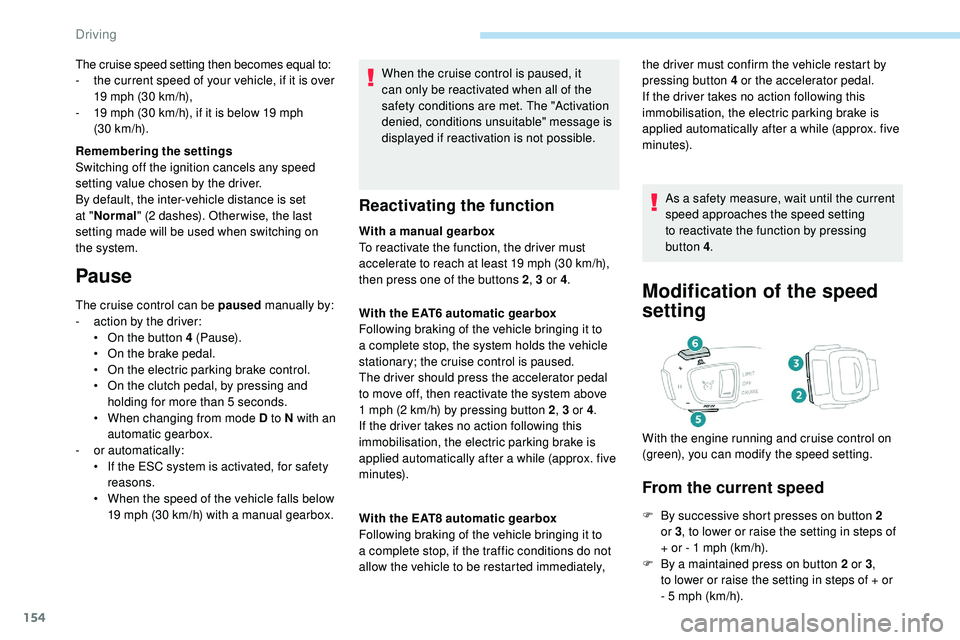
From the current speed
F By successive short presses on button 2
or 3, to lower or raise the setting in steps of
+ or - 1 mph (km/h).
F
B
y a maintained press on button 2 or 3 ,
to
lower or raise the setting in steps of + or
-
5 mph (km/h).
With the EAT6 automatic gearbox
Following braking of the vehicle bringing it to
a complete stop, the system holds the vehicle
stationary; the cruise control is paused.
The driver should press the accelerator pedal
to move off, then reactivate the system above
1
mph (2
km/h) by pressing button 2
, 3 or 4.
If the driver takes no action following this
immobilisation, the electric parking brake is
applied automatically after a while (approx. five
minutes).
With the EAT8 automatic gearbox
Following braking of the vehicle bringing it to
a complete stop, if the traffic conditions do not
allow the vehicle to be restarted immediately, With the engine running and cruise control on
(green), you can modify the speed setting.
The cruise speed setting then becomes equal to:
-
t
he current speed of your vehicle, if it is over
19 mph (30 km/h),
-
1
9 mph (30
km/h), if it is below 19 mph
(30
km/h).
Remembering the settings
Switching off the ignition cancels any speed
setting value chosen by the driver.
By default, the inter-vehicle distance is set
at " Normal " (2 dashes). Other wise, the last
setting made will be used when switching on
the system.
Pause
The cruise control can be paused manually by:
- a ction by the driver:
•
O
n the button 4 (Pause).
•
O
n the brake pedal.
•
O
n the electric parking brake control.
•
O
n the clutch pedal, by pressing and
holding for more than 5
seconds.
•
W
hen changing from mode D to N with an
automatic gearbox.
-
o
r automatically:
•
I
f the ESC system is activated, for safety
reasons.
•
W
hen the speed of the vehicle falls below
19 mph (30 km/h) with a manual gearbox.
Driving
Page 160 of 320
158
After braking causing the vehicle to stop completely, if the vehicle in front restarts almost immediately, the system restarts the vehicle gradually,
keeping the safety distance as programmed up to the speed setting.
If the vehicle is immobilised for more than 3 seconds, simply press button 4 or the accelerator pedal to restart as soon as traffic conditions allow.
The vehicle will accelerate gradually up to the speed setting.
If the vehicle continues to be immobilised, the electric parking brake is applied automatically after a while (approx. five minutes). To restart the vehicle,
the driver must press the accelerator pedal. Following braking of the vehicle bringing it to a complete stop, the system holds the vehicle stationary; the cruise control is paused.
The driver should press the accelerator pedal to move off, then reactivate the system by pressing one of buttons 2 , 3 or 4. If the driver takes no action
following this immobilisation, the electric parking brake is applied automatically after a while (approximately 5 minutes).
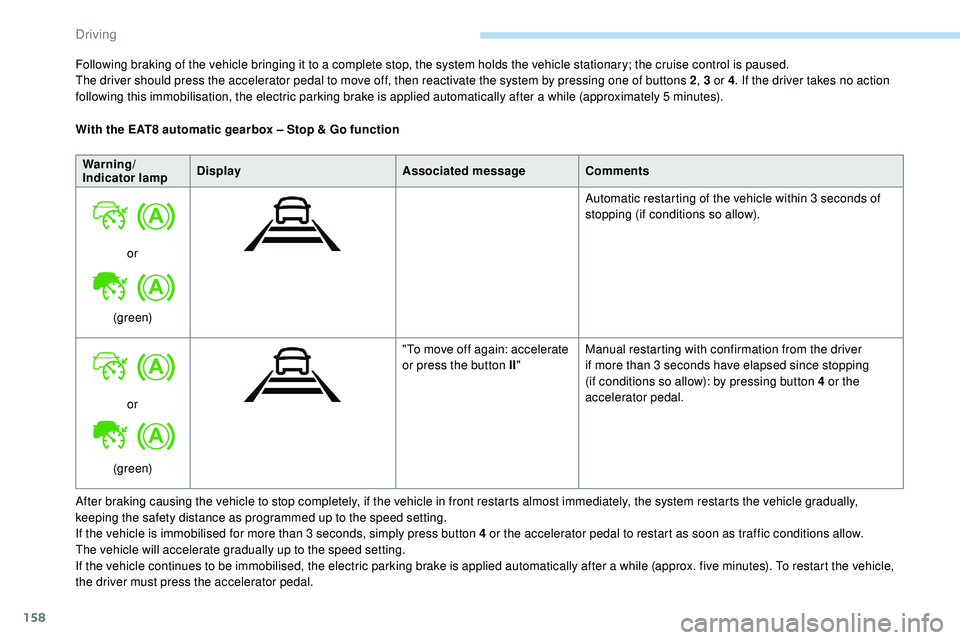
With the EAT8 automatic gearbox – Stop & Go function
Warning/
Indicator lamp Display
Associated messageComments
or
(green) Automatic restarting of the vehicle within 3 seconds of
stopping (if conditions so allow).
or
(green) "To move off again: accelerate
or press the button II
"Manual restarting with confirmation from the driver
if more than 3 seconds have elapsed since stopping
(if conditions so allow): by pressing button 4 or the
accelerator pedal.
Driving
Page 192 of 320
190
Operation
F When approaching a parking area, reduce the speed of your vehicle to a maximum of
19 mph (30
km/h).
Function activation
Activating the function can be done in two
ways:F
P
ress this button, located on the
gearbox selector.
or F
Sel
ect "Park Assist " in the
Driving/Vehicle menu of the
touch screen.
Activating the function deactivates Blind
Spot Detection.
At any time, up to starting the entry
manoeuvre or leaving the parking space,
pressing the red arrow located in the
top left-hand corner of the display page
deactivates the function.
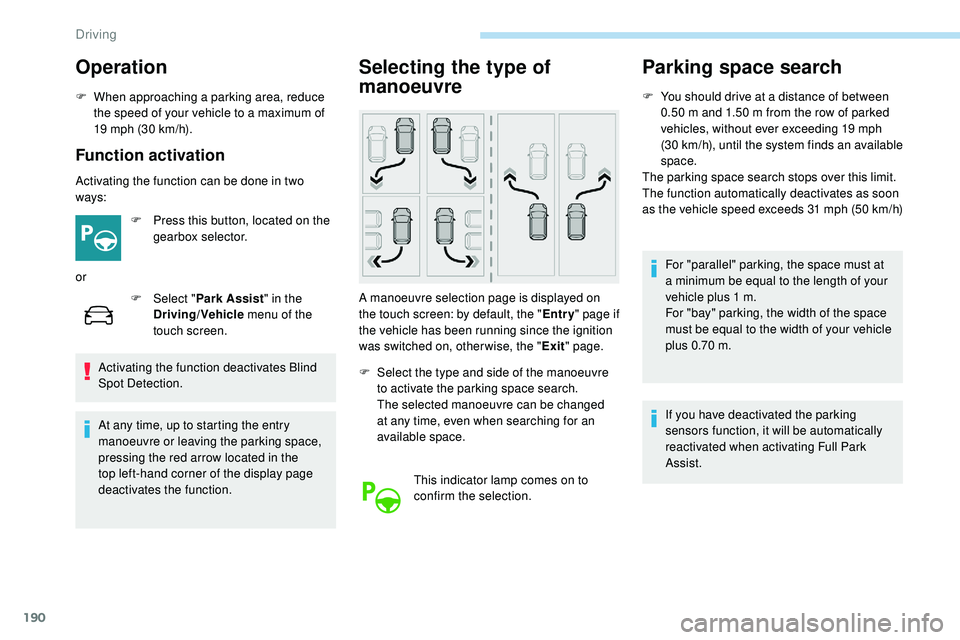
Selecting the type of
manoeuvre
A manoeuvre selection page is displayed on
the touch screen: by default, the " Entry" page if
the vehicle has been running since the ignition
was switched on, other wise, the " Exit" page.
F
S
elect the type and side of the manoeuvre
to activate the parking space search.
The selected manoeuvre can be changed
at any time, even when searching for an
available space.
This indicator lamp comes on to
confirm the selection.
Parking space search
F You should drive at a distance of between 0.50 m and 1.50 m from the row of parked
vehicles, without ever exceeding 19 mph
(30
km/h), until the system finds an available
space.
The parking space search stops over this limit.
The function automatically deactivates as soon
as the vehicle speed exceeds 31 mph (50
km/h)
For "parallel" parking, the space must at
a minimum be equal to the length of your
vehicle plus 1
m.
For "bay" parking, the width of the space
must be equal to the width of your vehicle
plus 0.70
m.
If you have deactivated the parking
sensors function, it will be automatically
reactivated when activating Full Park
Assist.
Driving
Page 193 of 320
191
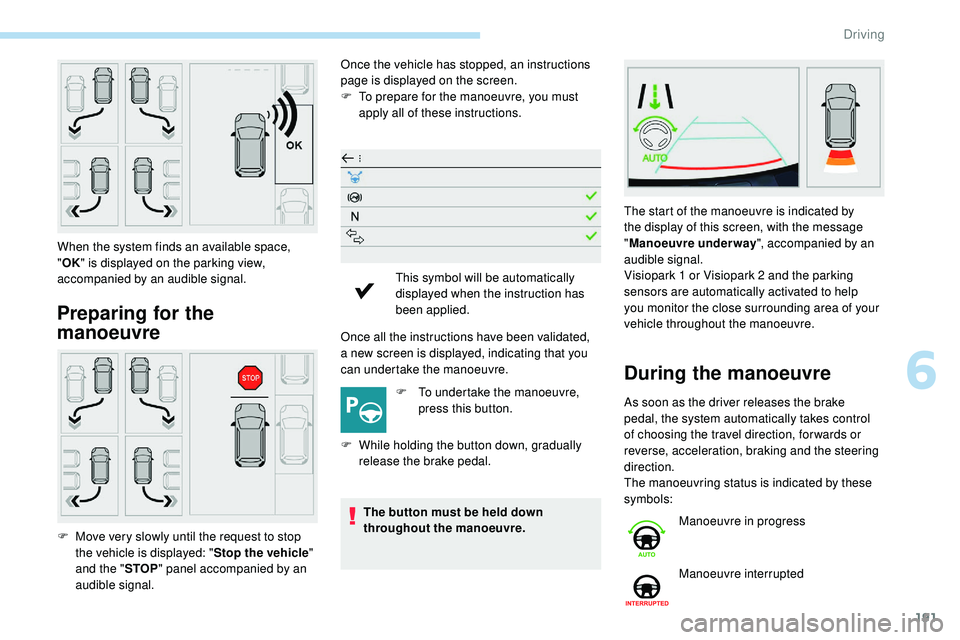
Preparing for the
manoeuvre
Once the vehicle has stopped, an instructions
page is displayed on the screen.
F
T
o prepare for the manoeuvre, you must
apply all of these instructions.
Once all the instructions have been validated,
a
new screen is displayed, indicating that you
can undertake the manoeuvre.
F
T
o undertake the manoeuvre,
press this button.
F
W
hile holding the button down, gradually
release the brake pedal.
The button must be held down
throughout the manoeuvre.
When the system finds an available space,
"
OK " is displayed on the parking view,
accompanied by an audible signal.
F
M
ove very slowly until the request to stop
the vehicle is displayed: " Stop the vehicle"
and the " STOP" panel accompanied by an
audible signal. This symbol will be automatically
displayed when the instruction has
been applied.
During the manoeuvre
As soon as the driver releases the brake
pedal, the system automatically takes control
of choosing the travel direction, for wards or
reverse, acceleration, braking and the steering
direction.
The manoeuvring status is indicated by these
symbols: The start of the manoeuvre is indicated by
the display of this screen, with the message
"
Manoeuvre underway ", accompanied by an
audible signal.
Visiopark 1 or Visiopark 2 and the parking
sensors are automatically activated to help
you monitor the close surrounding area of your
vehicle throughout the manoeuvre.
Manoeuvre in progress
Manoeuvre interrupted
6
Driving
Page 195 of 320
193
- Resuming the manoeuvre, after resolving the suspension conditions:
•
r
elease all controls (brake pedal, function
control button, steering wheel, etc.)
•
p
ress the function control button again.
-
P
ermanent interruption after suspending
the manoeuvre:
•
p
ress the brake pedal and engage a gear. -
s udden appearance in the field of the
manoeuvre of an obstacle not detected
by the system before the manoeuvre was
started, with the obstacle remaining for
more than 30 seconds,
-
a
fter ten manoeuvres to enter or exit a
parallel parking space and after seven
manoeuvres to enter a bay parking space,
-
s
ystem malfunction during the manoeuvre.
Abandoning the manoeuvre immediately
triggers the vehicle’s brakes and automatically
deactivates the function. This symbol is displayed on the
touch screen, accompanied by the
message " Manoeuvre abandoned ".
A message encourages the driver to take back
control of their vehicle. The function is deactivated after
a few seconds, this indicator lamp
goes off and the initial display is
resumed.
The system automatically engages mode P of
the gearbox after 4 seconds.
The manoeuvre is abandoned in the following
situations:
-
n
o action from the driver during the 30
seconds following the manoeuvre being
suspended,
-
v
oluntary application of the parking brake,
-
enga
gement of gearbox mode P by the
driver,
-
u
nfastening of the driver's seat belt,
-
o
pening of a door or the boot,
-
a
ctivation of the direction indicator lamps on
the opposite side to that of the manoeuvre,
-
i
n certain cases, when a wheel of the
vehicle hits a pavement or a low obstacle,
-
t
riggering of the anti-slip regulation (traction
control) on a slippery road sur face,
-
s
talling of the engine,End of the manoeuvre
to enter or exit a parking
space
The vehicle stops as soon as the manoeuvre is
completed. This symbol is displayed on the
touch screen, accompanied by the
message " Manoeuvre completed ".
The function is deactivated after
a few seconds, this indicator lamp
goes off and the initial display is
resumed.
-
I
f entering a parking space, the driver may
be required to complete the manoeuvre.
The gearbox changes to P 4 seconds after
completion of the manoeuvre.
-
I
n the case of a parking space exit
manoeuvre, the gearbox changes to N .
With a message and symbols, the driver
is encouraged to resume control of their
vehicle: take hold of the steering wheel,
engage mode D or R of the gearbox and
accelerate when traffic conditions allow.
After a delay of 30 seconds with no action
from the driver, the gearbox automatically
changes to mode P .
6
Driving
Page 214 of 320
212
In the event of an AdBlue® breakdown,
confirmed by the message "Add AdBlue:
Starting impossible", you must top up with
at least 5 litres.
Never pour AdBlue
® into the Diesel fuel
tank.
If any AdBlue
® is splashed, or if there are
any spillages on the side of the body, rinse
immediately with cold water or wipe with a
damp cloth.
If the fluid has crystallised, clean it off
using a sponge and hot water.
Important: in the event of a top-up after
an AdBlue breakdown, you must wait
about five minutes before switching on the
ignition, without opening the driver's
door, unlocking the vehicle or bringing
the electronic key into the passenger
compartment.
Switch on the ignition, then wait for
10
seconds before starting the engine.
F
W
ith Keyless Entry and Starting, press the
" START/STOP " button to switch off the
engine. F
O btain an AdBlue® container. After first
checking the use-by date, read the
instructions on the label carefully before
pouring the contents of the container into
your vehicle's AdBlue tank.
Or
F
I
nsert the AdBlue
® pump nozzle and refill
the tank until the nozzle stops automatically. Important:
-
T
o avoid over flowing the AdBlue
® tank,
i
t is recommended:
•
T
o top up between 10 and 13 litres
using AdBlue
® containers.
Or
•
T
hat you stop after the nozzle’s first
automatic cut-out if you are refilling
at a ser vice station.
-
I
f your vehicle's AdBlue
® tank is
completely empty – which is confirmed
by the alert messages and the
impossibility of starting the engine –
you must add at least 5 litres.
After refilling
F Refit the blue cap to the tank filler and turn it 1/6 of a turn clockwise, to its stop.
F
C
lose the fuel filler flap.
Do not dispose of AdBlue
® containers in
the household waste.
Place them in a suitable container or
take them to your dealer.
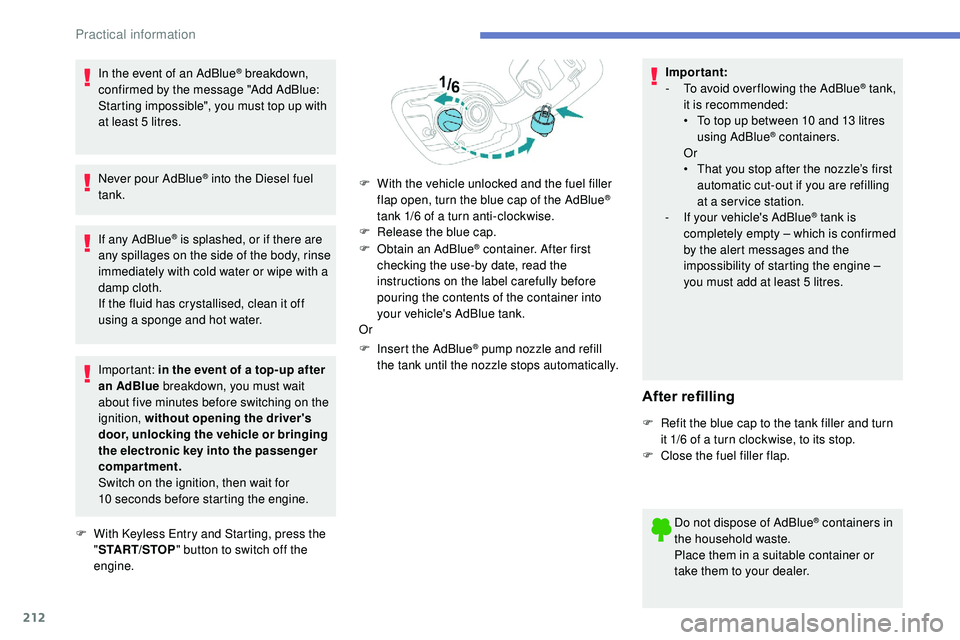
F
W
ith the vehicle unlocked and the fuel filler
flap open, turn the blue cap of the AdBlue
®
tank 1/6 of a turn anti-clockwise.
F
R
elease the blue cap.
Practical information
Page 276 of 320
8
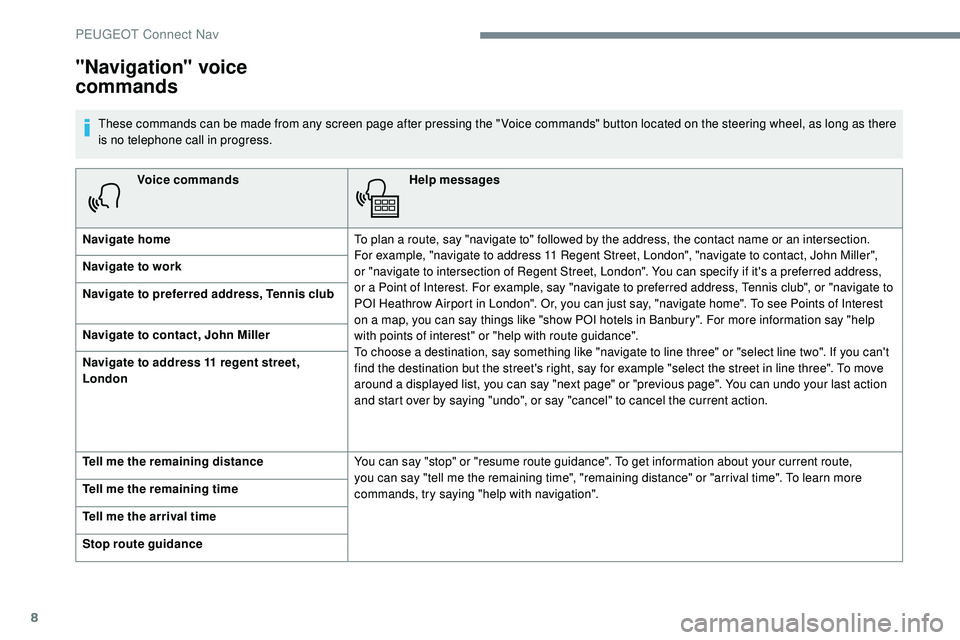
Voice commandsHelp messages
Navigate home To plan a route, say "navigate to" followed by the address, the contact name or an intersection.
For
example, "navigate to address 11 Regent Street, London", "navigate to contact, John Miller",
or
"navigate to intersection of Regent Street, London". You can specify if it's a preferred address,
or a Point of Interest. For example, say "navigate to preferred address, Tennis club", or "navigate to
POI Heathrow Airport in London". Or, you can just say, "navigate home". To see Points of Interest
on a map, you can say things like "show POI hotels in Banbury". For more information say "help
with points of interest" or "help with route guidance".
To choose a destination, say something like "navigate to line three" or "select line two". If you can't
find the destination but the street's right, say for example "select the street in line three". To move
around a displayed list, you can say "next page" or "previous page". You can undo your last action
and start over by saying "undo", or say "cancel" to cancel the current action.
Navigate to work
Navigate to preferred address, Tennis club
Navigate to contact, John Miller
Navigate to address 11 regent street,
London
Tell me the remaining distance
You can say "stop" or "resume route guidance". To get information about your current route,
you can say "tell me the remaining time", "remaining distance" or "arrival time". To learn more
commands, try saying "help with navigation".
Tell me the remaining time
Tell me the arrival time
Stop route guidance
"Navigation" voice
commands
These commands can be made from any screen page after pressing the " Voice commands" button located on the steering wheel, as long as there
is no telephone call in progress.
PEUGEOT Connect Nav
Page 294 of 320
26
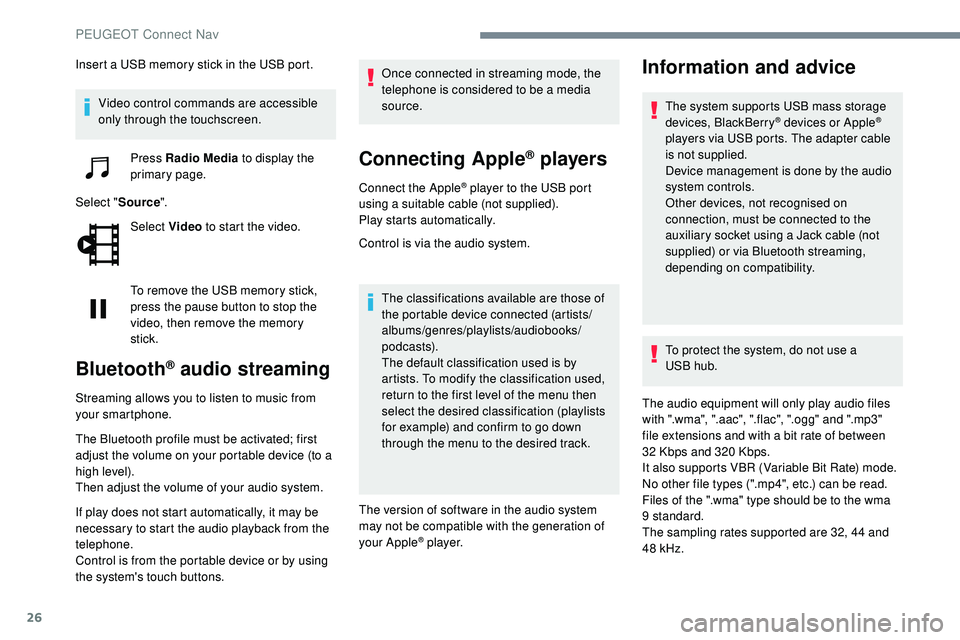
Insert a USB memory stick in the USB port.Video control commands are accessible
only through the touchscreen. Press Radio Media to display the
primary page.
Select " Source".
Select Video to start the video.
To remove the USB memory stick,
press the pause button to stop the
video, then remove the memory
stick.
Bluetooth® audio streaming
Streaming allows you to listen to music from
your smartphone.
The Bluetooth profile must be activated; first
adjust the volume on your portable device (to a
high level).
Then adjust the volume of your audio system.
If play does not start automatically, it may be
necessary to start the audio playback from the
telephone.
Control is from the portable device or by using
the system's touch buttons. Once connected in streaming mode, the
telephone is considered to be a media
source.
Connecting Apple® players
Connect the Apple® player to the USB port
using a suitable cable (not supplied).
Play starts automatically.
Control is via the audio system.
The classifications available are those of
the portable device connected (artists/
albums/genres/playlists/audiobooks/
podcasts).
The default classification used is by
artists. To modify the classification used,
return to the first level of the menu then
select the desired classification (playlists
for example) and confirm to go down
through the menu to the desired track.
The version of software in the audio system
may not be compatible with the generation of
your Apple
® p l aye r.
Information and advice
The system supports USB mass storage
devices, BlackBerry® devices or Apple®
players via USB ports. The adapter cable
is not supplied.
Device management is done by the audio
system controls.
Other devices, not recognised on
connection, must be connected to the
auxiliary socket using a Jack cable (not
supplied) or via Bluetooth streaming,
depending on compatibility.
To protect the system, do not use a
USB
hub.
The audio equipment will only play audio files
with ".wma", ".aac", ".flac", ".ogg" and ".mp3"
file extensions and with a bit rate of between
32
Kbps and 320 Kbps.
It also supports VBR (Variable Bit Rate) mode.
No other file types (".mp4", etc.) can be read.
Files of the ".wma" type should be to the wma
9 standard.
The sampling rates supported are 32, 44 and
48 kHz.
PEUGEOT Connect Nav