brightness Peugeot 508 2019 Owner's Manual
[x] Cancel search | Manufacturer: PEUGEOT, Model Year: 2019, Model line: 508, Model: Peugeot 508 2019Pages: 320, PDF Size: 10.09 MB
Page 29 of 320
27
Total distance recorder
It measures the total distance travelled by the
vehicle since its first registration.
Lighting dimmer
This system allows the brightness of the
instruments and controls to be adjusted to suit
the ambient light level.
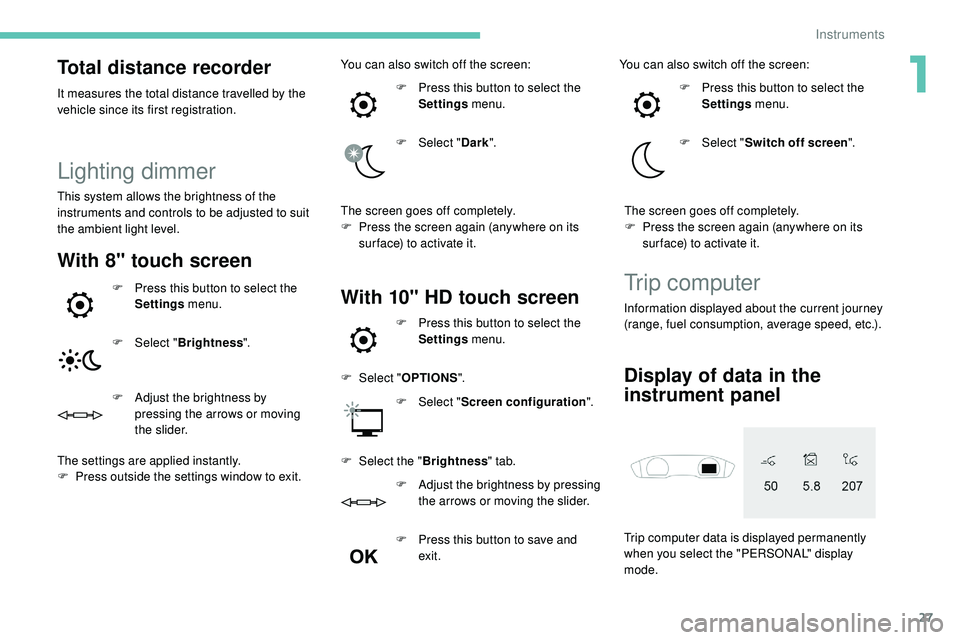
With 8" touch screen
F Press this button to select the Settings menu.
F
Sel
ect "Brightness ".
F
A
djust the brightness by
pressing the arrows or moving
the slider.
The settings are applied instantly.
F
P
ress outside the settings window to exit. You can also switch off the screen:
F
P
ress this button to select the
Settings menu.
F
Sel
ect "
Dark ".
The screen goes off completely.
F
P
ress the screen again (anywhere on its
sur face) to activate it.With 10" HD touch screenTrip computer
Information displayed about the current journey
(range, fuel consumption, average speed, etc.).
Trip computer data is displayed permanently
when you select the "PERSONAL" display
mode.
Display of data in the
instrument panel
F Press this button to select the Settings menu.
F
Sel
ect " OPTIONS ".
F
Sel
ect "Screen configuration ".
F
Sel
ect the " Brightness " tab.
F
A
djust the brightness by pressing
the arrows or moving the slider.
F
P
ress this button to save and
exit. You can also switch off the screen:
F
P
ress this button to select the
Settings menu.
F
Sel
ect "
Switch off screen ".
The screen goes off completely.
F
P
ress the screen again (anywhere on its
sur face) to activate it.
1
Instruments
Page 34 of 320
32
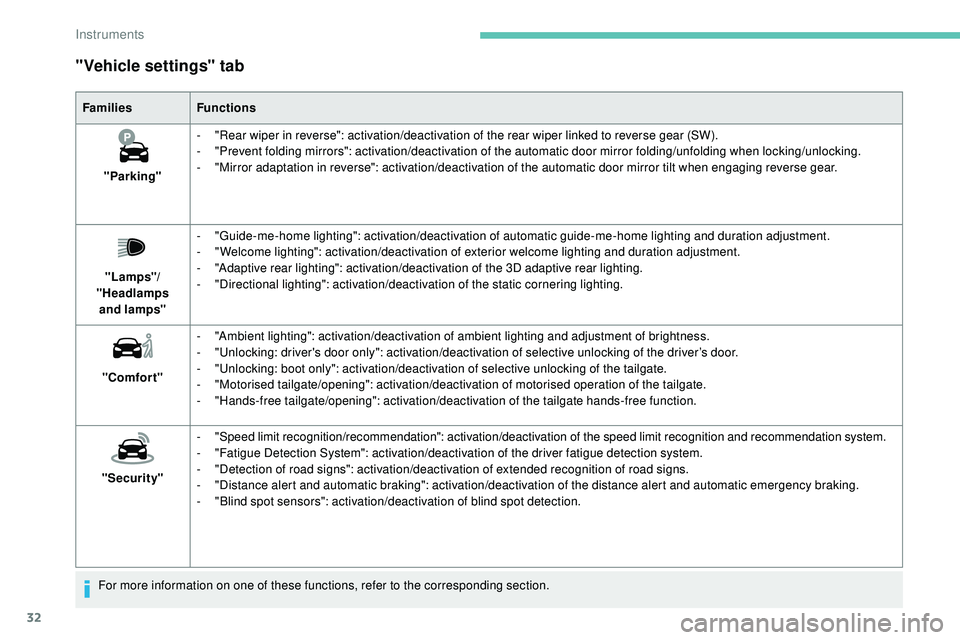
"Vehicle settings" tab
FamiliesFunctions
"Parking" -
"
Rear wiper in reverse": activation/deactivation of the rear wiper linked to reverse gear (SW).
-
"
Prevent folding mirrors": activation/deactivation of the automatic door mirror folding/unfolding when locking/unlocking.
-
"
Mirror adaptation in reverse": activation/deactivation of the automatic door mirror tilt when engaging reverse gear.
"Lamps"/
"Headlamps and
lamps" -
"
Guide-me-home lighting": activation/deactivation of automatic guide-me-home lighting and duration adjustment.
-
"
Welcome lighting": activation/deactivation of exterior welcome lighting and duration adjustment.
-
"
Adaptive rear lighting": activation/deactivation of the 3D adaptive rear lighting.
-
"
Directional lighting": activation/deactivation of the static cornering lighting.
"Comfort" -
"
Ambient lighting": activation/deactivation of ambient lighting and adjustment of brightness.
-
"
Unlocking: driver's door only": activation/deactivation of selective unlocking of the driver’s door.
-
"
Unlocking: boot only": activation/deactivation of selective unlocking of the tailgate.
-
"
Motorised tailgate/opening": activation/deactivation of motorised operation of the tailgate.
-
"
Hands-free tailgate/opening": activation/deactivation of the tailgate hands-free function.
"Security" -
"
Speed limit recognition/recommendation": activation/deactivation of the speed limit recognition and recommendation system.
-
"
Fatigue Detection System": activation/deactivation of the driver fatigue detection system.
-
"
Detection of road signs": activation/deactivation of extended recognition of road signs.
-
"
Distance alert and automatic braking": activation/deactivation of the distance alert and automatic emergency braking.
-
"
Blind spot sensors": activation/deactivation of blind spot detection.
For more information on one of these functions, refer to the corresponding section.
Instruments
Page 35 of 320
33
"Settings" menu
8" touch screen
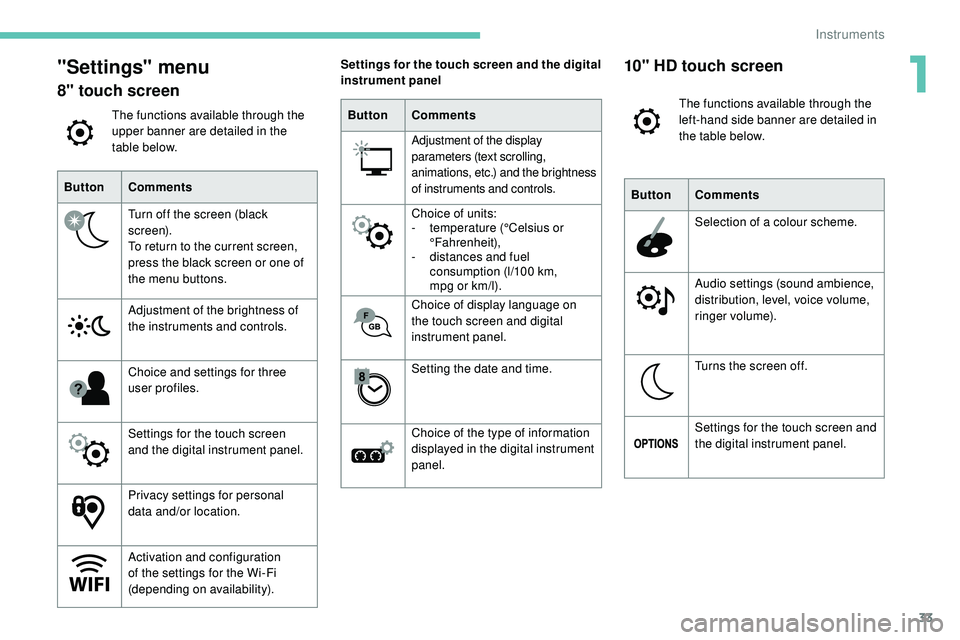
The functions available through the
upper banner are detailed in the
table below.
Button Comments
Turn off the screen (black
screen).
To return to the current screen,
press the black screen or one of
the menu buttons.
Adjustment of the brightness of
the instruments and controls.
Choice and settings for three
user profiles.
Settings for the touch screen
and the digital instrument panel.
Privacy settings for personal
data and/or location.
Activation and configuration
of the settings for the Wi-Fi
(depending on availability). Settings for the touch screen and the digital
instrument panel
Button Comments
Adjustment of the display
parameters (text scrolling,
animations, etc.) and the brightness
of instruments and controls.
Choice of units:
- t
emperature (°Celsius or
°Fahrenheit),
-
d
istances and fuel
consumption (l/100 km,
mpg
or km/l).
Choice of display language on
the touch screen and digital
instrument panel.
Setting the date and time.
Choice of the type of information
displayed in the digital instrument
panel.
10" HD touch screen
The functions available through the
left-hand side banner are detailed in
the table below.
Button Comments
Selection of a colour scheme.
Audio settings (sound ambience,
distribution, level, voice volume,
ringer volume).
Turns the screen off.
Settings for the touch screen and
the digital instrument panel.
1
Instruments
Page 36 of 320
34
ButtonComments
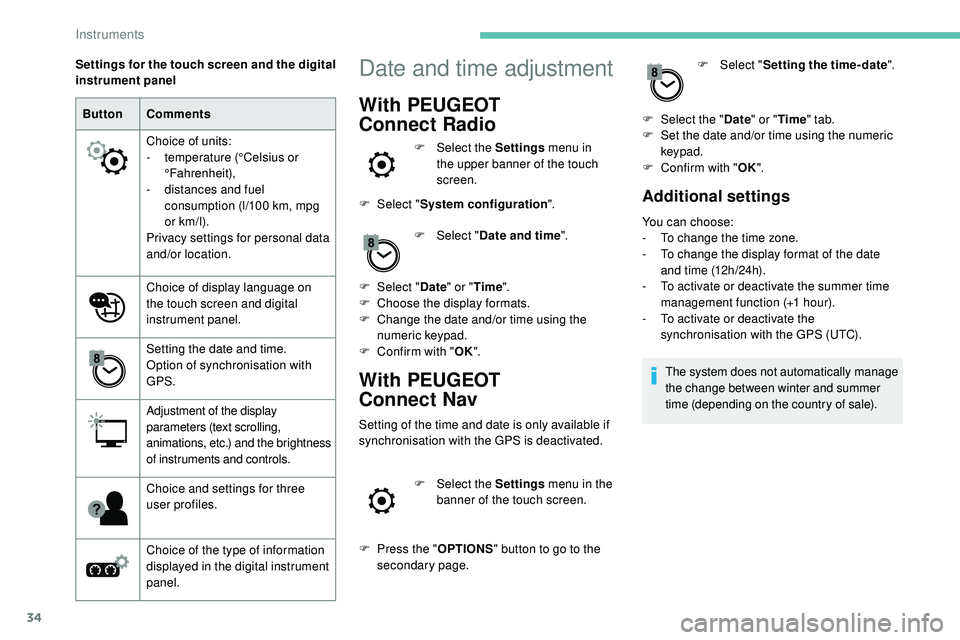
Choice of units:
-
t
emperature (°Celsius or
°Fahrenheit),
-
d
istances and fuel
consumption (l/100 km, mpg
or km/l).
Privacy settings for personal data
and/or location.
Choice of display language on
the touch screen and digital
instrument panel.
Setting the date and time.
Option of synchronisation with
GPS.
Adjustment of the display
parameters (text scrolling,
animations, etc.) and the brightness
of instruments and controls.
Choice and settings for three
user profiles.
Choice of the type of information
displayed in the digital instrument
panel.
Settings for the touch screen and the digital
instrument panel
Date and time adjustment
With PEUGEOT
Connect
Radio
F Select the Settings menu in
the upper banner of the touch
screen.
F
Sel
ect " System configuration ".
F
Sel
ect "Date and time ".
F
Sel
ect " Date " or "Time ".
F
C
hoose the display formats.
F
C
hange the date and/or time using the
numeric keypad.
F
C
onfirm with " OK".
With PEUGEOT
Connect
Nav
Setting of the time and date is only available if
synchronisation with the GPS is deactivated.
F
Sel
ect the Settings menu in the
banner of the touch screen.
F
P
ress the " OPTIONS " button to go to the
secondary page. F
Sel
ect "
Setting the time- date".
F
Sel
ect the "
Date" or "Time " tab.
F
S
et the date and/or time using the numeric
keypad.
F
C
onfirm with "
OK".
Additional settings
You can choose:
-
T o change the time zone.
-
T
o change the display format of the date
and time (12h/24h).
-
T
o activate or deactivate the summer time
management function (+1 hour).
-
T
o activate or deactivate the
synchronisation with the GPS (UTC).
The system does not automatically manage
the change between winter and summer
time (depending on the country of sale).
Instruments
Page 63 of 320
61
F next, proceed with the passenger's seat in the same way.
The changes are taken into account immediately.Once activated, the system starts a one hour
massage cycle, made up of sequences of 6 minutes
of massage followed by 3 minutes at rest.
The system stops automatically at the end of the
cycle; the indicator lamp in the button goes off.
Steering wheel adjustment
F When stationary , pull the control lever
to release the steering wheel adjustment
mechanism.
F
A
djust the height and reach to suit your
driving position.
F
P
ush the control lever to lock the steering
wheel adjustment mechanism.
As a safety measure, these adjustments
should only be carried out with the vehicle
stationary.
Mirrors
Door mirrors
Each fitted with an adjustable mirror glass
providing the lateral rear ward vision necessary
for overtaking or parking.
They can also be folded for parking in narrow
spaces.
On versions fitted with "electrochrome" mirrors,
a system connected to a brightness sensor
darkens the mirror to reduce the nuisance
to the driver caused by low sun or headlamp
beams from other vehicles.
Demisting/Defrosting
If fitted to your vehicle, the demisting/
defrosting of the door mirrors is
done by pressing the rear screen
defrosting control.
For more information on Rear screen demist/
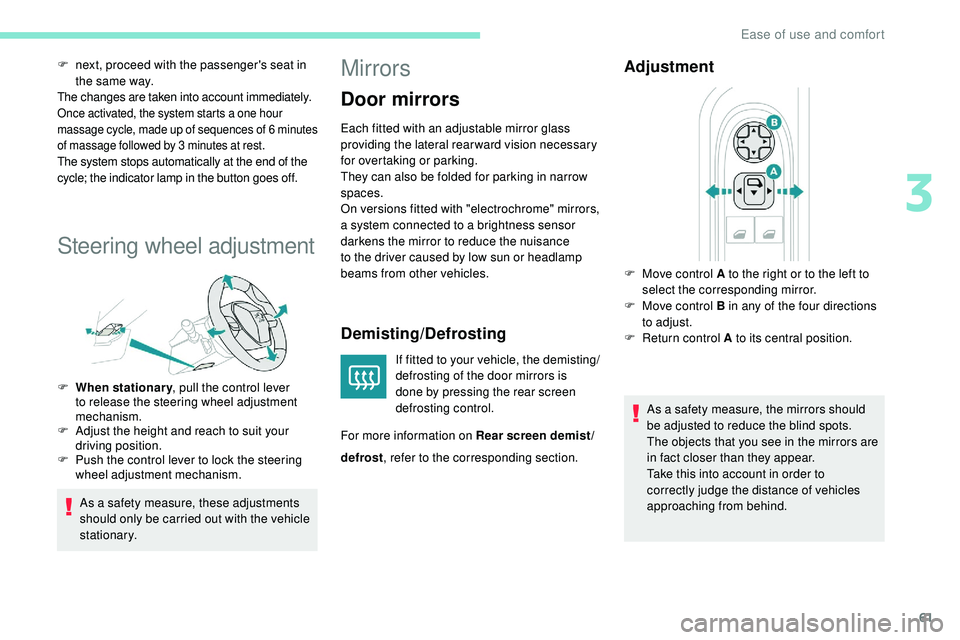
Adjustment
As a safety measure, the mirrors should
be adjusted to reduce the blind spots.
The objects that you see in the mirrors are
in fact closer than they appear.
Take this into account in order to
correctly judge the distance of vehicles
approaching from behind.
F
M
ove control A to the right or to the left to
select the corresponding mirror.
F
M
ove control B in any of the four directions
to adjust.
F
R
eturn control A to its central position.
defrost , refer to the corresponding section.
3
Ease of use and comfort
Page 66 of 320
64
From the boot (SW)
Repositioning the backrests
First check that the outer seat belts are
lying vertically flat alongside the backrest
latching rings.
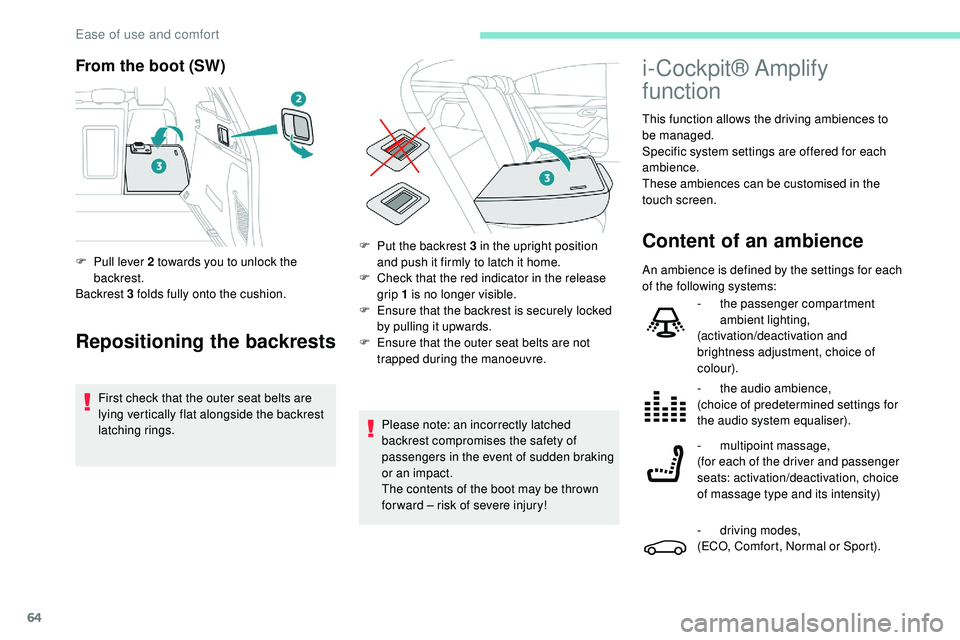
F
P
ull lever 2 towards you to unlock the
backrest.
Backrest 3 folds fully onto the cushion.
Please note: an incorrectly latched
backrest compromises the safety of
passengers in the event of sudden braking
or an impact.
The contents of the boot may be thrown
for ward – risk of severe injury!
i-Cockpit® Amplify
function
This function allows the driving ambiences to
be managed.
Specific system settings are offered for each
ambience.
These ambiences can be customised in the
touch screen.
Content of an ambienceF Put the backrest 3 in the upright position and push it firmly to latch it home.
F
C
heck that the red indicator in the release
grip 1 is no longer visible.
F
E
nsure that the backrest is securely locked
by pulling it upwards.
F
E
nsure that the outer seat belts are not
trapped during the manoeuvre. An ambience is defined by the settings for each
of the following systems:
-
t
he passenger compartment
ambient lighting,
(activation/deactivation and
brightness adjustment, choice of
colour).
-
t
he audio ambience,
(choice of predetermined settings for
the audio system equaliser).
-
m
ultipoint massage,
(for each of the driver and passenger
seats: activation/deactivation, choice
of massage type and its intensity)
-
d
riving modes,
(ECO, Comfort, Normal or Sport).
Ease of use and comfort
Page 81 of 320
79
Touch-sensitive courtesy lamps
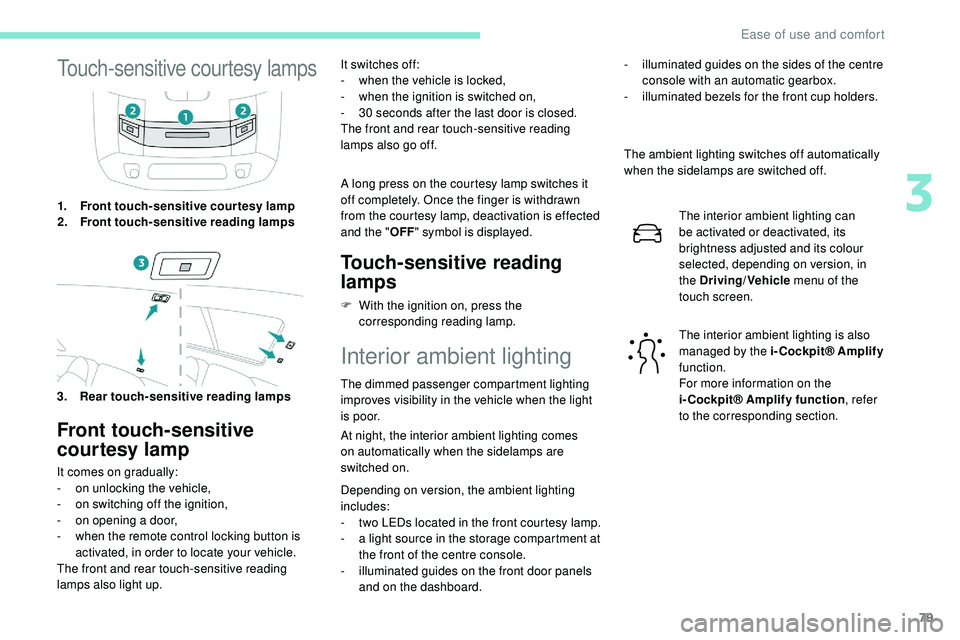
1.Front touch-sensitive courtesy lamp
2. Front touch-sensitive reading lamps
3. Rear touch-sensitive reading lamps
Front touch-sensitive
courtesy lamp
It comes on gradually:
- o n unlocking the vehicle,
-
o
n switching off the ignition,
-
o
n opening a door,
-
w
hen the remote control locking button is
activated, in order to locate your vehicle.
The front and rear touch-sensitive reading
lamps also light up. It switches off:
-
w
hen the vehicle is locked,
-
w
hen the ignition is switched on,
-
3
0 seconds after the last door is closed.
The front and rear touch-sensitive reading
lamps also go off.
A long press on the courtesy lamp switches it
off completely. Once the finger is withdrawn
from the courtesy lamp, deactivation is effected
and the " OFF" symbol is displayed.
Touch-sensitive reading
lamps
F With the ignition on, press the
corresponding reading lamp.
Interior ambient lighting
The dimmed passenger compartment lighting
improves visibility in the vehicle when the light
i s p o o r.
At night, the interior ambient lighting comes
on
automatically when the sidelamps are
switched on.
Depending on version, the ambient lighting
includes:
-
t
wo LEDs located in the front courtesy lamp.
-
a l
ight source in the storage compartment at
the front of the centre console.
-
i
lluminated guides on the front door panels
and on the dashboard. The ambient lighting switches off automatically
when the sidelamps are switched off.
The interior ambient lighting can
be activated or deactivated, its
brightness adjusted and its colour
selected, depending on version, in
the Driving/Vehicle menu of the
touch screen.
The interior ambient lighting is also
managed by the i-Cockpit® Amplify
function.
For more information on the
i-Cockpit® Amplify function , refer
to the corresponding section.
-
i
lluminated guides on the sides of the centre
console with an automatic gearbox.
-
i
lluminated bezels for the front cup holders.
3
Ease of use and comfort
Page 88 of 320
86
Exterior lighting control
stalk
Main lighting
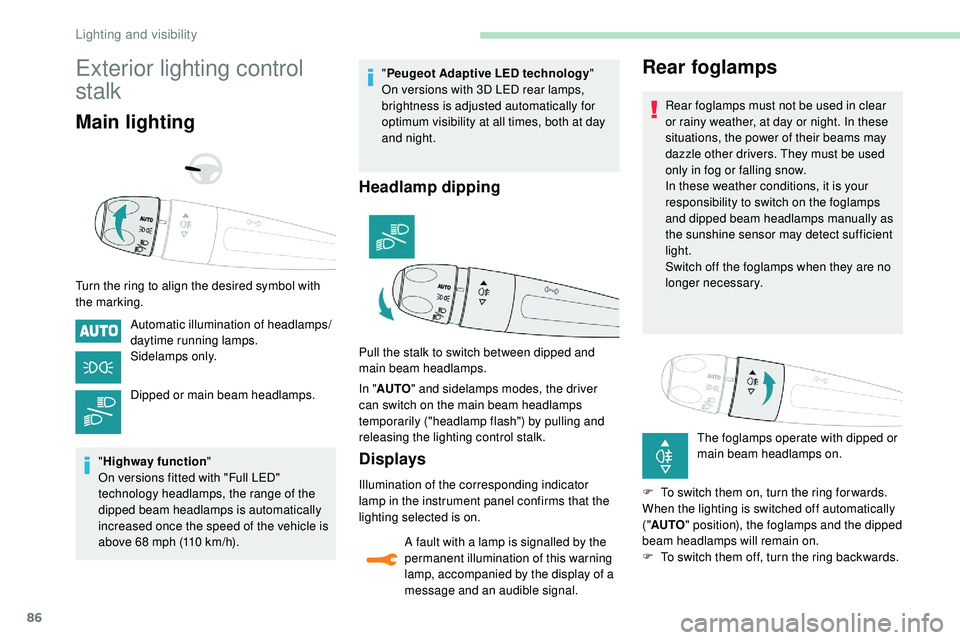
Turn the ring to align the desired symbol with
the marking.Automatic illumination of headlamps/
daytime running lamps.
Sidelamps only.
Dipped or main beam headlamps.
" Highway function "
On versions fitted with "Full LED"
technology headlamps, the range of the
dipped beam headlamps is automatically
increased once the speed of the vehicle is
above 68 mph (110 km/h). "
Peugeot Adaptive LED technology "
On versions with 3D LED rear lamps,
brightness is adjusted automatically for
optimum visibility at all times, both at day
and night.
Headlamp dipping
In " AUTO " and sidelamps modes, the driver
can switch on the main beam headlamps
temporarily ("headlamp flash") by pulling and
releasing the lighting control stalk.
Displays
Illumination of the corresponding indicator
lamp in the instrument panel confirms that the
lighting selected is on.
A fault with a lamp is signalled by the
permanent illumination of this warning
lamp, accompanied by the display of a
message and an audible signal.
Rear foglamps
Rear foglamps must not be used in clear
or rainy weather, at day or night. In these
situations, the power of their beams may
dazzle other drivers. They must be used
only in fog or falling snow.
In these weather conditions, it is your
responsibility to switch on the foglamps
and dipped beam headlamps manually as
the sunshine sensor may detect sufficient
light.
Switch off the foglamps when they are no
longer necessary.
The foglamps operate with dipped or
main beam headlamps on.
F
T
o switch them on, turn the ring for wards.
When the lighting is switched off automatically
(" AUTO " position), the foglamps and the dipped
beam headlamps will remain on.
F
T
o switch them off, turn the ring backwards.
Pull the stalk to switch between dipped and
main beam headlamps.
Lighting and visibility
Page 91 of 320
89
Automatic illumination of
headlamps
When the ring is at the "AUTO" position and
a low level of ambient light is detected by a
sunshine sensor, the number plate lamps,
side
lamps and dipped beam headlamps are
switched on automatically, without any action
on the part of the driver. They can also come
on if rain is detected, at the same time as
automatic operation of the windscreen wipers.
As soon as the brightness returns to a
sufficient level or after the windscreen wipers
are switched off, the lamps are switched off
automatically.
Operating fault
In the event of a malfunction of the
sunshine sensor, the lighting comes
on, this warning lamp is displayed in
the instrument panel accompanied by
an audible signal and/or a message.
Contact a PEUGEOT dealer or a
qualified workshop.
Do not cover the sunshine sensor,
combined with the rain sensor and located
at the top centre of the windscreen behind
the rear view mirror; the associated
functions would no longer be controlled. In fog or snow, the sunshine sensor may
detect sufficient light. In this case, the
lighting will not come on automatically.
Guide-me-home lighting
Automatic
With the ring in the "
AUTO" position, if the
brightness is low, the dipped beam headlamps
come on automatically when the ignition is
switched off.
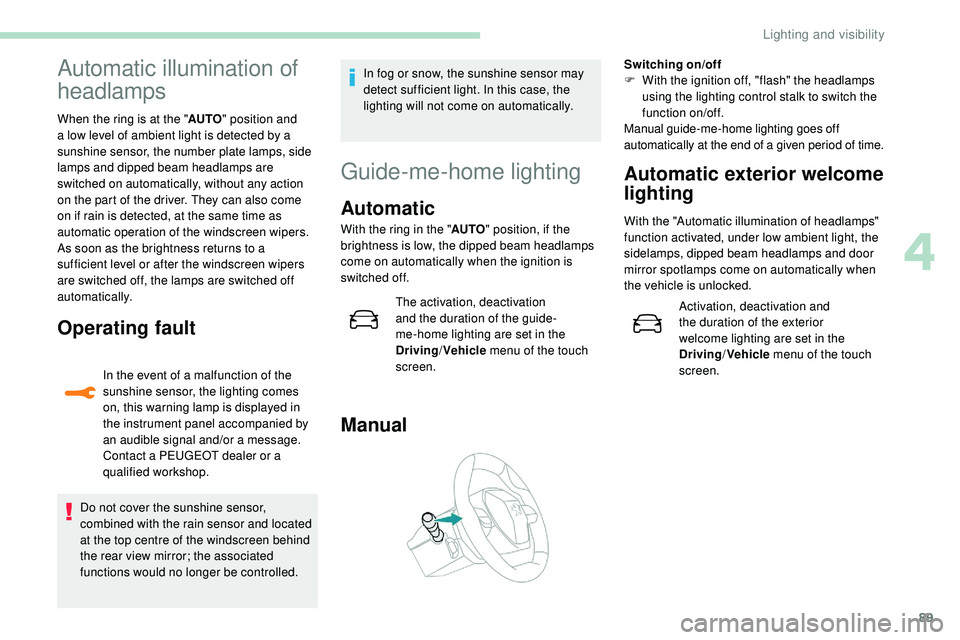
Manual
Switching on/off
F W ith the ignition off, "flash" the headlamps
using the lighting control stalk to switch the
function on/off.
Manual guide-me-home lighting goes off
automatically at the end of a given period of time.
Automatic exterior welcome
lighting
With the "Automatic illumination of headlamps"
function activated, under low ambient light, the
sidelamps, dipped beam headlamps and door
mirror spotlamps come on automatically when
the vehicle is unlocked.
Activation, deactivation and
the duration of the exterior
welcome lighting are set in the
Driving/Vehicle menu of the touch
screen.
The activation, deactivation
and the duration of the guide-
me-home lighting are set in the
Driving
/Vehicle menu of the touch
screen.
4
Lighting and visibility
Page 92 of 320
90
Door mirror spotlamps
Switching on
The spotlamps come on automatically:
-
w
hen you unlock the vehicle,
-
o
n opening a door,
-
w
hen a request to locate the vehicle is
received from the remote control.
They also come on with the exterior welcome
lighting and the guide-me-home lighting.
Switching off
They go off automatically after 30 seconds.
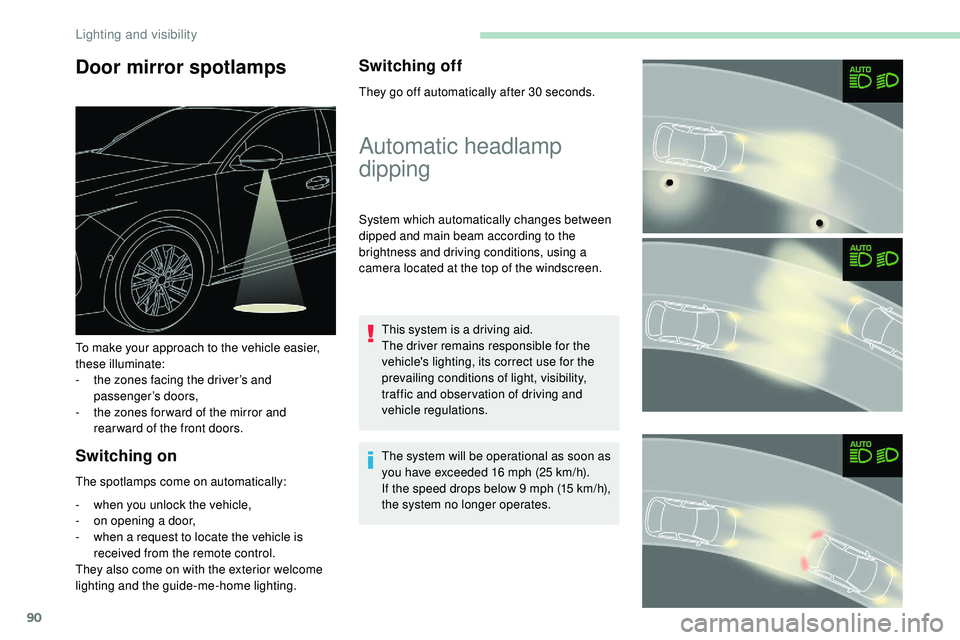
To make your approach to the vehicle easier,
these illuminate:
-
t
he zones facing the driver’s and
passenger’s doors,
-
t
he zones for ward of the mirror and
rear ward of the front doors.
Automatic headlamp
dipping
System which automatically changes between
dipped and main beam according to the
brightness and driving conditions, using a
camera located at the top of the windscreen.
This system is a driving aid.
The driver remains responsible for the
vehicle's lighting, its correct use for the
prevailing conditions of light, visibility,
traffic and obser vation of driving and
vehicle regulations.
The system will be operational as soon as
you have exceeded 16 mph (25
km/h).
If the speed drops below 9 mph (15
km/h),
the system no longer operates.
Lighting and visibility