Turn Peugeot Boxer 2003 Owner's Guide
[x] Cancel search | Manufacturer: PEUGEOT, Model Year: 2003, Model line: Boxer, Model: Peugeot Boxer 2003Pages: 180, PDF Size: 2.71 MB
Page 65 of 180
05-05-2003
YOUR BOXER IN DETAIL67
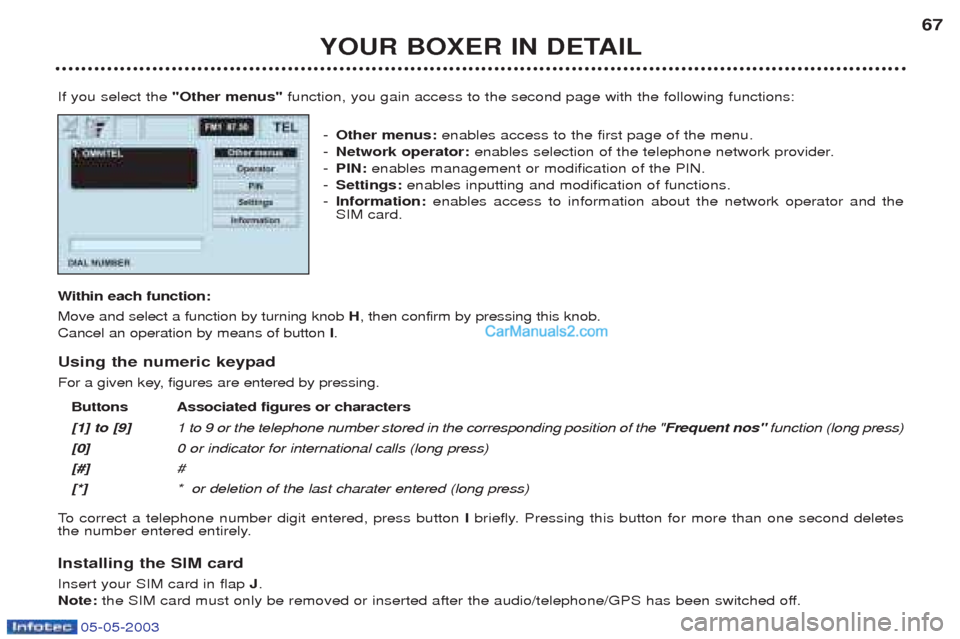
If you select the "Other menus" function, you gain access to the second page with the following functions:
- Other menus: enables access to the first page of the menu.
- Network operator: enables selection of the telephone network provider.
- PIN: enables management or modification of the PIN.
- Settings: enables inputting and modification of functions.
- Information: enables access to information about the network operator and the
SIM card.
W ithin each function:
Move and select a function by turning knob H, then confirm by pressing this knob.
Cancel an operation by means of button I.
Using the numeric keypad
For a given key, figures are entered by pressing. Buttons Associated figures or characters [1] to [9] 1 to 9 or the telephone number stored in the corresponding position of the " Frequent nos"function (long press)
[0] 0 or indicator for international calls (long press)
[#] #
[*] * or deletion of the last charater entered (long press)
To correct a telephone number digit entered, press button Ibriefly. Pressing this button for more than one second deletes
the number entered entirely.
Installing the SIM card Insert your SIM card in flap J.
Note: the SIM card must only be removed or inserted after the audio/telephone/GPS has been switched off.
Page 67 of 180
05-05-2003
YOUR BOXER IN DETAIL69
Making a call Dialling a number Enter the number of your contact using the numeric keypad. Press button Oto call.
Calling from a directory Select the "Directory" function to gain access to all of the files containing a telephone number or "Last received" to gain
access to the list of the last ten incoming calls (if the number display option is active) or "Last called"to gain access to the
list of the last ten outgoing calls. Note: There are two directories, that of the audio/telephone/GPS and that of the SIM card. To consult the SIM directory, insert
your SIM card and enter your PIN.
Receiving a call When an incoming call is received, announced by a ring, you can choose to take it by pressing button Obriefly or the end
of the steering wheel control 7or refuse it by pressing button Ofor more than one second.
If you take the call, press button Oto end it.
Receiving a second call**
During a telephone call, it is possible to receive a second call. This second call is indicated by displaying the name of the caller (if recorded in the directory) and/or by the number of the caller (if the number display option is active) and the "Accept"
or "Refuse" options.
Select the " Accept" or "Refuse" option by turning knob H, then press this knob repeatedly to confirm.
Note: If you accept the second call, the previous call is placed on hold until the new call ends. If you refuse the second call,
the conversation in progress continues. ** If the option and service are available.
Page 76 of 180
05-05-2003
YOUR BOXER IN DETAIL
78
SATELLITE NAVIGATION SYSTEM Introduction The satellite navigation system guides you, by means of vocal and
visual instructions (graphics), to
your chosen destination. The heart of the system lies in the use of a map data base and GPS
(Global Positioning System) . With
this system you can fix the positionof your vehicle by means of a satel-lite network. The system uses the following ele- ments: - the CD-Rom drive,
- the configuration CD-Rom,
- the navigation CD-Rom,
- the last voice message recall con- trol,
- the control keypad,
- the monochrome screen or thecolour screen.
Certain functions or servicesdescribed may vary depending onthe version of the CD-Rom or thecountry where the vehicle is sold.
For safety reasons, the inputting of navigation information by the drivermust be carried out when the vehicle
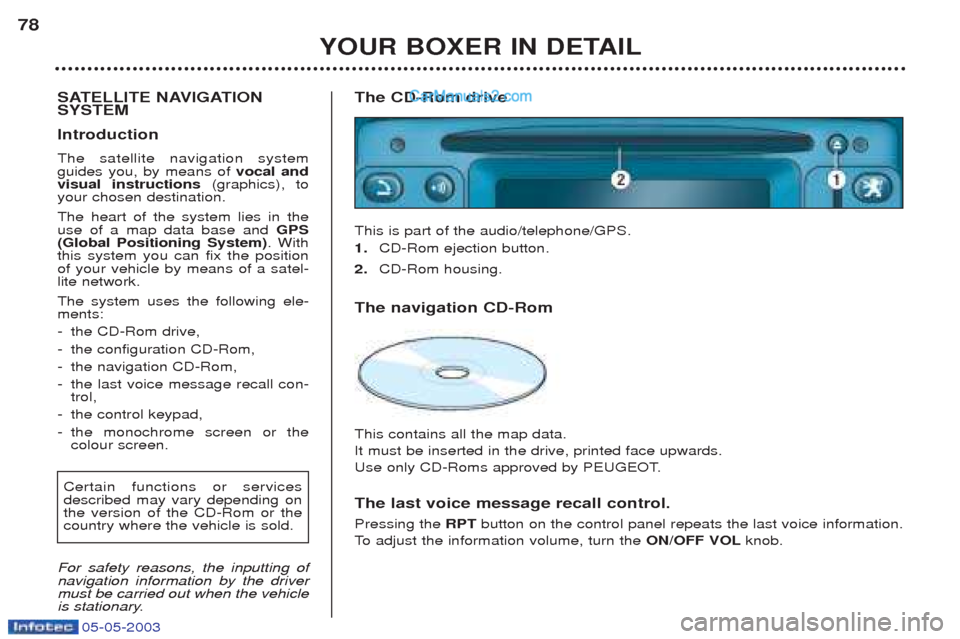
is stationary. The CD-Rom drive This is part of the audio/telephone/GPS. 1.
CD-Rom ejection button.
2. CD-Rom housing.
The navigation CD-Rom This contains all the map data. It must be inserted in the drive, printed face upwards.
Use only CD-Roms approved by PEUGEOT. The last voice message recall control. Pressing the RPTbutton on the control panel repeats the last voice information.
To adjust the information volume, turn the ON/OFF VOLknob.
Page 77 of 180
05-05-2003
YOUR BOXER IN DETAIL79
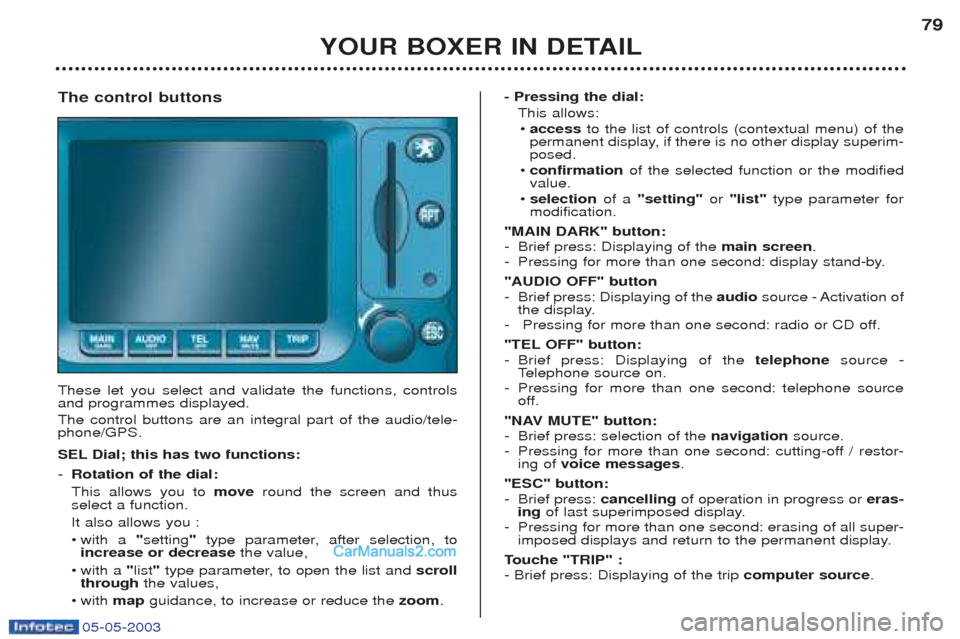
The control buttons These let you select and validate the functions, controls and programmes displayed. The control buttons are an integral part of the audio/tele- phone/GPS.
SEL Dial; this has two functions: - Rotation of the dial: This allows you to moveround the screen and thus
select a function.It also allows you :¥ with a "setting "type parameter, after selection, to
increase or decrease the value,
¥ with a "list "type parameter, to open the list and scroll
through the values,
¥w ith map guidance, to increase or reduce the zoom. - Pressing the dial:
This allows:¥ access to the list of controls (contextual menu) of the
permanent display, if there is no other display superim- posed.
¥ confirmation of the selected function or the modified
value.
¥ selection of a "setting" or "list" type parameter for
modification.
"MAIN DARK" button:
- Brief press: Displaying of the main screen.
- Pressing for more than one second: display stand-by. "AUDIO OFF" button
- Brief press: Displaying of the audiosource - Activation of
the display.
- Pressing for more than one second: radio or CD off.
"TEL OFF" button: - Brief press: Displaying of the telephonesource -
T elephone source on.
- Pressing for more than one second: telephone source
off.
"NAV MUTE" button: - Brief press: selection of the navigationsource.
- Pressing for more than one second: cutting-off / restor- ing of voice messages .
"ESC" button:
- Brief press: cancellingof operation in progress or eras-
ing of last superimposed display.
- Pressing for more than one second: erasing of all super- imposed displays and return to the permanent display.
T ouche "TRIP" :
- Brief press: Displaying of the trip computer source.
Page 79 of 180
05-05-2003
YOUR BOXER IN DETAIL81
-
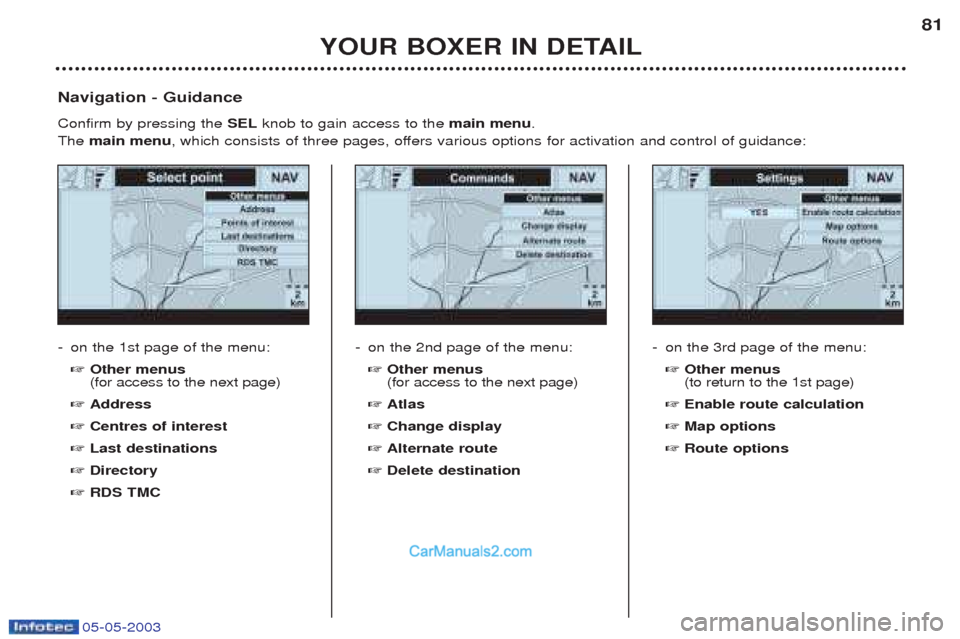
on the 1st page of the menu: ☞ Other menus (for access to the next page)
☞ Address
☞ Centres of interest
☞ Last destinations
☞ Directory
☞ RDS TMC
Navigation - Guidance Confirm by pressing the
SELknob to gain access to the main menu.
The main menu , which consists of three pages, offers various options for activation and control of guidance:
-on the 2nd page of the menu: ☞ Other menus (for access to the next page)
☞ Atlas
☞ Change display
☞ Alternate route
☞ Delete destination -
on the 3rd page of the menu: ☞ Other menus (to return to the 1st page)
☞ Enable route calculation
☞ Map options
☞ Route options
Page 80 of 180
05-05-2003
YOUR BOXER IN DETAIL
82
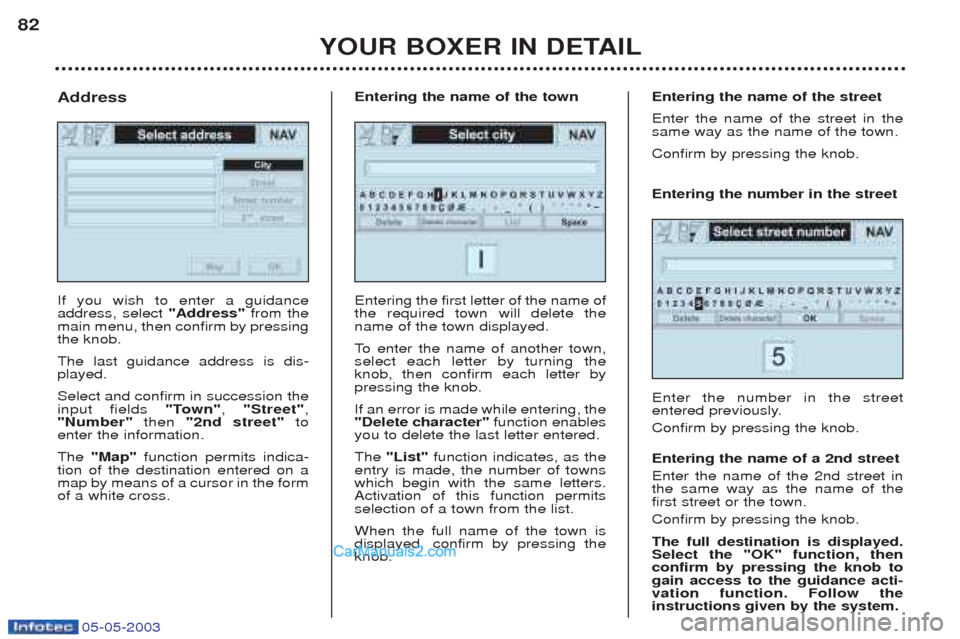
If you wish to enter a guidance address, select
"Address"from the
main menu, then confirm by pressingthe knob. The last guidance address is dis- played. Select and confirm in succession the input fields "Town", "Street" ,
"Number" then "2nd street" to
enter the information. The "Map" function permits indica-
tion of the destination entered on a map by means of a cursor in the formof a white cross.
Address
Entering the first letter of the name ofthe required town will delete thename of the town displayed.
To enter the name of another town,
select each letter by turning the knob, then confirm each letter bypressing the knob. If an error is made while entering, the "Delete character" function enables
you to delete the last letter entered. The "List" function indicates, as the
entry is made, the number of towns which begin with the same letters.Activation of this function permitsselection of a town from the list. When the full name of the town is displayed, confirm by pressing theknob.
Entering the name of the town
Entering the number in the street Enter the number in the street
entered previously. Confirm by pressing the knob. Entering the name of a 2nd street Enter the name of the 2nd street in the same way as the name of thefirst street or the town. Confirm by pressing the knob. The full destination is displayed. Select the "OK" function, thenconfirm by pressing the knob togain access to the guidance acti-vation function. Follow theinstructions given by the system.
Entering the name of the street Enter the name of the street in the same way as the name of the town. Confirm by pressing the knob.
Page 85 of 180
05-05-2003
YOUR BOXER IN DETAIL87
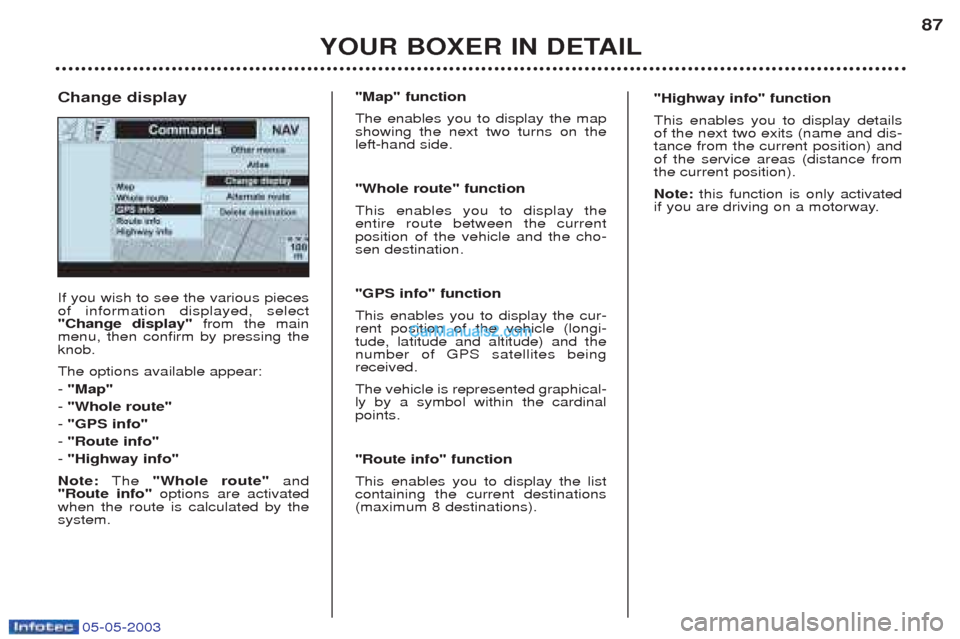
If you wish to see the various pieces of information displayed, select"Change display"
from the main
menu, then confirm by pressing theknob. The options available appear: - "Map"
- "Whole route"
- "GPS info"
- "Route info"
- "Highway info"
Note: The "Whole route" and
"Route info" options are activated
when the route is calculated by the system.
Change display
"Map" function The enables you to display the map showing the next two turns on theleft-hand side. "Whole route" function This enables you to display the entire route between the currentposition of the vehicle and the cho-sen destination. "GPS info" function This enables you to display the cur- rent position of the vehicle (longi-tude, latitude and altitude) and thenumber of GPS satellites beingreceived. The vehicle is represented graphical- ly by a symbol within the cardinalpoints. "Route info" function This enables you to display the list containing the current destinations(maximum 8 destinations). "Highway info" function This enables you to display details of the next two exits (name and dis-tance from the current position) andof the service areas (distance fromthe current position). Note:
this function is only activated
if you are driving on a motorway.
Page 88 of 180
05-05-2003
YOUR BOXER IN DETAIL
90
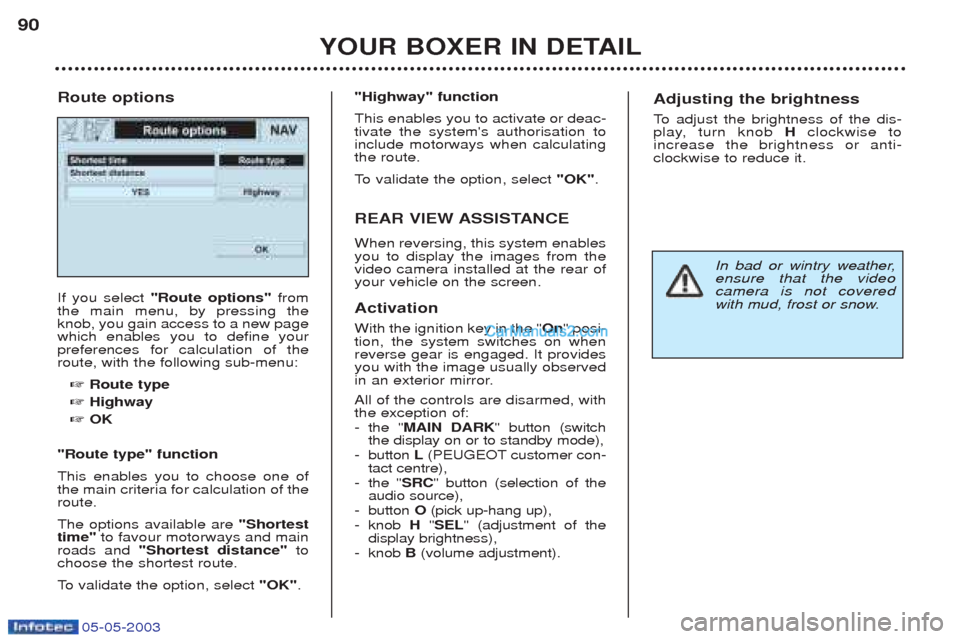
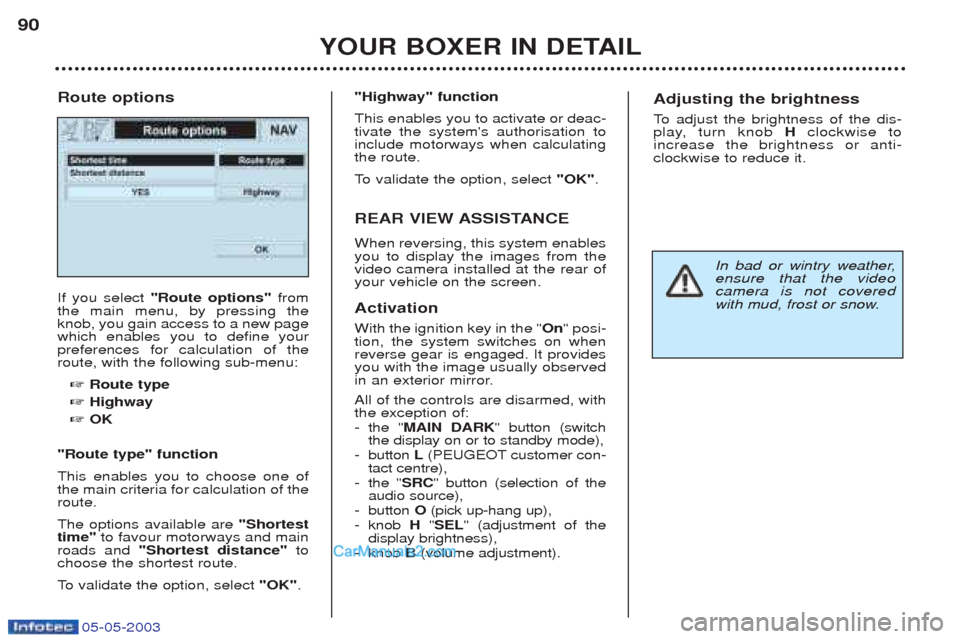
If you select
"Route options" from
the main menu, by pressing the knob, you gain access to a new pagewhich enables you to define yourpreferences for calculation of theroute, with the following sub-menu:
☞ Route type
☞ Highway
☞ OK
"Route type" function This enables you to choose one of the main criteria for calculation of theroute. The options available are "Shortest
time" to favour motorways and main
roads and "Shortest distance" to
choose the shortest route.
To validate the option, select "OK".
Route options
"Highway" function This enables you to activate or deac- tivate the system's authorisation toinclude motorways when calculatingthe route.
To
validate the option, select "OK".
REAR VIEW ASSISTANCE When reversing, this system enables you to display the images from thevideo camera installed at the rear ofyour vehicle on the screen. Activation With the ignition key in the " On" posi-
tion, the system switches on when reverse gear is engaged. It providesyou with the image usually observed
in an exterior mirror. All of the controls are disarmed, with the exception of: - the " MAIN DARK " button (switch
the display on or to standby mode),
- button L(PEUGEOT customer con-
tact centre),
- the " SRC" button (selection of the
audio source),
- button O(pick up-hang up),
- knob H"SEL " (adjustment of the
display brightness),
- knob B(volume adjustment).Adjusting the brightness
To adjust the brightness of the dis-
play, turn knob Hclockwise to
increase the brightness or anti- clockwise to reduce it.
In bad or wintry weather, ensure that the videocamera is not covered
with mud, frost or snow.
Page 89 of 180
05-05-2003
YOUR BOXER IN DETAIL
90
If you select
"Route options" from
the main menu, by pressing the knob, you gain access to a new pagewhich enables you to define yourpreferences for calculation of theroute, with the following sub-menu:
☞ Route type
☞ Highway
☞ OK
"Route type" function This enables you to choose one of the main criteria for calculation of theroute. The options available are "Shortest
time" to favour motorways and main
roads and "Shortest distance" to
choose the shortest route.
To validate the option, select "OK".
Route options
"Highway" function This enables you to activate or deac- tivate the system's authorisation toinclude motorways when calculatingthe route.
To
validate the option, select "OK".
REAR VIEW ASSISTANCE When reversing, this system enables you to display the images from thevideo camera installed at the rear ofyour vehicle on the screen. Activation With the ignition key in the " On" posi-
tion, the system switches on when reverse gear is engaged. It providesyou with the image usually observed
in an exterior mirror. All of the controls are disarmed, with the exception of: - the " MAIN DARK " button (switch
the display on or to standby mode),
- button L(PEUGEOT customer con-
tact centre),
- the " SRC" button (selection of the
audio source),
- button O(pick up-hang up),
- knob H"SEL " (adjustment of the
display brightness),
- knob B(volume adjustment).Adjusting the brightness
To adjust the brightness of the dis-
play, turn knob Hclockwise to
increase the brightness or anti- clockwise to reduce it.
In bad or wintry weather, ensure that the videocamera is not covered
with mud, frost or snow.
Page 91 of 180
05-05-2003
YOUR BOXER IN DETAIL
92
HEATING AIR CONDITIONING
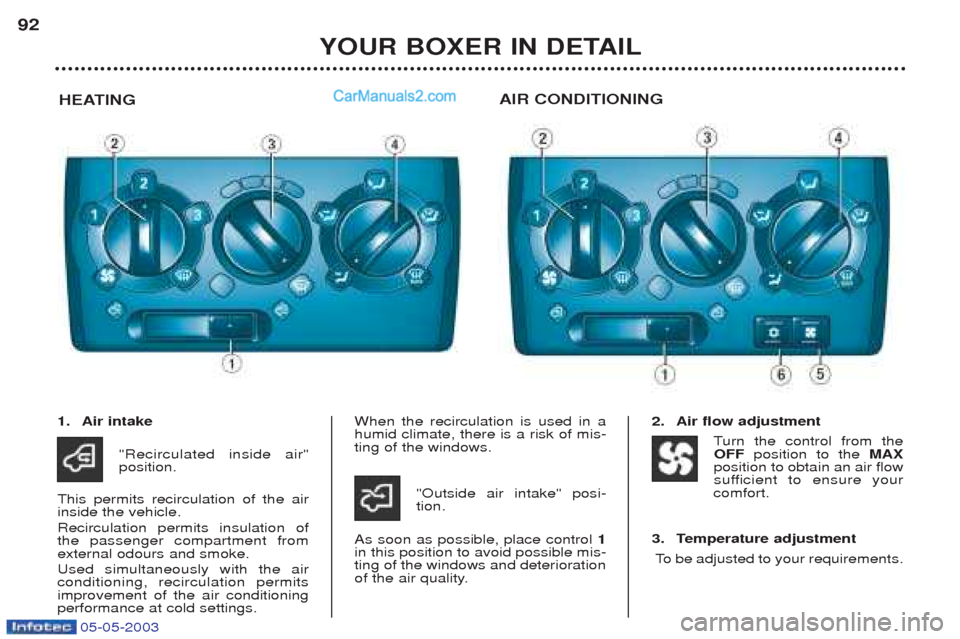
1. Air intake
"Recirculated inside air" position.
This permits recirculation of the airinside the vehicle. Recirculation permits insulation of the passenger compartment fromexternal odours and smoke. Used simultaneously with the air conditioning, recirculation permitsimprovement of the air conditioningperformance at cold settings. When the recirculation is used in ahumid climate, there is a risk of mis-ting of the windows.
"Outside air intake" posi-tion.
As soon as possible, place control 1
in this position to avoid possible mis-ting of the windows and deterioration
of the air quality. 2. Air flow adjustment
Turn the control from the
OFF position to the MAX
position to obtain an air flow
sufficient to ensure your
comfort.
3. Temperature adjustment To be adjusted to your requirements.