ignition PEUGEOT BOXER 2003 Owner's Manual
[x] Cancel search | Manufacturer: PEUGEOT, Model Year: 2003, Model line: Boxer, Model: Peugeot Boxer 2003Pages: 180, PDF Size: 1.86 MB
Page 107 of 180
05-05-2003
YOUR BOXER IN DETAIL
108
Make a careful note of the number on each key. The key number is coded on the label attached to the key. If the key is lost, your PEUGEOT dealer can rapidly supply you with new keys. The high-frequency remote control is a sensitive system; do not operate it while it is in your pocket as there is a possibility that it may unlock your vehicle without your knowledge.
The remote control cannot operate if the key is in the ignition, even if the ignition is switched off, except for reprogramming .
As a safety measure (when there are children on board), remove the ignition key when leaving the vehicle, even for ashort time.
Do not handle the buttons of your remote control when out of range of your vehicle. You run the risk of stopping it from working. It would then be necessary to reprogramme the remote control. When buying a second-hand car: - ensure that you are given the confidential card;
- have the key codes memorised by a PEUGEOT dealer, to ensure that the keys in your possession are the only ones that can start your vehicle.
Do not make any modifications to the electronic engine immobiliser system.
Page 108 of 180
YOUR BOXER IN DETAIL107
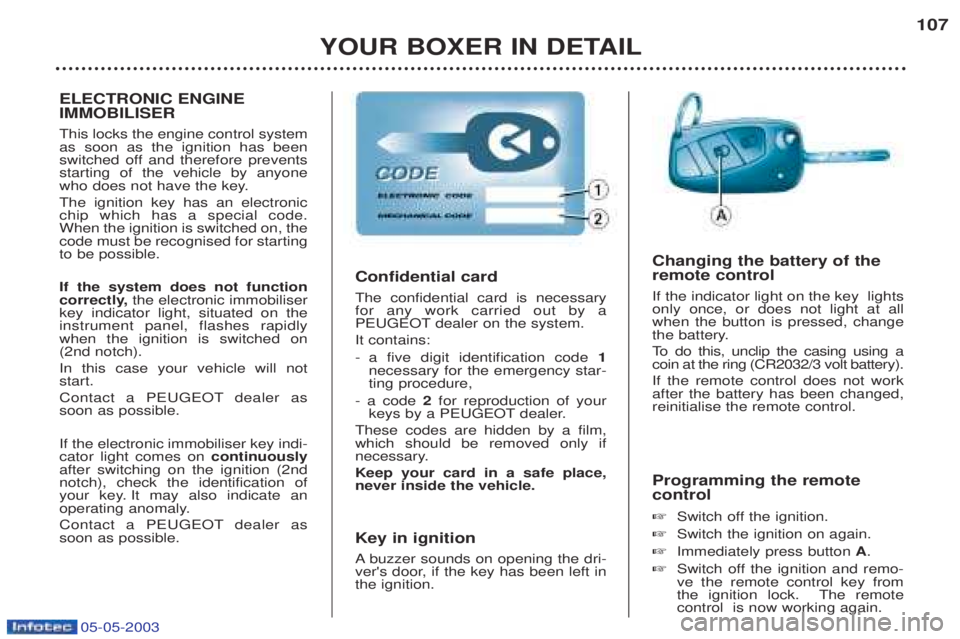
Programming the remote control ☞ Switch off the ignition.
☞ Switch the ignition on again.
☞ Immediately press button A.
☞ Switch off the ignition and remo- ve the remote control key from
the ignition lock. The remotecontrol is now working again.
Confidential card The confidential card is necessary for any work carried out by a
PEUGEOT dealer on the system. It contains:
-a five digit identification code 1
necessary for the emergency star- ting procedure,
- a code 2for reproduction of your
keys by a PEUGEOT dealer.
These codes are hidden by a film,which should be removed only if
necessary. Keep your card in a safe place, never inside the vehicle.
Key in ignition A buzzer sounds on opening the dri-
ver's door, if the key has been left in the ignition. Changing the battery of the remote control If the indicator light on the key lights only once, or does not light at allwhen the button is pressed, change
the battery.
To
do this, unclip the casing using a
coin at the ring (CR2032/3 volt battery).If the remote control does not work after the battery has been changed,reinitialise the remote control.
ELECTRONIC ENGINE IMMOBILISER This locks the engine control system as soon as the ignition has been
switched off and therefore preventsstarting of the vehicle by anyone
who does not have the key. The ignition key has an electronic chip which has a special code.When the ignition is switched on, thecode must be recognised for startingto be possible. If the system does not function
correctly, the electronic immobiliser
key indicator light, situated on theinstrument panel, flashes rapidlywhen the ignition is switched on(2nd notch). In this case your vehicle will not start.
Contact a PEUGEOT dealer as soon as possible. If the electronic immobiliser key indi- cator light comes on continuously
after switching on the ignition (2ndnotch), check the identification of
your key. It may also indicate an
operating anomaly.
Contact a PEUGEOT dealer as soon as possible.
05-05-2003
Page 109 of 180
05-05-2003
YOUR BOXER IN DETAIL
108
Make a careful note of the number on each key. The key number is coded on the label attached to the key. If the key is lost, your PEUGEOT dealer can rapidly supply you with new keys. The high-frequency remote control is a sensitive system; do not operate it while it is in your pocket as there is a possibility that it may unlock your vehicle without your knowledge.
The remote control cannot operate if the key is in the ignition, even if the ignition is switched off, except for reprogramming .
As a safety measure (when there are children on board), remove the ignition key when leaving the vehicle, even for ashort time.
Do not handle the buttons of your remote control when out of range of your vehicle. You run the risk of stopping it from working. It would then be necessary to reprogramme the remote control. When buying a second-hand car: - ensure that you are given the confidential card;
- have the key codes memorised by a PEUGEOT dealer, to ensure that the keys in your possession are the only ones that can start your vehicle.
Do not make any modifications to the electronic engine immobiliser system.
Page 110 of 180
05-05-2003
YOUR BOXER IN DETAIL109
THE ALARM This provides two types of protection: -
exterior protection: it sounds if a
door, the tailgate or the bonnet isopened.
- interior protection: it sounds if thevolume inside the passenger com-partment changes (breaking of awindow or a movement inside thevehicle).
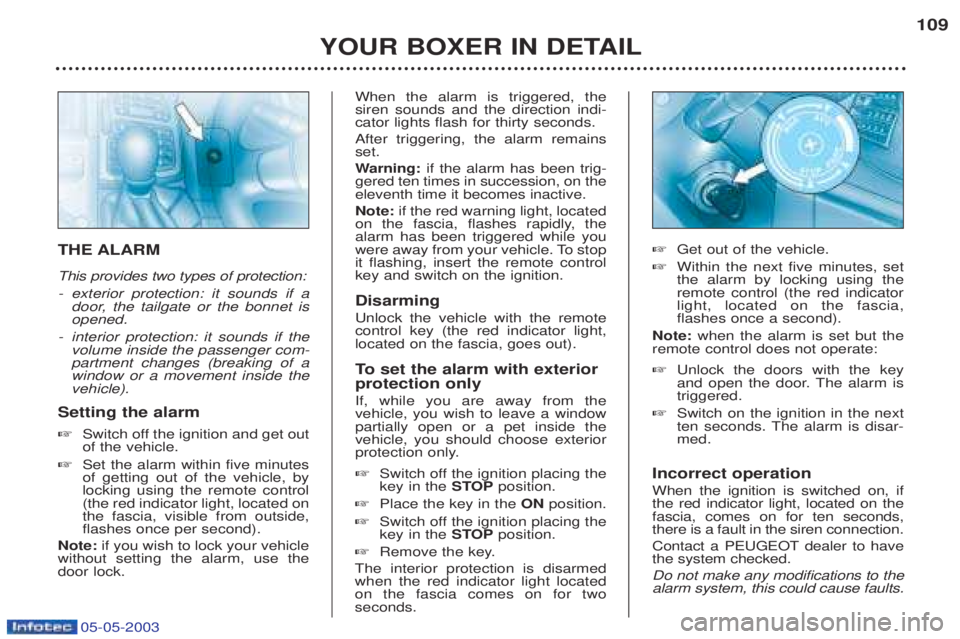
Setting the alarm ☞ Switch off the ignition and get out of the vehicle.
☞ Set the alarm within five minutesof getting out of the vehicle, bylocking using the remote control(the red indicator light, located onthe fascia, visible from outside,flashes once per second).
Note: if you wish to lock your vehicle
without setting the alarm, use thedoor lock. When the alarm is triggered, thesiren sounds and the direction indi-cator lights flash for thirty seconds. After triggering, the alarm remains set. W
arning: if the alarm has been trig-
gered ten times in succession, on the eleventh time it becomes inactive. Note: if the red warning light, located
on the fascia, flashes rapidly, the alarm has been triggered while you
were away from your vehicle. To stopit flashing, insert the remote controlkey and switch on the ignition. Disarming Unlock the vehicle with the remote control key (the red indicator light,located on the fascia, goes out).
To set the alarm with exterior
protection only If, while you are away from the vehicle, you wish to leave a windowpartially open or a pet inside thevehicle, you should choose exterior
protection only. ☞ Switch off the ignition placing the key in the STOPposition.
☞ Place the key in the ONposition.
☞ Switch off the ignition placing thekey in the STOPposition.
☞ Remove the key.
The interior protection is disarmedwhen the red indicator light locatedon the fascia comes on for twoseconds. ☞
Get out of the vehicle.
☞ Within the next five minutes, setthe alarm by locking using theremote control (the red indicatorlight, located on the fascia,flashes once a second).
Note: when the alarm is set but the
remote control does not operate: ☞ Unlock the doors with the key
and open the door. The alarm istriggered.
☞ Switch on the ignition in the next
ten seconds. The alarm is disar-med.
Incorrect operation When the ignition is switched on, if the red indicator light, located on thefascia, comes on for ten seconds,there is a fault in the siren connection.
Contact a PEUGEOT dealer to have the system checked. Do not make any modifications to the alarm system, this could cause faults.
Page 111 of 180
05-05-2003
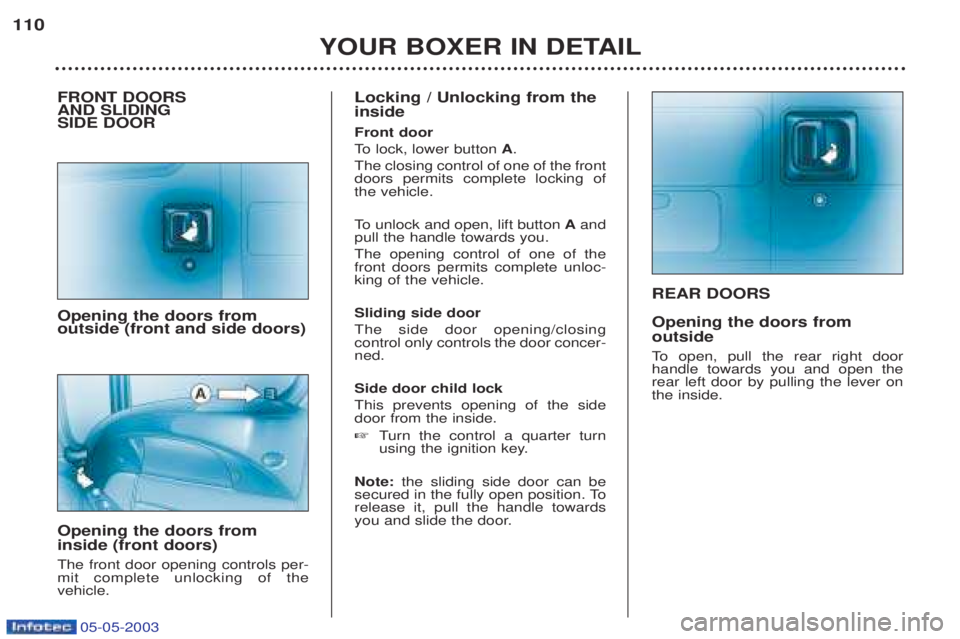
REAR DOORS Opening the doors from outside
To open, pull the rear right door
handle towards you and open the rear left door by pulling the lever onthe inside.
YOUR BOXER IN DETAIL
110
FRONT DOORS AND SLIDING SIDE DOOR Opening the doors from outside (front and side doors) Opening the doors from inside (front doors) The front door opening controls per- mit complete unlocking of thevehicle. Locking / Unlocking from the inside Front door
To
lock, lower button A.
The closing control of one of the front doors permits complete locking ofthe vehicle. To unlock and open, lift button Aand
pull the handle towards you. The opening control of one of the front doors permits complete unloc-king of the vehicle. Sliding side door The side door opening/closing control only controls the door concer-ned. Side door child lock This prevents opening of the side door from the inside. ☞ Turn the control a quarter turn
using the ignition key.
Note: the sliding side door can be
secured in the fully open position. To release it, pull the handle towards
you and slide the door.
Page 112 of 180
05-05-2003
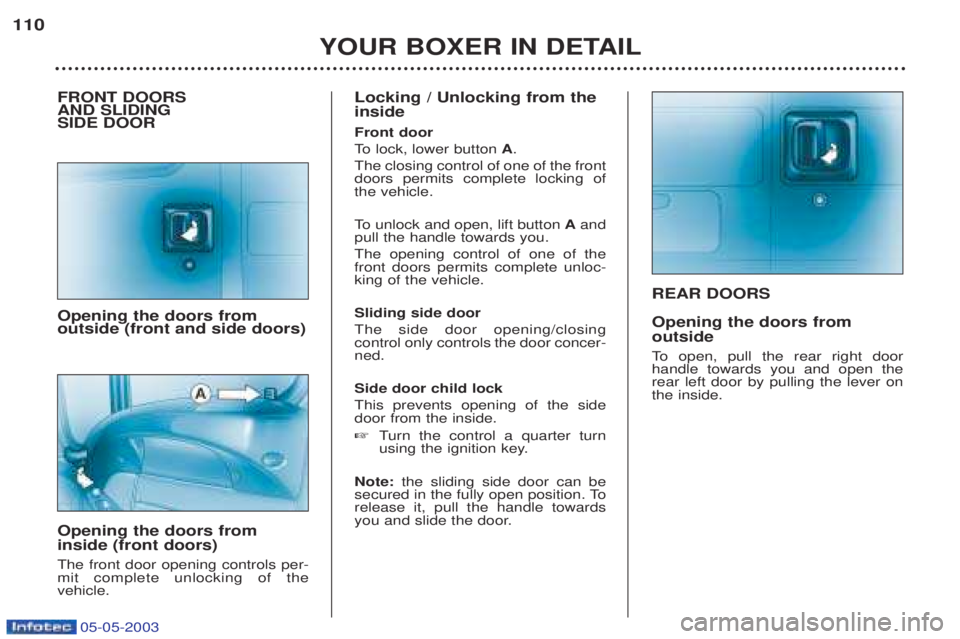
REAR DOORS Opening the doors from outside
To open, pull the rear right door
handle towards you and open the rear left door by pulling the lever onthe inside.
YOUR BOXER IN DETAIL
110
FRONT DOORS AND SLIDING SIDE DOOR Opening the doors from outside (front and side doors) Opening the doors from inside (front doors) The front door opening controls per- mit complete unlocking of thevehicle. Locking / Unlocking from the inside Front door
To
lock, lower button A.
The closing control of one of the front doors permits complete locking ofthe vehicle. To unlock and open, lift button Aand
pull the handle towards you. The opening control of one of the front doors permits complete unloc-king of the vehicle. Sliding side door The side door opening/closing control only controls the door concer-ned. Side door child lock This prevents opening of the side door from the inside. ☞ Turn the control a quarter turn
using the ignition key.
Note: the sliding side door can be
secured in the fully open position. To release it, pull the handle towards
you and slide the door.
Page 115 of 180
05-05-2003
YOUR BOXER IN DETAIL113
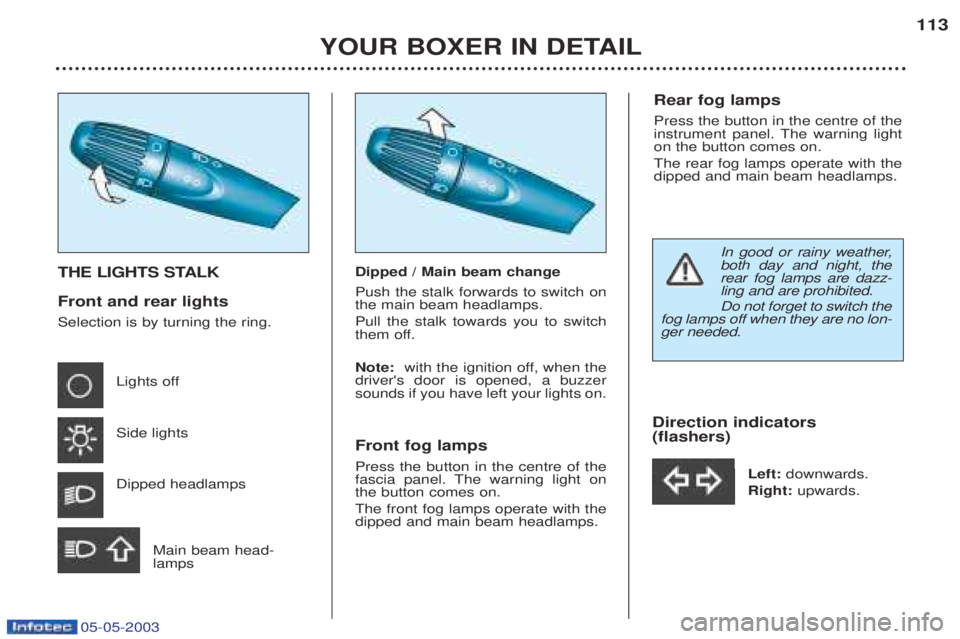
THE LIGHTS STALK Front and rear lights Selection is by turning the ring.
Lights off Side lights Dipped headlamps
Main beam head- lamps Dipped / Main beam change Push the stalk forwards to switch on the main beam headlamps. Pull the stalk towards you to switch
them off. Note:
with the ignition off, when the
driver's door is opened, a buzzer sounds if you have left your lights on. Front fog lamps Press the button in the centre of the
fascia panel. The warning light onthe button comes on. The front fog lamps operate with the dipped and main beam headlamps. Direction indicators (flashers)
Left: downwards.
Right: upwards.
Rear fog lamps Press the button in the centre of the
instrument panel. The warning lighton the button comes on. The rear fog lamps operate with the dipped and main beam headlamps.
In good or rainy weather, both day and night, therear fog lamps are dazz-ling and are prohibited. Do not forget to switch the
fog lamps off when they are no lon- ger needed.
Page 116 of 180
05-05-2003
YOUR BOXER IN DETAIL
114
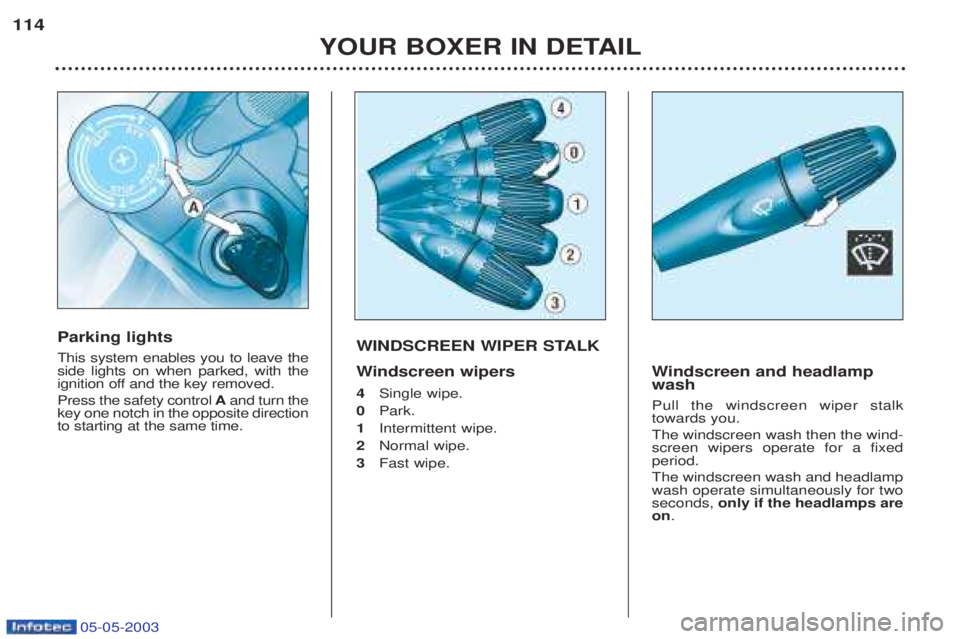
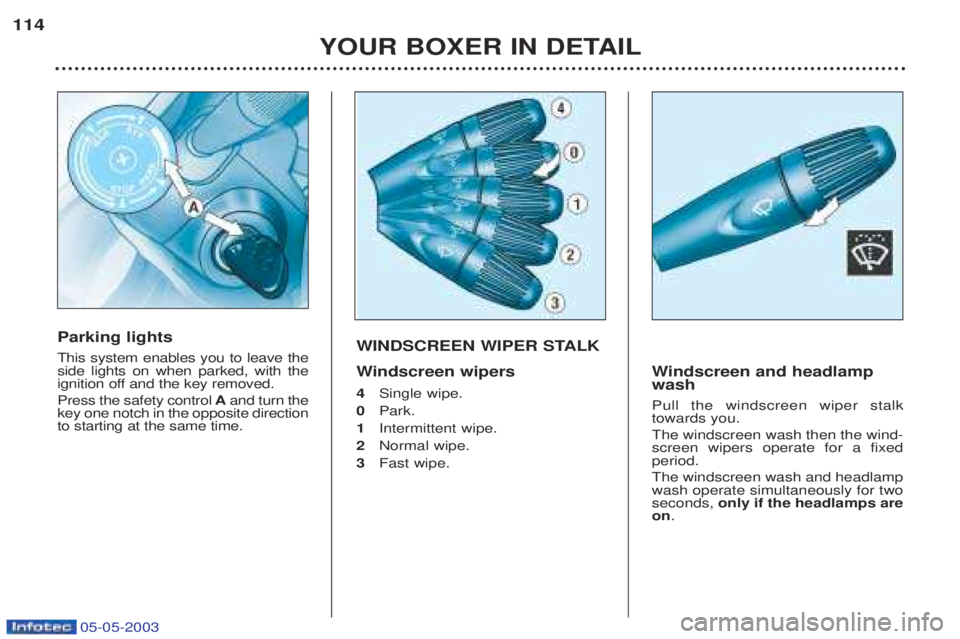
WINDSCREEN WIPER STALK W
indscreen wipers
4 Single wipe.
0 Park.
1 Intermittent wipe.
2 Normal wipe.
3 Fast wipe.
Windscreen and headlamp
wash Pull the windscreen wiper stalk towards you. The windscreen wash then the wind- screen wipers operate for a fixedperiod. The windscreen wash and headlamp wash operate simultaneously for twoseconds, only if the headlamps are
on .
Parking lights This system enables you to leave the side lights on when parked, with the
ignition off and the key removed. Press the safety control Aand turn the
key one notch in the opposite direction to starting at the same time.
Page 117 of 180
05-05-2003
YOUR BOXER IN DETAIL
114
WINDSCREEN WIPER STALK W
indscreen wipers
4 Single wipe.
0 Park.
1 Intermittent wipe.
2 Normal wipe.
3 Fast wipe.
Windscreen and headlamp
wash Pull the windscreen wiper stalk towards you. The windscreen wash then the wind- screen wipers operate for a fixedperiod. The windscreen wash and headlamp wash operate simultaneously for twoseconds, only if the headlamps are
on .
Parking lights This system enables you to leave the side lights on when parked, with the
ignition off and the key removed. Press the safety control Aand turn the
key one notch in the opposite direction to starting at the same time.
Page 118 of 180
YOUR BOXER IN DETAIL115
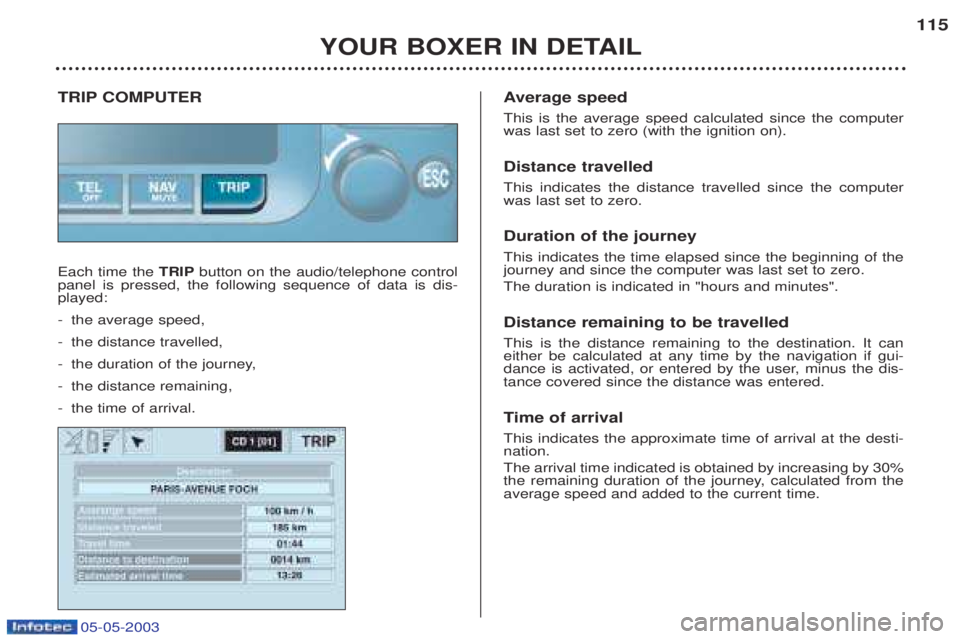
TRIP COMPUTER Each time the
TRIPbutton on the audio/telephone control
panel is pressed, the following sequence of data is dis- played: - the average speed,
- the distance travelled,
- the duration of the journey,
- the distance remaining,
- the time of arrival. A
verage speed
This is the average speed calculated since the computer was last set to zero (with the ignition on). Distance travelled This indicates the distance travelled since the computer was last set to zero. Duration of the journey This indicates the time elapsed since the beginning of the journey and since the computer was last set to zero. The duration is indicated in "hours and minutes". Distance remaining to be travelled This is the distance remaining to the destination. It can either be calculated at any time by the navigation if gui-
dance is activated, or entered by the user, minus the dis-tance covered since the distance was entered. Ti me of arrival
This indicates the approximate time of arrival at the desti- nation. The arrival time indicated is obtained by increasing by 30%
the remaining duration of the journey, calculated from theaverage speed and added to the current time.
05-05-2003