Locking Peugeot Boxer 2018 Owner's Guide
[x] Cancel search | Manufacturer: PEUGEOT, Model Year: 2018, Model line: Boxer, Model: Peugeot Boxer 2018Pages: 232, PDF Size: 9.09 MB
Page 147 of 232
145
If necessary you can remove the headlamp
unit:
F
D
epending on country of sale, remove the
extreme cold protection foam by making it
slide sideways towards the outside.
F
D
isconnect the electrical connector by
removing its locking ring.
F
R
emove the two headlamp unit fixing
screws.
F
M
ove the headlamp towards the centre of
the vehicle to extract it from its sliders. On
the left-hand side, be careful of the bonnet
st ay.
Main beam headlamps
Ty p e D , H7 - 55W
F R emove the cover by pulling on the rubber
tongue.
F
D
isconnect the electrical connector.
F
R
elease the retaining spring by pressing on
the central clip.
F
C
hange the bulb taking care to align the
metal part with the groove on the lamp.
Dipped beam headlamps
Ty p e D , H7 - 55W
F R emove the cover by pulling on the rubber
tongue.
F
D
isconnect the electrical connector.
F
R
elease the retaining spring by pressing on
the central clip.
F
C
hange the bulb taking care to align the
metal part with the grooves on the lamp.
Direction indicators
Ty p e A , W Y21W – 21W
F R emove the cover by pulling on the rubber
tongue.
F
T
urn the bulb holder a quarter turn anti-
clockwise.
F
C
hange the bulb.
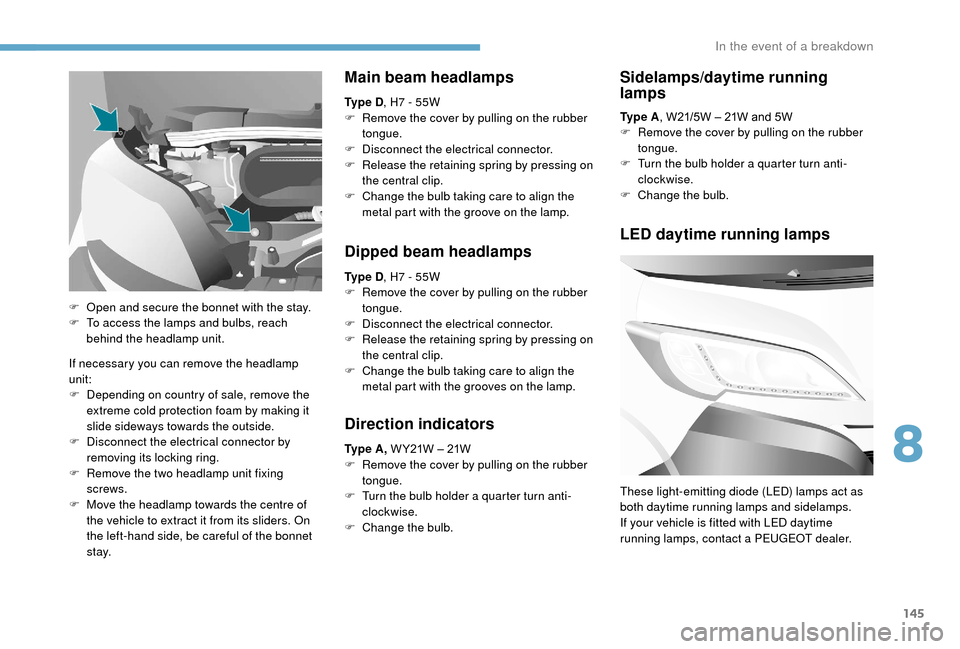
F
O
pen and secure the bonnet with the stay.
F
T
o access the lamps and bulbs, reach
behind the headlamp unit. Ty p e A
, W21/5W – 21W and 5W
F
R
emove the cover by pulling on the rubber
tongue.
F
T
urn the bulb holder a quarter turn anti-
clockwise.
F
C
hange the bulb.
Sidelamps/daytime running
lamps
LED daytime running lamps
These light-emitting diode (LED) lamps act as
both daytime running lamps and sidelamps.
If your vehicle is fitted with LED daytime
running lamps, contact a PEUGEOT dealer.
8
In the event of a breakdown
Page 152 of 232
150
Dashboard, left-hand side,
fuses
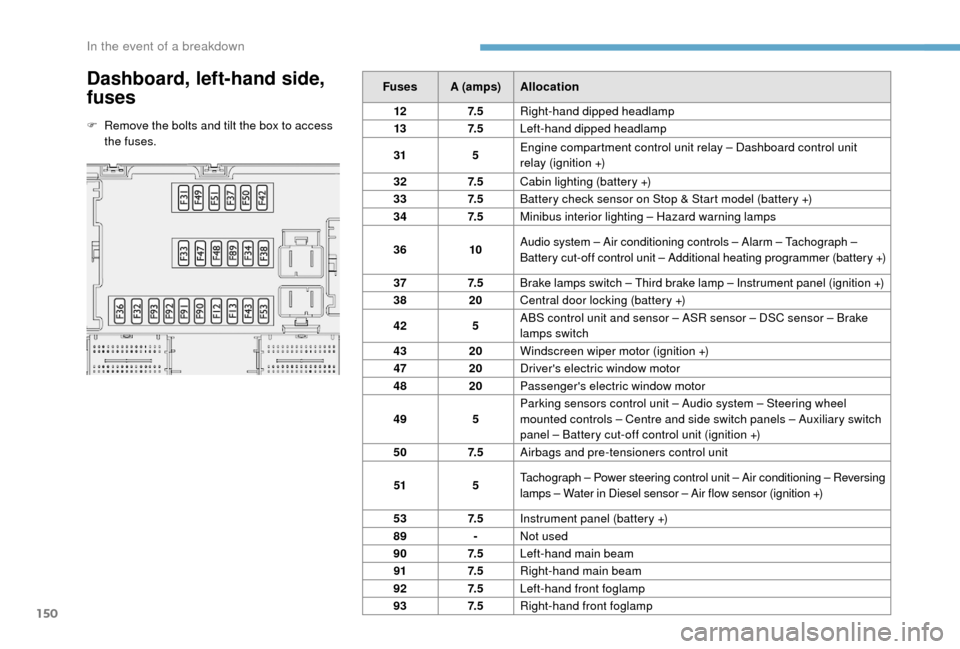
F Remove the bolts and tilt the box to access the fuses. Fuses A (amps)
Allocation
12 7. 5Right-hand dipped headlamp
13 7. 5Left-hand dipped headlamp
31 5Engine compartment control unit relay – Dashboard control unit
relay (ignition +)
32 7. 5Cabin lighting (battery +)
33 7. 5Battery check sensor on Stop & Start model (battery +)
34 7. 5Minibus interior lighting – Hazard warning lamps
36 10Audio system – Air conditioning controls – Alarm – Tachograph –
Battery cut-off control unit – Additional heating programmer (battery +)
37 7. 5
Brake lamps switch – Third brake lamp – Instrument panel (ignition +)
38 20Central door locking (battery +)
42 5ABS control unit and sensor – ASR sensor – DSC sensor – Brake
lamps switch
43 20Windscreen wiper motor (ignition +)
47 20Driver's electric window motor
48 20Passenger's electric window motor
49 5Parking sensors control unit – Audio system – Steering wheel
mounted controls – Centre and side switch panels – Auxiliary switch
panel – Battery cut-off control unit (ignition +)
50 7. 5Airbags and pre-tensioners control unit
51 5Tachograph – Power steering control unit – Air conditioning – Reversing
lamps – Water in Diesel sensor – Air flow sensor (ignition +)
53 7. 5Instrument panel (battery +)
89 -Not used
90 7. 5Left-hand main beam
91 7. 5Right-hand main beam
92 7. 5Left-hand front foglamp
93 7. 5Right-hand front foglamp
In the event of a breakdown
Page 156 of 232
154
Starting using another
battery
Never try to start the engine by connecting
a battery charger.
Never use a
24 V or higher battery
b o o s t e r.
Check beforehand that the backup
battery has a
nominal voltage of 12 V and
a
capacity at least equal to that of the
discharged battery.
The two vehicles must not be in contact
with each other.
Switch off all the electrical consumers
on both vehicles (audio system, wipers,
lighting, etc.).
Make sure that the jump leads are not
close to moving parts of the engine (fan,
belts, etc.).
Do not disconnect the (+) terminal while
the engine is running.
After every reconnection of the battery, switch
on the ignition and wait 1
minute before
starting to allow the electronic systems to be
initialised. If slight difficulties are experienced
after this, please contact a
PEUGEOT dealer or
a
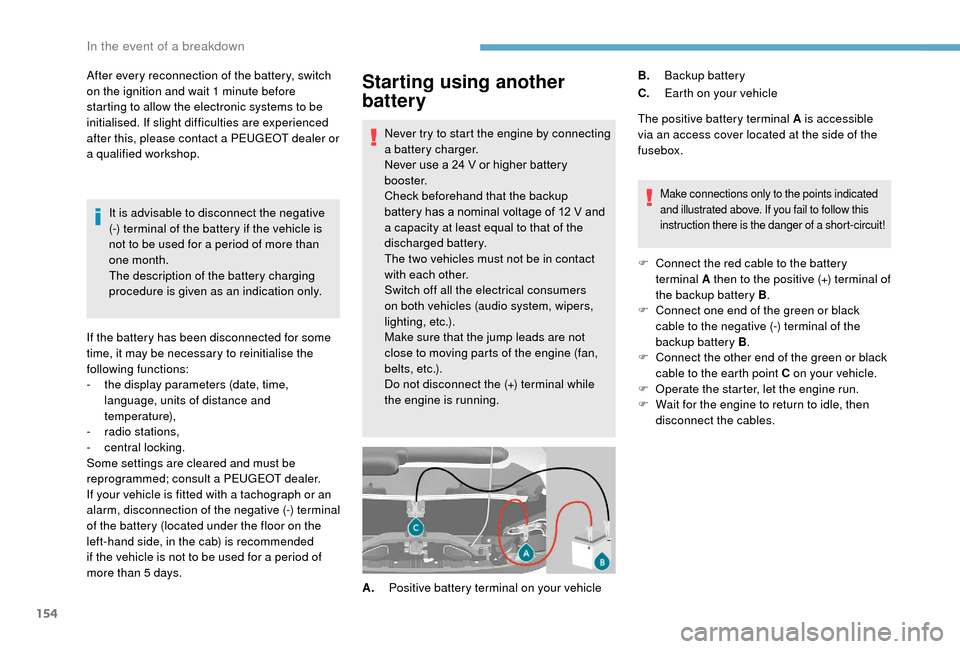
qualified workshop. The positive battery terminal A is accessible
via an access cover located at the side of the
fusebox.
Make connections only to the points indicated
and illustrated above. If you fail to follow this
instruction there is the danger of a
short-circuit!
F Connect the red cable to the battery terminal A then to the positive (+) terminal of
the backup battery B .
F
C
onnect one end of the green or black
cable to the negative (-) terminal of the
backup battery B .
F
C
onnect the other end of the green or black
cable to the earth point C on your vehicle.
F
O
perate the starter, let the engine run.
F
W
ait for the engine to return to idle, then
disconnect the cables.
A. Positive battery terminal on your vehicle B.
Backup battery
C. Earth on your vehicle
It is advisable to disconnect the negative
(-) terminal of the battery if the vehicle is
not to be used for a
period of more than
one month.
The description of the battery charging
procedure is given as an indication only.
If the battery has been disconnected for some
time, it may be necessary to reinitialise the
following functions:
-
t
he display parameters (date, time,
language, units of distance and
temperature),
-
r
adio stations,
-
c
entral locking.
Some settings are cleared and must be
reprogrammed; consult a
PEUGEOT dealer.
If your vehicle is fitted with a
tachograph or an
alarm, disconnection of the negative (-) terminal
of the battery (located under the floor on the
left-hand side, in the cab) is recommended
if the vehicle is not to be used for a
period of
more than 5
days.
In the event of a breakdown
Page 174 of 232
172
Seat belts
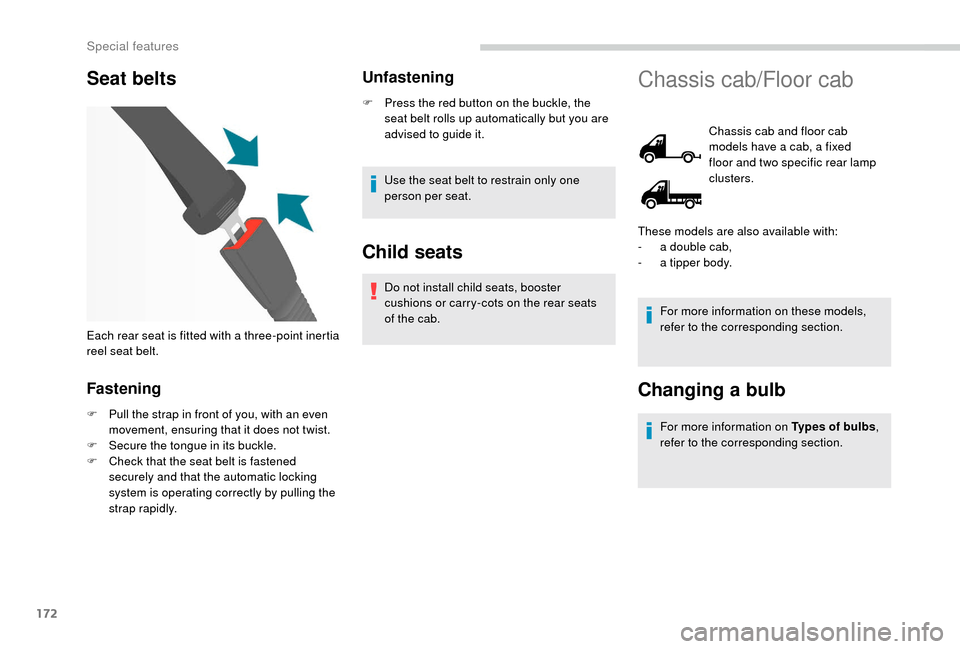
Fastening
F Pull the strap in front of you, with an even movement, ensuring that it does not twist.
F
S
ecure the tongue in its buckle.
F
C
heck that the seat belt is fastened
securely and that the automatic locking
system is operating correctly by pulling the
strap rapidly.
Unfastening
F Press the red button on the buckle, the seat belt rolls up automatically but you are
advised to guide it.
Use the seat belt to restrain only one
person per seat.
Child seats
Do not install child seats, booster
cushions or carry-cots on the rear seats
of the cab.
Each rear seat is fitted with a
three-point inertia
reel seat belt.
Chassis cab/Floor cab
Chassis cab and floor cab
models have a cab, a fixed
floor and two specific rear lamp
clusters.
For more information on these models,
refer to the corresponding section.
Changing a bulb
For more information on Types of bulbs ,
refer to the corresponding section.
These models are also available with:
-
a d
ouble cab,
-
a t
ipper body.
Special features
Page 179 of 232
177
Seat belts
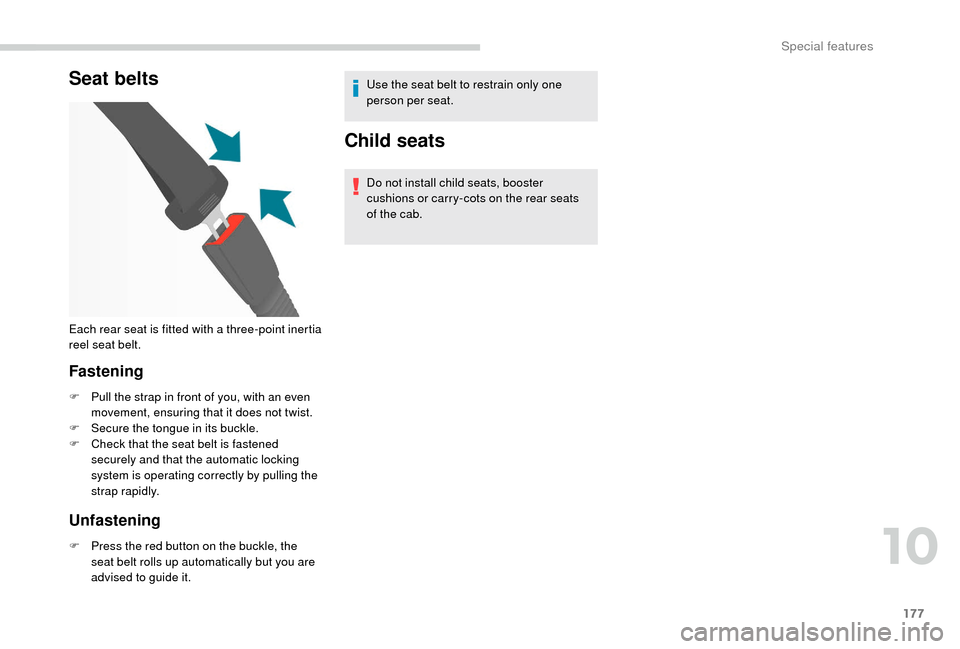
Fastening
F Pull the strap in front of you, with an even movement, ensuring that it does not twist.
F
S
ecure the tongue in its buckle.
F
C
heck that the seat belt is fastened
securely and that the automatic locking
system is operating correctly by pulling the
strap rapidly.
Unfastening
F Press the red button on the buckle, the seat belt rolls up automatically but you are
advised to guide it. Use the seat belt to restrain only one
person per seat.
Child seats
Do not install child seats, booster
cushions or carry-cots on the rear seats
of the cab.
Each rear seat is fitted with a
three-point inertia
reel seat belt.
10
Special features
Page 201 of 232
15
- Unit of measurement.
Set the units used for the display of fuel
consumption, distance and temperature.
-
T
ouch screen beep .
Activate or deactivate the audible signal
when touching a
screen button.
-
D
isplay Trip B .
Display Trip B in the driver's screen.
Voice commands
-
V
oice response time .
Set the response time for the voice system.
-
D
isplay command list .
Display suggestions with the different
options during a
voice session.
Clock and Date
-
S
et time and format .
Set the time.
-
Di
splay time mode .
Activate or deactivate display of the digital
clock in the status bar.
-
S
ync time .
Activate or deactivate the automatic display
of time.
-
S
et date .
Set the date. Safety/Help
-
R eversing camera.
Display the reversing camera.
-
C
amera delay.
Maintain the display in the screen of the
image from the reversing camera for
a
maximum of ten seconds or up to 11 mph
(18
km/h).
Lamps
-
D
aytime running lamps.
Activate or deactivate the automatic
illumination of headlamps when starting.
Doors and locking
-
A
utoclose.
Activate or deactivate the automatic locking
of doors when the vehicle is moving. -
A utomatic radio
.
Adjust the radio on startup or restore the
active state the last time the ignition was
switched to STOP.
-
R
adio off delay.
Adjust the setting.
-
A
UX vol. adjustment.
Adjust the settings.
Telephone/Bluetooth
®
- Tel. connected .
Start the Bluetooth® connection of the
device selected.
Delete the selected device.
Save the selected device in favourites.
Adjust the settings.
-
A
dd device .
Add a
new peripheral device.
-
A
udio connect .
Connect a
device in audio only.
Audio
-
E
qualiser .
Adjust the bass, mid-range and treble.
-
B
alance/Fade .
Adjust the balance of the speakers, front
and rear, left and right.
Press the button in the middle of the arrows
to balance the adjustments.
-
V
olume/Speed .
Select the desired setting, the option is
highlighted.
-
L
oudness .
Optimise audio quality at low volume. Radio settings
-
D
AB announcements .
Activate or deactivate announcements.
Activate or deactivate the options: Alarm,
Event announc., Stock market flash, News
flash, Programme info, Special event,
Sports info, Public transp. info, Alarm
announcement, Weather flash.
.
Touch screen Audio-Telematic system