cab Peugeot Boxer 2018 Owner's Guide
[x] Cancel search | Manufacturer: PEUGEOT, Model Year: 2018, Model line: Boxer, Model: Peugeot Boxer 2018Pages: 232, PDF Size: 9.09 MB
Page 179 of 232
177
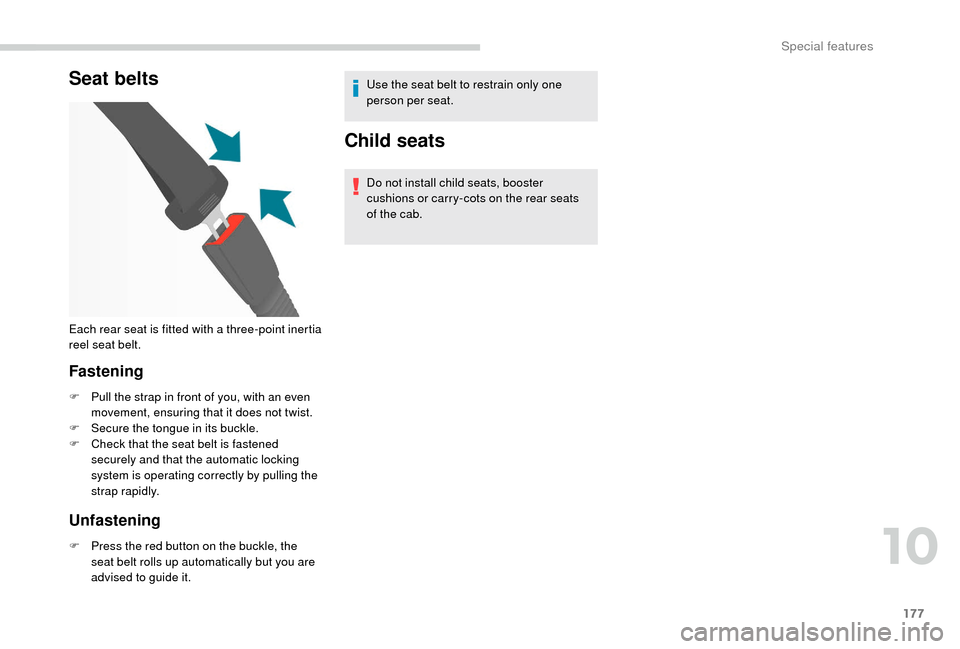
Seat belts
Fastening
F Pull the strap in front of you, with an even movement, ensuring that it does not twist.
F
S
ecure the tongue in its buckle.
F
C
heck that the seat belt is fastened
securely and that the automatic locking
system is operating correctly by pulling the
strap rapidly.
Unfastening
F Press the red button on the buckle, the seat belt rolls up automatically but you are
advised to guide it. Use the seat belt to restrain only one
person per seat.
Child seats
Do not install child seats, booster
cushions or carry-cots on the rear seats
of the cab.
Each rear seat is fitted with a
three-point inertia
reel seat belt.
10
Special features
Page 180 of 232
178
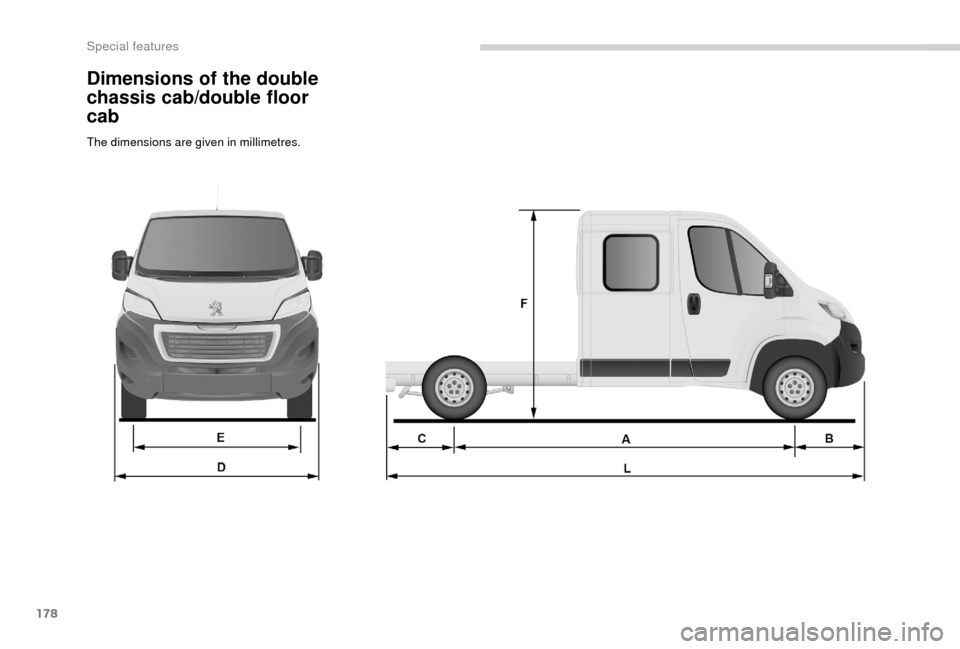
Dimensions of the double
chassis cab/double floor
cab
The dimensions are given in millimetres.
Special features
Page 181 of 232
179
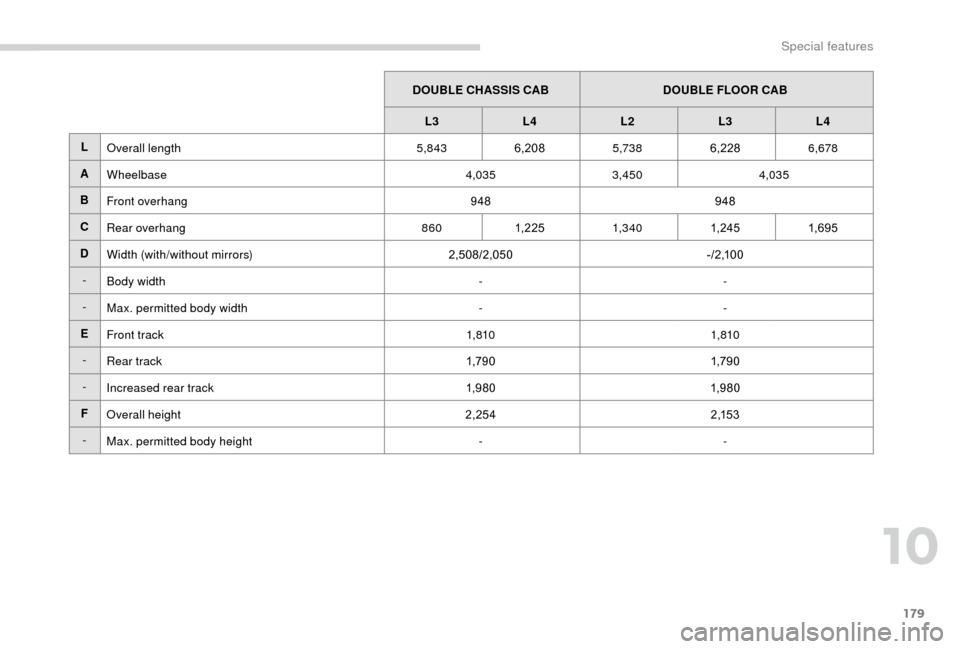
DOUBLE CHASSIS CABDOUBLE FLOOR CAB
L3 L4 L2 L3L4
L Overall length 5,8436,208 5,7386,228 6,678
A Wheelbase 4,0353,450 4,035
B Front overhang 948948
C Rear overhang 8601, 2 25 1,3 4 0 1, 24 51,6 9 5
D Width (with/without mirrors) 2,508/2,050- / 2 ,1 0 0
- Body width --
- Max. permitted body width --
E Front track 1,8101,810
- Rear track 1,79 01,79 0
- Increased rear track 1,9 8 01,9 8 0
F Overall height 2,2542 ,1 5 3
- Max. permitted body height --
10
Special features
Page 182 of 232
180
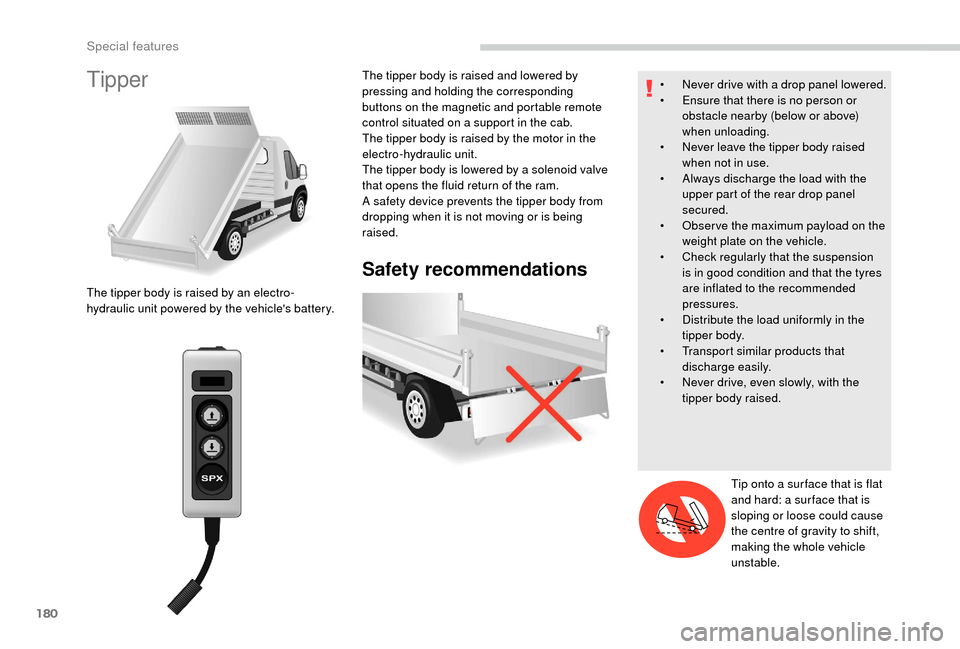
Tipper
Safety recommendations
The tipper body is raised by an electro-
hydraulic unit powered by the vehicle's battery.The tipper body is raised and lowered by
pressing and holding the corresponding
buttons on the magnetic and portable remote
control situated on a
support in the cab.
The tipper body is raised by the motor in the
electro-hydraulic unit.
The tipper body is lowered by a solenoid valve
that opens the fluid return of the ram.
A safety device prevents the tipper body from
dropping when it is not moving or is being
raised. •
N
ever drive with a drop panel lowered.
•
E
nsure that there is no person or
obstacle nearby (below or above)
when unloading.
•
N
ever leave the tipper body raised
when not in use.
•
A
lways discharge the load with the
upper part of the rear drop panel
secured.
•
O
bser ve the maximum payload on the
weight plate on the vehicle.
•
C
heck regularly that the suspension
is in good condition and that the tyres
are inflated to the recommended
pressures.
•
D
istribute the load uniformly in the
tipper body.
•
T
ransport similar products that
discharge easily.
•
N
ever drive, even slowly, with the
tipper body raised.
Tip onto a
sur face that is flat
and hard: a sur face that is
sloping or loose could cause
the centre of gravity to shift,
making the whole vehicle
unstable.
Special features
Page 183 of 232
181
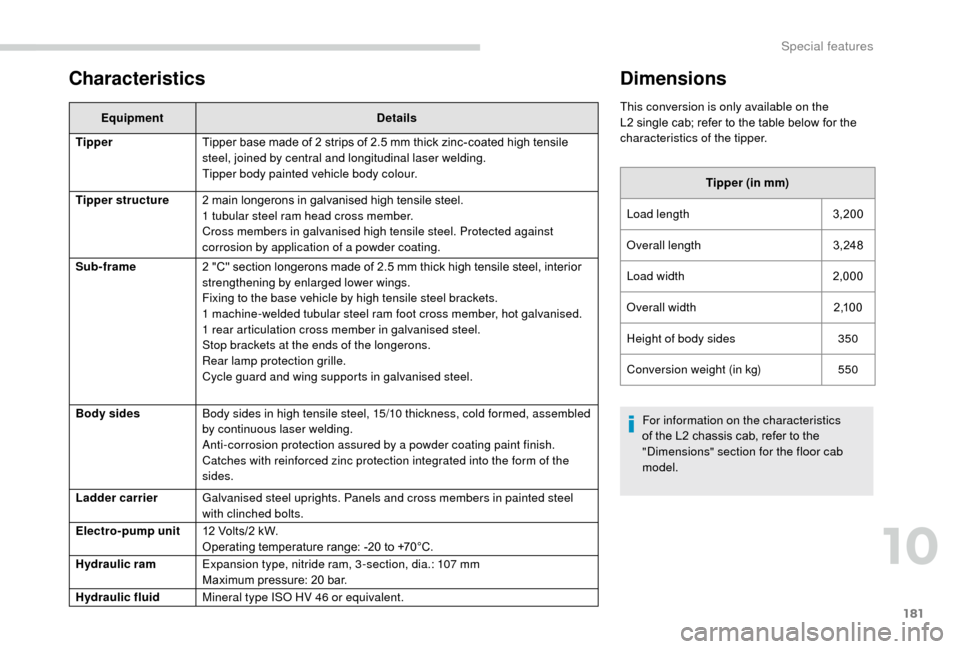
Characteristics
EquipmentDetails
Tipper Tipper base made of 2
strips of 2.5 mm thick zinc-coated high tensile
steel, joined by central and longitudinal laser welding.
Tipper body painted vehicle body colour.
Tipper structure 2
main longerons in galvanised high tensile steel.
1
tubular steel ram head cross member.
Cross members in galvanised high tensile steel. Protected against
corrosion by application of a
powder coating.
Sub-frame 2 "C" section longerons made of 2.5
mm thick high tensile steel, interior
strengthening by enlarged lower wings.
Fixing to the base vehicle by high tensile steel brackets.
1
machine-welded tubular steel ram foot cross member, hot galvanised.
1
rear articulation cross member in galvanised steel.
Stop brackets at the ends of the longerons.
Rear lamp protection grille.
Cycle guard and wing supports in galvanised steel.
Body sides Body sides in high tensile steel, 15/10
thickness, cold formed, assembled
by continuous laser welding.
Anti-corrosion protection assured by a
powder coating paint finish.
Catches with reinforced zinc protection integrated into the form of the
sides.
Ladder carrier Galvanised steel uprights. Panels and cross members in painted steel
with clinched bolts.
Electro-pump unit 12
Volts/2 kW.
Operating temperature range: -20
to +70°C.
Hydraulic ram Expansion type, nitride ram, 3 -section, dia.: 107
mm
Maximum pressure: 20
bar.
Hydraulic fluid Mineral type ISO HV 46
or equivalent.
Dimensions
This conversion is only available on the
L2 single cab; refer to the table below for the
characteristics of the tipper.
Tipper (in mm)
Load length 3,200
Overall length 3,248
Load width 2,000
Overall width 2 ,1 0 0
Height of body sides 350
Conversion weight (in kg) 550
For information on the characteristics
of the L2
chassis cab, refer to the
"Dimensions" section for the floor cab
model.
10
Special features
Page 192 of 232
6
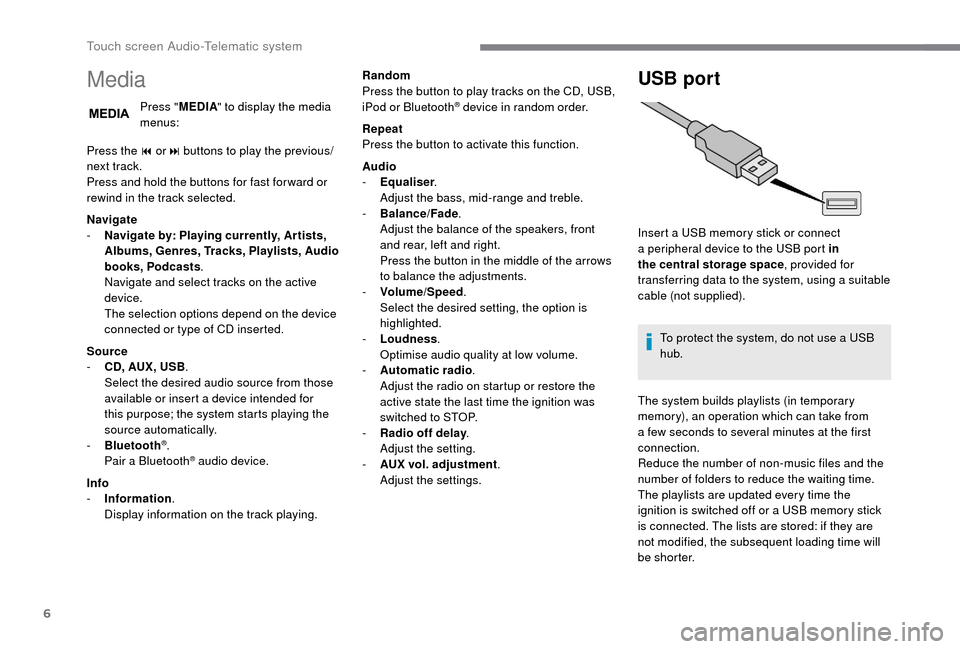
Media
Press "MEDIA" to display the media
menus:
Press the 9
or: buttons to play the previous/
next track.
Press and hold the buttons for fast for ward or
rewind in the track selected.
Navigate
-
N
avigate by: Playing currently, Ar tists,
Albums, Genres, Tracks, Playlists, Audio
books, Podcasts .
Navigate and select tracks on the active
device.
The selection options depend on the device
connected or type of CD inserted.
Source
-
C
D, AUX, USB .
Select the desired audio source from those
available or insert a
device intended for
this purpose; the system starts playing the
source automatically.
-
Bl
uetooth
®.
Pair a
Bluetooth® audio device.
Info
-
I
nformation .
Display information on the track playing. Random
Press the button to play tracks on the CD, USB,
iPod or Bluetooth
® device in random order.
Repeat
Press the button to activate this function.
Audio
-
E
qualiser .
Adjust the bass, mid-range and treble.
-
B
alance/Fade .
Adjust the balance of the speakers, front
and rear, left and right.
Press the button in the middle of the arrows
to balance the adjustments.
-
V
olume/Speed .
Select the desired setting, the option is
highlighted.
-
L
oudness .
Optimise audio quality at low volume.
-
A
utomatic radio .
Adjust the radio on startup or restore the
active state the last time the ignition was
switched to STOP.
-
R
adio off delay .
Adjust the setting.
-
A
UX vol. adjustment .
Adjust the settings.
USB port
Insert a USB memory stick or connect
a peripheral device to the USB port in
the central storage space , provided for
transferring data to the system, using a
suitable
cable (not supplied).
To protect the system, do not use a
USB
hub.
The system builds playlists (in temporary
memory), an operation which can take from
a
few seconds to several minutes at the first
connection.
Reduce the number of non-music files and the
number of folders to reduce the waiting time.
The playlists are updated every time the
ignition is switched off or a
USB memory stick
is connected. The lists are stored: if they are
not modified, the subsequent loading time will
b e s h o r t e r.
Touch screen Audio-Telematic system
Page 193 of 232
7
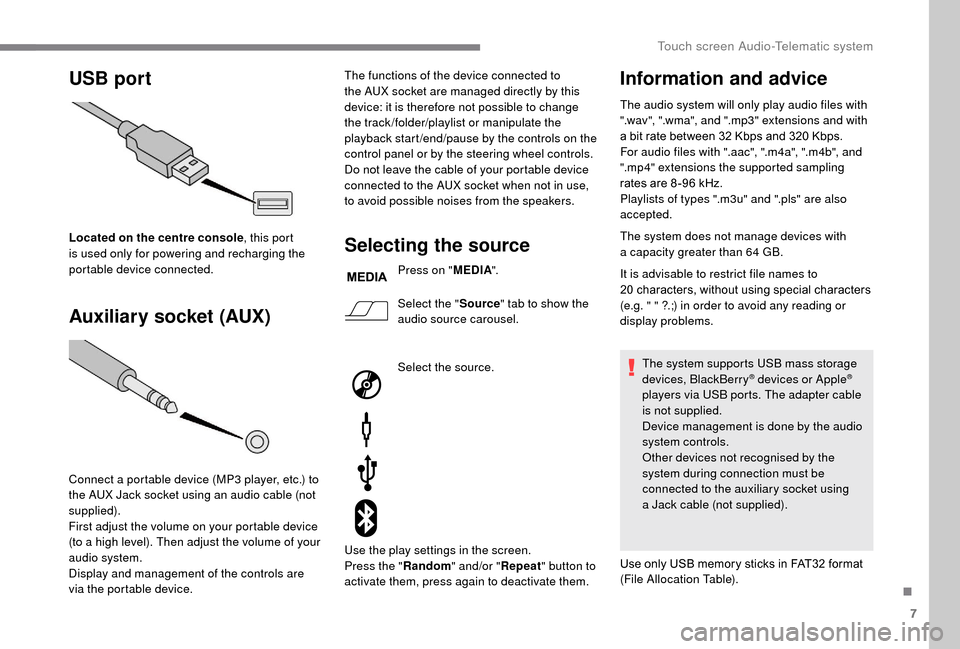
USB port
Auxiliary socket (AUX)
Located on the centre console , this port
is used only for powering and recharging the
portable device connected.
Connect a
portable device (MP3 player, etc.) to
the AUX Jack socket using an audio cable (not
supplied).
First adjust the volume on your portable device
(to a
high level). Then adjust the volume of your
audio system.
Display and management of the controls are
via the portable device. The functions of the device connected to
the AUX socket are managed directly by this
device: it is therefore not possible to change
the track /folder/playlist or manipulate the
playback start /end/pause by the controls on the
control panel or by the steering wheel controls.
Do not leave the cable of your portable device
connected to the AUX socket when not in use,
to avoid possible noises from the speakers.Selecting the source
Press on "
MEDIA".
Select the " Source" tab to show the
audio source carousel.
Select the source.
Use the play settings in the screen.
Press the " Random" and/or " Repeat" button to
activate them, press again to deactivate them.
Information and advice
The audio system will only play audio files with
".wav", ".wma", and ".mp3" extensions and with
a
bit rate between 32 Kbps and 320 Kbps.
For audio files with ".aac", ".m4a", ".m4b", and
".mp4" extensions the supported sampling
rates are 8 -96
kHz.
Playlists of types ".m3u" and ".pls" are also
accepted.
The system does not manage devices with
a
capacity greater than 64
GB.
It is advisable to restrict file names to
20
characters, without using special characters
(e.g. " " ?.;) in order to avoid any reading or
display problems.
The system supports USB mass storage
devices, BlackBerry
® devices or Apple®
players via USB ports. The adapter cable
is not supplied.
Device management is done by the audio
system controls.
Other devices not recognised by the
system during connection must be
connected to the auxiliary socket using
a
Jack cable (not supplied).
Use only USB memory sticks in FAT32
format
(File Allocation Table).
.
Touch screen Audio-Telematic system
Page 194 of 232
8
To protect the system, do not use a USB
hub .
The system does not support the simultaneous
connection of two identical devices (two
memory sticks or two Apple
® players) but it is
possible to connect one memory stick and one
Apple
® player at the same time.
It is recommended that you use genuine
Apple® USB cables for correct operation.
Bluetooth® audio streaming
Streaming allows you to listen to audio files on
your smartphone using the vehicle's speakers.
On the peripheral device, activate the
Bluetooth
® function.
Press " MEDIA".
In case of active media source,
press the " Source" button.
Select the " Bluetooth
®" media
source then press the " Add device"
button. If no peripheral device has yet been paired with
the system, a special page is displayed in the
screen.
Select "Yes" to start the pairing procedure, and
therefore to search for the name of the system
in the device.
Select the name of the system on the device
and, when requested by the audio system,
enter the PIN number displayed in the screen
of the system or confirm in the device the PIN
displayed.
During pairing, a screen page is displayed
showing the operation progress.
In case of an error, deactivate Bluetooth
® on
your device and then activate it again.
Once the pairing procedure is complete, a
screen page appears:
-
b
y replying "Yes" to the question, the
Bluetooth
® audio device will be saved as
favourite (the device will have priority over
other devices paired later).
-
b
y replying "No", the priority will be
determined by the order of connection.
The last connected device has the highest
priority. Some Bluetooth
® devices do not allow
scanning of tracks and other information
on the telephone against the categories
present in the system.
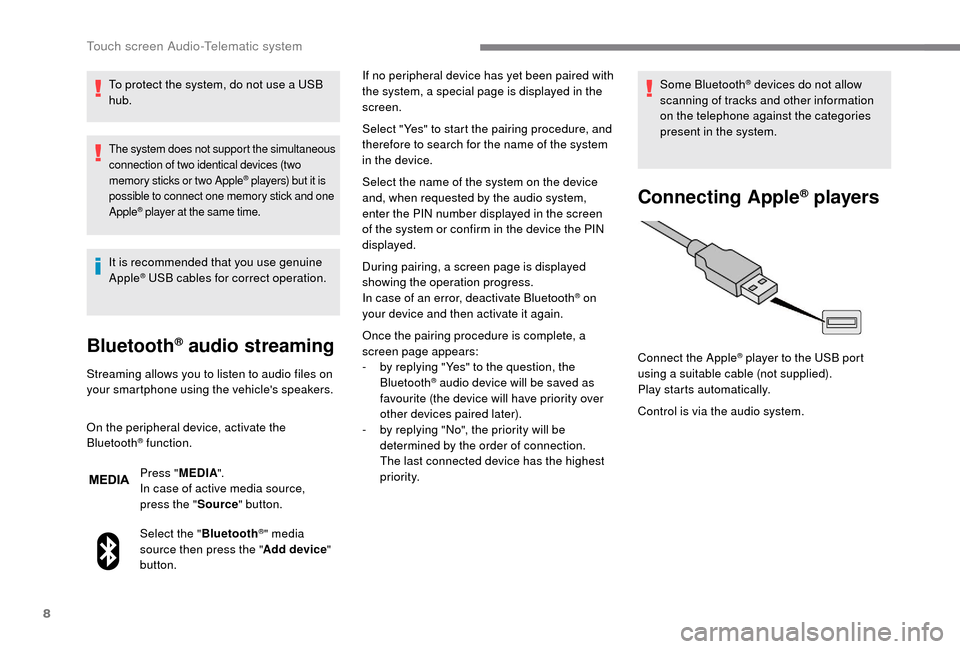
Connecting Apple® players
Control is via the audio system. Connect the Apple
® player to the USB port
using a
suitable cable (not supplied).
Play starts automatically.
Touch screen Audio-Telematic system
Page 214 of 232
4
Media
USB port
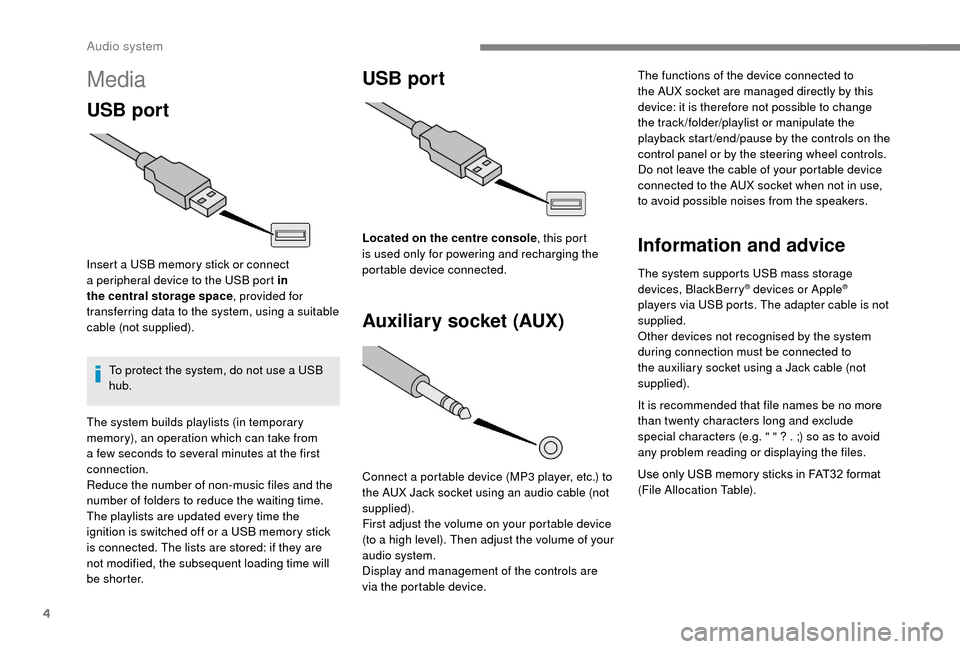
Insert a USB memory stick or connect
a peripheral device to the USB port in
the central storage space , provided for
transferring data to the system, using a
suitable
cable (not supplied).
To protect the system, do not use a
USB
hub.
USB port
Auxiliary socket (AUX)
Connect a portable device (MP3 player, etc.) to
t he AUX Jack socket using an audio cable (not
supplied).
First adjust the volume on your portable device
(to a
high level). Then adjust the volume of your
audio system.
Display and management of the controls are
via the portable device. The functions of the device connected to
the AUX socket are managed directly by this
device: it is therefore not possible to change
the track /folder/playlist or manipulate the
playback start /end/pause by the controls on the
control panel or by the steering wheel controls.
Do not leave the cable of your portable device
connected to the AUX socket when not in use,
to avoid possible noises from the speakers.
Information and advice
The system supports USB mass storage
devices, BlackBerry® devices or Apple®
players via USB ports. The adapter cable is not
supplied.
Other devices not recognised by the system
during connection must be connected to
the auxiliary socket using a
Jack cable (not
supplied).
It is recommended that file names be no more
than twenty characters long and exclude
special characters (e.g. " " ? . ;) so as to avoid
any problem reading or displaying the files.
Use only USB memory sticks in FAT32
format
(File Allocation Table).
The system builds playlists (in temporary
memory), an operation which can take from
a
few seconds to several minutes at the first
connection.
Reduce the number of non-music files and the
number of folders to reduce the waiting time.
The playlists are updated every time the
ignition is switched off or a
USB memory stick
is connected. The lists are stored: if they are
not modified, the subsequent loading time will
b e s h o r t e r. Located on the centre console
, this port
is used only for powering and recharging the
portable device connected.
Audio system
Page 215 of 232
5
To protect the system, do not use a USB
hub .
The system does not support the simultaneous
connection of two identical devices (two
memory sticks or two Apple
® players) but it is
possible to connect one memory stick and one
Apple
® player at the same time.
It is recommended that you use genuine
Apple® USB cables for correct operation.
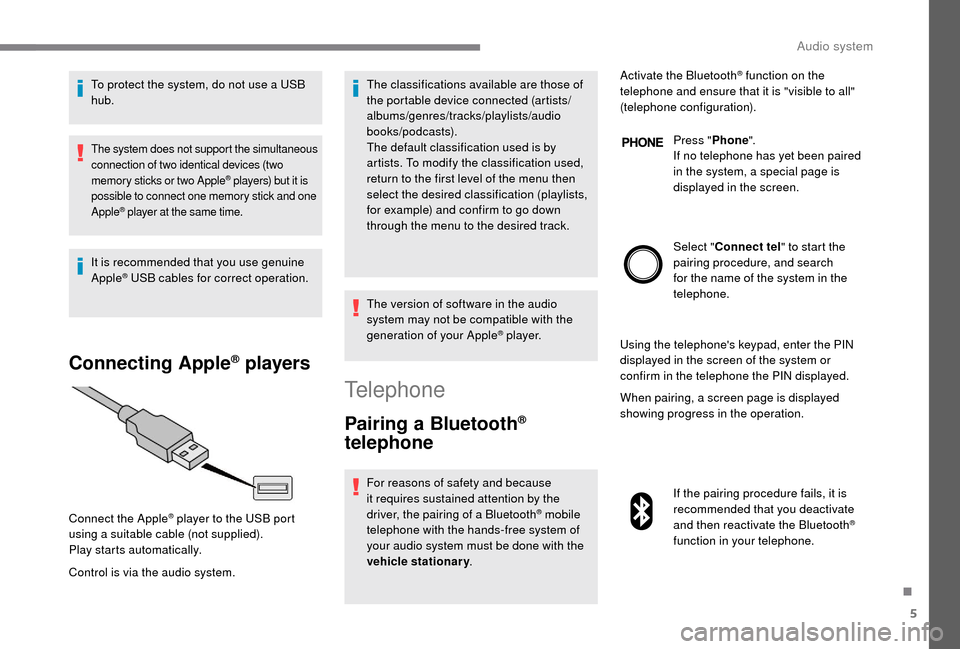
Connecting Apple® players
Control is via the audio system. The classifications available are those of
the portable device connected (artists/
albums/genres/tracks/playlists/audio
books/podcasts).
The default classification used is by
artists. To modify the classification used,
return to the first level of the menu then
select the desired classification (playlists,
for example) and confirm to go down
through the menu to the desired track.
The version of software in the audio
system may not be compatible with the
generation of your Apple
® p l aye r.
Connect the Apple
® player to the USB port
using a
suitable cable (not supplied).
Play starts automatically.
Telephone
Pairing a Bluetooth®
telephone
For reasons of safety and because
it requires sustained attention by the
driver, the pairing of a
Bluetooth
® mobile
telephone with the hands-free system of
your audio system must be done with the
vehicle stationary . Activate the Bluetooth
® function on the
telephone and ensure that it is "visible to all"
(telephone configuration).
Press "Phone".
If no telephone has yet been paired
in the system, a special page is
displayed in the screen.
Select " Connect tel " to start the
pairing procedure, and search
for the name of the system in the
telephone.
Using the telephone's keypad, enter the PIN
displayed in the screen of the system or
confirm in the telephone the PIN displayed.
When pairing, a screen page is displayed
showing progress in the operation.
If the pairing procedure fails, it is
recommended that you deactivate
and then reactivate the Bluetooth
®
function in your telephone.
.
Audio system