Lock Peugeot Boxer 2018 Workshop Manual
[x] Cancel search | Manufacturer: PEUGEOT, Model Year: 2018, Model line: Boxer, Model: Peugeot Boxer 2018Pages: 232, PDF Size: 9.09 MB
Page 157 of 232
155
To w i n g
General recommendations
Obser ve the legislation in force in your
c o u nt r y.
Ensure that the weight of the towing
vehicle is higher than that of the towed
vehicle.
The driver must remain at the wheel of
the towed vehicle and must have a valid
driving licence.
When towing a
vehicle with all four wheels
on the ground, always use an approved
towbar; rope and straps are prohibited.
The towing vehicle must move off gently.
When the vehicle is towed with its engine
off, there is no longer braking and steering
assistance.
In the following cases, you must always
call on a
professional recovery ser vice:
-
v
ehicle broken down on a motor way or
main road,
-
f
our-wheel drive vehicle,
-
w
hen it is not possible to put the
gearbox into neutral, unlock the
steering, or release the parking brake,
-
t
owing with only two wheels on the
ground,
-
w
here there is no approved towbar
available.
The charging operation must be carried
out in a
ventilated area away from naked
flames or any possible sources of sparks
to eliminate the risk of explosion and fire.
Do not try to charge a
frozen battery: it
must first be thawed out to avoid the risk
of explosion. If the battery has frozen,
before charging it have it checked by
a
specialist who will verify that the internal
components have not been damaged and
that the case is not cracked, which could
mean that there is a
risk of a
leak of toxic
and corrosive acid.
Proceed with a
slow charge at low current
for a
maximum of about 24
hours to avoid
damaging the battery.
Charging the battery using
a battery charger
F Go to the battery located in the front left
f l o o r.
F
D
isconnect the battery.
F
F
ollow the instructions for use provided by
the manufacturer of the charger.
F
R
econnect starting with the negative (-)
terminal.
F
C
heck the condition of the terminals and
clamps. If they are covered with sulphate
(whitish or greenish deposits), disconnect
them and clean them all.
After refitting of the battery by
a
PEUGEOT dealer or a qualified
workshop, the Stop & Start system will
only be active after a
continuous period
of immobilisation of the vehicle, a period
which depends on the climatic conditions
and the state of charge of the battery (up
to about 8
hours).
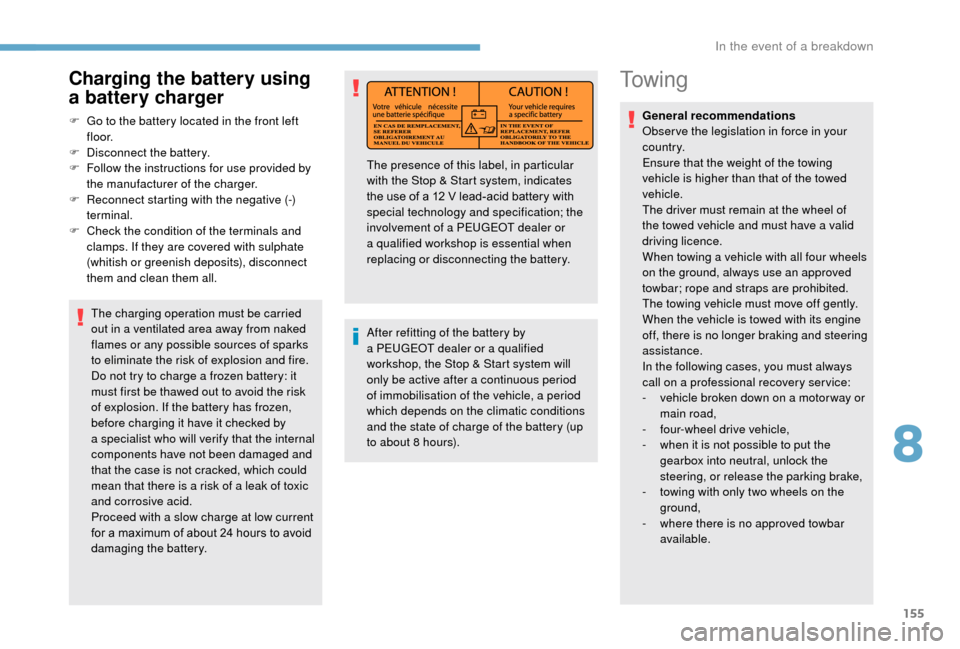
The presence of this label, in particular
with the Stop & Start system, indicates
the use of a
12 V lead-acid battery with
special technology and specification; the
involvement of a
PEUGEOT dealer or
a
qualified workshop is essential when
replacing or disconnecting the battery.
8
In the event of a breakdown
Page 174 of 232
172
Seat belts
Fastening
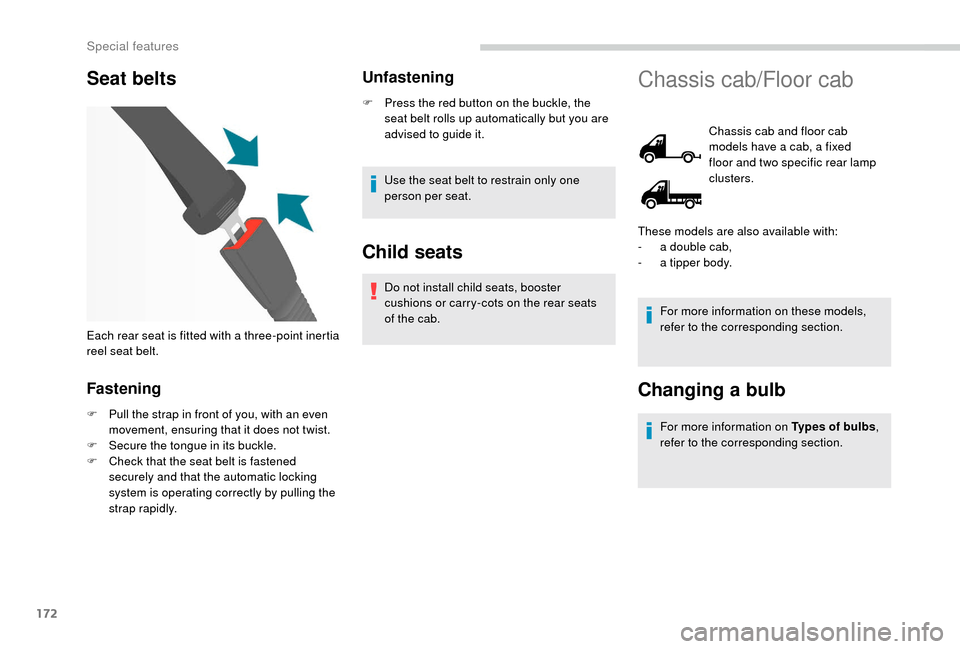
F Pull the strap in front of you, with an even movement, ensuring that it does not twist.
F
S
ecure the tongue in its buckle.
F
C
heck that the seat belt is fastened
securely and that the automatic locking
system is operating correctly by pulling the
strap rapidly.
Unfastening
F Press the red button on the buckle, the seat belt rolls up automatically but you are
advised to guide it.
Use the seat belt to restrain only one
person per seat.
Child seats
Do not install child seats, booster
cushions or carry-cots on the rear seats
of the cab.
Each rear seat is fitted with a
three-point inertia
reel seat belt.
Chassis cab/Floor cab
Chassis cab and floor cab
models have a cab, a fixed
floor and two specific rear lamp
clusters.
For more information on these models,
refer to the corresponding section.
Changing a bulb
For more information on Types of bulbs ,
refer to the corresponding section.
These models are also available with:
-
a d
ouble cab,
-
a t
ipper body.
Special features
Page 179 of 232
177
Seat belts
Fastening
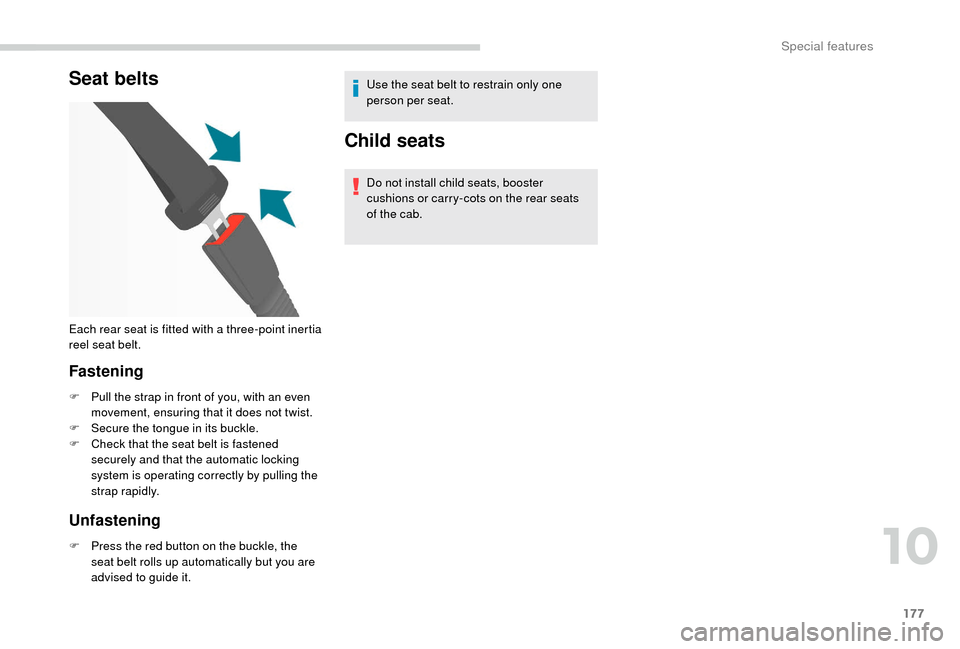
F Pull the strap in front of you, with an even movement, ensuring that it does not twist.
F
S
ecure the tongue in its buckle.
F
C
heck that the seat belt is fastened
securely and that the automatic locking
system is operating correctly by pulling the
strap rapidly.
Unfastening
F Press the red button on the buckle, the seat belt rolls up automatically but you are
advised to guide it. Use the seat belt to restrain only one
person per seat.
Child seats
Do not install child seats, booster
cushions or carry-cots on the rear seats
of the cab.
Each rear seat is fitted with a
three-point inertia
reel seat belt.
10
Special features
Page 186 of 232
184
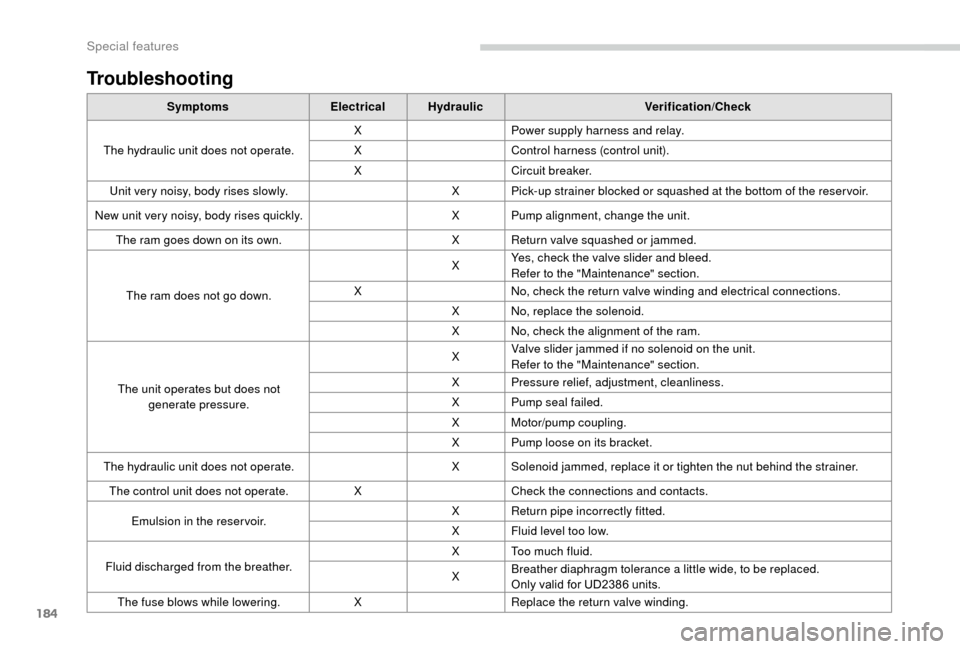
Troubleshooting
SymptomsElectricalHydraulic Verification/Check
The hydraulic unit does not operate. X
Power supply harness and relay.
X Control harness (control unit).
X Circuit breaker.
Unit very noisy, body rises slowly. X Pick-up strainer blocked or squashed at the bottom of the reser voir.
New unit very noisy, body rises quickly. X Pump alignment, change the unit.
The ram goes down on its own. X Return valve squashed or jammed.
The ram does not go down. X
Yes, check the valve slider and bleed.
Refer to the "Maintenance" section.
X No, check the return valve winding and electrical connections.
X No, replace the solenoid.
X No, check the alignment of the ram.
The unit operates but does not generate pressure. X
Valve slider jammed if no solenoid on the unit.
Refer to the "Maintenance" section.
X Pressure relief, adjustment, cleanliness.
X Pump seal failed.
X Motor/pump coupling.
X Pump loose on its bracket.
The hydraulic unit does not operate. X Solenoid jammed, replace it or tighten the nut behind the strainer.
The control unit does not operate. XCheck the connections and contacts.
Emulsion in the reser voir. X
Return pipe incorrectly fitted.
X Fluid level too low.
Fluid discharged from the breather. X Too much fluid.
X
Breather diaphragm tolerance a
little wide, to be replaced.
Only valid for UD2386
units.
The fuse blows while lowering. XReplace the return valve winding.
Special features
Page 190 of 232
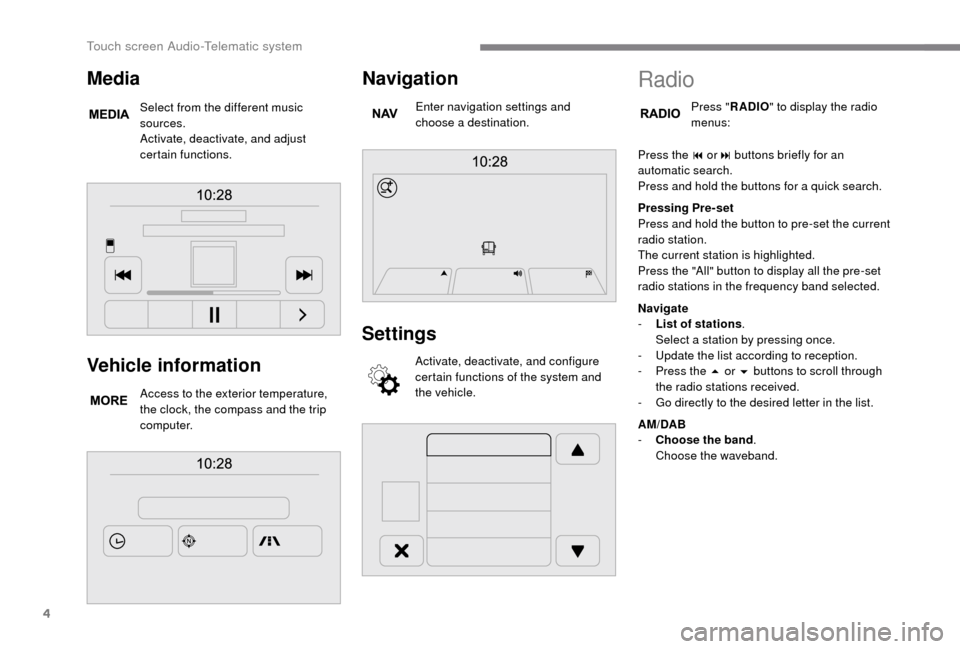
4
Vehicle information
Access to the exterior temperature,
the clock, the compass and the trip
computer.
Navigation
Enter navigation settings and
choose a destination.
Settings
Activate, deactivate, and configure
certain functions of the system and
the vehicle.
Media
Select from the different music
sources.
Activate, deactivate, and adjust
certain functions.
Radio
Press "RADIO " to display the radio
menus:
Press the 9
or: buttons briefly for an
automatic search.
Press and hold the buttons for a
quick search.
Pressing Pre-set
Press and hold the button to pre-set the current
radio station.
The current station is highlighted.
Press the "All" button to display all the pre-set
radio stations in the frequency band selected.
Navigate
-
L
ist of stations .
Select a
station by pressing once.
-
U
pdate the list according to reception.
-
P
ress the 5 or 6 buttons to scroll through
the radio stations received.
-
G
o directly to the desired letter in the list.
AM/DAB
-
C
hoose the band .
Choose the waveband.
Touch screen Audio-Telematic system
Page 196 of 232
10
Map update
Proceed as follows to update a map:
- L atest Map Guarantee: if a new map
becomes available within ninety days
of using the system for the first time,
you can download it once free of
charge.
-
M
ap updating: you can purchase a new
version of the map in your system.
Follow these four steps to install an updated
map in your system:
-
P
repare a USB device.
-
Install To m To m H O M E and create
a
M yTo mTo m account.
-
D
ownload the map.
-
I
nstall the new map. Use a
USB device, not a mass storage
device (telephone or media player).
To protect the system, do not use a
USB
hub.
Prepare a USB device
The USB device must be prepared with
the engine running and the vehicle
stationary.
You must have a
USB device meeting the
conditions below to update the map:
-
T
he USB device must be empty.
-
T
he USB device has 16 Gb of space
available.
-
U
se only USB devices in FAT32 format (File
Allocation Table).
-
D
o not lock the USB device and check that
it can save files.
Proceed as follows to prepare the USB device:
F
M
ake sure that the map you wish to update
is active in your navigation system.
If the navigation system has several maps
and you wish to update a
map that is not
currently activated, start by activating it.
F
Sel
ect " Change map " in the "Settings "
menu of the navigation application.
F
Sel
ect " Navigation updates " in the
" Settings " menu.
F
Y
ou should indicate whether you wish to
prepare a
USB device to download updates. The system starts to prepare the USB device.
-
I
f the system continues to ask you to
insert a
USB device, make sure that
your USB device meets the conditions
above and try again.
-
I
f you connect several USB devices,
the system asks you to remove the
devices so that only the device being
prepared is connected.
-
I
f there is not enough space on the
USB device, the system asks you to
use another USB device.
-
I
f you connect a USB device already
containing files, the system warns you
that these files may be deleted.
The following message appears when the USB
device is ready:
" Navigation updates "
The USB device is now prepared and
you can safely remove it. F
Sel
ect "
Ye s".
F
I
nsert the USB device into the USB port in
the central storage space , provided for
transferring data.
Touch screen Audio-Telematic system
Page 200 of 232
14
Select "Connected " or "Disconnected ",
" Delete device " or "Add device", " Save
Favourites ", "Text messages on ",
" Download " in the list of options offered.
Receiving a call
An incoming call is announced by a ring and
a superimposed display in the screen.
Press this steering wheel mounted
button briefly to accept an incoming
call.
or
Press the " Answer" button displayed in the
screen.
If there are two calls in progress (one in
progress and one on hold), it is possible to
change from one to the other by pressing the
" Switch calls " button or to combine both calls
in a
conference call by pressing the " Co nf e r."
button.
Ending a call
To reject a call, press this button
a t the steering wheel mounted
controls.
or
Press the " Ignore" button displayed in the
screen.
Making a call
Calling a new number
Using the telephone while driving is not
advised. We recommend that you park
safely or make use of the steering wheel
mounted controls.
Press " PHONE ".
Press the keypad button.
Enter the phone number using the keypad then
press the " Call" button to start the call.
Calling a contact
Press "PHONE ".
Press the " Contacts" button or the
" Recent calls " button.
Select the desired contact from the list offered
to start the call.
Vehicle information
Press " MORE" to display vehicle
information menus:
Exterior temp.
Displays the exterior temperature.
Clock
Displays the clock.
Compass
Displays the direction taken.
Tr i p
-
I
nstant info., Trip A, Trip B .
Displays the trip computer.
Press and hold the "Trip A" or "Trip B"
buttons to reset the trip in question.
Settings
Press this button to display the
Settings menus:
Display
-
B
rightness .
S
et the brightness of the screen.
-
Di
splay mode .
Set the display mode.
-
L
anguage .
Choose the desired language.
Touch screen Audio-Telematic system
Page 201 of 232
15
- Unit of measurement.
Set the units used for the display of fuel
consumption, distance and temperature.
-
T
ouch screen beep .
Activate or deactivate the audible signal
when touching a
screen button.
-
D
isplay Trip B .
Display Trip B in the driver's screen.
Voice commands
-
V
oice response time .
Set the response time for the voice system.
-
D
isplay command list .
Display suggestions with the different
options during a
voice session.
Clock and Date
-
S
et time and format .
Set the time.
-
Di
splay time mode .
Activate or deactivate display of the digital
clock in the status bar.
-
S
ync time .
Activate or deactivate the automatic display
of time.
-
S
et date .
Set the date. Safety/Help
-
R eversing camera.
Display the reversing camera.
-
C
amera delay.
Maintain the display in the screen of the
image from the reversing camera for
a
maximum of ten seconds or up to 11 mph
(18
km/h).
Lamps
-
D
aytime running lamps.
Activate or deactivate the automatic
illumination of headlamps when starting.
Doors and locking
-
A
utoclose.
Activate or deactivate the automatic locking
of doors when the vehicle is moving. -
A utomatic radio
.
Adjust the radio on startup or restore the
active state the last time the ignition was
switched to STOP.
-
R
adio off delay.
Adjust the setting.
-
A
UX vol. adjustment.
Adjust the settings.
Telephone/Bluetooth
®
- Tel. connected .
Start the Bluetooth® connection of the
device selected.
Delete the selected device.
Save the selected device in favourites.
Adjust the settings.
-
A
dd device .
Add a
new peripheral device.
-
A
udio connect .
Connect a
device in audio only.
Audio
-
E
qualiser .
Adjust the bass, mid-range and treble.
-
B
alance/Fade .
Adjust the balance of the speakers, front
and rear, left and right.
Press the button in the middle of the arrows
to balance the adjustments.
-
V
olume/Speed .
Select the desired setting, the option is
highlighted.
-
L
oudness .
Optimise audio quality at low volume. Radio settings
-
D
AB announcements .
Activate or deactivate announcements.
Activate or deactivate the options: Alarm,
Event announc., Stock market flash, News
flash, Programme info, Special event,
Sports info, Public transp. info, Alarm
announcement, Weather flash.
.
Touch screen Audio-Telematic system
Page 202 of 232
16
Restore settings
Restore the default settings for the screen,
clock, sounds and the radio.
Erase personal data
Erase personal data, Bluetooth
® devices and
pre-settings included.
Voice commands
Information – Using the
system
Instead of touching the screen, you can
use your voice to issue commands to the
system. To ensure that your voice commands are
always recognised by the system, we
recommend that you follow the advice
below:
-
s
peak in a normal tone,
-
a
lways wait for the "beep" (audible
signal) before speaking,
-
t
he system is able to recognise the
voice commands delivered, regardless
of gender, tone and inflexion of the
voice of the person speaking,
-
k
eep the noise level inside the
passenger compartment as low as
possible,
- a sk the other passengers not to
speak before you use the voice
commands. As the system recognises
voice commands whatever is said,
when more than one person speaks
at the same time, it is possible that
the system will recognise different
or additional commands to the one
intended,
-
f
or best operation, it is recommended
that the windows and sunroof (for
models/markets where it is available)
be closed to avoid inter ference from
outside noise.
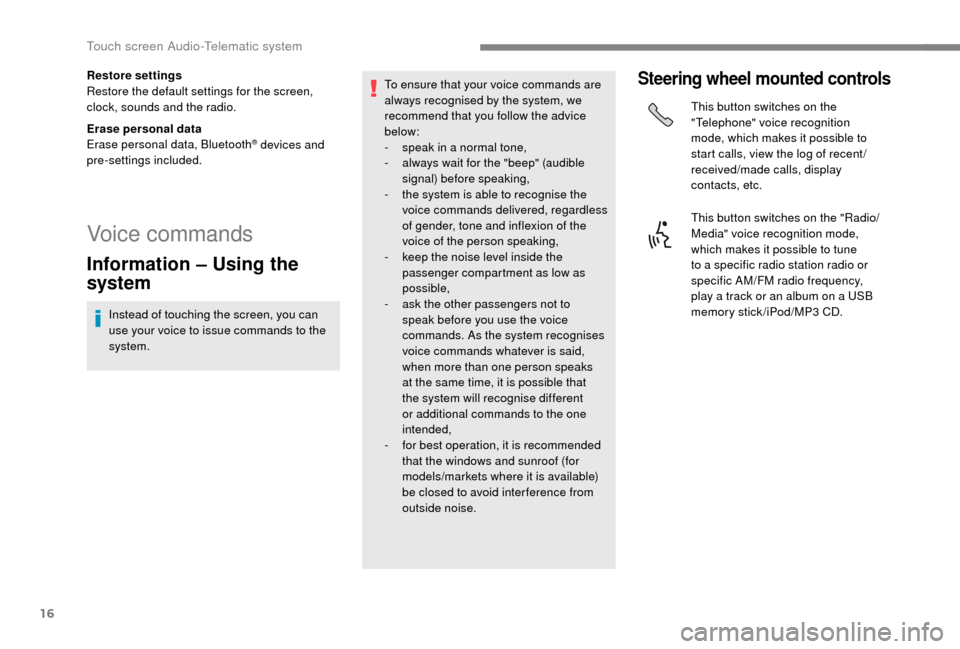
Steering wheel mounted controls
This button switches on the
"Telephone" voice recognition
mode, which makes it possible to
start calls, view the log of recent /
received/made calls, display
contacts, etc.
This button switches on the "Radio/
Media" voice recognition mode,
which makes it possible to tune
to a
specific radio station radio or
specific AM/FM radio frequency,
play a
track or an album on a USB
memory stick/iPod/MP3
CD.
Touch screen Audio-Telematic system
Page 212 of 232
2
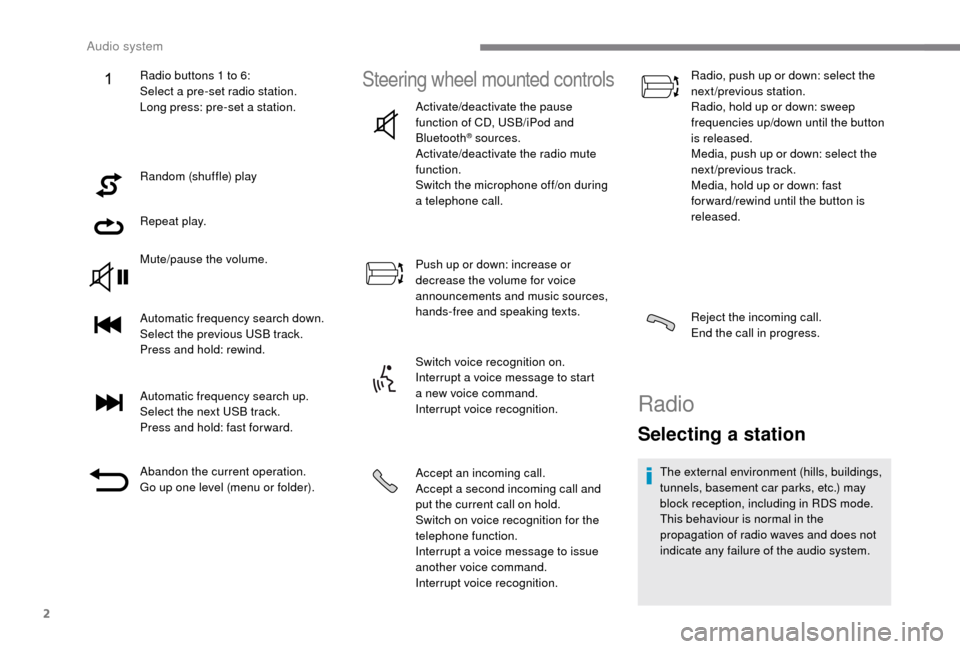
Random (shuffle) play
Repeat play.
Mute/pause the volume.
Automatic frequency search down.
Select the previous USB track.
Press and hold: rewind.
Automatic frequency search up.
Select the next USB track.
Press and hold: fast for ward.
Abandon the current operation.
Go up one level (menu or folder).
Steering wheel mounted controls
Activate/deactivate the pause
function of CD, USB/iPod and
Bluetooth
® sources.
Activate/deactivate the radio mute
function.
Switch the microphone off/on during
a
telephone call.
Push up or down: increase or
decrease the volume for voice
announcements and music sources,
hands-free and speaking texts.
Switch voice recognition on.
Interrupt a
voice message to start
a
new voice command.
Interrupt voice recognition.
Accept an incoming call.
Accept a
second incoming call and
put the current call on hold.
Switch on voice recognition for the
telephone function.
Interrupt a
voice message to issue
another voice command.
Interrupt voice recognition. Radio, push up or down: select the
next/previous station.
Radio, hold up or down: sweep
frequencies up/down until the button
is released.
Media, push up or down: select the
next/previous track.
Media, hold up or down: fast
for ward/rewind until the button is
released.
Reject the incoming call.
End the call in progress.
Radio
Selecting a station
The external environment (hills, buildings,
tunnels, basement car parks, etc.) may
block reception, including in RDS mode.
This behaviour is normal in the
propagation of radio waves and does not
indicate any failure of the audio system.
Radio buttons 1
to 6:
Select a
pre-set radio station.
Long press: pre-set a
station.
Audio system