SCR Peugeot Boxer 2020 Manual Online
[x] Cancel search | Manufacturer: PEUGEOT, Model Year: 2020, Model line: Boxer, Model: Peugeot Boxer 2020Pages: 196, PDF Size: 5.1 MB
Page 159 of 196
157
Audio system
11Play the audio book "Book 1”.
Listen to track number > "5"
Play track number “5”.Select > "USB"
Select the USB media support as the active
audio source.
Browse > "Album"
View the list of available albums.
"Text message" voice
commands
The following commands can be made from each main screen after pressing the
telephone button located on the steering wheel,
as long as there is no telephone call in progress.
Send a text message to > 0123456789
Start the voice procedure to send a preset text
message using the system.
Send a text message to > Henri Dupont >
Mobile phone
Start the voice procedure to send a preset text
message using the system.
View text message > Henri Dupont > Mobile
phone
View the list of text messages downloaded by
the phone.
"Hands-free calls" voice
commands
The following commands are available when a call is in progress. The commands can be made from any screen
page during a call after pressing the telephone
button located on the steering wheel.
Send 0123456789
The selection tones are sent for 0123456789.
Send Voicemail password
The selection tones are sent for the numbers
registered in "Voicemail password".
Activate speakers
Transfer the call to the telephone or the system.
Activate/Deactivate microphone
Activate/deactivate the system microphone.
Page 160 of 196
158
Touch screen audio and telematics system
Touch screen audio and telematics system
Multimedia audio system -
Bluetooth
® telephone - GPS
navigation
The system is protected in such a way
that it will only operate in your vehicle.
For safety reasons, the driver must only
carry out operations that require close
attention with the vehicle stationary.
When the engine is switched off and to
prevent discharging of the battery, the
system switches off after activation of energy
economy mode.
First steps
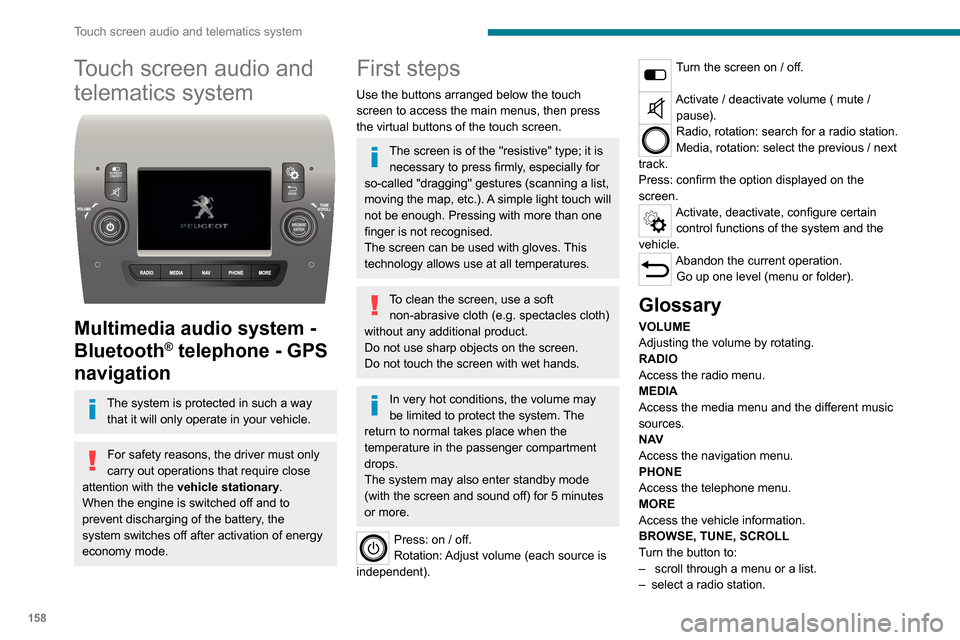
Use the buttons arranged below the touch
screen to access the main menus, then press
the virtual buttons of the touch screen.
The screen is of the "resistive" type; it is necessary to press firmly, especially for
so-called "dragging" gestures (scanning a list,
moving the map, etc.). A simple light touch will
not be enough. Pressing with more than one
finger is not recognised.
The screen can be used with gloves. This
technology allows use at all temperatures.
To clean the screen, use a soft non-abrasive cloth (e.g. spectacles cloth)
without any additional product.
Do not use sharp objects on the screen.
Do not touch the screen with wet hands.
In very hot conditions, the volume may
be limited to protect the system. The
return to normal takes place when the
temperature in the passenger compartment
drops.
The system may also enter standby mode
(with the screen and sound off) for 5 minutes
or more.
Press: on / off.
Rotation: Adjust volume (each source is
independent).
Turn the screen on / off.
Activate / deactivate volume ( mute / pause).
Radio, rotation: search for a radio station.
Media, rotation: select the previous / next
track.
Press: confirm the option displayed on the
screen.
Activate, deactivate, configure certain control functions of the system and the
vehicle.
Abandon the current operation. Go up one level (menu or folder).
Glossary
VOLUME
Adjusting the volume by rotating.
RADIO
Access the radio menu.
MEDIA
Access the media menu and the different music
sources.
N AV
Access the navigation menu.
PHONE
Access the telephone menu.
MORE
Access the vehicle information.
BROWSE, TUNE, SCROLL
Turn the button to:
– scroll through a menu or a list.– select a radio station.
ENTERConfirm an option displayed on the screen by
pressing.
Steering mounted controls
Activate / deactivate the pause function of USB/iPod and Bluetooth® sources.
Activate / deactivate the mute function of the
radio.
Activate / deactivate the microphone during a
telephone conversation.
Toggle up or down: increase or decrease volume for voice announcements, and
music sources, hands-free, and text message
reader.
Activate voice recognition.Pause a voice message to start a new
voice command.
Pause voice recognition.
Accept an incoming call.Accept a second incoming call and put
the active call on hold.
Activate voice recognition for the telephone
function.
Pause a voice message to give another voice
command.
Pause voice recognition.
Radio, toggle up or down: select next / previous station.
Radio, toggle up or down continuously: scan up /
down frequencies until you release the button.
Page 161 of 196
159
Touch screen audio and telematics system
12ENTER
Confirm an option displayed on the screen by
pressing.
Steering mounted controls
Activate / deactivate the pause function of USB/iPod and Bluetooth® sources.
Activate / deactivate the mute function of the
radio.
Activate / deactivate the microphone during a
telephone conversation.
Toggle up or down: increase or decrease volume for voice announcements, and
music sources, hands-free, and text message
reader.
Activate voice recognition. Pause a voice message to start a new
voice command.
Pause voice recognition.
Accept an incoming call. Accept a second incoming call and put
the active call on hold.
Activate voice recognition for the telephone
function.
Pause a voice message to give another voice
command.
Pause voice recognition.
Radio, toggle up or down: select next /
previous station.
Radio, toggle up or down continuously: scan up /
down frequencies until you release the button. Media, toggle up or down: select next / previous
track.
Media, toggle up or down continuously: fast
forward / rewind ntil you release the button.
Refuse an incoming call.
End the call in progress.
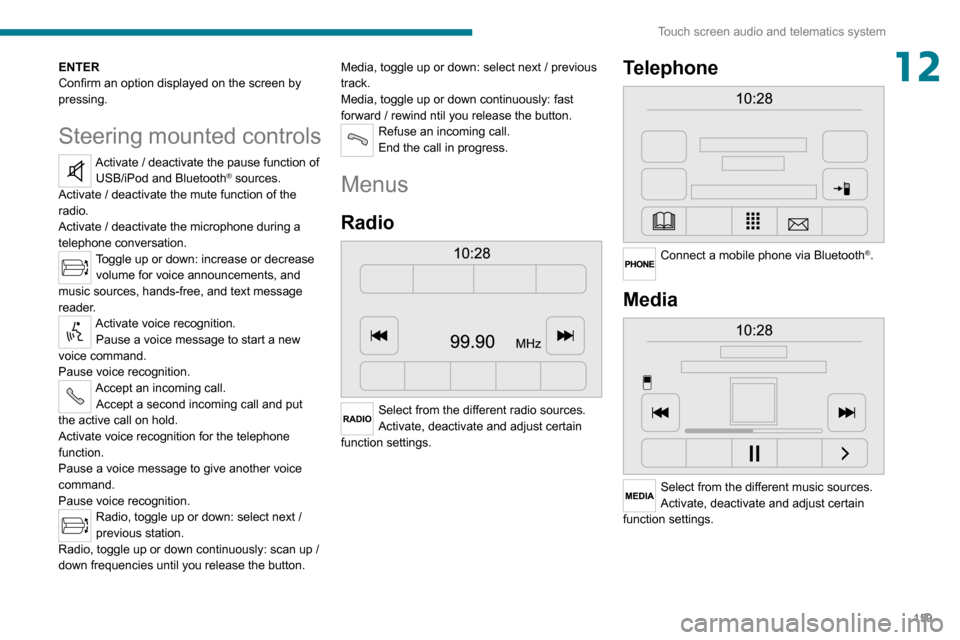
Menus
Radio
Select from the different radio sources.
Activate, deactivate and adjust certain
function settings.
Telephone
Connect a mobile phone via Bluetooth®.
Media
Select from the different music sources.
Activate, deactivate and adjust certain
function settings.
Page 162 of 196
160
Touch screen audio and telematics system
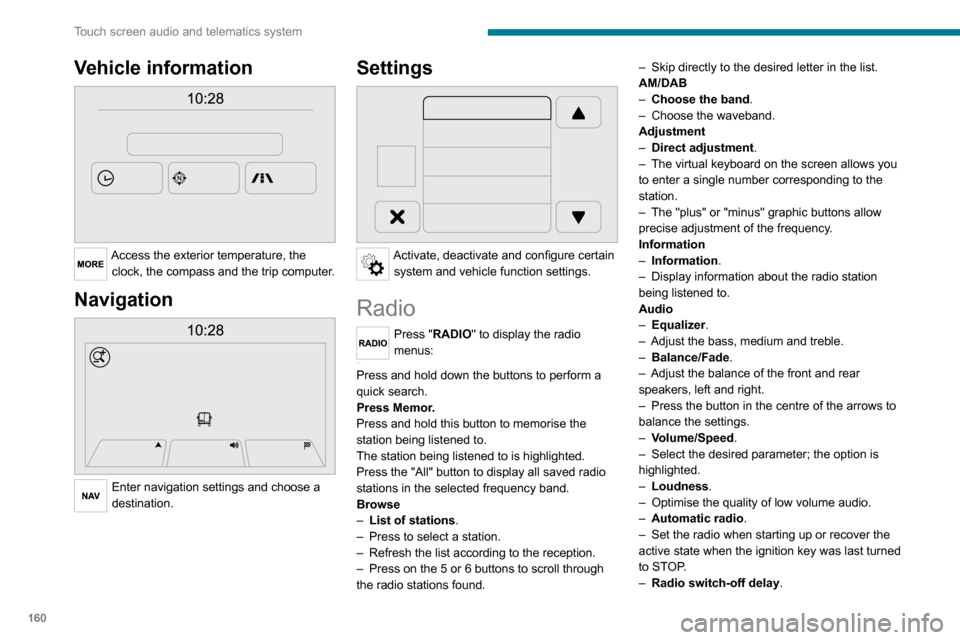
Vehicle information
Access the exterior temperature, the clock, the compass and the trip computer.
Navigation
Enter navigation settings and choose a
destination.
Settings
Activate, deactivate and configure certain system and vehicle function settings.
Radio
Press "RADIO" to display the radio
menus:
Briefly press on the 9 or : buttons to perform an automatic search.
Press and hold down the buttons to perform a
quick search.
Press Memor.
Press and hold this button to memorise the
station being listened to.
The station being listened to is highlighted.
Press the "All" button to display all saved radio stations in the selected frequency band.
Browse
– List of stations .– Press to select a station.– Refresh the list according to the reception.– Press on the 5 or 6 buttons to scroll through
the radio stations found.
– Skip directly to the desired letter in the list.AM/DAB– Choose the band .– Choose the waveband.Adjustment– Direct adjustment.– The virtual keyboard on the screen allows you to enter a single number corresponding to the
station.
– The "plus" or "minus" graphic buttons allow precise adjustment of the frequency.
Information
– Information.– Display information about the radio station being listened to.
Audio
– Equalizer.– Adjust the bass, medium and treble.– Balance/Fade.– Adjust the balance of the front and rear speakers, left and right.– Press the button in the centre of the arrows to balance the settings.
– Volume/Speed.– Select the desired parameter; the option is highlighted.– Loudness.– Optimise the quality of low volume audio.– Automatic radio.– Set the radio when starting up or recover the active state when the ignition key was last turned
to STOP.
– Radio switch-off delay .
– Set the parameter.– AUX vol. setting .– Set the parameters.
DAB (Digital Audio
Broadcasting) radio
Terrestrial Digital Radio
Digital radio
Digital radio provides higher quality
reception and also the graphical display
of current information on the radio station
being listened to.
The various "multiplexes/ensembles" offer
a choice of radio stations organised in
alphabetical order.
Press “RADIO” successively to display the "DAB Radio".Select the "Navigate" tab.
Select a list from the filters offered: "All", "Types",
"Ensembles", then select a radio station.
Press the "Update" button to update the
list of "DAB Radio" stations received.
Page 163 of 196
161
Touch screen audio and telematics system
12– Set the parameter.– AUX vol. setting.– Set the parameters.
DAB (Digital Audio
Broadcasting) radio
Terrestrial Digital Radio
Digital radio
Digital radio provides higher quality
reception and also the graphical display
of current information on the radio station
being listened to.
The various "multiplexes/ensembles" offer
a choice of radio stations organised in
alphabetical order.
Press “RADIO” successively to display the "DAB Radio".Select the "Navigate" tab.
Select a list from the filters
offered: "All", "Types",
"Ensembles", then select a radio station.
Press the "Update" button to update the
list of "DAB Radio" stations received.
DAB/FM station tracking
"DAB" does not cover 100% of the
territory.
When the digital radio signal is poor, the
"AF
" (alternative frequency) option enables you to continue listening to the same
station by automatically switching to the
corresponding "FM" analogue station (if there is one).
When the system switches to analogue
station, there is a delay of a few seconds
with sometimes a change in volume.
When the digital signal quality is restored, the
system automatically changes back to "DAB".
If the "DAB" station is not available, the
sound cuts out when the digital signal
quality becomes poor and the "AF"
alternative frequency is crossed out.
Media
Press "MEDIA" to display the media
menus:
Briefly press on the 9 or : buttons to play the previous/next track.
Press and hold the buttons to fast-forward or
rewind the selected track.
Browse
– Browse by: Currently playing, Artists,
Albums, Types, Songs, Playlists,
Audiobooks, Podcasts.
– Browse and select the songs contained in the active device.– The selection possibilities depend on the device connected or the type of CD inserted.
Source
– CD, AUX, USB.– Select the desired audio source from those available or insert a device intended for this
purpose; the system starts to play the sources
automatically.
– Bluetooth®.– Save a Bluetooth® audio device.
Information
– Information .– View the information about the track being listened to.
Random
Press the button to play the songs on the CD,
USB, iPod or Bluetooth
® in random order.
Repeat
Press the button to activate this function.
Audio
– Equalizer.– Adjust the bass, medium and treble.– Balance/Fade.– Adjust the balance of the front and rear speakers, left and right.– Press the button in the centre of the arrows to balance the settings.– Volume/Speed.
Page 164 of 196
162
Touch screen audio and telematics system
– Select the desired parameter; the option is highlighted.– Loudness.– Optimise the quality of low volume audio.– Automatic radio.– Set the radio when starting up or recover the active state when the ignition key was last turned
to STOP.
– Radio switch-off delay.– Set the parameter.– AUX vol. setting.– Set the parameters.
USB socket
Insert the USB memory stick or connect the device to the USB socket in the
central storage space , provided for transferring
data to the system, using a suitable cable (not
supplied).
To protect the system, do not use a USB hub.
The system builds playlists (in temporary
memory); this operation can take from a
few seconds to several minutes at the first
connection.
Reduce the number of non-music files and the
number of folders to reduce the waiting time.
The playlists are updated every time the ignition
is switched off or a USB memory stick is
connected. The lists are memorised: if they are
not modified, the subsequent loading time will
be shorter.
USB socket
Located on the central console, this
socket is used only to power and
recharge the connected portable device.
Auxiliary socket (AUX)
Connect a portable device (MP3 player,
etc.) to the auxiliary jack socket using an
audio cable (not supplied).
First adjust the volume on your portable device
(to a high level). Then adjust the volume on your
audio system.
Controls are managed via the portable device.
The functions of the device connected to the
“AUX” socket are managed directly by this
device: it is therefore not possible to change the
track/folder/playlist or manipulate the playback
start/end/pause using the controls on the control
panel or the steering wheel.
Do not leave the cable of your portable device
connected to the “AUX” socket when not in use,
to avoid possible noise from the speakers.
Selecting the source
Press on "MEDIA".
Select the "Source" tab to show the rolling display of audio sources.Select the source.
Use the play settings on the screen.
Press the "Rand." button and/or the "Repeat" button to activate them, press again to deactivate them.
Information and advice
The audio system will only play audio files with
".wav", ".wma" and ".mp3" file extensions, at bit
rates between 32 Kbps and 320 Kbps.
For audio files with ".aac", ".m4a", ".m4b" and
".mp4" file extensions, the supported sampling
rates are 8 - 96 kHz.
".m3u" and ".wpl" types are also supported.
The system does not manage devices with a
capacity greater than 64 GB.
It is advisable to restrict file names to 20
characters, without using special characters (e.g.
" " ? . ; ù) so as to avoid any reading or display
problems.
The system supports USB mass storage devices, BlackBerry® devices or Apple®
players via the USB sockets. The adapter
cable is not supplied.
Devices are managed using the audio system
controls.
Other devices, not recognised by the system
during connection, must be connected to
the auxiliary socket using a Jack cable (not
supplied).
Only use USB memory sticks formatted to FAT
32 (File Allocation Table).
To protect the system, do not use a USB hub.
The system does not support the simultaneous connection of two identical
devices (two memory sticks or two
Apple
® players) but it is possible to connect one memory stick and one Apple® player at
the same time.
It is recommended that you use genuine
Apple® USB cables to guarantee correct
operation.
Bluetooth® Streaming
Streaming allows music files on the telephone to
be played via the vehicle's speakers.
Active the Bluetooth
® function on the device.Press "MEDIA".
If there is a media source active, press
the "Source" button.
Select the "Bluetooth®" media source
then press the "Add device” button.
If no device has yet been paired with the system,
a special page is displayed on the screen.
Select "Yes" to start the pairing procedure, and
then search for the name of the system on the
device.
Select the name of the system on the device
and, when requested by the audio system,
enter the PIN code displayed on the screen of
Page 165 of 196
163
Touch screen audio and telematics system
12To protect the system, do not use a USB hub.
The system does not support the simultaneous connection of two identical
devices (two memory sticks or two
Apple
® players) but it is possible to connect one memory stick and one Apple® player at
the same time.
It is recommended that you use genuine
Apple® USB cables to guarantee correct
operation.
Bluetooth® Streaming
Streaming allows music files on the telephone to
be played via the vehicle's speakers.
Active the Bluetooth
® function on the device.Press "MEDIA".
If there is a media source active, press
the "Source" button.
Select the "Bluetooth®" media source
then press the "Add device” button.
If no device has yet been paired with the system,
a special page is displayed on the screen.
Select "Yes" to start the pairing procedure, and
then search for the name of the system on the
device.
Select the name of the system on the device
and, when requested by the audio system,
enter the PIN code displayed on the screen of
the system or confirm the PIN displayed on the
device.
During pairing, a screen page is displayed
showing the progress of the operation.
If the pairing procedure fails, we recommend
deactivating and then reactivating the Bluetooth
®
function on your device.
Once the pairing procedure is complete, a
screen page appears:
– if you reply "Y es" to the question, the Bluetooth® audio device will be saved as
favourite (the device will have priority over other
devices paired later).
– if you reply "No", the priority will be determined by the order of connection. The last device
connected has the highest priority.
Some Bluetooth® devices do not allow
you to scroll through the tracks and
information on the telephone using all of the
categories present in the system.
Connecting Apple® players
Connect the Apple® player to the USB
socket using a suitable cable (not
supplied).
Play starts automatically.
Control is via the audio system.
The classifications available are those of the portable device connected (artists/
albums/types/tracks/playlists/audio books/
podcasts).
The default classification is sorting by artist.
To change the classification used, return to
the first level of the menu and then select the
desired classification (playlists for example)
and confirm to browse the tree to the desired
track.
The audio system software version may not be compatible with the generation of
your Apple® player.
Navigation
Press "N AV " and then at the centre or
bottom of the screen to display the
settings and navigation menus:
Go to...
Select "Go to" to set the destination in several
ways and not just by entering the address.
Display the map
Display the route map for an overview using the
map's navigator.
Plan a route
Use the navigation system to plan a route in
advance by selecting the starting point and the
destination.
Services
Use traffic information to minimise the impact of
traffic delays on your route.
Settings
Page 166 of 196
164
Touch screen audio and telematics system
Change the appearance and behaviour of the
navigation system.
Most system settings can be accessed by
touching "Settings" in the main menu.
Help
Access information about assistance services
and other specialised services.
Finish
Validate the settings.
Limitation
Speed limitation (if known).To see the difference between the desired arrival
time and the estimated arrival time.
Switch between a 3D map and a 2D map.
Go to..., Display the map, Plan a route,
Services, Settings, Help, Finish.
When the navigation system starts for the first
time, the "Driving mode" as well as detailed
information on the current position is displayed.
Touch the centre of the screen to open the main
menu.
Details
The route summary provides an overview of the
route, the remaining distance to the destination
and an estimate of the remaining travel time.
With the RDS-TMC data, the route summary also shows the traffic information concerning
delays along the route.
Modify route The navigation system helps you to get to your
destination as quickly as possible by displaying a
faster alternative route when it is available.
Finish
Validate the settings.
Instructions
Navigation instructions for the next part of the
trip and the distance to the next instruction. If the
second instruction is less than 150 metres from
the first one, it is immediately displayed instead
of the distance.
Touch this part of the status bar to repeat the last
voice instruction.
Updating maps
To get a map update, you can proceed as follows:
– Map refresh guarantee: if a new map becomes available within 90 days of the first
use of the system, you can download it once
for free.
– Map update: you can buy a new version of your system’s map.
To install a map update on your system, perform
the following four steps:
– Prepare a USB device.
– Install TomTom HOME and create a
MyTomTom account.
– Download the map.– Install the new map.
Use a USB device instead of a mass
storage device (telephone or media
player).
To protect the system, do not use a USB hub.
Prepare a USB device
The preparation of the USB device
must be done with the engine running
and the vehicle stationary.
In order to update the map, you must have
a USB device that meets the following
requirements:
– The USB device must be empty .– The USB device has 16 GB of available space.– Use only USB devices in FAT32 format (File Allocation Table).– Do not lock the USB device and check that files can be saved on it.
To prepare the USB device, proceed as follows:
► Make sure that the map you want to update is active on your navigation system.
If the navigation system has multiple maps and
you want to update a map that is not currently
active, start by activating it.
► Select “Change map” in the “Settings” menu
of the navigation application.
► Select “Navigation updates” from the
“Settings” menu.
► You must indicate whether you want to prepare a USB device to download updates.► Select "Ye s ".
Page 167 of 196
165
Touch screen audio and telematics system
12► Insert the USB device into the USB socket located in the central storage space dedicated
to data transfer.
The system starts preparing the USB device.
– If the system continues to ask you to insert a USB device, make sure that your USB device meets the above conditions, and then try again.– If you connect multiple USB devices, the system prompts you to remove devices so that only the device to be prepared is connected.– If there is not enough space on the USB device, you are prompted to use another USB device.– If you connect a USB device that contains files, the system warns you that files on the USB device may be deleted.
When the USB device is ready, the message below appears:"Navigation updates"
The preparation of the USB device is
finished.
You can now safely remove the USB device.
► Remove the USB device; you can now download the new map to your USB device.
Install TomTom HOME
To install "TomTom HOME" and create a "MyTomTom" account, perform the following steps:
► Download and install the TomTom HOME app on your computer through this link:tomtom.com/getstarted► Select and download TomTom HOME, then follow the on-screen instructions.
Use a secure Wi-Fi network rather than 3G/4G to download the application on your computer.
► Connect the USB device to your computer; "TomTom HOME" starts automatically.► Select "Log in" in the upper right corner of
"TomTom HOME".
► Select "Register" and enter your information
to create a "MyTomTom" account.
To receive map updates, you must have a "MyTomTom" account.
Once the account is created, you must indicate whether you want to link your system to your account. The prepared USB device represents your system.► Select “Link device”, then “Close”.
You are now ready to download a map to your USB device.
Download a map
Connect your USB device to your computer.Select a map to download– To check if you can download a map for free with the map refresh guarantee, select "Tools"
and then "Map refresh guarantee " in "TomTom
HOME".
– To purchase a map update, select "Buy
maps" in "TomTom HOME".
– If you have already purchased an update, select "Update my device" in "TomTom HOME".
Download a map
If a map update is available for your system, it is listed as an available update.
If your system already has the most recent map, no updates are available.
► Select the map to download, then select "Update and install"; the map will be downloaded and installed on your USB device.► Select “Done” once the process is finished.
Install the map
The new map must be downloaded
with the engine running and the
vehicle stationary.
Once you have downloaded a map to your USB device, you can install it on your system.► Insert the USB device containing the new
map into the USB socket located in the central
storage space dedicated to data transfer to the
system.
The system detects the presence of a new map on the USB device. It may also contain an update of the navigation software if it is necessary for the new map.► You must indicate whether you want to update the system.► Select "Start".
Page 168 of 196
166
Touch screen audio and telematics system
If the USB device contains new software,
the system starts by updating the navigation
software. Once the software is updated, the
system must restart.
► Select "OK".
Before the system starts updating the map,
it warns you that a minimum of 30 minutes is
required to install the map.
Do not remove the USB device or turn off
the system until the update is complete.
You cannot use the system until the update is
complete. If the update is interrupted, restart
the system update.
Once the map is updated, the message below
appears:
"Updates completed"
You can now safely remove the USB device.
► Click on “Close”.
The new map is now available on the system.
Troubleshooting
During an update, the following issues may
occur:
– The map on the USB device is invalid. If this is the case, download the map to the USB device
again using "TomTom HOME".
You may need to prepare the USB device again.
– The version of the map on the USB device is the same as the version on the system, or older.
If this is the case, download the map to the USB
device again using "TomTom HOME".
You may need to prepare the USB device again.
Telephone
Press "PHONE" to display the telephone
menus:
– Mobile phone .– Display and call the contacts in the mobile phone directory.– Press on the 5 or 6 buttons to scroll through the contacts.– Skip directly to the desired letter in the list.Recent calls– All calls, In, Out, Missed .– Display and call recent call log contacts.
The system memory contains predefined text
messages, which can be sent to reply to a
received message or as a new message.
Upon receipt of a text message (depending on
the telephone version), the system also relays
the message in question to you.
Settings
– Connected tels. Add device, Connected
audio.
– Combine up to 10 telephones/audio devices to make it easier and faster to access and connect.
Dial the telephone number using the on-screen
virtual keypad.
Transf.– Transf..– Transfer calls from the system to the mobile phone and vice versa.– Mute.– Disable the system microphone's audio for private conversations.
Pairing a Bluetooth®
telephone
For safety reasons and because it
requires sustained attention by the driver,
the pairing of a Bluetooth
® mobile phone with
the hands-free kit of your audio system must
be done with the vehicle stationary.
Activate the telephone's Bluetooth function
and ensure that it is "visible to all" (telephone
configuration).
Press on "PHONE".
If no mobile phone has yet been paired
with the system, a special page is displayed on
the screen.
Select "Yes" to start the pairing procedure, and
then search for the name of the system on the
mobile phone (on the other hand, by selecting
"No", the main screen page of the Telephone is
displayed).
Select the name of the system and, depending
on the telephone, using the telephone keypad,
enter the PIN displayed on the screen of the