Screen Peugeot Expert 2019 Owners Manual
[x] Cancel search | Manufacturer: PEUGEOT, Model Year: 2019, Model line: Expert, Model: Peugeot Expert 2019Pages: 324, PDF Size: 13.07 MB
Page 290 of 324
18
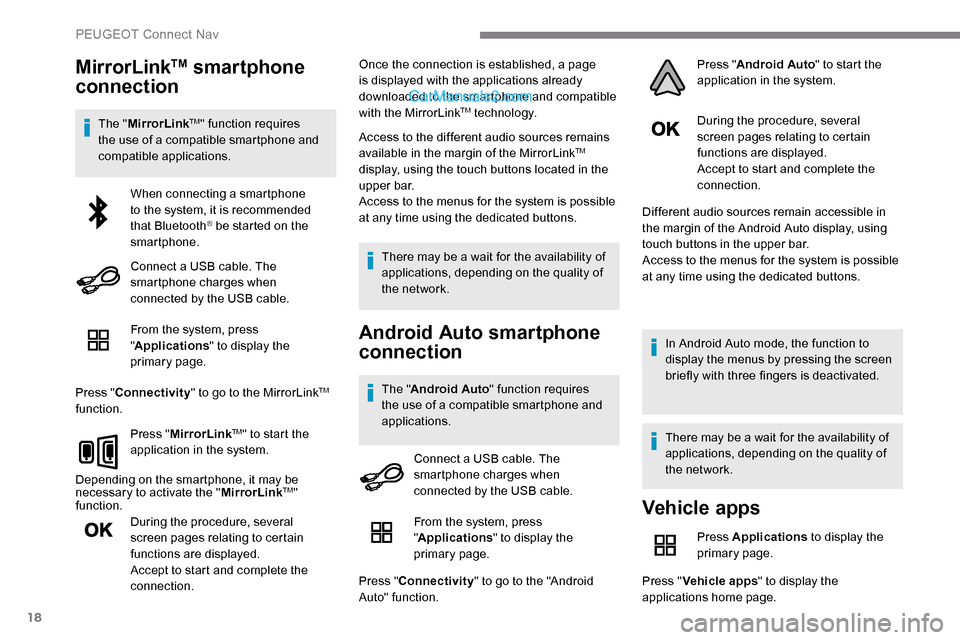
MirrorLinkTM smartphone
connection
The " MirrorLinkTM" function requires
the use of a compatible smartphone and
compatible applications.
From the system, press
"Applications " to display the
primary page.
Press " Connectivity " to go to the MirrorLink
TM
function.
Press "MirrorLink
TM" to start the
application in the system.
Depending on the smartphone, it may be
necessary to activate the " MirrorLink
TM"
function.
During the procedure, several
screen pages relating to certain
functions are displayed.
Accept to start and complete the
connection. Once the connection is established, a page
is displayed with the applications already
downloaded to the smartphone and compatible
with the MirrorLink
TM technology.
Access to the different audio sources remains
available in the margin of the MirrorLink
TM
display, using the touch buttons located in the
u p p e r b a r.
Access to the menus for the system is possible
at any time using the dedicated buttons.
There may be a wait for the availability of
applications, depending on the quality of
the network.
Android Auto smartphone
connection
The " Android Auto " function requires
the use of a compatible smartphone and
applications. During the procedure, several
screen pages relating to certain
functions are displayed.
Accept to start and complete the
connection.
Different audio sources remain accessible in
the margin of the Android Auto display, using
touch buttons in the upper bar.
Access to the menus for the system is possible
at any time using the dedicated buttons.
In Android Auto mode, the function to
display the menus by pressing the screen
briefly with three fingers is deactivated.
There may be a wait for the availability of
applications, depending on the quality of
the network.
When connecting a smartphone
to the system, it is recommended
that Bluetooth
® be started on the
smartphone.
Connect a USB cable. The
smartphone charges when
connected by the USB cable.
Connect a USB cable. The
smartphone charges when
connected by the USB cable.
Vehicle apps
Press Applications to display the
primary page.
Press " Vehicle apps " to display the
applications home page.
From the system, press
"
Applications " to display the
primary page.
Press " Connectivity " to go to the "Android
Auto" function. Press "
Android Auto " to start the
application in the system.
PEUGEOT Connect Nav
Page 293 of 324
21
Press "OK" to confirm.
Radio reception may be affected by the
use of electrical equipment not approved
by the Brand, such as a USB charger
connected to the 12 V socket.
The exterior environment (hills, buildings,
tunnels, basement car parks, etc.)
may block reception, including in RDS
mode. This behaviour is normal in the
propagation of radio waves and does not
indicate any failure of the audio system.
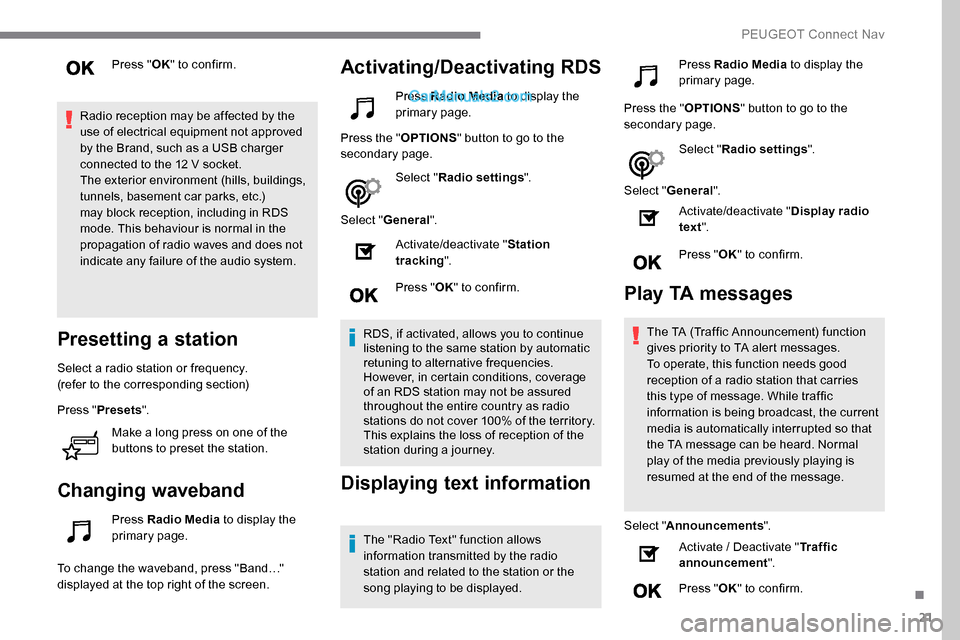
Presetting a station
Select a radio station or frequency.
(refer to the corresponding section)
Press " Presets ".
Make a long press on one of the
buttons to preset the station.
Changing waveband
Press Radio Media to display the
primary page.
To change the waveband, press "Band…"
displayed at the top right of the screen.
Activating/Deactivating RDS
Press Radio Media to display the
primary page.
Press the " OPTIONS" button to go to the
secondary page.
Select "Radio settings ".
Select " General ".
Activate/deactivate " Station
tracking ".
Press " OK" to confirm.
RDS, if activated, allows you to continue
listening to the same station by automatic
retuning to alternative frequencies.
However, in certain conditions, coverage
of an RDS station may not be assured
throughout the entire country as radio
stations do not cover 100% of the territory.
This explains the loss of reception of the
station during a journey.
Displaying text information
The "Radio Text" function allows
information transmitted by the radio
station and related to the station or the
song playing to be displayed. Press Radio Media
to display the
primary page.
Press the " OPTIONS" button to go to the
secondary page.
Select "Radio settings ".
Select " General ".
Activate/deactivate " Display radio
text ".
Press " OK" to confirm.
Play TA messages
The TA (Traffic Announcement) function
gives priority to TA alert messages.
To operate, this function needs good
reception of a radio station that carries
this type of message. While traffic
information is being broadcast, the current
media is automatically interrupted so that
the TA message can be heard. Normal
play of the media previously playing is
resumed at the end of the message.
Select " Announcements ".
Activate / Deactivate " Traffic
announcement ".
Press " OK" to confirm.
.
PEUGEOT Connect Nav
Page 294 of 324
22
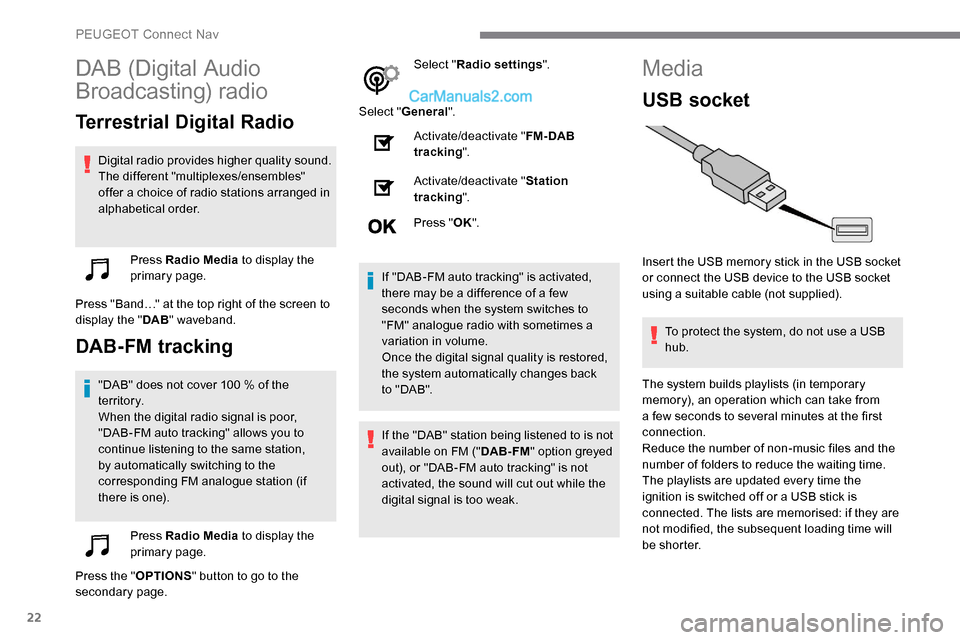
DAB (Digital Audio
Broadcasting) radio
Terrestrial Digital Radio
Digital radio provides higher quality sound.
The different "multiplexes/ensembles"
offer a choice of radio stations arranged in
alphabetical order.Press Radio Media to display the
primary page.
Press "Band…" at the top right of the screen to
display the " DAB" waveband.
DAB-FM tracking
"DAB" does not cover 100 % of the
t e r r i to r y.
When the digital radio signal is poor,
"DAB-FM auto tracking" allows you to
continue listening to the same station,
by automatically switching to the
corresponding FM analogue station (if
there is one).
Press Radio Media to display the
primary page.
Press the " OPTIONS" button to go to the
secondary page. Select "
Radio settings ".
Select " General ".
Activate/deactivate " FM- DAB
tracking ".
Activate/deactivate " Station
tracking ".
Press " OK".
If "DAB-FM auto tracking" is activated,
there may be a difference of a few
seconds when the system switches to
"FM" analogue radio with sometimes a
variation in volume.
Once the digital signal quality is restored,
the system automatically changes back
to " DA B ".
If the "DAB" station being listened to is not
available on FM (" DAB- FM" option greyed
out), or "DAB-FM auto tracking" is not
activated, the sound will cut out while the
digital signal is too weak.
Media
USB socket
Insert the USB memory stick in the USB socket
or connect the USB device to the USB socket
using a suitable cable (not supplied).
To protect the system, do not use a USB
hub.
The system builds playlists (in temporary
memory), an operation which can take from
a few seconds to several minutes at the first
connection.
Reduce the number of non-music files and the
number of folders to reduce the waiting time.
The playlists are updated every time the
ignition is switched off or a USB stick is
connected. The lists are memorised: if they are
not modified, the subsequent loading time will
b e s h o r t e r.
PEUGEOT Connect Nav
Page 295 of 324
23
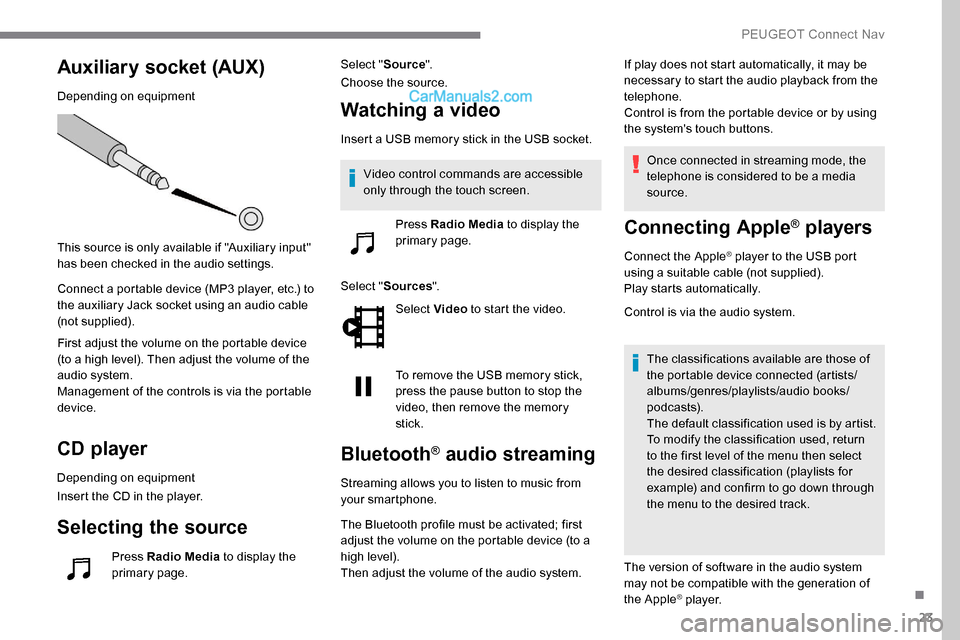
Auxiliary socket (AUX)
Depending on equipment
This source is only available if "Auxiliary input"
has been checked in the audio settings.
Connect a portable device (MP3 player, etc.) to
the auxiliary Jack socket using an audio cable
(not supplied).
First adjust the volume on the portable device
(to a high level). Then adjust the volume of the
audio system.
Management of the controls is via the portable
device.
CD player
Depending on equipment
Insert the CD in the player.
Selecting the source
Press Radio Media to display the
primary page. Select "
Source".
Choose the source.
Watching a video
Insert a USB memory stick in the USB socket.
Select " Sources ".
Select Video to start the video.
To remove the USB memory stick,
press the pause button to stop the
video, then remove the memory
stick.
Bluetooth® audio streaming
Streaming allows you to listen to music from
your smartphone.
The Bluetooth profile must be activated; first
adjust the volume on the portable device (to a
high level).
Then adjust the volume of the audio system. If play does not start automatically, it may be
necessary to start the audio playback from the
telephone.
Control is from the portable device or by using
the system's touch buttons.
Once connected in streaming mode, the
telephone is considered to be a media
source.
Connecting Apple® players
Connect the Apple® player to the USB port
using a suitable cable (not supplied).
Play starts automatically.
Control is via the audio system.
The classifications available are those of
the portable device connected (artists/
albums/genres/playlists/audio books/
podcasts).
The default classification used is by artist.
To modify the classification used, return
to the first level of the menu then select
the desired classification (playlists for
example) and confirm to go down through
the menu to the desired track.
The version of software in the audio system
may not be compatible with the generation of
the Apple
® p l aye r.
Video control commands are accessible
only through the touch screen.
Press Radio Media to display the
primary page.
.
PEUGEOT Connect Nav
Page 298 of 324
26
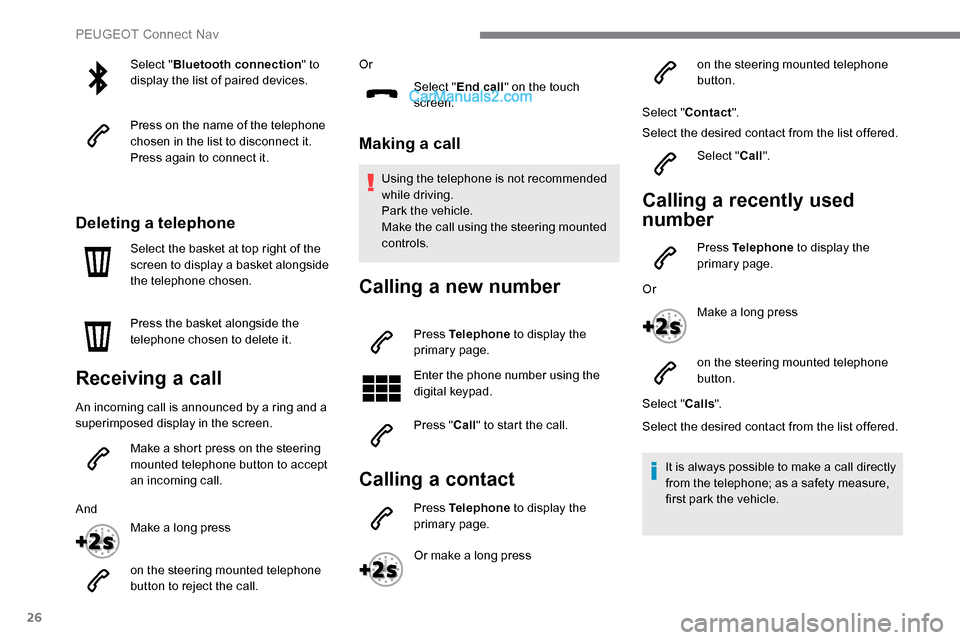
Select "Bluetooth connection " to
display the list of paired devices.
Press on the name of the telephone
chosen in the list to disconnect it.
Press again to connect it.
Deleting a telephone
Select the basket at top right of the
screen to display a basket alongside
the telephone chosen.
Press the basket alongside the
telephone chosen to delete it.
Receiving a call
An incoming call is announced by a ring and a
superimposed display in the screen.
Make a short press on the steering
mounted telephone button to accept
an incoming call.
And Make a long press
on the steering mounted telephone
button to reject the call. Or
Select "End call" on the touch
screen.
Making a call
Using the telephone is not recommended
while driving.
Park the vehicle.
Make the call using the steering mounted
controls.
Calling a new number
Press Telephone to display the
primary page.
Enter the phone number using the
digital keypad.
Press " Call" to start the call.
Calling a contact
Press Telephone to display the
primary page.
Or make a long press on the steering mounted telephone
button.
Select " Contact ".
Select the desired contact from the list offered.
Select "Call".
Calling a recently used
number
Press Telephone to display the
primary page.
Or Make a long press
on the steering mounted telephone
button.
Select " Calls".
Select the desired contact from the list offered.
It is always possible to make a call directly
from the telephone; as a safety measure,
first park the vehicle.
PEUGEOT Connect Nav
Page 301 of 324
29
The location for the photograph is
square; the system reshapes the original
photograph if in another format.Press this button to reinitialise the
profile selected.
Reinitialisation of the profile selected
activates the English language by default.
Select " Audio settings ".
Select " Ambiences ".
Or
" Position ".
Or
" Sound ".
Or
" Voice ".
Or
" Ringtone ".
Press " OK" to save the settings.
Select a "
Profile" (1 or 2 or 3) to associate the
" Audio settings " with it.Modifying system settings
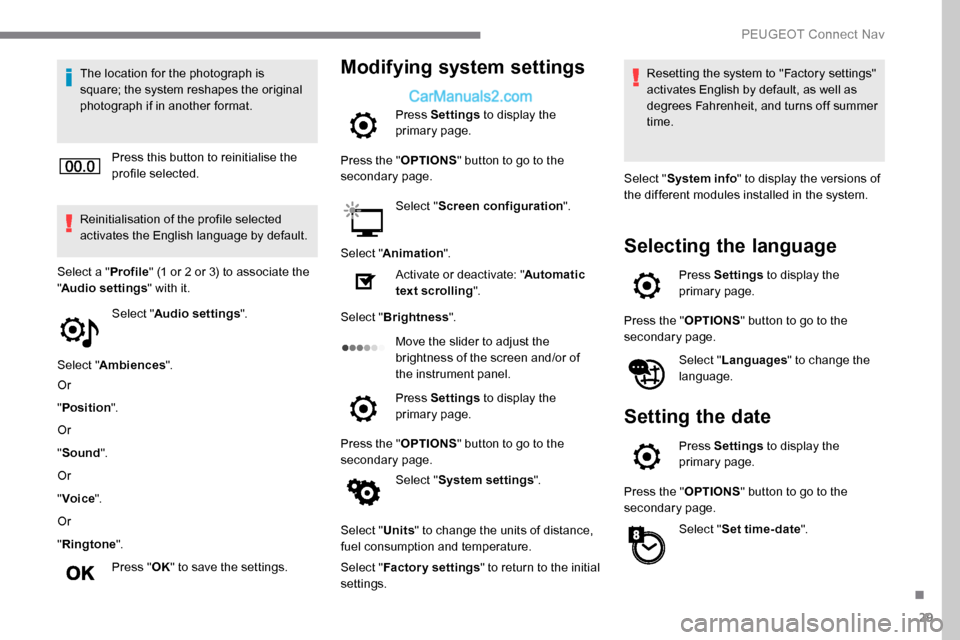
Press Settings to display the
primary page.
Press the " OPTIONS" button to go to the
secondary page.
Select "Screen configuration ".
Select " Animation ".
Activate or deactivate: " Automatic
text scrolling ".
Select " Brightness ".
Move the slider to adjust the
brightness of the screen and/or of
the instrument panel.
Press Settings to display the
primary page.
Press the " OPTIONS" button to go to the
secondary page.
Select "System settings ".
Select " Units" to change the units of distance,
fuel consumption and temperature.
Select " Factory settings " to return to the initial
settings. Resetting the system to "Factory settings"
activates English by default, as well as
degrees Fahrenheit, and turns off summer
time.
Select " System info " to display the versions of
the different modules installed in the system.
Selecting the language
Press Settings to display the
primary page.
Press the " OPTIONS" button to go to the
secondary page.
Select "Languages " to change the
language.
Setting the date
Press Settings to display the
primary page.
Press the " OPTIONS" button to go to the
secondary page.
Select "Set time-date ".
.
PEUGEOT Connect Nav
Page 302 of 324
30
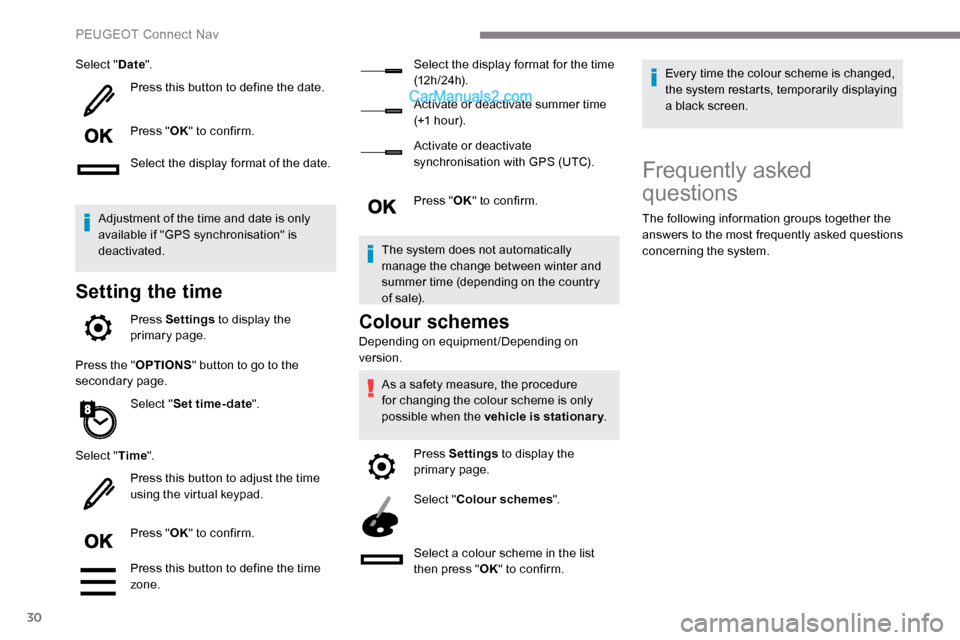
Select "Date".
Press this button to define the date.
Press " OK" to confirm.
Select the display format of the date.
Adjustment of the time and date is only
available if "GPS synchronisation" is
deactivated.
Setting the time
Press Settings to display the
primary page.
Press the " OPTIONS" button to go to the
secondary page.
Select "Set time-date ".
Select " Time".
Press this button to adjust the time
using the virtual keypad.
Press " OK" to confirm.
Press this button to define the time
zone. Select the display format for the time
(12 h / 24 h).
Activate or deactivate summer time
(+1 h o ur).
Activate or deactivate
synchronisation with GPS (UTC).
Press "
OK" to confirm.
The system does not automatically
manage the change between winter and
summer time (depending on the country
of s a l e).Colour schemes
Depending on equipment/Depending on
version. As a safety measure, the procedure
for changing the colour scheme is only
possible when the vehicle is stationary .
Press Settings to display the
primary page.
Select " Colour schemes ".
Select a colour scheme in the list
then press " OK" to confirm. Every time the colour scheme is changed,
the system restarts, temporarily displaying
a black screen.
Frequently asked
questions
The following information groups together the
answers to the most frequently asked questions
concerning the system.
PEUGEOT Connect Nav
Page 306 of 324
34
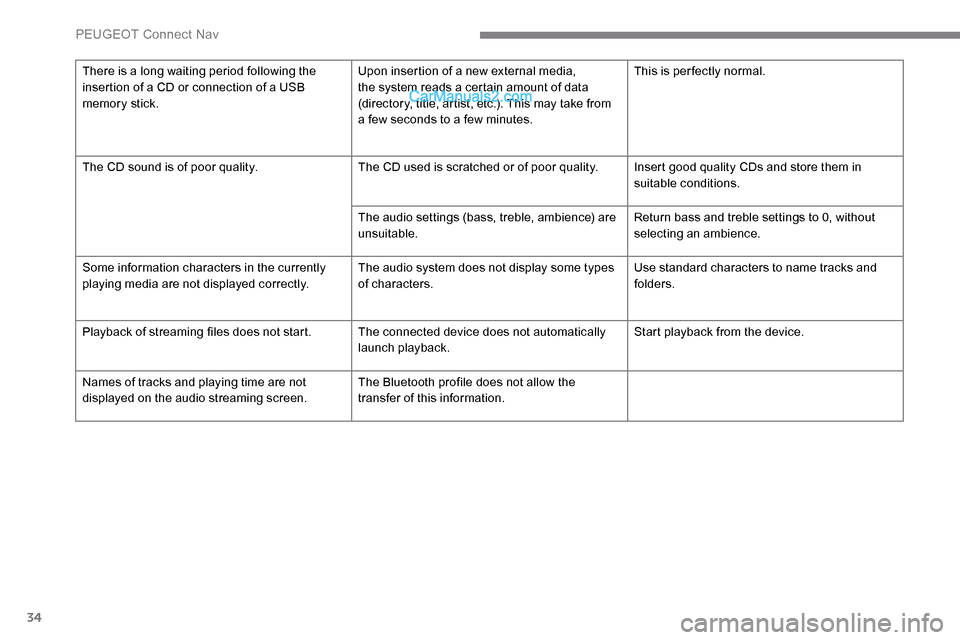
There is a long waiting period following the
insertion of a CD or connection of a USB
memory stick.Upon insertion of a new external media,
the system reads a certain amount of data
(directory, title, artist, etc.). This may take from
a few seconds to a few minutes.This is per fectly normal.
The CD sound is of poor quality. The CD used is scratched or of poor quality. Insert good quality CDs and store them in
suitable conditions.
The audio settings (bass, treble, ambience) are
unsuitable. Return bass and treble settings to 0, without
selecting an ambience.
Some information characters in the currently
playing media are not displayed correctly. The audio system does not display some types
of characters.Use standard characters to name tracks and
folders.
Playback of streaming files does not start. The connected device does not automatically launch playback.Start playback from the device.
Names of tracks and playing time are not
displayed on the audio streaming screen. The Bluetooth profile does not allow the
transfer of this information.
PEUGEOT Connect Nav
Page 310 of 324
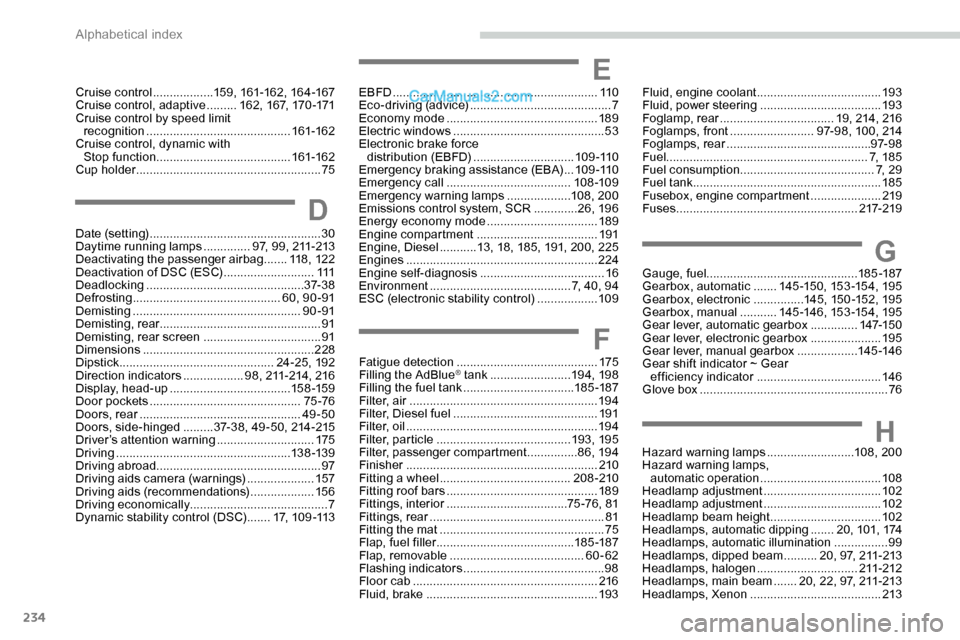
234
G
H
Gauge, fuel............................................. 185 -187
Gearbox, automatic .......145 -15 0, 15 3 -15 4, 19 5
Gearbox, electronic
...............145, 15 0 -152, 19 5
Gearbox, manual
...........14 5 -14 6 , 15 3 -15 4, 19 5
Gear lever, automatic gearbox
..............147-15 0
Gear lever, electronic gearbox
.....................195
Gear lever, manual gearbox
..................145 -14 6
Gear shift indicator ~ Gear efficiency indicator
..................................... 14 6
Glove box
........................................................ 76
Hazard warning lamps
..........................108, 200
Hazard warning lamps, automatic operation
.................................... 10
8
Headlamp adjustment
...................................102
Headlamp adjustment
...................................102
Headlamp beam height
................................. 10
2
Headlamps, automatic dipping
.......20, 101, 174
Headlamps, automatic illumination
................99
Headlamps, dipped beam
..........20, 97, 211-213
Headlamps, halogen
..............................211-212
Headlamps, main beam
.......20, 22, 97, 211-213
Headlamps, Xenon
....................................... 213
EBFD
................
.............................................
11 0
Eco-driving (advice)
..........................................
7
Economy mode
............................................. 18
9
Electric windows
.............................................
53
Electronic brake force distribution (EBFD)
.............................. 10
9 -110
Emergency braking assistance (EBA)
...
109 -110
Emergency call
.....................................
108 -109
Emergency warning lamps
...................
108, 200
Emissions control system, SCR
.............
26, 19 6
Energy economy mode
................................. 18
9
Engine compartment
.................................... 19
1
Engine, Diesel
...........
13, 18, 185, 191, 200, 225
Engines
.........................................................
224
Engine self-diagnosis ..................................... 16
E
nvironment
.......................................... 7, 40, 94
ESC (electronic stability control)
.................. 10
9
E
F
Fatigue detection .......................................... 175
Filling the AdBlue® tank ........................ 19 4, 198
Filling the fuel tank ................................. 185 -187
Filter, air
........................................................ 19 4
Filter, Diesel fuel
........................................... 191
Filter, oil
................
......................................... 19 4
Filter, particle
........................................ 193, 195
Filter, passenger compartment
...............8 6, 19 4
Finisher
......................................................... 210
Fitting a wheel
....................................... 208 -210
Fitting roof bars
............................................. 189
Fittings, interior
.................................... 7
5 -76, 81
Fittings, rear
.................................................... 81
Fitting the mat
................................................. 75
Flap, fuel filler
......................................... 185 -187
Flap, removable
..............................
..........60-62
Flashing indicators
.......................................... 98
Floor cab
....................................................... 216
Fluid, brake
................................................... 193
D
Date (setting) ................................................... 30
Daytime running lamps ..............97, 99, 211-213
Deactivating the passenger airbag
.......11 8 , 12 2
Deactivation of DSC (ESC)
...........................111
Deadlocking
............................................... 37- 3 8
Defrosting
............................................ 60, 90 -91
Demisting
.................................................. 90 -91
Demisting, rear
................................................ 91
Demisting, rear screen
...................................91
Dimensions
..............................
.....................228
Dipstick
................
.............................. 24 -25, 192
Direction indicators
..................98, 211-214, 216
Display, head-up
...............................
.....15 8 -159
Door pockets
...............................
..............75 -76
Doors, rear
................................................ 49-50
Doors, side-hinged
......... 3
7-38, 49 - 50, 214 -215
Driver’s attention warning
.............................175
Driving
.................................................... 13 8 -13 9
Driving abroad ................................................. 97
Driving aids camera (warnings)
....................157
Driving aids (recommendations)
...................15 6
Driving economically ......................................... 7
Dynamic stability control (DSC)
.......17, 1 0 9 -11 3
Cruise control
..................
159, 161-162, 16 4 -167
Cruise control, adaptive .........
16 2 , 167, 170 -171
Cruise control by speed limit recognition
...............................
............
161-162
Cruise control, dynamic with Stop function
........................................
161-162
Cup holder .......................................................
75 Fluid, engine coolant
.....................................
193
Fluid, power steering
.................................... 19
3
Foglamp, rear
..................................
19, 214, 216
Foglamps, front
.........................
97-98, 100, 214
Foglamps, rear
........................................... 9
7- 9 8
Fuel ............................................................ 7, 1 8 5
Fuel consumption
........................................
7, 2 9
Fuel tank ........................................................ 185
Fusebox, engine compartment
.....................
219
Fuses
...................................................... 21
7-219
Alphabetical index
Page 311 of 324
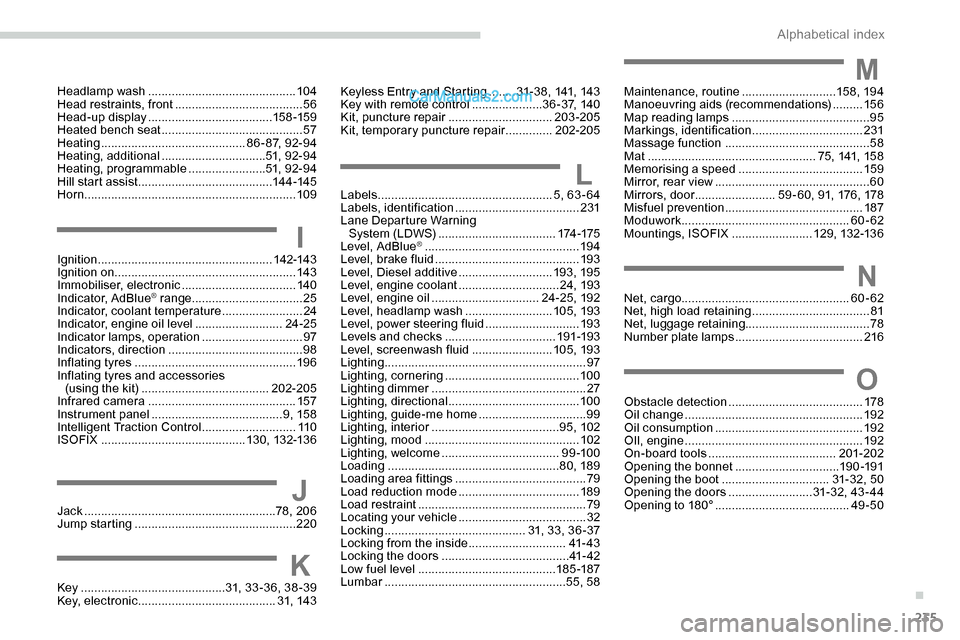
235
IIgnition .................................................... 142-143
Ignition on ...................................................... 143
Immobiliser, electronic
..................................140
Indicator, AdBlue
® range ................................. 25
Indicator, coolant temperature ........................ 24
Indicator, engine oil level
.......................... 24-25
Indicator lamps, operation
.............................. 97
I
ndicators, direction
........................................ 98
Inflating tyres
................................................ 19 6
Inflating tyres and accessories (using the kit)
...................................... 202-205
Infrared camera
............................................ 157
Instrument panel
....................................... 9, 15 8
Intelligent Traction Control
............................ 11 0
ISOFIX
........................................... 13 0, 132-13 6
JJack .........................................................78, 206
Jump starting ................................................ 220
LLabels .................................................... 5, 63 - 64
Labels, identification ..................................... 231
Lane Departure Warning System (LDWS)
................................... 174 -175
Level, AdBlue
® .............................................. 19 4
Level, brake fluid ........................................... 193
Level, Diesel additive
............................ 193, 195
Level, engine coolant
.............................. 24, 193
Level, engine oil
................................ 24 -25, 192
Level, headlamp wash
.......................... 105, 193
Level, power steering fluid
............................ 193
Levels and checks
..............................
...191-193
Level, screenwash fluid
........................ 1
05, 193
Lighting
............................................................ 97
Lighting, cornering
........................................ 10 0
Lighting dimmer
.............................................. 27
Lighting, directional
....................................... 10 0
Lighting, guide-me home
................................ 99
Lighting, interior
...............................
.......95, 102
Lighting, mood
.............................................. 102
Lighting, welcome
................................... 9 9 -10 0
Loading
................................................... 8 0, 189
Loading area fittings
....................................... 79
Load reduction mode
.................................... 189
Load restraint
...............................
...................79
Locating your vehicle
...................................... 32
Locking
...............................
...........31, 33, 36 -37
Locking from the inside
............................. 41- 4 3
Locking the doors
...................................... 4
1- 42
Low fuel level
......................................... 18
5 -187
Lumbar
...................................................... 55, 58
Key
........................................... 31, 33 -36, 38 -39
Key, electronic
......................................... 31, 14 3
K
Maintenance, routine ............................15 8, 19 4
Manoeuvring aids (recommendations) .........15 6
Map reading lamps
......................................... 95
M
arkings, identification
.................................231
Massage function
........................................... 58
Mat
.................................................. 75, 141, 158
Memorising a speed
..................................... 15
9
Mirror, rear view
.............................................. 60
Mirrors, door ........................ 59 - 60, 91, 176, 178
Misfuel prevention
......................................... 187
Moduwork .................................................. 60-62
Mountings, ISOFIX
........................12 9, 132-13 6M
NNet, cargo.................................................. 60-62
Net, high load retaining ...................................81
Net, luggage retaining ..................................... 78
Number plate lamps
...................................... 216
Headlamp wash
..............................
..............
104
Head restraints, front
......................................
56
Head-up display
..................................... 15
8 -159
Heated bench seat
..........................................
57
Heating
........................................... 8
6 - 87, 92-94
Heating, additional
...............................
51, 9 2- 9 4
Heating, programmable
.......................
51, 9 2- 9 4
Hill start assist
........................................
14 4 -145
Horn ............................................................... 109Keyless Entry and Starting
........
3
1- 3 8, 141, 143
Key with remote control
.....................
3
6 - 3 7, 1 4 0
Kit, puncture repair
............................... 20
3-205
Kit, temporary puncture repair
.............. 20
2-205
O
Obstacle detection
........................................ 178
Oil change ..................................................... 19
2
Oil consumption
............................................ 192
OIl, engine
...............................
......................192
On-board tools
...................................... 201-202
Opening the bonnet
...............................19 0 -191
Opening the boot
................................ 31- 32, 50
Opening the doors
.........................31- 32, 43 - 4 4
Opening to 180°
........................................ 49
-50
.
Alphabetical index