Lamp Peugeot Partner 2019 Owner's Guide
[x] Cancel search | Manufacturer: PEUGEOT, Model Year: 2019, Model line: Partner, Model: Peugeot Partner 2019Pages: 312, PDF Size: 9.56 MB
Page 51 of 312
49
This button is unavailable if the vehicle
has been locked or deadlocked from
outside (using the key, the remote control
or the Keyless Entry and Starting,
according to equipment) or if any of the
doors are still open.
Manual mode
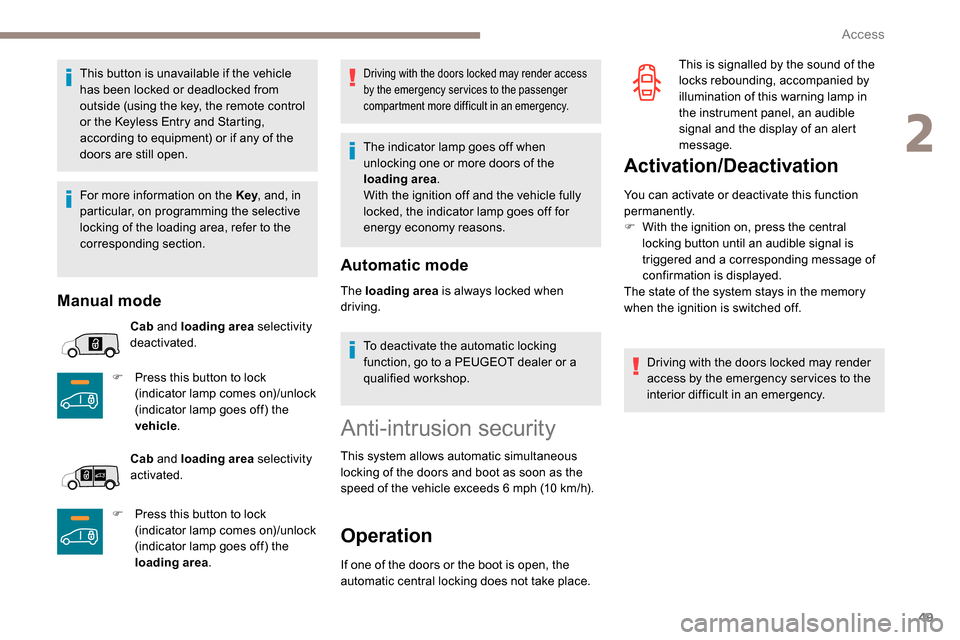
Cab and loading area selectivity
deactivated.
F
P
ress this button to lock
(indicator lamp comes on)/unlock
(indicator lamp goes off) the
vehicle .
Cab and loading area selectivity
activated.
F
P
ress this button to lock
(indicator lamp comes on)/unlock
(indicator lamp goes off) the
loading area .
Driving with the doors locked may render access
by the emergency services to the passenger
compartment more difficult in an emergency.
The indicator lamp goes off when
unlocking one or more doors of the
loading area.
With the ignition off and the vehicle fully
locked, the indicator lamp goes off for
energy economy reasons.
Automatic mode
The loading area is always locked when
driving.
To deactivate the automatic locking
function, go to a PEUGEOT dealer or a
qualified workshop.
Anti-intrusion security
This system allows automatic simultaneous
locking of the doors and boot as soon as the
speed of the vehicle exceeds 6 mph (10 km/h).
Operation
If one of the doors or the boot is open, the
automatic central locking does not take place.
Activation/Deactivation
You can activate or deactivate this function
permanently.
F
W
ith the ignition on, press the central
locking button until an audible signal is
triggered and a corresponding message of
confirmation is displayed.
The state of the system stays in the memory
when the ignition is switched off.
Driving with the doors locked may render
access by the emergency services to the
interior difficult in an emergency. This is signalled by the sound of the
locks rebounding, accompanied by
illumination of this warning lamp in
the instrument panel, an audible
signal and the display of an alert
message.
For more information on the Key , and, in
particular, on programming the selective
locking of the loading area, refer to the
corresponding section.
2
Access
Page 52 of 312
50
Carrying long or voluminous objects
If you want to drive with the boot open, you
should press the central locking button
to lock the doors. Other wise, every time
the speed of the vehicle exceeds 6 mph
(10
km/h), the locks will rebound and the
alerts mentioned above will appear.
Pressing the central locking button
unlocks the vehicle.
Above 6
mph (10 km/h), this unlocking is
te m p o r a r y.
Side-hinged doors
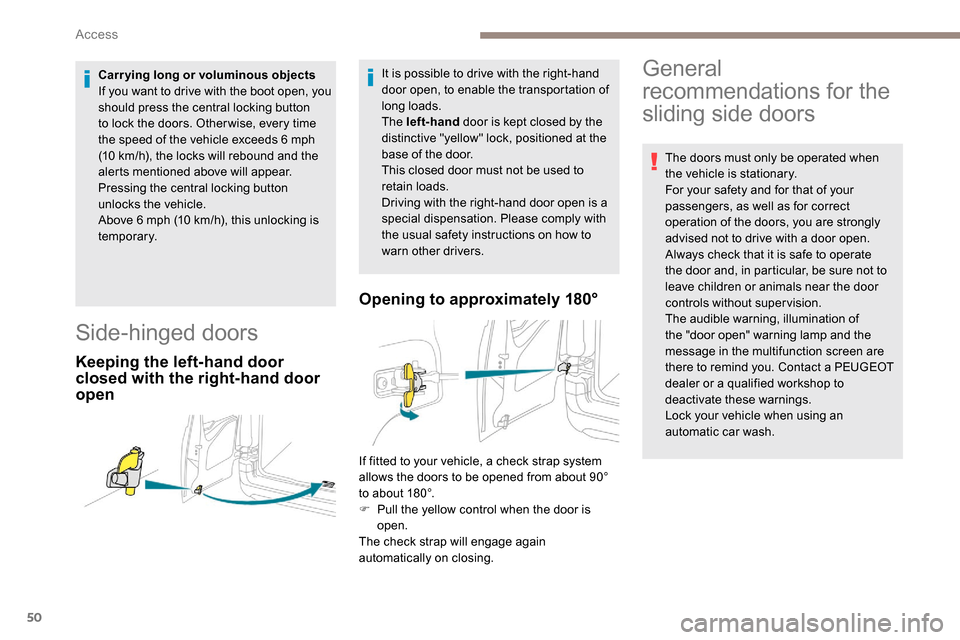
Keeping the left-hand door
closed with the right-hand door
open Opening to approximately 180°
It is possible to drive with the right-hand
door open, to enable the transportation of
long loads.
The left-hand
door is kept closed by the
distinctive "yellow" lock, positioned at the
base of the door.
This closed door must not be used to
retain loads.
Driving with the right-hand door open is a
special dispensation. Please comply with
the usual safety instructions on how to
warn other drivers.General
recommendations for the
sliding side doors
The doors must only be operated when
the vehicle is stationary.
For your safety and for that of your
passengers, as well as for correct
operation of the doors, you are strongly
advised not to drive with a door open.
Always check that it is safe to operate
the door and, in particular, be sure not to
leave children or animals near the door
controls without supervision.
The audible warning, illumination of
the "door open" warning lamp and the
message in the multifunction screen are
there to remind you. Contact a PEUGEOT
dealer or a qualified workshop to
deactivate these warnings.
Lock your vehicle when using an
automatic car wash.
If fitted to your vehicle, a check strap system
allows the doors to be opened from about 90°
to about 180°.
F
P
ull the yellow control when the door is
open.
The check strap will engage again
automatically on closing.
Access
Page 55 of 312
53
Self-protection function
The system checks for the disconnection
of any of its components.
The alarm is triggered if the battery,
button or siren wiring is disconnected or
damaged.
For all work on the alarm system, contact
a PEUGEOT dealer or a qualified
workshop.
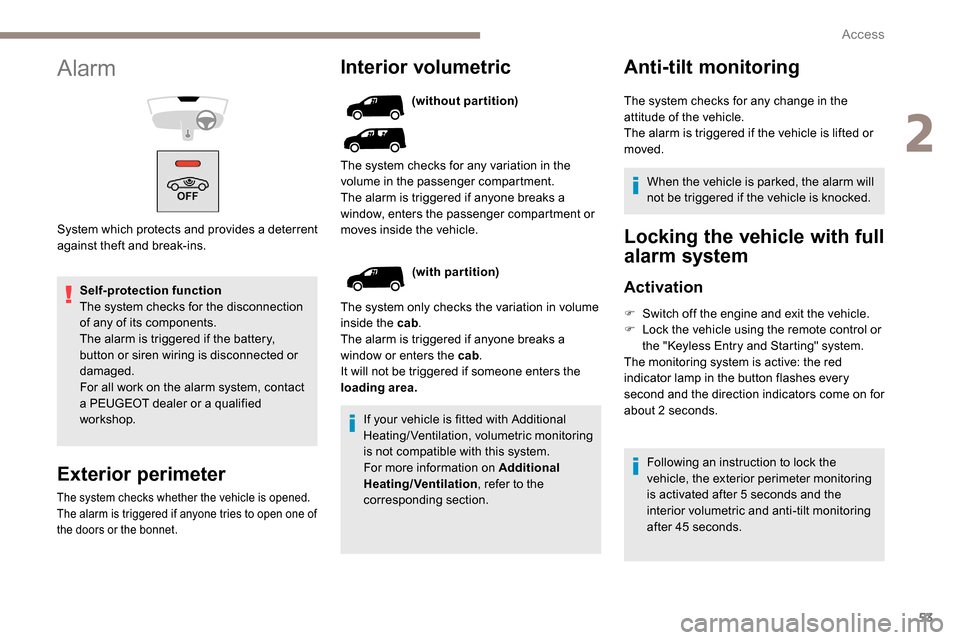
Interior volumetric
If your vehicle is fitted with Additional
Heating/Ventilation, volumetric monitoring
is not compatible with this system.
For more information on Additional
Heating/Ventilation, refer to the
corresponding section. (without partition)
Anti-tilt monitoring
(with partition)
The system only checks the variation in volume
inside the cab .
The alarm is triggered if anyone breaks a
window or enters the cab .
It will not be triggered if someone enters the
loading area. The system checks for any variation in the
volume in the passenger compartment.
The alarm is triggered if anyone breaks a
window, enters the passenger compartment or
moves inside the vehicle. The system checks for any change in the
attitude of the vehicle.
The alarm is triggered if the vehicle is lifted or
moved.
When the vehicle is parked, the alarm will
not be triggered if the vehicle is knocked.
Locking the vehicle with full
alarm system
Activation
F Switch off the engine and exit the vehicle.
F L ock the vehicle using the remote control or
the "
K
eyless Entry and Starting" system.
The monitoring system is active: the red
indicator lamp in the button flashes every
second and the direction indicators come on for
about 2
seconds.
Following an instruction to lock the
vehicle, the exterior perimeter monitoring
is activated after 5
seconds and the
interior volumetric and anti-tilt monitoring
after 45
seconds.
Exterior perimeter
The system checks whether the vehicle is opened.
The alarm is triggered if anyone tries to open one of
the doors or the bonnet.
Alarm
System which protects and provides a deterrent
against theft and break-ins.
2
Access
Page 56 of 312
54
If an opening (door, boot or bonnet) is not
closed properly, the vehicle is not locked
but the exterior perimeter monitoring will
be activated after 45 seconds at the same
time as the interior volumetric and anti-tilt
monitoring.Locking the vehicle
with exterior perimeter
monitoring only
Deactivate the interior volumetric and anti-tilt
monitoring to avoid unwanted triggering of the
alarm in certain cases such as:
-
l
eaving a pet in the vehicle,
-
l
eaving a window or sunroof partially open,
-
w
ashing your vehicle,
-
c
hanging a wheel,
-
h
aving your vehicle towed,
-
t
ransport by ship.
Triggering of the alarm
This is indicated by sounding of the siren
and flashing of the direction indicators for
30
seconds.
Depending on the country of sale, certain
monitoring functions remain active until the alarm
has been triggered eleven times consecutively.
When the vehicle is unlocked using the remote
control or the "
K
eyless Entry and Starting"
system, rapid flashing of the red indicator lamp
in the button informs you that the alarm was
triggered during your absence. When the ignition
is switched on, the flashing stops immediately.
Deactivation
F Press the unlocking button on the remote control.
or
F
U
nlock the vehicle with the Keyless Entry
and Starting system.
The monitoring system is deactivated: the
indicator lamp in the button goes off and the
direction indicators flash for about 2
seconds.
When the vehicle automatically locks
itself again (as happens if a door or the
boot is not opened within 30
seconds of
unlocking), the monitoring system is also
reactivated automatically.
Deactivating the interior
volumetric and anti-tilt
monitoring
F Switch off the ignition and within 10 s econds
press the alarm button until its red indicator
lamp is on fixed.
F
G
et out of the vehicle.
F
I
mmediately lock the vehicle using the
remote control or the "Keyless Entry and
Starting" system.
Only the exterior perimeter monitoring is
activated; the red indicator lamp in the button
flashes every second.
To be taken into account, the deactivation
must be carried out every time the ignition
is switched off.
Reactivating the interior
volumetric and anti-tilt monitoring
F Deactivate the perimeter monitoring by unlocking the vehicle with the remote
control or the Keyless Entry and Starting
system.
The indicator lamp in the button goes off.
F
R
eactivate all monitoring by locking the
vehicle with the remote control or the
Keyless Entry and Starting system.
The red indicator lamp in the button once again
flashes every second.
Access
Page 57 of 312
55
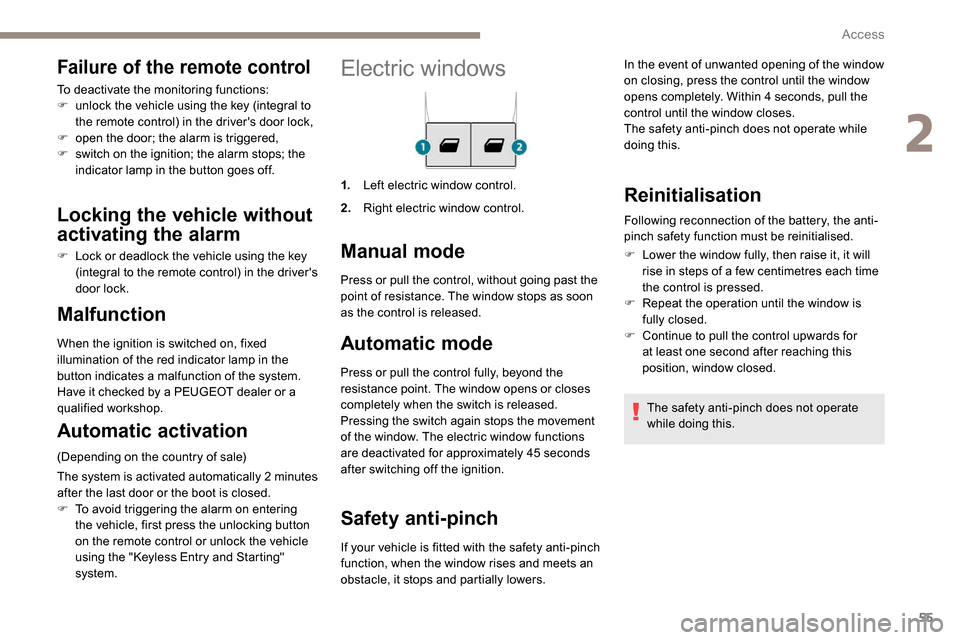
Electric windows
1.Left electric window control.
2. Right electric window control.
Manual mode
Automatic mode
Press or pull the control fully, beyond the
resistance point. The window opens or closes
completely when the switch is released.
Pressing the switch again stops the movement
of the window. The electric window functions
are deactivated for approximately 45
seconds
after switching off the ignition.
Safety anti-pinch
Malfunction
When the ignition is switched on, fixed
illumination of the red indicator lamp in the
button indicates a malfunction of the system.
Have it checked by a PEUGEOT dealer or a
qualified workshop.
Automatic activation
(Depending on the country of sale)
The system is activated automatically 2
m
inutes
after the last door or the boot is closed.
F
T
o avoid triggering the alarm on entering
the vehicle, first press the unlocking button
on the remote control or unlock the vehicle
using the "
K
eyless Entry and Starting"
system. Press or pull the control, without going past the
point of resistance. The window stops as soon
as the control is released.
If your vehicle is fitted with the safety anti-pinch
function, when the window rises and meets an
obstacle, it stops and partially lowers.
Reinitialisation
Following reconnection of the battery, the anti-
pinch safety function must be reinitialised.
F
L
ower the window fully, then raise it, it will
rise in steps of a few centimetres each time
the control is pressed.
F
R
epeat the operation until the window is
fully closed.
F
C
ontinue to pull the control upwards for
at least one second after reaching this
position, window closed.
The safety anti-pinch does not operate
while doing this.
Failure of the remote control
To deactivate the monitoring functions:
F u nlock the vehicle using the key (integral to
the remote control) in the driver's door lock,
F
o
pen the door; the alarm is triggered,
F
s
witch on the ignition; the alarm stops; the
indicator lamp in the button goes off.
Locking the vehicle without
activating the alarm
F Lock or deadlock the vehicle using the key (integral to the remote control) in the driver's
door lock. In the event of unwanted opening of the window
on closing, press the control until the window
opens completely. Within 4
seconds, pull the
control until the window closes.
The safety anti-pinch does not operate while
doing this.
2
Access
Page 68 of 312
66
AC 220V
50Hz120W
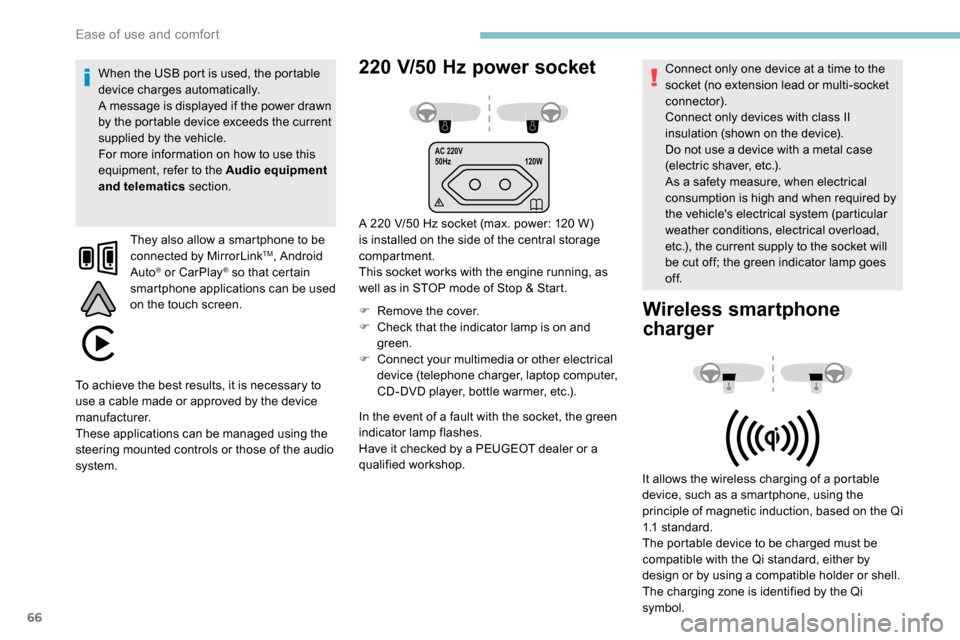
220 V/50 Hz power socket
A 220 V/50 Hz socket (max. power: 120 W)
i s installed on the side of the central storage
compartment.
This socket works with the engine running, as
well as in STOP mode of Stop & Start.
F
R
emove the cover.
F
C
heck that the indicator lamp is on and
green.
F
C
onnect your multimedia or other electrical
device (telephone charger, laptop computer,
CD-DVD player, bottle warmer, etc.).
When the USB port is used, the portable
device charges automatically.
A message is displayed if the power drawn
by the portable device exceeds the current
supplied by the vehicle.
For more information on how to use this
equipment, refer to the Audio equipment
and telematics
section.
They also allow a smartphone to be
connected by MirrorLink
TM, Android
Auto® or CarPlay® so that certain
smartphone applications can be used
on the touch screen.
In the event of a fault with the socket, the green
indicator lamp flashes.
Have it checked by a PEUGEOT dealer or a
qualified workshop. Connect only one device at a time to the
socket (no extension lead or multi-socket
connector).
Connect only devices with class II
insulation (shown on the device).
Do not use a device with a metal case
(electric shaver, etc.).
As a safety measure, when electrical
consumption is high and when required by
the vehicle's electrical system (particular
weather conditions, electrical overload,
etc.), the current supply to the socket will
be cut off; the green indicator lamp goes
of f.
Wireless smartphone
charger
It allows the wireless charging of a portable
device, such as a smartphone, using the
principle of magnetic induction, based on the Qi
1.1 standard.
The portable device to be charged must be
compatible with the Qi standard, either by
design or by using a compatible holder or shell.
The charging zone is identified by the Qi
symbol.
To achieve the best results, it is necessary to
use a cable made or approved by the device
manufacturer.
These applications can be managed using the
steering mounted controls or those of the audio
system.
Ease of use and comfort
Page 69 of 312
67
Charging
F First ensure that the charging zone is clear of other articles.
F
P
lace a portable device in the middle of the
charging zone.
The system only supports charging one
portable device at a time.
F
O
nce the portable device is detected, the
charge indicator lamp comes on in green.
F
C
harging of the portable device's battery
then starts.
F
O
nce the portable device's battery is fully
charged, the charge indicator lamp goes off. Do not leave any metal objects (coins,
keys, vehicle remote control, etc.) in
the charging area while a device is
being charged – Risk of overheating or
interrupting the charging process!Checking operation
The state of the charge indicator lamp allows
the operation of the charger to be monitored.
Charge indicator
lampMeaning
Off Engine switched off.
No compatible portable
device detected.
Charging finished.
Fixed, green Compatible portable
device detected.
Charging...
Flashing,
orange Foreign object detected in
the charging zone.
Portable device not well
centred in the charging
zone.
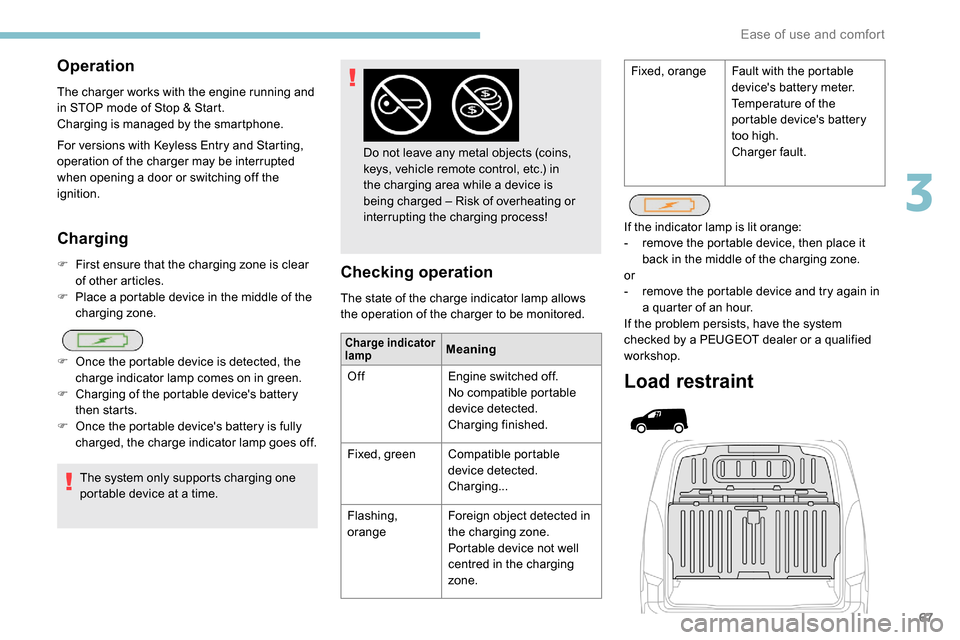
Load restraint
If the indicator lamp is lit orange:
-
r emove the portable device, then place it
back in the middle of the charging zone.
or
-
r
emove the portable device and try again in
a quarter of an hour.
If the problem persists, have the system
checked by a PEUGEOT dealer or a qualified
workshop.
Operation
The charger works with the engine running and
in STOP mode of Stop & Start.
Charging is managed by the smartphone.
For versions with
K
eyless Entry and Starting,
operation of the charger may be interrupted
when opening a door or switching off the
ignition. Fixed, orange
Fault with the portable
device's battery meter.
Temperature of the
portable device's battery
too high.
Charger fault.
3
Ease of use and comfort
Page 79 of 312
77
F Press corresponding button 8 to activate/deactivate the function.
The indicator lamp in the button is on when the
function is activated.
The function is deactivated automatically if a
passenger uses the temperature control.
Visibility programme
F Press " Visibility" button 7 to demist or
defrost the windscreen and side windows
more quickly.
The system automatically manages the air
conditioning, air flow and air intake, and
provides optimum distribution towards the
windscreen and side windows.
F
P
ress " Visibility " button 8 again to stop the
programme.
Or
F
P
ress " AUTO " button 6 to return to the
automatic comfort programme.
Air conditioning
With the engine running, the air conditioning is
designed to operate effectively in all seasons,
with the windows closed.
It allows you:
-
i
n summer, to lower the temperature,
-
t
o increase the effectiveness of the
demisting in winter, above 3°C.
On/off
F Press button 5 to activate/deactivate the air conditioning system.
When the air conditioning is in operation, to
cool the air more quickly, you can use interior
air recirculation for a few moments by pressing
button 4 . Then return to the intake of exterior
a i r.
The air conditioning does not operate
when the air flow adjustment is set to off.
Switching the system off may result in
some discomfort (humidity, misting).
Air distribution
F Press button 3 successively to direct the air flow towards:
-
t
he windscreen, the side windows and the
footwells,
-
t
he footwells.
-
t
he central vents, the side vents and the
footwells,
-
t
he windscreen, the side windows, the
central vents, the side vents and the
footwells,
-
t
he central and side vents,
-
t
he windscreen and side windows
(demisting or defrosting).
Air flow
F Press buttons 2 to increase/decrease the air f low.
The symbol for air flow (a fan) appears. It is
filled in or emptied progressively according to
the value requested.
Recirculation of interior air
The intake of exterior air prevents the formation
of mist on the windscreen and side windows.
Recirculation of the interior air isolates the
passenger compartment from exterior odours
and fumes.
This allows hot or cold air to be delivered
more quickly when required.
F
P
ress button 4 to recirculate the interior air/
permit the intake of exterior air.
Avoid prolonged use of recirculation
of the interior air – risk of misting and
deterioration of air quality!
3
Ease of use and comfort
Page 80 of 312
78
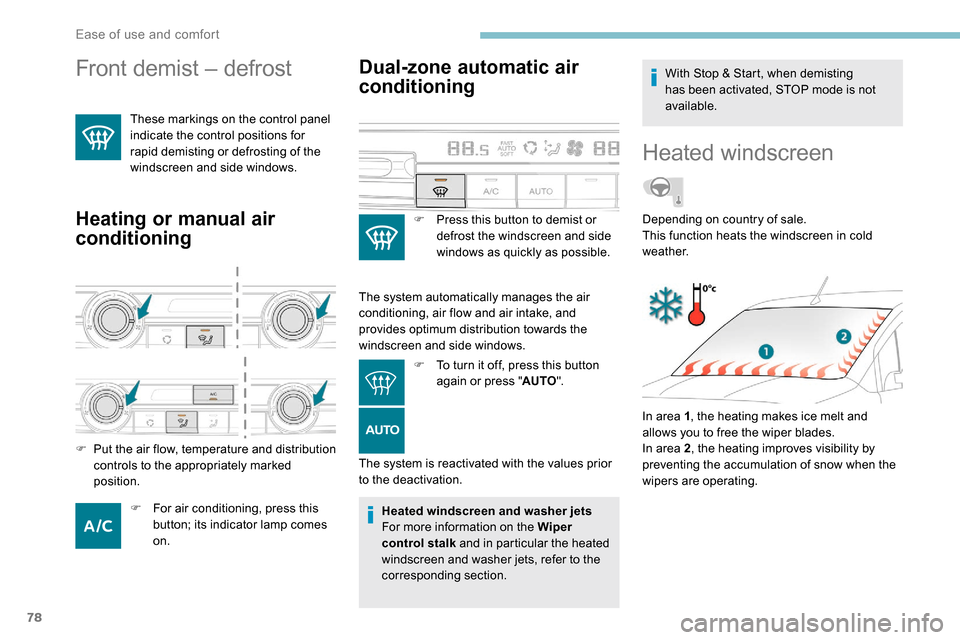
Front demist – defrost
These markings on the control panel
indicate the control positions for
rapid demisting or defrosting of the
windscreen and side windows.
Heating or manual air
conditioning
F For air conditioning, press this button; its indicator lamp comes
on.
Dual-zone automatic air
conditioning
F Press this button to demist or defrost the windscreen and side
windows as quickly as possible.
The system automatically manages the air
conditioning, air flow and air intake, and
provides optimum distribution towards the
windscreen and side windows. F
T
o turn it off, press this button
again or press " AUTO".
The system is reactivated with the values prior
to the deactivation.
F
P
ut the air flow, temperature and distribution
controls to the appropriately marked
position.
Heated windscreen and washer jets
For more information on the Wiper
control stalk and in particular the heated
windscreen and washer jets, refer to the
corresponding section. With Stop & Start, when demisting
has been activated, STOP mode is not
available.
Heated windscreen
In area 1
, the heating makes ice melt and
allows you to free the wiper blades.
In area 2 , the heating improves visibility by
preventing the accumulation of snow when the
wipers are operating. Depending on country of sale.
This function heats the windscreen in cold
weather.
Ease of use and comfort
Page 81 of 312
79
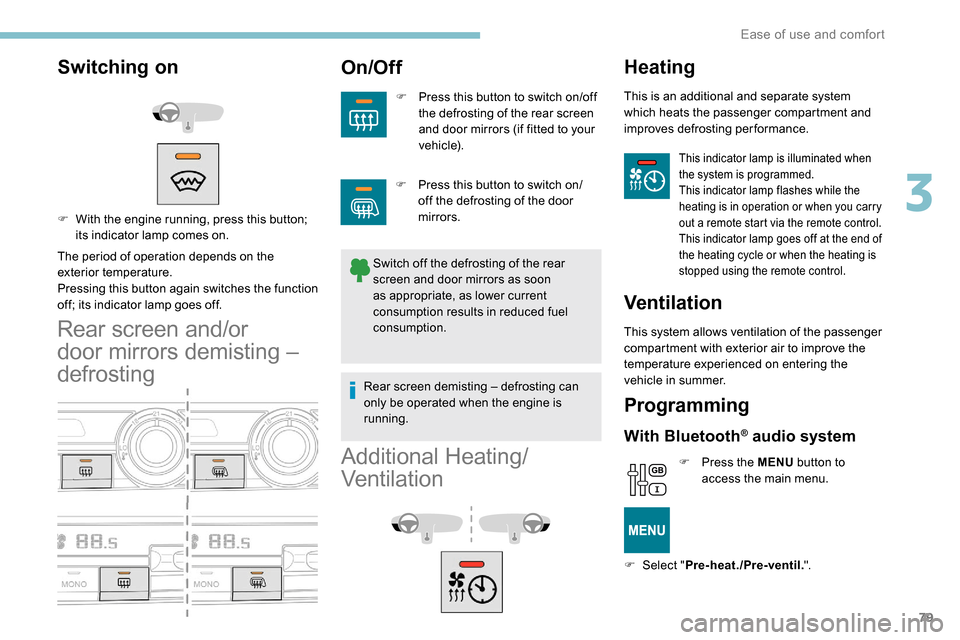
Switching on
The period of operation depends on the
exterior temperature.
Pressing this button again switches the function
off; its indicator lamp goes off.
Rear screen and/or
door mirrors demisting –
defrosting
On/Off
F Press this button to switch on/off the defrosting of the rear screen
and door mirrors (if fitted to your
vehicle).
Switch off the defrosting of the rear
screen and door mirrors as soon
as appropriate, as lower current
consumption results in reduced fuel
consumption.
F
W
ith the engine running, press this button;
its indicator lamp comes on.
Additional Heating/
Ventilation
Heating
This is an additional and separate system
which heats the passenger compartment and
improves defrosting performance.
This indicator lamp is illuminated when
the system is programmed.
This indicator lamp flashes while the
heating is in operation or when you carry
out a remote start via the remote control.
This indicator lamp goes off at the end of
the heating cycle or when the heating is
stopped using the remote control.
Ventilation
This system allows ventilation of the passenger
compartment with exterior air to improve the
temperature experienced on entering the
vehicle in summer.
Programming
With Bluetooth® audio system
F Press the MENU button to
access the main menu.
F
Sel
ect " Pre-heat./Pre-ventil. ".
F
P
ress this button to switch on/
off the defrosting of the door
mirrors.
Rear screen demisting – defrosting can
only be operated when the engine is
running.
3
Ease of use and comfort