Lamp Peugeot Partner 2019 Manual PDF
[x] Cancel search | Manufacturer: PEUGEOT, Model Year: 2019, Model line: Partner, Model: Peugeot Partner 2019Pages: 312, PDF Size: 9.56 MB
Page 132 of 312
130
To reduce fuel consumption when
stationary for long periods with the
engine running (traffic jam, etc.), position
the selector on N and apply the parking
brake.
Gear efficiency indicator
(Depending on engine.)
This system reduces fuel consumption by
recommending the most appropriate gear.
Operation
Depending on the driving situation and your
vehicle's equipment, the system may advise
you to skip one or more gears. You can
follow this indication without engaging the
intermediate gears.
Gear shift recommendations must not be
considered as compulsory. In fact, the road
layout, the traffic density and safety remain the
deciding factors when choosing the best gear.
The driver therefore remains responsible for
deciding whether or not to follow the indications
issued by the system.
This function cannot be deactivated.With an automatic gearbox, the system is
only active in manual operation.
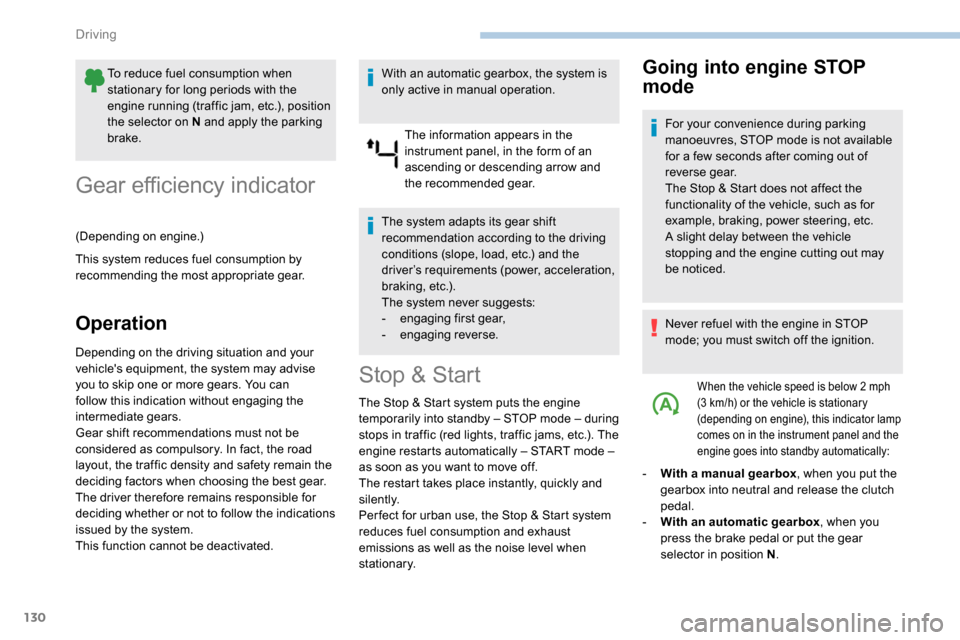
The information appears in the
instrument panel, in the form of an
ascending or descending arrow and
the recommended gear.
The system adapts its gear shift
recommendation according to the driving
conditions (slope, load, etc.) and the
driver’s requirements (power, acceleration,
braking, etc.).
The system never suggests:
-
e
ngaging first gear,
-
enga
ging reverse.
Stop & Start
The Stop & Start system puts the engine
t emporarily into standby – STOP mode – during
stops in traffic (red lights, traffic jams, etc.). The
engine restarts automatically – START mode –
as soon as you want to move off.
The restart takes place instantly, quickly and
silently.
Per fect for urban use, the Stop & Start system
reduces fuel consumption and exhaust
emissions as well as the noise level when
stationary.
Going into engine STOP
mode
For your convenience during parking
manoeuvres, STOP mode is not available
for a few seconds after coming out of
reverse gear.
The Stop & Start does not affect the
functionality of the vehicle, such as for
example, braking, power steering, etc.
A slight delay between the vehicle
stopping and the engine cutting out may
be noticed.
Never refuel with the engine in STOP
mode; you must switch off the ignition.
When the vehicle speed is below 2 mph
( 3 km/h) or the vehicle is stationary
(depending on engine), this indicator lamp
comes on in the instrument panel and the
engine goes into standby automatically:
- With a manual gearbox , when you put the
gearbox into neutral and release the clutch
pedal.
-
W
ith an automatic gearbox , when you
press the brake pedal or put the gear
selector in position N .
Driving
Page 133 of 312
131
Special cases: STOP mode
not available
STOP mode is not activated in certain
temporary conditions (examples: battery
charge, engine temperature, braking
assistance, ambient temperature) to assure
correct operation of the system and mainly
when:
-
t
he vehicle is on a steep slope (rising or
falling),
-
t
he driver's door is open,
-
a s
liding side door is open,
-
t
he driver's seat belt is not fastened,
-
t
he vehicle has not exceeded 6 mph
(10
km/h) since the last engine start by the
driver,
-
t
he automatic electronic parking brake is
applied or being applied,
-
t
he engine is needed to maintain a
comfortable temperature in the passenger
compartment, In this case, this indicator lamp
flashes for a few seconds, then goes
of f.
Going into engine START
mode
With a manual gearbox
, the Stop
& Start warning lamp goes off on
the instrument panel and the engine
restarts automatically when you press
the clutch pedal fully down to the floor.
With an automatic gearbox , the Stop & Start
warning lamp on the instrument panel goes off
and the engine restarts automatically when:
-
y
ou release the brake pedal with the gear
selector in position D or M ,
-
y
ou are in position N with the brake pedal
released and you move the gear selector to
position D or M,
-
y
ou engage reverse.
-
d
emisting is active,
-
t
he ambient temperature is lower than about
0°C or higher than about 35°C.
This operation is perfectly normal.
Stop & Start time counter
(minutes/seconds or hours/minutes)
If your vehicle is fitted with Stop & Start, a time
counter calculates the time spent in STOP
mode during a journey.
It resets to zero every time the ignition is
switched on.
Special cases: START
mode triggered
automatically
START mode is activated automatically in
certain temporary conditions (examples:
battery charge, engine temperature, braking
assistance, air conditioning setting) to assure
correct operation of the system and mainly
when:
-
y
ou open the driver's door,
-
y
ou open a sliding side door,
-
y
ou unfasten the driver's seat belt,
-
t
he speed of the vehicle exceeds 2 mph
(3
km/h) (depending on the engine)In this case, this indicator lamp
flashes for a few seconds, then goes
of f.
This operation is perfectly normal.
6
Driving
Page 134 of 312
132
Deactivation/Activation
With button
With audio system/touch screen
Activation or deactivation is done
via the vehicle configuration menu.
If the system has been deactivated
in STOP mode, the engine restarts
immediately. The system reactivates automatically
every time the engine is started by the
driver.
Opening the bonnet
Before doing anything under the bonnet,
deactivate the Stop & Start system to
avoid the risk of injury related to an
automatic change to START mode.
Driving on flooded roads
Malfunction
Depending on your vehicle's equipment:
In the event of a fault with the system,
this warning lamp flashes in the
instrument panel.
The warning lamp in this button
flashes and a message appears,
accompanied by an audible signal.
F
T
o deactivate or reactivate the system,
press this button.
The indicator lamp is lit when the system is
deactivated .
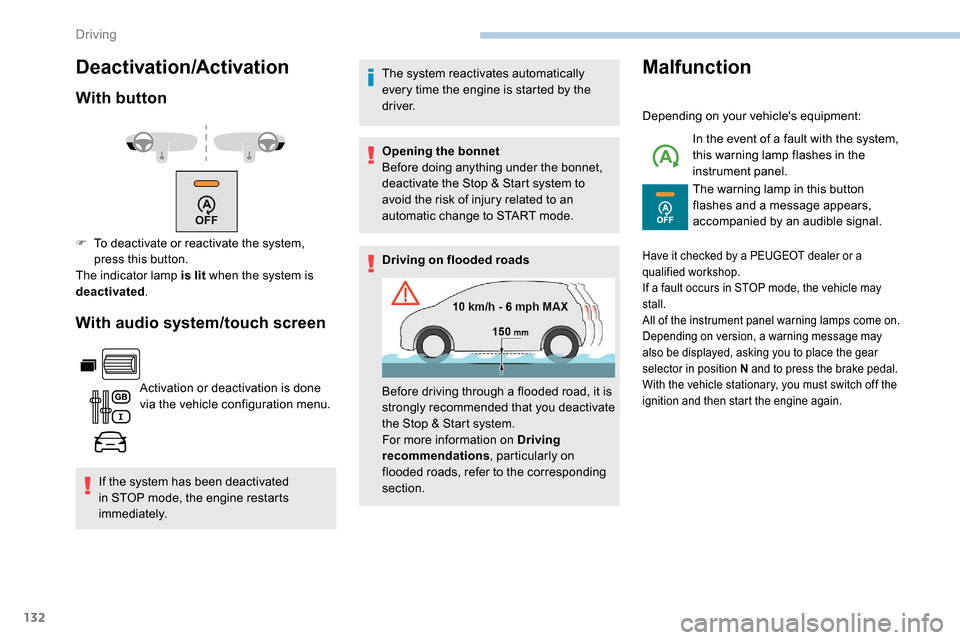
Before driving through a flooded road, it is
strongly recommended that you deactivate
the Stop & Start system.
For more information on Driving
recommendations, particularly on
flooded roads, refer to the corresponding
section.
Have it checked by a PEUGEOT dealer or a
qualified workshop.
If a fault occurs in STOP mode, the vehicle may
stall.
All of the instrument panel warning lamps come on.
Depending on version, a warning message may
also be displayed, asking you to place the gear
selector in position N and to press the brake pedal.
With the vehicle stationary, you must switch off the
ignition and then start the engine again.
Driving
Page 145 of 312
143
The brake lamps illuminate as soon as
the braking system is activated with
deceleration of the vehicle.
This system is a driving aid that cannot,
in any circumstances, replace the need to
obser ve speed limits and safety distances,
nor the need for vigilance on the part of
the driver.
Some vehicles present on the road may
not be properly seen or may be poorly
interpreted by the camera (e.g. a lorry),
which may lead to a poor assessment
of the distances and lead to the vehicle
inappropriately accelerating or braking.
The driver must be ready at all times to
retake control of their vehicle by keeping
both hands on the steering wheel and
keeping the feet near the brake and
accelerator pedals.Steering mounted control
For more information on the Speed Limit
recognition and recommendation, refer to
the corresponding section.
Displays in the instrument panel
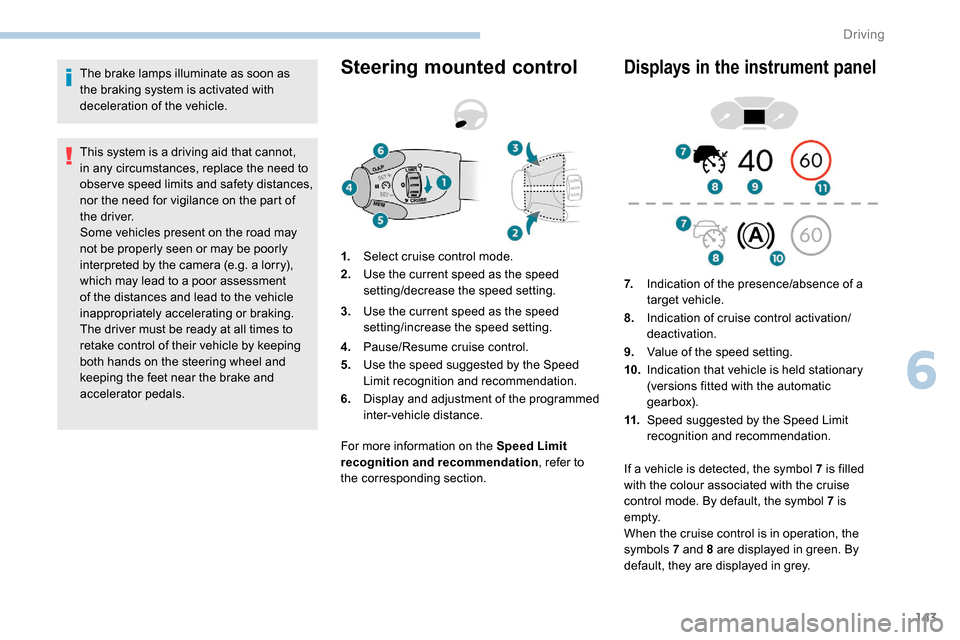
1. Select cruise control mode.
2. Use the current speed as the speed
setting/decrease the speed setting.
3. Use the current speed as the speed
setting/increase the speed setting.
4. Pause/Resume cruise control.
5. Use the speed suggested by the Speed
Limit recognition and recommendation.
6. Display and adjustment of the programmed
inter-vehicle distance. 7.
Indication of the presence/absence of a
target vehicle.
8. Indication of cruise control activation/
deactivation.
9. Value of the speed setting.
10. Indication that vehicle is held stationary
(versions fitted with the automatic
gearbox).
11. Speed suggested by the Speed Limit
recognition and recommendation.
If a vehicle is detected, the symbol 7
is filled
with the colour associated with the cruise
control mode. By default, the symbol 7 is
e m pt y.
When the cruise control is in operation, the
symbols 7 and 8 are displayed in green. By
default, they are displayed in grey.
6
Driving
Page 148 of 312
146
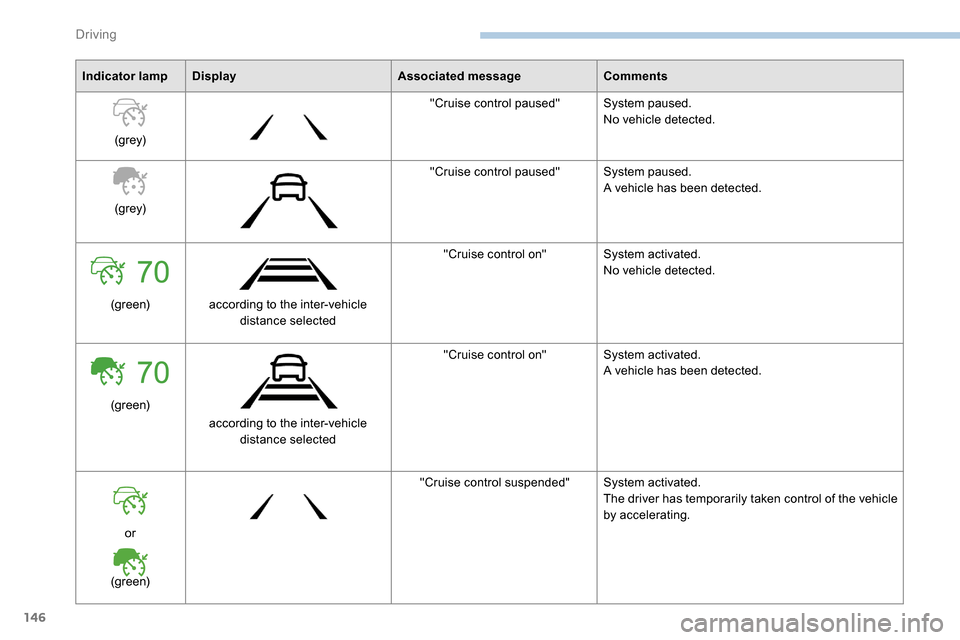
Indicator lampDisplay Associated messageComments
(grey) "Cruise control paused"
System paused.
No vehicle detected.
(grey) "Cruise control paused"
System paused.
A vehicle has been detected.
(green) according to the inter-vehicle
distance selected "Cruise control on"
System activated.
No vehicle detected.
(green) according to the inter-vehicle distance selected "Cruise control on"
System activated.
A vehicle has been detected.
or
(green) "Cruise control suspended"
System activated.
The driver has temporarily taken control of the vehicle
by accelerating.
Driving
Page 149 of 312
147
70
70
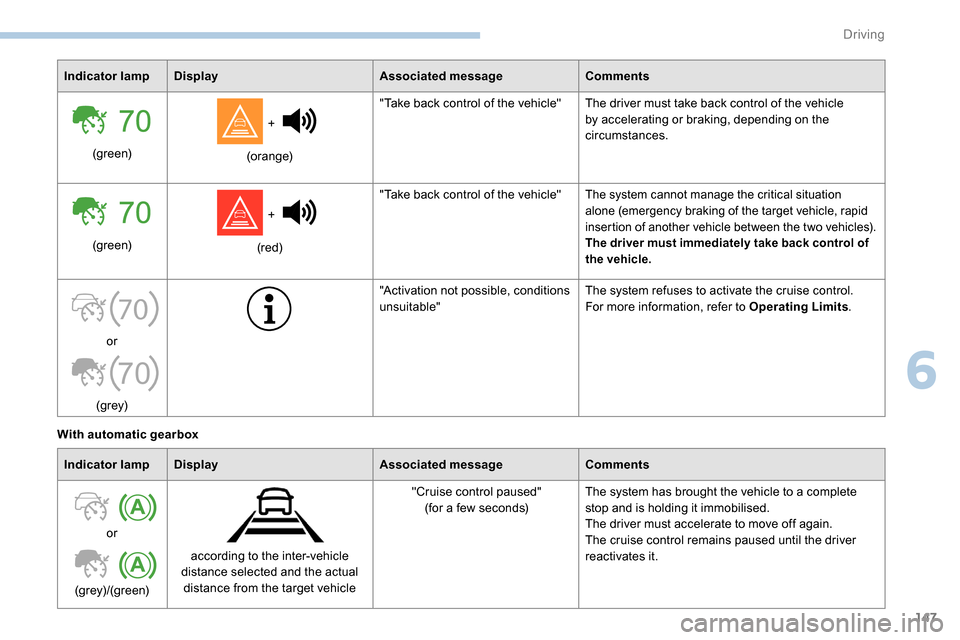
Indicator lampDisplay Associated messageComments
(green) +
(orange) "Take back control of the vehicle" The driver must take back control of the vehicle
by accelerating or braking, depending on the
circumstances.
(green) +
(red) "Take back control of the vehicle"
The system cannot manage the critical situation
alone (emergency braking of the target vehicle, rapid
insertion of another vehicle between the two vehicles).
The driver must immediately take back control of
the vehicle.
or
(grey) "Activation not possible, conditions
unsuitable"
The system refuses to activate the cruise control.
For more information, refer to Operating Limits
.
With automatic gearbox Indicator lamp Display Associated messageComments
or
(grey)/(green) according to the inter-vehicle
distance selected and the actual distance from the target vehicle "Cruise control paused"
(for a few seconds) The system has brought the vehicle to a complete
stop and is holding it immobilised.
The driver must accelerate to move off again.
The cruise control remains paused until the driver
reactivates it.
6
Driving
Page 151 of 312
149
The system is not intended for the
following situations:
-
i
f the front end of the vehicle has
been modified (addition of long-range
headlamps, painting of the front
bumper),
-
d
riving on a racing circuit,
-
r
unning on a rolling road,
-
u
se of snow chains, non-slip covers or
studded tyres.
The use of mats not approved by
PEUGEOT may inter fere with the
operation of the cruise control.
To avoid any risk of jamming the pedals:
-
e
nsure that the mat is secured
c o r r e c t l y,
-
d
o not place one mat on top of another.
The following situations may interfere with
the operation of the system or prevent it
from working:
-
d
riving on a winding road,
-
p
oor visibility (inadequate street
lighting, falling snow, heavy rain, dense
fog, etc.),
-
d
azzle (headlamps of an oncoming
vehicle, low sun, reflections on a damp
road, leaving a tunnel, alternating
shade and light, etc.),
-
c
amera obstructed (mud, frost, snow,
condensation, etc.).
In these situations, detection performance
may be reduced.Malfunction
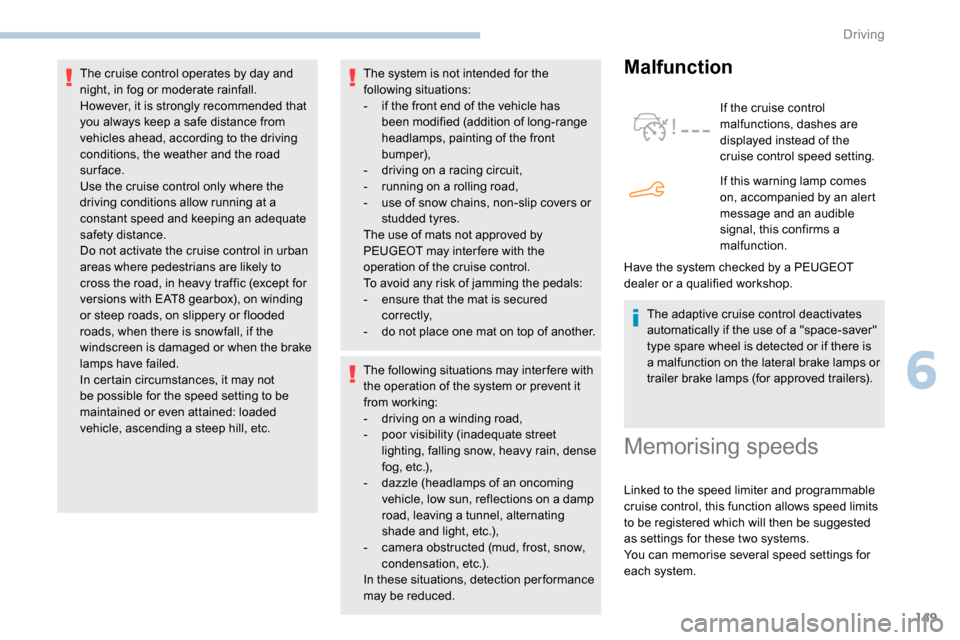
If the cruise control
malfunctions, dashes are
displayed instead of the
cruise control speed setting.
If this warning lamp comes
on, accompanied by an alert
message and an audible
signal, this confirms a
malfunction.
The adaptive cruise control deactivates
automatically if the use of a "space-saver"
type spare wheel is detected or if there is
a malfunction on the lateral brake lamps or
trailer brake lamps (for approved trailers).
The cruise control operates by day and
night, in fog or moderate rainfall.
However, it is strongly recommended that
you always keep a safe distance from
vehicles ahead, according to the driving
conditions, the weather and the road
sur face.
Use the cruise control only where the
driving conditions allow running at a
constant speed and keeping an adequate
safety distance.
Do not activate the cruise control in urban
areas where pedestrians are likely to
cross the road, in heavy traffic (except for
versions with EAT8 gearbox), on winding
or steep roads, on slippery or flooded
roads, when there is snowfall, if the
windscreen is damaged or when the brake
lamps have failed.
In certain circumstances, it may not
be possible for the speed setting to be
maintained or even attained: loaded
vehicle, ascending a steep hill, etc.
Have the system checked by a PEUGEOT
dealer or a qualified workshop.
Memorising speeds
Linked to the speed limiter and programmable
cruise control, this function allows speed limits
to be registered which will then be suggested
as settings for these two systems.
You can memorise several speed settings for
each system.
6
Driving
Page 152 of 312
150
As a safety measure, the driver must
only modify the speed settings when
stationary.
Changing a speed setting
From the Driving/Vehicle menu of
the touch screen, select " Driving
functions " then "Memorised speed
settings ".
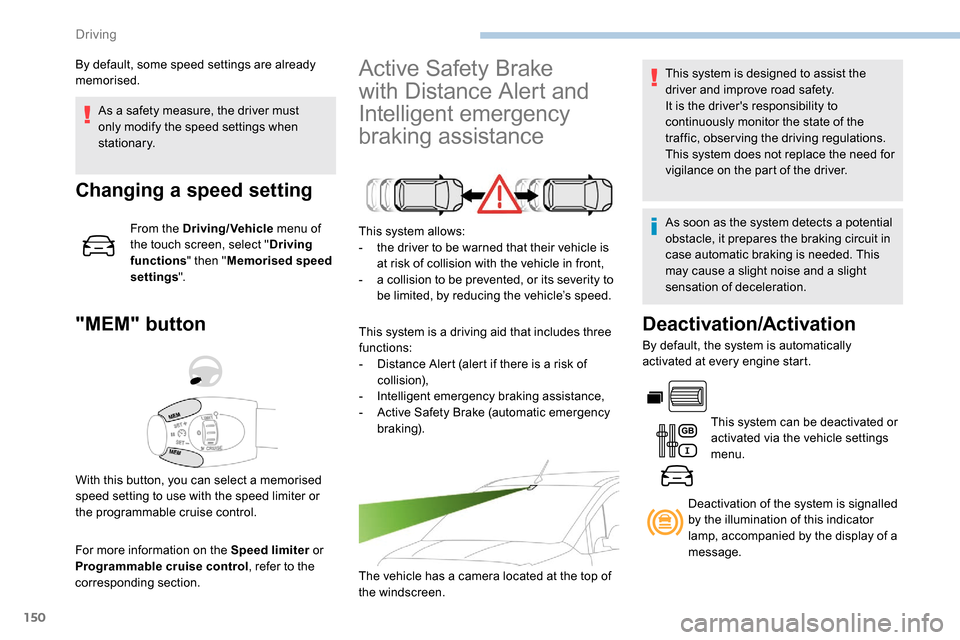
"MEM" button
For more information on the Speed limiter or
Programmable cruise control , refer to the
corresponding section.
Active Safety Brake
with Distance Alert and
Intelligent emergency
braking assistance
This system allows:
- t he driver to be warned that their vehicle is
at risk of collision with the vehicle in front,
-
a c
ollision to be prevented, or its severity to
be limited, by reducing the vehicle’s speed.
This system is a driving aid that includes three
functions:
-
D
istance Alert (alert if there is a risk of
collision),
-
I
ntelligent emergency braking assistance,
-
A
ctive Safety Brake (automatic emergency
b r ak ing).
The vehicle has a camera located at the top of
the windscreen.
By default, some speed settings are already
memorised.
This system is designed to assist the
driver and improve road safety.
It is the driver's responsibility to
continuously monitor the state of the
traffic, observing the driving regulations.
This system does not replace the need for
vigilance on the part of the driver.
As soon as the system detects a potential
obstacle, it prepares the braking circuit in
case automatic braking is needed. This
may cause a slight noise and a slight
sensation of deceleration.
Deactivation/Activation
By default, the system is automatically
activated at every engine start.
This system can be deactivated or
activated via the vehicle settings
menu.
With this button, you can select a memorised
speed setting to use with the speed limiter or
the programmable cruise control. Deactivation of the system is signalled
by the illumination of this indicator
lamp, accompanied by the display of a
message.
Driving
Page 153 of 312
151
Operating conditions and
limits
The ESC system must not be faulty.
The DSC/ASR systems must not be
deactivated.
All passenger seat belts must be fastened.
Driving at a steady speed on roads with few
bends is required.The system is automatically deactivated
after the use of certain "space-saver"
type spare wheels is detected (smaller
diameter).
The system is automatically deactivated
after detection of a fault with the brake
pedal switch or with at least two brake
lamps. After an impact, the function automatically
stops operating. Contact a PEUGEOT
dealer or a qualified workshop to have the
system checked.
Distance Alert
It warns the driver if his vehicle is at risk of
collision with the vehicle in front or a pedestrian
present in his traffic lane.
In the following cases, deactivating the system
via the vehicle's configuration menu is advised:
-
t
owing a trailer,
-
c
arrying long objects on roof bars or roof
rack,
-
w
ith snow chains fitted,
-
b
efore using an automatic car wash, with
the engine running,
-
b
efore placing the vehicle on a rolling road
in a workshop,
-
t
owed vehicle, engine running,
-
f
ollowing an impact to the windscreen close
to the detection camera. It is possible that warnings are not given,
are given too late or seem unjustified.
Consequently, always stay in control of
your vehicle and be prepared to react at
any time to avoid an accident.
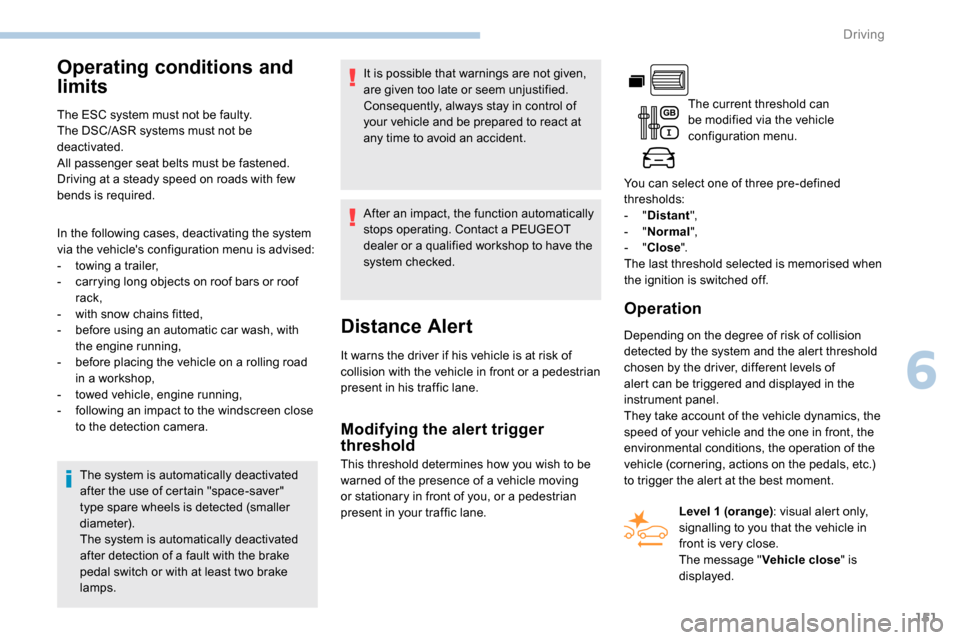
The current threshold can
be modified via the vehicle
configuration menu.
You can select one of three pre-defined
thresholds:
- "
Distant ",
- "
Normal ",
- "
Close ".
The last threshold selected is memorised when
the ignition is switched off.
Operation
Depending on the degree of risk of collision
detected by the system and the alert threshold
chosen by the driver, different levels of
alert can be triggered and displayed in the
instrument panel.
They take account of the vehicle dynamics, the
speed of your vehicle and the one in front, the
environmental conditions, the operation of the
vehicle (cornering, actions on the pedals, etc.)
to trigger the alert at the best moment.
Modifying the alert trigger
threshold
This threshold determines how you wish to be
warned of the presence of a vehicle moving
or stationary in front of you, or a pedestrian
present in your traffic lane. Level 1 (orange)
: visual alert only,
signalling to you that the vehicle in
front is very close.
The message " Vehicle close" is
displayed.
6
Driving
Page 154 of 312
152
Where the speed of your vehicle is too
high approaching another vehicle, the first
level of alert may not be displayed: the
level 2 alert may be displayed directly.
Important: the level 1 alert is never
displayed for a stationary obstacle or
when the " Close" trigger threshold has
been selected.
Intelligent emergency
braking assistance
If the driver brakes, but not sufficiently to avoid
a collision, this system will supplement the
braking, within the limits of the laws of physics.
This assistance will only be provided if you
press the brake pedal.
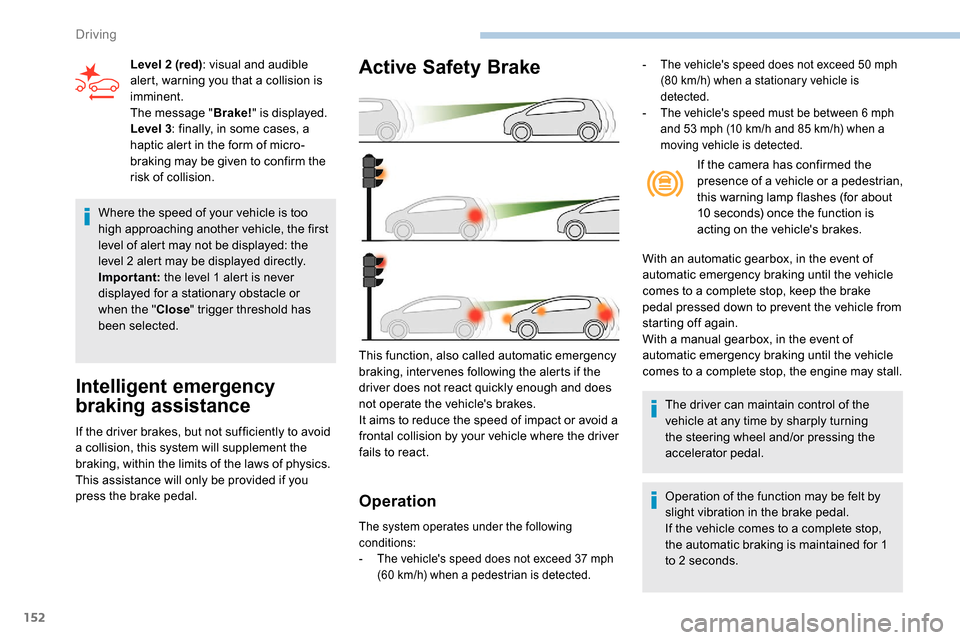
Active Safety Brake
Operation
The system operates under the following
conditions:
-
T
he vehicle's speed does not exceed 37 mph
(60
km/h) when a pedestrian is detected.
This function, also called automatic emergency
braking, inter venes following the alerts if the
driver does not react quickly enough and does
not operate the vehicle's brakes.
It aims to reduce the speed of impact or avoid a
frontal collision by your vehicle where the driver
fails to react.
Level 2 (red)
: visual and audible
alert, warning you that a collision is
imminent.
The message " Brake!" is displayed.
Level 3 : finally, in some cases, a
haptic alert in the form of micro-
braking may be given to confirm the
risk of collision. If the camera has confirmed the
presence of a vehicle or a pedestrian,
this warning lamp flashes (for about
10 seconds) once the function is
acting on the vehicle's brakes.
With an automatic gearbox, in the event of
automatic emergency braking until the vehicle
comes to a complete stop, keep the brake
pedal pressed down to prevent the vehicle from
starting off again.
With a manual gearbox, in the event of
automatic emergency braking until the vehicle
comes to a complete stop, the engine may stall.
The driver can maintain control of the
vehicle at any time by sharply turning
the steering wheel and/or pressing the
accelerator pedal.
Operation of the function may be felt by
slight vibration in the brake pedal.
If the vehicle comes to a complete stop,
the automatic braking is maintained for 1
to 2
seconds.
- The vehicle's speed does not exceed 50 mph
(80 km/h) when a stationary vehicle is
detected.
-
T
he vehicle's speed must be between 6 mph
and 53
mph (10 km/h and 85 km/h) when a
moving vehicle is detected.
Driving