ignition Peugeot Partner 2019 Repair Manual
[x] Cancel search | Manufacturer: PEUGEOT, Model Year: 2019, Model line: Partner, Model: Peugeot Partner 2019Pages: 312, PDF Size: 9.56 MB
Page 139 of 312
137
This function is a driving aid that cannot,
in any circumstances, replace the driver’s
own vigilance nor compliance with the
highway code.
The actual signs always take priority over
the display by the system.
The signs must comply with the Vienna
Convention on road signs.
Using the camera installed at the top of the
windscreen, this additional system recognises
these road signs and displays them in the
instrument panel.
One-way street: if you start driving down a one-
way street the wrong way, an alert message,
including the sign's symbol, is displayed in the
instrument panel (request to check the traffic
direction).
Other signs: when approaching one of these
signs, the sign’s symbol is displayed in the
instrument panel.
Speed limiter
This system prevents the vehicle
from exceeding the speed
programmed by the driver.
The speed limiter is switched on
manually.
The minimum programmed speed is 19 mph
(30
km/h).
The speed limiter is a driving aid that
cannot, in any circumstances, replace the
need to obser ve speed limits or the need
for vigilance on the part of the driver.
Steering mounted controlFor more information on the Programmable
or Adaptive cruise control , on Memorising
speeds or on the Speed Limit recognition
and recommendation , refer to the
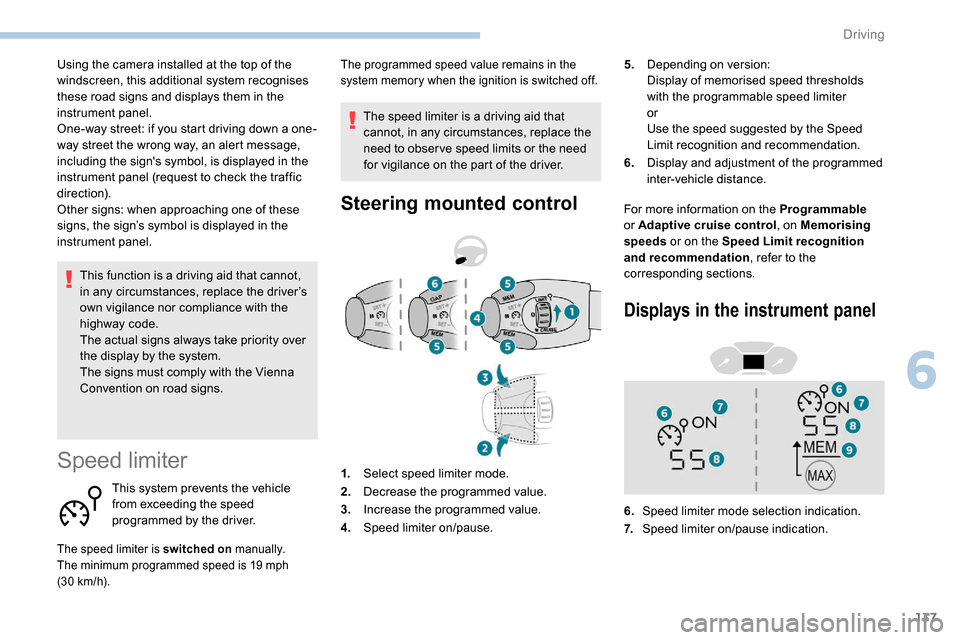
corresponding sections. 5.
Depending on version:
Display of memorised speed thresholds
with the programmable speed limiter
or
Use the speed suggested by the Speed
Limit recognition and recommendation.
6. Display and adjustment of the programmed
inter-vehicle distance.
The programmed speed value remains in the
system memory when the ignition is switched off.
1.Select speed limiter mode.
2. Decrease the programmed value.
3. Increase the programmed value.
4. Speed limiter on/pause.
Displays in the instrument panel
6.Speed limiter mode selection indication.
7. Speed limiter on/pause indication.
6
Driving
Page 141 of 312
139
Switching off
F Turn thumbwheel 1 to position "0". The
display of information related to the speed
limiter disappears.
Malfunction
The use of mats not approved by
PEUGEOT may inter fere with the
operation of the speed limiter.
To avoid any risk of jamming the pedals:
-
e
nsure that the mat is positioned
c o r r e c t l y,
-
n
ever fit one mat on top of another.
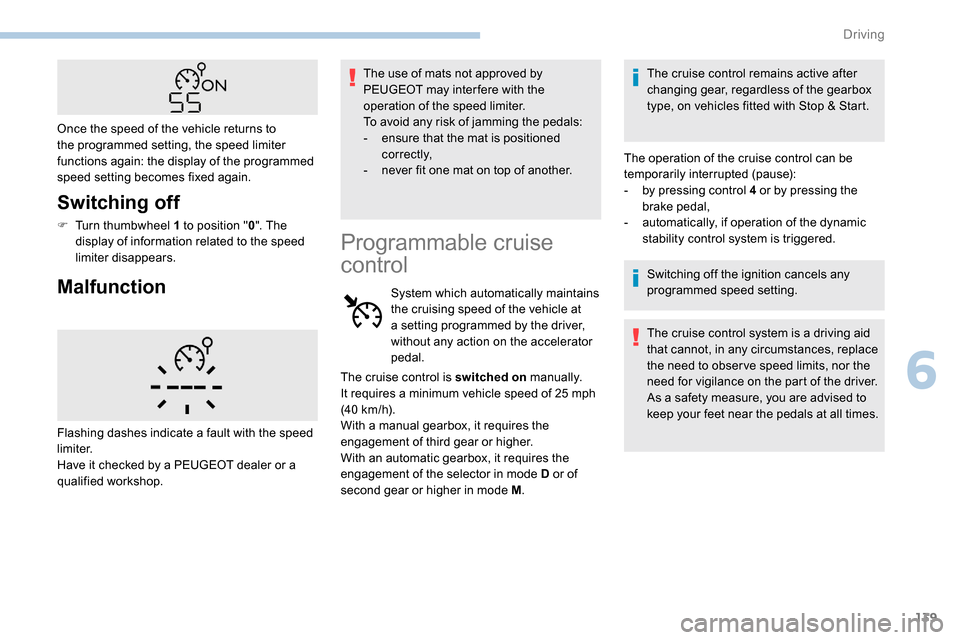
Once the speed of the vehicle returns to
the programmed setting, the speed limiter
functions again: the display of the programmed
speed setting becomes fixed again.
Flashing dashes indicate a fault with the speed
limiter.
Have it checked by a PEUGEOT dealer or a
qualified workshop.
Programmable cruise
control
System which automatically maintains
the cruising speed of the vehicle at
a setting programmed by the driver,
without any action on the accelerator
pedal. The cruise control remains active after
changing gear, regardless of the gearbox
type, on vehicles fitted with Stop & Start.
The operation of the cruise control can be
temporarily interrupted (pause):
-
b
y pressing control 4 or by pressing the
brake pedal,
-
a
utomatically, if operation of the dynamic
stability control system is triggered.
Switching off the ignition cancels any
programmed speed setting.
The cruise control system is a driving aid
that cannot, in any circumstances, replace
the need to obser ve speed limits, nor the
need for vigilance on the part of the driver.
As a safety measure, you are advised to
keep your feet near the pedals at all times.
The cruise control is switched on
manually.
It requires a minimum vehicle speed of 25
mph
(40
km/h).
With a manual gearbox, it requires the
engagement of third gear or higher.
With an automatic gearbox, it requires the
engagement of the selector in mode D or of
second gear or higher in mode M .
6
Driving
Page 146 of 312
144
Switching on
F With the engine running, turn the wheel 1
to the " CRUISE " position. The system is
paused (grey display).
With a manual gearbox
With the speed of the vehicle between 20 and
100
mph (30 and 160 km/h):
F
W
ith the vehicle moving, press one of the
buttons 2 or 3 : the current speed of your
vehicle becomes the cruise speed setting.
The cruise control starts operating (displayed
in green).
With an automatic gearbox
The D or M mode must be selected.
With the speed of the vehicle between 1 and
112
mph (30 km/h and 180 km/h):
F
A
ccelerate slightly and press one of the
buttons 2 or 3 : the system starts (green
display).
The cruise speed setting then becomes equal to:
-
t
he current speed of your vehicle, if it is over
19
mph (30 km/h),
-
1
9 mph (30 km/h), if it is below 19 mph
(30
km/h).
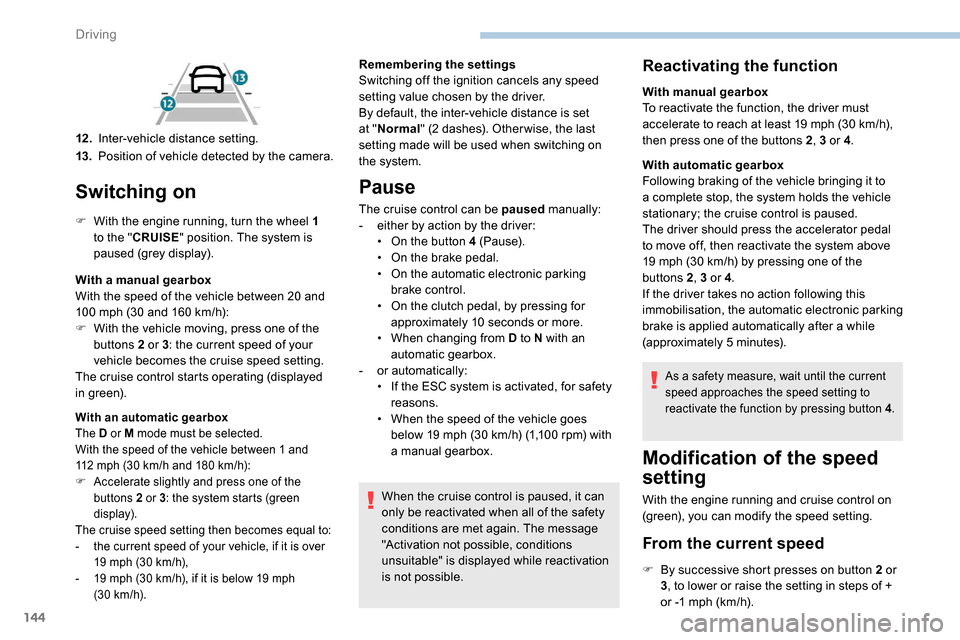
12 .Inter-vehicle distance setting.
13. Position of vehicle detected by the camera. Remembering the settings
Switching off the ignition cancels any speed
setting value chosen by the driver.
By default, the inter-vehicle distance is set
at "
Normal " (2 dashes). Other wise, the last
setting made will be used when switching on
the system.
Pause
The cruise control can be paused manually:
- e ither by action by the driver:
•
O
n the button 4 (Pause).
•
O
n the brake pedal.
•
O
n the automatic electronic parking
brake control.
•
O
n the clutch pedal, by pressing for
approximately 10
seconds or more.
•
W
hen changing from D to N with an
automatic gearbox.
-
o
r automatically:
•
I
f the ESC system is activated, for safety
reasons.
•
W
hen the speed of the vehicle goes
below 19
mph (30 km/h) (1,100 rpm) with
a manual gearbox.
When the cruise control is paused, it can
only be reactivated when all of the safety
conditions are met again. The message
"Activation not possible, conditions
unsuitable" is displayed while reactivation
is not possible.
Reactivating the function
With manual gearbox
To reactivate the function, the driver must
accelerate to reach at least 19 mph (30 km/h),
then press one of the buttons 2 , 3 or 4.
With automatic gearbox
Following braking of the vehicle bringing it to
a complete stop, the system holds the vehicle
stationary; the cruise control is paused.
The driver should press the accelerator pedal
to move off, then reactivate the system above
19
mph (30 km/h) by pressing one of the
buttons 2 , 3 or 4.
If the driver takes no action following this
immobilisation, the automatic electronic parking
brake is applied automatically after a while
(approximately 5
minutes).
As a safety measure, wait until the current
speed approaches the speed setting to
reactivate the function by pressing button 4 .
Modification of the speed
setting
With the engine running and cruise control on
(green), you can modify the speed setting.
From the current speed
F By successive short presses on button 2 or
3, to lower or raise the setting in steps of +
or -1
mph (km/h).
Driving
Page 147 of 312
145
Take care: pressing and holding button 2
or 3 results in a rapid change in the speed
of your vehicle.
From the speed limit sign
recognition system
F The suggested speed is displayed in the instrument panel.
F
M
ake an initial press on button 5 ; a
message is displayed to confirm the
memorisation request.
F
P
ress button 5 again to save the suggested
speed.
The speed displays immediately in the
instrument panel as the new speed setting. F
B
y a maintained press on button 2 or 3
, to
lower or raise the setting in steps of + or
-5 mph (km/h).
For more information on the Speed Limit
recognition and recommendation , refer to
the corresponding section.
As a precaution, it is recommended
that you select a cruise speed close to
the current speed of your vehicle, so
as to avoid any sudden acceleration or
deceleration of the vehicle.
Modification of the
programmed inter-vehicle
distance
Engine running and with the wheel at the
"CRUISE " position:
F
p
ress button 6 to display the selection
screen for inter-vehicle distance.
F
B
y pressing button 6 repeatedly, cycle
through the predefined settings.
The selection screen closes after a few
seconds.
The change then takes effect.
This setting remains in memory, whatever the state
of the system and when the ignition is switched off.
The selection also applies to the stopping
distance (versions with automatic gearbox
E AT 8) .
Exceeding the programmed
setting
It is possible to exceed the speed setting
temporarily by depressing the accelerator
pedal.
The cruise control no longer manages the
braking system during this period.
Simply release the accelerator pedal to return
to the programmed speed.
If the programmed speed setting is exceeded,
the display of the speed setting disappears
and a message "Cruise control suspended"
is displayed until the accelerator pedal is
released.
Driving situations and
associated alerts
The table below describes the alerts and
messages displayed depending on the driving
situations.
The display of these alerts is not sequential.
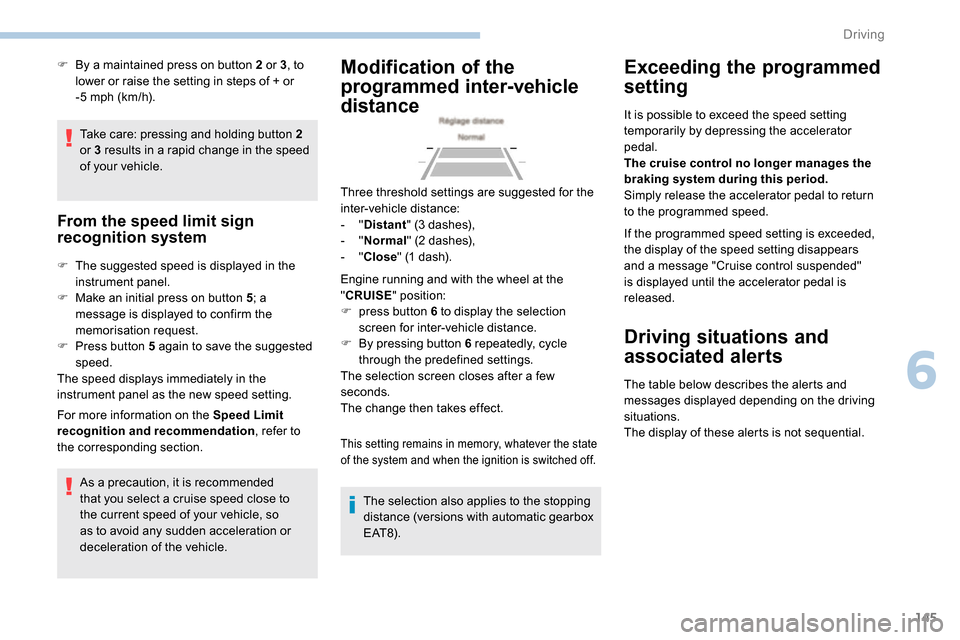
Three threshold settings are suggested for the
inter-vehicle distance:
-
"
Distant " (3 dashes),
-
"
Normal " (2 dashes),
-
"
Close " (1 dash).
6
Driving
Page 153 of 312
151
Operating conditions and
limits
The ESC system must not be faulty.
The DSC/ASR systems must not be
deactivated.
All passenger seat belts must be fastened.
Driving at a steady speed on roads with few
bends is required.The system is automatically deactivated
after the use of certain "space-saver"
type spare wheels is detected (smaller
diameter).
The system is automatically deactivated
after detection of a fault with the brake
pedal switch or with at least two brake
lamps. After an impact, the function automatically
stops operating. Contact a PEUGEOT
dealer or a qualified workshop to have the
system checked.
Distance Alert
It warns the driver if his vehicle is at risk of
collision with the vehicle in front or a pedestrian
present in his traffic lane.
In the following cases, deactivating the system
via the vehicle's configuration menu is advised:
-
t
owing a trailer,
-
c
arrying long objects on roof bars or roof
rack,
-
w
ith snow chains fitted,
-
b
efore using an automatic car wash, with
the engine running,
-
b
efore placing the vehicle on a rolling road
in a workshop,
-
t
owed vehicle, engine running,
-
f
ollowing an impact to the windscreen close
to the detection camera. It is possible that warnings are not given,
are given too late or seem unjustified.
Consequently, always stay in control of
your vehicle and be prepared to react at
any time to avoid an accident.
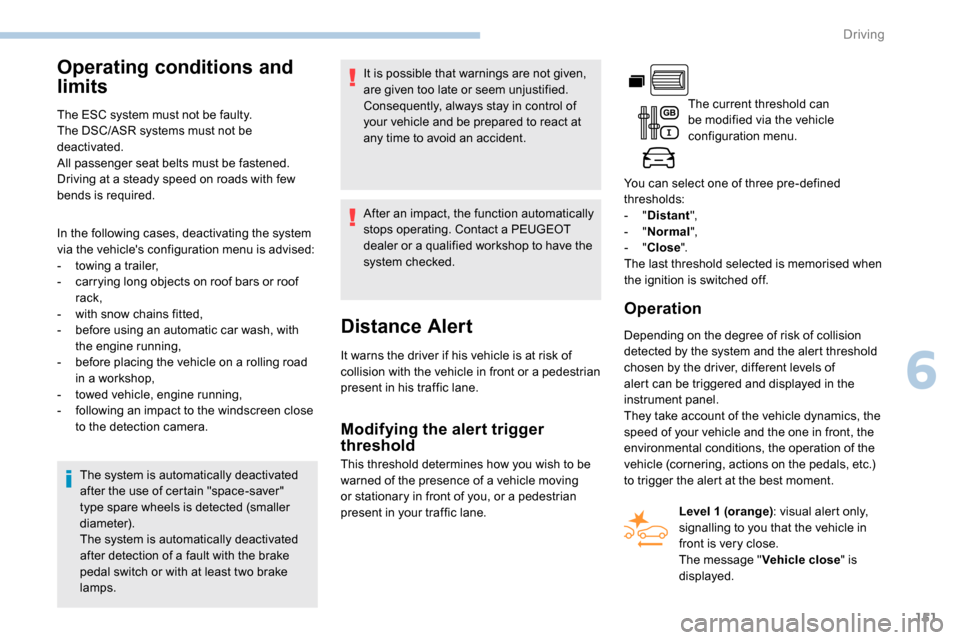
The current threshold can
be modified via the vehicle
configuration menu.
You can select one of three pre-defined
thresholds:
- "
Distant ",
- "
Normal ",
- "
Close ".
The last threshold selected is memorised when
the ignition is switched off.
Operation
Depending on the degree of risk of collision
detected by the system and the alert threshold
chosen by the driver, different levels of
alert can be triggered and displayed in the
instrument panel.
They take account of the vehicle dynamics, the
speed of your vehicle and the one in front, the
environmental conditions, the operation of the
vehicle (cornering, actions on the pedals, etc.)
to trigger the alert at the best moment.
Modifying the alert trigger
threshold
This threshold determines how you wish to be
warned of the presence of a vehicle moving
or stationary in front of you, or a pedestrian
present in your traffic lane. Level 1 (orange)
: visual alert only,
signalling to you that the vehicle in
front is very close.
The message " Vehicle close" is
displayed.
6
Driving
Page 156 of 312
154
Deactivation/Activation
The system is activated every time the ignition
is switched on.
Driving situations and
associated alerts
The table below describes the alerts and
messages displayed depending on the driving
situation.
The display of these alerts is not sequential.
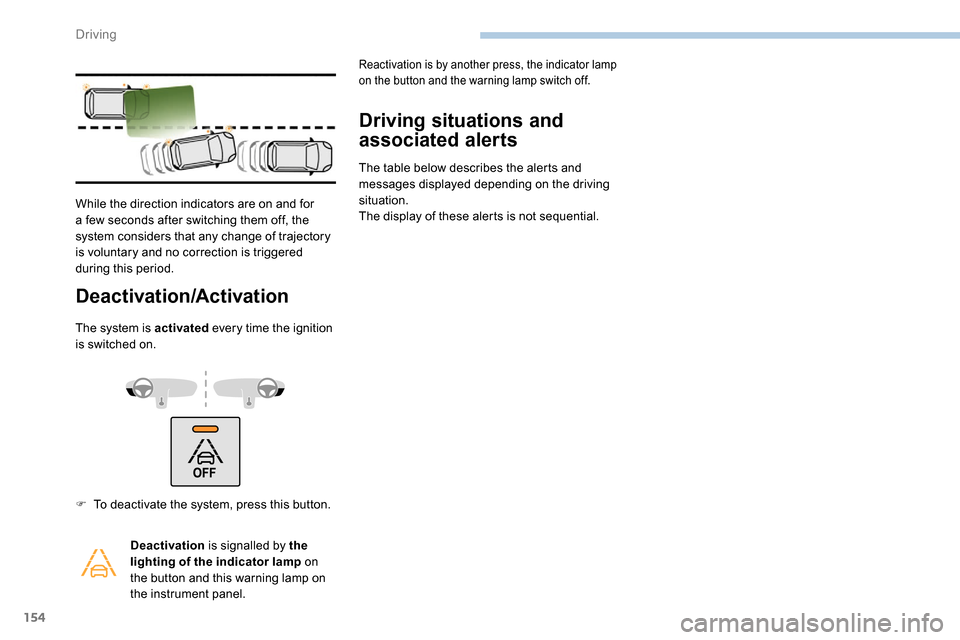
While the direction indicators are on and for
a few seconds after switching them off, the
system considers that any change of trajectory
is voluntary and no correction is triggered
during this period.
F
T
o deactivate the system, press this button. Deactivation is signalled by the
lighting of the indicator lamp on
the button and this warning lamp on
the instrument panel.
Reactivation is by another press, the indicator lamp
on the button and the warning lamp switch off.
Driving
Page 160 of 312
158
Activation/Deactivation
Activation or deactivation is set via
the vehicle configuration menu.
The system state remains in memory
when the ignition is switched off.
The system is automatically deactivated
when towing with a towbar approved by
P E U G E O T.
Malfunction
The system may suffer temporary
interference in certain weather conditions
(rain, hail, etc.).
In particular, driving on a wet sur face
or moving from a dry area to a wet area
can cause false alerts (for example, the
presence of a fog of water droplets in
the blind spot angle is interpreted as a
vehicle).
In bad or wintry weather, ensure that the
sensors are not covered by mud, ice or
snow.
Take care not to cover the warning zone in
the door mirrors or the detection zones on
the front and rear bumpers with adhesive
labels or other objects; they may hamper
correct operation of the system.
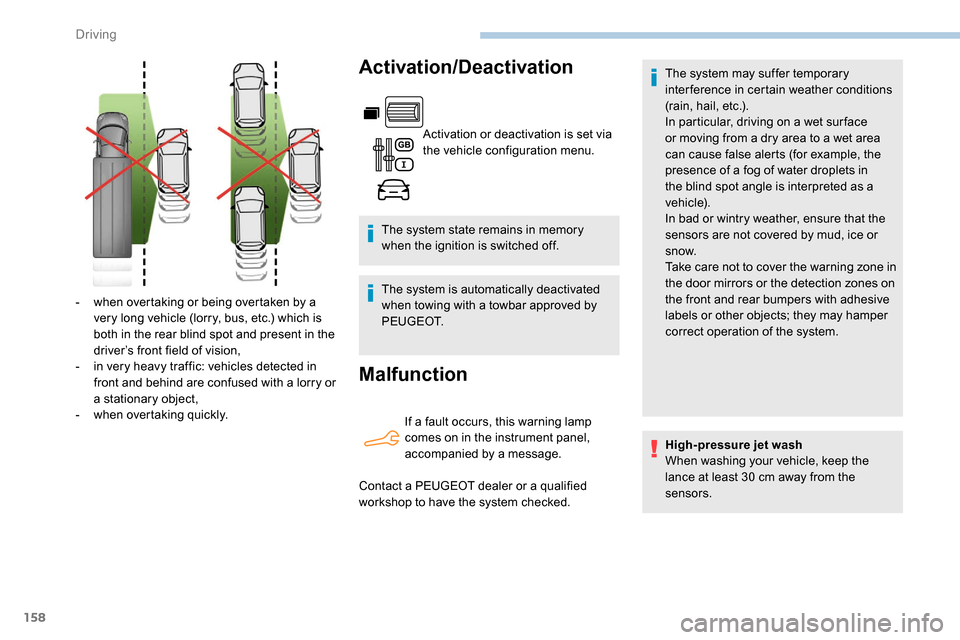
-
w
hen overtaking or being overtaken by a
very long vehicle (lorry, bus, etc.) which is
both in the rear blind spot and present in the
driver’s front field of vision,
-
i
n very heavy traffic: vehicles detected in
front and behind are confused with a lorry or
a stationary object,
-
w
hen overtaking quickly. If a fault occurs, this warning lamp
comes on in the instrument panel,
accompanied by a message.
Contact a PEUGEOT dealer or a qualified
workshop to have the system checked. High-pressure jet wash
When washing your vehicle, keep the
lance at least 30
cm away from the
sensors.
Driving
Page 161 of 312
159
Fatigue detection system
Take a break as soon as you feel tired or at
least every two hours.
These systems cannot in any circumstances
replace the need for vigilance on the part of
the driver who must remain in control of their
decisions. It is never the intention of these
systems to keep the driver awake or to prevent
the driver from falling asleep at the wheel.
It is the driver’s responsibility to stop if feeling
tired.
Activation/Deactivation
The function is activated or
deactivated via the vehicle
configuration menu.
The state of the system stays in the memory
when the ignition is switched off.
Driver Attention Warning
The system triggers an alert as soon
as it detects that the driver has not
taken a break after two hours of driving
at a speed above 40
mph (65 km/h).
This alert is issued via the display of a
message encouraging you to take a break,
accompanied by an audible signal.
If the driver does not follow this advice, the
alert is repeated hourly until the vehicle is
stopped.
The system resets itself if one of the following
conditions is met:
-
e
ngine running, the vehicle has been
stationary for more than 15
minutes,
-
t
he ignition has been switched off for a few
minutes,
-
t
he driver's seat belt is unfastened and their
door is opened.
As soon as the speed of the vehicle drops
below 40
mph (65 km/h), the system goes
into standby.
The driving time is counted again once the
speed is above 40
mph (65 km/h).
Driver Attention Alert
Depending on version, the "Driver Attention
Warning" system is combined with the "Driver
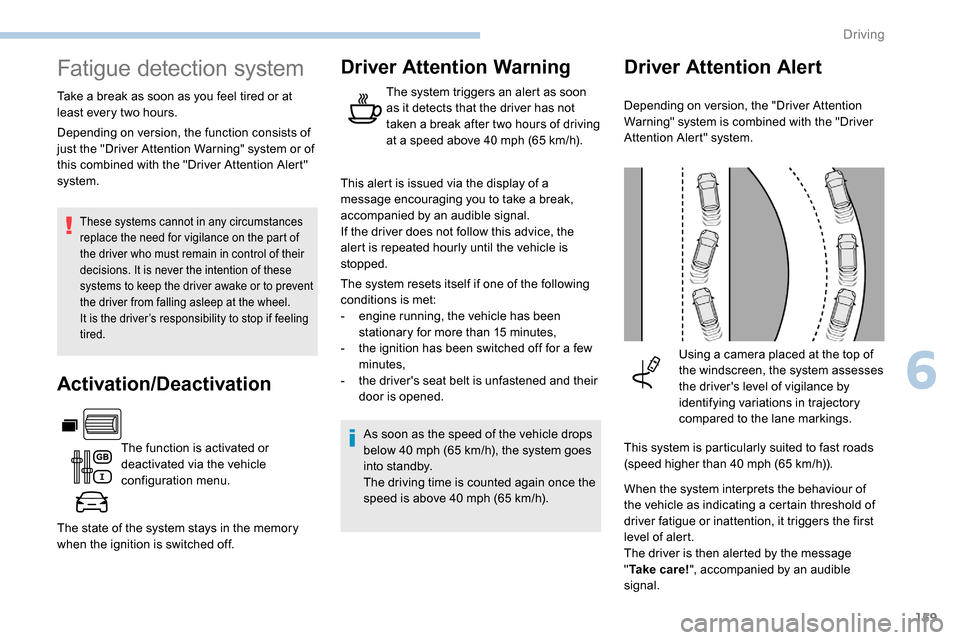
Attention Alert" system.Using a camera placed at the top of
the windscreen, the system assesses
the driver's level of vigilance by
identifying variations in trajectory
compared to the lane markings.
This system is particularly suited to fast roads
(speed higher than 40
mph (65 km/h)).
When the system interprets the behaviour of
the vehicle as indicating a certain threshold of
driver fatigue or inattention, it triggers the first
level of alert.
The driver is then alerted by the message
" Ta k e c a r e ! ", accompanied by an audible
signal.
Depending on version, the function consists of
just the "Driver Attention Warning" system or of
this combined with the "Driver Attention Alert"
system.
6
Driving
Page 164 of 312
162
With audio system or touch screen
The deactivation or activation
is carried out via the vehicle
configuration menu.
The state of the system stays in the memory
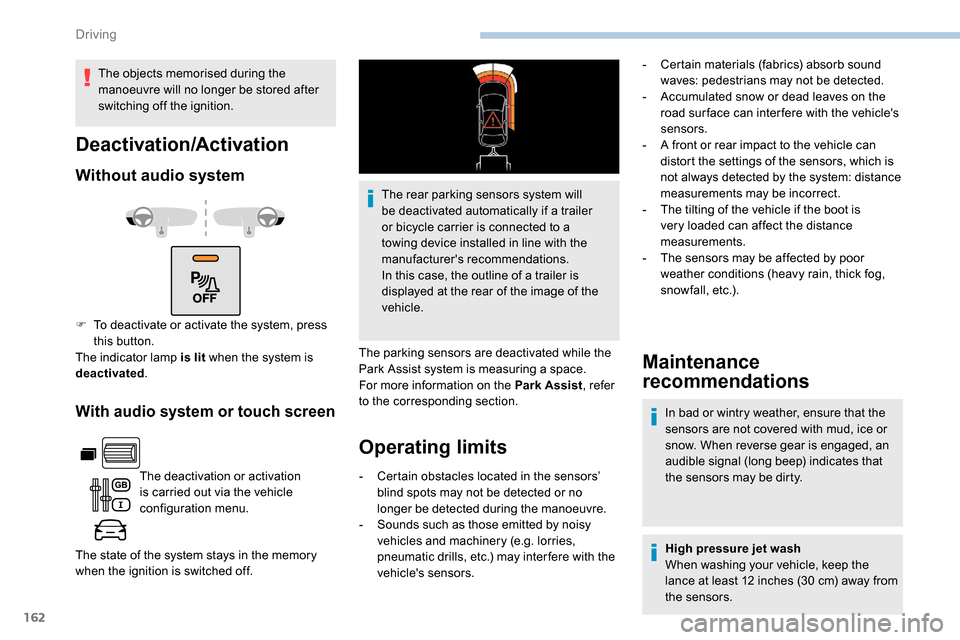
when the ignition is switched off. The rear parking sensors system will
be deactivated automatically if a trailer
or bicycle carrier is connected to a
towing device installed in line with the
manufacturer's recommendations.
In this case, the outline of a trailer is
displayed at the rear of the image of the
vehicle.
The parking sensors are deactivated while the
Park Assist system is measuring a space.
For more information on the Park Assist , refer
to the corresponding section.
Operating limits Maintenance
recommendations
In bad or wintry weather, ensure that the
sensors are not covered with mud, ice or
snow. When reverse gear is engaged, an
audible signal (long beep) indicates that
the sensors may be dirty.
-
C
ertain obstacles located in the sensors’
blind spots may not be detected or no
longer be detected during the manoeuvre.
-
S
ounds such as those emitted by noisy
vehicles and machinery (e.g. lorries,
pneumatic drills, etc.) may inter fere with the
vehicle's sensors. High pressure jet wash
When washing your vehicle, keep the
lance at least 12 inches (30
cm) away from
the sensors.
Deactivation/Activation
Without audio system
F To deactivate or activate the system, press this button.
The indicator lamp is lit when the system is
deactivated .
The objects memorised during the
manoeuvre will no longer be stored after
switching off the ignition.
-
C
ertain materials (fabrics) absorb sound
waves: pedestrians may not be detected.
-
A
ccumulated snow or dead leaves on the
road sur face can inter fere with the vehicle's
sensors.
-
A f
ront or rear impact to the vehicle can
distort the settings of the sensors, which is
not always detected by the system: distance
measurements may be incorrect.
-
T
he tilting of the vehicle if the boot is
very loaded can affect the distance
measurements.
-
T
he sensors may be affected by poor
weather conditions (heavy rain, thick fog,
snowfall, etc.).
Driving
Page 165 of 312
163
Malfunction
If a fault occurs when shifting to
reverse, this warning lamp comes on
in the instrument panel, accompanied
by a message and an audible signal
(short beep).
Contact a PEUGEOT dealer or a qualified
workshop to have the system checked.
Reversing camera
With the ignition on, this system uses a camera
located near the third brake lamp to display a
view of the rear of your vehicle on the output
screen (if it is a panel van or has a solid
partition).
The reversing camera is activated automatically
when reverse gear is engaged. The image is
displayed on the output screen. The output
screen switches off when the gearbox is in
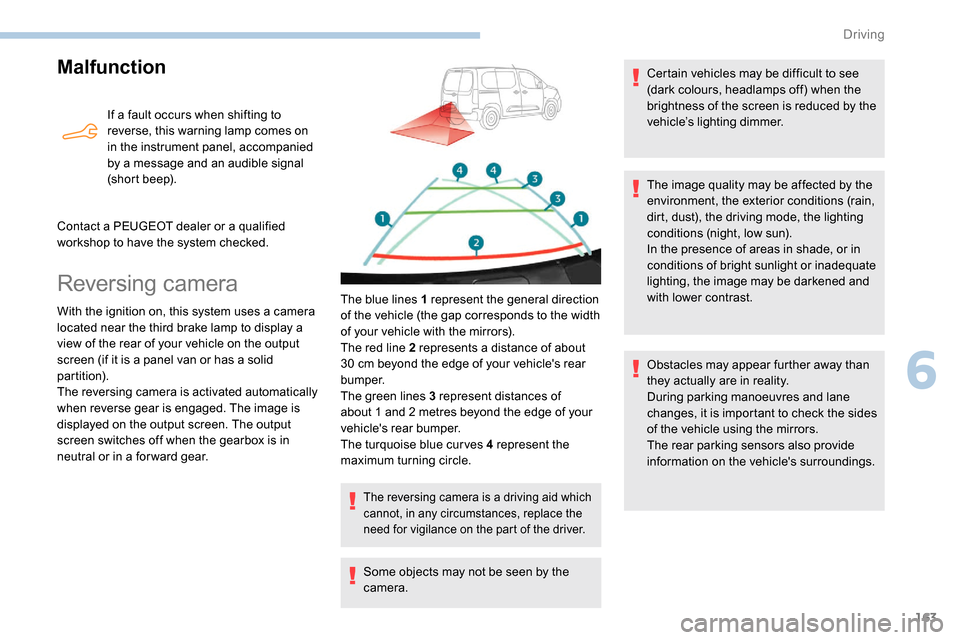
neutral or in a for ward gear. The blue lines 1 represent the general direction
of the vehicle (the gap corresponds to the width
of your vehicle with the mirrors).
The red line 2 represents a distance of about
30
cm beyond the edge of your vehicle's rear
b u m p e r.
The green lines 3 represent distances of
about 1 and 2
metres beyond the edge of your
vehicle's rear bumper.
The turquoise blue curves 4 represent the
maximum turning circle.
The reversing camera is a driving aid which
cannot, in any circumstances, replace the
need for vigilance on the part of the driver.
Some objects may not be seen by the
camera. Certain vehicles may be difficult to see
(dark colours, headlamps off) when the
brightness of the screen is reduced by the
vehicle’s lighting dimmer.
The image quality may be affected by the
environment, the exterior conditions (rain,
dirt, dust), the driving mode, the lighting
conditions (night, low sun).
In the presence of areas in shade, or in
conditions of bright sunlight or inadequate
lighting, the image may be darkened and
with lower contrast.
Obstacles may appear further away than
they actually are in reality.
During parking manoeuvres and lane
changes, it is important to check the sides
of the vehicle using the mirrors.
The rear parking sensors also provide
information on the vehicle's surroundings.
6
Driving