change time PONTIAC G3 2010 Owners Manual
[x] Cancel search | Manufacturer: PONTIAC, Model Year: 2010, Model line: G3, Model: PONTIAC G3 2010Pages: 368, PDF Size: 3.94 MB
Page 26 of 368
To fully open the sunroof, press and hold the passenger
side switch. The sunshade will open with the sunroof.
To close, press the driver side switch. Manually close
the sunshade.
For more information seeSunroof on page 3‑37.
Performance and Maintenance
Tire Pressure Monitor
This vehicle may have a Tire Pressure Monitor
System (TPMS).
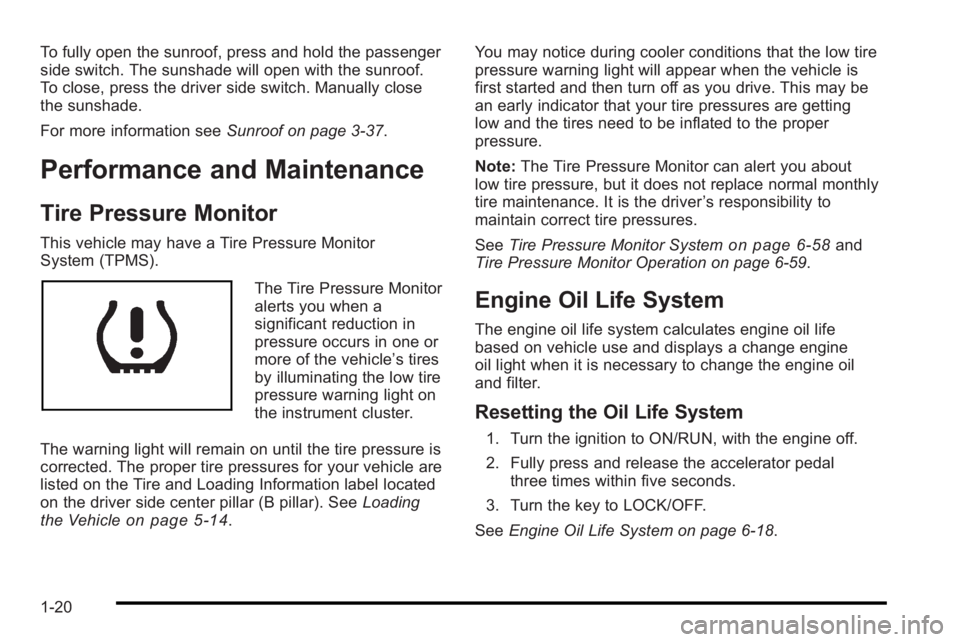
The Tire Pressure Monitor
alerts you when a
significant reduction in
pressure occurs in one or
more of the vehicle’s tires
by illuminating the low tire
pressure warning light on
the instrument cluster.
The warning light will remain on until the tire pressure is
corrected. The proper tire pressures for your vehicle are
listed on the Tire and Loading Information label located
on the driver side center pillar (B pillar). See Loading
the Vehicle
on page 5‑14. You may notice during cooler conditions that the low tire
pressure warning light will appear when the vehicle is
first started and then turn off as you drive. This may be
an early indicator that your tire pressures are getting
low and the tires need to be inflated to the proper
pressure.
Note:
The Tire Pressure Monitor can alert you about
low tire pressure, but it does not replace normal monthly
tire maintenance. It is the driver ’s responsibility to
maintain correct tire pressures.
See Tire Pressure Monitor System
on page 6‑58and
Tire Pressure Monitor Operation on page 6‑59.
Engine Oil Life System
The engine oil life system calculates engine oil life
based on vehicle use and displays a change engine
oil light when it is necessary to change the engine oil
and filter.
Resetting the Oil Life System
1. Turn the ignition to ON/RUN, with the engine off.
2. Fully press and release the accelerator pedal three times within five seconds.
3. Turn the key to LOCK/OFF.
See Engine Oil Life System on page 6‑18.
1-20
Page 124 of 368

3. If the engine still will not start, or starts but thenstops, it could be flooded with too much gasoline.
Try pushing the accelerator pedal all the way to the
floor and holding it there as you hold the key in
START for about three seconds. If the vehicle
starts briefly but then stops again, do the same
thing, but this time keep the pedal down for five or
six seconds. This clears the extra gasoline from
the engine.
Notice: The engine is designed to work with the
electronics in the vehicle. If electrical parts or
accessories are added, you could change the way
the engine operates. Before adding electrical
equipment, check with your dealer/retailer. If you
do not, the engine might not perform properly.
Any resulting damage would not be covered by the
vehicle warranty.
Engine Heater
The engine heater can provide easier starting and
better fuel economy during engine warm-up in cold
weather conditions at or below −18°C (0°F).Vehicles with an engine heater should be plugged in at
least four hours before starting. To assist you in finding
the cord, the vehicle will have one of the following
designs:
Removable Extension Cord
1. Turn off the engine.
2. Remove the extension cord from the trunk. Open
the hood and connect the electrical cord with the
extension cord.
3-20
Page 131 of 368
R (Reverse) :To back up, press down the clutch
pedal, lift up the ring on the shift lever and shift into
R (Reverse). Let up on the clutch pedal slowly while
pressing the accelerator pedal.
Notice: Shifting to R (Reverse) while the vehicle is
moving forward could damage the transmission.
The repairs would not be covered by the vehicle
warranty. Shift to R (Reverse) only after the vehicle
is stopped.
Also, use R (Reverse), along with the parking brake, for
parking the vehicle.
Shift Speeds
{WARNING:
If you skip a gear when you downshift, you could
lose control of the vehicle. You could injure
yourself or others. Do not shift down more than
one gear at a time when you downshift.
Up‐Shift Light
Vehicles equipped with a
manual transmission may
have an up-shift light.
This light indicates when
to shift to the next higher
gear for better fuel
economy.
For the best fuel economy, accelerate slowly and shift
when the light comes on, and if the weather, road, and
traffic conditions allow.
It is normal for the light to go on and off if the
accelerator position changes quickly. Ignore the light
during downshifts.
3-27
Page 143 of 368

Section 4 Instrument Panel
Instrument Panel Overview. . . . . . . . . . . . . . . . . . . . . . . .4-3
Hazard Warning Flashers . . . . . . . . . . . . . . . . . . . . . . . 4-3
Horn . . . . . . . . . . . . . . . . . . . . . . . . . . . . . . . . . . . . . . . . . . . . 4-3
Tilt Wheel . . . . . . . . . . . . . . . . . . . . . . . . . . . . . . . . . . . . . . . 4-3
Turn Signal/Multifunction Lever . . . . . . . . . . . . . . . . . . 4-4
Turn and Lane-Change Signals . . . . . . . . . . . . . . . . . 4-4
Headlamp High/Low-Beam Changer . . . . . . . . . . . . 4-5
Flash-to-Pass . . . . . . . . . . . . . . . . . . . . . . . . . . . . . . . . . . . 4-5
Windshield Wipers . . . . . . . . . . . . . . . . . . . . . . . . . . . . . . 4-6
Windshield Washer . . . . . . . . . . . . . . . . . . . . . . . . . . . . . 4-7
Rear Window Wiper/Washer . . . . . . . . . . . . . . . . . . . . 4-7
Cruise Control . . . . . . . . . . . . . . . . . . . . . . . . . . . . . . . . . . 4-8
Exterior Lamps . . . . . . . . . . . . . . . . . . . . . . . . . . . . . . . . . 4-11
Daytime Running Lamps (DRL) . . . . . . . . . . . . . . . . 4-11
Fog Lamps . . . . . . . . . . . . . . . . . . . . . . . . . . . . . . . . . . . . 4-12
Instrument Panel Brightness . . . . . . . . . . . . . . . . . . . 4-12
Dome Lamp . . . . . . . . . . . . . . . . . . . . . . . . . . . . . . . . . . . 4-13
Inadvertent Power Battery Saver . . . . . . . . . . . . . . . 4-13
Accessory Power Outlet(s) . . . . . . . . . . . . . . . . . . . . . 4-13
Ashtray(s) and Cigarette Lighter . . . . . . . . . . . . . . . 4-14
Clock . . . . . . . . . . . . . . . . . . . . . . . . . . . . . . . . . . . . . . . . . . 4-15 Climate Controls
. . . . . . . . . . . . . . . . . . . . . . . . . . . . . . . . . . 4-15
Climate Control System . . . . . . . . . . . . . . . . . . . . . . . . 4-15
Outlet Adjustment . . . . . . . . . . . . . . . . . . . . . . . . . . . . . . 4-18
Passenger Compartment Air Filter . . . . . . . . . . . . . 4-18
Warning Lights, Gages, and Indicators . . . . . . . . . .4-20
Instrument Panel Cluster . . . . . . . . . . . . . . . . . . . . . . . 4-21
Speedometer and Odometer . . . . . . . . . . . . . . . . . . . 4-22
Trip Odometer . . . . . . . . . . . . . . . . . . . . . . . . . . . . . . . . . 4-22
Tachometer . . . . . . . . . . . . . . . . . . . . . . . . . . . . . . . . . . . . 4-22
Safety Belt Reminders . . . . . . . . . . . . . . . . . . . . . . . . . 4-23
Airbag Readiness Light . . . . . . . . . . . . . . . . . . . . . . . . 4-23
Passenger Airbag Status Indicator . . . . . . . . . . . . . 4-24
Charging System Light . . . . . . . . . . . . . . . . . . . . . . . . 4-25
Up-Shift Light . . . . . . . . . . . . . . . . . . . . . . . . . . . . . . . . . . 4-26
Brake System Warning Light . . . . . . . . . . . . . . . . . . . 4-26
Antilock Brake System (ABS) Warning Light . . . 4-27
Hold Mode Light . . . . . . . . . . . . . . . . . . . . . . . . . . . . . . . 4-27
Engine Coolant Temperature Gage . . . . . . . . . . . . 4-28
Tire Pressure Light . . . . . . . . . . . . . . . . . . . . . . . . . . . . 4-28
Malfunction Indicator Lamp . . . . . . . . . . . . . . . . . . . . 4-29
4-1
Page 144 of 368
Section 4 Instrument Panel
Oil Pressure Light . . . . . . . . . . . . . . . . . . . . . . . . . . . . . 4-31
Change Engine Oil Light . . . . . . . . . . . . . . . . . . . . . . . 4-32
Fog Lamp Light . . . . . . . . . . . . . . . . . . . . . . . . . . . . . . . . 4-33
Cruise Control Light . . . . . . . . . . . . . . . . . . . . . . . . . . . 4-33
Highbeam On Light . . . . . . . . . . . . . . . . . . . . . . . . . . . . 4-33
Daytime Running Lamps (DRL) IndicatorLight . . . . . . . . . . . . . . . . . . . . . . . . . . . . . . . . . . . . . . . . . 4-33
Door Ajar Light . . . . . . . . . . . . . . . . . . . . . . . . . . . . . . . . 4-34
Fuel Gage . . . . . . . . . . . . . . . . . . . . . . . . . . . . . . . . . . . . . 4-34
Low Fuel Warning Light . . . . . . . . . . . . . . . . . . . . . . . . 4-35 Audio System(s)
. . . . . . . . . . . . . . . . . . . . . . . . . . . . . . . . . . 4-36
AM-FM Radio . . . . . . . . . . . . . . . . . . . . . . . . . . . . . . . . . . 4-37
Radio with CD . . . . . . . . . . . . . . . . . . . . . . . . . . . . . . . . . 4-41
Using an MP3 . . . . . . . . . . . . . . . . . . . . . . . . . . . . . . . . . 4-48
XM Radio Messages . . . . . . . . . . . . . . . . . . . . . . . . . . . 4-51
Audio Steering Wheel Controls . . . . . . . . . . . . . . . . 4-51
Radio Reception . . . . . . . . . . . . . . . . . . . . . . . . . . . . . . . 4-52
Fixed Mast Antenna (Hatchback) . . . . . . . . . . . . . . 4-53
Backglass Antenna (Sedan) . . . . . . . . . . . . . . . . . . . 4-53
Multi-Band Antenna . . . . . . . . . . . . . . . . . . . . . . . . . . . . 4-54
4-2
Page 175 of 368

Fog Lamp Light
If the vehicle has this
feature, the fog lamps
light will come on when
the fog lamps are in use.
The light will go out when the fog lamps are turned off.
See Fog Lamps
on page 4‑12for more information.
Cruise Control Light
If the vehicle has cruise
control, this light comes
on whenever the cruise
control is set
The light will go out when the cruise control is turned
off. See Cruise Control
on page 4‑8for more
information.
Highbeam On Light
This light comes on when
the high-beam headlamps
are in use.
See Headlamp High/Low-Beam Changer
on page 4‑5for more information.
Daytime Running Lamps (DRL)
Indicator Light
This light turns on
whenever the Daytime
Running Lamps are on.
See Daytime Running Lamps (DRL)
on page 4‑11for
more information.
4-33
Page 190 of 368

Using the Auxiliary Input Jack
The radio system has a 3.5 mm (1/8 in) auxiliary input
jack located on the lower right side of the faceplate.
This is not an audio output; do not plug the headphone
set into the front auxiliary input jack. An external audio
device such as an iPod, laptop computer, MP3 player,
CD changer, etc. can be connected to the 3.5 mm
(1/8 in) auxiliary input jack for use as another audio
source.
Drivers are encouraged to set up any auxiliary device
while the vehicle is in P (Park). SeeDefensive Driving
on page 5‑2for more information on driver distraction.
To use a portable audio player, connect a 3.5 mm
(1/8 in) cable to the radio's front auxiliary input jack.
When a device is connected, press the radio CD/AUX
button to begin playing audio from the device over the
vehicle speakers.
O(Power/Volume) : Turn to adjust the volume.
Additional volume adjustments may have to be made
from the portable device if the volume is too quiet or
too loud.
CD/AUX (Auxiliary) : Press to play a CD while a
portable audio device is playing. Press CD/AUX a
second time for the system to begin playing audio from
the connected portable audio player. The portable audio
device continues playing until it is turned off.
Using an MP3
MP3/WMA CD-R Disc
MP3 Format
If you burn your own MP3/WMA disc on a personal
computer:
.Make sure the MP3/WMA files are recorded on a
CD-R disc.
.Do not mix standard audio and MP3/WMA files on
one disc.
.Make sure each MP3/WMA file has a .m3u or
.wma extension, other file extensions might
not work.
.Files can be recorded with a variety of fixed or
variable bit rates. Song title, artist name, and
album are available for display by the radio when
recorded using ID3 tags version 1 and 2.
.Make sure to finalize the disc when burning an
MP3/WMA disc, using multiple sessions. It is
usually better to burn the disc all at once.
The player is able to read and play a maximum of
50 folders, five sessions, and 999 files. Long file names
and folder names can use more disc memory space
than necessary. To conserve space on the disc,
minimize the length of the file and folder names.
4-48
Page 192 of 368

Playing an MP3/WMA
With the ignition in the ON/RUN position, insert a CD
partway into the slot, label side up. The player pulls the
disc in. The CD should begin playing. As each new
track starts to play, the track number, and the song
name will appear on the display. If the ignition or radio
is turned off with a CD in the player, it will stay in the
player. When a CD is in the player and the ignition is
turned on, the radio must be turned on before the CD
will start playback. When the ignition and radio are
turned on, the CD will start playing where it stopped, if it
was the last selected audio source.
The CD player can play the smaller 8 cm (3 in) single
CDs with an adapter ring. Full-size CDs and the smaller
CDs are loaded in the same manner.
Sound quality may be reduced due to CD-R quality, the
method of recording, the quality of the music that has
been recorded, and the way the CD-R has been
handled.
DIR (Directory) :Press to repeat the tracks in the
current directory. DIR displays.
Press DIR again to repeat the tracks in all of the
directories. ALL displays.
Press DIR again to turn off repeat play.
uSEEKt(Next/Previous Folder) (in MP3/WMA
Mode): Press to change the folder. If CD-R does not
have any folders, “ROOT”flashes on the display for a
short time.
[TUNE (Next Track): Press the up TUNE arrow to
go to the next track. The track number displays. The
player continues moving forward through the CD each
time TUNE is pressed.
rTUNE (Previous Track): Press the down TUNE
arrow to go to the start of the current track. The track
number displays. The player continues moving
backward through the CD each time TUNE is pressed.
INFO/DISP (Information/Display) : Press to display
additional text information related to the current
MP3/WMA song. A choice of additional information
such as: Song Title, Album Title, and Artist. Bit rate
might also display.
When information is not available, No Info displays.
Press this button for longer than two seconds to change
display mode.
SCROLL (MP3/WMA Mode Only) : Press the SOUND
button for longer than two seconds. The song title or
other available information of a song scrolls on/off.
The offset is scroll on. The scroll mode can be changed
only when the SOUND button is pressed for longer than
two seconds.
4-50
Page 200 of 368

The brakes might not have time to cool between hard
stops. The brakes will wear out much faster with a lot
of heavy braking. Keeping pace with the traffic and
allowing realistic following distances eliminates a lot
of unnecessary braking. That means better braking
and longer brake life.
If the engine ever stops while the vehicle is being
driven, brake normally but do not pump the brakes.
If the brakes are pumped, the pedal could get harder
to push down. If the engine stops, there will still be
some power brake assist but it will be used when the
brake is applied. Once the power assist is used up,
it can take longer to stop and the brake pedal will be
harder to push.
Adding non‐dealer/non‐retailer accessories can affect
vehicle performance. SeeAccessories and
Modifications on page 6‑3.
Antilock Brake System (ABS)
The vehicle might have the Antilock Brake
System (ABS), an advanced electronic braking
system that helps prevent a braking skid.
If the vehicle has ABS,
this warning light comes
on briefly when the
vehicle is started.
The warning light is on the instrument panel cluster.
See Antilock Brake System (ABS) Warning Light
on
page 4‑27.
Let us say the road is wet and you are driving safely.
Suddenly, an animal jumps out in front of you. You slam
on the brakes and continue braking. Here is what
happens with ABS:
A computer senses that the wheels are slowing down.
If one of the wheels is about to stop rolling, the
computer will separately work the brakes at each wheel.
ABS can change the brake pressure to each wheel, as
required, faster than any driver could. This can help the
driver steer around the obstacle while braking hard.
As the brakes are applied, the computer keeps
receiving updates on wheel speed and controls braking
pressure accordingly.
5-4
Page 201 of 368

Remember: ABS does not change the time needed to
get a foot up to the brake pedal or always decrease
stopping distance. If you get too close to the vehicle in
front of you, there will not be enough time to apply the
brakes if that vehicle suddenly slows or stops. Always
leave enough room up ahead to stop, even with ABS.
Using ABS
Do not pump the brakes. Just hold the brake pedal
down firmly and let antilock work. A slight brake pedal
pulsation might be felt or some noise might be heard,
but this is normal.
Braking in Emergencies
At some time, nearly every driver gets into a situation
that requires hard braking.
If the vehicle has ABS, it allows the driver to steer and
brake at the same time. However, if the vehicle does
not have ABS, the first reaction—to hit the brake pedal
hard and hold it down —might be the wrong thing to do.
The wheels can stop rolling. Once they do, the vehicle
cannot respond to the driver's steering. Momentum will
carry it in whatever direction it was headed when the
wheels stopped rolling. That could be off the road, into
the very thing the driver was trying to avoid, or into
traffic. If the vehicle does not have ABS, use a
“squeeze”
braking technique. This gives maximum braking while
maintaining steering control. Do this by pushing on the
brake pedal with steadily increasing pressure.
In an emergency, you will probably want to squeeze the
brakes hard without locking the wheels. If you hear or
feel the wheels sliding, ease off the brake pedal. This
helps retain steering control. With ABS, it is different.
See Antilock Brake System (ABS) on page 5‑4.
In many emergencies, steering can help more than
even the very best braking.
Steering
Power Steering
If power steering assist is lost because the engine stops
or the system is not functioning, the vehicle can be
steered but it will take more effort.
Steering Tips
It is important to take curves at a reasonable speed.
Traction in a curve depends on the condition of the tires
and the road surface, the angle at which the curve is
banked, and vehicle speed. While in a curve, speed is
the one factor that can be controlled.
5-5