instrument panel PONTIAC G8 2009 User Guide
[x] Cancel search | Manufacturer: PONTIAC, Model Year: 2009, Model line: G8, Model: PONTIAC G8 2009Pages: 356, PDF Size: 1.83 MB
Page 78 of 356
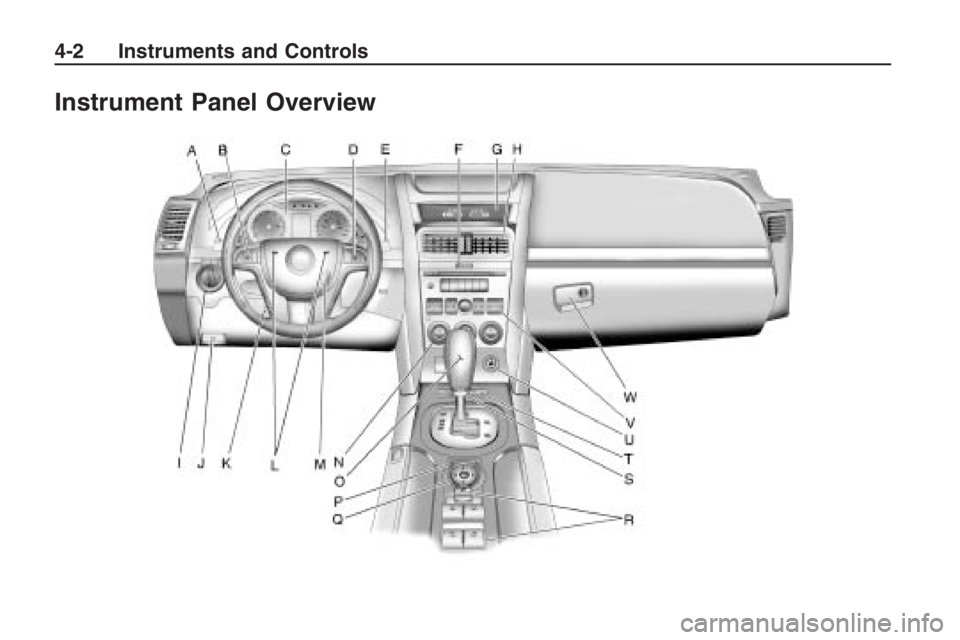
Instrument Panel Overview
4-2 Instruments and Controls
Page 79 of 356
The main components of the
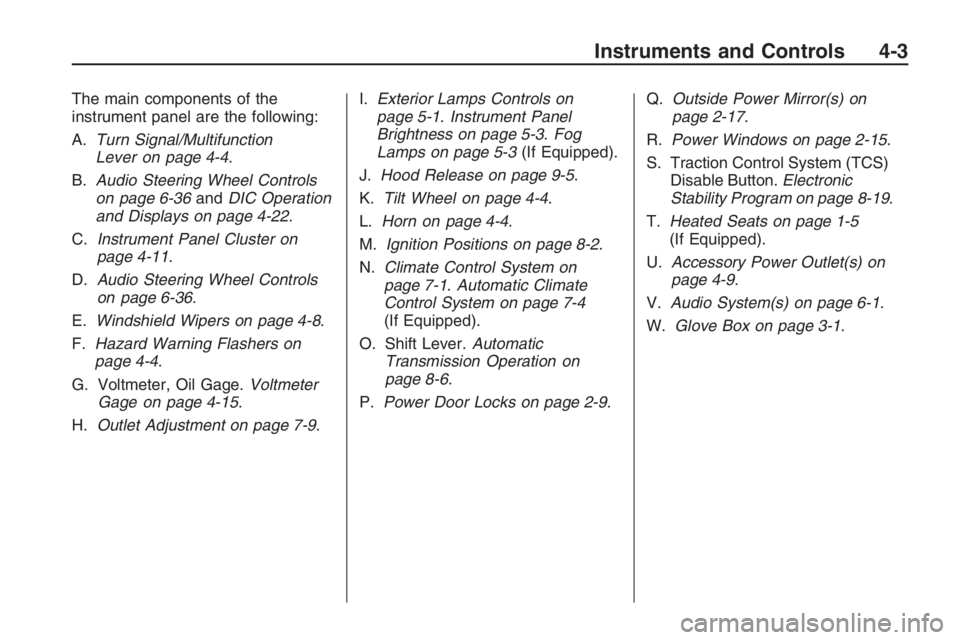
instrument panel are the following:
A.Turn Signal/Multifunction
Lever on page 4-4.
B.Audio Steering Wheel Controls
on page 6-36andDIC Operation
and Displays on page 4-22.
C.Instrument Panel Cluster on
page 4-11.
D.Audio Steering Wheel Controls
on page 6-36.
E.Windshield Wipers on page 4-8.
F.Hazard Warning Flashers on
page 4-4.
G. Voltmeter, Oil Gage.Voltmeter
Gage on page 4-15.
H.Outlet Adjustment on page 7-9.I.Exterior Lamps Controls on
page 5-1.Instrument Panel
Brightness on page 5-3.Fog
Lamps on page 5-3(If Equipped).
J.Hood Release on page 9-5.
K.Tilt Wheel on page 4-4.
L.Horn on page 4-4.
M.Ignition Positions on page 8-2.
N.Climate Control System on
page 7-1.Automatic Climate
Control System on page 7-4
(If Equipped).
O. Shift Lever.Automatic
Transmission Operation on
page 8-6.
P.Power Door Locks on page 2-9.Q.Outside Power Mirror(s) on
page 2-17.
R.Power Windows on page 2-15.
S. Traction Control System (TCS)
Disable Button.Electronic
Stability Program on page 8-19.
T.Heated Seats on page 1-5
(If Equipped).
U.Accessory Power Outlet(s) on
page 4-9.
V.Audio System(s) on page 6-1.
W.Glove Box on page 3-1.
Instruments and Controls 4-3
Page 80 of 356
Hazard Warning Flashers
|
(Hazard Warning Flasher):
Press this button located on
the instrument panel, to make the
front and rear turn signal lamps ash
on and off. This warns others that
you are having trouble.
Press
|again to turn the
ashers off.
Horn
Press near or on the horn symbols
on the steering wheel pad to sound
the horn.
Tilt Wheel
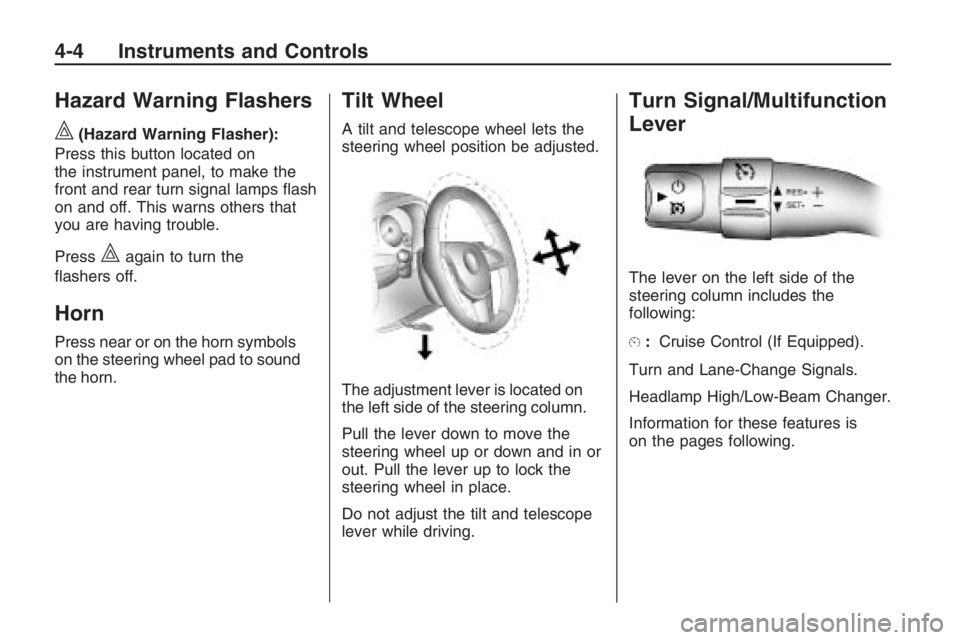
A tilt and telescope wheel lets the
steering wheel position be adjusted.
The adjustment lever is located on
the left side of the steering column.
Pull the lever down to move the
steering wheel up or down and in or
out. Pull the lever up to lock the
steering wheel in place.
Do not adjust the tilt and telescope
lever while driving.
Turn Signal/Multifunction
Lever
The lever on the left side of the
steering column includes the
following:
E:Cruise Control (If Equipped).
Turn and Lane-Change Signals.
Headlamp High/Low-Beam Changer.
Information for these features is
on the pages following.
4-4 Instruments and Controls
Page 81 of 356
Cruise Control
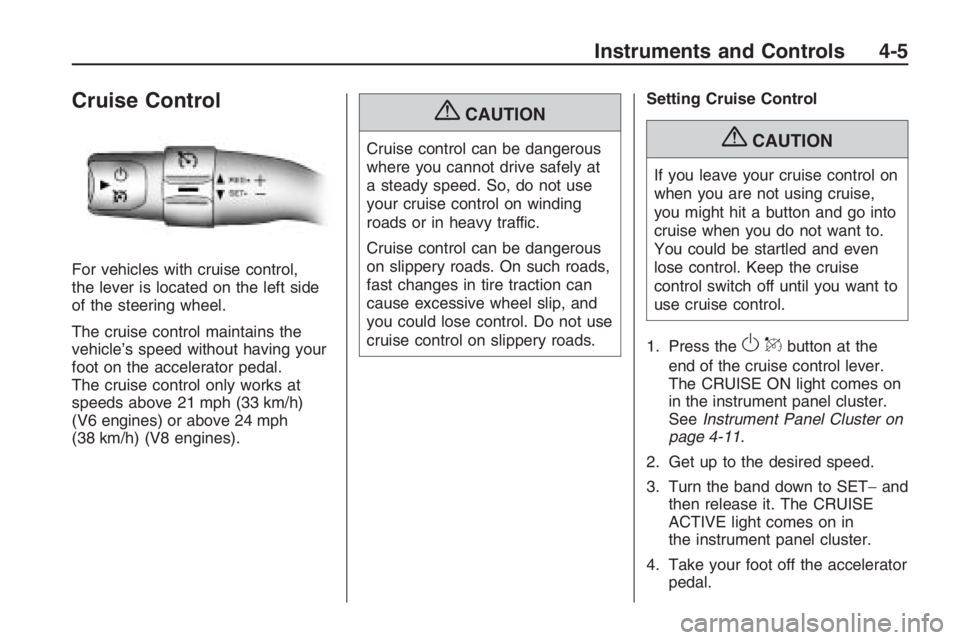
For vehicles with cruise control,
the lever is located on the left side
of the steering wheel.
The cruise control maintains the
vehicle’s speed without having your
foot on the accelerator pedal.
The cruise control only works at
speeds above 21 mph (33 km/h)
(V6 engines) or above 24 mph
(38 km/h) (V8 engines).
{CAUTION
Cruise control can be dangerous
where you cannot drive safely at
a steady speed. So, do not use
your cruise control on winding
roads or in heavy traffic.
Cruise control can be dangerous
on slippery roads. On such roads,
fast changes in tire traction can
cause excessive wheel slip, and
you could lose control. Do not use
cruise control on slippery roads.Setting Cruise Control{CAUTION
If you leave your cruise control on
when you are not using cruise,
you might hit a button and go into
cruise when you do not want to.
You could be startled and even
lose control. Keep the cruise
control switch off until you want to
use cruise control.
1. Press the
OQbutton at the
end of the cruise control lever.
The CRUISE ON light comes on
in the instrument panel cluster.
SeeInstrument Panel Cluster on
page 4-11.
2. Get up to the desired speed.
3. Turn the band down to SET−and
then release it. The CRUISE
ACTIVE light comes on in
the instrument panel cluster.
4. Take your foot off the accelerator
pedal.
Instruments and Controls 4-5
Page 83 of 356
When going downhill, you might
have to brake or shift to a lower gear
to keep the vehicle speed down.
When the brakes are applied
the cruise control is turned off.
Ending Cruise Control
Step lightly on the brake pedal.
When the cruise control is
deactivated, the CRUISE
INACTIVE message appears in
the instrument panel cluster.
Press theOQbutton at the
end of the lever two times.
Erasing Speed Memory
The cruise control set speed memory
is erased when the cruise control or
the ignition is turned off.
Turn and Lane-Change
Signals
An arrowGon the instrument
panel cluster ashes in the direction
of the turn or lane change.
To signal a turn, move the lever all
the way up or down.
To signal a lane change, slightly
raise or lower the lever until the
arrow starts to ash and release
the lever. The turn signal ashes
automatically three times.
The lever returns to its starting
position when it is released.
To cancel the lane change, move the
lever back to the starting position.
Headlamp High/
Low-Beam Changer
The headlamps must be on for this
feature to work.
Push the turn signal lever away
from you to turn the high beams on.
The fog lamps turn off automatically
when high beam is selected.
This instrument panel cluster light
3comes on while the high
beam headlamps are on.
Pull the lever towards you to return
to low beams.
To ash the high beams, pull the
lever towards you. The lamps
remain on high beam as long as
the lever is held.
Instruments and Controls 4-7
Page 87 of 356
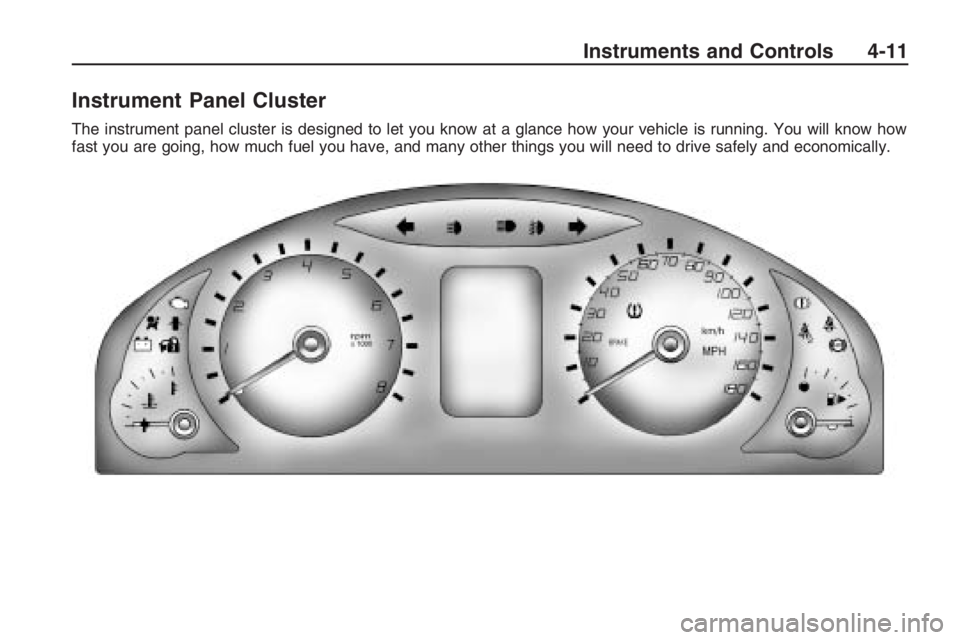
Instrument Panel Cluster
The instrument panel cluster is designed to let you know at a glance how your vehicle is running. You will know how
fast you are going, how much fuel you have, and many other things you will need to drive safely and economically.
Instruments and Controls 4-11
Page 91 of 356
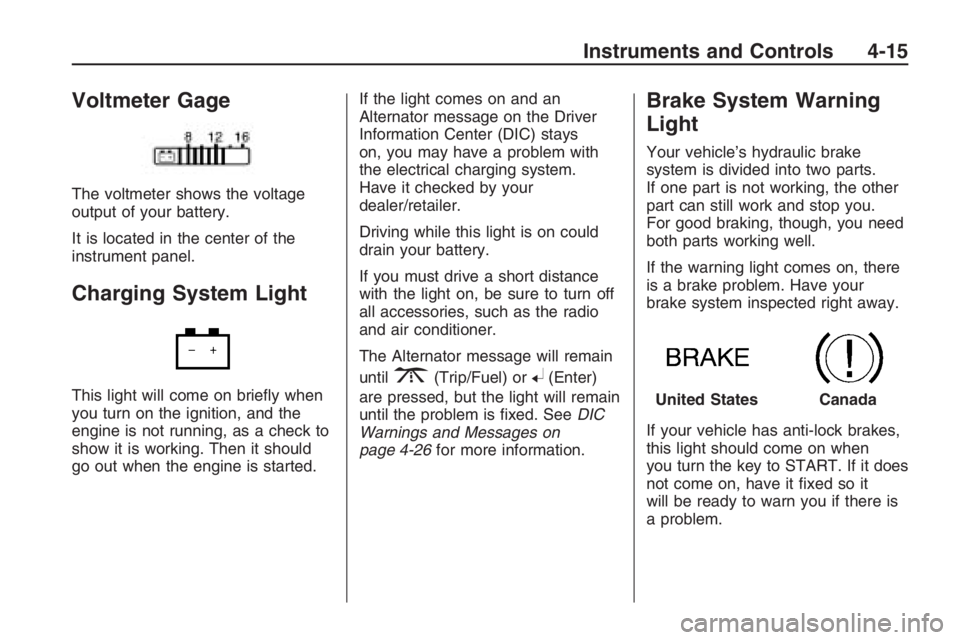
Voltmeter Gage
The voltmeter shows the voltage
output of your battery.
It is located in the center of the
instrument panel.
Charging System Light
This light will come on briey when
you turn on the ignition, and the
engine is not running, as a check to
show it is working. Then it should
go out when the engine is started.If the light comes on and an
Alternator message on the Driver
Information Center (DIC) stays
on, you may have a problem with
the electrical charging system.
Have it checked by your
dealer/retailer.
Driving while this light is on could
drain your battery.
If you must drive a short distance
with the light on, be sure to turn off
all accessories, such as the radio
and air conditioner.
The Alternator message will remain
until
3(Trip/Fuel) or8(Enter)
are pressed, but the light will remain
until the problem is xed. SeeDIC
Warnings and Messages on
page 4-26for more information.
Brake System Warning
Light
Your vehicle’s hydraulic brake
system is divided into two parts.
If one part is not working, the other
part can still work and stop you.
For good braking, though, you need
both parts working well.
If the warning light comes on, there
is a brake problem. Have your
brake system inspected right away.
If your vehicle has anti-lock brakes,
this light should come on when
you turn the key to START. If it does
not come on, have it xed so it
will be ready to warn you if there is
a problem.
United StatesCanada
Instruments and Controls 4-15
Page 97 of 356
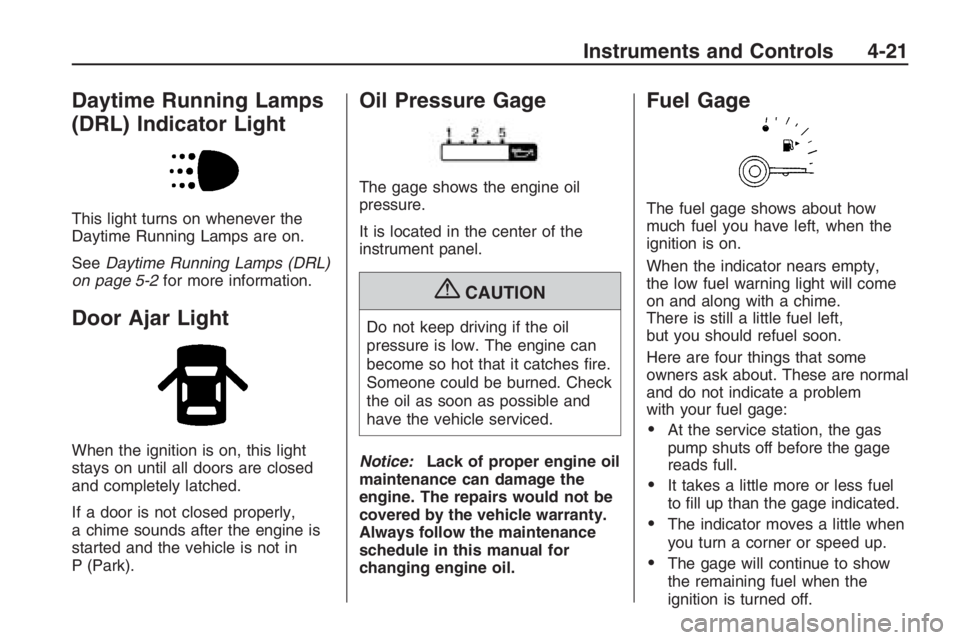
Daytime Running Lamps
(DRL) Indicator Light
This light turns on whenever the
Daytime Running Lamps are on.
SeeDaytime Running Lamps (DRL)
on page 5-2for more information.
Door Ajar Light
When the ignition is on, this light
stays on until all doors are closed
and completely latched.
If a door is not closed properly,
a chime sounds after the engine is
started and the vehicle is not in
P (Park).
Oil Pressure Gage
The gage shows the engine oil
pressure.
It is located in the center of the
instrument panel.
{CAUTION
Do not keep driving if the oil
pressure is low. The engine can
become so hot that it catches re.
Someone could be burned. Check
the oil as soon as possible and
have the vehicle serviced.
Notice:Lack of proper engine oil
maintenance can damage the
engine. The repairs would not be
covered by the vehicle warranty.
Always follow the maintenance
schedule in this manual for
changing engine oil.
Fuel Gage
The fuel gage shows about how
much fuel you have left, when the
ignition is on.
When the indicator nears empty,
the low fuel warning light will come
on and along with a chime.
There is still a little fuel left,
but you should refuel soon.
Here are four things that some
owners ask about. These are normal
and do not indicate a problem
with your fuel gage:
At the service station, the gas
pump shuts off before the gage
reads full.
It takes a little more or less fuel
to ll up than the gage indicated.
The indicator moves a little when
you turn a corner or speed up.
The gage will continue to show
the remaining fuel when the
ignition is turned off.
Instruments and Controls 4-21
Page 98 of 356
Driver Information
Center (DIC)
The DIC displays information about
your vehicle. It also displays warning
messages if a system problem is
detected. The DIC also allows some
features to be customized. SeeDIC
Vehicle Customization on page 4-31
for more information. All messages
will appear in the DIC display located
in the center of the instrument panel
cluster.
When the ignition is turned on, a
vehicle system check is performed
and the status is shown on the
DIC display. If there are no warnings
or service reminders, the display
shows a series of welcome screens.
When the ignition is turned off,
the odometer appears on the display
for a short period of time unless
a service reminder is active.Active service reminders are
displayed for 10 seconds before
the odometer appears. The
odometer will reappear on the
display when the driver door is
opened. For more information on
the warnings and messages
seeDIC Warnings and Messages
on page 4-26.
DIC Operation and
Displays
The DIC has different displays
which can be accessed by pressing
the DIC buttons located on the
left side of the steering wheel.
The DIC displays trip, fuel, vehicle
system information, and warning
messages if a system problem
is detected.
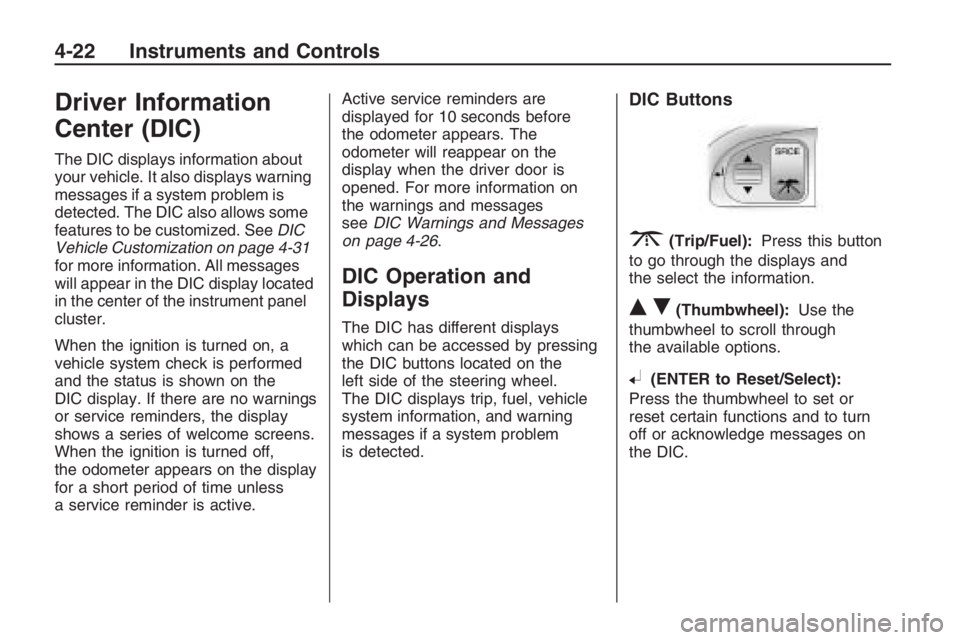
DIC Buttons
3(Trip/Fuel):Press this button
to go through the displays and
the select the information.
QR(Thumbwheel):Use the
thumbwheel to scroll through
the available options.
8(ENTER to Reset/Select):
Press the thumbwheel to set or
reset certain functions and to turn
off or acknowledge messages on
the DIC.
4-22 Instruments and Controls
Page 102 of 356
Adjusting the Setting During an
OverSpeed Warning
While the OverSpeed warning is
displayed move the thumbwheel up
Qor downRto adjust the
value when in Manual mode or to
select a different preset when
in Preset mode. Press and hold
8
for more than 3 seconds to set
the value to the nearest 5 MPH or
km/h above the current vehicle’s
speed. If Preset mode was selected,
this will change it to Manual mode.
Underspeed Chime
If an OverSpeed warning appeared
and the vehicle’s speed drops
below the set value, you will hear a
chime. The underspeed chime
can be turned on or off through the
vehicle customization. SeeDIC
Vehicle Customization on page 4-31
for more information.
DIC Warnings and
Messages
Messages are displayed on the DIC
to notify the driver that the status
of the vehicle has changed and that
some action may be needed by
the driver to correct the condition.
Multiple messages may appear
one after another.
Some messages may not require
immediate action, but you can press
3or8to acknowledge that
you received the messages and
to clear them from the display.
Some messages cannot be cleared
from the DIC display because
they are more urgent. These
messages require action before they
can be cleared. You should take
any messages that appear on
the display seriously and remember
that clearing the messages will
only make the messages disappear,
not correct the problem.The following are the possible
messages that can be displayed
and some information about them.
!ABS Fault
This message is displayed if there is
a problem with the ABS system.
The ABS light may also turn on
in the instrument panel cluster.
SeeAntilock Brake System (ABS)
Warning Light on page 4-16.
When this message is on, the brake
system will still operate with the
antilock operation disabled.
See your dealer/retailer.
uActive Select On
This message is displayed when
the automatic transmission
active select mode is enabled.
See “Active Select Mode” under
Automatic Transmission Operation
on page 8-6.
4-26 Instruments and Controls