wheel PONTIAC G8 2009 Owner's Manual
[x] Cancel search | Manufacturer: PONTIAC, Model Year: 2009, Model line: G8, Model: PONTIAC G8 2009Pages: 356, PDF Size: 1.83 MB
Page 154 of 356
Audio Steering Wheel
Controls
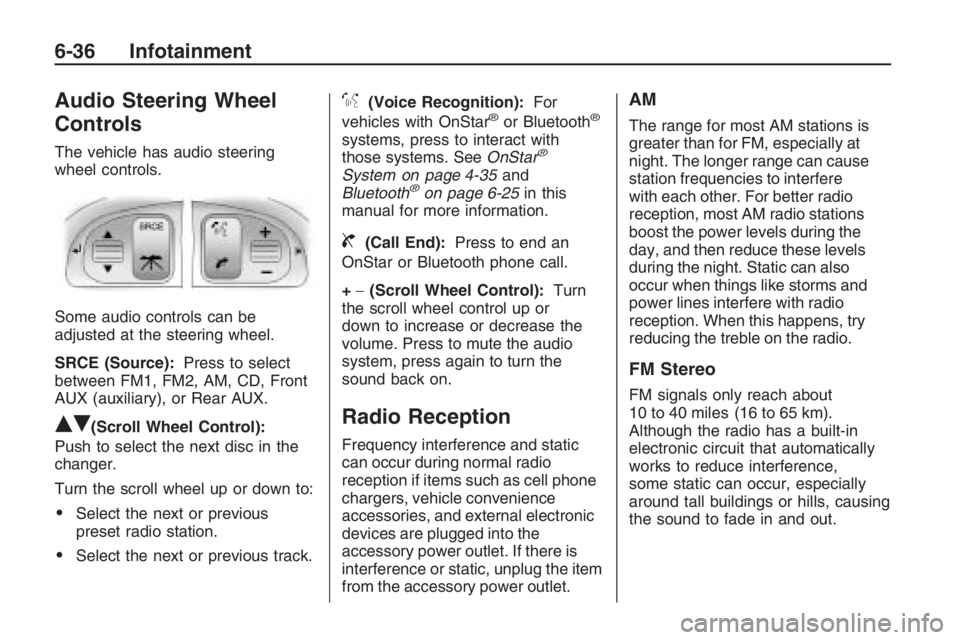
The vehicle has audio steering
wheel controls.
Some audio controls can be
adjusted at the steering wheel.
SRCE (Source):Press to select
between FM1, FM2, AM, CD, Front
AUX (auxiliary), or Rear AUX.
QR(Scroll Wheel Control):
Push to select the next disc in the
changer.
Turn the scroll wheel up or down to:
Select the next or previous
preset radio station.
Select the next or previous track.
%(Voice Recognition):For
vehicles with OnStar®or Bluetooth®
systems, press to interact with
those systems. SeeOnStar®
System on page 4-35and
Bluetooth®on page 6-25in this
manual for more information.
{(Call End):Press to end an
OnStar or Bluetooth phone call.
+−(Scroll Wheel Control):Turn
the scroll wheel control up or
down to increase or decrease the
volume. Press to mute the audio
system, press again to turn the
sound back on.
Radio Reception
Frequency interference and static
can occur during normal radio
reception if items such as cell phone
chargers, vehicle convenience
accessories, and external electronic
devices are plugged into the
accessory power outlet. If there is
interference or static, unplug the item
from the accessory power outlet.
AM
The range for most AM stations is
greater than for FM, especially at
night. The longer range can cause
station frequencies to interfere
with each other. For better radio
reception, most AM radio stations
boost the power levels during the
day, and then reduce these levels
during the night. Static can also
occur when things like storms and
power lines interfere with radio
reception. When this happens, try
reducing the treble on the radio.
FM Stereo
FM signals only reach about
10 to 40 miles (16 to 65 km).
Although the radio has a built-in
electronic circuit that automatically
works to reduce interference,
some static can occur, especially
around tall buildings or hills, causing
the sound to fade in and out.
6-36 Infotainment
Page 164 of 356
Rear Window Defogger
The rear window defogger uses a
warming grid to remove fog or
frost from the rear window. It only
works when the ignition is in
ON/RUN.
The rear window defogger will
only work when the ignition is in
ON/RUN.
+(Rear Window Defogger):
Press to turn the rear window
defogger on or off. The
+indicator
appears in the display. The rear
window defogger turns off
automatically if it is left on.
Notice:Do not use anything
sharp on the inside of the rear
window. If you do, you could cut
or damage the warming grid, and
the repairs would not be covered
by the vehicle warranty. Do not
attach a temporary vehicle
license, tape, a decal or anything
similar to the defogger grid.
EXT TEMP
EXT TEMP (Exterior Temperature):
Press EXT TEMP to show the
temperature outside the vehicle or
the normal display.
Pressing any other climate control
button will change the display from
showing the outside temperature to
showing the normal display.
The units for the EXT TEMP can be
displayed in °F or °C. SeeDIC
Vehicle Customization on page 4-31.
Sensors
The climate control system uses
three different sensors to maintain
the desired temperature. The
solar sensor is located on the
instrument panel, near the
windshield. The interior temperature
sensor is located on the instrument
panel near the steering wheel
and the outside temperature sensor
is in front of the radiator.By monitoring the solar radiation,
the air inside the vehicle and
air moving across the outside
sensor, the selected temperature
can be maintained while using
the AUTO mode by adjusting the
temperature, fan speed, and
air delivery system. The system
may also supply cooler air to
the side of the vehicle facing the
sun. The recirculation mode will
also be activated, as necessary.
Do not cover the sensors or
the automatic climate control
system will not work properly.Remote Start Climate Control
Operation
For vehicles with the remote start
feature and it is activated, the climate
control system will automatically set
the temperature to 73°F (23°C).
When the ignition is turned to
ON/RUN the climate control system
heats and cools the inside of the
vehicle using the modes that
were set before the vehicle was
turned off.
7-8 Climate Controls
Page 165 of 356
Personal Identity Keys
For vehicles with the Personal
Identity Key Locking System,
the system remembers the last
climate control settings used with
different keys.
When the unlock button is pressed,
the system remembers the key
and sets the climate control system
to the last settings used with that
key. SeeRemote Keyless Entry
(RKE) System Operation on
page 2-4.
Passenger Compartment
Air Filter
The vehicle has a passenger
compartment air lter that lters the
outside air entering the vehicle.
The lter removes contaminants,
such as pollen and dust. See
your dealer/retailer for more
information.
Outlet Adjustment
The air outlets have adjustable
vanes to move up or down and left or
right to change the direction of the
airow. Use the thumbwheels
located near the air outlets on the
instrument panel, to shut off the
airow.
Operation Tips
Clear away any ice, snow or
leaves from the air inlets at
the base of the windshield that
may block the ow of air into
the vehicle.
Use of non-GM approved hood
deectors may adversely affect
performance of the system.
Keep the path under the front
seats clear of objects to help
circulate the air inside of
the vehicle more effectively.
Outside air is drawn into the
vehicle, unless recirculation
mode is selected.
Climate Controls 7-9
Page 169 of 356
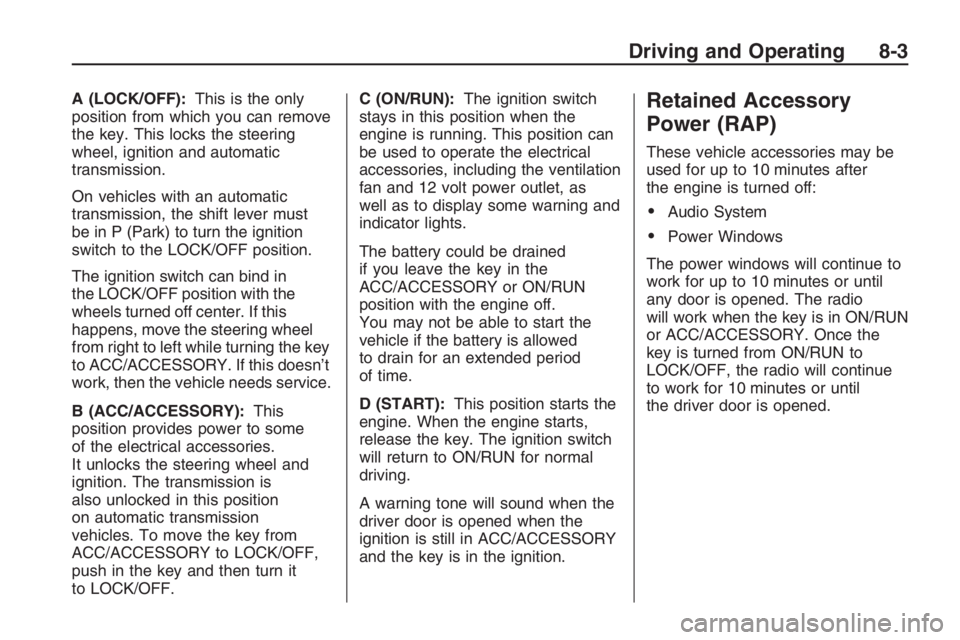
A (LOCK/OFF):This is the only
position from which you can remove
the key. This locks the steering
wheel, ignition and automatic
transmission.
On vehicles with an automatic
transmission, the shift lever must
be in P (Park) to turn the ignition
switch to the LOCK/OFF position.
The ignition switch can bind in
the LOCK/OFF position with the
wheels turned off center. If this
happens, move the steering wheel
from right to left while turning the key
to ACC/ACCESSORY. If this doesn’t
work, then the vehicle needs service.
B (ACC/ACCESSORY):This
position provides power to some
of the electrical accessories.
It unlocks the steering wheel and
ignition. The transmission is
also unlocked in this position
on automatic transmission
vehicles. To move the key from
ACC/ACCESSORY to LOCK/OFF,
push in the key and then turn it
to LOCK/OFF.C (ON/RUN):The ignition switch
stays in this position when the
engine is running. This position can
be used to operate the electrical
accessories, including the ventilation
fan and 12 volt power outlet, as
well as to display some warning and
indicator lights.
The battery could be drained
if you leave the key in the
ACC/ACCESSORY or ON/RUN
position with the engine off.
You may not be able to start the
vehicle if the battery is allowed
to drain for an extended period
of time.
D (START):This position starts the
engine. When the engine starts,
release the key. The ignition switch
will return to ON/RUN for normal
driving.
A warning tone will sound when the
driver door is opened when the
ignition is still in ACC/ACCESSORY
and the key is in the ignition.Retained Accessory
Power (RAP)
These vehicle accessories may be
used for up to 10 minutes after
the engine is turned off:
Audio System
Power Windows
The power windows will continue to
work for up to 10 minutes or until
any door is opened. The radio
will work when the key is in ON/RUN
or ACC/ACCESSORY. Once the
key is turned from ON/RUN to
LOCK/OFF, the radio will continue
to work for 10 minutes or until
the driver door is opened.
Driving and Operating 8-3
Page 172 of 356
The length of time the heater should
remain plugged in depends on
several factors. Ask a dealer/retailer
in the area where you will be
parking the vehicle for the best
advice on this.
Automatic Transmission
Operation
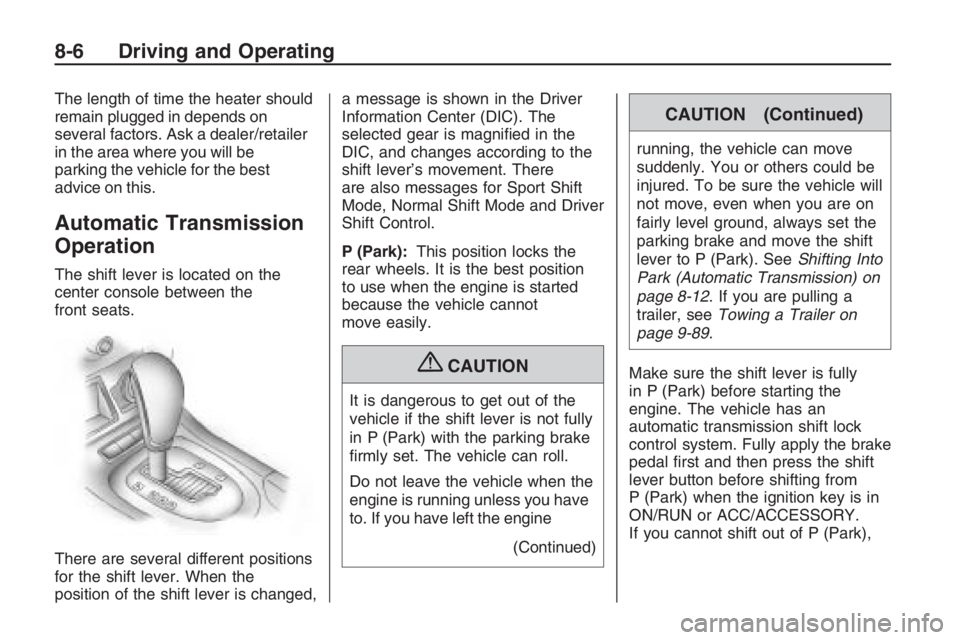
The shift lever is located on the
center console between the
front seats.
There are several different positions
for the shift lever. When the
position of the shift lever is changed,a message is shown in the Driver
Information Center (DIC). The
selected gear is magnied in the
DIC, and changes according to the
shift lever’s movement. There
are also messages for Sport Shift
Mode, Normal Shift Mode and Driver
Shift Control.
P (Park):This position locks the
rear wheels. It is the best position
to use when the engine is started
because the vehicle cannot
move easily.
{CAUTION
It is dangerous to get out of the
vehicle if the shift lever is not fully
in P (Park) with the parking brake
rmly set. The vehicle can roll.
Do not leave the vehicle when the
engine is running unless you have
to. If you have left the engine
(Continued)
CAUTION (Continued)
running, the vehicle can move
suddenly. You or others could be
injured. To be sure the vehicle will
not move, even when you are on
fairly level ground, always set the
parking brake and move the shift
lever to P (Park). SeeShifting Into
Park (Automatic Transmission) on
page 8-12. If you are pulling a
trailer, seeTowing a Trailer on
page 9-89.
Make sure the shift lever is fully
in P (Park) before starting the
engine. The vehicle has an
automatic transmission shift lock
control system. Fully apply the brake
pedal rst and then press the shift
lever button before shifting from
P (Park) when the ignition key is in
ON/RUN or ACC/ACCESSORY.
If you cannot shift out of P (Park),
8-6 Driving and Operating
Page 173 of 356
ease pressure on the shift lever and
push the shift lever all the way
into P (Park) while maintaining brake
application. Then press the shift
lever button and move the shift lever
into another gear. SeeShifting
Out of Park on page 8-13.
Notice:Shifting to R (Reverse)
while the vehicle is moving
forward could damage the
transmission. The repairs would
not be covered by the vehicle
warranty. Shift to R (Reverse)
only after the vehicle is stopped.
R (Reverse):Use this gear to
back up.
At low vehicle speeds, R (Reverse)
can also be used to rock the vehicle
back and forth to get out of snow, ice,
or sand without damaging the
transmission. SeeIf Your Vehicle is
Stuck in Sand, Mud, Ice, or Snow on
page 8-29for additional information.N (Neutral):In this position, the
engine does not connect with
the wheels. To restart the engine
when the vehicle is already moving,
use N (Neutral) only.
{CAUTION
Shifting into a drive gear while the
engine is running at high speed is
dangerous. Unless your foot is
rmly on the brake pedal, the
vehicle could move very rapidly.
You could lose control and hit
people or objects. Do not shift into
a drive gear while the engine is
running at high speed.
Notice:Shifting out of P (Park)
or N (Neutral) with the engine
running at high speed may
damage the transmission. The
repairs would not be covered by
the vehicle warranty. Be sure
the engine is not running at high
speed when shifting the vehicle.D (Drive):This position is for normal
driving. It provides the best fuel
economy. If more power is needed
for passing, and the vehicle is:
Going less than 35 mph
(55 km/h), push the accelerator
pedal about halfway down.
Going about 35 mph (55 km/h) or
more, push the accelerator all the
way down.
Downshifting the transmission in
slippery road conditions could result
in skidding, see Skidding under
Loss of Control on page 8-23
Notice:Spinning the tires or
holding the vehicle in one place
on a hill using only the
accelerator pedal may damage
the transmission. If you are stuck,
do not spin the tires. When
stopping on a hill, use the brakes
to hold the vehicle in place.
Driving and Operating 8-7
Page 184 of 356
And, of course, actual stopping
distances vary greatly with the
surface of the road, whether it is
pavement or gravel; the condition of
the road, whether it is wet, dry, or icy;
tire tread; the condition of the brakes;
the weight of the vehicle; and the
amount of brake force applied.
Avoid needless heavy
braking. Some people drive in
spurts — heavy acceleration
followed by heavy braking — rather
than keeping pace with traffic.
This is a mistake. The brakes might
not have time to cool between
hard stops. The brakes will wear out
much faster if you do a lot of
heavy braking. If you keep pace
with the traffic and allow realistic
following distances, you will
eliminate a lot of unnecessary
braking. That means better braking
and longer brake life.
If your vehicle’s engine ever stops
while you are driving, brake normally
but do not pump the brakes. If you
do, the pedal could get harder topush down. If the engine stops, you
will still have some power brake
assist. But you will use it when you
brake. Once the power assist is used
up, it can take longer to stop and the
brake pedal will be harder to push.
Adding non-dealer/non-retailer
accessories can affect your vehicle’s
performance. SeeAccessories
and Modifications on page 9-3.
Antilock Brake
System (ABS)
Your vehicle has the Antilock Brake
System (ABS), an advanced
electronic braking system that will
help prevent a braking skid.
When you start the engine and
begin to drive away, ABS will check
itself. You might hear a momentary
motor or clicking noise while this
test is going on, and you might even
notice that the brake pedal moves
a little. This is normal.If there is a problem with ABS, this
warning light will stay on. See
Antilock Brake System (ABS)
Warning Light on page 4-16.
Let us say the road is wet and you
are driving safely. Suddenly, an
animal jumps out in front of you.
You slam on the brakes and continue
braking. Here is what happens
with ABS:
A computer senses that the wheels
are slowing down. If one of the
wheels is about to stop rolling, the
computer will separately work
the brakes at each wheel.
ABS can change the brake pressure
to each wheel, as required, faster
than any driver could. This can help
you steer around the obstacle while
braking hard.
8-18 Driving and Operating
Page 185 of 356
As you brake, the computer keeps
receiving updates on wheel speed
and controls braking pressure
accordingly.
Remember: ABS does not change
the time you need to get your
foot up to the brake pedal or always
decrease stopping distance. If
you get too close to the vehicle in
front of you, you will not have time to
apply the brakes if that vehicle
suddenly slows or stops. Always
leave enough room up ahead
to stop, even though you have ABS.
Using ABS
Do not pump the brakes. Just hold
the brake pedal down rmly and
let antilock work for you. You might
hear the antilock pump or motor
operate, and feel the brake
pedal pulsate, but this is normal.
Braking in Emergencies
With ABS, you can steer and
brake at the same time. In many
emergencies, steering can help
you more than even the very best
braking.
Electronic Stability
Program
The vehicle has the Electronic
Stability Program (ESP®) that assists
with directional control of the vehicle
in difficult driving conditions by
reducing engine power and applying
the brakes to individual wheels. This
is especially useful in slippery road
conditions. The system operates if it
senses that the rear wheels are
spinning too much, are beginning to
lose traction or if it senses that the
vehicle is not moving in its intended
direction. It turns on automatically
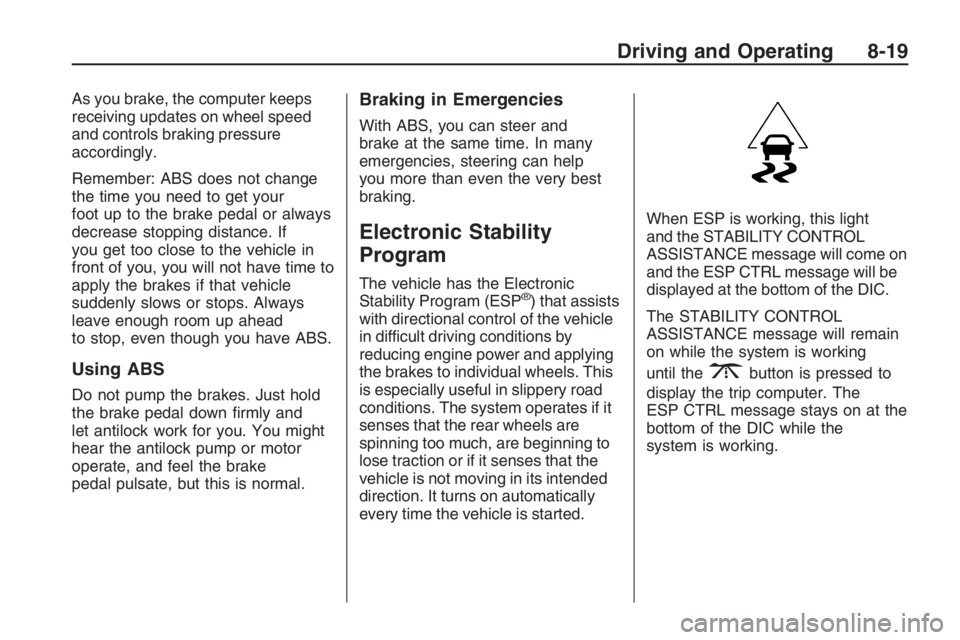
every time the vehicle is started.When ESP is working, this light
and the STABILITY CONTROL
ASSISTANCE message will come on
and the ESP CTRL message will be
displayed at the bottom of the DIC.
The STABILITY CONTROL
ASSISTANCE message will remain
on while the system is working
until the
3button is pressed to
display the trip computer. The
ESP CTRL message stays on at the
bottom of the DIC while the
system is working.
Driving and Operating 8-19
Page 186 of 356
The system may be heard or felt
while it is working. This is normal
and does not mean there is a
problem with the vehicle.
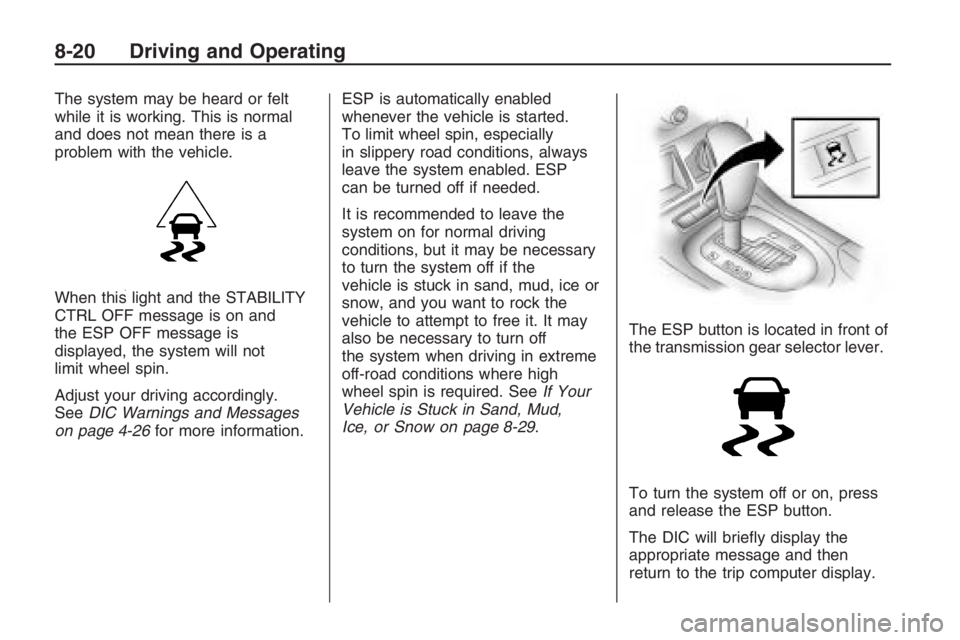
When this light and the STABILITY
CTRL OFF message is on and
the ESP OFF message is
displayed, the system will not
limit wheel spin.
Adjust your driving accordingly.
SeeDIC Warnings and Messages
on page 4-26for more information.ESP is automatically enabled
whenever the vehicle is started.
To limit wheel spin, especially
in slippery road conditions, always
leave the system enabled. ESP
can be turned off if needed.
It is recommended to leave the
system on for normal driving
conditions, but it may be necessary
to turn the system off if the
vehicle is stuck in sand, mud, ice or
snow, and you want to rock the
vehicle to attempt to free it. It may
also be necessary to turn off
the system when driving in extreme
off-road conditions where high
wheel spin is required. SeeIf Your
Vehicle is Stuck in Sand, Mud,
Ice, or Snow on page 8-29.The ESP button is located in front of
the transmission gear selector lever.
To turn the system off or on, press
and release the ESP button.
The DIC will briey display the
appropriate message and then
return to the trip computer display.
8-20 Driving and Operating
Page 187 of 356
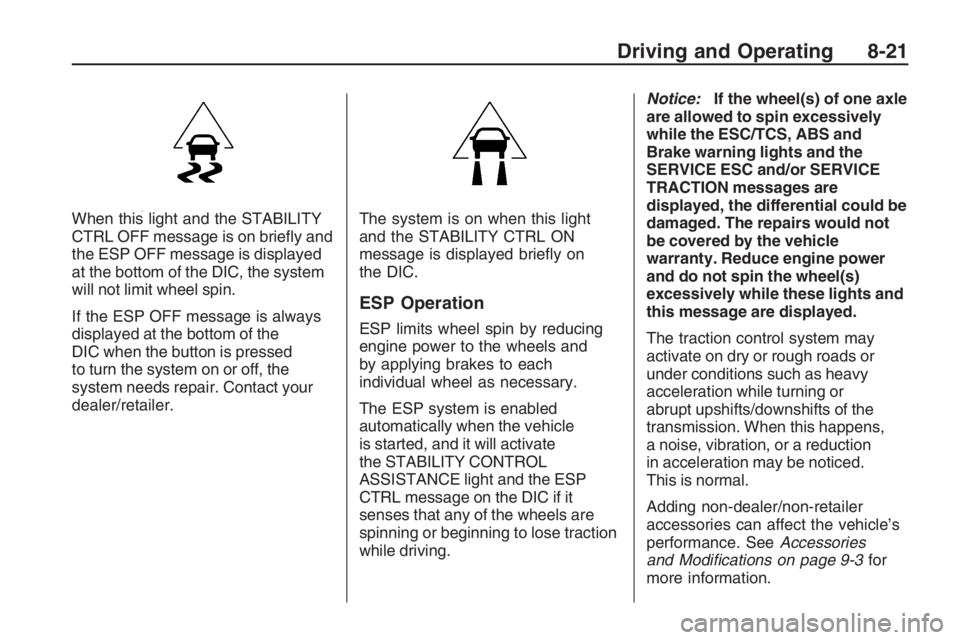
When this light and the STABILITY
CTRL OFF message is on briey and
the ESP OFF message is displayed
at the bottom of the DIC, the system
will not limit wheel spin.
If the ESP OFF message is always
displayed at the bottom of the
DIC when the button is pressed
to turn the system on or off, the
system needs repair. Contact your
dealer/retailer.The system is on when this light
and the STABILITY CTRL ON
message is displayed briey on
the DIC.
ESP Operation
ESP limits wheel spin by reducing
engine power to the wheels and
by applying brakes to each
individual wheel as necessary.
The ESP system is enabled
automatically when the vehicle
is started, and it will activate
the STABILITY CONTROL
ASSISTANCE light and the ESP
CTRL message on the DIC if it
senses that any of the wheels are
spinning or beginning to lose traction
while driving.Notice:If the wheel(s) of one axle
are allowed to spin excessively
while the ESC/TCS, ABS and
Brake warning lights and the
SERVICE ESC and/or SERVICE
TRACTION messages are
displayed, the differential could be
damaged. The repairs would not
be covered by the vehicle
warranty. Reduce engine power
and do not spin the wheel(s)
excessively while these lights and
this message are displayed.
The traction control system may
activate on dry or rough roads or
under conditions such as heavy
acceleration while turning or
abrupt upshifts/downshifts of the
transmission. When this happens,
a noise, vibration, or a reduction
in acceleration may be noticed.
This is normal.
Adding non-dealer/non-retailer
accessories can affect the vehicle’s
performance. SeeAccessories
and Modifications on page 9-3for
more information.
Driving and Operating 8-21