ECU PONTIAC G8 2009 Owner's Guide
[x] Cancel search | Manufacturer: PONTIAC, Model Year: 2009, Model line: G8, Model: PONTIAC G8 2009Pages: 356, PDF Size: 1.83 MB
Page 77 of 356
Instruments and
Controls
Instrument Panel
Overview
Instrument Panel
Overview...........................4-2
Hazard Warning
Flashers............................4-4
Horn...................................4-4
Tilt Wheel...........................4-4
Turn Signal/Multifunction
Lever................................4-4
Cruise Control....................4-5
Turn and Lane-Change
Signals.............................4-7
Headlamp High/
Low-Beam Changer..........4-7
Windshield Wipers..............4-8
Windshield Washer.............4-8
Accessory Power
Outlet(s)............................4-9
Warning Lights, Gages,
and Indicators
Warning Lights, Gages,
and Indicators.................4-10
Instrument Panel
Cluster............................4-11
Speedometer....................4-12
Tachometer.......................4-12
Safety Belt Reminders......4-12
Airbag Readiness Light.....4-13
Passenger Airbag
Status Indicator...............4-14
Voltmeter Gage.................4-15
Charging System Light......4-15
Brake System Warning
Light................................4-15
Antilock Brake System
(ABS) Warning Light.......4-16
Engine Coolant
Temperature Gage..........4-17
Tire Pressure Light...........4-17
Malfunction
Indicator Lamp................4-18
Security Light....................4-20
Fog Lamp Light................4-20
Highbeam On Light...........4-20
Daytime Running
Lamps (DRL)
Indicator Light
.................4-21
Door Ajar Light.................4-21
Oil Pressure Gage............4-21
Fuel Gage........................4-21
Driver Information
Center (DIC)
Driver Information
Center (DIC)...................4-22
DIC Operation and
Displays..........................4-22
DIC Warnings and
Messages........................4-26
DIC Vehicle
Customization..................4-31
OnStar®System
OnStar®System................4-35
Instruments and Controls 4-1
Page 96 of 356
Emissions Inspection and
Maintenance Programs
Some state/provincial and local
governments have or might begin
programs to inspect the emission
control equipment on the vehicle.
Failure to pass this inspection could
prevent getting a vehicle registration.
Here are some things to know to
help the vehicle pass an inspection:
The vehicle will not pass this
inspection if the check engine
light is on with the engine
running, or if the key is in the
ON/RUN and the light is
not on.
The vehicle will not pass this
inspection if the OBD II
(on-board diagnostic) system
determines that critical emission
control systems have not
been completely diagnosed by
the system. The vehicle would
be considered not ready forinspection. This can happen if
the battery has recently been
replaced or if the battery has run
down. The diagnostic system
is designed to evaluate critical
emission control systems
during normal driving. This can
take several days of routine
driving. If this has been done
and the vehicle still does not
pass the inspection for lack of
OBD II system readiness,
your dealer/retailer can prepare
the vehicle for inspection.
Security Light
For information regarding this light
and the vehicle’s security system,
seeContent Theft-Deterrent
on page 2-13.
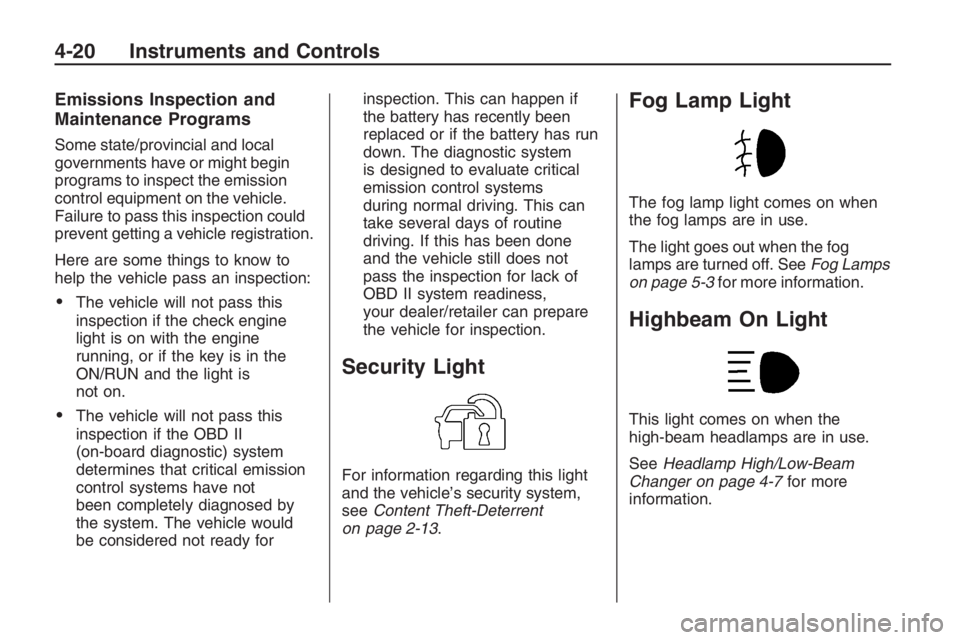
Fog Lamp Light
The fog lamp light comes on when
the fog lamps are in use.
The light goes out when the fog
lamps are turned off. SeeFog Lamps
on page 5-3for more information.
Highbeam On Light
This light comes on when the
high-beam headlamps are in use.
SeeHeadlamp High/Low-Beam
Changer on page 4-7for more
information.
4-20 Instruments and Controls
Page 108 of 356
The following items are part of the
main customization menu.
Exit
Reset settings
Security
Lighting
Trip Computer
Language
Remote key
See the information following for
detailed descriptions of the
items available under each menu
item. There are also help screens
available to explain the features.
When selecting a menu item,
wait for a few seconds and a help
screen pops up with an explanation
of the selected feature.
Exit
To exit the customization menu
scroll to Exit and press
8.
You can also exit the customization
menu by:
Press3at any time to return
to the trip/fuel menu.
Drive the vehicle at more than
6 mph (10 km/h).
Turn the ignition off.
Reset settings
This item will reset all the
customization options to the
factory defaults.
Security
This item will allow you to customize:
Auto unlock
Auto lock
Flash remote lck (lock)
Beep remote lck (lock)
Flash rem (remote) unlock
2 Stage unlock
Remote Start
Some of these work with your
Remote Keyless Entry (RKE)
transmitter. SeeRemote Keyless
Entry (RKE) System Operation
on page 2-4for more information.
Auto unlock
If you select Auto unlock you will be
able to choose when you want
the doors to unlock automatically.
Off:No automatic unlock of
any doors.
Driver door key out:The driver
door will unlock when the key
is removed.
Driver door in park:The driver
door will unlock when you put
the shift lever into P (Park).
All doors at key out:All doors will
unlock when the key is removed.
4-32 Instruments and Controls
Page 111 of 356
OnStar®System
OnStar uses several innovative
technologies and live advisors to
provide a wide range of safety,
security, information, and
convenience services. If the airbags
deploy, the system is designed to
make an automatic call to OnStar
Emergency advisors who can
request emergency services be sent
to your location. If the keys are
locked in the vehicle, call OnStar at
1-888-4-ONSTAR to have a signal
sent to unlock the doors. OnStar
Hands-Free Calling, including
30 trial minutes good for 60 days,
is available on most vehicles.OnStar Turn-by-Turn Navigation
service, with one trial route, is
available on most vehicles. Press
the OnStar button to have an OnStar
advisor contact Roadside Service.
OnStar service is provided subject to
the OnStar Terms and Conditions
included in the OnStar Subscriber
glove box literature.
Some services such as Remote
Door Unlock or Stolen Vehicle
Location Assistance may not be
available until the owner of the
vehicle registers with OnStar.
After the rst prepaid year, contact
OnStar to select a monthly or
annual subscription payment plan.
If a payment plan is not selected,
the OnStar system and all services,
including airbag notication and
emergency services, may be
deactivated and no longer available.For more information visit
onstar.com (U.S.) or onstar.ca
(Canada), or press the OnStar
button to speak with an advisor.
Not all OnStar services are available
on all vehicles. To check if this
vehicle is able to provide the
services described below, or for a
full description of OnStar services
and system limitations, see the
OnStar Owner’s Guide in the glove
box or visit onstar.com (U.S.) or
onstar.ca (Canada), contact
OnStar at 1-888-4-ONSTAR
(1-888-466-7827) or TTY
1-877-248-2080, or press the
OnStar button to speak with an
OnStar advisor 24 hours a day,
7 days a week.
Instruments and Controls 4-35
Page 128 of 356
Radio Message
Security Lockout Active:This
message displays when the
coded security system has been
activated. Take the vehicle to your
dealer/retailer for service.
Radio Messages for XM Only
SeeXM Radio Messages on
page 6-24later in this section for
further detail.
Using the CD Player
The CD player plays standard sized
CDs. Using CDs of a different size
can damage the drive or disc,
even if an adapter is used.
The CD player has a memory
buffer that holds approximately
seven seconds of music to prevent
interruption while driving over bumpy
surfaces. If the interruption lasts
longer than seven seconds, the
memory buffer can become emptyand playback will be interrupted until
the player has time to refocus, read
the disc, and ll the buffer again.
When the player reaches the end of
a CD, it automatically returns to
the start and plays the CD again.
CDs can be loaded with the
ignition and the radio on or off.
CDs will stay in the player if the
ignition or radio is turned off.
If the CD was the last source
selected, it resumes playing
when the radio is turned on.
Loading CDs
To load a CD with the radio with a
single CD player:
1. Insert a CD label side up
partway into the slot.
2. The CD player will pull the CD
in and begin playing if the radio
is on.To load CDs with the radio with a
six-disc CD player:
#LOAD:Press to load CDs
into the CD player. The display
shows DISC and six numbers that
correspond to the six CD storage
locations. When a storage location
has no disc loaded a dash displays.
To insert one CD:
1. Press
#LOAD and Insert Disc
displays.
2. The load indicator light ashes,
and the radio beeps twice.
3. Insert a CD label side up partway
into the slot.
4. The CD player will pull the CD
in and begin playing if the
radio is on.
6-10 Infotainment
Page 142 of 356
l(Forward):Press to go to the
next track or press
lmultiple times
until the desired track is reached.
g(Reverse):Press to go back to
the start of the current track or
press
gmultiple times until
the desired track is reached.
XM Radio Messages
XL (Explicit Language Channels):
These channels, or any others, can
be blocked at a customer’s request,
by calling 1-800-852-XMXM (9696).
XM Updating:The encryption code
in the receiver is being updated,
and no action is required. This
process should take no longer
than 30 seconds.
No XM Signal:The system is
functioning correctly, but the vehicle
is in a location that is blocking
the XM™ signal. When the vehicle
is moved into an open area, the
signal should return.Loading XM:The audio system is
acquiring and processing audio and
text data. No action is needed. This
message should disappear shortly.
Channel Off Air:This channel is
not currently in service. Tune
in to another channel.
Channel Unauth:This channel is
blocked or cannot be received
with your XM Subscription package.
Channel Unavail:This previously
assigned channel is no longer
assigned. Tune to another station.
If this station was one of the presets,
choose another station for that
preset button.
No Artist Info:No artist information
is available at this time on this
channel. The system is working
properly.
No Title Info:No song title
information is available at this time
on this channel. The system is
working properly.No CAT Info:No category
information is available at this time
on this channel. The system is
working properly.
No Information:No text or
informational messages are
available at this time on this
channel. The system is working
properly.
CAT Not Found:There are no
channels available for the selected
category. The system is working
properly.
XM Theftlocked:The XM™
receiver in your vehicle could have
previously been in another vehicle.
For security purposes, XM™
receivers cannot be swapped
between vehicles. If this message is
received after having your vehicle
serviced, check with your
dealer/retailer.
6-24 Infotainment
Page 153 of 356
Clearing the System
Unless information is deleted out of
the in-vehicle Bluetooth system,
it will be retained indenitely.
This includes all saved name tags in
the phonebook and phone pairing
information. For information on how
to delete this information, see the
above sections on Deleting a Paired
Phone and Deleting Name Tags.
Other Information
The Bluetooth®word mark and
logos are owned by the Bluetooth®
SIG, Inc. and any use of such
marks by General Motors is under
license. Other trademarks and
trade names are those of their
respective owners.This device complies with Part 15 of
the FCC Rules. Operation is subject
to the following two conditions:
1. This device may not cause
harmful interference.
2. This device must accept any
interference received, including
interference that may cause
undesired operation.
This device complies with
RSS-210 of Industry Canada.
Operation is subject to the
following two conditions:
1. This device may not cause
interference.
2. This device must accept any
interference received, including
interference that may cause
undesired operation of the device.
Changes or modications to this
system by other than an authorized
service facility could void
authorization to use this equipment.
Theft-Deterrent Feature
The radio has an electronically
coded security system that links the
radio to the vehicle. When the
ignition is off, a ashing red light on
the upper left side of the radio
indicates the security system is on.
If the radio is moved to a different
vehicle, it will not operate and
Security Lockout Active displays.
Contact your dealer/retailer to
unlock the radio.
Infotainment 6-35
Page 200 of 356
If you put things inside the
vehicle — like suitcases,
tools, packages, or anything
else — they will go as fast as
the vehicle goes. If you have
to stop or turn quickly, or if there
is a crash, they will keep going.
{CAUTION
Things you put inside the
vehicle can strike and injure
people in a sudden stop or
turn, or in a crash.
Put things in the trunk of
your vehicle. In a trunk,
put them as far forward as
you can. Try to spread the
weight evenly.
(Continued)
CAUTION (Continued)
Never stack heavier
things, like suitcases,
inside the vehicle so that
some of them are above
the tops of the seats.
Do not leave an unsecured
child restraint in the
vehicle.
When you carry something
inside the vehicle, secure it
whenever you can.
Do not leave a seat folded
down unless you need to.
Fuel
Use of the recommended fuel is
an important part of the proper
maintenance of this vehicle.
To help keep the engine clean and
maintain optimum vehicle
performance, we recommend the
use of gasoline advertised as
TOP TIER Detergent Gasoline.
The 8th digit of the Vehicle
Identication Number (VIN) shows
the code letter or number that
identies the vehicle’s engine.
The VIN is at the top left of the
instrument panel. SeeVehicle
Identification Number (VIN) on
page 10-1.
8-34 Driving and Operating
Page 223 of 356
If no coolant is visible in the surge
tank, add coolant as follows:
1. Check the engine coolant
reservoir level and, if required,
top with coolant. SeeEngine
Coolant on page 9-15Engine
Coolant.
2. Locate the radiator cap.
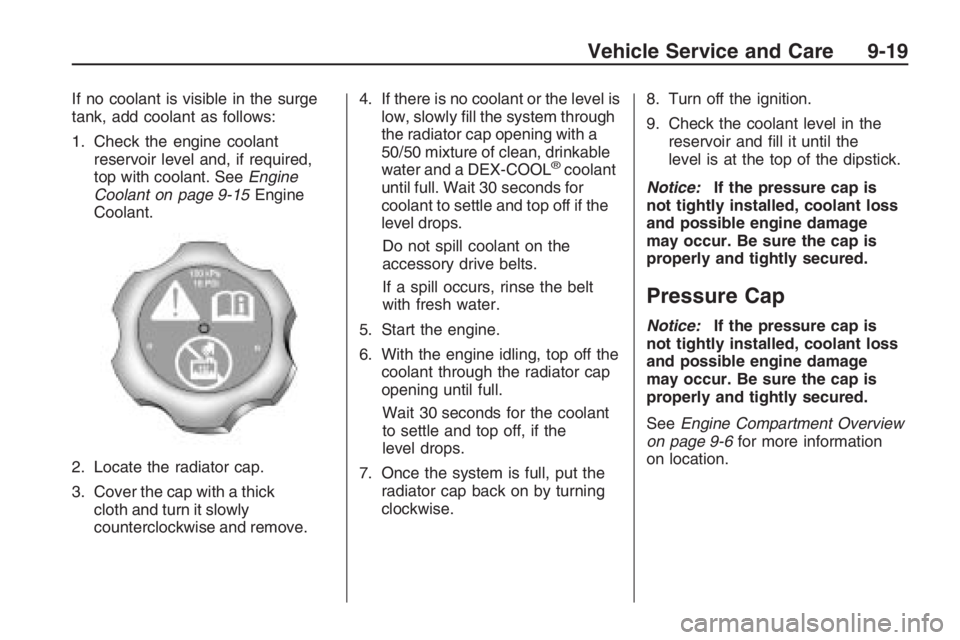
3. Cover the cap with a thick
cloth and turn it slowly
counterclockwise and remove.4. If there is no coolant or the level is
low, slowly ll the system through
the radiator cap opening with a
50/50 mixture of clean, drinkable
water and a DEX-COOL
®coolant
until full. Wait 30 seconds for
coolant to settle and top off if the
level drops.
Do not spill coolant on the
accessory drive belts.
If a spill occurs, rinse the belt
with fresh water.
5. Start the engine.
6. With the engine idling, top off the
coolant through the radiator cap
opening until full.
Wait 30 seconds for the coolant
to settle and top off, if the
level drops.
7. Once the system is full, put the
radiator cap back on by turning
clockwise.8. Turn off the ignition.
9. Check the coolant level in the
reservoir and ll it until the
level is at the top of the dipstick.
Notice:If the pressure cap is
not tightly installed, coolant loss
and possible engine damage
may occur. Be sure the cap is
properly and tightly secured.
Pressure Cap
Notice:If the pressure cap is
not tightly installed, coolant loss
and possible engine damage
may occur. Be sure the cap is
properly and tightly secured.
SeeEngine Compartment Overview
on page 9-6for more information
on location.
Vehicle Service and Care 9-19
Page 238 of 356
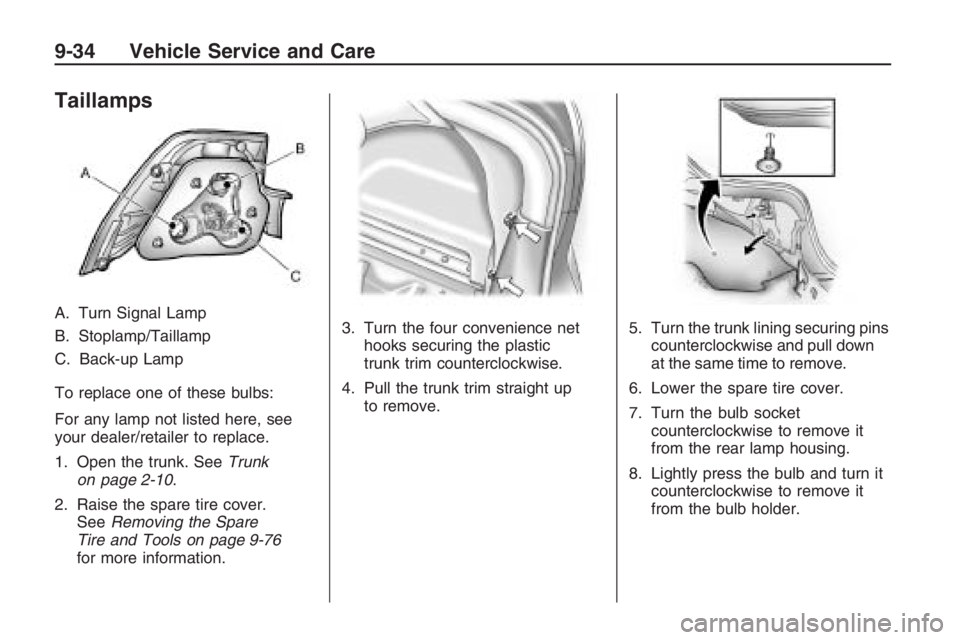
Taillamps
A. Turn Signal Lamp
B. Stoplamp/Taillamp
C. Back-up Lamp
To replace one of these bulbs:
For any lamp not listed here, see
your dealer/retailer to replace.
1. Open the trunk. SeeTrunk
on page 2-10.
2. Raise the spare tire cover.
SeeRemoving the Spare
Tire and Tools on page 9-76
for more information.3. Turn the four convenience net
hooks securing the plastic
trunk trim counterclockwise.
4. Pull the trunk trim straight up
to remove.5. Turn the trunk lining securing pins
counterclockwise and pull down
at the same time to remove.
6. Lower the spare tire cover.
7. Turn the bulb socket
counterclockwise to remove it
from the rear lamp housing.
8. Lightly press the bulb and turn it
counterclockwise to remove it
from the bulb holder.
9-34 Vehicle Service and Care