engine PONTIAC GRAND-AM 1994 Owner's Manual
[x] Cancel search | Manufacturer: PONTIAC, Model Year: 1994, Model line: GRAND-AM, Model: PONTIAC GRAND-AM 1994Pages: 274, PDF Size: 15.01 MB
Page 100 of 274
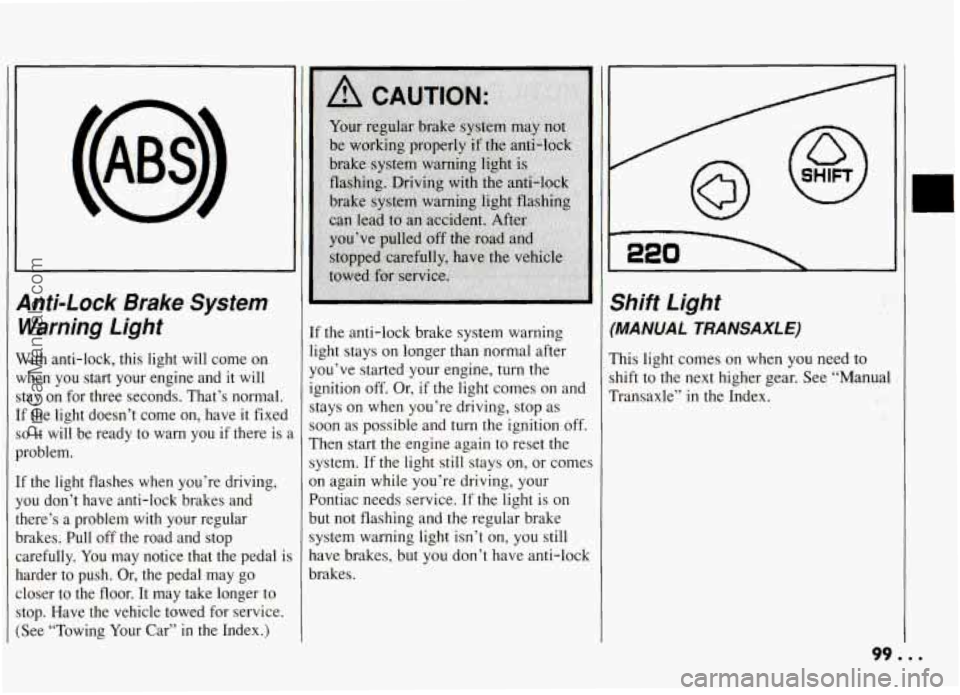
anti-Lock Brake System
Naming Light
Vith anti-lock, this light will come on
{hen you start your engine and it will
tay on for three seconds. That’s normal.
F the light doesn’t come on, have it fixed
D it will be ready to warn you if there is 2
roblem.
1 the light flashes when you’re driving,
ou don’t have anti-lock brakes and
lere’s a problem with your regular
rakes. Pull off the road and stop arefully. You may notice that the pedal
is
arder to push. Or, the pedal may go
loser to the floor. It may take longer to
:op. Have the vehicle towed for service.
See “Towing Your Car”
in the Index.)
If the anti-lock brake system warning
light stays on longer than normal after
you’ve started your engine, turn the
ignition
off. Or, if the light comes on and
stays on when you’re driving, stop as
soon as possible and turn the ignition off.
Then start the engine again to reset the
system.
If the light still stays on, or comes
3n again while you’re driving, your
Pontiac needs service.
If the light is on
but not flashing and the regular brake
system warning light isn’t on, you still
nave brakes, but you don’t have anti-lock
xakes.
Shift Light
(MANUAL TRA NSAXL E)
This light comes on when you need to
shift to the next higher gear. See “Manual
Transaxle”
in the Index.
99. ..
ProCarManuals.com
Page 101 of 274
Features & Controls
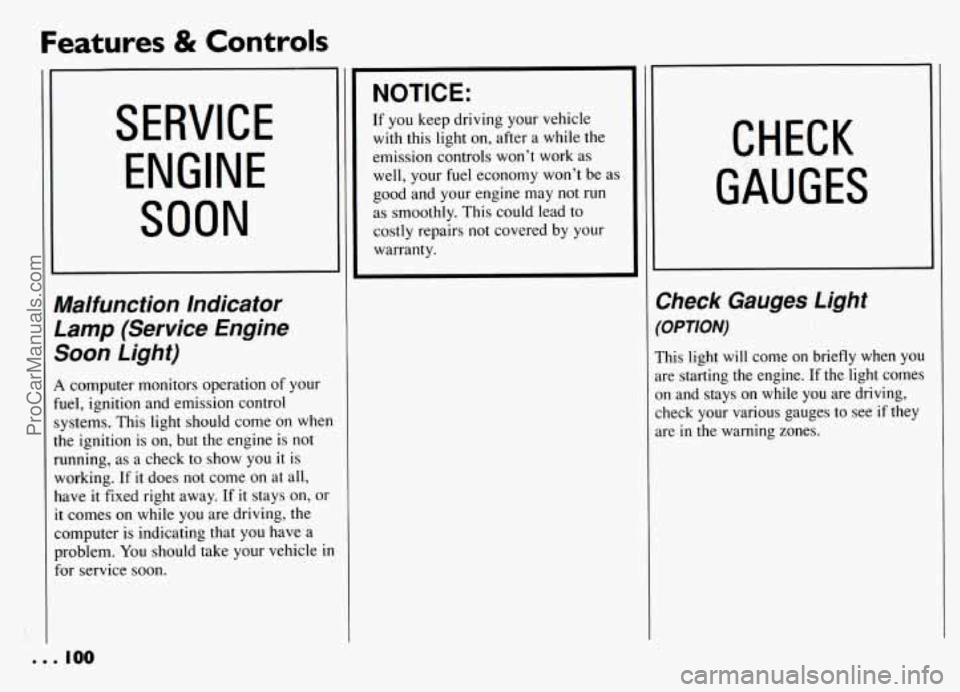
SERVICE
ENGINE
SOON
‘Malfunction Indicator
Lamp (Service Engine
Soon Light)
1 computer monitors operation of your
uel, ignition and emission control
,ystems. This light should come on when
he ignition is
on, but the engine is not
,unning, as a check to show you it is
working. If
it does not come on at all,
lave
it fixed right away. If it stays on, or
t comes on while you are driving, the
:omputer is indicating that you have a
aoblem.
You should take your vehicle in
or service soon.
NOTICE:
If you keep driving your vehicle
with
this light on, after a while the
emission controls won’t work as
well, your fuel economy won’t be as
good and your engine may not
run
as smoothly. This could lead to
costly repairs not covered by your
warranty.
CHECK
GAUGES
Check Gauges Light
(OPTION)
This light will come on briefly when you
are starting the engine. If the
light comes
on and stays
on while you are driving,
check your various gauges to see
if they
are
in the warning zones.
e.. 100
ProCarManuals.com
Page 103 of 274
I’
Comfort Controls & Audio Systems
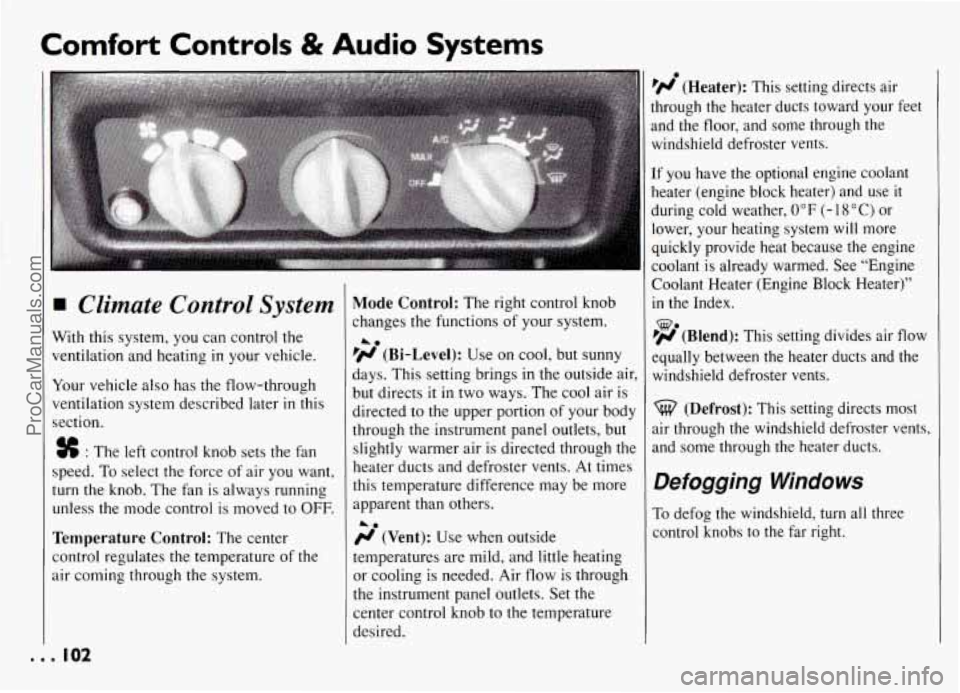
w Climate Control System
With this system, you can control the
ventilation and heating
in your vehicle.
Your vehicle also has the flow-through
ventilation system described later
in this
section.
. . . 102
# : The left control knob sets the fan
speed. To select the force of air you want,
turn the knob. The fan is always running
unless the mode control is moved to
OFF.
Temperature Control: The center
control regulates the temperature of the
air coming through the system.
Mode Control: The right control knob
:hanges the functions of your system.
’(rr (Bi-Level): Use on cool, but sunny
days. This setting brings
in the outside ai
but directs it
in two ways. The cool air is
directed to the upper portion
of your bod
through the instrument panel outlets, but
slightly warmer air is directed through th
heater ducts and defroster vents. At time:
this temperature difference may be more
apparent than others.
(rr (Vent): Use when outside
temperatures are mild, and little heating
or cooling
is needed. Air flow is through
the instrument panel outlets. Set the
center control knob to the temperature
desired.
A.
A.
p(rr (Heater): This setting directs air
ihrough the heater ducts toward your feet
and the floor, and some through the
windshield defroster vents.
[f you have the optional engine coolant
heater (engine block heater) and use it
during cold weather,
0°F (- 18 “C) or
lower, your heating system
will more
quickly provide heat because the engine
coolant is already warm.ed. See “Engine
Coolant Heater (Engine
Block Heater)’’
in the Index.
%?a FrJ (Blend): This setting divides air flow
equally between the heater ducts and the
windshield defroster vents.
(Defrost): This setting directs most
air through the windshield defroster vents,
and some through the heater ducts.
Defogging Windows
To defog the windshield, turn all three
control knobs to the far right.
ProCarManuals.com
Page 105 of 274
Comfort Controls & Audio Systems
I Heating
Turning the right control knob to
(Heater) and the center control knob
clockwise
will send heated air through the
heater ducts toward your feet and the
floor, and some through the defroster
vents.
I ;j’ (Vent) and wo (Heater) are
economical positions because the air
conditioner compressor doesn’t
run in
these two settings. This reduces engine
load, resulting
in improved fuel economy.
If either setting fails to keep you
comfortable, or causes your windows to
fog up, turn
the right control knob to one
of the air conditioning positions, or to
%-$ (Defrost).
If you have the optional engine coolant
heater (engine block heater) and use
it
during cold weather, 0” F (- 18 O C) or
lower, your heating system
will more
quickly provide heat because the engine
coolant is already warmed. See “Engine
Coolant Heater” (Engine Block Heater)
the Index.
%?a pjd (Blend): This setting,divides air flow
Zqually between the heater ducts and the
windshield defroster vents.
Defrosting
Thew (Defrost) setting directs most air
through the defroster vents, and some
through the heater ducts.
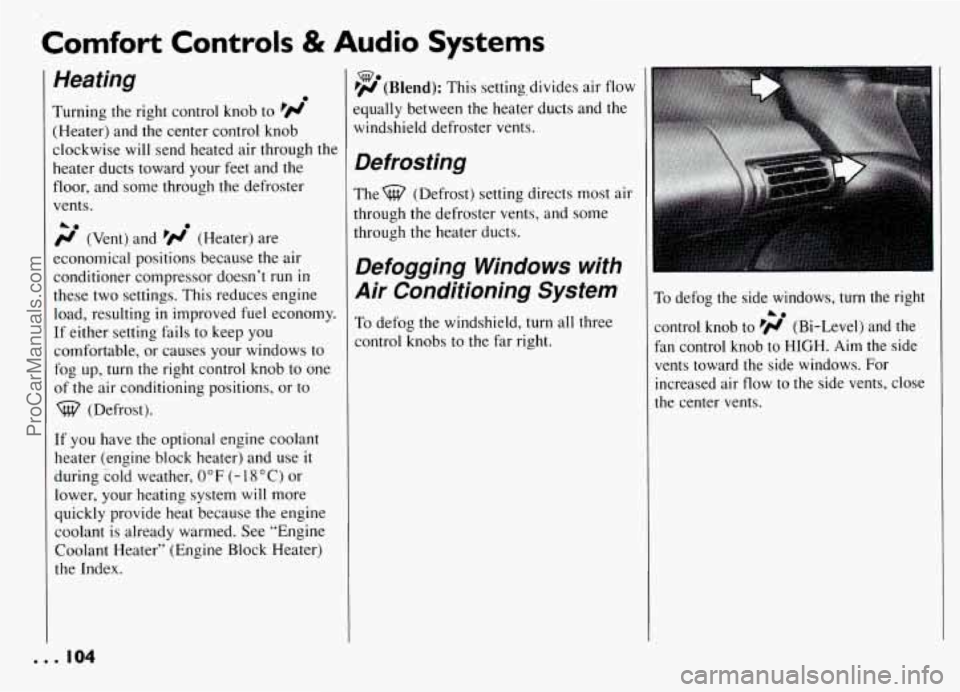
Defogging Windows with
Air Conditioning System
To defog the windshield, turn all three
control knobs to the far right.
To defog the side windows, turn the right
control knob to pi (Bi-Level) and the
fan control knob to HIGH. Aim the side
vents toward the side windows. For
increased air flow to the side vents, close
the center vents.
A0
. . . IO4
ProCarManuals.com
Page 108 of 274
Hearing damage from loud noise is
almost undetectable until
it is too late.
Your hearing can adapt to higher volumes
of sound. Sound that seems normal can be
loud and harmful to your hearing. Take
precautions by adjusting the volume control on your radio to a safe sound level
before your hearing adapts to
it.
To help avoid hearing loss or damage:
a
a
Adjust the volume control to the
lowest setting.
Increase volume slowly
until you hear
comfortably and clearly.
NOTICE:
Before you add any sound
equipment to your vehicle
-- like a
tape player,
CB radio, mobile
telephone or two-way radio
-- be
sure
you can add what you want. If
you can, it’s very important to do
it
properly. Added sound equipment
may interfere with
the operation of
your vehicle’s engine,
DelcoB radio
or other systems, and even damage
them. And, your vehicle’s systems
may interfere with the operation of
sound equipment that has been
added improperly.
For the best performance, an
external cellular telephone antenna
is recommended for cellular
telephone applications.
So, before adding sound equipment,
check
with your dealer and be sure
to check Federal rules covering
mobile radio and telephone units.
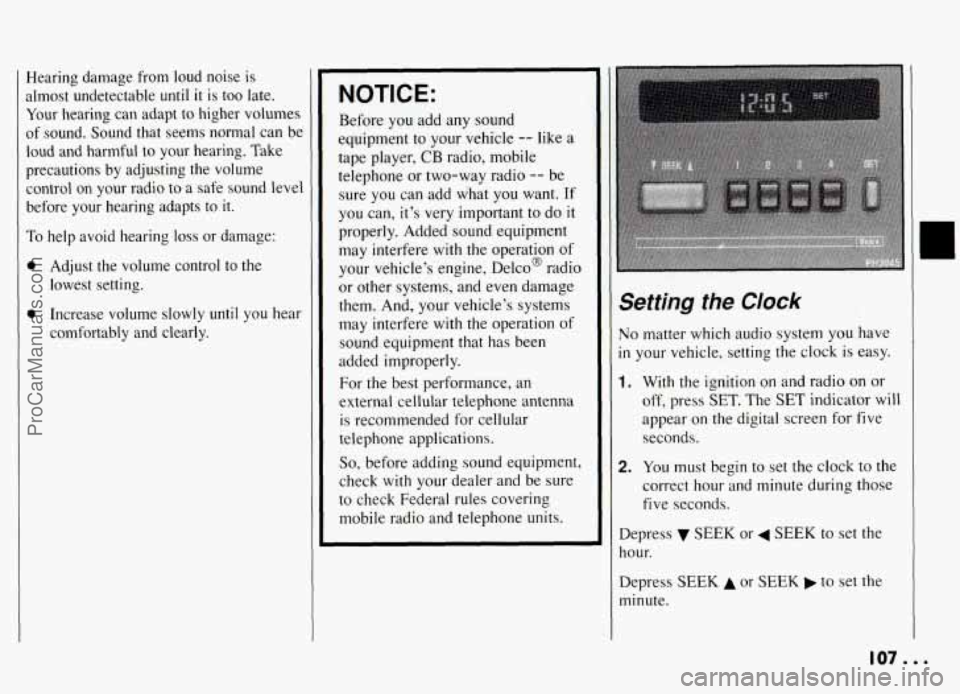
Setting the CIock
No matter which audio system you have
in your vehicle, setting the clock is easy.
1. With the ignition on and radio on or
off, press
SET. The SET indicator will
appear on the digital screen
for five
seconds.
2. You must begin to set the clock to the
correct hour and minute during those
five seconds.
Depress SEEK or 4 SEEK to set the
hour.
Depress
SEEK A or SEEK to set the
minute.
107...
ProCarManuals.com
Page 126 of 274
To Use Anti-Lock:
Don’t pump the brakes. Just hold the
brake pedal down and let anti-lock work
.for you. You may feel the system
working, or you may notice some noise,
but this is normal.
Braking in Emergencies
Use your anti-lock braking system when
you need to. With anti-lock, you can steer
and brake at the same time. In many
emergencies, steering can help you more
than even the very best braking.
Steering
Power Steering
If you lose power steering assist because
the engine stops or the system is not
functioning, you can steer but it will take
much more effort.
Variable Effort Steering
(OPTION)
This steering system provides lighter
steering effort for parking and at low
vehicle speeds. Steering effort will
increase at higher speeds for improved
road feel.
Steering Tips
Driving on Curves
It’s important to take curves at a
reasonable speed.
A lot of the “driver lost control” accidents
mentioned on the news happen on curves.
Here’s why:
Experienced driver or beginner, each of
us is subject to the same laws of physics
when driving on curves. The traction of
the tires against the road surface makes it
possible
for the vehicle to change its path
when you
turn the front wheels. If there’s
no traction, inertia will keep the vehicle
going in the same direction. If you’ve
ever tried to steer a vehicle on wet ice,
you’ll understand this.
The traction you can get in a curve
depends on the condition of your tires and
the road ,surface, the angle at which the
curve is banked, and your speed. While
you’re in a curve, speed isthe one factor
you can control.
Suppose you’re steering through a sharp
curve. Then you suddenly accelerate.
Both control systems
-- steering and
acceleration
-- have to do their work
where the tires meet the road. Adding the
sudden acceleration can demand too
much of those places. You can lose
control.
What should you do if this ever happens?
Ease up on the accelerator pedal, steer the
vehicle the way you want it to go, and
slow down.
Speed limit signs near curves warn that
you should adjust your speed. Of course,
the posted speeds are based on good
weather and road conditions. Under less
favorable conditions you’ll want
to go
slower.
I
125...
ProCarManuals.com
Page 130 of 274
Of course, traction is reduced when water, I
snow, ice, gravel, or other material is on
the road. For safety, you’ll want to slow
down and adjust your driving to these conditions. It is important to slow down
on slippery surfaces because stopping
distance will be longer and vehicle
control more limited.
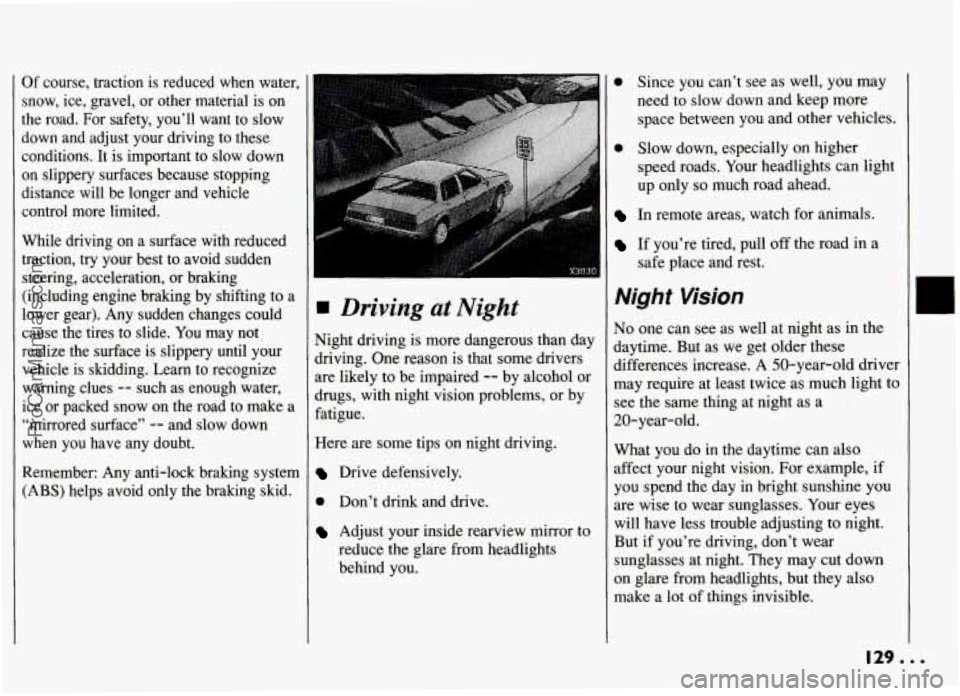
While driving on a surface with reduced traction, try your best to avoid sudden
steering, acceleration, or braking
(including engine braking by shifting to a
lower gear). Any sudden changes could cause the tires to slide.
You may not?
realize the surface is slippery until your
vehicle is skidding. Learn to recognize
warning clues
-- such as enough water;
ice or packed snow on the road to make a
“mirrored surface”
-- and slow down
when you have any doubt.
Remember: Any anti-lock braking system (ABS) helps avoid only the braking skid.
I
Driving at Night
Night driving is more dangerous than day
driving. One reason is that some drivers
are likely to be impaired
-- by alcohol or
drugs, with night vision problems, or by
fatigue.
Here are some tips on night driving.
Drive defensively.
0 Don’t drink and drive.
Adjust your inside rearview mirror to
reduce the glare from headlights
behind you.
0 Since you can’t see as well, you may
need to slow down and keep more
space between you and other vehicles.
0 Slow down, especially on higher
speed roads. Your headlights can light
up only
so much road ahead.
In remote areas, watch for animals.
If you’re tired, pull off the mad in a
safe place and rest.
Night Wsion
No one can see as well at night as in the
daytime. But as we get older these
differences increase. A 50-year-old driver
may require at least twice as much. light to
see the same thing at night as a
20-year-old.
What you do in the daytime can also
affect your night vision. For example, if
you spend the day
in bright sunshine you
are wise to wear sunglasses. Your eyes
will have less trouble adjusting to night.
But
if you’re driving, don’t wear
sunglasses at night. They may cut down
on glare from headlights, but they also
make a lot of things invisible.
129...
ProCarManuals.com
Page 134 of 274
At the entrance there is usually a ramp
that leads to the freeway. If you have a
clear view of the freeway as you drive
along
the entrance ramp, you should
begin to check traffic. Try to determine
where you expect
to blend with the flow.
Try to merge into the gap at close
to the
prevailing speed. Switch on your turn signal, check your mirrors and glance
over your shoulder as often as necessary.
Try to blend smoothly with the traffic
flow.
Once you are on the freeway, adjust your
speed to the posted limit or to the
prevailing rate if it’s slower. Stay in the
right lane unless you want to pass.
Before changing lanes, check your
mirrors. Then use your turn signal.
Just before you leave the lane, glance
quickly over your shoulder to make sure
there isn’t another vehicle in your “blind”
spot.
Once you are moving on the freeway,
make certain you allow a reasonable following distance. Expect to move
slightly slower at night.
When you want to leave the freeway,
move to the proper lane well
in advance.
If you-miss your exit do not; under any
circumstances, stop and back
up. Drive on
to the next exit.
The exit ramp can be curved, sometimes
quite sharply.
The exit speed is usually posted.
Reduce your speed according to your
speedometer, not to your sense of motion.
After driving for any distance at higher
speeds, you may tend to think you are
going slower than you actually are.
Before Leaving on a
Long Trip
Make sure you’re ready. Try to be well
rested. If
you must start when you’re not
fresh
-- such as after a day’s work --
don’t plan to make too many miles that
first part of the journey. Wear comfortable
clothing and shoes you can easily drive
in.
Is your vehicle ready for a long trip? If
you keep it serviced and maintained, it’s
ready to go. If it needs service, have it
done before starting out. .Of course, you’ll
find experienced and able service experts
in Pontiac dealerships all across North
America. They’ll be ready and willing to
help if you need it.
Here are some things you can check
before a trip:
0
0
0
0
0
0
0
Windshield Washer Fluid: Is the
reservoir full? Are all windows clean
inside and outside?
Wiper Blades: Are they in good
shape?
Fuel, Engine Oil. Other Fluids: Have
you checked all levels?
Lights:’
Are they all working? Are the
lenses clean?
Tires: They are vitally important to a
safe, trouble-free trip. Is the tread
good enough for long-distance
driving?
Are the tires all inflated to
the recommended pressure?
Weather Forecasts: What’s the
weather outlook along your route?
Should you delay your trip a short
time to avoid a major storm system?
Maps: Do you have up-to-date maps?
133...
ProCarManuals.com
Page 135 of 274
Your Driving and the Road
Highway Hypnosis
Is there actually such a condition as
“highway hypnosis”? Or is it just plain
falling asleep at the wheel? Call it
highway hypnosis, lack of awareness, or
whatever.’
There is something about an easy stretch
of road with the same scenery, along with
the hum of the tires on the road, the drone
of the engine, and the rush of the wind
against the vehicle that can make you
sleepy. Don’t let it happen to you! If it
does, your vehicle can leave the road in
less than a second, and you could crash
and
be injured.
What can you do about highway
hypnosis? First, be aware that it can
happen.
Second, here are some tips:
Make sure your vehicle is well
ventilated, with a comfortably cool
interior.
Keep your eyes moving. Scan the road
ahead and to the sides. Check your
rearview mirrors and your instruments
frequently.
If you get sleepy, pull off the road into
a rest, service, or parking area and
take a nap, get some exercise, or both.
For safety, treat drowsiness on the
highway as an emergency.
Hill and Mountain
Roads
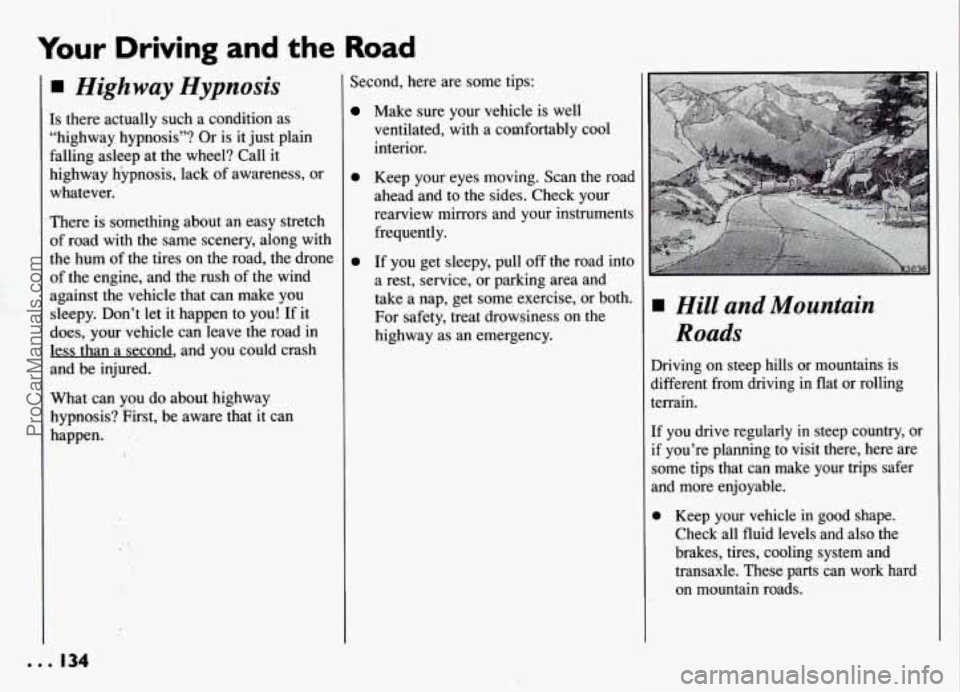
Driving on steep hills or mountains is
different from driving in flat or rolling
terrain.
If you drive regularly in steep country, or
if you’re planning
to visit there, here are
some tips that can make your trips safer
and more enjoyable.
0 Keep your vehicle in good shape. Check all fluid levels and also the
brakes, tires, cooling system and
transaxle. These parts can work hard
on mountain roads.
ProCarManuals.com
Page 136 of 274
0 Know how to go down hills. The most
important thing to know is this: let
your engine do some
of the slowing
down. Shift to a lower gear when you
go down a steep or long
hill.
0 Know how to go uphill. Drive in the
highest gear possible.
0 Stay in your own lane when driving
on two-lane roads
in hills or
mountains. Don’t swing wide or cut
across
the center of the road. Drive at
speeds that let you stay
in your own
lane.
As you go over the top of a hill, be
alert. There could be something
in
your lane, like a stalled car or an
accident.
You may see highway signs on
mountains that warn
of special
problems. Examples are long grades,
passing or no-passing zones, a falling
rocks area, or winding roads. Be alert
.to these and take appropriate action.
135...
ProCarManuals.com