lock PONTIAC GRAND PRIX 2004 Service Manual
[x] Cancel search | Manufacturer: PONTIAC, Model Year: 2004, Model line: GRAND PRIX, Model: PONTIAC GRAND PRIX 2004Pages: 432, PDF Size: 2.99 MB
Page 121 of 432
Courtesy Lamps
When a door is opened, the courtesy lamps will
automatically come on. You can also turn these lamps
on by manually turning the interior lamps control all
the way to the right.
Entry Lighting
The entry lighting feature lights the interior of the vehicle
before you enter. The interior lamps will come on for
40 seconds when you unlock the doors using the remote
keyless entry transmitter and the ignition is in LOCK
or OFF. After 40 seconds have elapsed, the interior
lamps will slowly fade out. The lamps will fade out before
40 seconds have elapsed if you do the following:
·Lock all doors using the remote keyless entry
transmitter.
·Lock the doors using the power door lock switch.
When any door is opened, entry lighting is canceled.
The interior lamps will stay on while any door is opened
and slowly fade out when all doors are closed. The
interior lamps may stay on for up to 25 seconds after all
doors have been closed if they have not been locked.
Delayed Entry Lighting
The delayed lighting feature will continue to light the
interior of the vehicle for 25 seconds after all the
doors have been closed. Delayed lighting will not
occur while the ignition is in RUN or ACCESSORY.
After 25 seconds have elapsed, the interior lamps will
slowly fade out. The lamps will fade out before the
25 seconds have elapsed if you do any of the following:
·Turn the ignition to RUN or ACCESSORY.
·Lock the doors using the remote keyless entry
transmitter.
·Lock the doors using the power door lock switch.
To turn the delayed lighting feature off or on, see
personal programming under
DIC Controls and Displays
on page 3-45.
3-17
Page 122 of 432
Delayed Exit Lighting
For exiting the vehicle at night, the vehicle is equipped
with the delayed exit lighting feature. The interior
lamps will light for up to 25 seconds when you remove
the key from the ignition. After 25 seconds have
elapsed, the interior lamps will slowly fade out.
The lamps will fade out before the 25 seconds have
elapsed if you do any of the following:
·Turn the ignition to RUN or ACCESSORY.
·Lock the doors using the remote keyless entry
transmitter.
·Lock the doors using the power door lock switch.
When any door is opened, delayed exit lighting is
canceled. The interior lamps will stay on while any door
is opened and will slowly fade out when all the doors
are closed. The interior lamps may stay on for up
to 25 seconds after all the doors have been closed if
they have not been locked.
To turn the delayed exit lighting feature off or on, see
personal programming under
DIC Controls and Displays
on page 3-45.
Overhead Console Reading Lamps
Your vehicle may have reading lamps on the overhead
console. These lamps will turn on when you open
the doors. When the doors are closed, press the side
of each lamp to turn them on and off.
Front Reading Lamps
If the vehicle has the optional sunroof, you will have
reading lamps in front of the sunroof switch located on
the headliner. These lamps will come on when you
open the doors. The lamps can be turned on and off
manually by pressing the side of each reading lamp
when the doors are closed.
Rear Assist Handle Reading Lamps
Your vehicle may have reading lamps on each rear
assist handle. Press the side of the reading lamp
to turn it on or off.
3-18
Page 123 of 432
Battery Run-Down Protection
Your vehicle has a feature to help prevent you from
draining the battery in case you accidentally leave the
interior, trunk or underhood lamps on. If you leave any of
these lamps on while the ignition is in LOCK or OFF,
they will automatically turn off after 10 minutes. The
lamps won't come back on again until you do one of the
following:
·Turn the ignition to RUN or ACCESSORY.
·Turn the interior lamps control completely to the
right, then back slightly to the left.
·Open (or close and reopen) a door that is closed.
If the vehicle has less than 15 miles (25 km) on
the odometer, the battery saver will turn off the lamps
after only three minutes.
Head-Up Display (HUD)
{CAUTION:
If the HUD image is too bright or too high in
your ®eld of view, it may take you more time
to see things you need to see when it's dark
outside. Be sure to keep the HUD image dim
and placed low in your ®eld of view.
If your vehicle is equipped with the Head-Up Display
(HUD), you can see the speedometer reading (in English
or metric units), transaxle positions, compass direction,
outside air temperature, and a brief display of the
current radio station or CD track, displayed ªthroughº
the windshield.
English or metric units selection is done through the
trip computer in the Driver Information Center (DIC).
See
DIC Controls and Displays on page 3-45for more
information.
3-19
Page 126 of 432
The HUD will ªrememberº the last display format
selected. When the vehicle is started if the last format
displayed was Format One or Format Three, then
Format One will be displayed.
If the last format was Format Two, then Format Two
will be displayed.
The HUD will automatically dim and brighten to
compensate for outside lighting.
The HUD display can temporarily light up depending on
the angle and position of the sunlight on the display.
This is normal and will change when the angle of
the sunlight on the HUD display changes.
Polarized sunglasses could also make the HUD image
harder to see.
Care of the HUD
Clean the inside of the windshield as needed to remove
any dirt or ®lm that reduces the sharpness or clarity
of the HUD image.
To clean the HUD, spray household glass cleaner on a
soft, clean cloth. Wipe the HUD lens gently, then dry
it. Do not spray cleaner directly on the lens because the
cleaner could leak into the unit.
If You Can't See the HUD Image When
the Ignition Is On
·Is anything covering the HUD unit?
·Is the HUD dimmer setting bright enough?
·Is the HUD image adjusted to the proper height?
·Are you wearing polarized sunglasses?
·Still no HUD image? Check the fuse in the
instrument panel fuse block. See
Fuses and Circuit
Breakers on page 5-99.
If the HUD Image Is Not Clear
·Is the HUD image too bright?
·Are the windshield and HUD lens clean?
The windshield is part of the HUD system. If you ever
need a new windshield, be sure to get one designed for
HUD. If you don't, the HUD image may look blurred
and out of focus.
3-22
Page 129 of 432
Climate Controls
Climate Control System
Manual Climate Control System
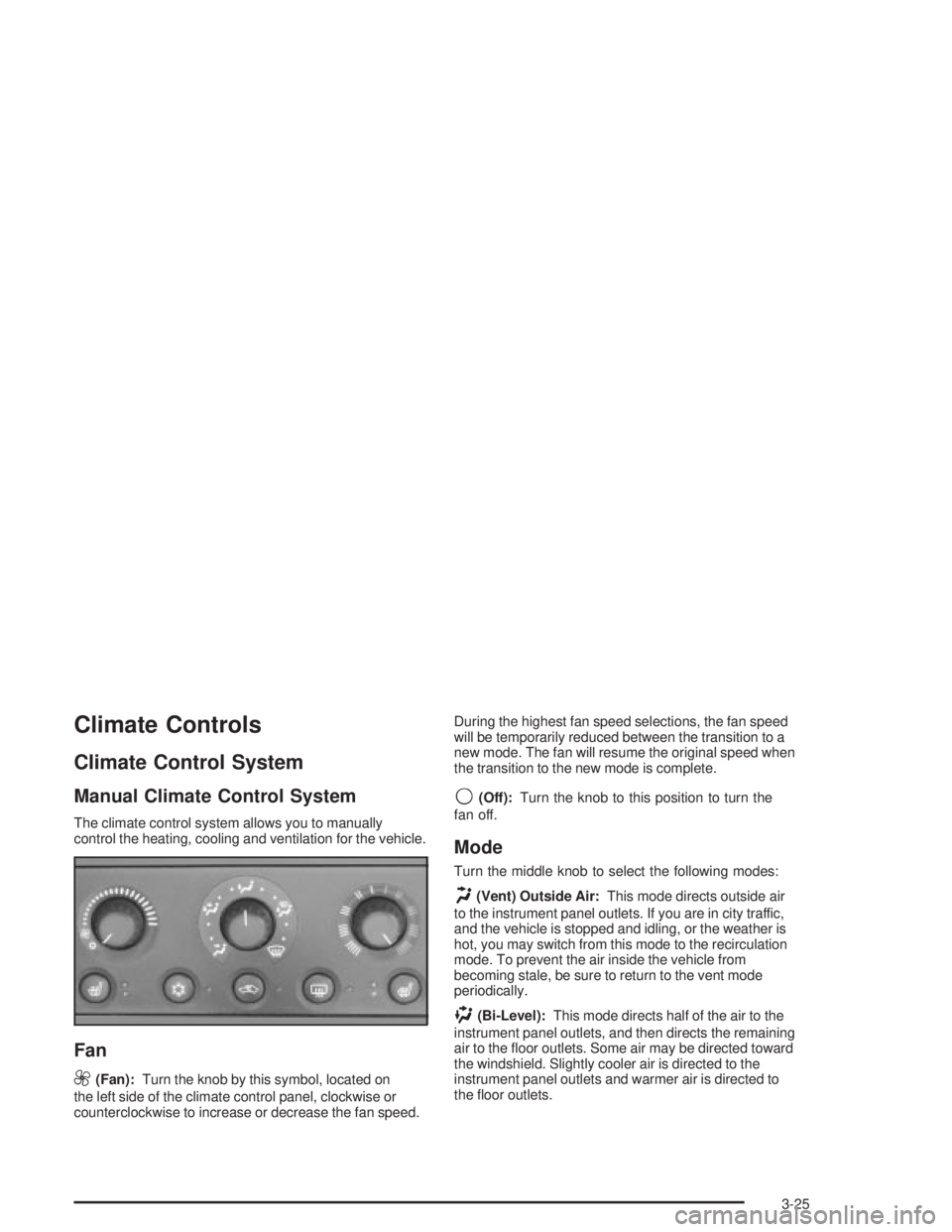
The climate control system allows you to manually
control the heating, cooling and ventilation for the vehicle.
Fan
9
(Fan):Turn the knob by this symbol, located on
the left side of the climate control panel, clockwise or
counterclockwise to increase or decrease the fan speed.During the highest fan speed selections, the fan speed
will be temporarily reduced between the transition to a
new mode. The fan will resume the original speed when
the transition to the new mode is complete.
9(Off):Turn the knob to this position to turn the
fan off.
Mode
Turn the middle knob to select the following modes:
H(Vent) Outside Air:This mode directs outside air
to the instrument panel outlets. If you are in city traffic,
and the vehicle is stopped and idling, or the weather is
hot, you may switch from this mode to the recirculation
mode. To prevent the air inside the vehicle from
becoming stale, be sure to return to the vent mode
periodically.
)(Bi-Level):This mode directs half of the air to the
instrument panel outlets, and then directs the remaining
air to the ¯oor outlets. Some air may be directed toward
the windshield. Slightly cooler air is directed to the
instrument panel outlets and warmer air is directed to
the ¯oor outlets.
3-25
Page 131 of 432
Temperature
The knob on the right of the climate control panel is the
temperature adjustment that can be used with any of
the climate control modes.
Turn the knob clockwise for warmer settings and
counterclockwise for colder settings.
Air Conditioning
#
(Air Conditioner):Press this button on the climate
control panel to turn the air-conditioning system on
or off. When A/C is pressed, an indicator light to the right
of the button will come on to let you know that A/C is
active. The instrument brightness control may have to be
adjusted to the highest setting during the daytime in
order to see the indicator lamp.
On hot days during initial start-up, open the windows to
let hot inside air escape; then close them. This helps
to reduce the time it takes for your vehicle to cool down.
It also helps the system to operate more efficiently.For quicker cool down on hot days, do the following:
1. Select the vent/outside air mode.
2. Select the recirculation mode.
3. Select the air conditioner.
4. Select the coolest temperature.
5. Select the highest fan speed.
Using these settings together for long periods of time
may cause the air inside your vehicle to become too dry.
To prevent this from happening, select the vent mode
once the interior of the vehicle is cooled.
The air-conditioning system removes moisture from the
air, so you may sometimes notice a small amount of
water dripping underneath your vehicle while idling
or after turning off the engine. This is normal.
3-27
Page 133 of 432
Outlet Adjustment
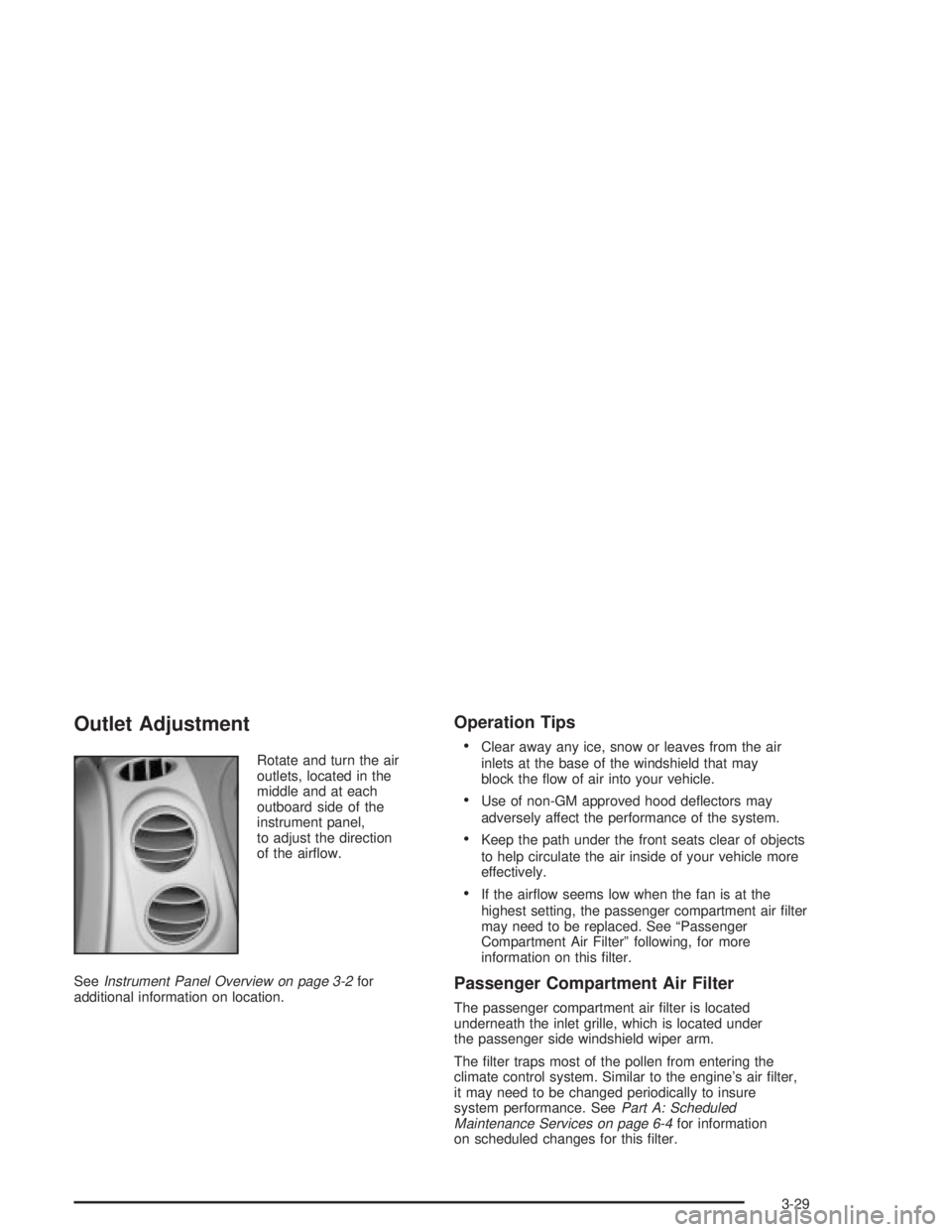
Rotate and turn the air
outlets, located in the
middle and at each
outboard side of the
instrument panel,
to adjust the direction
of the air¯ow.
See
Instrument Panel Overview on page 3-2for
additional information on location.
Operation Tips
·
Clear away any ice, snow or leaves from the air
inlets at the base of the windshield that may
block the ¯ow of air into your vehicle.
·Use of non-GM approved hood de¯ectors may
adversely affect the performance of the system.
·Keep the path under the front seats clear of objects
to help circulate the air inside of your vehicle more
effectively.
·If the air¯ow seems low when the fan is at the
highest setting, the passenger compartment air ®lter
may need to be replaced. See ªPassenger
Compartment Air Filterº following, for more
information on this ®lter.
Passenger Compartment Air Filter
The passenger compartment air ®lter is located
underneath the inlet grille, which is located under
the passenger side windshield wiper arm.
The ®lter traps most of the pollen from entering the
climate control system. Similar to the engine's air ®lter,
it may need to be changed periodically to insure
system performance. See
Part A: Scheduled
Maintenance Services on page 6-4for information
on scheduled changes for this ®lter.
3-29
Page 141 of 432
Anti-Lock Brake System Warning
Light
If your vehicle has the
Anti-lock Brake System
(ABS), this light will come
on when your engine is
started and may stay on
for several seconds.
That's normal.
If the ABS warning light comes on and stays on, there
may be a problem with the anti-lock portion of the brake
system. If the brake system warning light is not on,
you still have brakes, but you don't have anti-lock
brakes. See
Brake System Warning Light on page 3-36.If the light stays on, turn the ignition to OFF. If the light
comes on when you're driving, stop as soon as
possible and turn the ignition off. Then start the engine
again to reset the system. If the light still stays on,
or comes on again while you're driving, your vehicle
needs service. If the regular brake system warning light
isn't on, you still have brakes, but you don't have
anti-lock brakes. If the brake system warning light is
also on, you don't have anti-lock brakes and there's a
problem with your regular brakes. See
Brake System
Warning Light on page 3-36.
The anti-lock brake system warning light will come on
brie¯y when you turn the ignition key to RUN. This
is normal. If the light doesn't come then, have it ®xed
so it will be ready to warn you if there is a problem.
3-37
Page 152 of 432
ENGINE OIL MONITOR SYSTEM:This menu lets you
reset the engine oil monitor system for the vehicle.
See ªWhen to Change Engine Oil (GM Oil LIfe System)º
under
Engine Oil on page 5-16.
To reset the engine oil monitor system use the following
procedure:
1. Press the set/reset button after an oil change to
reset the engine oil monitor system. The
con®rmation, ENGINE OIL MONITOR HAS BEEN
RESET, will appear on the next screen.
2. Press the options button again to advance to the
next screen.
Tire In¯ation Monitor System:If the vehicle has ABS,
this menu lets you set the tire in¯ation monitor system.
See ªTire In¯ation Monitor Systemº under
In¯ation ± Tire
Pressure on page 5-69for more information.
To set or reset the tire in¯ation monitor system, use the
following procedure:
1. Press the set/reset button to reset the tire in¯ation
monitor system.TIRE INFLATION HAS BEEN SET
will appear on the next screen to con®rm this
system has been set.
2. Press the options button again to advance to the
next screen.
Select the set/reset button to return to the main (date)
screen.PERSONAL PROGRAMMING MODE:This menu
lets you customize the time the exterior and interior
lamps are left on, and, when the automatic door locks
are activated after the vehicle is turned off and the doors
are closed. These adjustments can only be made
while the vehicle is in PARK (P). Press the set/reset
button to display the ®rst screen.
Personal Programming Mode Screens
Press the options button to access these modes:
EXTERIOR LIGHTING DELAY:This screen lets you
turn this feature off, or lets you select the number
of seconds the headlamps, sidelamps and taillamps, fog
lamps and back-up lamps are turned on after the key
is removed from the ignition or the vehicle is unlocked
using the remote keyless entry transmitter.
If OFF is selected, the exterior lamps will not turn on.
If a time delay is selected, the lamps will turn on
(for the time selected), when the key is removed from
the ignition, or when the vehicle is unlocked using
the remote keyless entry transmitter.
To program this mode use the following procedure:
1. Press and release the set/reset button to scroll to
the selection you want to program. Choose from
OFF or 15, 30, 60 or 90 seconds.
2. Press the options button again to advance to the
next screen.
3-48
Page 153 of 432
INTERIOR LIGHTS WHEN DOOR CLOSED:This
screen lets you select this feature to be turned OFF
or ON.
If OFF is selected, the interior lamps will turn off
immediately when the ignition is OFF and the last
door is closed.
If ON is selected, the interior lamps will stay on for
about 25 seconds after the vehicle's ignition is off and
the last door is closed.
To program this mode use the following procedure:
1. Press and release the set/reset button to scroll to
either OFF or ON.
2. Press the options button again to advance to the
next screen.
INTERIOR LIGHTS WHEN KEY REMOVED:This
screen lets you select this feature to be turned OFF or
ON. This feature enables the interior lamps in the
vehicle to turn on for about 25 seconds after the key is
removed from the ignition.
If OFF is selected, removing the key from the ignition
will not cause the interior lamps to turn on.If ON is selected, removing the key from the ignition
will cause the interior lamps to be turned on for about
25 seconds.
To program this mode use the following procedure:
1. Press and release the set/reset button to scroll to
either OFF or ON.
2. Press the options button again to advance to the
next screen.
AUTO DOOR LOCK:This screen lets you select this
feature to be turned OFF or ON.
If OFF is selected, all automatic door locking is disabled.
The doors will always need to be locked manually
before driving, to increase occupant safety.
If ON is selected, the vehicle's doors automatically lock
when the doors are closed and the vehicle is shifted
into DRIVE (D).
To program this mode use the following procedure:
1. Press and release the set/reset button to scroll to
either OFF or ON.
2. Press the options button again to advance to the
next screen.
3-49