light PONTIAC GRAND PRIX 2006 Owner's Guide
[x] Cancel search | Manufacturer: PONTIAC, Model Year: 2006, Model line: GRAND PRIX, Model: PONTIAC GRAND PRIX 2006Pages: 472, PDF Size: 2.82 MB
Page 135 of 472
Fog Lamps
If equipped, fog lamps provide brighter roadway lighting
for better vision in foggy or misty conditions.
-(Fog Lamps):Turn the second band on the
exterior lamps control lever to this position to turn the
fog lamps on. The band will return to its original position.
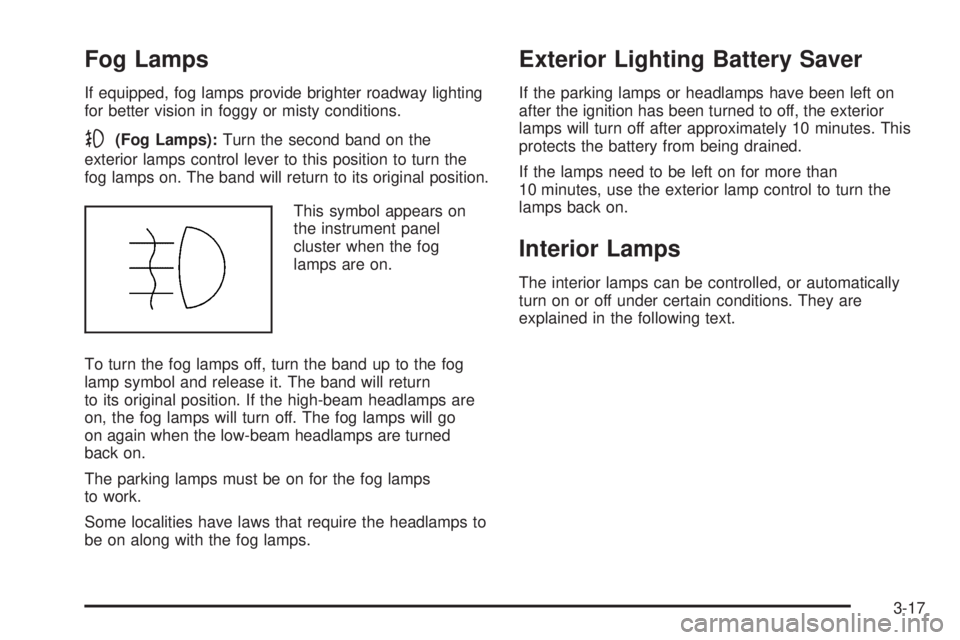
This symbol appears on
the instrument panel
cluster when the fog
lamps are on.
To turn the fog lamps off, turn the band up to the fog
lamp symbol and release it. The band will return
to its original position. If the high-beam headlamps are
on, the fog lamps will turn off. The fog lamps will go
on again when the low-beam headlamps are turned
back on.
The parking lamps must be on for the fog lamps
to work.
Some localities have laws that require the headlamps to
be on along with the fog lamps.
Exterior Lighting Battery Saver
If the parking lamps or headlamps have been left on
after the ignition has been turned to off, the exterior
lamps will turn off after approximately 10 minutes. This
protects the battery from being drained.
If the lamps need to be left on for more than
10 minutes, use the exterior lamp control to turn the
lamps back on.
Interior Lamps
The interior lamps can be controlled, or automatically
turn on or off under certain conditions. They are
explained in the following text.
3-17
Page 136 of 472
Instrument Panel Brightness
This feature controls the brightness of the instrument
panel lights.
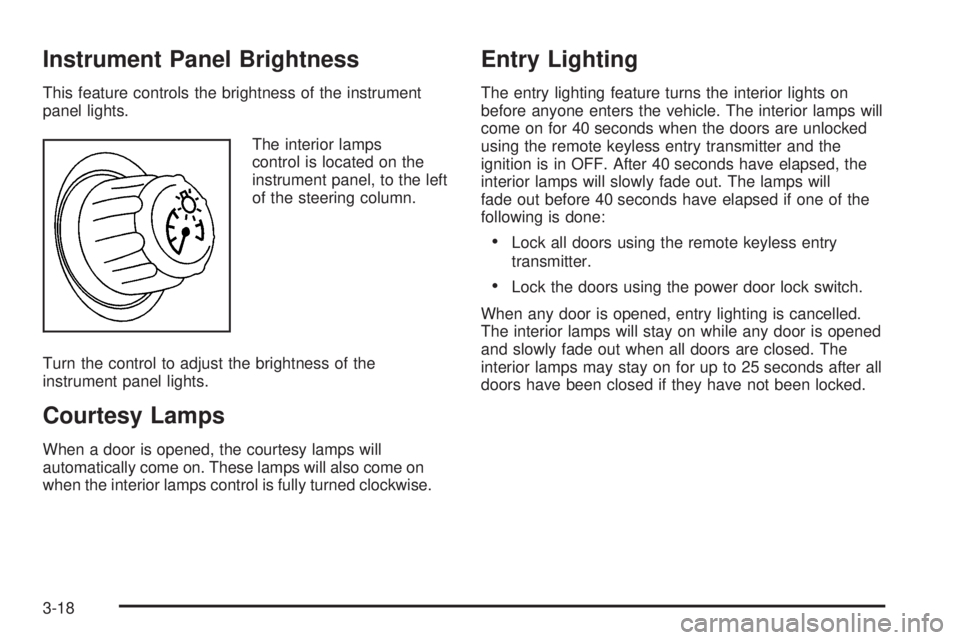
The interior lamps
control is located on the
instrument panel, to the left
of the steering column.
Turn the control to adjust the brightness of the
instrument panel lights.
Courtesy Lamps
When a door is opened, the courtesy lamps will
automatically come on. These lamps will also come on
when the interior lamps control is fully turned clockwise.
Entry Lighting
The entry lighting feature turns the interior lights on
before anyone enters the vehicle. The interior lamps will
come on for 40 seconds when the doors are unlocked
using the remote keyless entry transmitter and the
ignition is in OFF. After 40 seconds have elapsed, the
interior lamps will slowly fade out. The lamps will
fade out before 40 seconds have elapsed if one of the
following is done:
Lock all doors using the remote keyless entry
transmitter.
Lock the doors using the power door lock switch.
When any door is opened, entry lighting is cancelled.
The interior lamps will stay on while any door is opened
and slowly fade out when all doors are closed. The
interior lamps may stay on for up to 25 seconds after all
doors have been closed if they have not been locked.
3-18
Page 137 of 472
Delayed Entry Lighting
The delayed lighting feature will continue to light the
interior of the vehicle for 25 seconds after all the doors
have been closed. Delayed lighting will not occur
while the ignition is in RUN or ACC. After 25 seconds
have elapsed, the interior lamps will slowly fade out. The
lamps will fade out before the 25 seconds have
elapsed if one of the following is done:
The ignition is turned to RUN or ACC.
The doors are locked using the remote keyless
entry transmitter.
The doors are locked using the power door
lock switch.
To turn the delayed lighting feature off or on, see
“Personal Programming Modes” underDIC Controls and
Displays (Base Level DIC) on page 3-52orDIC
Controls and Displays (Uplevel DIC with Trip Computer)
on page 3-60DIC Controls and Displays.
Delayed Exit Lighting
For exiting the vehicle at night, the vehicle is equipped
with the delayed exit lighting feature. After the key
is removed from the ignition, the interior lamps will light
for up the amount of seconds set in the Driver
Information Center (DIC). See “Personal Programming
Mode Screens” underDIC Controls and Displays
(Base Level DIC) on page 3-52orDIC Controls and
Displays (Uplevel DIC with Trip Computer) on
page 3-60. After the set time has elapsed, the interior
lamps will slowly fade. The lamps will fade before the set
time has elapsed if one of the following is done:
The ignition is turned to RUN or ACC.
The doors are locked using the remote keyless
entry transmitter.
The doors are locked using the power door
lock switch.
When any door is opened, delayed exit lighting is
cancelled. The interior lamps will stay on while any door
is opened and will slowly fade out when all the doors
are closed. The interior lamps will stay on for the
set time after all the doors have been closed if they
have not been locked.
To turn the delayed exit lighting feature off or on, see
“Personal Programming Mode Screens” underDIC
Controls and Displays (Base Level DIC) on page 3-52
orDIC Controls and Displays (Uplevel DIC with Trip
Computer) on page 3-60.
3-19
Page 138 of 472
Front Reading Lamps
If the vehicle has a sunroof, there are reading lamps in
front of the sunroof switch located on the headliner.
These lamps will come on when the doors are opened.
Press the side of each reading lamp to turn them on
and off when the doors are closed.
Overhead Console Reading Lamps
The vehicle may have reading lamps on the overhead
console. These lamps will turn on when the doors
are opened. When the doors are closed, press the side
of each lamp to turn them on and off.
Rear Assist Handle Reading Lamps
If the vehicle has a reading lamp on each rear assist
handle, press the side of each lamp to turn it on or off.
Battery Run-Down Protection
The vehicle has a feature to help prevent the battery
from draining in case the interior, trunk, or underhood
lamps are accidentally left on. If any of these lamps are
left on while the ignition is in OFF, they will automatically
turn off after 10 minutes. The lamps will not come
back on again until any of the following are done:
The ignition is turned to RUN or ACC.
The interior lamps control is turned completely to
the right, then back slightly to the left.
Open, or close and reopen, a door that is closed.
If the vehicle has less than 15 miles (25 km) on
the odometer, the battery saver will turn off the lamps
after only three minutes.
3-20
Page 140 of 472
When the ignition key is turned to RUN, the HUD will
display an introductory message for a short time,
until the HUD has warmed up.
The following indicator lights come on the instrument
panel when activated and will also appear on the HUD:
Turn Signal Indicators
High-Beam Indicator Symbol
The HUD will temporarily display CHECK TRIP
COMPUTER when there are messages on the DIC trip
computer.
The HUD will also display the following messages when
these systems, if equipped, are active:
TRACTION CONTROL ACTIVE
STABILITY CONTROL ACTIVE
The HUD will temporarily display the TRACTION
CONTROL OFF message when the traction control
system is turned off.
The HUD will temporarily display the CRUISE SET
message when cruise control is activated or cruise
speed is increased.
Notice:If you try to use the HUD image as a
parking aid, you may misjudge the distance and
damage your vehicle. Do not use the HUD image as
a parking aid.When the HUD is on, the speedometer reading will
continually be displayed. The current radio station or
CD track number will display for a short period of time
after the radio or CD track status changes. This will
happen whenever one of the radio controls is pressed.
The speedometer size will be reduced when radio,
CD information, warnings, or turn-by-turn navigation
information are displayed on the HUD.
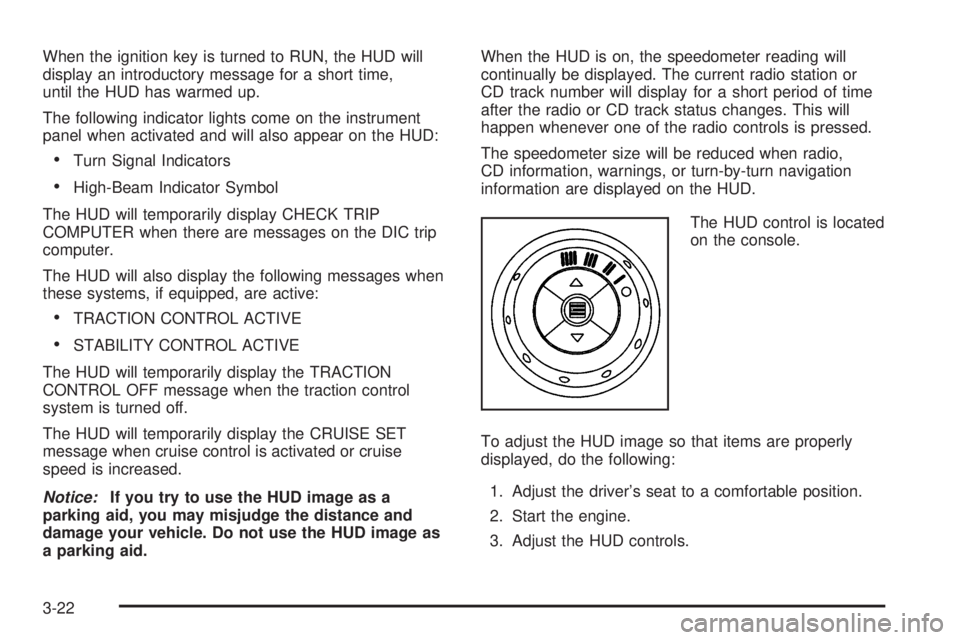
The HUD control is located
on the console.
To adjust the HUD image so that items are properly
displayed, do the following:
1. Adjust the driver’s seat to a comfortable position.
2. Start the engine.
3. Adjust the HUD controls.
3-22
Page 141 of 472
Use the following settings to adjust the HUD.
9(Off):Rotate the outer ring on the HUD control to
this position to turn the HUD off.
I II III IIII (Brightness):Turn the outer ring on the HUD
control clockwise to dim the display and
counterclockwise to brighten it.
w(Up):Press this portion of the switch on the HUD
control to move the image up.
x(Down):Press this portion of the switch on the HUD
control to move the image down. Move the image as
low as possible on the windshield, keeping it in full view.
?(Page):Press this button to select the display
formats. Release the page button when the format
number with the desired display is shown on the HUD.
Format One:This display gives the speedometer
reading (in English or metric units), transaxle
positions, compass direction, and the outside air
temperature.
Format Two:This display includes the information
in Format One without the compass direction and
the outside air temperature.
Format Three:This display includes all the
information in Format One, but turns the instrument
cluster lighting off. Format three is only available
at night.All formats will show the turn-by-turn navigation
information. It will display the next turn, direction, street
name, and distance to the selected destination.
When you near your destination, the HUD will display a
distance bar that will ll in the closer you get to your
destination. All navigation information is provided to the
HUD by the navigation radio, if equipped.
The warning indicators still appear on the instrument
panel when required. The HUD will display Stealth
Mode On.
The HUD will store the last display format selected.
If the last format displayed was Format One or Format
Three, then Format One will be displayed when the
vehicle is started.
If the last format was Format Two, then Format Two
will be displayed.
The HUD image displayed on the windshield will
automatically dim and brighten to compensate for
outside lighting.
The HUD image can temporarily light up depending on
the angle and position of the sunlight on the HUD
display. This is normal and will change when the angle
of the sunlight on the HUD display changes.
Polarized sunglasses could make the HUD image
harder to see.
3-23
Page 143 of 472
Certain electrical accessories may not be compatible
with the accessory power outlet and could result
in blown vehicle or adapter fuses. See your dealer for
additional information on accessory power outlets.
Notice:Adding any electrical equipment to your
vehicle may damage it or keep other components
from working as they should. The repairs would not
be covered by your warranty. Do not use equipment
exceeding maximum amperage rating. Check
with your dealer before adding electrical equipment.
When adding electrical equipment, be sure to follow
the proper installation instructions included with it.
Notice:Improper use of the power outlet can cause
damage not covered by your warranty. Do not
hang any type of accessory or accessory bracket
from the plug because the power outlets are
designed for accessory power plugs only.Ashtray(s) and Cigarette Lighter
Ashtray
Notice:If you put papers, pins, or other ammable
items in the ashtray, hot cigarettes or other
smoking materials could ignite them and possibly
damage your vehicle. Never put ammable items in
the ashtray.
If your vehicle is equipped, the ashtray is located to the
right of the transaxle shift lever on the center console.
To open it, push and release the rear of the cover.
To empty the ashtray, lift the side tab and pull up
to remove the ashtray from the center console. To
reinstall, push the tray back into place.
Cigarette Lighter
Notice:Holding a cigarette lighter in while it is
heating will not allow the lighter to back away from
the heating element when it is hot. Damage from
overheating may occur to the lighter or heating
element, or a fuse could be blown. Do not hold a
cigarette lighter in while it is heating.
If your vehicle is equipped with a cigarette lighter, it is
located on the center console.
Push the lighter to activate the heating element and
release it. Once the heating element is hot, it will pop out
by itself.
3-25
Page 144 of 472
Climate Controls
Climate Control System
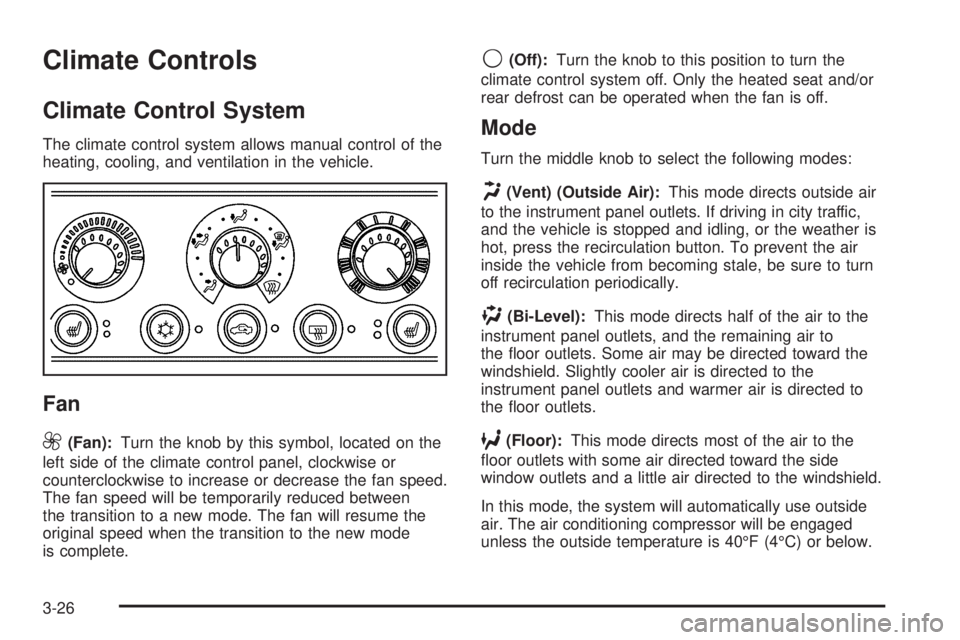
The climate control system allows manual control of the
heating, cooling, and ventilation in the vehicle.
Fan
9
(Fan):Turn the knob by this symbol, located on the
left side of the climate control panel, clockwise or
counterclockwise to increase or decrease the fan speed.
The fan speed will be temporarily reduced between
the transition to a new mode. The fan will resume the
original speed when the transition to the new mode
is complete.
9(Off):Turn the knob to this position to turn the
climate control system off. Only the heated seat and/or
rear defrost can be operated when the fan is off.
Mode
Turn the middle knob to select the following modes:
H(Vent) (Outside Air):This mode directs outside air
to the instrument panel outlets. If driving in city traffic,
and the vehicle is stopped and idling, or the weather is
hot, press the recirculation button. To prevent the air
inside the vehicle from becoming stale, be sure to turn
off recirculation periodically.
)(Bi-Level):This mode directs half of the air to the
instrument panel outlets, and the remaining air to
the oor outlets. Some air may be directed toward the
windshield. Slightly cooler air is directed to the
instrument panel outlets and warmer air is directed to
the oor outlets.
6(Floor):This mode directs most of the air to the
oor outlets with some air directed toward the side
window outlets and a little air directed to the windshield.
In this mode, the system will automatically use outside
air. The air conditioning compressor will be engaged
unless the outside temperature is 40°F (4°C) or below.
3-26
Page 145 of 472
Recirculation cannot be selected when in this mode
even though the indicator light comes on when
the recirculation button is pressed.
The middle knob on the climate control panel can also
be used to select the defog or defrost mode.
Defogging and Defrosting
Fog on the inside of the vehicle is a result of high
humidity causing moisture to condense on the cool
window glass. This can be minimized if the climate
control system is used properly. There are two modes
to clear frost or fog from the windshield. Use the
defog mode to clear the windows of condensation and
to warm the vehicle’s occupants. Use the defrost
mode to remove frost or condensation from the
windshield quickly.
See “Rear Window Defogger” later in this section for
information on clearing the rear window of fog or ice.
.(Floor/Defog):Use the oor/defog mode to clear the
windows of fog or moisture and to warm the passengers.
This mode directs the air equally between the
windshield and the oor outlets, along with some
directed to the side window outlets.This mode will automatically use outside air. The air
conditioning compressor will be engaged unless
the outside temperature is 40°F (4°C) or below.
Recirculation cannot be selected when in this mode
even though the indicator light comes on when
the recirculation button is pressed.
1(Defrost):Use the defrost mode to remove fog or
frost from the windshield more quickly. This mode
directs most of the air to the windshield and the side
window outlets, with some air directed to the oor
outlets. This mode has a timer and will shut off after
ve minutes.
This mode will automatically use outside air. The air
conditioning compressor will be engaged unless
the outside temperature is 40°F (4°C) or below.
Recirculation cannot be selected when in this mode
even though the indicator light comes on when
the recirculation button is pressed.
Temperature
The knob on the right of the climate control panel is the
temperature adjustment that can be used with any of
the climate control modes.
Turn the knob clockwise for warmer settings and
counterclockwise for colder settings.
3-27
Page 146 of 472
Air Conditioning
#
(Air Conditioner):Press this button to turn the air
conditioning compressor on or off. An indicator light
to the right of the button will come on. This button has
no control over the air conditioning compressor when in
Floor/Defog and Defrost modes. The instrument
panel brightness control may have to be adjusted to the
highest setting in order to see the indicator. See
Instrument Panel Brightness on page 3-18for
additional information.
On hot days during the vehicle’s initial start-up, open
the windows to let hot inside air escape; then close
them. This helps to reduce the time it takes for
the vehicle to cool down. It also helps the system to
operate more efficiently.
For quicker cool down on hot days, do the following:
1. Select any mode setting between vent and the
setting before defrost.
2. Select the air conditioner.
3. Select the coolest temperature.
4. Select the highest climate control fan speed.
Using these settings will set recirculation for quicker
cool down (the light indicator will light). If outside air is
desired, press the recirculation button (light indicator
will turn off).Using these settings together for long periods of time
may cause the air inside the vehicle to become too dry.
To prevent this from happening, after ve minutes
the recirculation door will open slightly to allow some
outside air into the vehicle.
The air conditioning system removes moisture from the
air, so sometimes there may be a small amount of
water dripping underneath the vehicle while it is idling or
after the engine is turned off. This is normal.
Recirculation
h
(Recirculation):Press this button to activate the
recirculation mode. With this selection, inside air is
recirculated into the vehicle. This mode reduces outside
air and odors from entering the vehicle. It may also help
to heat or cool the air inside the vehicle more quickly.
An indicator light to the right of the button will come on to
show that the recirculation button has been pressed. The
instrument panel brightness control may have to be
adjusted to the highest setting to see the indicator.
The recirculation mode has a timer. After ve minutes,
the system’s air inlet door will move slightly to allow for
ten percent fresh outside air to maintain interior air
quality. The only way to reset the system to full
recirculation is to restart the ve minute timer by
selecting vent/outside air and recirculation again.
3-28