engine PONTIAC GRAND PRIX 2007 Service Manual
[x] Cancel search | Manufacturer: PONTIAC, Model Year: 2007, Model line: GRAND PRIX, Model: PONTIAC GRAND PRIX 2007Pages: 526, PDF Size: 2.92 MB
Page 188 of 526
Set/Reset
r(Set/Reset):Press this button to set or reset
a menu item when using the trip odometer or
options buttons.
Options
4(Options):Press this button to access the Date,
Language, Display Units, Daytime Display
Enhancement, Engine Oil Monitor System,
Personal Programming modes, and Tire Pressure
readings.
Date:This menu sets the date.
The time is set through the radio. SeeSetting the
Time on page 234for more information.
To set the date, use the following procedure:
1. Press the options button until the date
is displayed on the DIC.
2. Press the set/reset button to access the
RESET YEAR screen. The second position in
the year will be selected. Press and hold
the set/reset button to scroll through the
available digits. Release the button when the
correct digit appears.3. Press the options button to advance to the
rst position in the year. Press and hold the
set/reset button to scroll through the available
digits. Release the button when the correct
digit appears.
4. Press the options button to advance to the
months of the year.
5. Press the set/reset button to scroll through the
months of the year, releasing the button when
the correct month appears.
6. Press the options button to advance to the
days of the month.
7. Press the set/reset button to scroll through the
days of the month, releasing the button when
the correct day appears.
8. Press the options button again to advance to
the main date screen. The screen will now
display the new date.
Language:This menu allows the selection of the
language in which the DIC messages will
appear. The DIC can be programmed to one of
three languages: English, French, or Spanish. The
message on the HUD, if equipped, will also
appear in the language selected. SeeHead-Up
Display (HUD) on page 151.
188
Page 189 of 526
To change the language, use the following
procedure:
1. Press the options button to enter the language
screen.
2. Press the set/reset button to scroll through
and set the language choice.
3. Press the options button again to advance to
the next screen.
DISPLAY UNITS:This menu allows selection of
measurements to be displayed in English or
metric units. The messages on the HUD, if
equipped, and the instrument panel cluster will
also appear with the type of measurement
selected.
To set the measurement when Display Units is
shown, use the following procedure:
1. Press the set/reset button to select ENGLISH
or METRIC.
2. Press the options button again to advance to
the next screen.DAYTIME DISPLAY ENHANCEMENT:This
menu allows selection of the color of the display
message. When ON is selected for the daytime
enhancement, the messages will appear black on
a red screen. This combination makes it easier
to see the DIC messages during the daytime.
When OFF is selected, or when the headlamps
are on, the messages will appear red on a
black background.
To set the daytime display enhancement, use the
following procedure:
1. Press the set/reset button to select OFF or ON.
2. Press the options button again to advance to
the next screen.
ENGINE OIL MONITOR SYSTEM:This menu
allows the engine oil monitor system to be reset.
To reset the engine oil monitor system, see
Engine Oil Life System on page 353.
PERSONAL PROGRAMMING MODE:This menu
allows you to customize several features on
your vehicle. SeeDIC Vehicle Customization on
page 226for more information.
Press the options button again to advance to the
next screen.
189
Page 191 of 526
The compass is self-calibrating, which eliminates
the need to manually set the compass. However,
under certain circumstances, such as during a long
distance cross-country trip, it will be necessary
to compensate for compass variance and reset the
zone through the DIC. SeeDIC Compass
(Uplevel DIC) on page 198for more information.
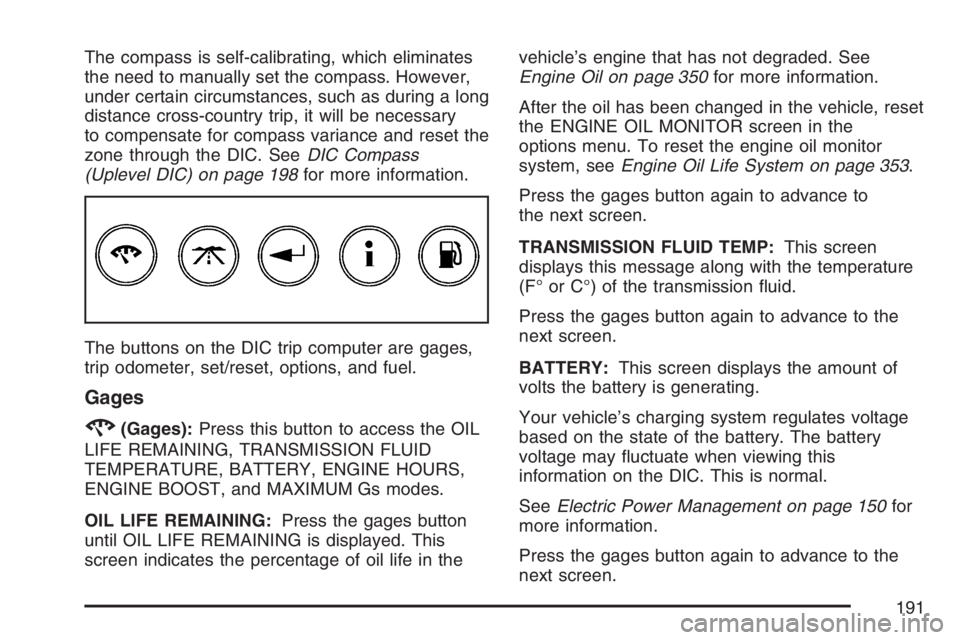
The buttons on the DIC trip computer are gages,
trip odometer, set/reset, options, and fuel.
Gages
2(Gages):Press this button to access the OIL
LIFE REMAINING, TRANSMISSION FLUID
TEMPERATURE, BATTERY, ENGINE HOURS,
ENGINE BOOST, and MAXIMUM Gs modes.
OIL LIFE REMAINING:Press the gages button
until OIL LIFE REMAINING is displayed. This
screen indicates the percentage of oil life in thevehicle’s engine that has not degraded. See
Engine Oil on page 350for more information.
After the oil has been changed in the vehicle, reset
the ENGINE OIL MONITOR screen in the
options menu. To reset the engine oil monitor
system, seeEngine Oil Life System on page 353.
Press the gages button again to advance to
the next screen.
TRANSMISSION FLUID TEMP:This screen
displays this message along with the temperature
(F° or C°) of the transmission uid.
Press the gages button again to advance to the
next screen.
BATTERY:This screen displays the amount of
volts the battery is generating.
Your vehicle’s charging system regulates voltage
based on the state of the battery. The battery
voltage may uctuate when viewing this
information on the DIC. This is normal.
SeeElectric Power Management on page 150for
more information.
Press the gages button again to advance to the
next screen.
191
Page 192 of 526
ENGINE HOURS:This screen shows the number
of cumulative hours the engine has operated
while the key was in the RUN position. This screen
cannot be reset.
Press the gages button to advance to the next
screen.
ENGINE BOOST:If the vehicle has the
supercharged engine, this screen will appear.
It shows a graphic that indicates the amount of
boost the engine is receiving.
Press the gages button again to advance to the
next screen.
MAXIMUM Gs:If you have the GXP option, this
screen will appear. The DIC monitors and
keeps track of the maximum levels for
acceleration, deceleration, and lateral-acceleration
achieved since the screen was last reset. If you
try to select this screen while the vehicle is
moving, the message MAXIMUM Gs NOT
AVAILABLE WHILE MOVING will display. To view
the maximum accelerations achieved since last
reset, you must bring the vehicle to a stop.
Then the values will be displayed.To reset the values to zero, press and hold the
set/reset button.
Press the gages button again to advance to the
next screen.
Trip Odometer
3(Trip Odometer):Press this button to access
the Odometer, Trip Distances, AVERAGE
SPEED, and TIME ELAPSED modes.
Odometer:When the trip odometer button is
pressed, the rst menu displayed on the DIC
screen is the odometer reading, or cumulative
mileage of the vehicle. The odometer cannot be
reset.
Press the trip odometer button again to advance
to the next menu.
Trip Distances:This menu shows the distances
that the vehicle has driven between specic
points. The trip odometer will record the number of
miles up to 9,999.9 miles or 9 999.9 km travelled
for up to two trips. When 9,999.9 miles or
9 999.9 km is reached for either trip, the odometer
for that trip will go back to zero.
192
Page 194 of 526
AVERAGE SPEED:The average speed is
displayed in miles per hour (mph) or kilometers
per hour (km/h). The average speed is calculated
from the various vehicle speeds recorded since
the last reset of this menu item. To reset the
average speed, press the set/reset button. The
display will return to zero.
Press the trip odometer button again to advance
to the next screen.
TIME ELAPSED:This screen can be used as a
stopwatch. The display can show the hours,
minutes and seconds. The elapsed time indicator
will record up to 99 hours, 59 minutes and
59 seconds, then it will reset to zero and continue
counting.
To set the time elapsed function, use the following
procedures:
1. Press the set/reset button for less than
two seconds to start or stop the timer.
2. Press and hold the set/reset button for
more than two seconds to reset the timer back
to zero.
Press the trip odometer button again to advance
to the next screen.Set/Reset
r(Set/Reset):Press this button to set or reset
a mode item when using the trip odometer or
option buttons.
Options
4(Options):Press this button to access the Date,
Language, Display Units, Daytime Display
Enhancement, Engine Oil Monitor System,
Compass Calibration, Personal Programming
modes, and Tire Pressure readings.
Date:This menu sets the date.
The time is set through the radio. SeeSetting the
Time on page 234for more information.
To set the date, use the following procedure:
1. Press the options button until the date
is displayed on the DIC.
2. Press the set/reset button to access the
RESET YEAR screen. The second position in
the year will be selected. Press and hold
the set/reset button to scroll through the
available digits. Release the button when the
correct digit appears.
194
Page 196 of 526
To set the display units function, use the following
procedure:
1. Press the set/reset button to select ENGLISH
or METRIC.
2. Press the options button to advance to the
next screen.
DAYTIME DISPLAY ENHANCEMENT:This
menu allows selection of the color of the display
message. When ON is selected for the daytime
enhancement, the messages will appear black on
a red screen. This combination makes it easier
to see the DIC messages during the daytime.
When OFF is selected, or when the headlamps
are on, the messages will appear red on a
black background.
To set the daytime display enhancement function,
use the following procedure:
1. Press the set/reset button to select OFF or ON.
2. Press the options button to advance to the
next screen.ENGINE OIL MONITOR SYSTEM:This menu
allows the engine oil monitor system to be reset.
To reset the engine oil monitor system, see
Engine Oil Life System on page 353.
Press the options button to advance to the next
screen.
COMPASS CALIBRATION MODE:This menu
allows you to adjust for compass variance.
SeeDIC Compass (Uplevel DIC) on page 198for
more information.
Press the options button again to advance to the
next screen.
PERSONAL PROGRAMMING MODE:This menu
allows you to customize several features on
your vehicle. SeeDIC Vehicle Customization on
page 226for more information.
Press the options button again to advance to the
next screen.
196
Page 200 of 526
DIC Warnings and Messages
These messages display if there is a problem in
one of the vehicle’s systems. They override
any other mode or screen the Driver Information
Center (DIC) may be in.
Some messages can be cleared from the DIC
screen. In order to do this, the message must be
acknowledged. To acknowledge or clear the
message from the screen, press the set/reset
button on the DIC. SeeDIC Controls and Displays
(Base Level DIC) on page 186orDIC Controls
and Displays (Uplevel DIC with Trip Computer) on
page 190for DIC button descriptions.
Other warning messages are not allowed to be
cleared until the problem indicated by the warning
message is taken care of. When the problem
indicated by the message is resolved, it can be
acknowledged and the screen can be reset.
Be sure to take any message that appears on the
DIC screen seriously and remember that
clearing the messages that are able to be
acknowledged, will only make the message
disappear, not correct the problem.
A/C OFF FOR ENGINE PROTECTION
This message displays when the engine coolant
becomes hotter than the normal operating
temperature. To avoid added strain on a hot
engine, the air conditioning compressor is
automatically turned off. When the coolant
temperature returns to normal, the air conditioning
compressor turns back on. The vehicle can
then continue to be driven.
This message comes on while the ignition is in
RUN. A chime sounds for two seconds when this
message is displayed. Press the set/reset
button to acknowledge this warning message and
to clear it from the screen.
This message continues to display for
three seconds if it has not been acknowledged
when the engine is turned off. It also re-displays
for three seconds if the message has been
acknowledged, but the condition still exists when
the engine is turned off.
If the condition still exists, the message re-appears
when the engine is turned on.
200
Page 201 of 526
AJAR
This symbol appears
with this message.
This message displays when a door or the trunk is
not closed properly. If your vehicle has the
remote start feature, this message also displays
when the hood is not closed properly. The graphic
highlights the hood or trunk if either one is not
closed properly. The graphic indicates a
highlighted, open door to show which door or
doors are not closed properly. Make sure that the
area indicated is closed completely.
This message displays while the ignition is in
RUN. A chime sounds for two seconds when the
ignition is shifted out of PARK (P). Press the
set/reset button to acknowledge this message and
to clear it from the screen.This message continues to display for
three seconds if it has not been acknowledged
when the engine is turned off. It also re-displays
for three seconds if the message has been
acknowledged, but the condition still exists when
the engine is turned off.
If the condition still exists, the message re-appears
when the engine is turned on.
BATTERY SAVER ACTIVE
This message displays when the system detects
that the battery voltage is dropping beyond a
reasonable level. The battery saver system starts
reducing certain features of the vehicle which
you may be able to notice. At the point that the
features are disabled, this message is displayed.
It means that the vehicle is trying to save the
charge in the battery. Turn off all unnecessary
accessories to allow the battery to recharge. The
normal battery voltage range is 11.5 to 15.5 volts.
If your vehicle has the uplevel DIC, you can
monitor battery voltage on the DIC by pressing the
gages button until BATTERY appears.
201
Page 202 of 526
CHANGE OIL SOON
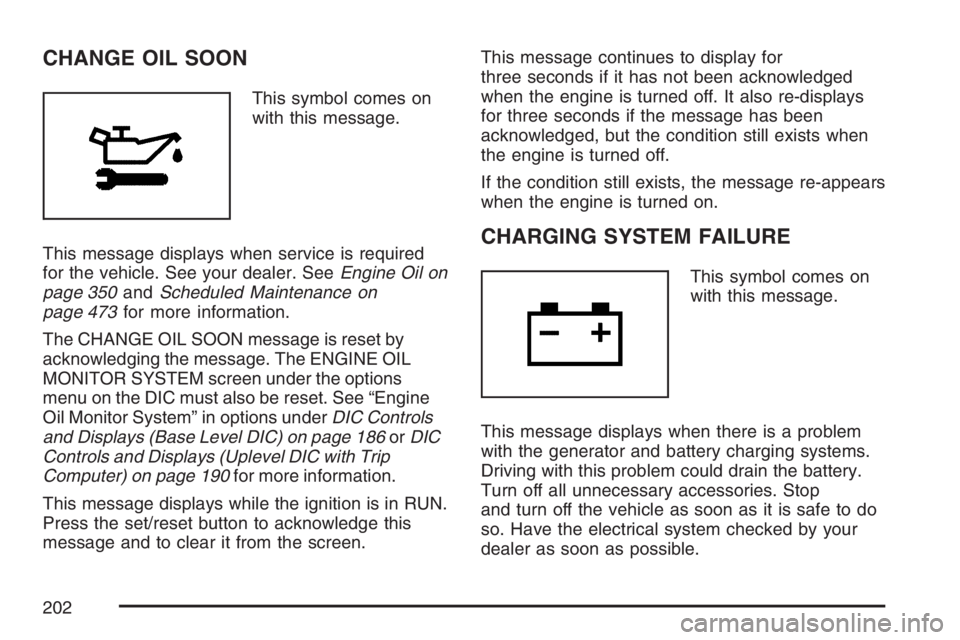
This symbol comes on
with this message.
This message displays when service is required
for the vehicle. See your dealer. SeeEngine Oil on
page 350andScheduled Maintenance on
page 473for more information.
The CHANGE OIL SOON message is reset by
acknowledging the message. The ENGINE OIL
MONITOR SYSTEM screen under the options
menu on the DIC must also be reset. See “Engine
Oil Monitor System” in options underDIC Controls
and Displays (Base Level DIC) on page 186orDIC
Controls and Displays (Uplevel DIC with Trip
Computer) on page 190for more information.
This message displays while the ignition is in RUN.
Press the set/reset button to acknowledge this
message and to clear it from the screen.This message continues to display for
three seconds if it has not been acknowledged
when the engine is turned off. It also re-displays
for three seconds if the message has been
acknowledged, but the condition still exists when
the engine is turned off.
If the condition still exists, the message re-appears
when the engine is turned on.
CHARGING SYSTEM FAILURE
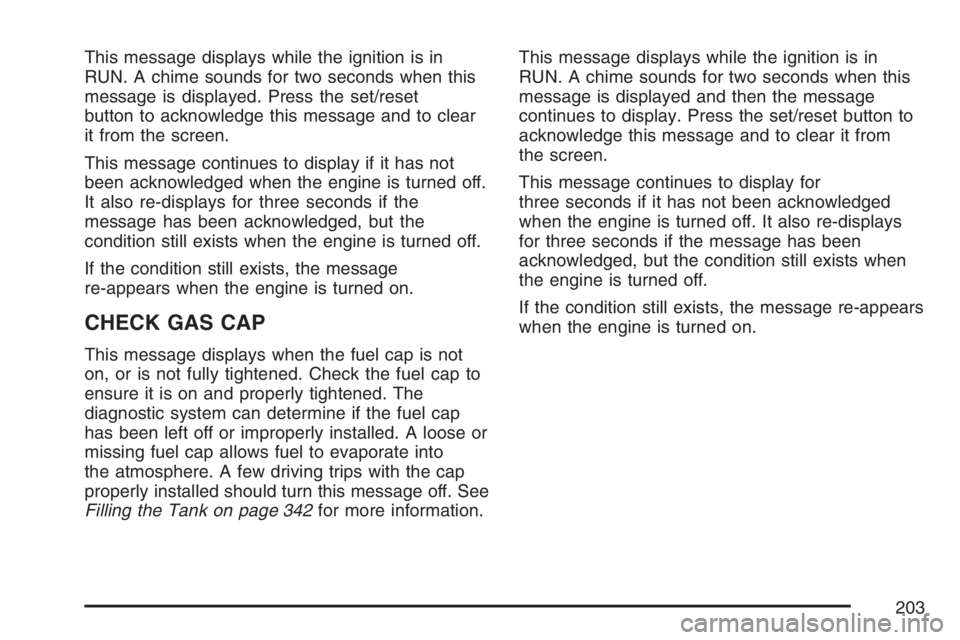
This symbol comes on
with this message.
This message displays when there is a problem
with the generator and battery charging systems.
Driving with this problem could drain the battery.
Turn off all unnecessary accessories. Stop
and turn off the vehicle as soon as it is safe to do
so. Have the electrical system checked by your
dealer as soon as possible.
202
Page 203 of 526
This message displays while the ignition is in
RUN. A chime sounds for two seconds when this
message is displayed. Press the set/reset
button to acknowledge this message and to clear
it from the screen.
This message continues to display if it has not
been acknowledged when the engine is turned off.
It also re-displays for three seconds if the
message has been acknowledged, but the
condition still exists when the engine is turned off.
If the condition still exists, the message
re-appears when the engine is turned on.
CHECK GAS CAP
This message displays when the fuel cap is not
on, or is not fully tightened. Check the fuel cap to
ensure it is on and properly tightened. The
diagnostic system can determine if the fuel cap
has been left off or improperly installed. A loose or
missing fuel cap allows fuel to evaporate into
the atmosphere. A few driving trips with the cap
properly installed should turn this message off. See
Filling the Tank on page 342for more information.This message displays while the ignition is in
RUN. A chime sounds for two seconds when this
message is displayed and then the message
continues to display. Press the set/reset button to
acknowledge this message and to clear it from
the screen.
This message continues to display for
three seconds if it has not been acknowledged
when the engine is turned off. It also re-displays
for three seconds if the message has been
acknowledged, but the condition still exists when
the engine is turned off.
If the condition still exists, the message re-appears
when the engine is turned on.
203