display PORSCHE 911 TURBO 2014 6.G Owners Manual
[x] Cancel search | Manufacturer: PORSCHE, Model Year: 2014, Model line: 911 TURBO, Model: PORSCHE 911 TURBO 2014 6.GPages: 300, PDF Size: 10.61 MB
Page 164 of 300
162 Driving and Driving Safety
Setting the desired speed
1. Press the control stalk on the steering wheel forward (position 1). The current driving speed is stored as the desired speed, which will be maintained automatically (within the control range of 20 to 100 mph (30 to 160 km/h)) and appears orange in the status display B. The red triangle G under the progress bar for the speed control range shows the speed of your vehicle.2. Release the accelerator pedal. The desired speed is maintained automatically unless a vehicle traveling in front is detected as driving slower than the desired speed.
Information
If a stationary object was detected in front, the message “ ACC not possible Stationary object ahead” appears on the multi-function display.
Increasing the desired speed
fPress the control stalk on the steering wheel forward (position 1). The desired speed is increased in steps of 1 mph (1 km/h).orPress the control stalk on the steering wheel forward and keep it pressed (position 1). The desired speed is increased in steps of 5 mph (10 km/h).The status display B shows the new desired speed.The red triangle G under the progress bar for the speed control range shows the speed of your vehicle.
Reducing the desired speed
fBriefly pull the control stalk on the steering wheel towards the steering wheel (position 2). The desired speed is decreased in steps of 1 mph (1 km/h).orPull the control stalk on the steering wheel towards the steering wheel and keep it pulled (position 2). The desired speed is decreased in steps of 5 mph (10 km/h).The status display B shows the new desired speed.The red triangle G under the progress bar for the speed control range shows the speed of your vehicle.
Information
If your vehicle is stationary, the message “ ACC not possible while stationary ” appears on the multi-function display when you press the control stalk forward (position 1).
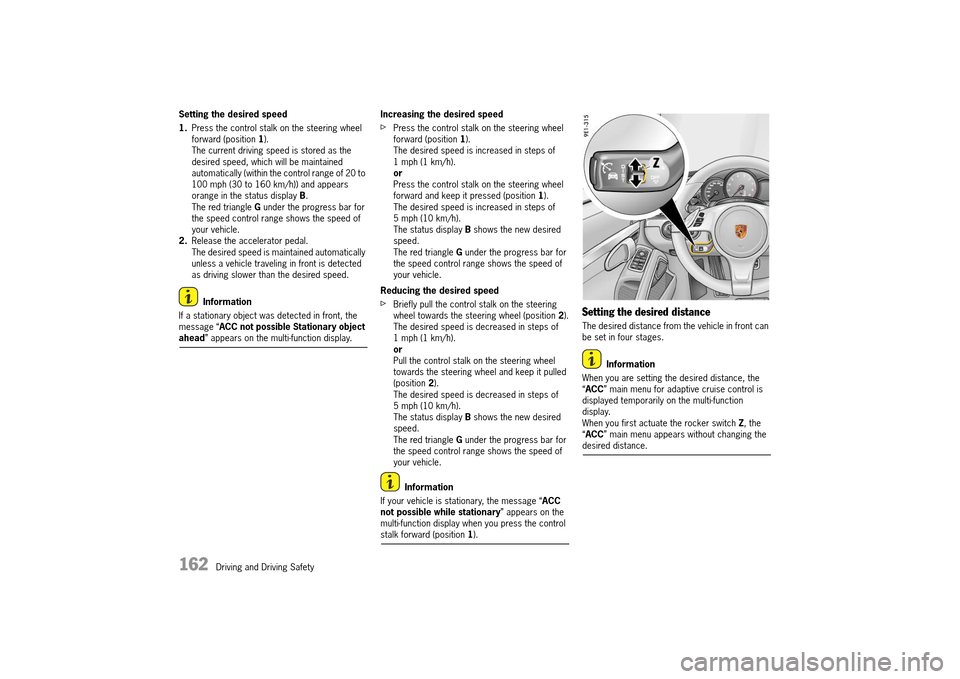
Setting the desired distance
The desired distance from the vehicle in front can be set in four stages.
Information
When you are setting the desired distance, the “ ACC” main menu for adaptive cruise control is displayed temporarily on the multi-function display.When you first actuate the rocker switch Z, the “ ACC” main menu appears without changing the desired distance.
14_991_Turbo_21.book Seite 162 Mittwoch, 9. April 2014 2:19 14
Page 165 of 300
Driving and Driving Safety 163
Information
The distance depends on the driving speed. The slower the vehicle is traveling, the shorter the distance and the faster the vehicle is traveling, the longer the distance.
Increasing the desired distance
fPress the rocker switch Z upwards. The desired distance is increased.More orange segments are shown in the desired distance display A.
Reducing the desired distance
fPress the rocker switch Z downwards. The desired distance is reduced.Fewer orange segments are shown in the desired distance display A.
Display showing distance from vehicle in front
If a vehicle is detected in front, the vehicle symbol C appears on the multi-function display and in the status display B. The grey area D shows the current distance from the vehicle in front.
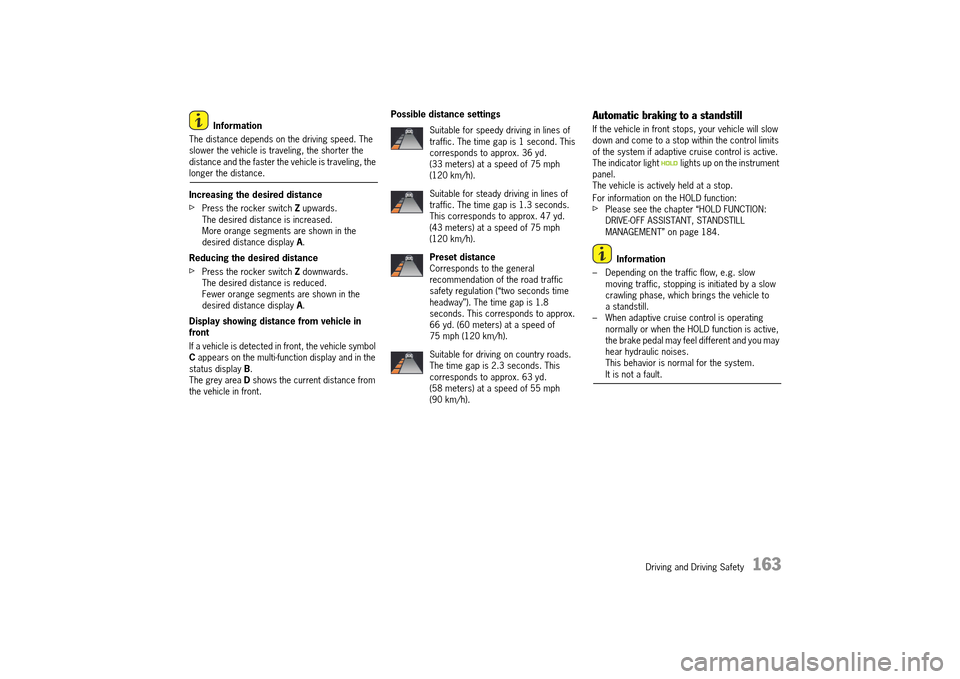
Possible distance settingsAutomatic braking to a standstill
If the vehicle in front stops, your vehicle will slow down and come to a stop within the control limits of the system if adaptive cruise control is active.The indicator light lights up on the instrument panel.The vehicle is actively held at a stop.
For information on the HOLD function:fPlease see the chapter “HOLD FUNCTION: DRIVE-OFF ASSISTANT, STANDSTILL MANAGEMENT” on page 184.
Information
– Depending on the traffic flow, e.g. slow moving traffic, stopping is initiated by a slow crawling phase, which brings the vehicle to a standstill.– When adaptive cruise control is operating normally or when the HOLD function is active, the brake pedal may feel different and you may hear hydraulic noises.This behavior is normal for the system. It is not a fault.
Suitable for speedy driving in lines of traffic. The time gap is 1 second. This corresponds to approx. 36 yd. (33 meters) at a speed of 75 mph (120 km/h).
Suitable for steady driving in lines of traffic. The time gap is 1.3 seconds. This corresponds to approx. 47 yd. (43 meters) at a speed of 75 mph (120 km/h).
Preset distance Corresponds to the general recommendation of the road traffic safety regulation (“two seconds time headway”). The time gap is 1.8 seconds. This corresponds to approx. 66 yd. (60 meters) at a speed of 75 mph (120 km/h).
Suitable for driving on country roads. The time gap is 2.3 seconds. This corresponds to approx. 63 yd. (58 meters) at a speed of 55 mph (90 km/h).
14_991_Turbo_21.book Seite 163 Mittwoch, 9. April 2014 2:19 14
Page 166 of 300
164 Driving and Driving Safety
Driving off again
The vehicle can be driven off again after being stopped and speed and distance control will be resumed, depending on the operating state of the adaptive cruise control system.
Adaptive cruise control active
1. Press the control stalk on the steering wheel upwards (position 4, RESUME). 2. Press the accelerator pedal briefly. Your vehicle drives off again automatically.
Information
Your vehicle will not drive off if the vehicle detected in front is stationary.
Adaptive cruise control is ready
Automatic speed and distance control can only be resumed when your vehicle is moving.1. Drive off normally. 2. Press the control stalk on the steering wheel upwards (position 4, RESUME). orSet or change the desired speed.
Interrupting and resuming cruise control and distance control
Interrupting cruise control and distance control – OFF
fPress the brake pedal.orPress the control stalk on the steering wheel downwards (position 3, OFF). Adaptive cruise control is inactive.The desired speed that was stored and the desired distance are retained.
Resuming cruise control and distance control – RESUME
fPress the control stalk on the steering wheel upwards (position 4, RESUME). The vehicle accelerates to the desired speed that was stored unless a vehicle traveling in front is detected as driving slower than the desired speed and the distance from this vehicle is less than the desired distance that was set.The status display B changes from grey to orange.orPress the control stalk on the steering wheel upwards and keep it pressed (position 4, RESUME ). The vehicle accelerates in a more sporty driving style to the desired speed that was stored.
Information
If speed and distance control was interrupted by moving the control stalk to position 3 (OFF), it can only be resumed again when the vehicle is moving and no stationary objects are detected in front.
Messages on the multi-function display
If adaptive cruise control was deactivated automatically or if an action cannot be performed, a message to this effect in blue appears on the multi-function display.–“ ACC not available” Adaptive cruise control is not available, e.g. when maneuvering.–“ ACC not possible ABS/PSM intervention” Adaptive cruise control was deactivated because ABS or PSM intervened as a control mechanism.–“ Release parking brake” Adaptive cruise control was deactivated because the electric parking brake was activated.–“ ACC not possible Move gear lever to D/M ” Adaptive cruise control was deactivated because the PDK selector lever is not in position D or manual position M. –“ ACC not possible while stationary” The required action is not possible because your vehicle is stationary, e.g. when setting a desired speed.–“ ACC not possible Revs too high” Adaptive cruise control was deactivated because the engine-speed limit was reached in manual position M of the PDK selector lever/ shift paddles.–“ ACC not possible Gradient too steep” The desired distance or the desired speed cannot be set because the incline of the road is too steep.–“ ACC not possible Stationary object ahead ” The action is not possible because a stationary object was detected ahead.
14_991_Turbo_21.book Seite 164 Mittwoch, 9. April 2014 2:19 14
Page 167 of 300
Driving and Driving Safety 165
–“ACC not possible Switch on PSM” Adaptive cruise control is not available because PSM was switched off.For information on Porsche Stability Management (PSM) :fPLEASE SEE THE CHAPTER “PORSCHE STABILITY MANAGEMENT (PSM)” on page 181.–“ ACC off” Adaptive cruise control was deactivated.– “ACC not possible Steering lock too large” The steering is turned too far.
General information
“Sport” and “Sport Plus” Mode
Adaptive cruise control regulates your driving more dynamically in “ Sport” and “Sport Plus” mode.
Exceptions for adaptive cruise control
Adaptive cruise control is not available in the following situations:– If the ignition is switched off.– When PSM is off.– If the driver’s door is opened and the driver’s safety belt is not fastened.– When parking or maneuvering in very tight spaces.– When the electric parking brake is activated.– If the PDK selector lever is in position N , R or P. – On upward or downward slopes of more than 15 %.
If one of these exception situations occurs when adaptive cruise control is switched on, adaptive cruise control will be switched off.A message to this effect appears on the multi-function display.
Warning messages
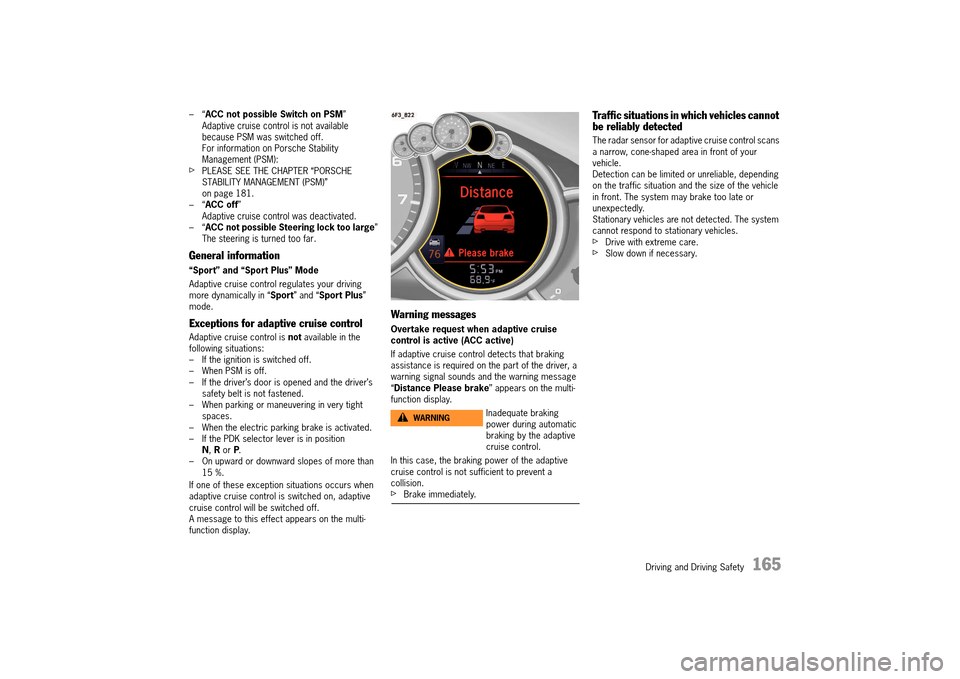
Overtake request when adaptive cruise control is active (ACC active)
If adaptive cruise control detects that braking assistance is required on the part of the driver, a warning signal sounds and the warning message “ Distance Please brake” appears on the multi- function display.
In this case, the braking power of the adaptive cruise control is not sufficient to prevent a collision.fBrake immediately.
Traffic situations in which vehicles cannot be reliably detected
The radar sensor for adaptive cruise control scans a narrow, cone-shaped area in front of your vehicle.Detection can be limited or unreliable, depending on the traffic situation and the size of the vehicle in front. The system may brake too late or unexpectedly.Stationary vehicles are not detected. The system cannot respond to stationary vehicles.fDrive with extreme care.fSlow down if necessary.
Inadequate braking power during automatic braking by the adaptive cruise control.
WARNINGh
14_991_Turbo_21.book Seite 165 Mittwoch, 9. April 2014 2:19 14
Page 169 of 300
Driving and Driving Safety 167
Active Safety – Porsche “Active Safe”
The adaptive cruise control sensor is used for the Porsche “Active Safe” functions.
These include: – Brake system prefilling Prefilling of the brake system if the radar sensor detects that the vehicle is coming critically close to a moving obstacle in order to bridge the air gaps and improve braking response.– Brake Assist Reduction of the activation threshold of the Brake Assist function if the sensor detects that the vehicle is coming critically close to a moving obstacle.The activation threshold of the Brake Assist function is reduced in three stages, depending on how critical the danger situation is.– Target braking If the radar sensor detects that the vehicle is coming critically close to a moving obstacle and, at the same time, braking power is inadequate, brake pressure can be increased in accordance with the situation, through to full braking if required.
Information
All Porsche “Active Safe” functions are active for speeds of more than 20 mph (30 km/h).
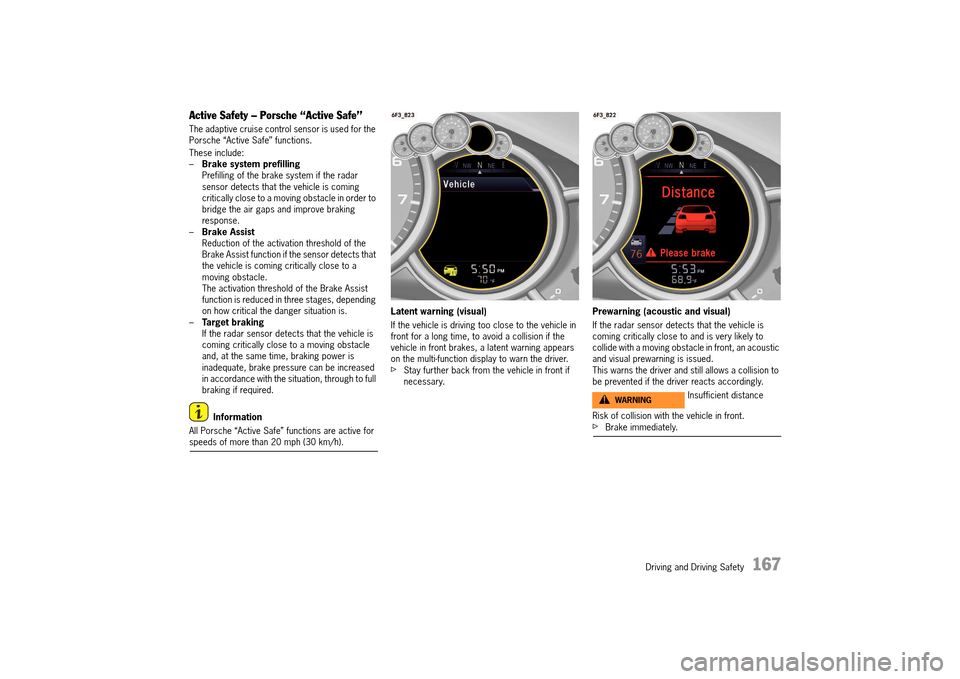
Latent warning (visual)
If the vehicle is driving too close to the vehicle in front for a long time, to avoid a collision if the vehicle in front brakes, a latent warning appears on the multi-function display to warn the driver.fStay further back from the vehicle in front if necessary.
Prewarning (acoustic and visual)
If the radar sensor detects that the vehicle is coming critically close to and is very likely to collide with a moving obstacle in front, an acoustic and visual prewarning is issued. This warns the driver and still allows a collision to be prevented if the driver reacts accordingly.
Risk of collision with the vehicle in front.fBrake immediately.
Insufficient distanceWARNINGh
14_991_Turbo_21.book Seite 167 Mittwoch, 9. April 2014 2:19 14
Page 170 of 300
168 Driving and Driving Safety
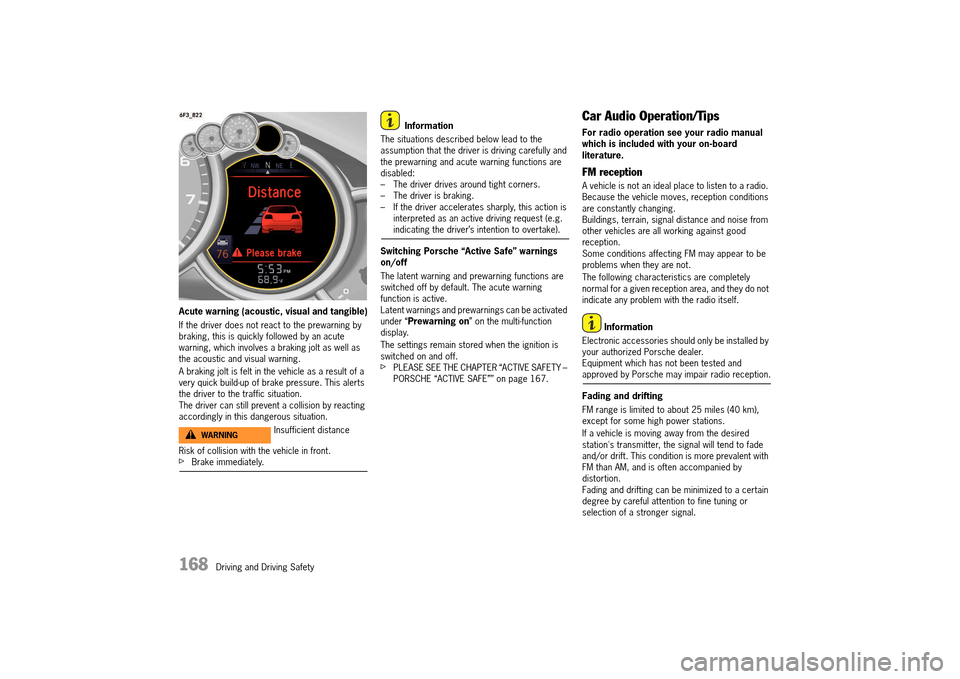
Acute warning (acoustic, visual and tangible)
If the driver does not react to the prewarning by braking, this is quickly followed by an acute warning, which involves a braking jolt as well as the acoustic and visual warning.
A braking jolt is felt in the vehicle as a result of a very quick build-up of brake pressure. This alerts the driver to the traffic situation. The driver can still prevent a collision by reacting accordingly in this dangerous situation.
Risk of collision with the vehicle in front.fBrake immediately.
Information
The situations described below lead to the assumption that the driver is driving carefully and the prewarning and acute warning functions are disabled:– The driver drives around tight corners.– The driver is braking.– If the driver accelerates sharply, this action is interpreted as an active driving request (e.g. indicating the driver’s intention to overtake).
Switching Porsche “Active Safe” warnings on/off
The latent warning and prewarning functions are switched off by default. The acute warning function is active. Latent warnings and prewarnings can be activated under “ Prewarning on” on the multi-function display.
The settings remain stored when the ignition is switched on and off.fPLEASE SEE THE CHAPTER “ACTIVE SAFETY – PORSCHE “ACTIVE SAFE”” on page 167.
Car Audio Operation/Tips
For radio operation see your radio manual which is included with your on-board literature.
FM reception
A vehicle is not an ideal place to listen to a radio. Because the vehicle moves, reception conditions are constantly changing. Buildings, terrain, signal distance and noise from other vehicles are all working against good reception. Some conditions affecting FM may appear to be problems when they are not.
The following characteristics are completely normal for a given reception area, and they do not indicate any problem with the radio itself.
Information
Electronic accessories should only be installed by your authorized Porsche dealer.Equipment which has not been tested and approved by Porsche may impair radio reception.
Fading and drifting
FM range is limited to about 25 miles (40 km), except for some high power stations.
If a vehicle is moving away from the desired station's transmitter, the signal will tend to fade and/or drift. This condition is more prevalent with FM than AM, and is often accompanied by distortion.Fading and drifting can be minimized to a certain degree by careful attention to fine tuning or selection of a stronger signal.
Insufficient distanceWARNINGh
14_991_Turbo_21.book Seite 168 Mittwoch, 9. April 2014 2:19 14
Page 172 of 300
170 Driving and Driving Safety
If aftermarket systems are installed by non- dealership technicians or outside the selling dealer, problems may result. Installation of aftermarket equipment is not covered under the New Car Warranty. fConsult your authorized Porsche dealer about the installation of non-Porsche approved equipment.
Reception quality
The reception quality of your car telephone will change constantly when you are driving. Interference caused by buildings, landscape and weather is unavoidable. It may become particu-larly difficult to hear when using the hands-free function due to external noise such as engine and wind noise.
Automatic car-wash
fUnscrew external antennas before using an automatic car-wash.
Porsche Communication
Management (PCM)
Setting or operating the multi-function display, radio, navigation system, telephone or other equipment when driving could distract you from the traffic. You could lose control of the vehicle.fOperate the components while driving only if the traffic situation allows you to do so safely.fCarry out any complicated operating or setting procedures only with the vehicle stationary.fIf it is necessary to operate these components while the vehicle is in motion, use the function keys on the multi-functional steering wheel.
fRefer to the separate operating instructions before putting the PCM into operation.
When put into operation for the first time, a distance of approx. 3 miles (5 km) must be driven in order for the navigation system to complete the process of fine calibration. The same applies when the tires are changed (e.g. summer/snow tires) or new tires fitted. Full location accuracy is not yet achieved during the fine-calibration process.
If the vehicle has been transported (e.g. ferry, car train), the system may take a few minutes after being switched on before it determines the current location.
Serious tire slip (e.g. spinning wheels on snow) may result in temporarily inaccurate navigation.
When the battery has been disconnected, it may take up to 15 minutes before the navigation system is operational once more.
Satellite radio
You must have the satellite radio activated before you can put it into operation. You will need a contract with a provider in order to use this radio.fRefer to the separate radio operating instructions before putting into operation.
Operation of On-Board Systems
WARNINGh
14_991_Turbo_21.book Seite 170 Mittwoch, 9. April 2014 2:19 14
Page 173 of 300
Driving and Driving Safety 171
USB/iPod® and AUX
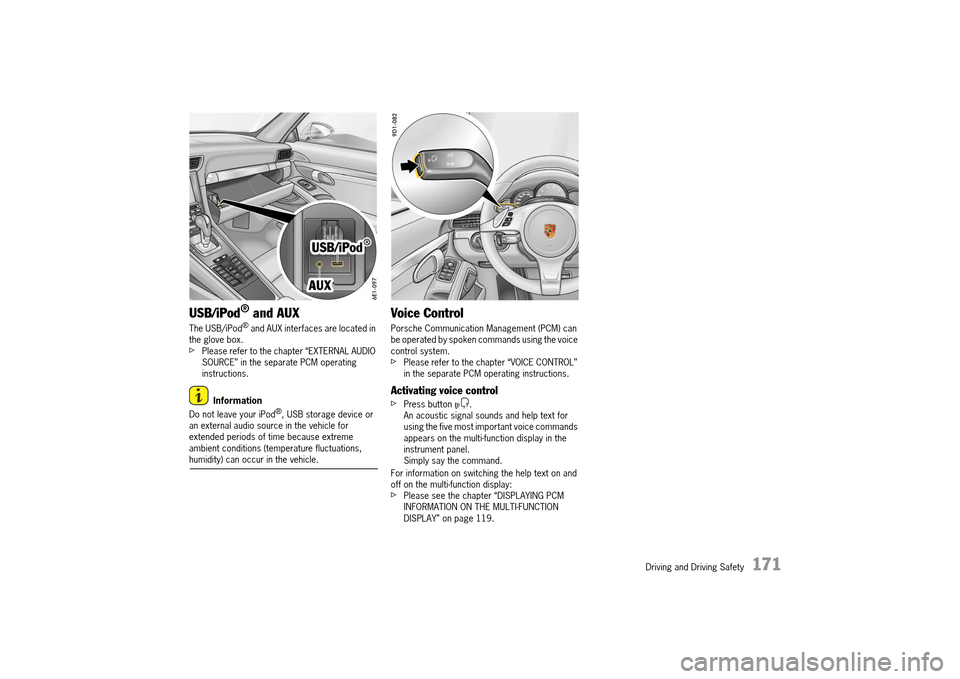
The USB/iPod® and AUX interfaces are located in the glove box.fPlease refer to the chapter “EXTERNAL AUDIO SOURCE” in the separate PCM operating instructions.
Information
Do not leave your iPod®, USB storage device or an external audio source in the vehicle for extended periods of time because extreme ambient conditions (temperature fluctuations, humidity) can occur in the vehicle.
Voice Control
Porsche Communication Management (PCM) can be operated by spoken commands using the voice control system.fPlease refer to the chapter “VOICE CONTROL” in the separate PCM operating instructions.
Activating voice control
fPress button .An acoustic signal sounds and help text for using the five most important voice commands appears on the multi-function display in the instrument panel.Simply say the command.
For information on switching the help text on and off on the multi-function display: fPlease see the chapter “DISPLAYING PCM INFORMATION ON THE MULTI-FUNCTION DISPLAY” on page 119.
14_991_Turbo_21.book Seite 171 Mittwoch, 9. April 2014 2:19 14
Page 175 of 300
Driving and Driving Safety 173
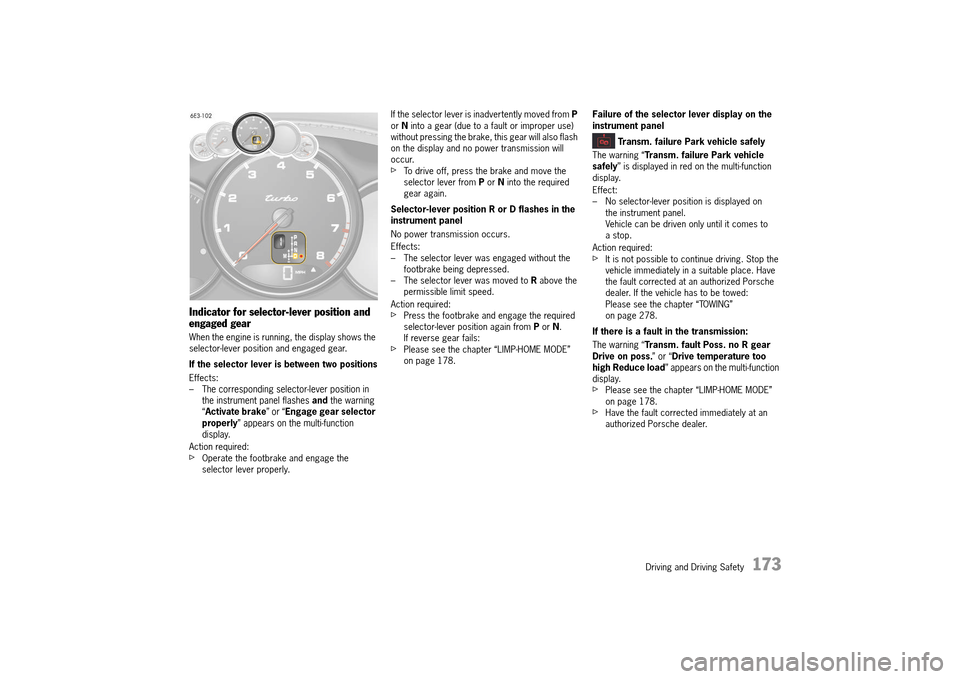
Indicator for selector-lever position and engaged gear
When the engine is running, the display shows the selector-lever position and engaged gear.
If the selector lever is between two positions
Effects: – The corresponding selector-lever position in the instrument panel flashes and the warning “ Activate brake” or “Engage gear selector properly ” appears on the multi-function display .
Action required:fOperate the footbrake and engage the selector lever properly.
If the selector lever is inadvertently moved from P or N into a gear (due to a fault or improper use) without pressing the brake, this gear will also flash on the display and no power transmission will occur. fTo drive off, press the brake and move the selector lever from P or N into the required gear again.
Selector-lever position R or D flashes in the instrument panel
No power transmission occurs.
Effects: – The selector lever was engaged without the footbrake being depressed. – The selector lever was moved to R above the permissible limit speed.
Action required:fPress the footbrake and engage the required selector-lever position again from P or N. If reverse gear fails:fPlease see the chapter “LIMP-HOME MODE” on page 178.
Failure of the selector lever display on the instrument panel
Transm. failure Park vehicle safely
The warning “ Transm. failure Park vehicle safely ” is displayed in red on the multi-function display.
Effect: – No selector-lever position is displayed on the instrument panel.Vehicle can be driven only until it comes to a stop.
Action required:fIt is not possible to continue driving. Stop the vehicle immediately in a suitable place. Have the fault corrected at an authorized Porsche dealer. If the vehicle has to be towed:Please see the chapter “TOWING” on page 278.
If there is a fault in the transmission:
The warning “ Transm. fault Poss. no R gear Drive on poss. ” or “Drive temperature too high Reduce load ” appears on the multi-function display .fPlease see the chapter “LIMP-HOME MODE” on page 178.fHave the fault corrected immediately at an authorized Porsche dealer.
14_991_Turbo_21.book Seite 173 Mittwoch, 9. April 2014 2:19 14
Page 177 of 300
Driving and Driving Safety 175
is suppressed because here, the vehicle does not slow down, despite the engine overrun torque and no fuel is consumed in this driving situation due to utilization of the overrun shut-off.
Ending coasting mode/utilizing engine braking effect
fPress the accelerator or brake pedalor Operate a shift paddle or a shift button or Shift gear using the selector lever.
Initiating coasting mode manually
– Driving in selector lever position D or driving in selector lever position M
When coasting mode is suppressed, e.g. in the case of sporty driving, sudden release of the accelerator pedal or excessively low engine temperature, coasting mode can be initiated manually.fTake your foot off the accelerator pedal and shift past the highest possible gear with the shift paddle, one of the shift buttons, or with the selector lever.
Switching coasting mode on and off using the Auto Start Stop button
Switching off
fPress button . The indicator light on the button lights up.Coasting mode is switched off and automatic stopping of the engine is suppressed.
Switching on
fPress button . The indicator light on the button goes out.Coasting mode is switched on and the engine is automatically stopped when the vehicle stops.
“Sport” mode activated
The PDK transmission switches to a sporty gear- changing map and shortens the shifting times.A sporty driving style is recognized more quickly and the gear-changing speeds are adapted to driving performance.
Braking downshifts are initiated earlier. Downshifts occur for small decelerations, even at higher revs.
“Sport Plus” mode activated
In “Sport Plus” mode, the PDK transmission changes to a shift program designed for driving on race circuits. 7th gear is not selected.The gear-changing performance is enhanced significantly again compared with “Sport” mode.fPlease see the chapter ““SPORT” AND “SPORT PLUS” MODE” on page 188.
Driving off with Launch Control
Launch Control allows you to achieve maximum acceleration from standstill.
Launch Control is designed to be used in a controlled environment on closed circuit driving courses where no vehicle cross traffic or pedestrian traffic is present.fUse Launch Control only if conditions permit it to be applied in a safe manner.fDo not use Launch Control if there is a possibility it could endanger other persons.Such a possibility exists if you cannot see that you have a clear road with no possibility of cross traffic in your intended direction of driving.
Information
Stress on components increases dramatically when starting with maximum acceleration in comparison with normal driving off.
Preconditions: – Launch Control should only be used when the engine has reached operating temperature.–“ Sport Plus” mode must be switched on (indicator light on the button comes on and SPORT PLUS appears on the digital speedometer or on the steering wheel).1. Press the brake with your left foot. 2. Quickly press the accelerator down fully (kickdown activated) and hold it.The engine speed will level off at around 5,500 rpm.“ Launch Control activated” is displayed on the multi-function display.Depending on equipment, the “LAUNCH CONTROL” logo appears on the steering wheel.3. Release the brake within a few seconds.
Remaining stationary for a long time with LAUNCH CONTROL can lead to overloading of the transmission.To protect the transmission, the engine power is then reduced and the LAUNCH CONTROL process is cancelled.
In order to drive off, the accelerator must first be fully released.
Endangering Other Road Users
WARNINGh
14_991_Turbo_21.book Seite 175 Mittwoch, 9. April 2014 2:19 14