Button PORSCHE 911 TURBO 2014 6.G Owner's Manual
[x] Cancel search | Manufacturer: PORSCHE, Model Year: 2014, Model line: 911 TURBO, Model: PORSCHE 911 TURBO 2014 6.GPages: 300, PDF Size: 10.61 MB
Page 54 of 300
52 Seats, Mirrors and Steering Wheel
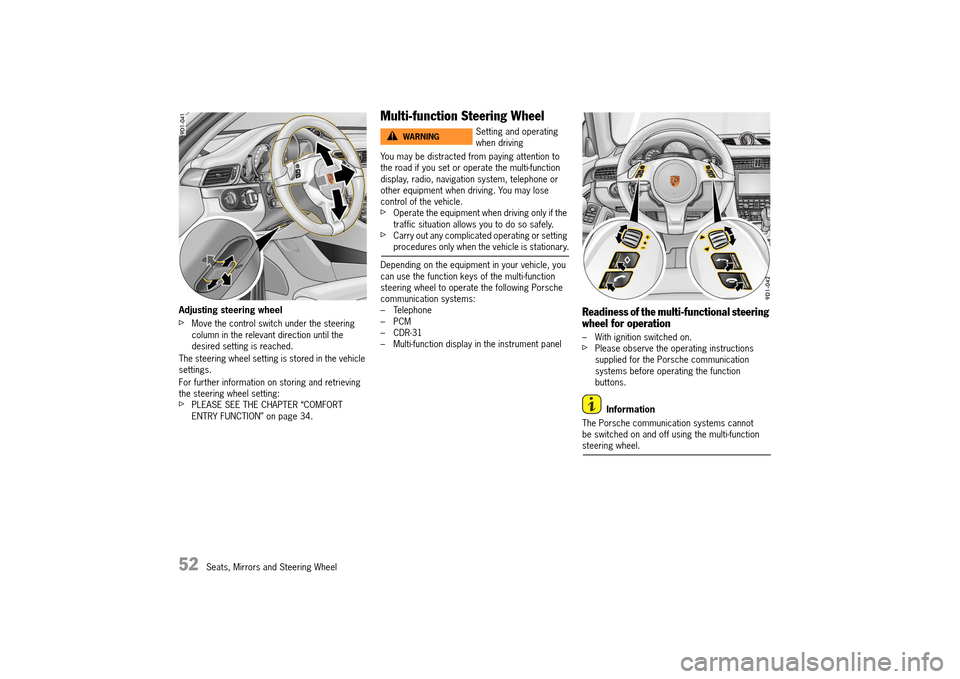
Adjusting steering wheel
fMove the control switch under the steering column in the relevant direction until the desired setting is reached.
The steering wheel setting is stored in the vehicle settings.
For further information on storing and retrieving the steering wheel setting:fPLEASE SEE THE CHAPTER “COMFORT ENTRY FUNCTION” on page 34.
Multi-function Steering Wheel
You may be distracted from paying attention to the road if you set or operate the multi-function display, radio, navigation system, telephone or other equipment when driving. You may lose control of the vehicle.fOperate the equipment when driving only if the traffic situation allows you to do so safely.fCarry out any complicated operating or setting procedures only when the vehicle is stationary.
Depending on the equipment in your vehicle, you can use the function keys of the multi-function steering wheel to operate the following Porsche communication systems:– Telephone– PCM– CDR-31– Multi-function display in the instrument panel
Readiness of the multi-functional steering wheel for operation
– With ignition switched on.fPlease observe the operating instructions supplied for the Porsche communication systems before operating the function buttons.
Information
The Porsche communication systems cannot be switched on and off using the multi-function steering wheel.
Setting and operating when drivingWARNINGh
14_991_Turbo_21.book Seite 52 Mittwoch, 9. April 2014 2:19 14
Page 55 of 300
Seats, Mirrors and Steering Wheel 53
Function buttons on the multi-function steering wheel
Information
The rotary buttons at the top left and right of the steering wheel can also be pressed.
Sun Visors
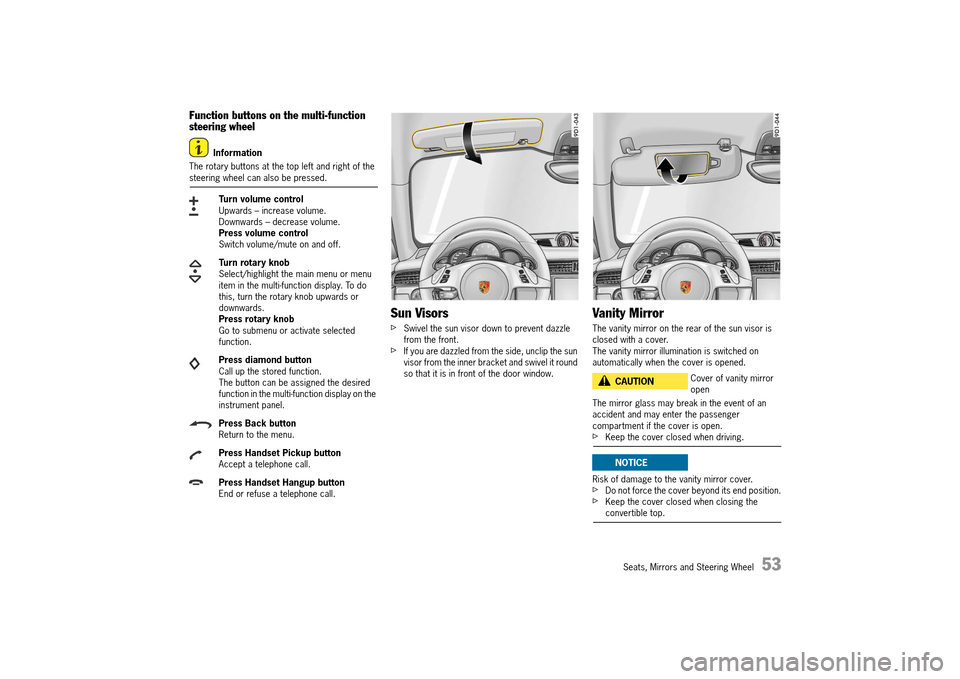
fSwivel the sun visor down to prevent dazzle from the front.fIf you are dazzled from the side, unclip the sun visor from the inner bracket and swivel it round so that it is in front of the door window.
Vanity Mirror
The vanity mirror on the rear of the sun visor is closed with a cover. The vanity mirror illumination is switched on automatically when the cover is opened.
The mirror glass may break in the event of an accident and may enter the passenger compartment if the cover is open.fKeep the cover closed when driving.
Risk of damage to the vanity mirror cover.fDo not force the cover beyond its end position.fKeep the cover closed when closing the convertible top.
Turn volume control Upwards – increase volume.Downwards – decrease volume.Press volume controlSwitch volume/mute on and off.
Turn rotary knob Select/highlight the main menu or menu item in the multi-function display. To do this, turn the rotary knob upwards or downwards.Press rotary knobGo to submenu or activate selected function.
Press diamond button Call up the stored function.The button can be assigned the desired function in the multi-function display on the instrument panel.
Press Back button Return to the menu.
Press Handset Pickup button Accept a telephone call.
Press Handset Hangup button End or refuse a telephone call.
Cover of vanity mirror openCAUTIONh
NOTICE
14_991_Turbo_21.book Seite 53 Mittwoch, 9. April 2014 2:19 14
Page 58 of 300
56 Air Conditioning
A/C mode
In automatic mode, A/C mode is activated by default.The power for the air conditioning compressor is fully controlled by the air conditioning system depending on the current operating requirements.The air-conditioning compressor is switched off automatically at outside temperatures of less than approx. 36 °F (2 °C).
Switching A/C mode on
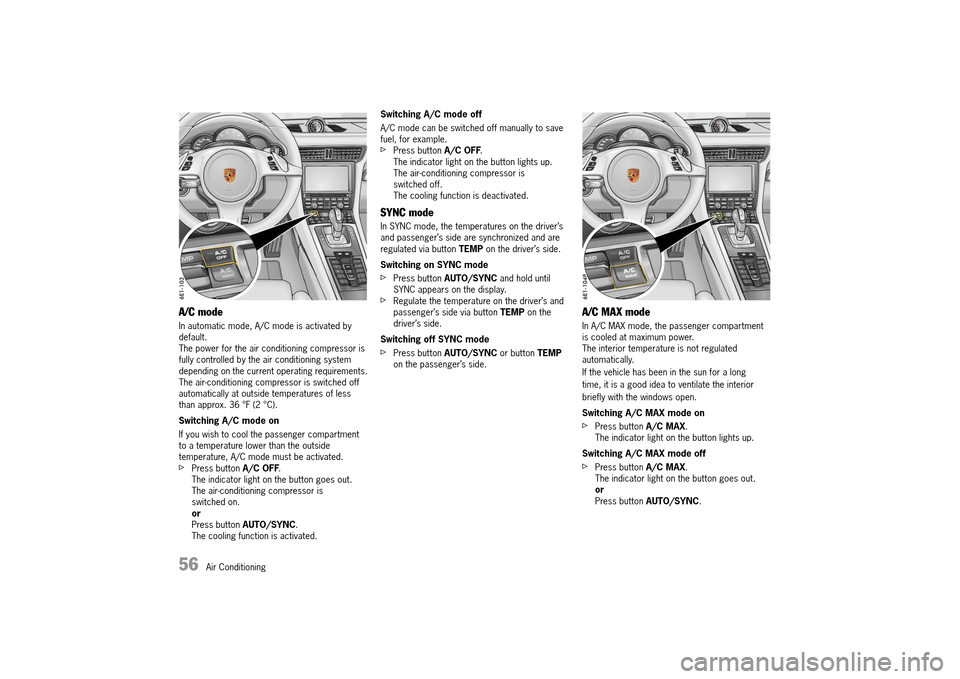
If you wish to cool the passenger compartment to a temperature lower than the outside temperature, A/C mode must be activated.fPress button A/C OFF. The indicator light on the button goes out.The air-conditioning compressor is switched on.orPress button AUTO/SYNC. The cooling function is activated.
Switching A/C mode off
A/C mode can be switched off manually to save fuel, for example.fPress button A/C OFF. The indicator light on the button lights up.The air-conditioning compressor is switched off.The cooling function is deactivated.
SYNC mode
In SYNC mode, the temperatures on the driver’s and passenger’s side are synchronized and are regulated via button TEMP on the driver’s side.
Switching on SYNC mode
fPress button AUTO/SYNC and hold until SYNC appears on the display.fRegulate the temperature on the driver’s and passenger’s side via button TEMP on the driver’s side.
Switching off SYNC mode
fPress button AUTO/SYNC or button TEMP on the passenger’s side.
A/C MAX mode
In A/C MAX mode, the passenger compartment is cooled at maximum power.The interior temperature is not regulated automatically.
If the vehicle has been in the sun for a long
time, it is a good idea to ventilate the interior
briefly with the windows open.
Switching A/C MAX mode on
fPress button A/C MAX. The indicator light on the button lights up.
Switching A/C MAX mode off
fPress button A/C MAX. The indicator light on the button goes out.orPress button AUTO/SYNC.
14_991_Turbo_21.book Seite 56 Mittwoch, 9. April 2014 2:19 14
Page 59 of 300
Air Conditioning 57
Defrosting windshield
Activating defrosting function
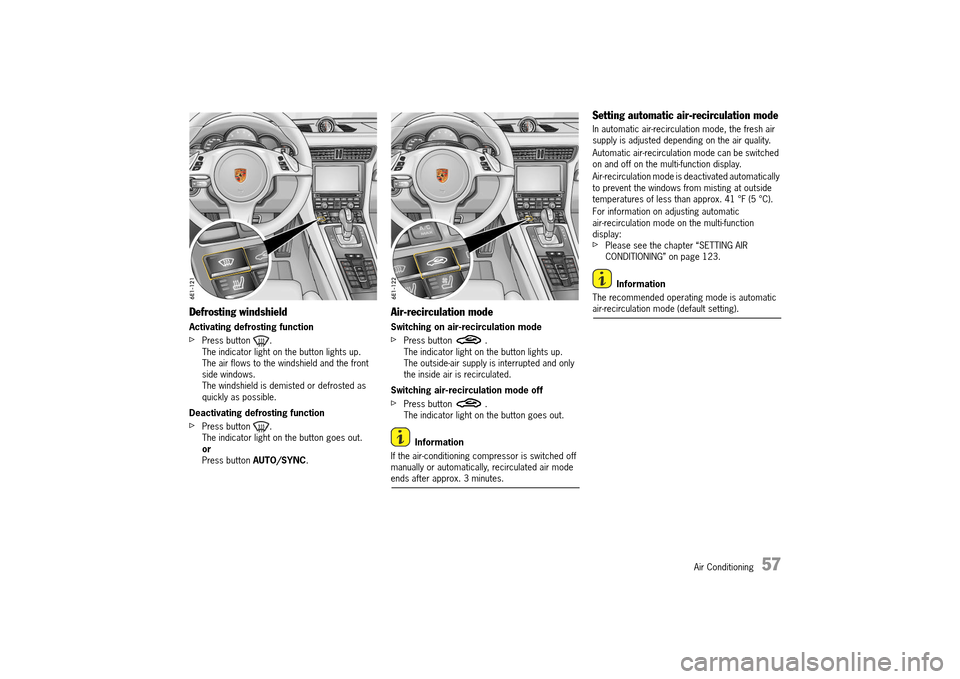
fPress button . The indicator light on the button lights up.The air flows to the windshield and the front side windows.The windshield is demisted or defrosted as quickly as possible.
Deactivating defrosting function
fPress button . The indicator light on the button goes out.orPress button AUTO/SYNC.
Air-recirculation mode
Switching on air-recirculation mode
fPress button . The indicator light on the button lights up.The outside-air supply is interrupted and only the inside air is recirculated.
Switching air-recirculation mode off
fPress button . The indicator light on the button goes out.
Information
If the air-conditioning compressor is switched off manually or automatically, recirculated air mode ends after approx. 3 minutes.
Setting automatic air-recirculation mode
In automatic air-recirculation mode, the fresh air supply is adjusted depending on the air quality.
Automatic air-recirculation mode can be switched on and off on the multi-function display.
Air-recirculation mode is deactivated automatically to prevent the windows from misting at outside temperatures of less than approx. 41 °F (5 °C).
For information on adjusting automatic air-recirculation mode on the multi-function display:fPlease see the chapter “SETTING AIR CONDITIONING” on page 123.
Information
The recommended operating mode is automatic air-recirculation mode (default setting).
14_991_Turbo_21.book Seite 57 Mittwoch, 9. April 2014 2:19 14
Page 60 of 300
58 Air Conditioning
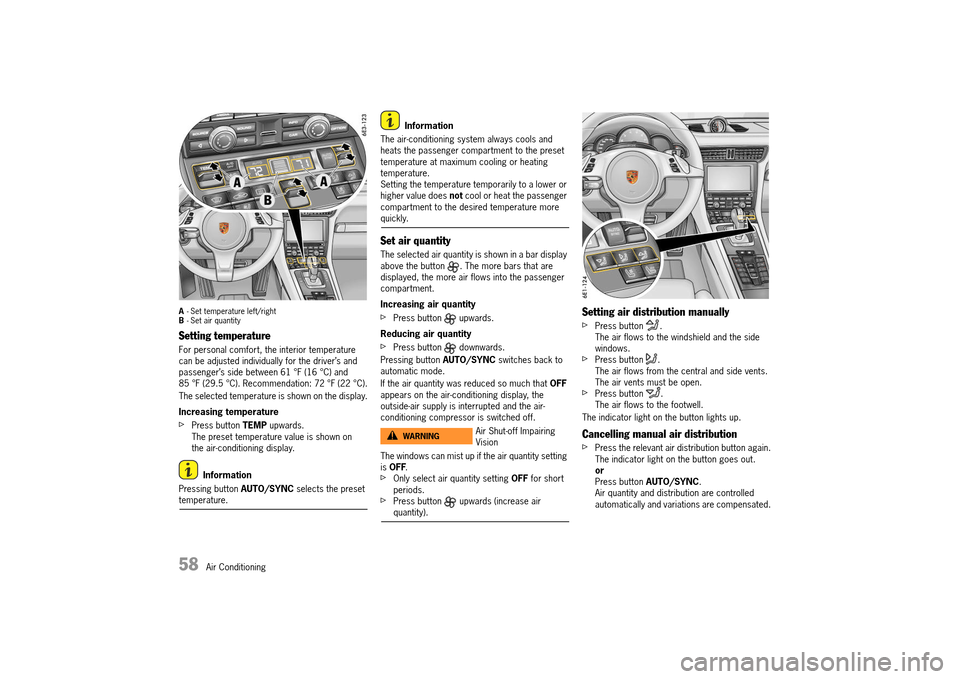
A- Set temperature left/right B - Set air quantity
Setting temperature
For personal comfort, the interior temperature can be adjusted individually for the driver’s and passenger’s side between 61 °F (16 °C) and 85 °F (29.5 °C). Recommendation: 72 °F (22 °C).
The selected temperature is shown on the display.
Increasing temperature
fPress button TEMP upwards. The preset temperature value is shown on the air-conditioning display.
Information
Pressing button AUTO/SYNC selects the preset temperature.
Information
The air-conditioning system always cools and heats the passenger compartment to the preset temperature at maximum cooling or heating temperature.Setting the temperature temporarily to a lower or higher value does not cool or heat the passenger compartment to the desired temperature more quickly.
Set air quantity
The selected air quantity is shown in a bar display above the button . The more bars that are displayed, the more air flows into the passenger compartment.
Increasing air quantity
fPress button upwards.
Reducing air quantity
fPress button downwards.
Pressing button AUTO/SYNC switches back to automatic mode.
If the air quantity was reduced so much that OFF appears on the air-conditioning display, the outside-air supply is interrupted and the air-conditioning compressor is switched off.
The windows can mist up if the air quantity setting is OFF.fOnly select air quantity setting OFF for short periods.fPress button upwards (increase air quantity).
Setting air distribution manually
fPress button . The air flows to the windshield and the side windows.fPress button .The air flows from the central and side vents. The air vents must be open.fPress button .The air flows to the footwell.
The indicator light on the button lights up.
Cancelling manual air distribution
fPress the relevant air distribution button again. The indicator light on the button goes out.orPress button AUTO/SYNC. Air quantity and distribution are controlled automatically and variations are compensated.
Air Shut-off Impairing VisionWARNINGh
14_991_Turbo_21.book Seite 58 Mittwoch, 9. April 2014 2:19 14
Page 62 of 300
60 Air Conditioning
Heated Rear Window/
Exterior Mirror Heating
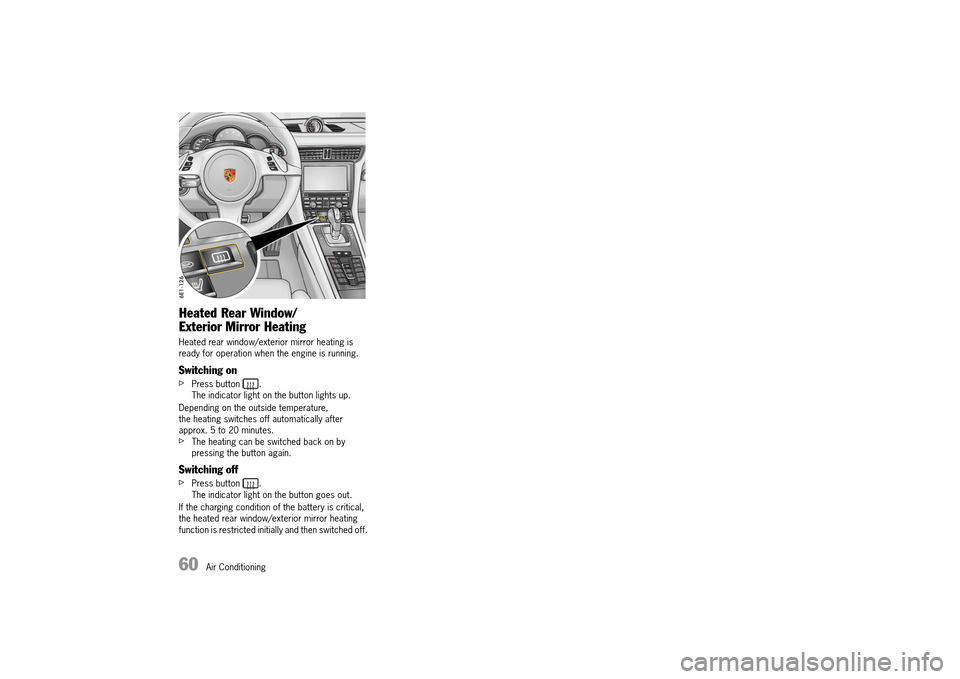
Heated rear window/exterior mirror heating is ready for operation when the engine is running.
Switching on
fPress button .The indicator light on the button lights up.
Depending on the outside temperature, the heating switches off automatically after approx. 5 to 20 minutes.fThe heating can be switched back on by pressing the button again.
Switching off
fPress button .The indicator light on the button goes out.
If the charging condition of the battery is critical, the heated rear window/exterior mirror heating function is restricted initially and then switched off.
14_991_Turbo_21.book Seite 60 Mittwoch, 9. April 2014 2:19 14
Page 65 of 300
Windows, Sunroof and Cabriolet 63
If one-touch operation is disabled after the window is blocked, the window will close with its full closing force when the manual closing function is used.fEnsure that nobody can be injured, pinched or crushed when the windows close.
Storing end position of the windows after connecting the vehicle battery
The end positions of the windows are lost when the battery is disconnected and reconnected. One-touch operation of the windows is disabled.
Perform these steps for all windows: 1. Close window completely once by pulling the rocker switch.2. If the window is completely closed, briefly pull the rocker switch again 3 times. 3. Open the window completely once by pressing the rocker switch.
Sunroof
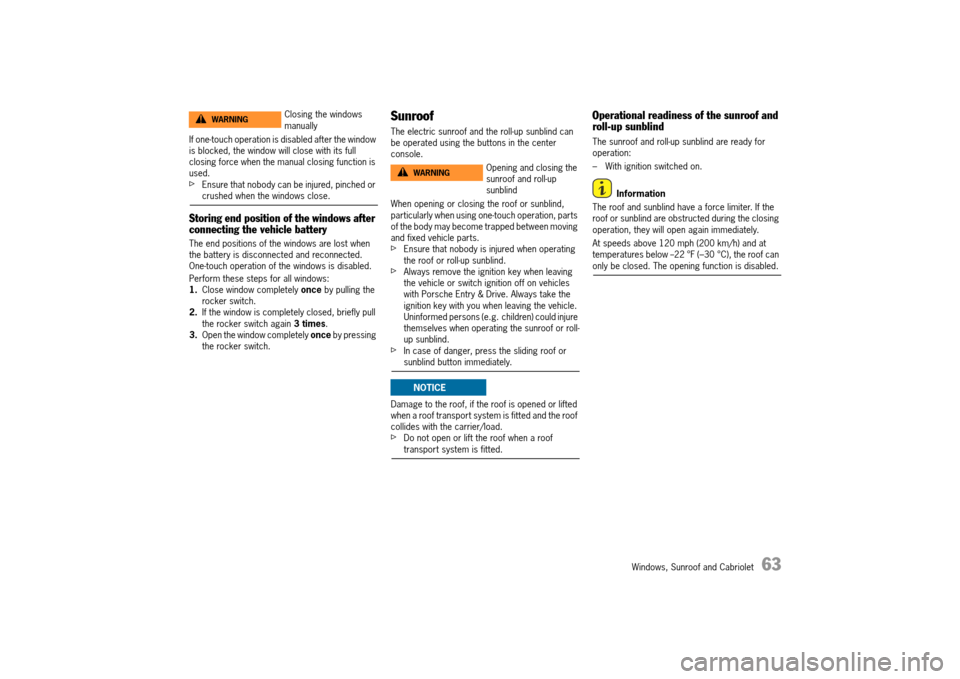
The electric sunroof and the roll-up sunblind can be operated using the buttons in the center console.
When opening or closing the roof or sunblind, particularly when using one-touch operation, parts of the body may become trapped between moving and fixed vehicle parts.fEnsure that nobody is injured when operating the roof or roll-up sunblind.fAlways remove the ignition key when leaving the vehicle or switch ignition off on vehicles with Porsche Entry & Drive. Always take the ignition key with you when leaving the vehicle. Uninformed persons (e.g. children) could injure themselves when operating the sunroof or roll-up sunblind.fIn case of danger, press the sliding roof or sunblind button immediately.
Damage to the roof, if the roof is opened or lifted when a roof transport system is fitted and the roof collides with the carrier/load.fDo not open or lift the roof when a roof transport system is fitted.
Operational readiness of the sunroof and roll-up sunblind
The sunroof and roll-up sunblind are ready for operation:
– With ignition switched on.
Information
The roof and sunblind have a force limiter. If the roof or sunblind are obstructed during the closing operation, they will open again immediately.
At speeds above 120 mph (200 km/h) and at temperatures below --22 °F (–30 °C), the roof can only be closed. The opening function is disabled.
Closing the windows manuallyWARNINGh
Opening and closing the sunroof and roll-up sunblind
WARNINGh
NOTICE
14_991_Turbo_21.book Seite 63 Mittwoch, 9. April 2014 2:19 14
Page 66 of 300
64 Windows, Sunroof and Cabriolet
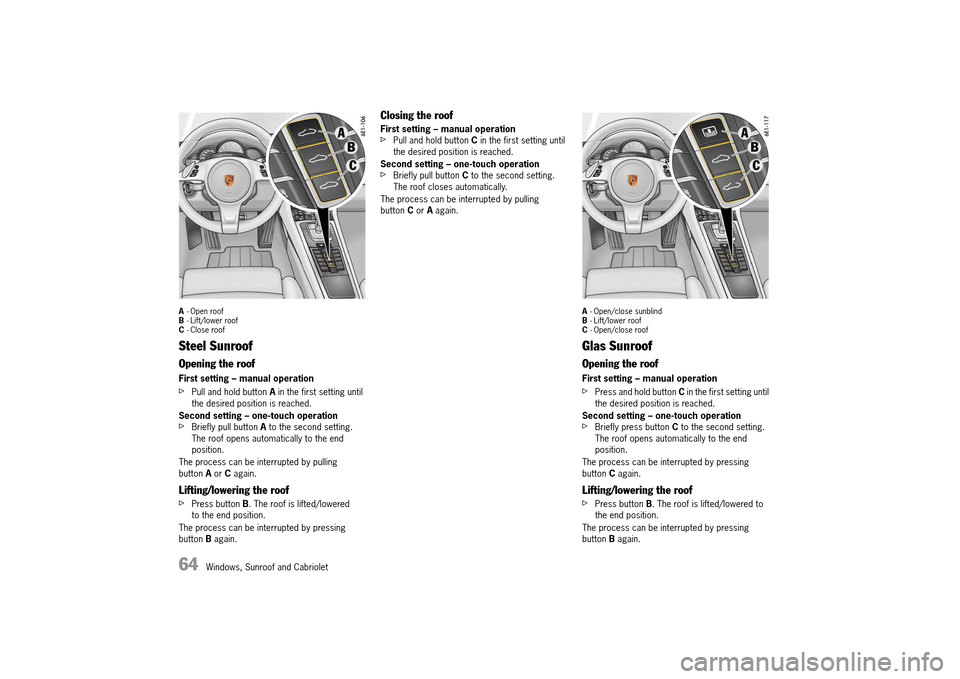
A- Open roof B - Lift/lower roof C - Close roof
Steel Sunroof
Opening the roof
First setting – manual operation
fPull and hold button A in the first setting until the desired position is reached.
Second setting – one-touch operationfBriefly pull button A to the second setting. The roof opens automatically to the end position.
The process can be interrupted by pulling button A or C again.
Lifting/lowering the roof
fPress button B. The roof is lifted/lowered to the end position.
The process can be interrupted by pressing button B again.
Closing the roof
First setting – manual operationfPull and hold button C in the first setting until the desired position is reached.
Second setting – one-touch operationfBriefly pull button C to the second setting. The roof closes automatically.
The process can be interrupted by pulling button C or A again.
A- Open/close sunblind B - Lift/lower roof C - Open/close roof
Glas Sunroof
Opening the roof
First setting – manual operation
fPress and hold button C in the first setting until the desired position is reached.
Second setting – one-touch operationfBriefly press button C to the second setting. The roof opens automatically to the end position.
The process can be interrupted by pressing button C again.
Lifting/lowering the roof
fPress button B. The roof is lifted/lowered to the end position.
The process can be interrupted by pressing button B again.
14_991_Turbo_21.book Seite 64 Mittwoch, 9. April 2014 2:19 14
Page 67 of 300
Windows, Sunroof and Cabriolet 65
Closing the roof
First setting – manual operationfPull and hold button C in the first setting until the desired position is reached.
Second setting – one-touch operationfBriefly pull button C to the second setting. The roof closes automatically.
The process can be interrupted by pulling button C again.
Opening the roll-up sunblind
First setting – manual operationfPull and hold button A in the first setting until the desired position is reached.
Second setting – one-touch operationfBriefly pull button A to the second setting. The sunblind opens automatically to the end position.
The process can be interrupted by pressing button A again.
Closing the roll-up sunblind
First setting – manual operationfPress and hold button A in the first setting until the desired position is reached.
Second setting – one-touch operationfBriefly press button A to the second setting. The sunblind closes automatically to the end position.
The process can be interrupted by pressing button A again.
Information
If the sunroof is partly or fully open, the sunblind can only be closed as far as the front edge of the sunroof.
If the sunblind is closed, it will be opened (pulled along) automatically when the sunroof is opened.
Warning message on multi-function display
If there is a fault in the sunroof the warning “ Close sunroof completely” appears on the multi- function display.fClose sunroof with button C. Have the fault corrected by an authorized Porsche dealer at the next opportunity.
Emergency closing of sunroof
Emergency closing after repeated intervention from the force limiter
If the closing operation of the roof is impeded by an obstruction, it can be closed manually with increased force.
To perform emergency closing: 1. Remove the obstruction. 2. Pull and hold button C in the first setting until the roof closes and stops in the closed position.Repeat closing operation if necessary
Emergency operation if roof drive mechanism fails
If the roof drive mechanism is defective, it can be closed manually using the hexagon key from the tool kit.fBefore using emergency operation, check that the fuse is intact.
For information on changing fuses:fPlease see the chapter “CHANGING FUSES” on page 267.
14_991_Turbo_21.book Seite 65 Mittwoch, 9. April 2014 2:19 14
Page 68 of 300
66 Windows, Sunroof and Cabriolet
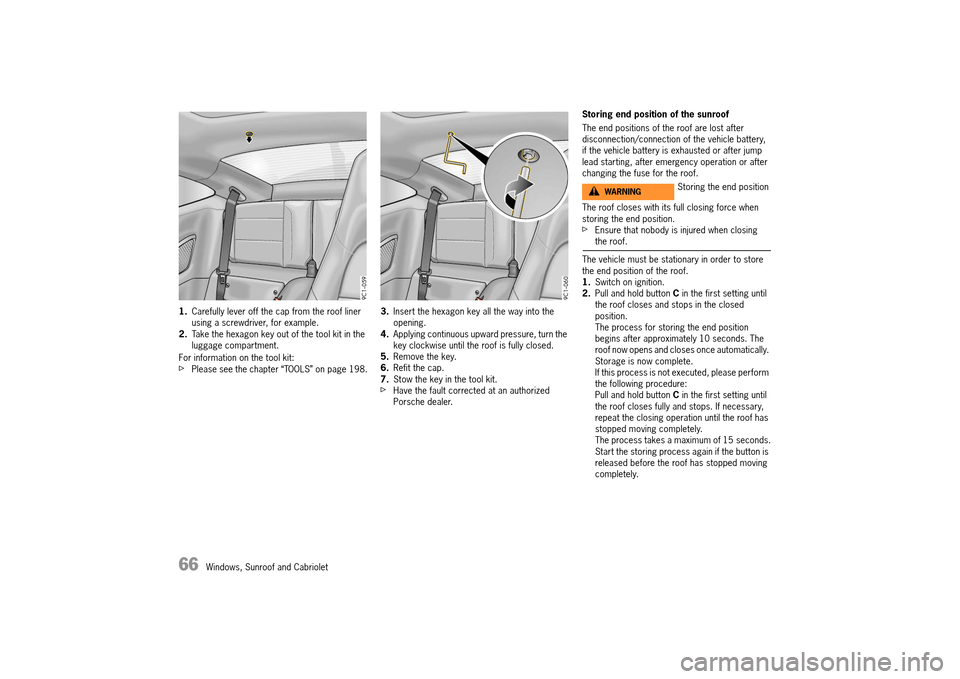
1.Carefully lever off the cap from the roof liner using a screwdriver, for example.2. Take the hexagon key out of the tool kit in the luggage compartment.
For information on the tool kit:fPlease see the chapter “TOOLS” on page 198.
3. Insert the hexagon key all the way into the opening.4. Applying continuous upward pressure, turn the key clockwise until the roof is fully closed.5. Remove the key. 6. Refit the cap. 7. Stow the key in the tool kit.fHave the fault corrected at an authorized Porsche dealer.
Storing end position of the sunroof
The end positions of the roof are lost after disconnection/connection of the vehicle battery, if the vehicle battery is exhausted or after jump lead starting, after emergency operation or after changing the fuse for the roof.
The roof closes with its full closing force when storing the end position.fEnsure that nobody is injured when closing the roof.
The vehicle must be stationary in order to store the end position of the roof.1. Switch on ignition. 2. Pull and hold button C in the first setting until the roof closes and stops in the closed position.The process for storing the end position begins after approximately 10 seconds. The roof now opens and closes once automatically. Storage is now complete.If this process is not executed, please perform the following procedure:Pull and hold button C in the first setting until the roof closes fully and stops. If necessary, repeat the closing operation until the roof has stopped moving completely.The process takes a maximum of 15 seconds.Start the storing process again if the button is released before the roof has stopped moving completely.
Storing the end positionWARNINGh
14_991_Turbo_21.book Seite 66 Mittwoch, 9. April 2014 2:19 14