lock PORSCHE CAYNNE S 2006 1.G Service Manual
[x] Cancel search | Manufacturer: PORSCHE, Model Year: 2006, Model line: CAYENNE S, Model: PORSCHE CAYENNE S 2006 1.GPages: 420, PDF Size: 3.81 MB
Page 99 of 420
Controls, Safety, Instruments
99
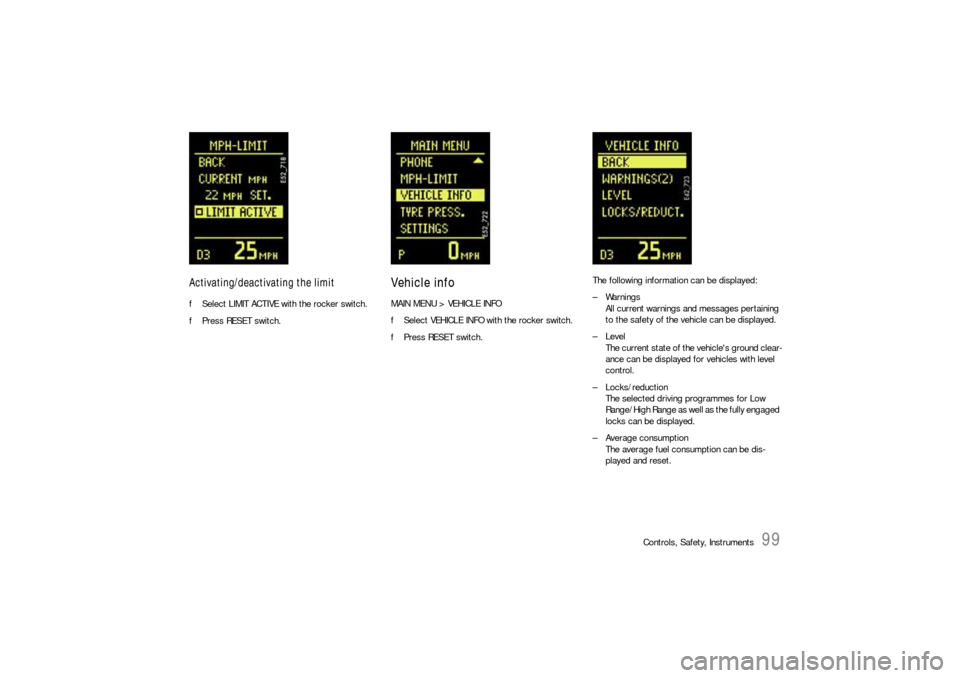
Activating/deactivating the limitfSelect LIMIT ACTIVE with the rocker switch.
fPress RESET switch.
Vehicle infoMAIN MENU > VEHICLE INFO
fSelect VEHICLE INFO with the rocker switch.
fPress RESET switch.The following information can be displayed:
– Warnings
All current warnings and messages pertaining
to the safety of the vehicle can be displayed.
–Level
The current state of the vehicle's ground clear-
ance can be displayed for vehicles with level
control.
– Locks/reduction
The selected driving programmes for Low
Range/High Range as well as the fully engaged
locks can be displayed.
– Average consumption
The average fuel consumption can be dis-
played and reset.
Page 101 of 420
Controls, Safety, Instruments
101
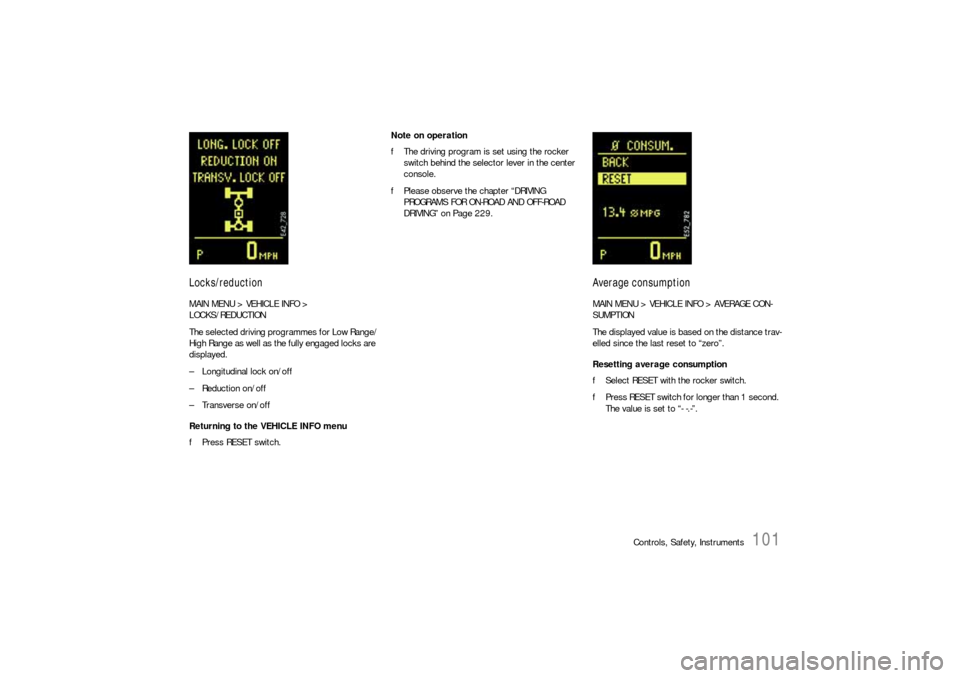
Locks/reductionMAIN MENU > VEHICLE INFO >
LOCKS/REDUCTION
The selected driving programmes for Low Range/
High Range as well as the fully engaged locks are
displayed.
– Longitudinal lock on/off
– Reduction on/off
– Transverse on/off
Returning to the VEHICLE INFO menu
fPress RESET switch.Note on operation
fThe driving program is set using the rocker
switch behind the selector lever in the center
console.
fPlease observe the chapter “DRIVING
PROGRAMS FOR ON-ROAD AND OFF-ROAD
DRIVING” on Page 229.
Average consumptionMAIN MENU > VEHICLE INFO > AVERAGE CON-
SUMPTION
The displayed value is based on the distance trav-
elled since the last reset to “zero”.
Resetting average consumption
fSelect RESET with the rocker switch.
fPress RESET switch for longer than 1 second.
The value is set to “- -.-”.
Page 116 of 420
116
Controls, Safety, Instruments
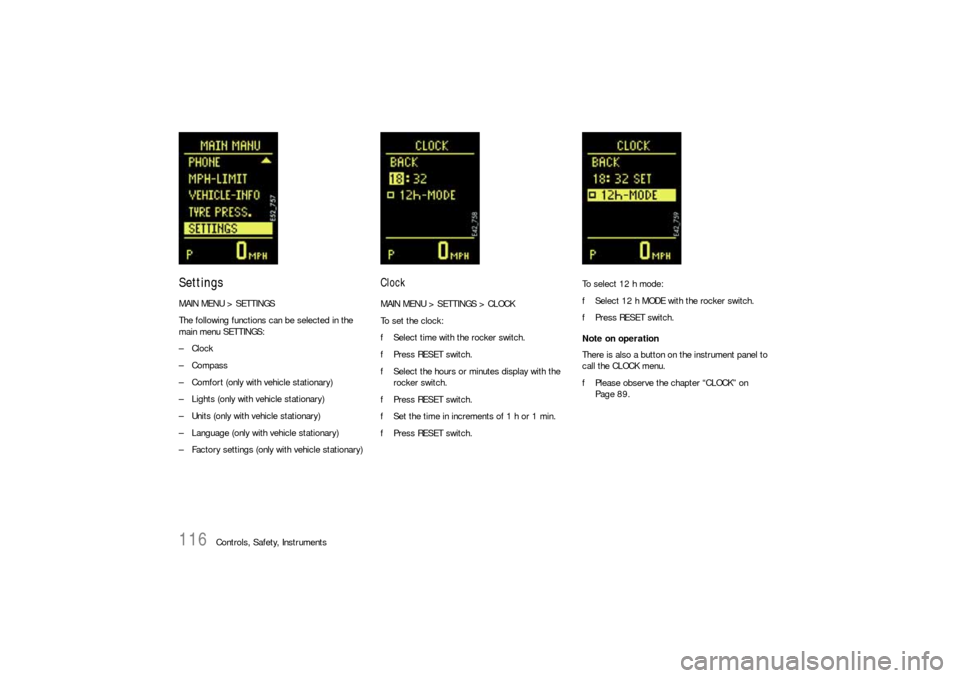
SettingsMAIN MENU > SETTINGS
The following functions can be selected in the
main menu SETTINGS:
–Clock
–Compass
– Comfort (only with vehicle stationary)
– Lights (only with vehicle stationary)
– Units (only with vehicle stationary)
– Language (only with vehicle stationary)
– Factory settings (only with vehicle stationary)
ClockMAIN MENU > SETTINGS > CLOCK
To set the clock:
fSelect time with the rocker switch.
fPress RESET switch.
fSelect the hours or minutes display with the
rocker switch.
fPress RESET switch.
fSet the time in increments of 1 h or 1 min.
fPress RESET switch.To select 12 h mode:
fSelect 12 h MODE with the rocker switch.
fPress RESET switch.
Note on operation
There is also a button on the instrument panel to
call the CLOCK menu.
fPlease observe the chapter “CLOCK” on
Page 89.
Page 118 of 420

118
Controls, Safety, Instruments
ComfortMAIN MENU > SETTINGS > COMFORT
The COMFORT menu offers the following
submenus:
–Alarm
– Door opening
–Mirrors
fSelect the entry with the rocker switch.
fPress RESET switch.
Note on operation
Comfort settings can be made only when the vehi-
cle is stationary.Alarm
MAIN MENU > SETTINGS > COMFORT > ALARM
The passenger compartment monitoring system
and the inclination sensor (protection against
towing) can be temporarily deactivated in the
ALARM menu.
When locked again, the ultrasound passenger
compartment monitoring system and inclination
sensor are activated once more.
fPlease observe the chapter “TEMPORARILY
DEACTIVATING PASSENGER COMPARTMENT
MONITORING SYSTEM AND INCLINATION SEN-
SOR” on Page 29.Passenger compartment
The alarm is triggered if motion is detected in the
interior with the doors closed (e.g. if a window is
broken in a theft).
fSelect INTERIOR with the rocker switch.
fPress RESET switch.
This activates/deactivates passenger com-
partment monitoring.
Inclination
The alarm is triggered if the vehicle is raised mark-
edly at one end with the doors closed (e.g. theft
attempt by towing).
fSelect ANGLE with the rocker switch.
fPress RESET switch.
This activates/deactivates the inclination sen-
sor.
Page 119 of 420
Controls, Safety, Instruments
119
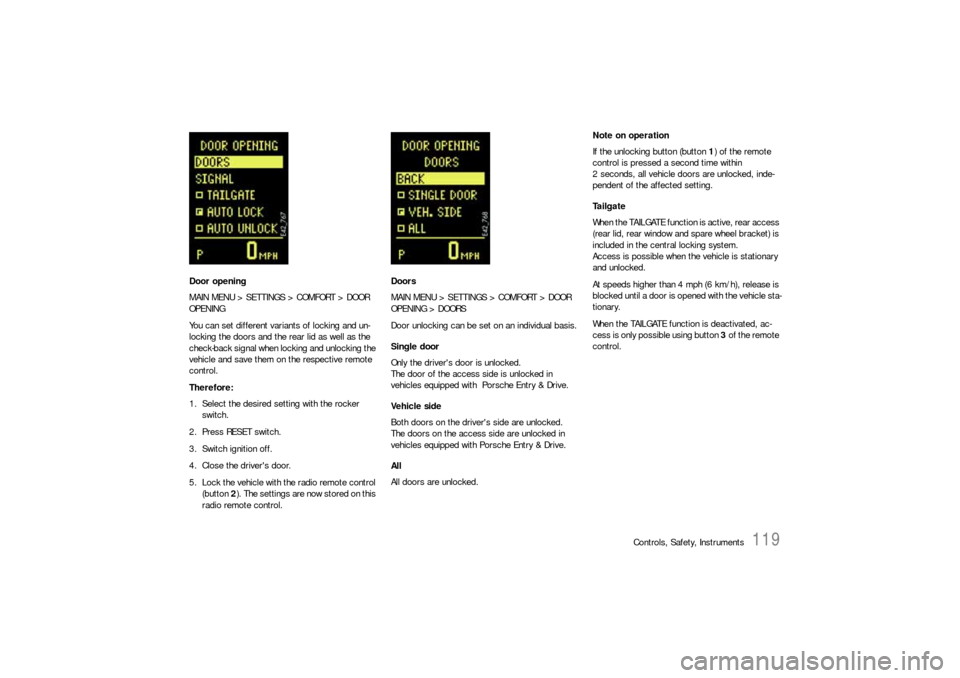
Door opening
MAIN MENU > SETTINGS > COMFORT > DOOR
OPENING
You can set different variants of locking and un-
locking the doors and the rear lid as well as the
check-back signal when locking and unlocking the
vehicle and save them on the respective remote
control.
Therefore:
1. Select the desired setting with the rocker
switch.
2. Press RESET switch.
3. Switch ignition off.
4. Close the driver's door.
5. Lock the vehicle with the radio remote control
(button 2). The settings are now stored on this
radio remote control.Doors
MAIN MENU > SETTINGS > COMFORT > DOOR
OPENING > DOORS
Door unlocking can be set on an individual basis.
Single door
Only the driver's door is unlocked.
The door of the access side is unlocked in
vehicles equipped with Porsche Entry & Drive.
Vehicle side
Both doors on the driver's side are unlocked.
The doors on the access side are unlocked in
vehicles equipped with Porsche Entry & Drive.
All
All doors are unlocked.Note on operation
If the unlocking button (button 1) of the remote
control is pressed a second time within
2 seconds, all vehicle doors are unlocked, inde-
pendent of the affected setting.
Ta i l g a t e
When the TAILGATE function is active, rear access
(rear lid, rear window and spare wheel bracket) is
included in the central locking system.
Access is possible when the vehicle is stationary
and unlocked.
At speeds higher than 4 mph (6 km/h), release is
blocked until a door is opened with the vehicle sta-
tionary.
When the TAILGATE function is deactivated, ac-
cess is only possible using button 3 of the remote
control.
Page 120 of 420

120
Controls, Safety, Instruments AUTO LOCK (automatic door locking) and
AUTO UNLOCK (automatic door unlocking)
You can set diverse variants of automatic door
locking (AUTO LOCK) and automatic door
unlocking (AUTO UNLOCK).
Note on operation
Doors locked using AUTOLOCK can always be
opened by pulling the inner door handle twice
independent of the setting for door unlocking.
Option 1:
AUTO LOCK off and AUTO UNLOCK off
The doors do not lock and unlock automatically.Option 2:
AUTO LOCK on and AUTO UNLOCK off
Doors lock automatically when a speed of
approx. 6 km/h (4 mph) is exceeded.
The automatically locked doors can be opened by
pulling the inner door handle twice.
Option 3:
AUTO LOCK on and AUTO UNLOCK on
Doors lock automatically when a speed of approx.
6 km/h (4 mph) is exceeded.
On vehicles without Porsche Entry & Drive, the
doors are unlocked automatically when the
ignition key is withdrawn.
On vehicles with Porsche Entry & Drive, the doors
are unlocked when the ignition is switched off
twice.Option 4:
AUTO LOCK off and AUTO UNLOCK on
The doors do not lock automatically.
If the doors are locked with the central locking
system button:
On vehicles without Porsche Entry & Drive, the
doors are unlocked automatically when the
ignition key is withdrawn.
On vehicles with Porsche Entry & Drive, the doors
are unlocked when the ignition is switched off
twice.
Page 121 of 420
Controls, Safety, Instruments
121
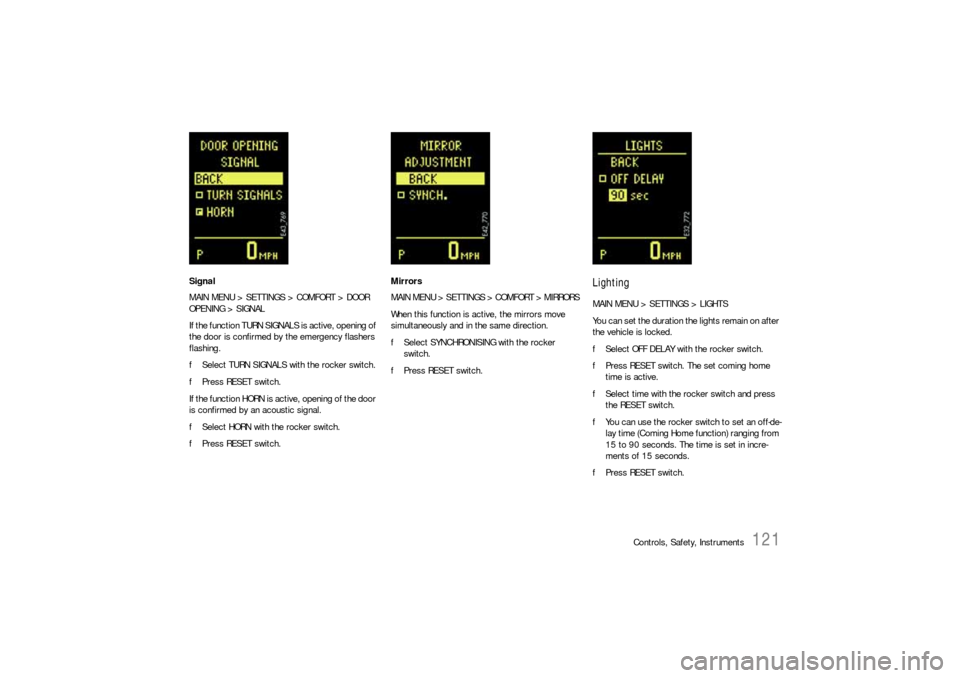
Signal
MAIN MENU > SETTINGS > COMFORT > DOOR
OPENING > SIGNAL
If the function TURN SIGNALS is active, opening of
the door is confirmed by the emergency flashers
flashing.
fSelect TURN SIGNALS with the rocker switch.
fPress RESET switch.
If the function HORN is active, opening of the door
is confirmed by an acoustic signal.
fSelect HORN with the rocker switch.
fPress RESET switch.Mirrors
MAIN MENU > SETTINGS > COMFORT > MIRRORS
When this function is active, the mirrors move
simultaneously and in the same direction.
fSelect SYNCHRONISING with the rocker
switch.
fPress RESET switch.
LightingMAIN MENU > SETTINGS > LIGHTS
You can set the duration the lights remain on after
the vehicle is locked.
fSelect OFF DELAY with the rocker switch.
fPress RESET switch. The set coming home
time is active.
fSelect time with the rocker switch and press
the RESET switch.
fYou can use the rocker switch to set an off-de-
lay time (Coming Home function) ranging from
15 to 90 seconds. The time is set in incre-
ments of 15 seconds.
fPress RESET switch.
Page 123 of 420
Controls, Safety, Instruments
123
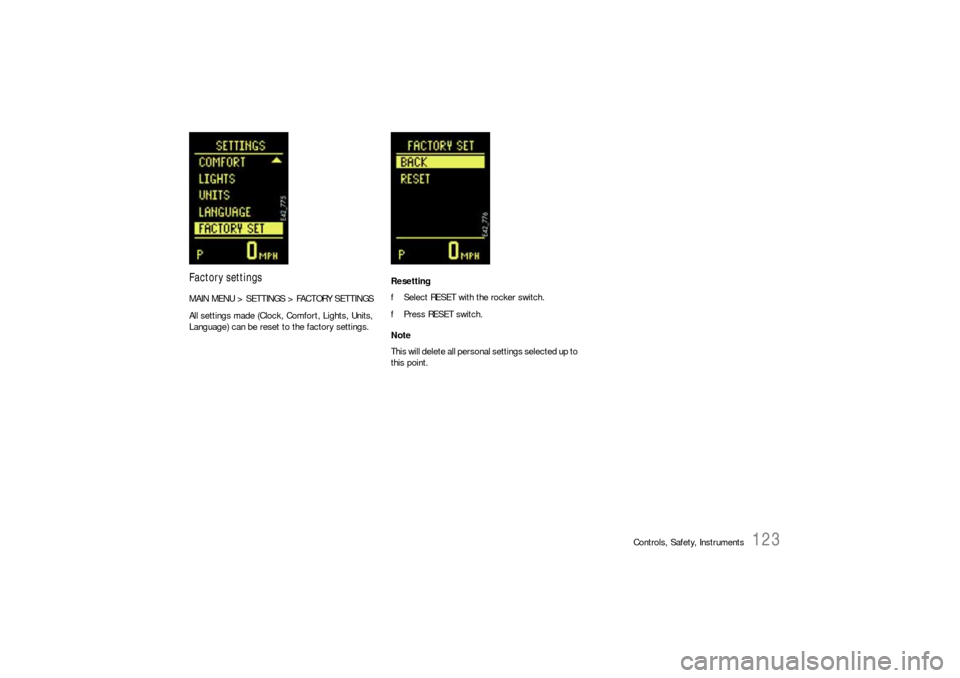
Factory settingsMAIN MENU > SETTINGS > FACTORY SETTINGS
All settings made (Clock, Comfort, Lights, Units,
Language) can be reset to the factory settings.Resetting
fSelect RESET with the rocker switch.
fPress RESET switch.
Note
This will delete all personal settings selected up to
this point.
Page 124 of 420

124
Controls, Safety, Instruments
Warning Lights and Warning MessagesIf a warning message appears, always refer to the corresponding chapters in this Owner's Manual.
Warning messages are issued only if all measurement preconditions are met.
Therefore, check all fluid levels regularly – in particular, always check the engine oil level after refuelling.
Instrument
panelMulti-purpose
displayText display Meaning/measures
Steering faulty Steering lock engaged.
Have the fault remedied at an authorized Porsche dealer.
Ignition lock faulty Do not continue driving.
Have the fault remedied at an authorized Porsche dealer.
System fault – Workshop Have the fault remedied at an authorized Porsche dealer.
Key not recognised in vehicle Make sure that you have the remote control with you.
Turn ignition key to left for
2 secondsEngage the steering lock.
Key: replace battery Replace the remote-control battery.
Move the steering wheel Turn the steering wheel so that the steering wheel lock can
engage/disengage.
Key not found Make sure that you have the remote control with you.
Switch selector lever to position “P”.Tiptronic S: The vehicle could roll away.
The ignition key can be withdrawn only in selector lever
positionP.
Apply the brake Apply the brake when starting.
Move selector lever to position
“P” or “N”Tiptronic S: The vehicle can be started only in position P or N.
Applying the clutch Manual transmission: Apply the clutch when starting.
Page 130 of 420

130
Controls, Safety, Instruments
Shifting not possible,
Speed too highTiptronic S: When changing between Low Range and High
Range, the limit speed (Low Range program) must not be
exceeded.
Changing only possible
in NeutralTiptronic S: The selector lever must be in position N when
changing between Low Range and High Range.
Possible only in neutral
with brake appliedManual transmission: The vehicle must be stationary,
the brakes must be applied, and the gearshift lever must
be in the Neutral position when changing between Low Range
and High Range.
Warning – Parking lock!
Operate footbrake.Do not continue driving. Apply the parking brake.
Have the fault remedied at an authorized Porsche dealer.
Warning – off-road anti-roll bar The anti-roll bars cannot be engaged; the system is faulty.
Drive carefully to the nearest workshop. Have the fault remedied
at an authorized Porsche dealer as soon as possible.
Off-road anti-roll bar faulty The anti-roll bars cannot be disengaged.
Have the fault remedied at an authorized Porsche dealer.
Off road anti-roll bar disengaged, max.
30 mph (50 km/h)The anti-roll bars are disengaged.
Speeds above 30 mph (50 km/h) are impermissible.
Not permissibleThe prerequisites (speed and lateral acceleration) for
disengaging the anti-roll bars have not been met.
Only possible with reductionDisengagement of the anti-roll bars is only possible with
Low Range engaged.
Spare wheel not locked
Lock spare wheel bracket properly.
Driver’s door open
All unlocked doors and lids are displayed when the vehicle
exceeds 2 mph (3 km/h).
Instrument
panelMulti-purpose
displayText display Meaning/measures