display Ram 1500 2015 Owner's Manual
[x] Cancel search | Manufacturer: RAM, Model Year: 2015, Model line: 1500, Model: Ram 1500 2015Pages: 871, PDF Size: 24.83 MB
Page 445 of 871
▫Electronic Vehicle Information Center
(EVIC)/Driver Information Display (DID)
Display Messages.....................527
▫Operation...........................528
!AXLE LOCKER SYSTEM — POWER WAGON
MODELS ONLY (IF EQUIPPED)............528
!STABILIZER/SWAY BAR SYSTEM — POWER
WAGON ONLY........................531
!SAFE OFF-ROAD DRIVING — POWER
WAGON ONLY........................533
▫Off-Road Driving Tips And Vehicle
Characteristics.......................533
▫Driving In Snow, Mud And Sand..........535
▫Crossing Obstacles (Rocks And Other High
Points).............................537
▫Hill Climbing........................540
▫Driving Through Water.................542
▫Airing Down For Off-Road Driving.........545
▫Vehicle Recovery......................545
▫After Driving Off-Road.................549
!LIMITED-SLIP DIFFERENTIAL.............551
!DRIVING ON SLIPPERY SURFACES.........551
▫Acceleration.........................551
▫Traction............................552
!DRIVING THROUGH WATER.............553
▫Flowing/Rising Water..................553
▫Shallow Standing Water.................553
!OFF-ROAD DRIVING TIPS...............555
5
STARTING AND OPERATING 443
Page 452 of 871

4. If you wish to stop the cranking of the engine prior to
the engine starting, push the button again.
NOTE:Normal starting of either a cold or a warm engine
is obtained without pumping or pressing the accelerator
pedal.
To Turn Off The Engine Using ENGINE
START/STOP Button
1. Place the shift lever/gear selector in PARK, then press
and release the ENGINE START/STOP button.
2. The ignition switch will return to the OFF position.
3.If the shift lever/gear selector is not in PARK, the
ENGINE START/STOP button must be held for two
seconds or three short presses in a row with the vehicle
speed above 5 mph (8 km/h) before the engine will shut
off. The ignition switch position will remain in the ACC
position until the shift lever/gear selector is in PARK
and the button is pressed twice to the OFF position. If
the shift lever/gear selector is not in PARK and the
ENGINE START/STOP button is pressed once, the
EVIC/DID will display a “Vehicle Not In Park” message
and the engine will remain running. Never leave a
vehicle out of the PARK position, or it could roll.
NOTE:If the ignition switch is left in the ACC or RUN
(engine not running) position and the transmission is in
PARK, the system will automatically time out after 30
minutes of inactivity and the ignition will switch to the
OFF position.
450 STARTING AND OPERATING
Page 455 of 871

STOP/START SYSTEM — IF EQUIPPED
The Stop/Start function is developed to save fuel and
reduce emissions. The system will stop the engine auto-
matically during a vehicle stop if the required conditions
are met. Releasing the brake pedal will automatically
re-start the vehicle.
Automatic Mode
The Stop/Start feature is enabled after every normal
customer engine start. It will remain in STOP/START
NOT READY until you drive forward with a vehicle
speed greater than 5 mph (8 km/h). At that time, the
system will go into STOP/START READY and if all other
conditions are met, can go into an STOP/START AUTO
STOP ACTIVE “Autostop” mode.
To Activate The Autostop Mode, The Following Must
Occur:
1.The system must be in STOP/START READY state. A
STOP/START READY message will be displayed in the
Electronic Vehicle Information Center (EVIC)/ Driver
Information Display (DID) within the Stop/Start section.
Refer to “Electronic Vehicle Information Center (EVIC) or
Driver Information Display (DID)” in “Understanding
Your Instrument Panel” for further information.
2. The vehicle must be completely stopped.
3. The transmission Gear Selector must be in Drive and
the brake pedal depressed.
The engine will shut down, the tachometer will move to
the zero position and the stop/start telltale will illuminate
indicating you are in an Autostop. While in an Autostop,
the Climate Controls system may automatically adjust
airflow to maintain cabin comfort. Customer settings will
be maintained upon return to an engine running condition.
5
STARTING AND OPERATING 453
Page 458 of 871

The engine may then be restarted by moving the trans-
mission shift selector out of PARK (e.g. to DRIVE) or, in
some cases, only by a KEY START. The Electronic Vehicle
Information Center (EVIC)/Driver Information Display
(DID) will display a SHIFT OUT OF PARK message, or a
STOP/START KEY START REQUIRED message, to indi-
cate which action is required. Refer to “Electronic Vehicle
Information Center (EVIC) or Driver Information Display
(DID)” in “Understanding Your Instrument Panel” for
further information.
To Manually Turn Off The Stop Start System
1. Press the STOP/START Off switch (located on the
switch bank). The light on the switch will illuminate.
STOP/START OFF Switch
456 STARTING AND OPERATING
Page 459 of 871
2. The STOP/START OFF message will appear in Elec-
tronic Vehicle Information Center (EVIC)/Driver In-
formation Display (DID). Refer to “Electronic Vehicle
Information Center (EVIC) or Driver Information Dis-
play (DID)” in “Understanding Your Instrument
Panel” for further information.
3. At the next vehicle stop (after turning off the STOP/
START system) the engine will not be stopped.
4. If the STOP/START system is manually turned off, the
engine can only be started and stopped by cycling the
ignition switch.
5. The STOP/START system will reset itself back to an
ON condition every time the key is turned off and
back on.
To Manually Turn On The Stop Start System
1. Press the STOP/START Off switch (located on the
switch bank).
2. The light on the switch will turn off.
System Malfunction
If there is a malfunction in the STOP/START system, the
system will not shut down the engine. A SERVICE
STOP/START SYSTEM message will appear in the Elec-
tronic Vehicle Information Center (EVIC)/Driver Infor-
mation Display (DID). Refer to “Electronic Vehicle Infor-
mation Center (EVIC) or Driver Information Display
(DID)” in “Understanding Your Instrument Panel” for
further information.
The system will need to be checked by your authorized
dealer.
5
STARTING AND OPERATING 457
Page 463 of 871
Key Ignition Park Interlock
This vehicle is equipped with a Key Ignition Park Inter-
lock which requires the transmission to be in PARK
before the ignition switch can be turned to the LOCK/
OFF (key removal) position. The Key Fob can only be
removed from the ignition when the ignition is in the
LOCK/OFF position, and the transmission is locked in
PARK whenever the ignition switch is in the LOCK/OFF
position.
NOTE:If a malfunction occurs, the system will trap the
Key Fob in the ignition switch to warn you that this
safety feature is inoperable. The engine can be started
and stopped but the Key Fob cannot be removed until
you obtain service.
Brake/Transmission Shift Interlock System
This vehicle is equipped with a Brake Transmission Shift
Interlock System (BTSI) that holds the transmission gear
selector in PARK unless the brakes are applied. To shift
the transmission out of PARK, the ignition switch must
be turned to the ON/RUN position (engine running, for
vehicles with eight-speed transmission) and the brake
pedal must be pressed.
In 8-speed vehicles, the brake pedal must also be pressed
to shift from NEUTRAL into DRIVE or REVERSE when
the vehicle is stopped or moving at low speeds.
Eight-Speed Automatic Transmission — If
Equipped
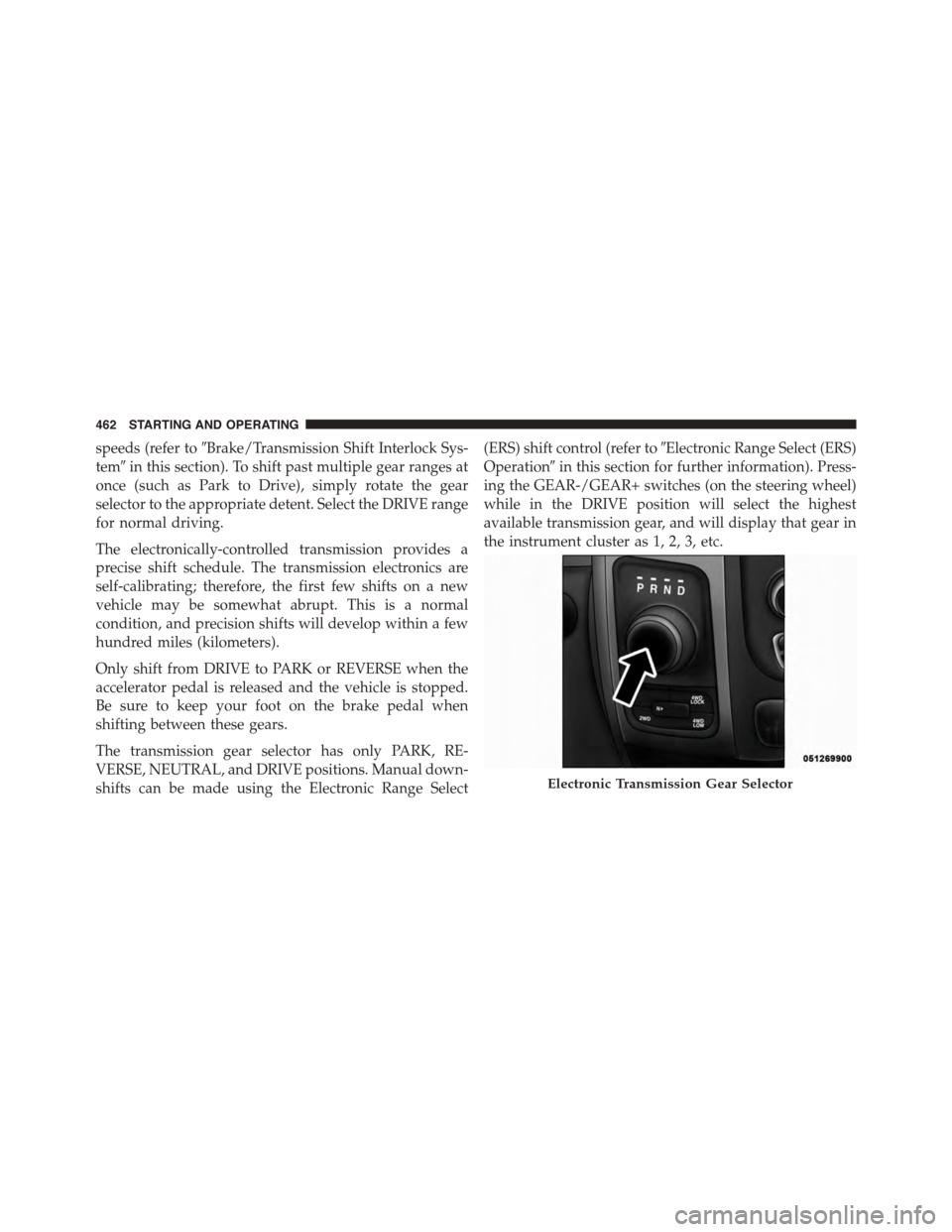
The transmission is controlled using a rotary electronic
gear selector located on the instrument panel. The trans-
mission gear range (PRND) is displayed both above the
gear selector and in the Electronic Vehicle Information
Center (EVIC)/Driver Information Display (DID). To
select a gear range, simply rotate the gear selector. You
must press the brake pedal to shift the transmission out
of PARK, or to shift from NEUTRAL into DRIVE or
REVERSE, when the vehicle is stopped or moving at low
5
STARTING AND OPERATING 461
Page 464 of 871
speeds (refer to#Brake/Transmission Shift Interlock Sys-
tem#in this section). To shift past multiple gear ranges at
once (such as Park to Drive), simply rotate the gear
selector to the appropriate detent. Select the DRIVE range
for normal driving.
The electronically-controlled transmission provides a
precise shift schedule. The transmission electronics are
self-calibrating; therefore, the first few shifts on a new
vehicle may be somewhat abrupt. This is a normal
condition, and precision shifts will develop within a few
hundred miles (kilometers).
Only shift from DRIVE to PARK or REVERSE when the
accelerator pedal is released and the vehicle is stopped.
Be sure to keep your foot on the brake pedal when
shifting between these gears.
The transmission gear selector has only PARK, RE-
VERSE, NEUTRAL, and DRIVE positions. Manual down-
shifts can be made using the Electronic Range Select
(ERS) shift control (refer to#Electronic Range Select (ERS)
Operation#in this section for further information). Press-
ing the GEAR-/GEAR+ switches (on the steering wheel)
while in the DRIVE position will select the highest
available transmission gear, and will display that gear in
the instrument cluster as 1, 2, 3, etc.
Electronic Transmission Gear Selector
462 STARTING AND OPERATING
Page 467 of 871

WARNING!(Continued)
•Never leave children alone in a vehicle, or with
access to an unlocked vehicle. Allowing children to
be in a vehicle unattended is dangerous for a
number of reasons. A child or others could be
seriously or fatally injured. Children should be
warned not to touch the parking brake, brake pedal
or the transmission gear selector.
•Do not leave the key fob in or near the vehicle (or
in a location accessible to children), and do not
leave the ignition (in a vehicle equipped with
Keyless Enter-N-Go™) in the ACC or ON/ RUN
position. A child could operate power windows,
other controls, or move the vehicle.
CAUTION!
•DO NOT race the engine when shifting from
PARK or NEUTRAL into another gear range, as this
can damage the drivetrain.
•Before moving the transmission gear selector out of
PARK, you must start the engine, and also press the
brake pedal. Otherwise, damage to the gear selector
could result.
The following indicator should be used to ensure that
you have engaged the transmission into PARK:
•With brake pedal released, look at the transmission
gear position display and verify that it indicates the
PARK position.
5
STARTING AND OPERATING 465
Page 470 of 871
2. Shift the transmission into PARK, if possible. If not,
shift the transmission to NEUTRAL.
3. Push and hold the ignition switch until the engine
turns OFF.
4. Wait approximately 30 seconds.
5. Restart the engine.
6. Shift into the desired gear range. If the problem is no
longer detected, the transmission will return to normal
operation.
NOTE:Even if the transmission can be reset, we recom-
mend that you visit your authorized dealer at your
earliest possible convenience. Your authorized dealer has
diagnostic equipment to determine if the problem could
recur.
If the transmission cannot be reset, authorized dealer
service is required.
Electronic Range Select (ERS) Operation —
Eight-Speed Transmission
The Electronic Range Select (ERS) shift control allows the
driver to limit the highest available gear when the
transmission is in DRIVE. For example, if you shift the
transmission into 4 (fourth gear), the transmission will
not shift above fourth gear (except to prevent engine
overspeed), but will shift through the lower gears nor-
mally.
You can switch between DRIVE and ERS mode at any
vehicle speed. When the transmission gear selector is in
DRIVE, the transmission will operate automatically, shift-
ing between all available gears. Tapping the GEAR-
switch (on the steering wheel) will activate ERS mode,
display the current gear in the instrument cluster, and
maintain that gear as the top available gear. Once in ERS
mode, tapping the GEAR- or GEAR+ switch will change
the top available gear.
468 STARTING AND OPERATING
Page 471 of 871
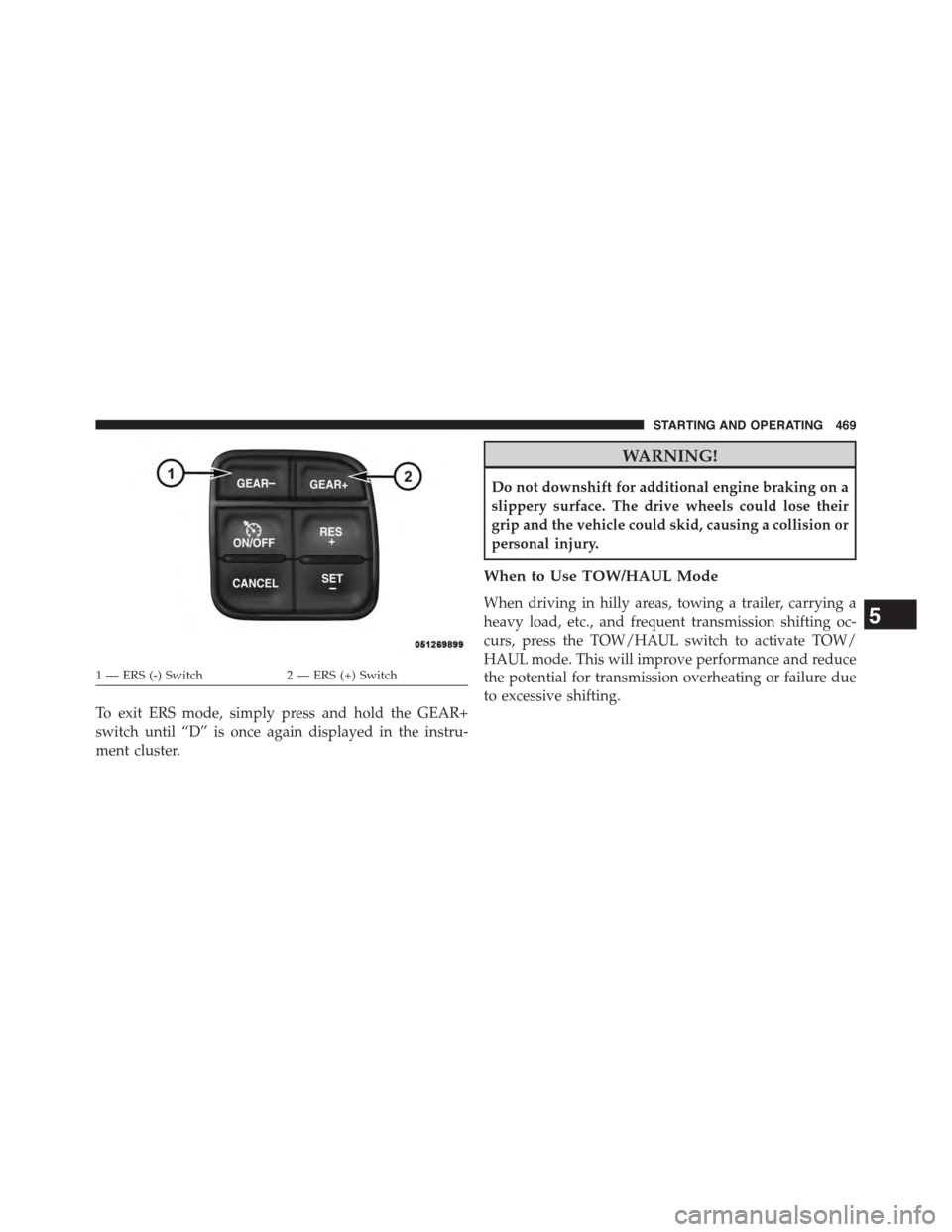
To exit ERS mode, simply press and hold the GEAR+
switch until “D” is once again displayed in the instru-
ment cluster.
WARNING!
Do not downshift for additional engine braking on a
slippery surface. The drive wheels could lose their
grip and the vehicle could skid, causing a collision or
personal injury.
When to Use TOW/HAUL Mode
When driving in hilly areas, towing a trailer, carrying a
heavy load, etc., and frequent transmission shifting oc-
curs, press the TOW/HAUL switch to activate TOW/
HAUL mode. This will improve performance and reduce
the potential for transmission overheating or failure due
to excessive shifting.
1 — ERS (-) Switch2 — ERS (+) Switch
5
STARTING AND OPERATING 469