front Ram 1500 2020 Owner's Manual
[x] Cancel search | Manufacturer: RAM, Model Year: 2020, Model line: 1500, Model: Ram 1500 2020Pages: 674, PDF Size: 32.69 MB
Page 538 of 674

536 SERVICING AND MAINTENANCE
(Continued)
Dark Vapor Chrome, Black Satin Chrome, or Low Gloss
Clear Coat Wheels
Tire Chains (Traction Devices)
Use of traction devices require sufficient tire-to-body clear-
ance. Follow these recommendations to guard against
damage.
• Traction device must be of proper size for the tire, as recommended by the traction device manufacturer. Please follow the table below for proper tire size, chain type,
and axle recommendations:
CAUTION!
If your vehicle is equipped with these specialty wheels,
DO NOT USE wheel cleaners, abrasives, or polishing
compounds. They will permanently damage this finish
and such damage is not covered by the New Vehicle
Limited Warranty. HAND WASH ONLY USING MILD
SOAP AND WATER WITH A SOFT CLOTH. Used on a
regular basis; this is all that is required to maintain this
finish.
Vehicle Axle Recom
-
mendations Tire Sizes Chain Class
1500 Models Rear Only 275/65R18
275/55R20S Class
WARNING!
Using tires of different size and type (M+S, Snow)
between front and rear axles can cause unpredictable
handling. You could lose control and have a collision.
CAUTION!
To avoid damage to your vehicle or tires, observe the
following precautions:
• Because of restricted traction device clearance between tires and other suspension components, it is important
that only traction devices in good condition are used.
Broken devices can cause serious damage. Stop the
vehicle immediately if noise occurs that could indicate
device breakage. Remove the damaged parts of the
device before further use.
2020_DT_1500_OM_US.book Page 536
Page 539 of 674
SERVICING AND MAINTENANCE 537
Tire Rotation Recommendations
Tires on the front and rear axles of vehicles operate at
different loads and perform different steering, driving, and
braking functions. For these reasons, they wear at unequal
rates.
These effects can be reduced by timely rotation of tires. The
benefits of rotation are especially worthwhile with aggres-
sive tread designs such as those on all season type tires. Rota -tion will increase tread life, help to maintain mud, snow and
wet traction levels and contribute to a smooth, quiet ride.
Refer to the “Maintenance Plan” for the proper maintenance
intervals. More frequent rotation is permissible if desired.
The reasons for any rapid or unusual wear should be
corrected prior to rotation being performed.
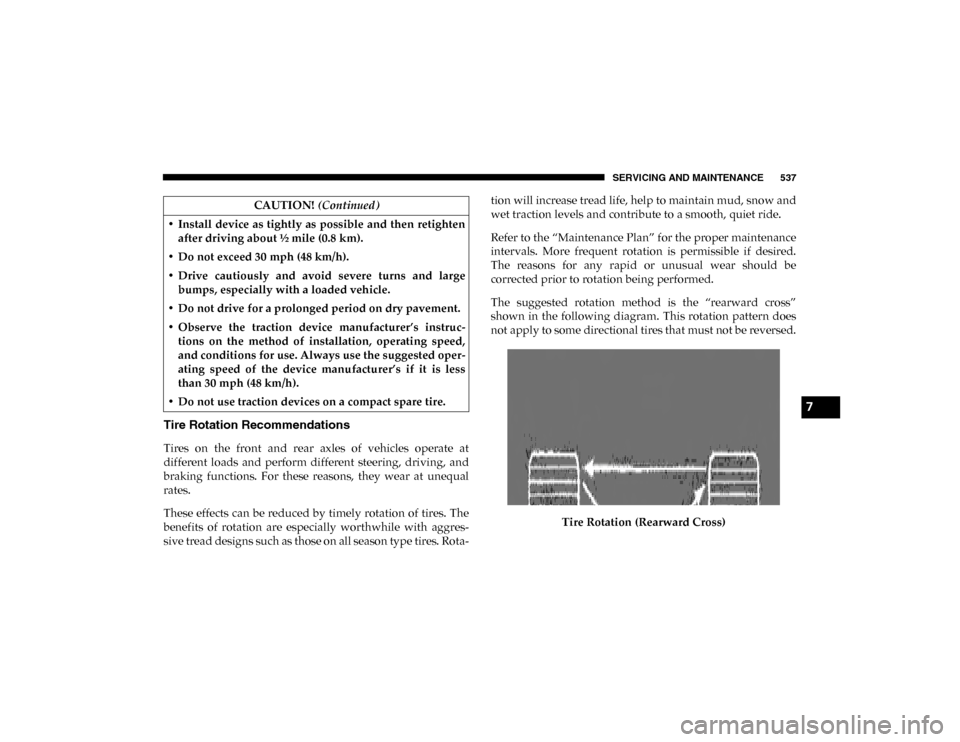
The suggested rotation method is the “rearward cross”
shown in the following diagram. This rotation pattern does
not apply to some directional tires that must not be reversed.
Tire Rotation (Rearward Cross)
• Install device as tightly as possible and then retighten
after driving about ½ mile (0.8 km).
• Do not exceed 30 mph (48 km/h).
• Drive cautiously and avoid severe turns and large bumps, especially with a loaded vehicle.
• Do not drive for a prolonged period on dry pavement.
• Observe the traction device manufacturer’s instruc -
tions on the method of installation, operating speed,
and conditions for use. Always use the suggested oper -
ating speed of the device manufacturer’s if it is less
than 30 mph (48 km/h).
• Do not use traction devices on a compact spare tire. CAUTION!
(Continued)
7
2020_DT_1500_OM_US.book Page 537
Page 547 of 674
SERVICING AND MAINTENANCE 545
Cleaning Plastic Instrument Cluster Lenses
The lenses in front of the instruments in this vehicle are
molded in clear plastic. When cleaning the lenses, care must
be taken to avoid scratching the plastic.
1. Clean with a wet soft cloth. A mild soap solution may beused, but do not use high alcohol content or abrasive
cleaners. If soap is used, wipe clean with a clean damp
cloth.
2. Dry with a soft cloth.
Leather Parts
Mopar Total Clean is specifically recommended for leather
upholstery.
Your leather upholstery can be best preserved by regular
cleaning with a damp soft cloth. Small particles of dirt can act
as an abrasive and damage the leather upholstery and
should be removed promptly with a damp cloth. Stubborn
soils can be removed easily with a soft cloth and Mopar Total
Clean. Care should be taken to avoid soaking your leather
upholstery with any liquid. Please do not use polishes, oils,
cleaning fluids, solvents, detergents, or ammonia-based
cleaners to clean your leather upholstery. Application of a
leather conditioner is not required to maintain the original
condition. NOTE:
If equipped with light colored leather, it tends to show any
foreign material, dirt, and fabric dye transfer more so than
darker colors. The leather is designed for easy cleaning, and
FCA recommends Mopar Total Clean leather cleaner applied
on a cloth to clean the leather seats as needed.Glass Surfaces
All glass surfaces should be cleaned on a regular basis with
Mopar Glass Cleaner, or any commercial household-type
glass cleaner. Never use an abrasive type cleaner. Use
caution when cleaning the inside rear window equipped
with electric defrosters or windows equipped with radio
antennas. Do not use scrapers or other sharp instruments
that may scratch the elements.
When cleaning the rear view mirror, spray cleaner on the
towel or cloth that you are using. Do not spray cleaner
directly on the mirror.
CAUTION!
Do not use Alcohol and Alcohol-based and/or Ketone
based cleaning products to clean leather upholstery, as
damage to the upholstery may result. 7
2020_DT_1500_OM_US.book Page 545
Page 548 of 674
546
TECHNICAL SPECIFICATIONS
IDENTIFICATION DATA
Vehicle Identification Number
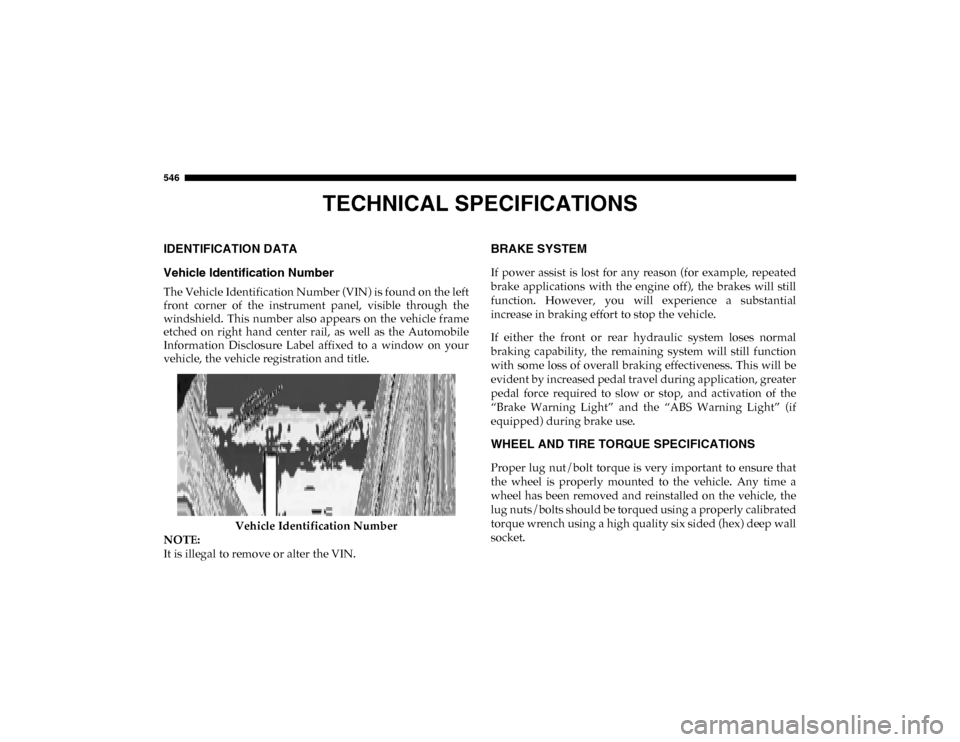
The Vehicle Identification Number (VIN) is found on the left
front corner of the instrument panel, visible through the
windshield. This number also appears on the vehicle frame
etched on right hand center rail, as well as the Automobile
Information Disclosure Label affixed to a window on your
vehicle, the vehicle registration and title.Vehicle Identification Number
NOTE:
It is illegal to remove or alter the VIN.
BRAKE SYSTEM
If power assist is lost for any reason (for example, repeated
brake applications with the engine off), the brakes will still
function. However, you will experience a substantial
increase in braking effort to stop the vehicle.
If either the front or rear hydraulic system loses normal
braking capability, the remaining system will still function
with some loss of overall braking effectiveness. This will be
evident by increased pedal travel during application, greater
pedal force required to slow or stop, and activation of the
“Brake Warning Light” and the “ABS Warning Light” (if
equipped) during brake use.
WHEEL AND TIRE TORQUE SPECIFICATIONS
Proper lug nut/bolt torque is very important to ensure that
the wheel is properly mounted to the vehicle. Any time a
wheel has been removed and reinstalled on the vehicle, the
lug nuts/bolts should be torqued using a properly calibrated
torque wrench using a high quality six sided (hex) deep wall
socket.
2020_DT_1500_OM_US.book Page 546
Page 558 of 674

556 TECHNICAL SPECIFICATIONS
Chassis
ComponentFluid, Lubricant, or Genuine Part
Automatic Transmission Use only Mopar ZF 8&9 Speed ATF Automatic Transmission
Fluid, or equivalent. Failure to use the correct fluid may
affect the function or performance of your transmission.
Transfer Case – 48-11 Active On-Demand 2–speed Transfer
Case (With 4WD AUTO) We recommend you use Mobil Fluid LT.
Transfer Case – 48-12 Part Time 2–Speed Transfer Case
(Without 4WD AUTO) We recommend you use Shell Spirax S2 ATF A389
Front Axle We recommend you use Mopar GL-5 Synthetic Axle
Lubricant SAE 75W-85.
Rear Axle (3.21/3.55) We recommend you use Mopar Synthetic Gear Lubricant
SAE 75W-90 (MS-A0160). Limited-Slip Rear Axles require
the addition of 5 oz. (148 ml) Mopar Limited Slip Additive
(MS-10111).
Rear Axle (3.92) We recommend you use Mopar Synthetic Gear Lubricant
SAE 75W-140 (MS-8985). Limited-Slip Rear Axles require the
addition of 5 oz. (148 ml) Mopar Limited Slip Additive
(MS-10111).
Max Tow Rear Axle (3.92) We Recommend You Use Dana SAE 80W90 Axle Lubricant.
Brake Master Cylinder We recommend you use Mopar DOT 3.
2020_DT_1500_OM_US.book Page 556
Page 565 of 674

MULTIMEDIA 563
Safety/Assistance
After pressing the Safety/Assistance button on the touchscreen, the following settings will be available:Setting Name Selectable Options
Forward Collision Warning — If Equipped OffWarning Only Warning & Braking
Forward Collision Warning Sensitivity — If Equipped Near
Med Far
Lane Sense Warning — If Equipped EarlyMedLate
Lane Sense Strength — If Equipped LowMedHigh
ParkSense — If Equipped Sound OnlySounds & Display
NOTE:
The ParkSense system scans for objects behind the vehicle when the transmission gear selector is in REVERSE and the vehicle
speed is less than 7 mph (11 km/h). It provides an alert (audible and/or visual) to indicate the proximity to other objects. Front ParkSense Chime Volume — If Equipped Low
MedHigh
Rear ParkSense Chime Volume — If Equipped LowMedHigh
Tilt Side Mirrors In Reverse — If Equipped OnOff
NOTE:
When the “Tilt Side Mirrors In Reverse” feature is selected, the exterior side-view mirrors tilt downward when the ignition
is in the ON/RUN position and the transmission gear selector is in the REVERSE position. The mirrors move back to their
previous position when the transmission is shifted out of REVERSE.
9
2020_DT_1500_OM_US.book Page 563
Page 574 of 674

572 MULTIMEDIA
Audio
After pressing the Audio button on the touchscreen, the following settings will be available:Setting Name Selectable Options
Balance/Fade FrontBack LeftRight
NOTE:
The “Balance/Fade” feature allows you to adjust the Balance and Fade settings. Press and drag the speaker icon or use the
arrows to adjust, tap the C icon to readjust to the center. Equalizer + –
NOTE:
When in the “Equalizer” display, you may adjust the Bass, Mid and Treble settings. Speed Adjusted Volume Off
123
NOTE:
The “Speed Adjusted Volume” feature increases or decreases volume relative to vehicle speed. Surround Sound — If Equipped On
Off
NOTE:
The “Surround Sound” feature provides simulated surround sound mode.
2020_DT_1500_OM_US.book Page 572
Page 584 of 674

582 MULTIMEDIA
Lane Sense Warning — If Equipped Early
MedLate
NOTE:
Sets what distance the steering wheel provides feedback for potential lane departures. Lane Sense Strength — If Equipped Low
MedHigh
ParkSense Sound Only Sound & Display
NOTE:
The Rear Park Assist system scans for objects behind the vehicle when the transmission gear selector is in REVERSE and the
vehicle speed is less than 7 mph (11 km/h). Front ParkSense Volume — If Equipped Low
MedHigh
Rear ParkSense Volume — If Equipped Low
MedHigh
Rear ParkSense Braking Assist — If Equipped On
Off
Power Side Steps — If Equipped Auto
Store
Blind Spot Alert — If Equipped Off
LightsLights & Chime
NOTE:
Brakes the vehicle while in reverse if potential rear collision is detected. Setting Name
Selectable Options
2020_DT_1500_OM_US.book Page 582
Page 589 of 674

MULTIMEDIA 587
Auto Unlock On ExitOn Off
NOTE:
When the “Auto Unlock On Exit” feature is selected, all doors unlock when the vehicle is stopped and the transmission is in
the PARK or NEUTRAL position and the driver's door is opened. Flash Lights With Lock On Off
NOTE:
When the “Flash Lights With Lock” feature is selected, the front and rear turn signals flash when the doors are locked or
unlocked with the key fob. This feature may be selected with or without the “Sound Horn With Lock” feature selected. Sound Horn With Lock Off1st Press 2nd Press
Sound Horn With Remote Start On
Off
Setting Name
Selectable Options
9
2020_DT_1500_OM_US.book Page 587
Page 592 of 674

590 MULTIMEDIA
Auto Comfort Systems — If Equipped
After pressing the Auto-On Comfort button on the touchscreen, the following settings will be available:
Engine Off Options
After pressing the Engine Off Options button on the touchscreen, the following settings will be available:Setting Name
Selectable Options
Auto-On Driver Heated/
Ventilated Seat & Steering
Wheel With Vehicle Start — If Equipped Off
Remote Start All Starts
NOTE:
When the “Auto-On Driver Heated/Ventilated Seat & Steering Wheel With Vehicle Start” feature is selected, the driver's
heated seat and heated steering wheel will automatically turn on when temperatures are below 40°F (4.4°C). When tempera -
tures are above 80°F (26.7°C), the driver vented seat will turn on.
Setting Name Selectable Options
Engine Off Power Delay –+
NOTE:
When the “Engine Off Power Delay” feature is selected, the power window switches, radio, Uconnect phone system (if
equipped), power sunroof (if equipped), and power outlets will remain active for up to 10 minutes after the ignition is cycled
to OFF. Opening either front door will cancel this feature.
2020_DT_1500_OM_US.book Page 590