air condition Ram 1500 2020 Owner's Guide
[x] Cancel search | Manufacturer: RAM, Model Year: 2020, Model line: 1500, Model: Ram 1500 2020Pages: 674, PDF Size: 32.69 MB
Page 202 of 674

200 SAFETY
Brake Assist System (BAS)
The Brake Assist System (BAS) is designed to optimize the
vehicle’s braking capability during emergency braking
maneuvers. The system detects an emergency braking situa-
tion by sensing the rate and amount of brake application, and
then applies optimum pressure to the brakes. This can help
reduce braking distances. The BAS complements the
Anti-lock Brake System (ABS). Applying the brakes very
quickly results in the best BAS assistance. To receive the
benefit of the system, you must apply continuous braking
pressure during the stopping sequence, (do not “pump” the
brakes). Do not reduce brake pedal pressure unless braking
is no longer desired. Once the brake pedal is released, the
BAS is deactivated. Brake System Warning Light
The red “Brake System Warning Light” will turn on when
the ignition is turned to the ON/RUN mode and may stay on
for as long as four seconds.
If the “Brake System Warning Light” remains on or comes on
while driving, it indicates that the brake system is not func
-
tioning properly and that immediate service is required. If
the “Brake System Warning Light” does not come on when
the ignition is turned to the ON/RUN mode, have the light
repaired as soon as possible.
Electronic Brake Force Distribution (EBD)
This function manages the distribution of the braking torque
between the front and rear axles by limiting braking pressure
to the rear axle. This is done to prevent overslip of the rear
wheels to avoid vehicle instability, and to prevent the rear
axle from entering ABS before the front axle.
Electronic Roll Mitigation (ERM)
The Electronic Roll Mitigation (ERM) system anticipates the
potential for wheel lift by monitoring the driver’s steering
wheel input and the speed of the vehicle. When ERM deter -
mines that the rate of change of the steering wheel angle and
vehicle’s speed are sufficient to potentially cause wheel lift,
WARNING!
The Brake Assist System (BAS) cannot prevent the
natural laws of physics from acting on the vehicle, nor
can it increase the traction afforded by prevailing road
conditions. BAS cannot prevent collisions, including
those resulting from excessive speed in turns, driving on
very slippery surfaces, or hydroplaning. The capabilities
of a BAS-equipped vehicle must never be exploited in a
reckless or dangerous manner, which could jeopardize
the user's safety or the safety of others.
2020_DT_1500_OM_US.book Page 200
Page 235 of 674

SAFETY 233
The hazard lamps will come on to confirm the vehicle is in
Tire Fill Alert mode.
When Tire Fill Alert Mode is entered, the tire pressure
display screen will be displayed in the instrument cluster.
If the hazard lamps do not come on while inflating the tire,
the TPM sensor may be in a null spot preventing the TPM
sensor signal from being received. In this case, the vehicle
may need to be moved either forward or backward slightly
to exit the null spot.
Operation:
• The horn will chirp to let the user know when to stopfilling the tire, when it reaches recommended pressure.
• The horn will chirp three times if the tire is over filled and will continue to chirp every five seconds if the user
continues to inflate the tire. • The horn will chirp once again when enough air is let out
to reach proper inflation level.
• The horn will also chirp three times if the tire is then under-inflated and will continue to chirp every five
seconds if the user continues to deflate the tire.
General Information
The following regulatory statement applies to all Radio
Frequency (RF) devices equipped in this vehicle:
This device complies with Part 15 of the FCC Rules and with
Innovation, Science and Economic Development Canada
license-exempt RSS standard(s). Operation is subject to the
following two conditions:
1. This device may not cause harmful interference, and
2. This device must accept any interference received, including interference that may cause undesired opera -
tion.
4
2020_DT_1500_OM_US.book Page 233
Page 236 of 674

234 SAFETY
Le présent appareil est conforme aux CNR d`Innovation,
Science and Economic Development applicables aux appar-
eils radio exempts de licence. L'exploitation est autorisée aux
deux conditions suivantes:
1. l'appareil ne doit pas produire de brouillage, et
2. l'utilisateur de l'appareil doit accepter tout brouillage radioélectrique subi, même si le brouillage est susceptible
d'en compromettre le fonctionnement.
La operación de este equipo está sujeta a las siguientes dos
condiciones:
1. es posible que este equipo o dispositivo no cause interfer -
encia perjudicial y
2. este equipo o dispositivo debe aceptar cualquier interfer- encia, incluyendo la que pueda causar su operación no
deseada. NOTE:
Changes or modifications not expressly approved by the
party responsible for compliance could void the user’s
authority to operate the equipment.
OCCUPANT RESTRAINT SYSTEMS
Some of the most important safety features in your vehicle
are the restraint systems:
Occupant Restraint Systems Features
• Seat Belt Systems
• Supplemental Restraint Systems (SRS) Air Bags
• Child Restraints
Some of the safety features described in this section may be
standard equipment on some models, or may be optional
equipment on others. If you are not sure, ask an authorized
dealer.
2020_DT_1500_OM_US.book Page 234
Page 239 of 674

SAFETY 237
(Continued)
Reminder Light will remain on until the seat belts are
buckled. The BeltAlert warning sequence may repeat based
on vehicle speed until the driver and occupied outboard
front seat passenger seat belts are buckled. The driver should
instruct all occupants to buckle their seat belts.
Change Of Status
If the driver or outboard front seat passenger (if equipped
with outboard front passenger seat BeltAlert) unbuckles
their seat belt while the vehicle is traveling, the BeltAlert
warning sequence will begin until the seat belts are buckled
again.
The outboard front passenger seat BeltAlert is not active
when the outboard front passenger seat is unoccupied.
BeltAlert may be triggered when an animal or other items are
placed on the outboard front passenger seat or when the seat
is folded flat (if equipped). It is recommended that pets be
restrained in the rear seat (if equipped) in pet harnesses or
pet carriers that are secured by seat belts, and cargo is prop-
erly stowed.
BeltAlert can be activated or deactivated by an authorized
dealer. FCA US LLC does not recommend deactivating
BeltAlert. NOTE:
If BeltAlert has been deactivated and the driver or outboard
front seat passenger (if equipped with outboard front
passenger seat BeltAlert) is unbuckled the Seat Belt
Reminder Light will turn on and remain on until the driver
and outboard front seat passenger seat belts are buckled.
Lap/Shoulder Belts
All seating positions in your vehicle are equipped with lap/
shoulder belts.
The seat belt webbing retractor will lock only during very
sudden stops or collisions. This feature allows the shoulder
part of the seat belt to move freely with you under normal
conditions. However, in a collision the seat belt will lock and
reduce your risk of striking the inside of the vehicle or being
thrown out of the vehicle.
WARNING!
• Relying on the air bags alone could lead to more severe injuries in a collision. The air bags work with your seat
belt to restrain you properly. In some collisions, the air
bags won’t deploy at all. Always wear your seat belt
even though you have air bags.
4
2020_DT_1500_OM_US.book Page 237
Page 249 of 674
SAFETY 247
system is designed to be maintenance free, if any of the
following occurs, have an authorized dealer service the air
bag system immediately.
• The Air Bag Warning Light does not come on during thefour to eight seconds when the ignition switch is first in the
ON/RUN position.
• The Air Bag Warning Light remains on after the four to eight-second interval.
• The Air Bag Warning Light comes on intermittently or remains on while driving.
NOTE:
If the speedometer, tachometer, or any engine related gauges
are not working, the Occupant Restraint Controller (ORC)
may also be disabled. In this condition the air bags may not
be ready to inflate for your protection. Have an authorized
dealer service the air bag system immediately. Redundant Air Bag Warning Light
If a fault with the Air Bag Warning Light is detected, which
could affect the Supplemental Restraint System (SRS), the
Redundant Air Bag Warning Light will illuminate on the
instrument panel. The Redundant Air Bag Warning Light
will stay on until the fault is cleared. In addition, a single
chime will sound to alert you that the Redundant Air Bag
Warning Light has come on and a fault has been detected. If
the Redundant Air Bag Warning Light comes on intermit
-
tently or remains on while driving have an authorized dealer
service the vehicle immediately.
For additional information regarding the Redundant Air Bag
Warning Light refer to “Getting To Know Your Instrument
Panel” section of this manual.
Front Air Bags
This vehicle has front air bags and lap/shoulder belts for
both the driver and front passenger. The front air bags are a
supplement to the seat belt restraint systems. The driver
front air bag is mounted in the center of the steering wheel.
The passenger front air bag is mounted in the instrument
panel, above the glove compartment. The words “SRS
AIRBAG” or “AIRBAG” are embossed on the air bag covers.
WARNING!
Ignoring the Air Bag Warning Light in your instrument
panel could mean you won’t have the air bag system to
protect you in a collision. If the light does not come on as
a bulb check when the ignition is first turned on, stays
on after you start the vehicle, or if it comes on as you
drive, have an authorized dealer service the air bag
system immediately.
4
2020_DT_1500_OM_US.book Page 247
Page 266 of 674

264 SAFETY
Event Data Recorder (EDR)
This vehicle is equipped with an Event Data Recorder (EDR).
The main purpose of an EDR is to record, in certain crash or
near crash-like situations, such as an air bag deployment or
hitting a road obstacle, data that will assist in understanding
how a vehicle’s systems performed. The EDR is designed to
record data related to vehicle dynamics and safety systemsfor a short period of time, typically 30 seconds or less. The
EDR in this vehicle is designed to record such data as:
• How various systems in your vehicle were operating;
• Whether or not the driver and passenger safety belts were
buckled/fastened;
• How far (if at all) the driver was depressing the accelerator and/or brake pedal; and,
• How fast the vehicle was traveling.
These data can help provide a better understanding of the
circumstances in which crashes and injuries occur.
NOTE:
EDR data are recorded by your vehicle only if a non-trivial
crash situation occurs; no data are recorded by the EDR
under normal driving conditions and no personal data (e.g.,
name, gender, age, and crash location) are recorded.
However, other parties, such as law enforcement, could
combine the EDR data with the type of personally identi -
fying data routinely acquired during a crash investigation.
To read data recorded by an EDR, special equipment is
required, and access to the vehicle or the EDR is needed. In
addition to the vehicle manufacturer, other parties, such as
law enforcement, that have the special equipment, can read
the information if they have access to the vehicle or the EDR.
• It is dangerous to try to repair any part of the air bag
system yourself. Be sure to tell anyone who works on
your vehicle that it has an air bag system.
• Do not attempt to modify any part of your air bag system. The air bag may inflate accidentally or may not
function properly if modifications are made. Take your
vehicle to an authorized dealer for any air bag system
service. If your seat, including your trim cover and
cushion, needs to be serviced in any way (including
removal or loosening/tightening of seat attachment
bolts), take the vehicle to an authorized dealer. Only
manufacturer approved seat accessories may be used. If
it is necessary to modify the air bag system for persons
with disabilities, contact an authorized dealer.
WARNING! (Continued)
2020_DT_1500_OM_US.book Page 264
Page 288 of 674

286 SAFETY
Exhaust Gas
The best protection against carbon monoxide entry into the
vehicle body is a properly maintained engine exhaust
system.Whenever a change is noticed in the sound of the exhaust
system, when exhaust fumes can be detected inside the
vehicle, or when the underside or rear of the vehicle is
damaged, have a competent mechanic inspect the complete
exhaust system and adjacent body areas for broken,
damaged, deteriorated, or mispositioned parts. Open seams
or loose connections could permit exhaust fumes to seep into
the passenger compartment. In addition, inspect the exhaust
system each time the vehicle is raised for lubrication or oil
change. Replace as required.
Safety Checks You Should Make Inside The Vehicle
Seat Belts
Inspect the seat belt system periodically, checking for cuts,
frays, and loose parts. Damaged parts must be replaced
immediately. Do not disassemble or modify the system.
Front seat belt assemblies must be replaced after a collision.
Rear seat belt assemblies must be replaced after a collision if
they have been damaged (i.e., bent retractor, torn webbing,
etc.). If there is any question regarding seat belt or retractor
condition, replace the seat belt.
WARNING!
Exhaust gases can injure or kill. They contain carbon
monoxide (CO), which is colorless and odorless.
Breathing it can make you unconscious and can
eventually poison you. To avoid breathing (CO), follow
these safety tips:
• Do not run the engine in a closed garage or in confined areas any longer than needed to move your vehicle in or
out of the area.
• If you are required to drive with the trunk/liftgate/rear doors open, make sure that all windows are closed and
the climate control BLOWER switch is set at high
speed. DO NOT use the recirculation mode.
• If it is necessary to sit in a parked vehicle with the engine running, adjust your heating or cooling controls
to force outside air into the vehicle. Set the blower at
high speed.
2020_DT_1500_OM_US.book Page 286
Page 297 of 674

STARTING AND OPERATING 295
(Continued)
4WD LOW — If Equipped
AutoPark will be disabled when operating the vehicle in
4WD LOW.
The MESSAGE “AutoPark Disabled ” will be displayed in
the instrument cluster.
Additional customer warnings will be given when all of
these conditions are met:
• Vehicle is not in PARK
• Driver’s Door is ajar
• Vehicle is in 4WD LOW range
The MESSAGE “ AutoPark Not Engaged ” will be displayed
in the instrument cluster. A warning chime will continue
until you shift the vehicle into PARK or the Driver’s Door is
closed.
ALWAYS DO A VISUAL CHECK
that your vehicle is in
PARK by looking for the "P" in the Instrument Cluster
Display and near the shifter. As an added precaution, always
apply the parking brake when exiting the vehicle. If Engine Fails To Start
If the engine fails to start after you have followed the
“Normal Starting” procedure, it may be flooded. Push the
accelerator pedal all the way to the floor and hold it there
while the engine is cranking. This should clear any excess
fuel in case the engine is flooded.
The starter motor will engage automatically, run for 10
seconds, and then disengage. Once this occurs, release the
accelerator pedal and the brake pedal, wait 10 to 15 seconds,
then repeat the “Normal Starting” procedure.
WARNING!
• Never pour fuel or other flammable liquid into the throttle body air inlet opening in an attempt to start the
vehicle. This could result in flash fire causing serious
personal injury.
• Do not attempt to push or tow your vehicle to get it started. Vehicles equipped with an automatic transmis -
sion cannot be started this way. Unburned fuel could
enter the catalytic converter and once the engine has
started, ignite and damage the converter and vehicle.
5
2020_DT_1500_OM_US.book Page 295
Page 303 of 674

STARTING AND OPERATING 301
In the unlikely event of a malfunction of the Electric Park
Brake system, a yellow EPB fault light will illuminate. This
may be accompanied by the BRAKE telltale light flashing. In
this event, urgent service of the electric park brake system is
required. Do not rely on the parking brake to hold the vehicle
stationary.
Auto Park Brake
The electric park brake can be programmed to be applied
automatically whenever the vehicle is at a standstill and the
automatic transmission is placed in PARK. Auto Park Brake
is enabled and disabled by customer selection through the
customer programmable features section of the Uconnect
Settings.
Any single auto park brake application can be bypassed by
pushing the EPB switch to the release position while the
transmission is placed in PARK.
SafeHold
SafeHold is a safety feature of the Electric Park Brake System
that will engage the park brake automatically if the vehicle is
left unsecured while the ignition is in ON/RUN.For automatic transmissions, the park brake will automati
-
cally engage if all of the following conditions are met:
• The vehicle is at a standstill.
• There is no attempt to depress the brake pedal or acceler -
ator pedal.
• The seat belt is unbuckled.
• The driver door is open.
SafeHold can be temporarily bypassed by pushing the Elec -
tric Park Brake Switch while the driver door is open. Once
manually bypassed, SafeHold will be enabled again once the
vehicle reaches 12 mph (20 km/h) or the ignition is turned to the OFF position and back to ON again.
Brake Service Mode
We recommend having your brakes serviced by your autho -
rized dealer. You should only make repairs for which you
have the knowledge and the right equipment. You should
only enter Brake Service Mode during brake service.
When servicing your rear brakes, it may be necessary for you
or your technician to push the rear piston into the rear caliper
bore. With the electric park brake system, this can only be
done after retracting the Electric Park Brake actuator. Fortu-
nately, actuator retraction can be done easily by entering the
5
2020_DT_1500_OM_US.book Page 301
Page 325 of 674
STARTING AND OPERATING 323
Wheel Alignment Mode
Before performing a wheel alignment, this mode must be
enabled. Refer to “Instrument Cluster Display” in “Getting
To Know Your Instrument Panel” or “Uconnect Settings” in
“Multimedia” if equipped with a touch screen radio for
further information.
NOTE:
This mode is intended to be enabled with engine running.
Protection Strategy
In order to “protect” the air suspension system, the vehicle
will disable load leveling as required (suspension over-
loaded, battery charge low, etc.). Load leveling will automat -
ically resume as soon as system operation requirements are
met. See your authorized dealer if system does not resume.
NOTE:
If towing with air suspension refer to “Trailer Towing” in
“Starting And Operating” for further information.
Instrument Cluster Display Messages
When the appropriate conditions exist, a message will
appear in the instrument cluster display. Refer to “Instru-
ment Cluster Display” in “Getting To Know Your Instru-
ment Panel” for further information. An audible chime will be heard whenever a system error has
been detected.
See an authorized dealer for system service if normal opera
-
tion does not resume.
Operation
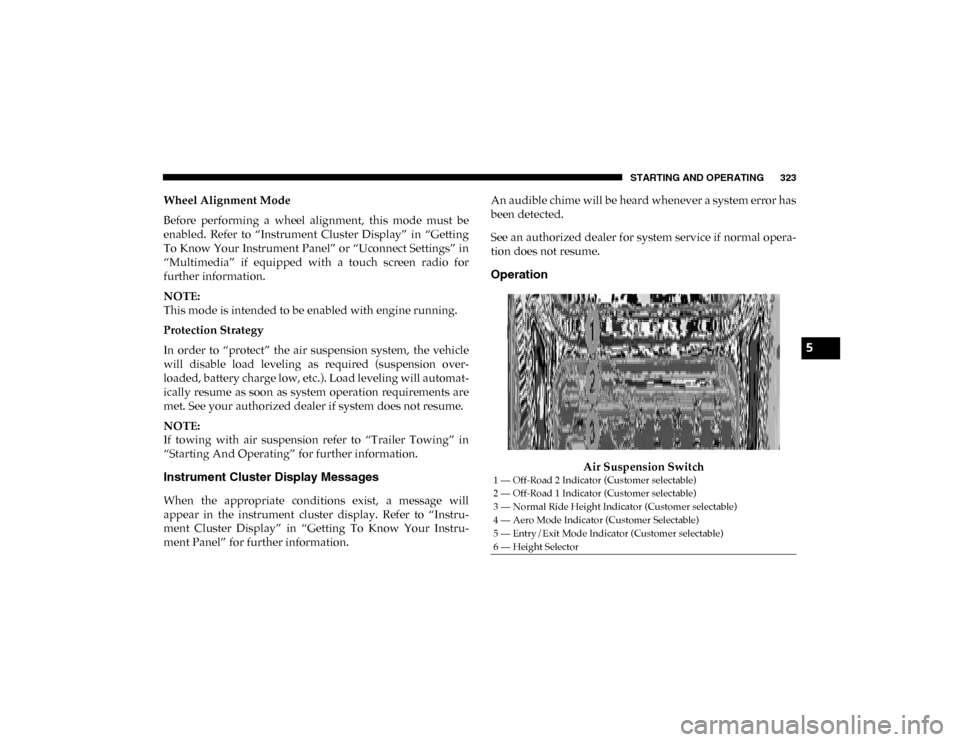
Air Suspension Switch
1 — Off-Road 2 Indicator (Customer selectable)
2 — Off-Road 1 Indicator (Customer selectable)
3 — Normal Ride Height Indicator (Customer selectable)
4 — Aero Mode Indicator (Customer Selectable)
5 — Entry/Exit Mode Indicator (Customer selectable)
6 — Height Selector
5
2020_DT_1500_OM_US.book Page 323