radio Ram 1500 2020 Service Manual
[x] Cancel search | Manufacturer: RAM, Model Year: 2020, Model line: 1500, Model: Ram 1500 2020Pages: 674, PDF Size: 32.69 MB
Page 433 of 674
431
IN CASE OF EMERGENCY
HAZARD WARNING FLASHERS
The Hazard Warning switch is located on the upper
switch bank just below the radio.
NOTE:
If your vehicle is equipped with a 12–inch Uconnect display,
the Hazard Warning switch is located above the display.
Push the switch to turn on the Hazard Warning flasher.
When the switch is activated, all directional turn signals will
flash on and off to warn oncoming traffic of an emergency.
Push the switch a second time to turn off the Hazard
Warning flashers.
This is an emergency warning system and it should not be
used when the vehicle is in motion. Use it when your vehicle
is disabled and it is creating a safety hazard for other motor -
ists.
When leaving the vehicle to seek assistance, the Hazard
Warning flashers will continue to operate even though the
ignition is placed in the OFF position. NOTE:
With extended use the Hazard Warning flashers may wear
down your battery.
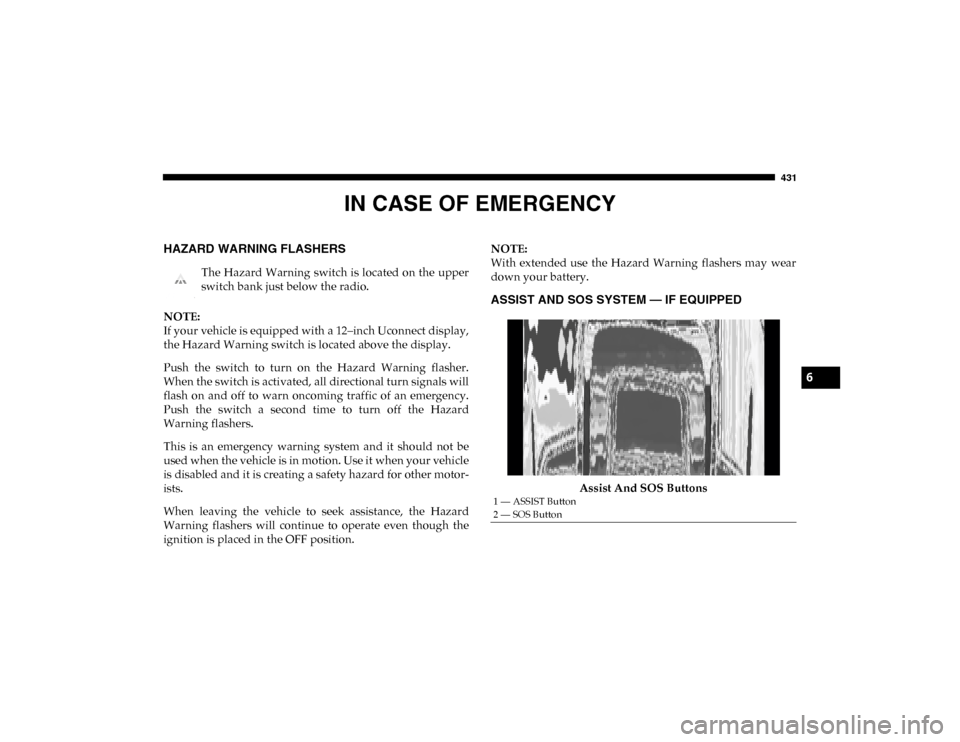
ASSIST AND SOS SYSTEM — IF EQUIPPED
Assist And SOS Buttons
1 — ASSIST Button
2 — SOS Button
6
2020_DT_1500_OM_US.book Page 431
Page 436 of 674
434 IN CASE OF EMERGENCY
(Continued)
SOS Call System Limitations
Vehicles sold in Mexico DO NOT have SOS Call system
capabilities.
SOS or other emergency line operators in Mexico may not
answer or respond to SOS system calls.
If the SOS Call system detects a malfunction, any of the
following may occur at the time the malfunction is detected,
and at the beginning of each ignition cycle:
• The overhead console light located between the ASSIST and SOS buttons will continuously be illuminated red.
• The Device Screen will display the following message: “Vehicle device requires service. Please contact your
dealer.”
• An In-Vehicle Audio message will state “Vehicle device requires service. Please contact your dealer.”
• Never place anything on or near the vehicle’s operable
network and GPS antennas. You could prevent oper -
able network and GPS signal reception, which can
prevent your vehicle from placing an emergency call.
An operable network and GPS signal reception is
required for the SOS Call system to function properly.
• The SOS Call system is embedded into the vehicle’s electrical system. Do not add aftermarket electrical
equipment to the vehicle’s electrical system. This may
prevent your vehicle from sending a signal to initiate
an emergency call. To avoid interference that can cause
the SOS Call system to fail, never add aftermarket
equipment (e.g., two-way mobile radio, CB radio, data
recorder, etc.) to your vehicle’s electrical system or
modify the antennas on your vehicle. IF YOUR
VEHICLE LOSES BATTERY POWER FOR ANY
REASON (INCLUDING DURING OR AFTER AN
ACCIDENT), THE UCONNECT FEATURES, APPS
AND SERVICES, AMONG OTHERS, WILL NOT
OPERATE.
• Modifications to any part of the SOS Call system could cause the air bag system to fail when you need it. You
could be injured if the air bag system is not there to
help protect you.WARNING! (Continued)
WARNING!
• Ignoring the overhead console light could mean you will not have SOS Call services. If the overhead console
light is illuminated, have your authorized dealer
service the SOS Call system immediately.
2020_DT_1500_OM_US.book Page 434
Page 438 of 674

436 IN CASE OF EMERGENCY
General Information
The following regulatory statement applies to all radio
frequency (RF) devices equipped in this vehicle:
This device complies with Part 15 of the FCC Rules and with
Innovation, Science and Economic Development Canada
Operation is subject to the following two conditions:
1. This device may not cause harmful interference, and
2. This device must accept any interference received,including interference that may cause undesired opera -
tion. NOTE:
Changes or modifications not expressly approved by the
party responsible for compliance could void the user's
authority to operate the equipment.
BULB REPLACEMENT
Replacement Bulbs
All of the inside bulbs are brass or glass-wedge base.
Aluminum base bulbs are not approved.
Interior Bulbs
Bulb Name Bulb Number
Overhead Console Lamps TS 212–9
Dome Lamp 7679
NOTE:
For lighted switches, see an authorized dealer for replacement instructions.
Exterior Bulbs
Bulb Name Bulb Number
Low Beam (Halogen Reflector Headlamp) H11LL
High Beam (Halogen Reflector Headlamp) 9005LL
2020_DT_1500_OM_US.book Page 436
Page 454 of 674

452 IN CASE OF EMERGENCY
F43–10 Amp Red Port Diagnostics / Mod CD / Front & Rear USB
F44 –20 Amp Yellow Radio / DCSD / Telematics Box Mod
F45 30 Amp Pink –Mod Door MUX Driver
F46 30 Amp Pink –Mod Door MUX Passenger
F47 ––Spare
F48A -10 Amp Red Rear View Mirror / Humidity Rain And Light
Sensor (HRLS) / SW Window Passenger / Rear
USB / Wireless Charging Pad Mod
F49 –15 Amp Blue Mod CVPM / SNSR Blind Spot / HDLP
Adaptive Front Lighting Sensor (AFLS)
F50A –10 Amp Red Battery PACK Control Mod
F51 A&B ––Spare
F52 20 Amp Blue –Direct Battery Feed
F53 –15 Amp Blue Mod ICS Switch / Mod HVAC CTRL / Sw Bank
Upper / Sw EPB / Mod Control Steering
F54B –20 Amp Yellow Power Outlet Center Seat
F55 25 Amp White –Upfitter
F56 30 Amp Pink –Mod Network Interface
F57 20 Amp Blue –Direct Battery Feed
F58 20 Amp Blue –Direct Battery Feed
Cavity
Cartridge Fuse Micro Fuse Description
2020_DT_1500_OM_US.book Page 452
Page 475 of 674
IN CASE OF EMERGENCY 473
1. Apply the parking brake, shift the automatic transmis-sion into PARK and turn the ignition OFF.
2. Turn off the heater, radio, and all unnecessary electrical accessories.
3. If using another vehicle to jump start the battery, park the vehicle within the jumper cables’ reach, apply the
parking brake and make sure the ignition is OFF.
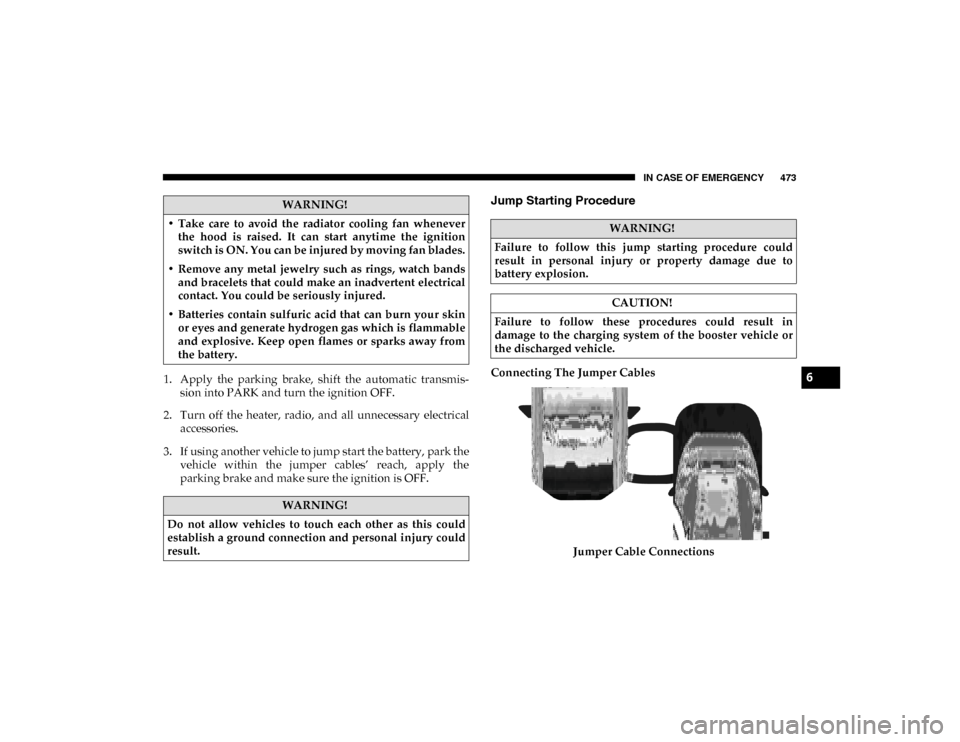
Jump Starting Procedure
Connecting The Jumper Cables
Jumper Cable Connections
WARNING!
• Take care to avoid the radiator cooling fan whenever the hood is raised. It can start anytime the ignition
switch is ON. You can be injured by moving fan blades.
• Remove any metal jewelry such as rings, watch bands and bracelets that could make an inadvertent electrical
contact. You could be seriously injured.
• Batteries contain sulfuric acid that can burn your skin or eyes and generate hydrogen gas which is flammable
and explosive. Keep open flames or sparks away from
the battery.
WARNING!
Do not allow vehicles to touch each other as this could
establish a ground connection and personal injury could
result.
WARNING!
Failure to follow this jump starting procedure could
result in personal injury or property damage due to
battery explosion.
CAUTION!
Failure to follow these procedures could result in
damage to the charging system of the booster vehicle or
the discharged vehicle.
6
2020_DT_1500_OM_US.book Page 473
Page 547 of 674

SERVICING AND MAINTENANCE 545
Cleaning Plastic Instrument Cluster Lenses
The lenses in front of the instruments in this vehicle are
molded in clear plastic. When cleaning the lenses, care must
be taken to avoid scratching the plastic.
1. Clean with a wet soft cloth. A mild soap solution may beused, but do not use high alcohol content or abrasive
cleaners. If soap is used, wipe clean with a clean damp
cloth.
2. Dry with a soft cloth.
Leather Parts
Mopar Total Clean is specifically recommended for leather
upholstery.
Your leather upholstery can be best preserved by regular
cleaning with a damp soft cloth. Small particles of dirt can act
as an abrasive and damage the leather upholstery and
should be removed promptly with a damp cloth. Stubborn
soils can be removed easily with a soft cloth and Mopar Total
Clean. Care should be taken to avoid soaking your leather
upholstery with any liquid. Please do not use polishes, oils,
cleaning fluids, solvents, detergents, or ammonia-based
cleaners to clean your leather upholstery. Application of a
leather conditioner is not required to maintain the original
condition. NOTE:
If equipped with light colored leather, it tends to show any
foreign material, dirt, and fabric dye transfer more so than
darker colors. The leather is designed for easy cleaning, and
FCA recommends Mopar Total Clean leather cleaner applied
on a cloth to clean the leather seats as needed.Glass Surfaces
All glass surfaces should be cleaned on a regular basis with
Mopar Glass Cleaner, or any commercial household-type
glass cleaner. Never use an abrasive type cleaner. Use
caution when cleaning the inside rear window equipped
with electric defrosters or windows equipped with radio
antennas. Do not use scrapers or other sharp instruments
that may scratch the elements.
When cleaning the rear view mirror, spray cleaner on the
towel or cloth that you are using. Do not spray cleaner
directly on the mirror.
CAUTION!
Do not use Alcohol and Alcohol-based and/or Ketone
based cleaning products to clean leather upholstery, as
damage to the upholstery may result. 7
2020_DT_1500_OM_US.book Page 545
Page 566 of 674

564 MULTIMEDIA
ParkView Backup Camera Active GuidelinesOnOff
NOTE:
Your vehicle may be equipped with the ParkView Backup Camera Active Guidelines that allows you to see active guidelines
over the ParkView Back up camera display whenever the gear selector is put into REVERSE. The image will be displayed on
the radio touchscreen display along with a caution note to “check entire surroundings” across the top of the screen. After
five seconds, this note disappears. ParkView Backup Camera Delay OnOff
NOTE:
When the vehicle is shifted out of REVERSE (with camera delay turned OFF), the rear camera mode is exited and the navi -
gation or audio screen appears again. When the vehicle is shifted out of REVERSE (with camera delay turned ON), the rear
view image with dynamic grid lines will be displayed for up to 10 seconds after shifting out of REVERSE unless the forward
vehicle speed exceeds 8 mph (12 km/h), the transmission is shifted into PARK or the ignition is switched to the OFF position.
Rain Sensing Auto Wipers — If Equipped OnOff
NOTE:
When the “Rain Sensing Auto Wipers” feature is selected, the system automatically activates the windshield wipers if it
senses moisture on the windshield. Trailer Length For Blind Spot Alert — If Equipped Auto
Max (39.5 feet)
Hill Start Assist — If Equipped OnOff
NOTE:
When the “Hill Start Assist” feature is selected, the Hill Start Assist (HSA) system becomes active. Setting Name
Selectable Options
2020_DT_1500_OM_US.book Page 564
Page 576 of 674

574 MULTIMEDIA
SiriusXM® Setup — If Equipped
After pressing the SiriusXM® Setup button on the touchscreen, the following settings will be available:Setting Name Selectable Options
Tune Start OnOff
Channel Skip List of Channels
NOTE:
SiriusXM® can be programmed to exclude undesirable channels while scanning. To make your selection, press the Channel
Skip button on the touchscreen, select the channels you would like to skip. Subscription Information Sirius ID
NOTE:
New vehicle purchasers or lessees will receive a free limited time subscription to SiriusXM® Satellite Radio with your radio.
Following the expiration of the free services, it will be necessary to access the information on the Subscription Information
screen to re-subscribe.
1. Press the Subscription Information button on the touchscreen to access the Subscription Information screen.
2. Write down the SIRIUS ID numbers for your receiver. To reactivate your service, either call the number listed on the screen or visit the provider online.
2020_DT_1500_OM_US.book Page 574
Page 577 of 674

MULTIMEDIA 575
Restore Settings
After pressing the Restore Settings button on the touchscreen, the following settings will be available:
Clear Personal Data
After pressing the Clear Personal Data Settings button on the touchscreen, the following settings will be available:Setting Name
Selectable Options
Restore Settings YesCancel
NOTE:
When the “Restore Settings” feature is selected, it will reset the Display, Clock, Audio, and Radio Settings to their default
settings. If “Yes” is selected, a pop-up will appear asking "Are you sure you want to reset your settings to default?” Select
“Yes” to restore or “Cancel” to exit.
Setting Name Selectable Options
Clear Personal Data YesCancel
NOTE:
When this feature is selected, it will remove all personal data including Bluetooth® devices and presets. If “Yes” is selected,
a pop-up will appear asking "Are you sure you want to clear all personal data?” Select “Yes” to Clear or “Cancel” to exit.
9
2020_DT_1500_OM_US.book Page 575
Page 579 of 674

MULTIMEDIA 577
Language
After pressing the Language button on the touchscreen, the following settings will be available:
Display
After pressing the Display button on the touchscreen, the following settings will be available:Setting Name
Selectable Options
Set Language EnglishFrançais Español
NOTE:
When the “Set Language” feature is selected, you may select one of multiple languages (English / Français / Español) for all
display nomenclature, including the trip functions and the navigation system (if equipped). Press the Set Language button
on the touchscreen, and then press the desired language button on the touchscreen until a check-mark appears next to the
language, showing that setting has been selected.
Setting Name Selectable Options
Display Mode AutoManual
NOTE:
When Day or Night is selected for the Display Mode, the usage of the Parade Mode feature will cause the radio to activate
the Display Brightness Day control even though the headlights are on. Display Brightness With Headlights ON –
+
NOTE:
To make changes to the "Display Brightness with Headlights ON" setting, the headlights must be on and the interior dimmer
switch must not be in the "party" or "parade" positions.
9
2020_DT_1500_OM_US.book Page 577