air condition RAM 1500 2021 Owners Manual
[x] Cancel search | Manufacturer: RAM, Model Year: 2021, Model line: 1500, Model: RAM 1500 2021Pages: 496, PDF Size: 20.89 MB
Page 10 of 496
8
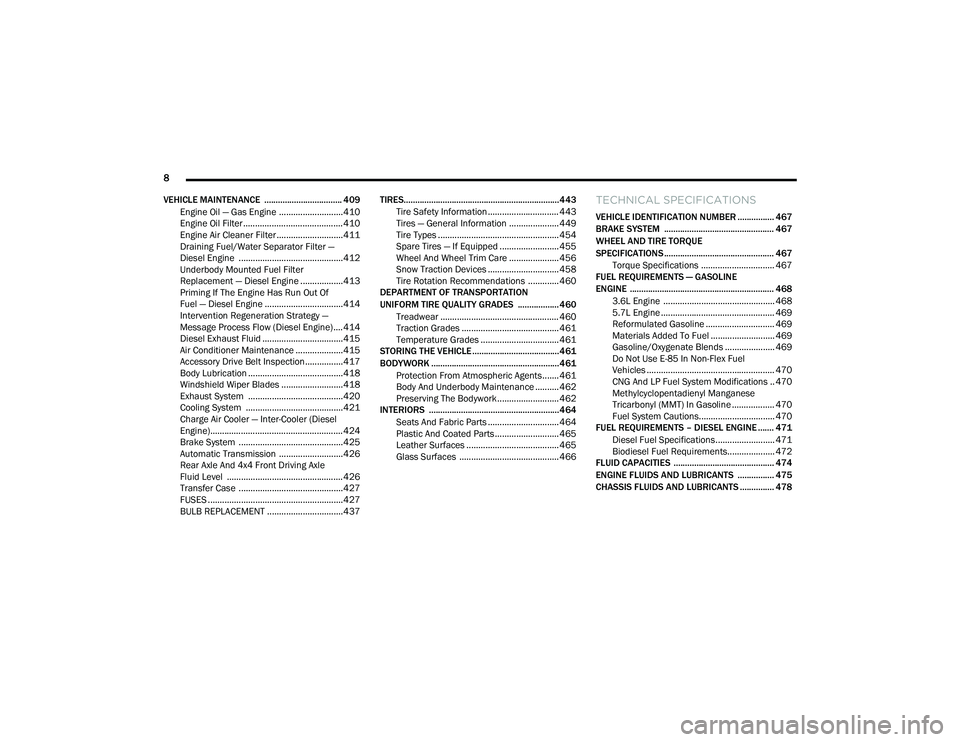
VEHICLE MAINTENANCE .................................. 409 Engine Oil — Gas Engine ...........................410
Engine Oil Filter ..........................................410Engine Air Cleaner Filter ............................411
Draining Fuel/Water Separator Filter —
Diesel Engine ............................................412 Underbody Mounted Fuel Filter
Replacement — Diesel Engine ..................413 Priming If The Engine Has Run Out Of
Fuel — Diesel Engine .................................414 Intervention Regeneration Strategy —
Message Process Flow (Diesel Engine) ....414 Diesel Exhaust Fluid ..................................415Air Conditioner Maintenance ....................415
Accessory Drive Belt Inspection................417Body Lubrication ........................................418
Windshield Wiper Blades ..........................418
Exhaust System ........................................420
Cooling System .........................................421
Charge Air Cooler — Inter-Cooler (Diesel
Engine)........................................................ 424 Brake System ............................................425
Automatic Transmission ...........................426
Rear Axle And 4x4 Front Driving Axle
Fluid Level .................................................426 Transfer Case ............................................427
FUSES .........................................................427
BULB REPLACEMENT ................................437 TIRES....................................................................443
Tire Safety Information .............................. 443
Tires — General Information ..................... 449Tire Types ................................................... 454
Spare Tires — If Equipped ......................... 455
Wheel And Wheel Trim Care ..................... 456Snow Traction Devices .............................. 458
Tire Rotation Recommendations ............. 460
DEPARTMENT OF TRANSPORTATION
UNIFORM TIRE QUALITY GRADES .................. 460
Treadwear .................................................. 460
Traction Grades ......................................... 461
Temperature Grades ................................. 461
STORING THE VEHICLE ......................................461
BODYWORK ........................................................ 461
Protection From Atmospheric Agents....... 461
Body And Underbody Maintenance .......... 462Preserving The Bodywork .......................... 462
INTERIORS ......................................................... 464
Seats And Fabric Parts .............................. 464
Plastic And Coated Parts ........................... 465
Leather Surfaces ....................................... 465Glass Surfaces .......................................... 466
TECHNICAL SPECIFICATIONS
VEHICLE IDENTIFICATION NUMBER ................ 467
BRAKE SYSTEM ................................................ 467
WHEEL AND TIRE TORQUE
SPECIFICATIONS ................................................ 467
Torque Specifications ............................... 467
FUEL REQUIREMENTS — GASOLINE
ENGINE ............................................................... 468
3.6L Engine ............................................... 468
5.7L Engine ................................................ 469
Reformulated Gasoline ............................. 469
Materials Added To Fuel ........................... 469
Gasoline/Oxygenate Blends ..................... 469
Do Not Use E-85 In Non-Flex Fuel
Vehicles ...................................................... 470 CNG And LP Fuel System Modifications .. 470Methylcyclopentadienyl Manganese
Tricarbonyl (MMT) In Gasoline .................. 470 Fuel System Cautions................................ 470
FUEL REQUIREMENTS – DIESEL ENGINE ....... 471
Diesel Fuel Specifications......................... 471
Biodiesel Fuel Requirements.................... 472
FLUID CAPACITIES ............................................ 474
ENGINE FLUIDS AND LUBRICANTS ................ 475
CHASSIS FLUIDS AND LUBRICANTS ............... 478
21_DT_OM_EN_USC_t.book Page 8
Page 19 of 496

17
GETTING TO KNOW YOUR VEHICLE
KEYS
KEY FOB
Your vehicle is equipped with a key fob which
supports Passive Entry, Remote Keyless Entry
(RKE), Keyless Enter-N-Go (if equipped), and
Remote Start (if equipped). The key fob allows
you to lock or unlock all doors, tailgate, and the
RamBox (if equipped) as well as activate the
Panic Alarm from distances up to approximately
66 ft (20 m). The key fob does not need to be
pointed at the vehicle to activate the system. The
key fob also contains an emergency key, which is
stored in the rear of the key fob.
NOTE:
The key fob’s wireless signal may be blocked if
the key fob is located next to a mobile phone,
laptop, or other electronic device. This may
result in poor performance.
If your vehicle is equipped with a Wireless
Charging Pad, the key fob may not be found if
it is placed within 15 cm (150 mm) of the pad
Ú page 77.
With the ignition in the ON position and the
vehicle moving at 2 mph (4 km/h), all RKE
commands are disabled.
Key Fob
In case the ignition switch does not change with
the push of a button, the key fob may have a low
or fully depleted battery. A low key fob battery
can be verified by referring to the instrument
cluster, which will display directions to follow.
NOTE:
A low key fob battery condition may be indicated
by a message in the instrument cluster display,
or by the LED light on the key fob. If the LED key
fob light no longer illuminates from key fob
button pushes, then the key fob battery requires
replacement.
1 — Unlock
2 — LED Light
3 — Lock
4 — Tailgate Lowering
5 — Remote Start
6 — PANIC
7 — Emergency Key
8 — Air Suspension
2
21_DT_OM_EN_USC_t.book Page 17
Page 20 of 496
18GETTING TO KNOW YOUR VEHICLE
To Lock/Unlock The Doors And Tailgate
Push and release the unlock button on the key
fob once to unlock the driver’s door, or, twice
within five seconds to unlock all doors, the
tailgate and the RamBox (if equipped). To lock all
the doors and the tailgate, push the lock button
once.
When the doors are unlocked, the turn signals
will flash and the illuminated entry system will
be activated. When the doors are locked, the
turn signals will flash and the horn will chirp.
All doors can be programmed to unlock on the
first push of the unlock button. The horn chirp
when the lock button is pushed can be
programmed on/off within Uconnect Settings
Úpage 237.
Air Suspension (Remote Lowering Of The
Vehicle) — If Equipped
For easy entry and loading, your
vehicle can be lowered by pushing the
key fob air suspension lowering button
two times. When air suspension
lowering is requested using the key fob, the
vehicle will send a series of chirps and flashes to
alert the customer that the operation has begun
and will continue these alerts until it successfully
lowers. The following conditions must be met for the
vehicle to lower remotely:
The vehicle must not already be in Entry/Exit
(Park) ride height.
The vehicle battery must be fully charged.
All doors must be closed.
The key fob must be out of the vehicle.
NOTE:
Ensure the vehicle is clear of all objects, pets,
and people prior to remote lowering.
Canceling Remote Lowering
Vehicle lowering can be cancelled at anytime.
When vehicle lowering is cancelled, the vehicle
will raise up to the next defined level and lock
out the remote lowering feature until the
ignition has been cycled ON/OFF.
To cancel vehicle lowering, push the key fob air
suspension lowering button one time during the
lowering process. When vehicle lowering is
cancelled, the horn will chirp two times and the
turn signal lamps will flash four times. Once
raising is completed, the horn will chirp one
time. NOTE:
More information on air suspension is provided
later in this manual Ú
page 165.
Replacing The Battery In The Key Fob
The replacement battery model is one CR2450
battery.
NOTE:
Customers are recommended to use a
battery obtained from Mopar. Aftermarket
coin battery dimensions may not meet the
original OEM coin battery dimensions.
Perchlorate Material — special handling may
apply. See www.dtsc.ca.gov/hazard -
ouswaste/perchlorate for further informa -
tion.
Do not touch the battery terminals that are
on the back housing or the printed circuit
board.
Do not replace the coin battery if the LED on
the key fob above the top row buttons blinks
when a button is pressed. The coin battery
should last a minimum of three years with
normal vehicle usage.
21_DT_OM_EN_USC_t.book Page 18
Page 26 of 496

24GETTING TO KNOW YOUR VEHICLE
The Remote Start system will turn the engine off
with another push and release of the Remote
Start button on the key fob, or if the engine is
allowed to run for the entire 15 minute cycle.
Once the ignition is placed in the ON/RUN
position, the climate controls will resume the
previously set operations (temperature, blower
control, etc.).
NOTE:
To avoid unintentional shutdowns, the
system will disable for two seconds after
receiving a valid Remote Start request.
For vehicles equipped with the Keyless
Enter-N-Go — Passive Entry feature, the
message “Remote Start Active — Push Start
Button” will display in the instrument cluster
display until you push the START/STOP igni -
tion button.
REMOTE START FRONT DEFROST
A
CTIVATION — IF EQUIPPED
When remote start is active, and the outside
ambient temperature is 40°F (4.5°C) or below,
the system will automatically activate front
defrost for 15 minutes or less. The time is
dependent on the ambient temperature. Once
the timer expires, the system will automatically adjust the settings depending on ambient
conditions. See “Remote Start Comfort Systems
— If Equipped” in the next section for detailed
operation.
REMOTE START COMFORT SYSTEMS —
I
F EQUIPPED
When remote start is activated, the front and
rear defrost will automatically turn on in cold
weather. The heated steering wheel and driver
heated seat feature will turn on if programmed
in the comfort menu screen within Uconnect
Settings Ú page 237. In warm weather, the
driver vented seat feature will automatically
turn on when the remote start is activated and
is programmed in the comfort menu screen.
The vehicle will adjust the climate control
settings depending on the outside ambient
temperature.
Automatic Temperature Control (ATC) — If
Equipped
The climate controls automatically adjust to an
optimal temperature and mode, dependent on
the outside ambient temperature. When the
ignition is placed in the ON/RUN position, the
climate controls will resume their previous
settings. Manual Temperature Control (MTC) — If
Equipped
In ambient temperatures of 40°F (4.5°C) or
below, the climate settings will default to
maximum heat, with fresh air entering the
cabin. If the front defrost timer expires, the
vehicle will enter Mix Mode.
In ambient temperatures from 40°F (4.5°C)
to 78°F (26°C), the climate settings will be
based on the last settings selected by the
driver.
In ambient temperatures of 78°F (26°C) or
above, the climate settings will default to
MAX A/C, Bi-Level mode, with Recirculation
on.
For more information on ATC, MTC, and climate
control settings, see Ú page 60.
NOTE:
These features will stay on through the duration
of remote start, or until the ignition is placed in
the ON/RUN position. The climate control
settings will change, and exit the automatic
defaults, if manually adjusted by the driver
while the vehicle is in remote start mode. This
includes turning the climate controls off using
the OFF button.
21_DT_OM_EN_USC_t.book Page 24
Page 27 of 496

GETTING TO KNOW YOUR VEHICLE25
REMOTE START WINDSHIELD WIPER
D
E-ICER ACTIVATION — IF EQUIPPED
When the Remote Start system is active and the
outside ambient temperature is less than 33°F
(0.6°C), the Windshield Wiper De-Icer will
activate. Exiting remote start will its resume
previous operation. If the Windshield Wiper
De-Icer was active, the timer and operation will
continue.
REMOTE START ABORT MESSAGE
The following messages will display in the
instrument cluster display if the vehicle fails to
remote start, or exits remote start prematurely:
Remote Start Cancelled — Door Open
Remote Start Cancelled — Hood Open
Remote Start Cancelled — Fuel Low
Remote Start Cancelled — Too Cold
Remote Start Cancelled — Time Expired
Remote Start Disabled — Start Vehicle to
Reset
The message will stay active until the ignition is
placed in the ON/RUN position Ú page 482.
REMOTE START — IF EQUIPPED (DIESEL)
This system uses the key fob to start
the engine conveniently from outside
the vehicle while still maintaining
security. The system has a range of
approximately 300 ft (91 m).
NOTE:
Obstructions between the vehicle and the
key fob may reduce this range.
The Remote Start system will wait for the
Wait To Start indicator light Ú page 135 to
extinguish before cranking the engine. This
allows time for the engine pre-heat cycle to
pre-heat the cylinder air, and is normal in
cold weather. For further information on the
Wait To Start indicator light and the pre-heat
cycle see .
HOW TO USE REMOTE START
All of the following conditions must be met
before the engine will remote start:
Gear selector in PARK
Doors closed
Hood closed
Hazard switch off
Brake switch inactive (brake pedal not
pressed)
Battery at an acceptable charge level
PANIC button not pushed
Fuel meets minimum requirement
System not disabled from previous remote
start event
Vehicle Security system not active
Water In Fuel indicator light is not illuminated
Wait To Start indicator light is not illuminated
Malfunction Indicator Light (MIL) is not illumi -
nated
2
21_DT_OM_EN_USC_t.book Page 25
Page 63 of 496
GETTING TO KNOW YOUR VEHICLE61
Recirculation Button
Press and release this button on the
touchscreen, or push the button on
the faceplate, to change the system
between Recirculation mode and
outside air mode. The Recirculation indicator
and the A/C indicator illuminate when the
Recirculation button is pressed. Recirculation
can be used when outside conditions, such as
smoke, odors, dust, or high humidity are
present. Recirculation can be used in all modes.
Recirculation may be unavailable (button on the
touchscreen greyed out) if conditions exist that
could create fogging on the inside of the
windshield. The A/C can be deselected
manually without disturbing the mode control
selection. Continuous use of the Recirculation
mode may make the inside air stuffy and
window fogging may occur. Extended use of this
mode is not recommended.
Auto Button
Set your desired temperature and
press AUTO. AUTO will achieve and
maintain your desired temperature by
automatically adjusting the blower speed and air distribution. AUTO mode is highly
recommended for efficiency.
You can turn AUTO on in one of two ways:
Press and release this button on the touch
-
screen.
Push the button on the faceplate.
Toggling this function will cause the system to
switch between manual mode and automatic
mode Ú page 65.
Front Defrost Button
Press and release the Front Defrost
button on the touchscreen, or push
and release the button on the
faceplate, to change the current
airflow setting to Defrost mode. The Front
Defrost indicator illuminates when Front
Defrost is on. Air comes from the windshield
and side window demist outlets. When the
defrost button is selected, the blower level may
increase. Use Defrost mode with maximum
temperature settings for best windshield and
side window defrosting and defogging. When
toggling the front defrost mode button, the
climate system will return to the previous
setting.
Rear Defrost Button
Press and release the Rear Defrost
button on the touchscreen, or push
and release the button on the
faceplate, to turn on the rear window
defroster and the heated outside mirrors (if
equipped). The Rear Defrost indicator
illuminates when the rear window defroster is
on. The rear window defroster automatically
turns off after 15 minutes.
CAUTION!
Failure to follow these cautions can cause
damage to the heating elements:
Use care when washing the inside of the
rear window. Do not use abrasive window
cleaners on the interior surface of the
window. Use a soft cloth and a mild
washing solution, wiping parallel to the
heating elements. Labels can be peeled off
after soaking with warm water.
Do not use scrapers, sharp instruments, or
abrasive window cleaners on the interior
surface of the window.
Keep all objects a safe distance from the
window.
2
21_DT_OM_EN_USC_t.book Page 61
Page 65 of 496

GETTING TO KNOW YOUR VEHICLE63
Panel Mode
Air comes from the outlets in the
instrument panel. Each of these
outlets can be individually adjusted to
direct the flow of air. The air vanes of
the center outlets and outboard outlets can be
moved up and down or side to side to regulate
airflow direction. There is a shut off wheel
located below the air vanes to shut off or adjust
the amount of airflow from these outlets.
Bi-Level Mode
Air comes from the instrument panel
outlets and floor outlets. A slight
amount of air is directed through the
defrost and side window demister
outlets.
NOTE:
Bi-Level mode is designed under comfort condi -
tions to provide cooler air out of the panel
outlets and warmer air from the floor outlets.
Floor Mode
Air comes from the floor outlets. A
slight amount of air is directed
through the defrost and side window
demister outlets.
Mix Mode
Air is directed through the floor,
defrost, and side window demister
outlets. This setting works best in cold
or snowy conditions that require extra
heat to the windshield. This setting is good for
maintaining comfort while reducing moisture on
the windshield.
Climate Control OFF Button
Press and release the OFF button on
the touchscreen, or push the OFF
button on the faceplate (if equipped)
to turn the Climate Control on/off.
MANUAL CLIMATE CONTROL
D
ESCRIPTIONS AND FUNCTIONS
Uconnect 3 With 5-inch Display Manual Temperature
Controls
MAX A/C Setting
Set the temperature control knob to
the MAX A/C setting to change the
current setting to the coldest output
of air. Moving the temperature control
knob away from the MAX A/C setting causes the
MAX A/C operation to exit.
2
21_DT_OM_EN_USC_t.book Page 63
Page 66 of 496
64GETTING TO KNOW YOUR VEHICLE
A/C Button
Push the A/C button to engage the Air
Conditioning (A/C). The A/C indicator
illuminates when A/C is on.
NOTE:
For Manual Climate Controls, if the system is
in Mix, Floor or Defrost Mode, the A/C can be
turned off, but the A/C system shall remain
active to prevent fogging of the windows.
If fog or mist appears on the windshield or
side glass, select Defrost mode, and increase
blower speed if needed.
If your air conditioning performance seems
lower than expected, check the front of the
A/C condenser (located in front of the radi -
ator), for an accumulation of dirt or insects.
Clean with a gentle water spray from the front
of the radiator and through the condenser.
Recirculation Button
Push the Recirculation button to
change the system between
recirculation mode and outside air
mode. The Recirculation indicator and
the A/C indicator illuminate when the
Recirculation button is pressed. Recirculation can be used when outside conditions, such as
smoke, odors, dust, or humidity are present.
Recirculation can be used in all modes except
for Defrost. Recirculation may be unavailable if
conditions exist that could create fogging on the
inside of the windshield. The A/C can be
deselected manually without disturbing the
mode control selection. Continuous use of the
Recirculation mode may make the inside air
stuffy and window fogging may occur. Extended
use of this mode is not recommended.
On systems with Manual Climate Controls, the
Recirculation mode is not allowed in Defrost
mode to improve window cleaning operation.
Recirculation is disabled automatically if this
mode is selected. Attempting to use
Recirculation while in this mode causes the LED
in the control button to blink and then turn off.
Front Defrost Setting
Turn the mode control knob to the
Front Defrost mode setting. Air comes
from the windshield and side window
demist outlets. When the defrost
button is selected, the blower level may
increase. Use Defrost mode with maximum
temperature settings for best windshield and
side window defrosting and defogging.
Rear Defrost Button
Push and release the Rear Defrost
Control button to turn on the rear
window defroster and the heated
outside mirrors (if equipped). The
Rear Defrost indicator illuminates when the rear
window defroster is on. The rear window
defroster automatically turns off after
15 minutes.
CAUTION!
Failure to follow these cautions can cause
damage to the heating elements:
Use care when washing the inside of the
rear window. Do not use abrasive window
cleaners on the interior surface of the
window. Use a soft cloth and a mild
washing solution, wiping parallel to the
heating elements. Labels can be peeled off
after soaking with warm water.
Do not use scrapers, sharp instruments, or
abrasive window cleaners on the interior
surface of the window.
Keep all objects a safe distance from the
window.
21_DT_OM_EN_USC_t.book Page 64
Page 67 of 496

GETTING TO KNOW YOUR VEHICLE65
Temperature Control
Temperature Control regulates the temperature
of the air forced through the climate system.
The temperature increases as you
turn the temperature control knob
clockwise.
The temperature decreases as you
turn the temperature control knob
counterclockwise.
Blower Control
Blower Control regulates the amount
of air forced through the climate
control system. There are seven
blower speeds available. The blower
speed increases as you turn the blower control
knob clockwise from the lowest blower setting.
The blower speed decreases as you turn the
blower control knob counterclockwise.
Mode Control
Turn the mode control knob to adjust
airflow distribution. The airflow
distribution mode can be adjusted so
air comes from the instrument panel
outlets, floor outlets, defrost outlets and demist
outlets.
Panel Mode
Air comes from the outlets in the
instrument panel. Each of these
outlets can be individually adjusted to
direct the flow of air. The air vanes of
the center outlets and outboard outlets can be
moved up and down or side to side to regulate
airflow direction. There is a shut off wheel
located below the air vanes to shut off or adjust
the amount of airflow from these outlets.
Bi-Level Mode
Air comes from the instrument panel
outlets and floor outlets. A slight
amount of air is directed through the
defrost and side window demister
outlets.
NOTE:
Bi-Level mode is designed under comfort condi -
tions to provide cooler air out of the panel
outlets and warmer air from the floor outlets.
Floor Mode
Air comes from the floor outlets. A
slight amount of air is directed
through the defrost and side window
demister outlets.
Mix Mode
Air is directed through the floor,
defrost, and side window demister
outlets. This setting works best in cold
or snowy conditions that require extra
heat to the windshield. This setting is good for
maintaining comfort while reducing moisture on
the windshield.
AUTOMATIC TEMPERATURE CONTROL
(ATC) — I
F EQUIPPED
Automatic Operation
1. Push the AUTO button on the faceplate, or the AUTO button on the touchscreen on the
Automatic Temperature Control (ATC)
Panel.
2. Next, adjust the temperature that you would like the system to maintain by adjusting the
driver and passenger temperature control
buttons. Once the desired temperature is
displayed, the system will achieve and
automatically maintain that comfort level.
3. When the system is set up for your comfort level, it is not necessary to change the
settings. You will experience the greatest
efficiency by simply allowing the system to
function automatically.
2
21_DT_OM_EN_USC_t.book Page 65
Page 68 of 496

66GETTING TO KNOW YOUR VEHICLE
NOTE:
It is not necessary to move the temperature
settings for cold or hot vehicles. The system
automatically adjusts the temperature,
mode, and blower speed to provide comfort
as quickly as possible.
The temperature can be displayed in US or
Metric units by selecting the US/Metric
customer-programmable feature within
Uconnect Settings Úpage 237.
To provide you with maximum comfort in the
Automatic mode during cold start-ups, the
blower fan will remain on low until the engine
warms up. The blower will increase in speed
and transition into Auto mode.
Manual Operation Override
This system offers a full complement of manual
override features. The AUTO symbol in the front
ATC display will be turned off when the system
is being used in the manual mode.
CLIMATE VOICE RECOGNITION
Adjust vehicle temperatures hands-free and
keep everyone comfortable while you keep
moving ahead. Push the VR button on the steering wheel. After
the beep, say one of the following commands:
“
Set driver temperature to 70 degrees ”
“Set passenger temperature to 70 degrees ”
Did you know: Voice Command for Climate may
only be used to adjust the interior temperature
of your vehicle. Voice Command will not work to
adjust the heated seats or steering wheel if
equipped.
OPERATING TIPS
NOTE:
Refer to the chart at the end of this section for
suggested control settings for various weather
conditions.
Summer Operation
The engine cooling system must be protected
with a high-quality antifreeze coolant to provide
proper corrosion protection and to protect
against engine overheating. OAT coolant
(conforming to MS.90032) is recommended.
Winter Operation
To ensure the best possible heater and
defroster performance, make sure the engine
cooling system is functioning properly and the proper amount, type, and concentration of
coolant is used. Use of the Air Recirculation
mode during Winter months is not
recommended, because it may cause window
fogging.
Vacation/Storage
For information on maintaining the Climate
Control system when the vehicle is being stored
for an extended period of time, see
Ú
page 461.
Window Fogging
Vehicle windows tend to fog on the inside in
mild, rainy, and/or humid weather. To clear the
windows, select Defrost or Mix mode and
increase the front blower speed. Do not use the
Recirculation mode without A/C for long
periods, as fogging may occur.
Outside Air Intake
Make sure the air intake, located directly in
front of the windshield, is free of obstructions,
such as leaves. Leaves collected in the air
intake may reduce airflow, and if they enter the
air distribution box, they could plug the water
drains. In Winter months, make sure the air
intake is clear of ice, slush, and snow.
21_DT_OM_EN_USC_t.book Page 66