transfer case RAM 1500 2021 Owners Manual
[x] Cancel search | Manufacturer: RAM, Model Year: 2021, Model line: 1500, Model: RAM 1500 2021Pages: 496, PDF Size: 20.89 MB
Page 7 of 496
5
AUTOMATIC TRANSMISSION .......................... 154 Ignition Park Interlock ...............................155
Brake/Transmission Shift Interlock
System .......................................................155 Eight-Speed Automatic Transmission.......156
FOUR-WHEEL DRIVE OPERATION —
IF EQUIPPED ...................................................... 161
Four-Position Electronically Shifted
Transfer Case — If Equipped ....................161 Five-Position Electronically Shifted
Transfer Case — If Equipped ....................163
ACTIVE-LEVEL FOUR CORNER AIR
SUSPENSION SYSTEM — IF EQUIPPED ........... 165 Description .................................................165
Air Suspension Modes...............................167
Instrument Cluster Display Messages......168Operation....................................................168
ACTIVE-LEVEL FOUR CORNER AIR
SUSPENSION SYSTEM (REBEL MODELS
ONLY) — IF EQUIPPED ....................................... 169 Description .................................................169
Air Suspension Modes...............................171
Instrument Cluster Display Messages......171Operation....................................................172
AXLE LOCK SYSTEM — IF EQUIPPED .............. 173
LIMITED-SLIP DIFFERENTIAL —
IF EQUIPPED ....................................................... 174
POWER STEERING ............................................. 174 Electric Power Steering ............................174 FUEL SAVER TECHNOLOGY 5.7L ENGINES
ONLY — IF EQUIPPED......................................... 175
STOP/START SYSTEM — IF EQUIPPED ............ 175 Autostop Mode........................................... 175
Possible Reasons The Engine Does Not
Autostop ..................................................... 175 To Start The Engine While In Autostop
Mode........................................................... 176 To Manually Turn Off The Stop Start
System ........................................................ 176 To Manually Turn On The Stop Start
System ........................................................ 177 System Malfunction................................... 177
CRUISE CONTROL SYSTEMS —
IF EQUIPPED ...................................................... 177
Cruise Control — If Equipped..................... 177Adaptive Cruise Control (ACC) —
If Equipped ................................................. 179
PARKSENSE FRONT/REAR PARK ASSIST
SYSTEM — IF EQUIPPED ....................................189
ParkSense Sensors ................................... 190
ParkSense Warning Display ...................... 190
ParkSense Display ..................................... 190
Enabling And Disabling Front And/Or
Rear ParkSense ......................................... 193 Service The ParkSense Park Assist
System ........................................................ 193 Cleaning The ParkSense System.............. 194
ParkSense System Usage Precautions .... 194 PARKSENSE ACTIVE PARK ASSIST
SYSTEM — IF EQUIPPED ................................... 195
Enabling And Disabling The ParkSense
Active Park Assist System ......................... 196 Parallel/Perpendicular Parking Space
Assistance Operation ................................ 197
LANESENSE — IF EQUIPPED ........................... 199
LaneSense Operation................................ 199
Turning LaneSense On Or Off ................... 200
LaneSense Warning Message .................. 200Changing LaneSense Status..................... 202
PARKVIEW REAR BACK UP CAMERA ............. 202
AUX Camera — If Equipped ...................... 204
SURROUND VIEW CAMERA SYSTEM — IF
EQUIPPED ........................................................... 204
AUX Camera — If Equipped ...................... 208
REFUELING THE VEHICLE — GASOLINE
ENGINE ................................................................ 208
REFUELING THE VEHICLE — DIESEL
ENGINE ............................................................... 210
Avoid Using Contaminated Fuel ............... 210Bulk Fuel Storage — Diesel Fuel ............... 210Diesel Exhaust Fluid .................................. 211
Diesel Exhaust Fluid Storage .................... 211Adding Diesel Exhaust Fluid ..................... 211
21_DT_OM_EN_USC_t.book Page 5
Page 10 of 496
8
VEHICLE MAINTENANCE .................................. 409 Engine Oil — Gas Engine ...........................410
Engine Oil Filter ..........................................410Engine Air Cleaner Filter ............................411
Draining Fuel/Water Separator Filter —
Diesel Engine ............................................412 Underbody Mounted Fuel Filter
Replacement — Diesel Engine ..................413 Priming If The Engine Has Run Out Of
Fuel — Diesel Engine .................................414 Intervention Regeneration Strategy —
Message Process Flow (Diesel Engine) ....414 Diesel Exhaust Fluid ..................................415Air Conditioner Maintenance ....................415
Accessory Drive Belt Inspection................417Body Lubrication ........................................418
Windshield Wiper Blades ..........................418
Exhaust System ........................................420
Cooling System .........................................421
Charge Air Cooler — Inter-Cooler (Diesel
Engine)........................................................ 424 Brake System ............................................425
Automatic Transmission ...........................426
Rear Axle And 4x4 Front Driving Axle
Fluid Level .................................................426 Transfer Case ............................................427
FUSES .........................................................427
BULB REPLACEMENT ................................437 TIRES....................................................................443
Tire Safety Information .............................. 443
Tires — General Information ..................... 449Tire Types ................................................... 454
Spare Tires — If Equipped ......................... 455
Wheel And Wheel Trim Care ..................... 456Snow Traction Devices .............................. 458
Tire Rotation Recommendations ............. 460
DEPARTMENT OF TRANSPORTATION
UNIFORM TIRE QUALITY GRADES .................. 460
Treadwear .................................................. 460
Traction Grades ......................................... 461
Temperature Grades ................................. 461
STORING THE VEHICLE ......................................461
BODYWORK ........................................................ 461
Protection From Atmospheric Agents....... 461
Body And Underbody Maintenance .......... 462Preserving The Bodywork .......................... 462
INTERIORS ......................................................... 464
Seats And Fabric Parts .............................. 464
Plastic And Coated Parts ........................... 465
Leather Surfaces ....................................... 465Glass Surfaces .......................................... 466
TECHNICAL SPECIFICATIONS
VEHICLE IDENTIFICATION NUMBER ................ 467
BRAKE SYSTEM ................................................ 467
WHEEL AND TIRE TORQUE
SPECIFICATIONS ................................................ 467
Torque Specifications ............................... 467
FUEL REQUIREMENTS — GASOLINE
ENGINE ............................................................... 468
3.6L Engine ............................................... 468
5.7L Engine ................................................ 469
Reformulated Gasoline ............................. 469
Materials Added To Fuel ........................... 469
Gasoline/Oxygenate Blends ..................... 469
Do Not Use E-85 In Non-Flex Fuel
Vehicles ...................................................... 470 CNG And LP Fuel System Modifications .. 470Methylcyclopentadienyl Manganese
Tricarbonyl (MMT) In Gasoline .................. 470 Fuel System Cautions................................ 470
FUEL REQUIREMENTS – DIESEL ENGINE ....... 471
Diesel Fuel Specifications......................... 471
Biodiesel Fuel Requirements.................... 472
FLUID CAPACITIES ............................................ 474
ENGINE FLUIDS AND LUBRICANTS ................ 475
CHASSIS FLUIDS AND LUBRICANTS ............... 478
21_DT_OM_EN_USC_t.book Page 8
Page 12 of 496

10
INTRODUCTION
Dear Customer, congratulations on the purchase of your new Ram vehicle. Be assured that it represents precision workmanship, distinctive styling, and
high quality.
This is a specialized utility vehicle. It can go places and perform tasks that are not intended for conventional passenger vehicles. It handles and
maneuvers differently from many passenger vehicles both on-road and off-road, so take time to become familiar with your vehicle. If equipped, the
two-wheel drive version of this vehicle was designed for on-road use only. It is not intended for off-road driving or use in other severe conditions suited
for a four-wheel drive vehicle. Before you start to drive this vehicle, read the Owner’s Manual. Be sure you are familiar with all vehicle controls,
particularly those used for braking, steering, transmission, and transfer case shifting. Learn how your vehicle handles on different road surfaces. Your
driving skills will improve with experience. When driving off-road, or working the vehicle, don’t overload the vehicle or expect the vehicle to overcome
the natural laws of physics. Always observe federal, state, provincial and local laws wherever you drive. As with other vehicles of this type, failure to
operate this vehicle correctly may result in loss of control or a collision Úpage 234.
This Owner's Manual has been prepared with the assistance of service and engineering specialists to acquaint you with the operation and maintenance
of your vehicle. It is supplemented by customer-oriented documents. Within this information, you will find a description of the services that FCA US LLC
offers to its customers as well as the details of the terms and conditions for maintaining its validity. Please take the time to read all of these publications
carefully before driving your vehicle for the first time. Following the instructions, recommendations, tips, and important warnings in this manual will help
ensure safe and enjoyable operation of your vehicle.
This Owner's Manual describes all versions of this vehicle. Options and equipment dedicated to specific markets or versions are not expressly indicated
in the text. Therefore, you should only consider the information that is related to the trim level, engine, and version that you have purchased. Any content
introduced throughout the Owner's Information, which may or may not be applicable to your vehicle, will be identified with the wording “If Equipped”.
All data contained in this publication are intended to help you use your vehicle in the best possible way. FCA US LLC aims at a constant improvement
of the vehicles produced. For this reason, it reserves the right to make changes to the model described for technical and/or commercial reasons. For
further information, contact an authorized dealer.
When it comes to service, remember that authorized dealers know your Ram best, have factory-trained technicians and genuine MOPAR® parts, and
care about your satisfaction.
21_DT_OM_EN_USC_t.book Page 10
Page 118 of 496

116GETTING TO KNOW YOUR INSTRUMENT PANEL
DISPLAY MENU ITEMS
Push and release the up or down arrow
button until the desired selectable menu icon is
highlighted in the instrument cluster display.
Speedometer
Push and release the up or down arrow
button until the speedometer menu item is
highlighted in the instrument cluster display.
Push and release the OK button to cycle the
display between mph and km/h.
Vehicle Info
Push and release the up or down arrow
button until the Vehicle Info menu icon is
displayed in the instrument cluster display.
Push and release the left or right arrow
button to scroll through the information
submenus and push and release the OK button
to select or reset the resettable submenus.
Tire Pressure Monitor System
Air Suspension — If Equipped
Coolant Temperature — If Equipped
Trans Temperature (Automatic only)
Oil Temperature
Oil Pressure — If Equipped
Oil Life
Battery Voltage — If Equipped
Gauge Summary — If Equipped
Coolant Temp
Trans Temp
Oil Temp
Oil Pressure
Engine Hours
Off-Road
Push and release the up or down arrow
button until the Off-Road menu icon is displayed
in the instrument cluster display. Push and
release the left or right arrow button to
scroll through the information submenus.
Drivetrain
Front Wheel Angle: displays the graphical
and numerical value of calculated
average front wheel angle from the
steering wheel orientation.
Transfer Case Lock Status: displays
“Lock” graphic only during 4WD High,
4WD High Part Time, 4WD Low status.
Axle Lock And Sway Bar Status (If
Equipped): displays front and rear or rear
only axle locker graphic, and sway bar
connection graphic with text message
(connected or disconnected).
Pitch And Roll
Displays the pitch and roll of the vehicle
in the graphic with the angle number on
the screen.
NOTE:
When vehicle speed becomes too high to
display the pitch and roll, “- -” will display in
place of the numbers, and the graphic will be
greyed out. A message indicating the necessary
speed for the feature to become available will
also display.
Driver Assist — If Equipped
The Driver Assist menu displays the status of
the ACC and LaneSense systems.
Push and release the up or down arrow
button until the Driver Assist menu is displayed
in the instrument cluster display.
21_DT_OM_EN_USC_t.book Page 116
Page 136 of 496
134GETTING TO KNOW YOUR INSTRUMENT PANEL
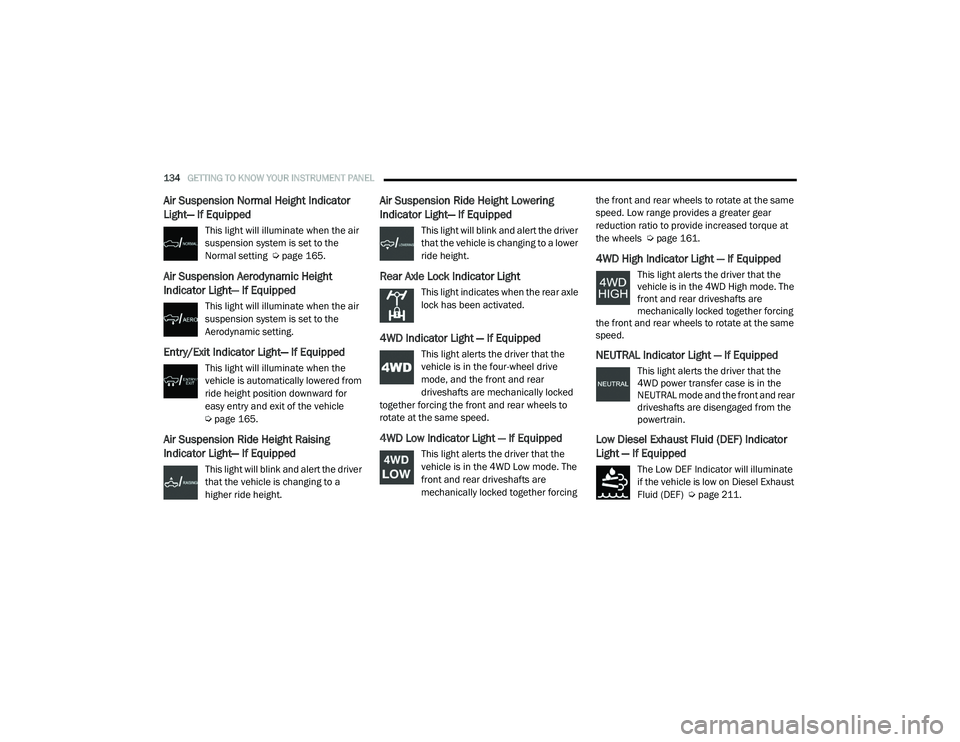
Air Suspension Normal Height Indicator
Light— If Equipped
This light will illuminate when the air
suspension system is set to the
Normal setting Úpage 165.
Air Suspension Aerodynamic Height
Indicator Light— If Equipped
This light will illuminate when the air
suspension system is set to the
Aerodynamic setting.
Entry/Exit Indicator Light— If Equipped
This light will illuminate when the
vehicle is automatically lowered from
ride height position downward for
easy entry and exit of the vehicle
Úpage 165.
Air Suspension Ride Height Raising
Indicator Light— If Equipped
This light will blink and alert the driver
that the vehicle is changing to a
higher ride height.
Air Suspension Ride Height Lowering
Indicator Light— If Equipped
This light will blink and alert the driver
that the vehicle is changing to a lower
ride height.
Rear Axle Lock Indicator Light
This light indicates when the rear axle
lock has been activated.
4WD Indicator Light — If Equipped
This light alerts the driver that the
vehicle is in the four-wheel drive
mode, and the front and rear
driveshafts are mechanically locked
together forcing the front and rear wheels to
rotate at the same speed.
4WD Low Indicator Light — If Equipped
This light alerts the driver that the
vehicle is in the 4WD Low mode. The
front and rear driveshafts are
mechanically locked together forcing the front and rear wheels to rotate at the same
speed. Low range provides a greater gear
reduction ratio to provide increased torque at
the wheels Ú
page 161.
4WD High Indicator Light — If Equipped
This light alerts the driver that the
vehicle is in the 4WD High mode. The
front and rear driveshafts are
mechanically locked together forcing
the front and rear wheels to rotate at the same
speed.
NEUTRAL Indicator Light — If Equipped
This light alerts the driver that the
4WD power transfer case is in the
NEUTRAL mode and the front and rear
driveshafts are disengaged from the
powertrain.
Low Diesel Exhaust Fluid (DEF) Indicator
Light — If Equipped
The Low DEF Indicator will illuminate
if the vehicle is low on Diesel Exhaust
Fluid (DEF) Ú page 211.
21_DT_OM_EN_USC_t.book Page 134
Page 139 of 496
GETTING TO KNOW YOUR INSTRUMENT PANEL137
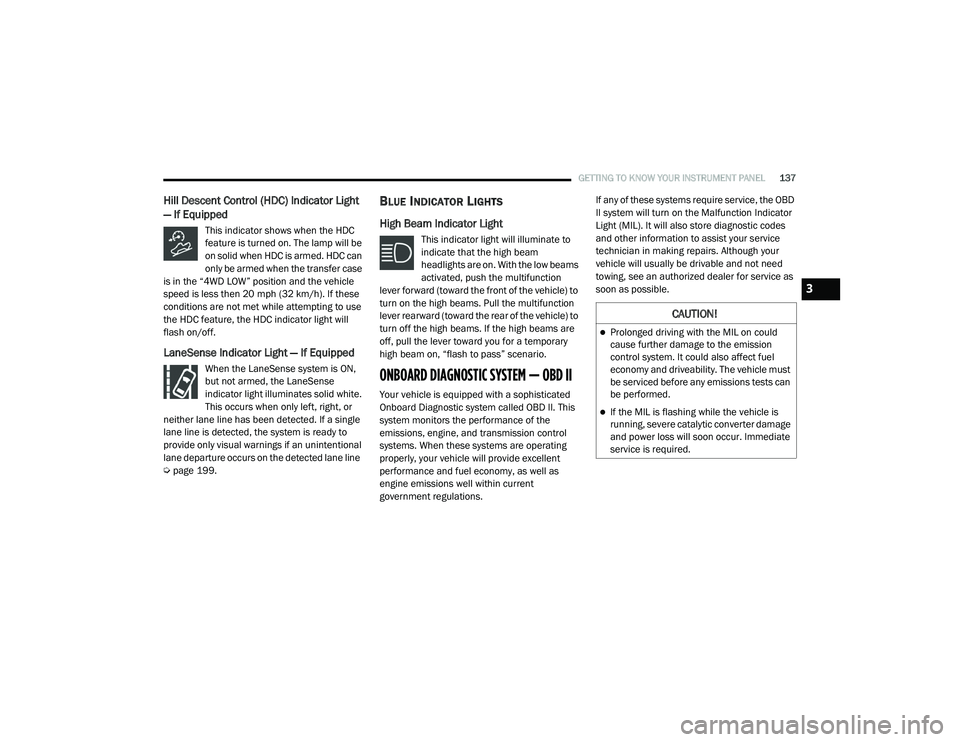
Hill Descent Control (HDC) Indicator Light
— If Equipped
This indicator shows when the HDC
feature is turned on. The lamp will be
on solid when HDC is armed. HDC can
only be armed when the transfer case
is in the “4WD LOW” position and the vehicle
speed is less then 20 mph (32 km/h). If these
conditions are not met while attempting to use
the HDC feature, the HDC indicator light will
flash on/off.
LaneSense Indicator Light — If Equipped
When the LaneSense system is ON,
but not armed, the LaneSense
indicator light illuminates solid white.
This occurs when only left, right, or
neither lane line has been detected. If a single
lane line is detected, the system is ready to
provide only visual warnings if an unintentional
lane departure occurs on the detected lane line
Ú page 199.
BLUE INDICATOR LIGHTS
High Beam Indicator Light
This indicator light will illuminate to
indicate that the high beam
headlights are on. With the low beams
activated, push the multifunction
lever forward (toward the front of the vehicle) to
turn on the high beams. Pull the multifunction
lever rearward (toward the rear of the vehicle) to
turn off the high beams. If the high beams are
off, pull the lever toward you for a temporary
high beam on, “flash to pass” scenario.
ONBOARD DIAGNOSTIC SYSTEM — OBD II
Your vehicle is equipped with a sophisticated
Onboard Diagnostic system called OBD II. This
system monitors the performance of the
emissions, engine, and transmission control
systems. When these systems are operating
properly, your vehicle will provide excellent
performance and fuel economy, as well as
engine emissions well within current
government regulations. If any of these systems require service, the OBD
II system will turn on the Malfunction Indicator
Light (MIL). It will also store diagnostic codes
and other information to assist your service
technician in making repairs. Although your
vehicle will usually be drivable and not need
towing, see an authorized dealer for service as
soon as possible.
CAUTION!
Prolonged driving with the MIL on could
cause further damage to the emission
control system. It could also affect fuel
economy and driveability. The vehicle must
be serviced before any emissions tests can
be performed.
If the MIL is flashing while the vehicle is
running, severe catalytic converter damage
and power loss will soon occur. Immediate
service is required.
3
21_DT_OM_EN_USC_t.book Page 137
Page 159 of 496
STARTING AND OPERATING157
(Continued)
(Continued)
(Continued)
When parking on a hill, apply the parking brake
before shifting the transmission to PARK. As an
added precaution, turn the front wheels toward
the curb on a downhill grade and away from the
curb on an uphill grade.
NOTE:
On four-wheel drive vehicles be sure that the
transfer case is in a drive position.
When exiting the vehicle, always:
Apply the parking brake.
Shift the transmission into PARK.
Turn the engine off.
Remove the key fob from the vehicle.
WARNING!
Never use the PARK position as a substi
-
tute for the parking brake. Always apply the
parking brake fully when exiting the vehicle
to guard against vehicle movement and
possible injury or damage.
Your vehicle could move and injure you and
others if it is not in PARK. Check by trying to
move the transmission gear selector out of
PARK with the brake pedal released. Make
sure the transmission is in PARK before
exiting the vehicle.
The transmission may not engage PARK if
the vehicle is moving. Always bring the
vehicle to a complete stop before shifting to
PARK, and verify that the transmission gear
position indicator solidly indicates PARK (P)
without blinking. Ensure that the vehicle is
completely stopped, and the PARK position
is properly indicated, before exiting the
vehicle.
It is dangerous to shift out of PARK or
NEUTRAL if the engine speed is higher than
idle speed. If your foot is not firmly pressing
the brake pedal, the vehicle could accel -
erate quickly forward or in reverse. You
could lose control of the vehicle and hit
someone or something. Only shift into gear
when the engine is idling normally and your
foot is firmly pressing the brake pedal.
WARNING! (Continued)
Unintended movement of a vehicle could
injure those in or near the vehicle. As with
all vehicles, you should never exit a vehicle
while the engine is running. Before exiting a
vehicle, always come to a complete stop,
then apply the parking brake, shift the
transmission into PARK, and turn the igni -
tion OFF. When the ignition is in the OFF
mode, the transmission is locked in PARK,
securing the vehicle against unwanted
movement.
When exiting the vehicle, always make sure
the ignition is in the OFF mode, remove the
key fob from the vehicle, and lock the
vehicle.
Never leave children alone in a vehicle, or
with access to an unlocked vehicle.
Allowing children to be in a vehicle unat -
tended is dangerous for a number of
reasons. A child or others could be seriously
or fatally injured. Children should be
warned not to touch the parking brake,
brake pedal or the transmission gear
selector.
WARNING! (Continued)
4
21_DT_OM_EN_USC_t.book Page 157
Page 163 of 496

STARTING AND OPERATING161
FOUR-WHEEL DRIVE OPERATION — IF
EQUIPPED
FOUR-POSITION ELECTRONICALLY
S
HIFTED TRANSFER CASE — IF
E
QUIPPED
This is an electronic shift transfer case and is
operated by the 4WD Control Switch (Transfer
Case Switch), located on the instrument panel.
Four-Position/On-Demand Transfer Case
This electronically shifted transfer case
provides four mode positions:
Two-Wheel Drive High Range (2WD) — This
range is for normal street and highway
driving on dry hard surfaced roads. Driving the vehicle in 2WD will have greater fuel
economy benefits as the front axle is not
engaged in 2WD.
Four-Wheel Drive High Range (4WD HIGH) —
This range provides torque to the front drive
-
shaft (engages four-wheel drive) which allows
front and rear wheels to spin at the same
speed. This provides additional traction for
loose or slippery road surfaces only.
Four-Wheel Drive Low Range (4WD LOW) —
This range provides low speed four-wheel
drive. It maximizes torque (increased torque
over 4WD HIGH) to the front driveshaft;
allowing front and rear wheels to rotate at the
same speed. This range provides additional
traction and maximum pulling power for
loose or slippery road surfaces only. Do not
exceed 25 mph (40 km/h) in this range.
N (Neutral) — This range disengages both the
front and rear driveshafts from the power -
train. To be used for flat towing behind
another vehicle Ú page 231.
WARNING!
You or others could be injured or killed if
you leave the vehicle unattended with the
transfer case in the N (Neutral) position
without first fully engaging the parking
brake. The transfer case N (Neutral) posi -
tion disengages both the front and rear
drive shaft from the powertrain, and will
allow the vehicle to roll, even if the trans -
mission is in PARK. The parking brake
should always be applied when the driver is
not in the vehicle.
The transmission may not engage PARK if
the vehicle is moving. Always bring the
vehicle to a complete stop before shifting to
PARK, and verify that the transmission gear
position indicator solidly indicates PARK (P)
without blinking. Ensure that the vehicle is
completely stopped, and the PARK position
is properly indicated, before exiting the
vehicle.
4
21_DT_OM_EN_USC_t.book Page 161
Page 164 of 496

162STARTING AND OPERATING
NOTE:
The 4WD High and 4WD Low positions are
designed for loose, slippery road surfaces
only. Driving in the 4WD High and 4WD Low
positions on dry, hard surfaced roads may
cause increased tire wear and damage to the
driveline components.
The transfer case N (Neutral) button is located
in the center of the 4WD Control Switch and is
pushed by using a ballpoint pen or similar
object. The transfer case N (Neutral) position
is to be used for recreational towing only
Úpage 231.
Transfer Case Position Indicator Lights
The Transfer Case Position Indicator Lights
(4WD High and 4WD Low) are located in the
instrument cluster and indicate the current and
desired transfer case selection. When you
select a different transfer case position, the
indicator lights will do the following:
1. The current position indicator light will turn off.
2. The selected position indicator light will flash until the transfer case completes the
shift. 3. When the shift is complete, the indicator
light for the selected position will stop
flashing and remain on.
If the transfer case does not shift into the
desired position, one or more of the following
events may occur:
1. The indicator light for the current position will remain on.
2. The newly selected position indicator light will continue to flash.
3. If the transfer case will not shift, a message
will appear on the cluster stating the 4WD
shift has canceled.
NOTE:
Before retrying a selection, make certain that all
the necessary requirements for selecting a new
transfer case position have been met. To retry
the selection, push the current position, wait
five seconds, and retry selection.
The “SVC 4WD Warning Light” monitors the
electronic shift four-wheel drive system. If this
light remains on after engine start up or
illuminates during driving, it means that the
four-wheel drive system is not functioning
properly and that service is required. NOTE:
Do not attempt to make a shift while only the
front or rear wheels are spinning. This could
cause damage to driveline components.
When operating your vehicle in 4WD Low, the
engine speed is approximately three times that
of the 2WD or 4WD High positions at a given
road speed. Take care not to overspeed the
engine and do not exceed 25 mph (40 km/h).
Proper operation of four-wheel drive vehicles
depends on tires of equal size, type and
circumference on each wheel. Any difference in
tire size can cause damage to the drivetrain.
Because four-wheel drive provides improved
traction, there is a tendency to exceed safe
turning and stopping speeds. Do not go faster
than road conditions permit.
WARNING!
Always engage the parking brake when
powering down the vehicle if the “SVC 4WD
Warning Light” is illuminated. Not engaging
the parking brake may allow the vehicle to roll
which may cause personal injury or death.
21_DT_OM_EN_USC_t.book Page 162
Page 165 of 496

STARTING AND OPERATING163
Shifting Procedure
If any of the requirements to select a new
transfer case position have not been met,
then the transfer case will not shift. The posi -
tion indicator light for the previous position
will remain on and the newly selected posi -
tion indicator light will continue to flash until
all the requirements for the selected position
have been met.
If all the requirements to select a new
transfer case position have been met, then
the current position indicator light will turn off
and the selected position indicator light will
flash until the transfer case completes the
shift. When the shift is complete, the position
indicator light for the selected position will
stop flashing and remain on.
FIVE-POSITION ELECTRONICALLY
S
HIFTED TRANSFER CASE — IF
E
QUIPPED
This is an electronic shift transfer case and is
operated by the 4WD Control Switch (Transfer
Case Switch), which is located on the
instrument panel.
Five-Position/On-Demand Transfer Case
This electronically shifted transfer case
provides five mode positions:
Two-Wheel Drive High Range (2WD) — This
range is for normal street and highway
driving on dry hard surfaced roads. Driving
the vehicle in 2WD will have greater fuel
economy benefits as the front axle is not
engaged in 2WD.
Four-Wheel Drive Automatic High Range
(4WD AUTO) — This range sends power to the
front wheels automatically when the vehicle
senses a loss of traction. This range may be
used during varying road conditions.
Four-Wheel Drive High Range (4WD HIGH) —
This range provides torque to the front drive -
shaft (engages four-wheel drive) which allows
front and rear wheels to spin at the same
speed. This provides additional traction for
loose or slippery road surfaces only.
Four-Wheel Drive Low Range (4WD LOW) —
This range provides low speed four-wheel
drive. It maximizes torque (increased torque
over 4WD HIGH) to the front driveshaft;
allowing front and rear wheels to rotate at the
same speed. This range provides additional
traction and maximum pulling power for
loose or slippery road surfaces only. Do not
exceed 25 mph (40 km/h) in this range.
N (Neutral) — This range disengages both the
front and rear driveshafts from the power -
train. To be used for flat towing behind
another vehicle Ú page 231.
4
21_DT_OM_EN_USC_t.book Page 163