instrument cluster Ram 3500 2019 User Guide
[x] Cancel search | Manufacturer: RAM, Model Year: 2019, Model line: 3500, Model: Ram 3500 2019Pages: 696, PDF Size: 13.89 MB
Page 58 of 696
56 GETTING TO KNOW YOUR VEHICLE
DRIVER ADJUSTABLE PEDALS — IF EQUIPPED
The adjustable pedals system is designed to allow a greater
range of driver comfort for steering wheel tilt and seat posi-
tion. This feature allows the brake and accelerator pedals to
move toward or away from the driver to provide improved
position with the steering wheel.
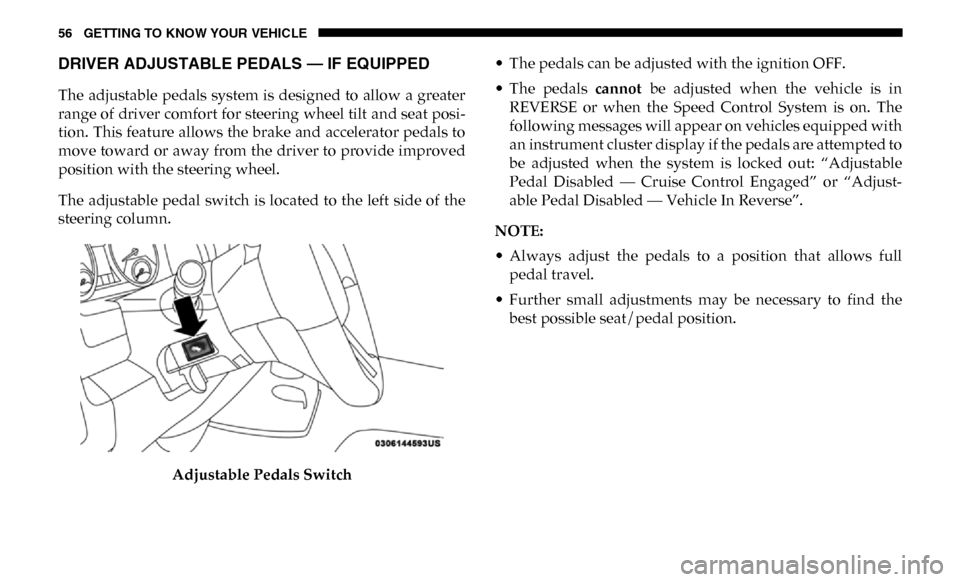
The adjustable pedal switch is located to the left side of the
steering column.
Adjustable Pedals Switch • The pedals can be adjusted with the ignition OFF.
• The pedals
cannot be adjusted when the vehicle is in
REVERSE or when the Speed Control System is on. The
following messages will appear on vehicles equipped with
an instrument cluster display if the pedals are attempted to
be adjusted when the system is locked out: “Adjustable
Pedal Disabled — Cruise Control Engaged” or “Adjust -
able Pedal Disabled — Vehicle In Reverse”.
NOTE:
• Always adjust the pedals to a position that allows full pedal travel.
• Further small adjustments may be necessary to find the best possible seat/pedal position.
Page 73 of 696
GETTING TO KNOW YOUR VEHICLE 71
Front Fog Lights — If Equipped
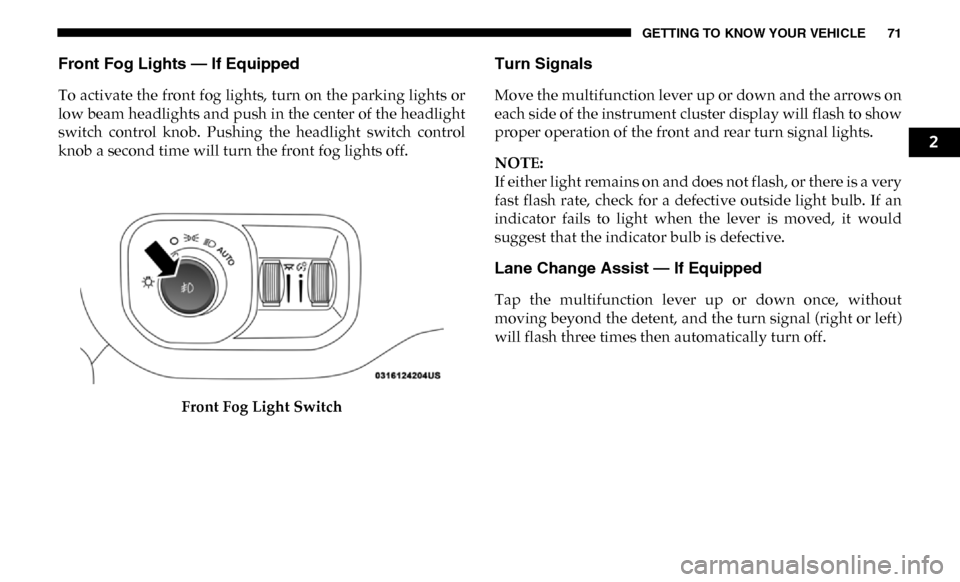
To activate the front fog lights, turn on the parking lights or
low beam headlights and push in the center of the headlight
switch control knob. Pushing the headlight switch control
knob a second time will turn the front fog lights off.Front Fog Light Switch
Turn Signals
Move the multifunction lever up or down and the arrows on
each side of the instrument cluster display will flash to show
proper operation of the front and rear turn signal lights.
NOTE:
If either light remains on and does not flash, or there is a very
fast flash rate, check for a defective outside light bulb. If an
indicator fails to light when the lever is moved, it would
suggest that the indicator bulb is defective.
Lane Change Assist — If Equipped
Tap the multifunction lever up or down once, without
moving beyond the detent, and the turn signal (right or left)
will flash three times then automatically turn off.
2
Page 74 of 696

72 GETTING TO KNOW YOUR VEHICLE
Cargo Light With Bed Lights — If Equipped
The cargo light and bed lights (if equipped) and trailer
spotter lamps (if equipped) are turned on by pushing the
cargo lights button located on the lower half of the headlight
switch.Cargo/Bed Lights Button On Headlight Switch
If the vehicle’s speed is 0 mph (0 km/h), these lights can also
be turned on using the switch located just inside the pickup
box, on the lower part of the bed light lens. A telltale will illu-
minate in the instrument cluster display when these lights
are on. Pushing the switch a second time will turn the lights
off. Bed Light Switch In Truck Bed
The cargo light and bed lights (if equipped) will turn on for
approximately 30 seconds when a key fob unlock button is
pushed, as part of the Illuminated Entry feature.
NOTE:
For vehicles shipped to or sold in the states of California or
Mississippi, the Cargo, Bed, and Mirror Spotter lights will
not work while the vehicle is in motion. In every other state,
the Cargo and Mirror Spotter lights will turn off when the
vehicle is in motion, but the Bed Light will remain on. In all
states, including California and Mississippi, if a bed camera
is deactivated, the Bed Lights will turn back on.
Page 162 of 696
160
GETTING TO KNOW YOUR INSTRUMENT PANEL
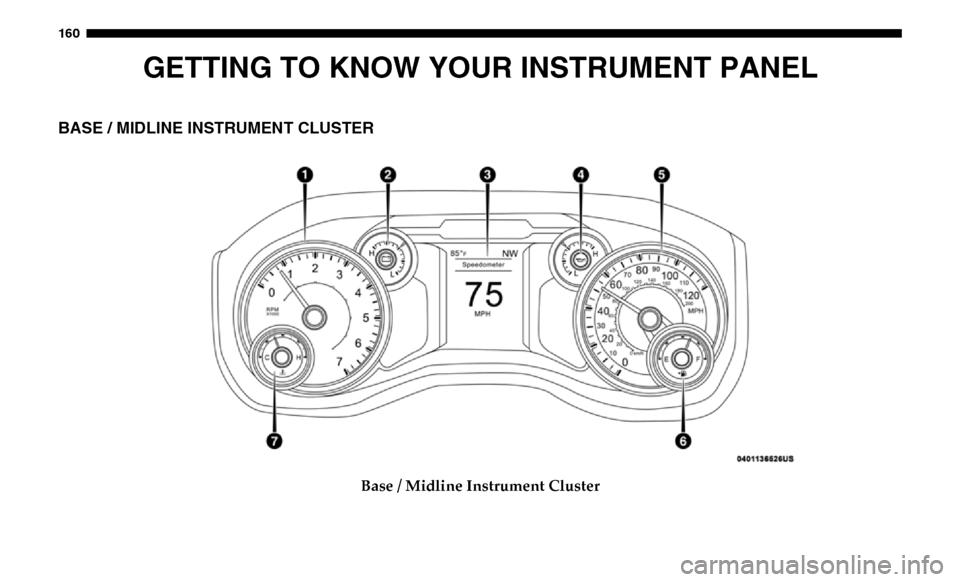
BASE / MIDLINE INSTRUMENT CLUSTER
Base / Midline Instrument Cluster
Page 163 of 696
GETTING TO KNOW YOUR INSTRUMENT PANEL 161
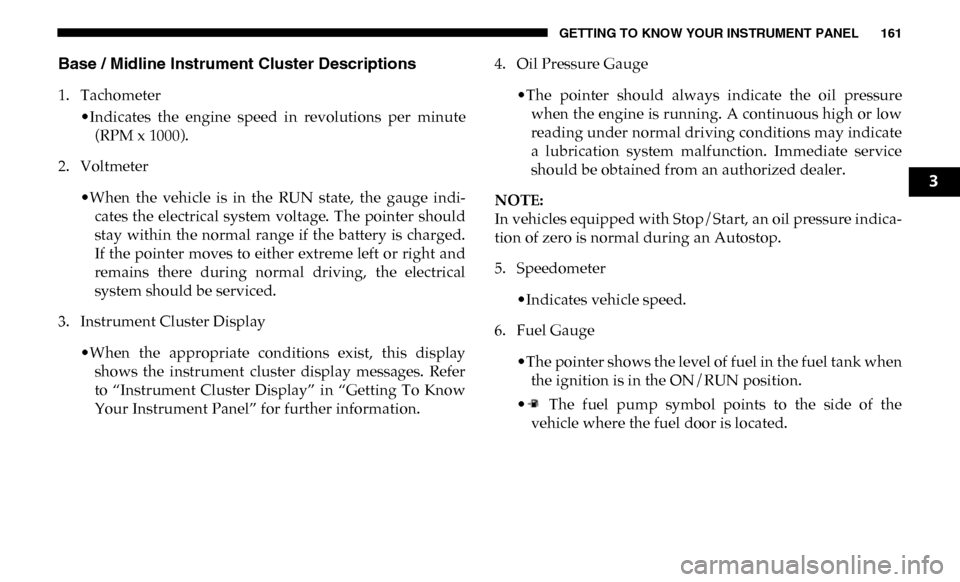
Base / Midline Instrument Cluster Descriptions
1. Tachometer•Indicates the engine speed in revolutions per minute(RPM x 1000).
2. Voltmeter
•When the vehicle is in the RUN state, the gauge indi -
cates the electrical system voltage. The pointer should
stay within the normal range if the battery is charged.
If the pointer moves to either extreme left or right and
remains there during normal driving, the electrical
system should be serviced.
3. Instrument Cluster Display
•When the appropriate conditions exist, this displayshows the instrument cluster display messages. Refer
to “Instrument Cluster Display” in “Getting To Know
Your Instrument Panel” for further information. 4. Oil Pressure Gauge
•The pointer should always indicate the oil pressurewhen the engine is running. A continuous high or low
reading under normal driving conditions may indicate
a lubrication system malfunction. Immediate service
should be obtained from an authorized dealer.
NOTE:
In vehicles equipped with Stop/Start, an oil pressure indica -
tion of zero is normal during an Autostop.
5. Speedometer
•Indicates vehicle speed.
6. Fuel Gauge
•The pointer shows the level of fuel in the fuel tank whenthe ignition is in the ON/RUN position.
• The fuel pump symbol points to the side of the vehicle where the fuel door is located.
3
Page 165 of 696
GETTING TO KNOW YOUR INSTRUMENT PANEL 163
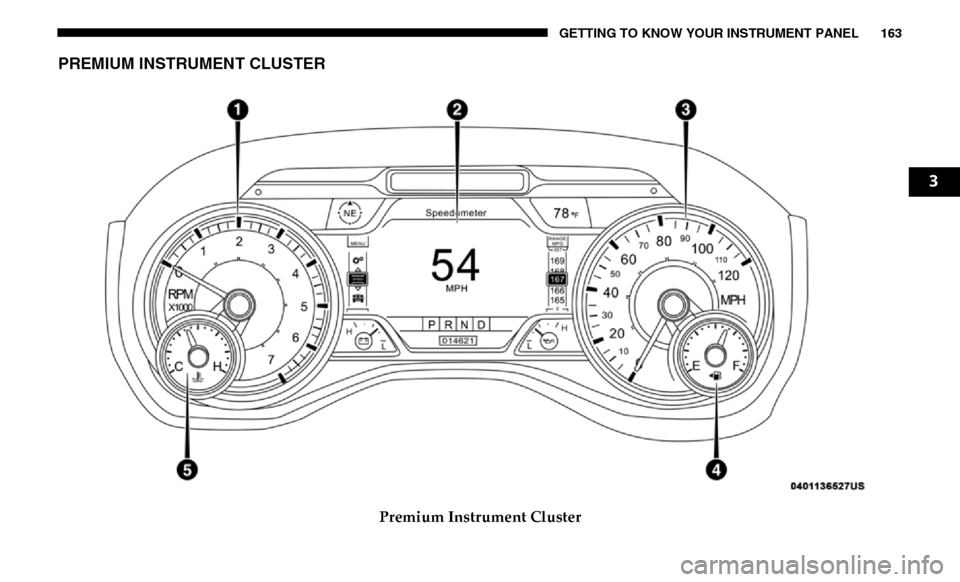
PREMIUM INSTRUMENT CLUSTER
Premium Instrument Cluster
3
Page 166 of 696
164 GETTING TO KNOW YOUR INSTRUMENT PANEL
Premium Instrument Cluster Descriptions
1. Tachometer•Indicates the engine speed in revolutions per minute(RPM x 1000).
2. Instrument Cluster Display
• When the appropriate conditions exist, this displayshows the instrument cluster display messages. Refer
to “Instrument Cluster Display” in “Getting To Know
Your Instrument Panel” for further information.
3. Speedometer
•Indicates vehicle speed.
4. Fuel Gauge
•The pointer shows the level of fuel in the fuel tank whenthe ignition is in the ON/RUN position.
• The fuel pump symbol points to the side of the vehicle where the fuel door is located. 5. Temperature Gauge
•The gauge pointer shows engine coolant temperature.The pointer positioned within the normal range indi -
cates that the engine cooling system is operating satis -
factorily.
•The gauge pointer will likely indicate a higher tempera -
ture when driving in hot weather, up mountain grades,
or when towing a trailer. It should not be allowed to
exceed the upper limits of the normal operating range.
WARNING!
A hot engine cooling system is dangerous. You or others
could be badly burned by steam or boiling coolant. You
may want to call an authorized dealer for service if your
vehicle overheats. If you decide to look under the hood
yourself, see “Servicing And Maintenance.” Follow the
warnings under the Cooling System Pressure Cap
paragraph.
Page 167 of 696
GETTING TO KNOW YOUR INSTRUMENT PANEL 165
INSTRUMENT CLUSTER DISPLAY
Your vehicle will be equipped with an instrument cluster
display, which offers useful information to the driver. With
the ignition in the STOP/OFF mode, opening/closing of a
door will activate the display for viewing, and display the
total miles, or kilometers, in the odometer. Your instrument
cluster display is designed to display important information
about your vehicle’s systems and features. Using a driver
interactive display located on the instrument panel, your
instrument cluster display can show you how systems are
working and give you warnings when they are not. The
steering wheel mounted controls allow you to scroll through
the main menus and submenus. You can access the specific
information you want and make selections and adjustments.
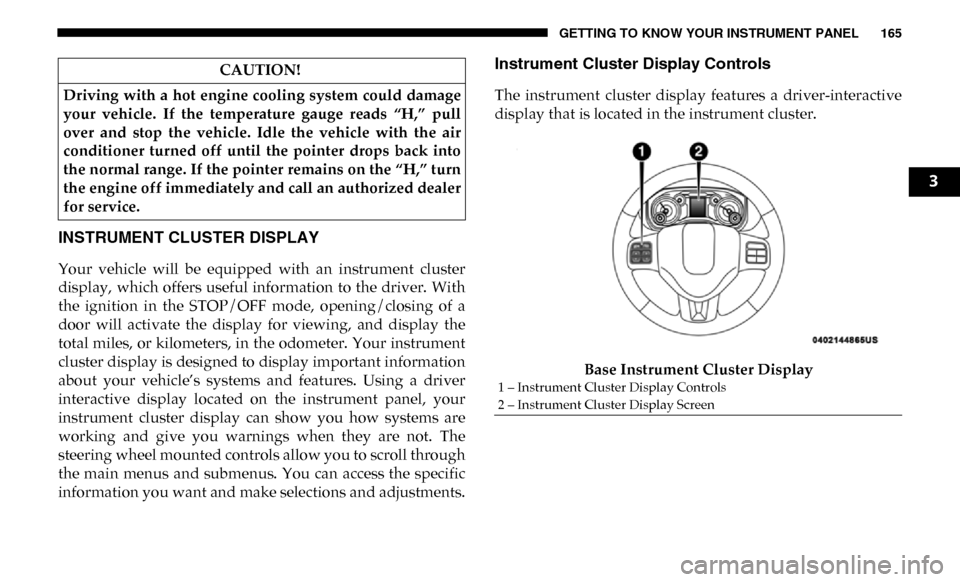
Instrument Cluster Display Controls
The instrument cluster display features a driver-interactive
display that is located in the instrument cluster.Base Instrument Cluster Display
CAUTION!
Driving with a hot engine cooling system could damage
your vehicle. If the temperature gauge reads “H,” pull
over and stop the vehicle. Idle the vehicle with the air
conditioner turned off until the pointer drops back into
the normal range. If the pointer remains on the “H,” turn
the engine off immediately and call an authorized dealer
for service.
1 – Instrument Cluster Display Controls
2 – Instrument Cluster Display Screen
3
Page 168 of 696
166 GETTING TO KNOW YOUR INSTRUMENT PANEL
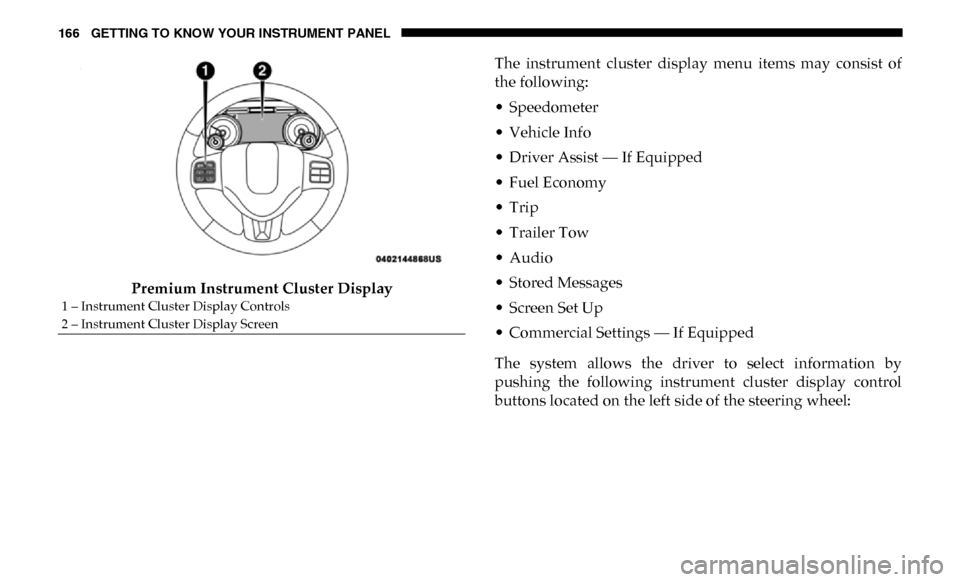
Premium Instrument Cluster DisplayThe instrument cluster display menu items may consist of
the following:
• Speedometer
• Vehicle Info
• Driver Assist — If Equipped
• Fuel Economy
• Trip
• Trailer Tow
• Audio
• Stored Messages
• Screen Set Up
• Commercial Settings — If Equipped
The system allows the driver to select information by
pushing the following instrument cluster display control
buttons located on the left side of the steering wheel:
1 – Instrument Cluster Display Controls
2 – Instrument Cluster Display Screen
Page 169 of 696
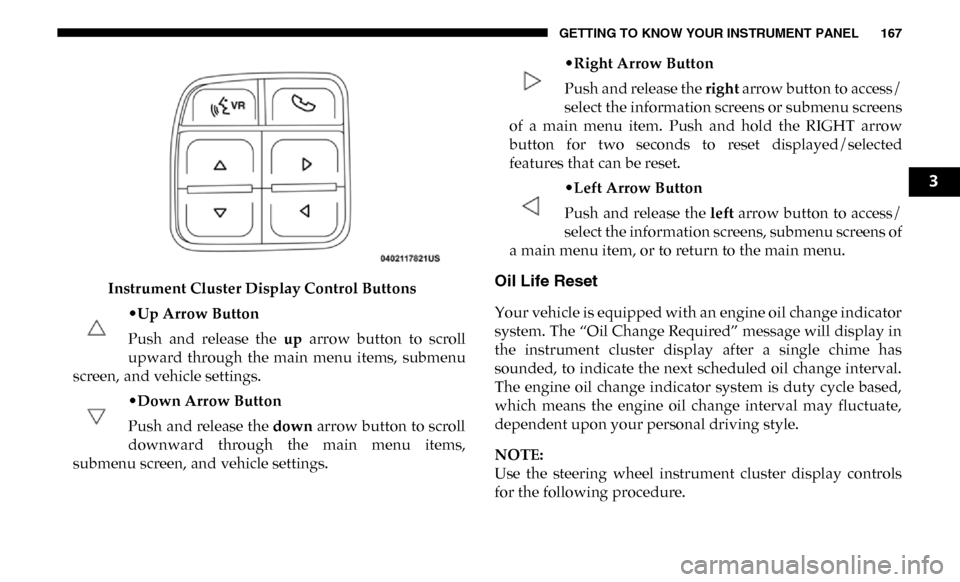
GETTING TO KNOW YOUR INSTRUMENT PANEL 167
Instrument Cluster Display Control Buttons•Up Arrow Button
Push and release the up arrow button to scroll
upward through the main menu items, submenu
screen, and vehicle settings.
•Down Arrow Button
Push and release the down arrow button to scroll
downward through the main menu items,
submenu screen, and vehicle settings. •
Right Arrow Button
Push and release the right arrow button to access/
select the information screens or submenu screens
of a main menu item. Push and hold the RIGHT arrow
button for two seconds to reset displayed/selected
features that can be reset.
•Left Arrow Button
Push and release the left arrow button to access/
select the information screens, submenu screens of
a main menu item, or to return to the main menu.Oil Life Reset
Your vehicle is equipped with an engine oil change indicator
system. The “Oil Change Required” message will display in
the instrument cluster display after a single chime has
sounded, to indicate the next scheduled oil change interval.
The engine oil change indicator system is duty cycle based,
which means the engine oil change interval may fluctuate,
dependent upon your personal driving style.
NOTE:
Use the steering wheel instrument cluster display controls
for the following procedure.
3