phone Ram 3500 2019 Owner's Guide
[x] Cancel search | Manufacturer: RAM, Model Year: 2019, Model line: 3500, Model: Ram 3500 2019Pages: 696, PDF Size: 13.89 MB
Page 616 of 696

614 MULTIMEDIA
Engine Off Options
After pressing the “Engine Off Options” button on the touchscreen, the following settings will be available:Setting Name Selectable Options
Engine Off Power Delay –+
NOTE:
When the “Engine Off Power Delay” feature is selected, the power window switches, radio, Uconnect phone system (if
equipped), power sunroof (if equipped), and power outlets will remain active for up to ten minutes after the ignition is cycled
to OFF. Opening either front door will cancel this feature. Headlight Off Delay –+
NOTE:
When the “Headlight Off Delay” feature is selected, the driver can choose to have the headlights remain on for 0, 30, 60, or
90 seconds when exiting the vehicle. Auto Entry/Exit — If Equipped OnOff
Easy Exit Seat — If Equipped OnOff
NOTE:
When the “Easy Exit Seat” feature is selected, the Driver’s seat will automatically move rearward once the engine is shut off.
Page 620 of 696

618 MULTIMEDIA
Phone/Bluetooth Settings
After pressing the “Phone/Bluetooth Settings” button on the touchscreen, the following settings will be available:
SiriusXM Setup — If Equipped
After pressing the “SiriusXM Setup” button on the touchscreen, the following settings will be available:Setting Name
Selectable Options
Phone Pop-ups Displayed in Cluster — If Equipped On
Off
Do Not Disturb List of Settings
NOTE:
Press “Do Not Disturb” to access the available settings. The following settings are: Auto Reply (both, text, call), Auto Reply
Message (custom, default) and Custom Auto Reply Message (create message). Paired Phones and Audio Devices List Of Paired Phones and Audio Sources
NOTE:
The “Paired Phones and Audio Devices” feature shows which phones and audio sources are paired to the Phone and Audio
Sources Settings system. For further information, refer to the Uconnect Owner’s Manual Supplement. Smartphone Projection Manager OnOff
Setting Name Selectable Options
Tune Start OnOff
Page 625 of 696

MULTIMEDIA 623
NOTE:
To make changes to the "Display Brightness with Headlights OFF" setting, the headlights must be off and the interior dimmer
switch must not be in the "party" or "parade" positions.
Set ThemePre-configured Themes
Touchscreen Beep OnOff
Controls Screen Time-Out — If
Equipped On
Off
Fuel Saver Display — If Equipped OnOff
NOTE:
When selected, the system displays fuel saver mode in the instrument cluster.
Navigation Turn-By-Turn Displayed
in Cluster — If Equipped On
Off
Phone Pop-Ups Displays In Cluster OnOff
Ready To Drive Pop-Ups — If
Equipped On
Off
Setting Name
Selectable Options
9
Page 636 of 696

634 MULTIMEDIA
Engine Off Options
After pressing the “Engine Off Options” button on the touchscreen, the following settings will be available:Setting Name Selectable Options
Engine Off Power Delay +–
NOTE:
When the “Engine Off Power Delay” feature is selected, the power window switches, radio, Uconnect phone system (if
equipped), power sunroof (if equipped), and power outlets will remain active for up to ten minutes after the ignition is cycled
to OFF. Opening either front door will cancel this feature. Headlight Off Delay +–
NOTE:
When the “Headlight Off Delay” feature is selected, the driver can choose to have the headlights remain on for 0, 30, 60, or
90 seconds when exiting the vehicle. Auto Entry/Exit — If Equipped OnOff
Easy Exit Seat — If Equipped OnOff
NOTE:
When the “Easy Exit Seat” feature is selected, the Driver’s seat will automatically move rearward once the engine is shut off.
Page 640 of 696

638 MULTIMEDIA
Bluetooth
After pressing the “Bluetooth” button on the touchscreen, the following settings will be available:AUX Volume Offset
— If Equipped
On
Off
NOTE:
The “AUX Volume Offset” feature provides the ability to tune the audio level for portable devices connected through the
AUX input.
Auto Play On Off
Setting Name
Selectable Options
Setting NameSelectable Options
Phone Pop-Ups Displayed in Cluster On
Off
Do Not Disturb List of Settings
NOTE:
Press “Do Not Disturb” to access the available settings. The following settings are: Auto Reply (both, text, call), Auto Reply
Message (custom, default) and Custom Auto Reply Message (create message). Paired Phones and Audio Devices List Of Paired Phones and Audio Sources
NOTE:
The “Paired Phones and Audio Sources” feature shows which phones and audio sources are paired to the Phone and Audio
Sources Settings system. For further information, refer to the Uconnect Owner’s Manual Supplement.
Page 641 of 696

MULTIMEDIA 639
SiriusXM Setup — If Equipped
After pressing the “SiriusXM Setup” button on the touchscreen, the following settings will be available:Smartphone Device
Mirroring On
Off
Enable CarPlay Projections OnOff
Automatically Display Pop-Ups in Cluster On
Off
Set as Default Device
On Off
Projection Manager Smartphone Device Mirroring On Smartphone Device Mirroring
Off
Setting Name
Selectable Options
Setting NameSelectable Options
Sirius All Access Choose a Subscription Package
Add Listener Add up to five profiles
NOTE:
The “Add Listener” feature allows you to add up to five different profiles for customizing personal music or satellite radio
choices. Listener Items Listening History List Of Options
Tune Start OnOff
9
Page 647 of 696
MULTIMEDIA 645
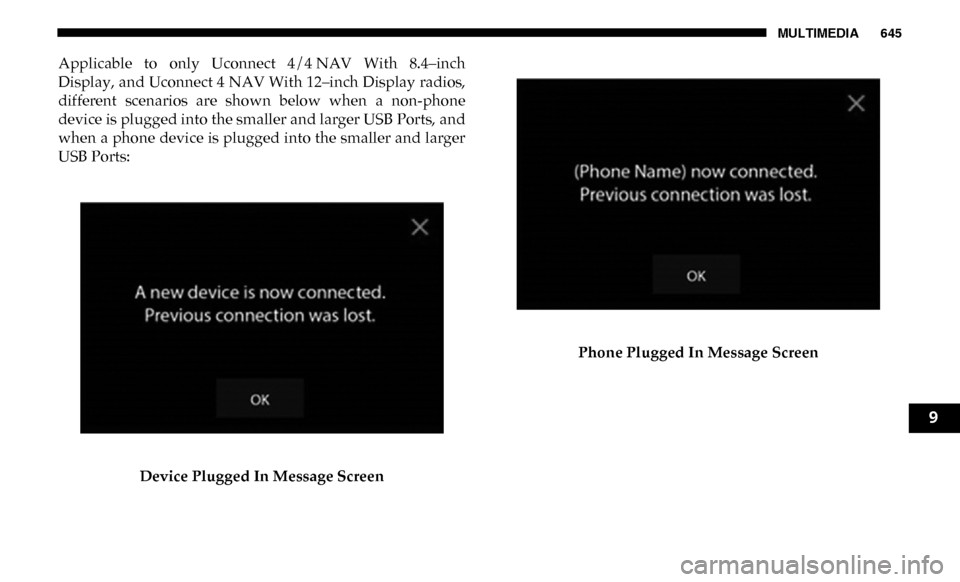
Applicable to only Uconnect 4/4 NAV With 8.4–inch
Display, and Uconnect 4 NAV With 12–inch Display radios,
different scenarios are shown below when a non-phone
device is plugged into the smaller and larger USB Ports, and
when a phone device is plugged into the smaller and larger
USB Ports:Device Plugged In Message Screen Phone Plugged In Message Screen
9
Page 648 of 696
646 MULTIMEDIA
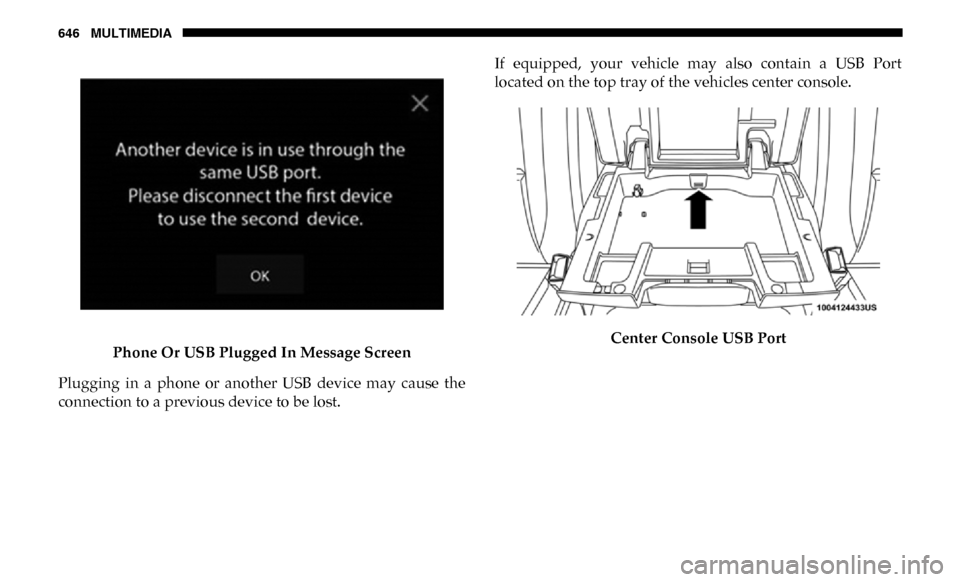
Phone Or USB Plugged In Message Screen
Plugging in a phone or another USB device may cause the
connection to a previous device to be lost. If equipped, your vehicle may also contain a USB Port
located on the top tray of the vehicles center console.
Center Console USB Port
Page 649 of 696
MULTIMEDIA 647
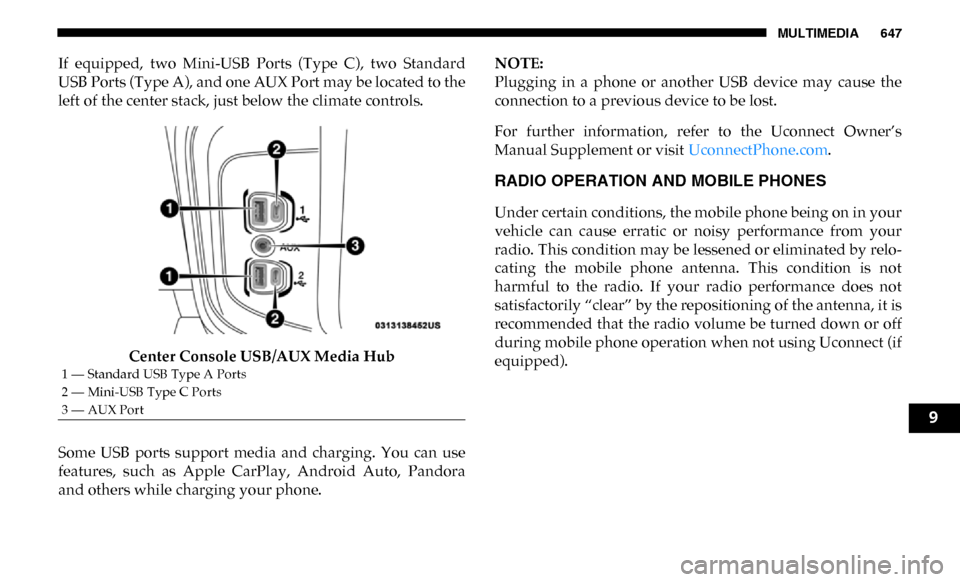
If equipped, two Mini-USB Ports (Type C), two Standard
USB Ports (Type A), and one AUX Port may be located to the
left of the center stack, just below the climate controls.Center Console USB/AUX Media Hub
Some USB ports support media and charging. You can use
features, such as Apple CarPlay, Android Auto, Pandora
and others while charging your phone. NOTE:
Plugging in a phone or another USB device may cause the
connection to a previous device to be lost.
For further information, refer to the Uconnect Owner’s
Manual Supplement or visit
UconnectPhone.com.
RADIO OPERATION AND MOBILE PHONES
Under certain conditions, the mobile phone being on in your
vehicle can cause erratic or noisy performance from your
radio. This condition may be lessened or eliminated by relo -
cating the mobile phone antenna. This condition is not
harmful to the radio. If your radio performance does not
satisfactorily “clear” by the repositioning of the antenna, it is
recommended that the radio volume be turned down or off
during mobile phone operation when not using Uconnect (if
equipped).
1 — Standard USB Type A Ports
2 — Mini-USB Type C Ports
3 — AUX Port
9
Page 650 of 696

648 MULTIMEDIA
Regulatory And Safety Information
USA/CANADA
Exposure to Radio Frequency Radiation
The radiated output power of the internal wireless radio is
far below the FCC and IC radio frequency exposure limits.
Nevertheless, the wireless radio will be used in such a
manner that the radio is 8 in (20 cm) or further from the
human body.
The internal wireless radio operates within guidelines found
in radio frequency safety standards and recommendations,
which reflect the consensus of the scientific community.
The radio manufacturer believes the internal wireless radio
is safe for use by consumers. The level of energy emitted is
far less than the electromagnetic energy emitted by wireless
devices such as mobile phones. However, the use of wireless
radios may be restricted in some situations or environments,
such as aboard airplanes. If you are unsure of restrictions,
you are encouraged to ask for authorization before turning
on the wireless radio.
The following regulatory statement applies to all Radio
Frequency (RF) devices equipped in this vehicle:This device complies with Part 15 of the FCC Rules and with
Industry Canada license-exempt RSS standard(s). Operation
is subject to the following two conditions:
1. This device may not cause harmful interference, and
2. This device must accept any interference received,
including interference that may cause undesired opera -
tion.
NOTE:
Changes or modifications not expressly approved by the
party responsible for compliance could void the user’s
authority to operate the equipment.
NOTE:
• This equipment has been tested and found to comply with the limits for a Class B digital device, pursuant to Part 15
of the FCC Rules. These limits are designed to provide
reasonable protection against harmful interference in a
residential installation. This equipment generates, uses
and can radiate radio frequency energy and, if not
installed and used in accordance with the instructions,
may cause harmful interference to radio communications.
However, there is no guarantee that interference will not
occur in a particular installation.