instrument panel RAM CHASSIS CAB 2021 Owner's Manual
[x] Cancel search | Manufacturer: RAM, Model Year: 2021, Model line: CHASSIS CAB, Model: RAM CHASSIS CAB 2021Pages: 463, PDF Size: 21.5 MB
Page 74 of 463
72GETTING TO KNOW YOUR VEHICLE
USB/AUX CONTROL
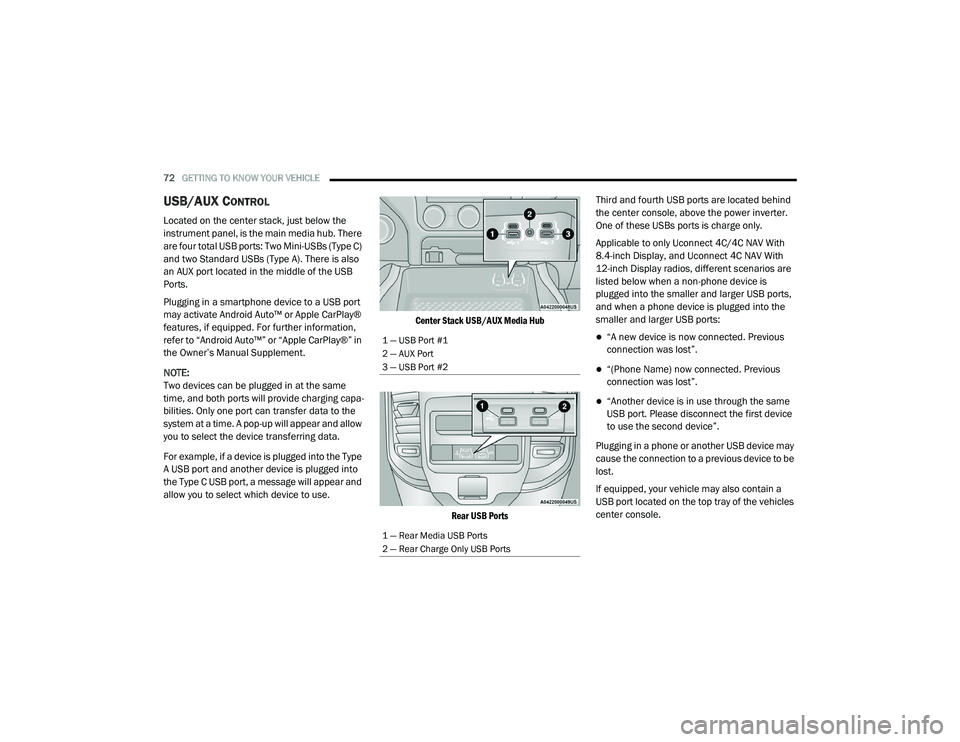
Located on the center stack, just below the
instrument panel, is the main media hub. There
are four total USB ports: Two Mini-USBs (Type C)
and two Standard USBs (Type A). There is also
an AUX port located in the middle of the USB
Ports.
Plugging in a smartphone device to a USB port
may activate Android Auto™ or Apple CarPlay®
features, if equipped. For further information,
refer to “Android Auto™” or “Apple CarPlay®” in
the Owner’s Manual Supplement.
NOTE:
Two devices can be plugged in at the same
time, and both ports will provide charging capa-
bilities. Only one port can transfer data to the
system at a time. A pop-up will appear and allow
you to select the device transferring data.
For example, if a device is plugged into the Type
A USB port and another device is plugged into
the Type C USB port, a message will appear and
allow you to select which device to use.
Center Stack USB/AUX Media Hub
Rear USB Ports
Third and fourth USB ports are located behind
the center console, above the power inverter.
One of these USBs ports is charge only.
Applicable to only Uconnect 4C/4C NAV With
8.4-inch Display, and Uconnect 4C NAV With
12-inch Display radios, different scenarios are
listed below when a non-phone device is
plugged into the smaller and larger USB ports,
and when a phone device is plugged into the
smaller and larger USB ports:
“A new device is now connected. Previous
connection was lost”.
“(Phone Name) now connected. Previous
connection was lost”.
“Another device is in use through the same
USB port. Please disconnect the first device
to use the second device”.
Plugging in a phone or another USB device may
cause the connection to a previous device to be
lost.
If equipped, your vehicle may also contain a
USB port located on the top tray of the vehicles
center console.
1 — USB Port #1
2 — AUX Port
3 — USB Port #2
1 — Rear Media USB Ports
2 — Rear Charge Only USB Ports
21_DPF_OM_EN_USC_t.book Page 72
Page 76 of 463
74GETTING TO KNOW YOUR VEHICLE
Power Outlet Fuse Locations:
F104 Fuse 20 A Yellow UCI Port/ USB Rear
Center Console
F90 Fuse 20 A Yellow Instrument Panel
Power Outlet Battery Fed (If Equipped)
F91 Fuse 20 A Yellow Instrument Panel
Power Outlet Ignition Fed (If Equipped)
F93 Fuse 20 A Yellow Cigar Lighter/ Instru -
ment Panel Power Outlet (If Equipped)
When the vehicle is turned off, be sure to unplug any
equipment as to not drain the battery of the vehicle.
All accessories connected to the outlet(s) should be
removed or turned off when the vehicle is not in use
to protect the battery against discharge.
POWER INVERTER — IF EQUIPPED
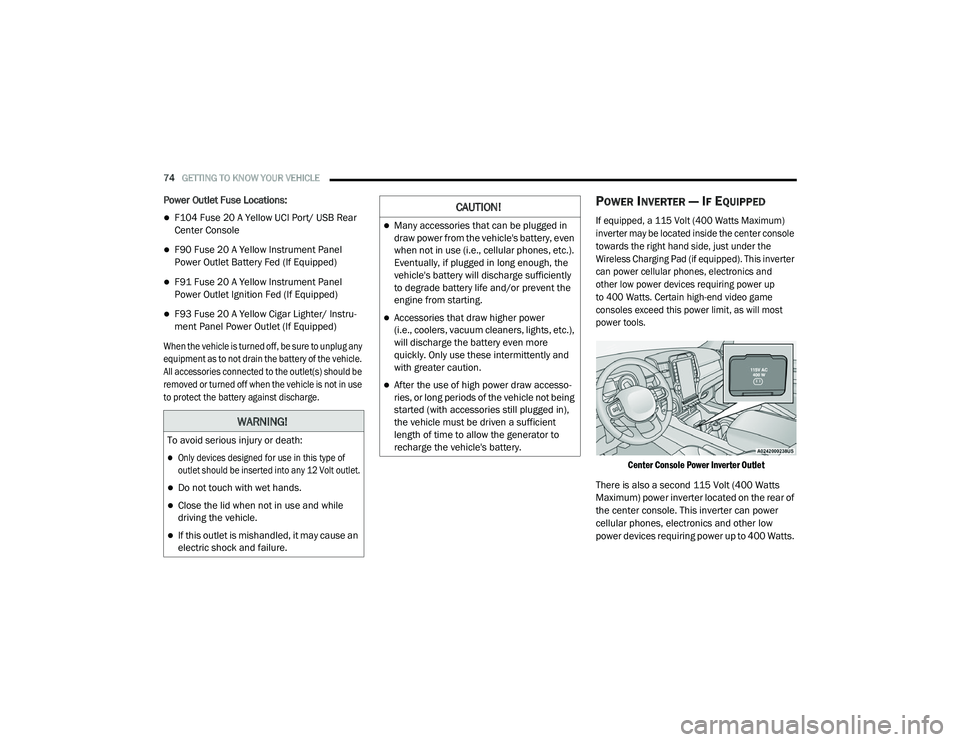
If equipped, a 115 Volt (400 Watts Maximum)
inverter may be located inside the center console
towards the right hand side, just under the
Wireless Charging Pad (if equipped). This inverter
can power cellular phones, electronics and
other low power devices requiring power up
to 400 Watts. Certain high-end video game
consoles exceed this power limit, as will most
power tools.
Center Console Power Inverter Outlet
There is also a second 115 Volt (400 Watts
Maximum) power inverter located on the rear of
the center console. This inverter can power
cellular phones, electronics and other low
power devices requiring power up to 400 Watts.
WARNING!
To avoid serious injury or death:
Only devices designed for use in this type of
outlet should be inserted into any 12 Volt outlet.
Do not touch with wet hands.
Close the lid when not in use and while
driving the vehicle.
If this outlet is mishandled, it may cause an
electric shock and failure.
CAUTION!
Many accessories that can be plugged in
draw power from the vehicle's battery, even
when not in use (i.e., cellular phones, etc.).
Eventually, if plugged in long enough, the
vehicle's battery will discharge sufficiently
to degrade battery life and/or prevent the
engine from starting.
Accessories that draw higher power
(i.e., coolers, vacuum cleaners, lights, etc.),
will discharge the battery even more
quickly. Only use these intermittently and
with greater caution.
After the use of high power draw accesso -
ries, or long periods of the vehicle not being
started (with accessories still plugged in),
the vehicle must be driven a sufficient
length of time to allow the generator to
recharge the vehicle's battery.
21_DPF_OM_EN_USC_t.book Page 74
Page 81 of 463
GETTING TO KNOW YOUR VEHICLE79
HOOD
TO OPEN THE HOOD
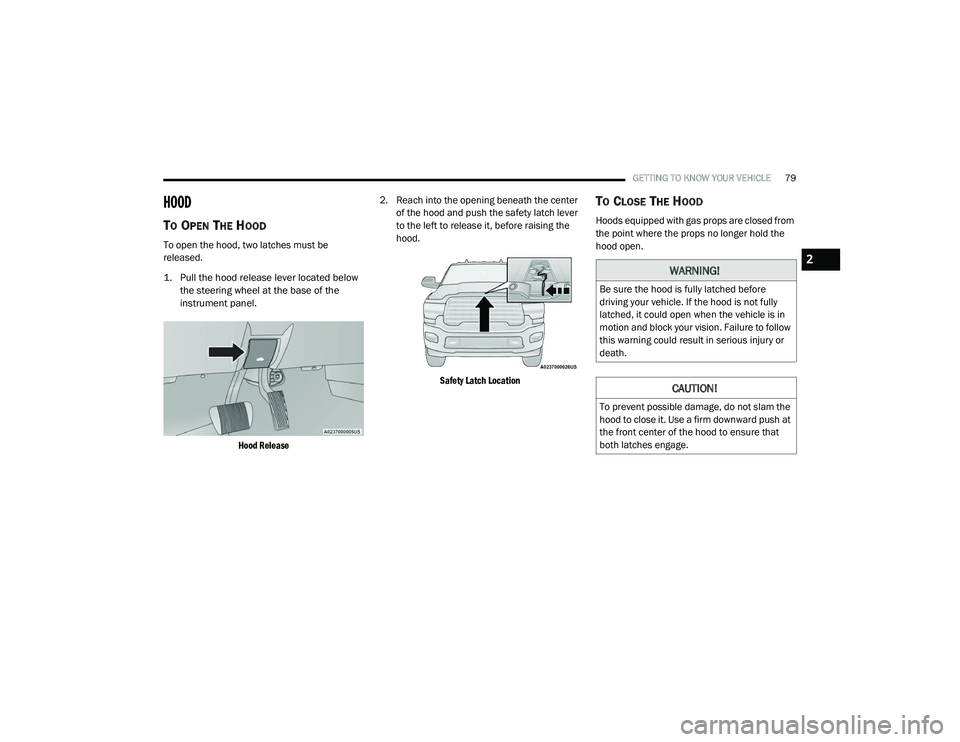
To open the hood, two latches must be
released.
1. Pull the hood release lever located below
the steering wheel at the base of the
instrument panel.
Hood Release
2. Reach into the opening beneath the center
of the hood and push the safety latch lever
to the left to release it, before raising the
hood.
Safety Latch Location
TO CLOSE THE HOOD
Hoods equipped with gas props are closed from
the point where the props no longer hold the
hood open.
WARNING!
Be sure the hood is fully latched before
driving your vehicle. If the hood is not fully
latched, it could open when the vehicle is in
motion and block your vision. Failure to follow
this warning could result in serious injury or
death.
CAUTION!
To prevent possible damage, do not slam the
hood to close it. Use a firm downward push at
the front center of the hood to ensure that
both latches engage.
2
21_DPF_OM_EN_USC_t.book Page 79
Page 82 of 463
80
GETTING TO KNOW YOUR INSTRUMENT PANEL
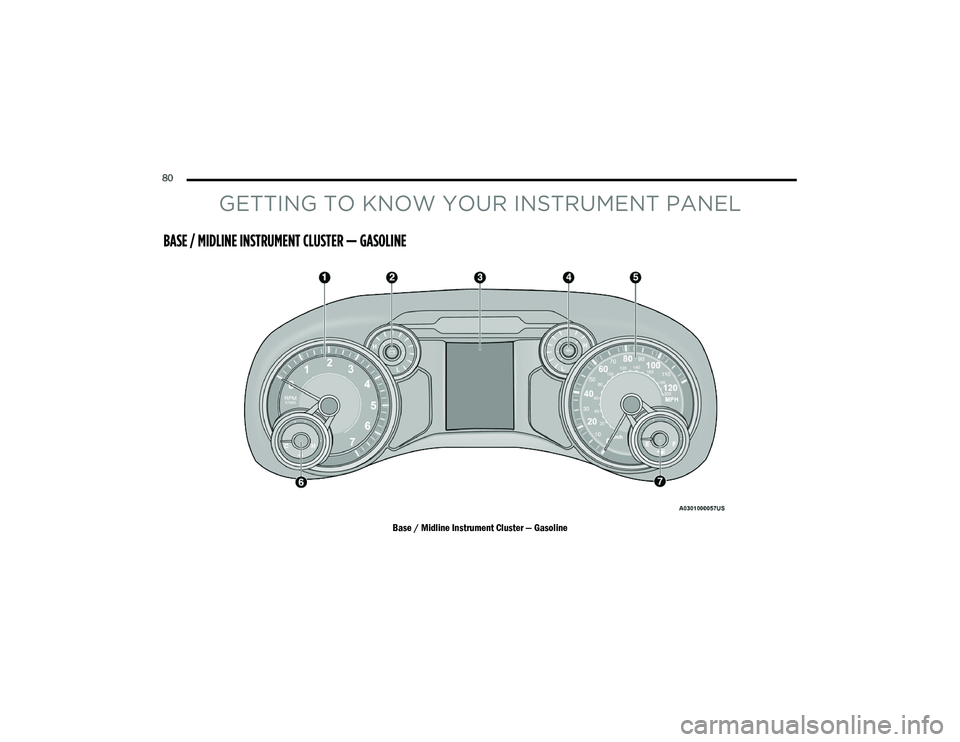
BASE / MIDLINE INSTRUMENT CLUSTER — GASOLINE
Base / Midline Instrument Cluster — Gasoline
21_DPF_OM_EN_USC_t.book Page 80
Page 83 of 463

GETTING TO KNOW YOUR INSTRUMENT PANEL81
BASE / MIDLINE INSTRUMENT CLUSTER
D
ESCRIPTIONS
1. Tachometer
Indicates the engine speed in revolutions
per minute (RPM x 1000).
2. Voltmeter
When the vehicle is in the RUN state, the
gauge indicates the electrical system
voltage. The pointer should stay within
the normal range if the battery is
charged. If the pointer moves to either
extreme left or right and remains there
during normal driving, the electrical
system should be serviced. 3. Instrument Cluster Display
When the appropriate conditions exist,
this display shows the instrument cluster
display messages Ú
page 90.
Base Instrument Cluster Display
The display always shows one of the main
menu item after ignition on. 4. Oil Pressure Gauge
The pointer should always indicate the
oil pressure when the engine is running.
A continuous high or low reading under
normal driving conditions may indicate a
lubrication system malfunction. Imme
-
diate service should be obtained from an
authorized dealer.
5. Speedometer
Indicates vehicle speed.
1 – Instrument Cluster Display Controls
2 – Instrument Cluster Display Screen
3
21_DPF_OM_EN_USC_t.book Page 81
Page 84 of 463
82GETTING TO KNOW YOUR INSTRUMENT PANEL
6. Temperature Gauge
The gauge pointer shows engine coolant
temperature. The pointer positioned
within the normal range indicates that
the engine cooling system is operating
satisfactorily.
The gauge pointer will likely indicate a
higher temperature when driving in hot
weather, up mountain grades, or when
towing a trailer. It should not be allowed
to exceed the upper limits of the normal
operating range. 7. Fuel Gauge
The pointer shows the level of fuel in
the fuel tank when the ignition is in the
ON/RUN position.
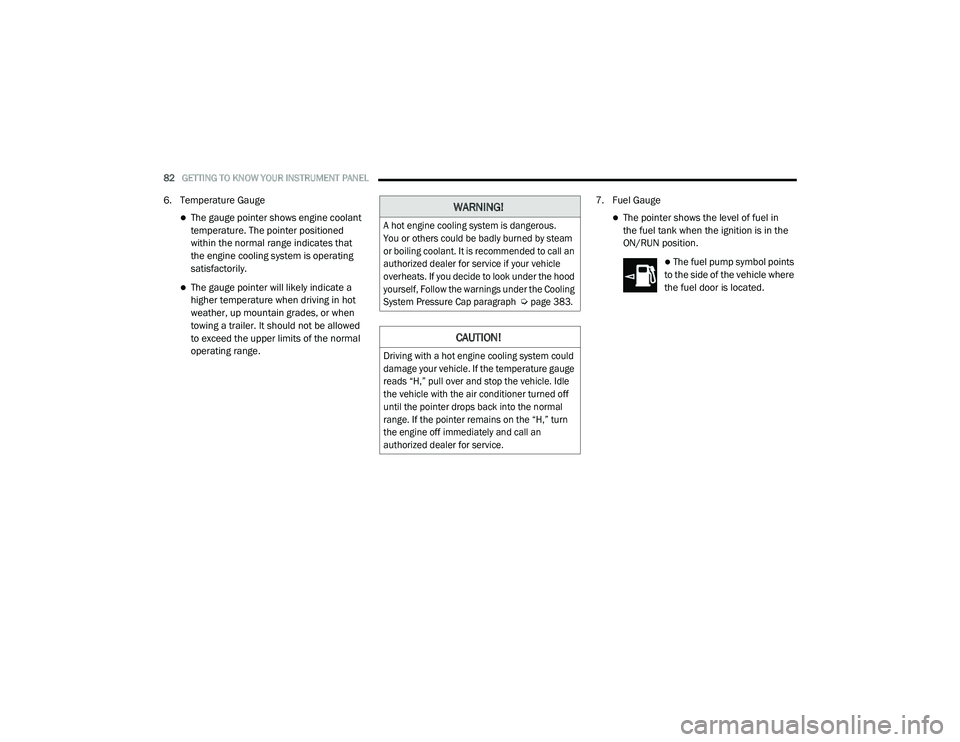
The fuel pump symbol points
to the side of the vehicle where
the fuel door is located.
WARNING!
A hot engine cooling system is dangerous.
You or others could be badly burned by steam
or boiling coolant. It is recommended to call an
authorized dealer for service if your vehicle
overheats. If you decide to look under the hood
yourself, Follow the warnings under the Cooling
System Pressure Cap paragraph
Ú
page 383.
CAUTION!
Driving with a hot engine cooling system could
damage your vehicle. If the temperature gauge
reads “H,” pull over and stop the vehicle. Idle
the vehicle with the air conditioner turned off
until the pointer drops back into the normal
range. If the pointer remains on the “H,” turn
the engine off immediately and call an
authorized dealer for service.
21_DPF_OM_EN_USC_t.book Page 82
Page 85 of 463
GETTING TO KNOW YOUR INSTRUMENT PANEL83
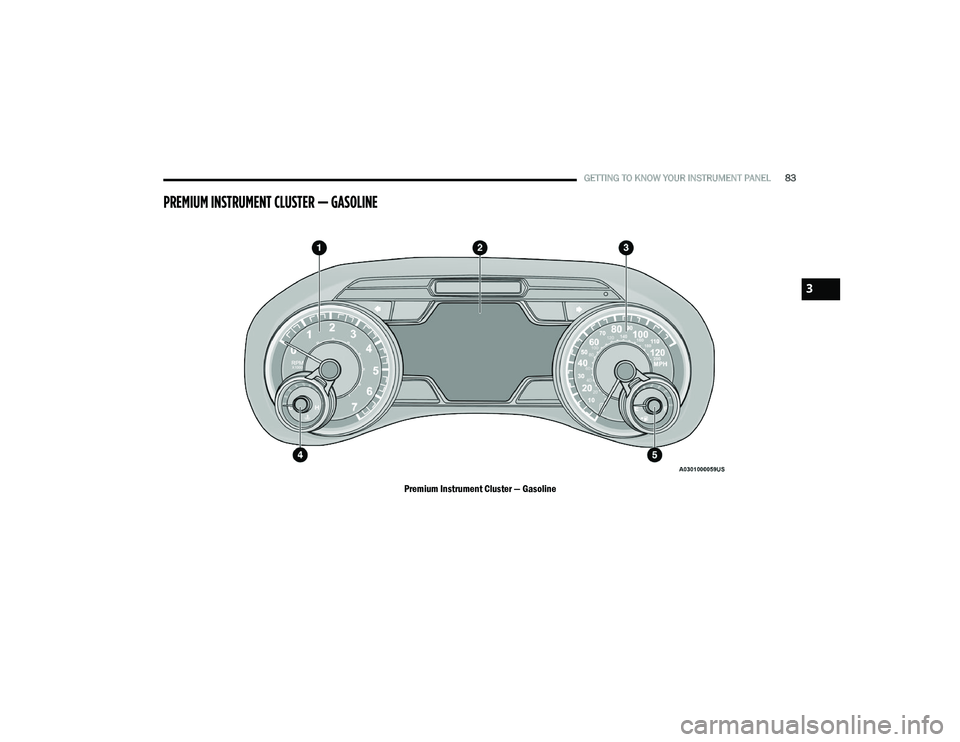
PREMIUM INSTRUMENT CLUSTER — GASOLINE
Premium Instrument Cluster — Gasoline
3
21_DPF_OM_EN_USC_t.book Page 83
Page 86 of 463
84GETTING TO KNOW YOUR INSTRUMENT PANEL
PREMIUM INSTRUMENT CLUSTER
D
ESCRIPTIONS
1. Tachometer
Indicates the engine speed in revolutions
per minute (RPM x 1000).
2. Instrument Cluster Display
When the appropriate conditions exist,
this display shows the instrument cluster
display messages Ú page 90.
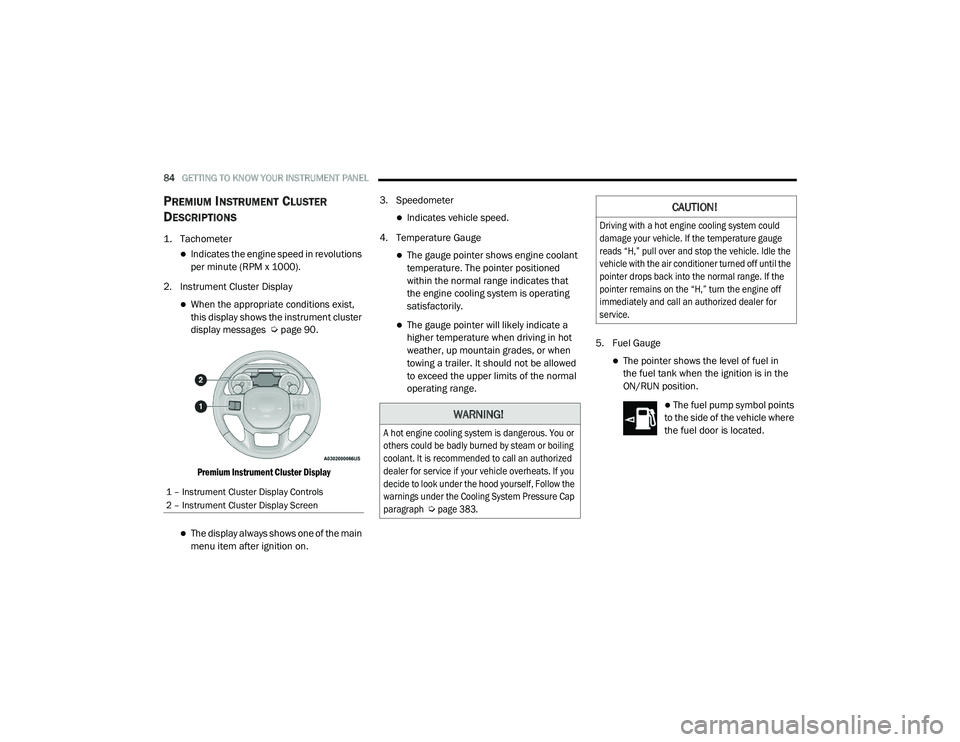
Premium Instrument Cluster Display
The display always shows one of the main
menu item after ignition on. 3. Speedometer
Indicates vehicle speed.
4. Temperature Gauge
The gauge pointer shows engine coolant
temperature. The pointer positioned
within the normal range indicates that
the engine cooling system is operating
satisfactorily.
The gauge pointer will likely indicate a
higher temperature when driving in hot
weather, up mountain grades, or when
towing a trailer. It should not be allowed
to exceed the upper limits of the normal
operating range. 5. Fuel Gauge
The pointer shows the level of fuel in
the fuel tank when the ignition is in the
ON/RUN position.
The fuel pump symbol points
to the side of the vehicle where
the fuel door is located.
1 – Instrument Cluster Display Controls
2 – Instrument Cluster Display Screen
WARNING!
A hot engine cooling system is dangerous. You or
others could be badly burned by steam or boiling
coolant. It is recommended to call an authorized
dealer for service if your vehicle overheats. If you
decide to look under the hood yourself, Follow the
warnings under the Cooling System Pressure Cap
paragraph
Ú
page 383.
CAUTION!
Driving with a hot engine cooling system could
damage your vehicle. If the temperature gauge
reads “H,” pull over and stop the vehicle. Idle the
vehicle with the air conditioner turned off until the
pointer drops back into the normal range. If the
pointer remains on the “H,” turn the engine off
immediately and call an authorized dealer for
service.
21_DPF_OM_EN_USC_t.book Page 84
Page 87 of 463
GETTING TO KNOW YOUR INSTRUMENT PANEL85
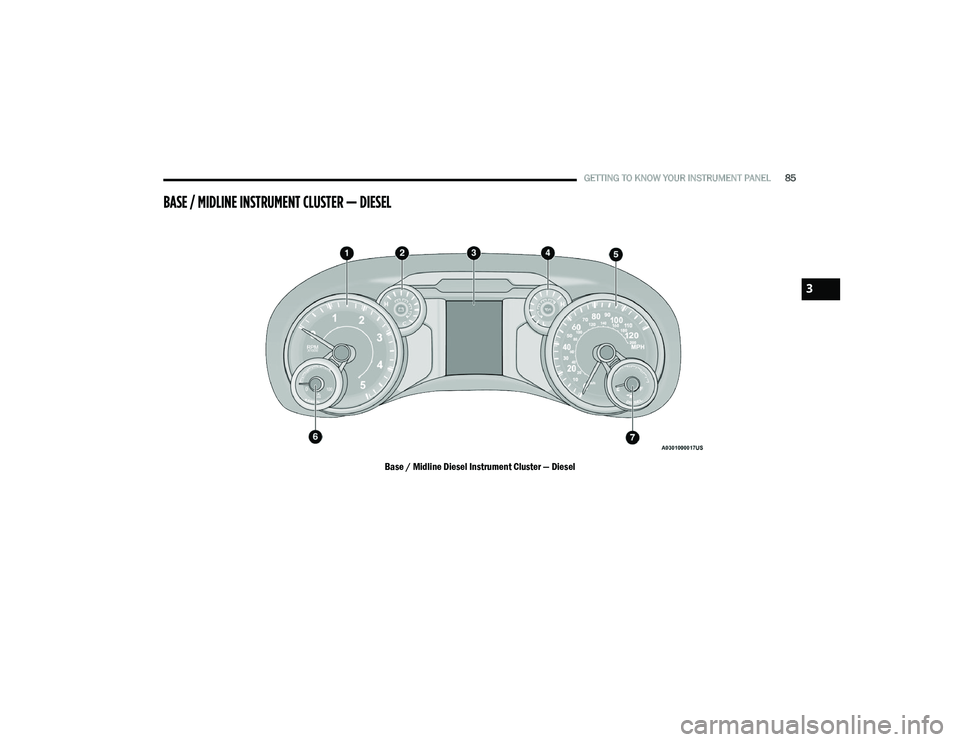
BASE / MIDLINE INSTRUMENT CLUSTER — DIESEL
Base / Midline Diesel Instrument Cluster — Diesel
3
21_DPF_OM_EN_USC_t.book Page 85
Page 88 of 463
86GETTING TO KNOW YOUR INSTRUMENT PANEL
DIESEL INSTRUMENT CLUSTER
1. Tachometer
Indicates the engine speed in revolutions
per minute (RPM x 1000).
2. Engine Coolant Temperature
This gauge shows the engine coolant
temperature. The gauge pointer will likely
show higher temperatures when driving
in hot weather, up mountain grades, or in
heavy stop and go traffic. If the red
Warning Light turns on while driving,
safely bring the vehicle to a stop, and
turn off the engine. DO NOT operate the
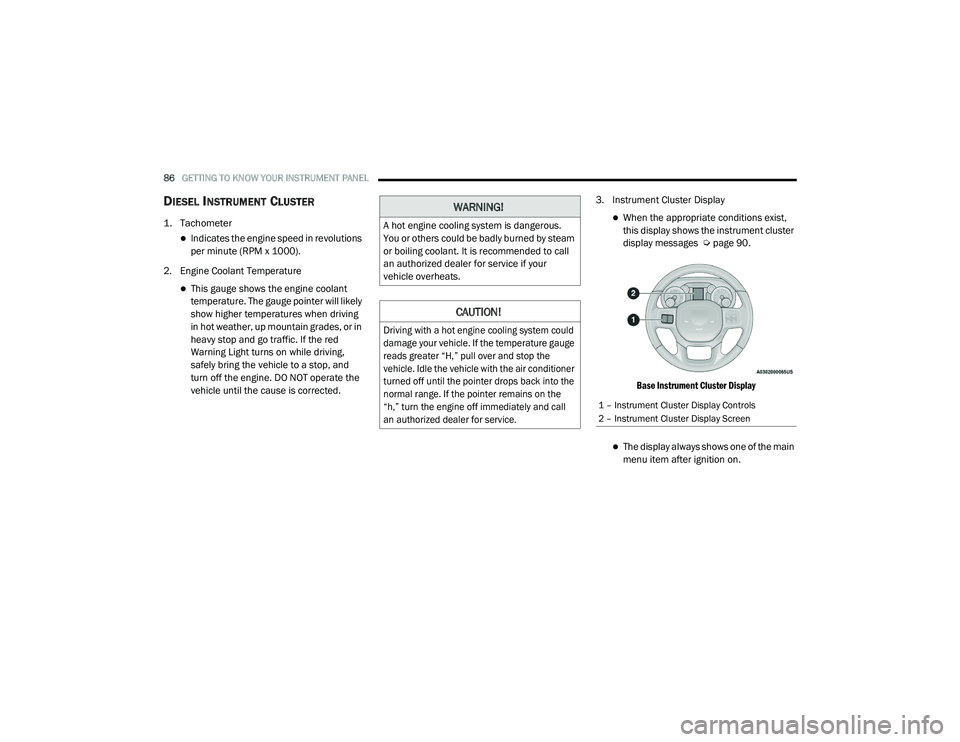
vehicle until the cause is corrected. 3. Instrument Cluster Display
When the appropriate conditions exist,
this display shows the instrument cluster
display messages Ú
page 90.
Base Instrument Cluster Display
The display always shows one of the main
menu item after ignition on.
WARNING!
A hot engine cooling system is dangerous.
You or others could be badly burned by steam
or boiling coolant. It is recommended to call
an authorized dealer for service if your
vehicle overheats.
CAUTION!
Driving with a hot engine cooling system could
damage your vehicle. If the temperature gauge
reads greater “H,” pull over and stop the
vehicle. Idle the vehicle with the air conditioner
turned off until the pointer drops back into the
normal range. If the pointer remains on the
“h,” turn the engine off immediately and call
an authorized dealer for service.
1 – Instrument Cluster Display Controls
2 – Instrument Cluster Display Screen
21_DPF_OM_EN_USC_t.book Page 86