center console RAM CHASSIS CAB 2021 Owners Manual
[x] Cancel search | Manufacturer: RAM, Model Year: 2021, Model line: CHASSIS CAB, Model: RAM CHASSIS CAB 2021Pages: 463, PDF Size: 21.5 MB
Page 39 of 463

GETTING TO KNOW YOUR VEHICLE37
Front Heated Seats
The heated seats control buttons are located on
the center instrument panel below the
touchscreen, and are also located within the
climate or controls screen of the touchscreen.
Push the heated seat button once to turn
the HI setting on.
Push the heated seat button a second
time to turn the MED setting on.
Push the heated seat button a third time
to turn the LO setting on.
Push the heated seat button a fourth time
to turn the heating elements off. NOTE:
The engine must be running for the heated
seats to operate.
The level of heat selected will stay on until
the operator changes it.
For information on use with the Remote Start
system, see Ú page 21.
Rear Heated Seats
On some models, the two outboard rear seats
are equipped with heated seats. The heated
seat switches for these seats are located on the
rear of the center console.
There are two heated seat switches that allow
the rear passengers to operate the seats
independently. You can choose from HI, MED,
LO, or OFF heat settings. Amber indicator lights
in each switch indicate the level of heat in use.
Push the heated seat button once to turn
the HI setting on.
Push the heated seat button a second
time to turn the MED setting on.
Push the heated seat button a third time
to turn the LO setting on.
Push the heated seat button a fourth time
to turn the heating elements off.
NOTE:
The level of heat selected will stay on until
the operator changes it.
Once a heat setting is selected, heat will be
felt within two to five minutes.
The engine must be running for the heated
seats to operate.
VENTILATED SEATS — IF EQUIPPED
Front Ventilated Seats
Located in the seat cushion are small fans that
draw the air from the passenger compartment
and move air through fine perforations in the seat
cover to help keep the driver and front passenger
cooler in higher ambient temperatures. The fans
operate at three speeds, HI, MED and LO.
Do not place anything on the seat or seat -
back that insulates against heat, such as a
blanket or cushion. This may cause the seat
heater to overheat. Sitting in a seat that has
been overheated could cause serious
burns due to the increased surface
temperature of the seat.
WARNING! (Continued)
2
21_DPF_OM_EN_USC_t.book Page 37
Page 49 of 463
GETTING TO KNOW YOUR VEHICLE47
UNIVERSAL GARAGE DOOR OPENER
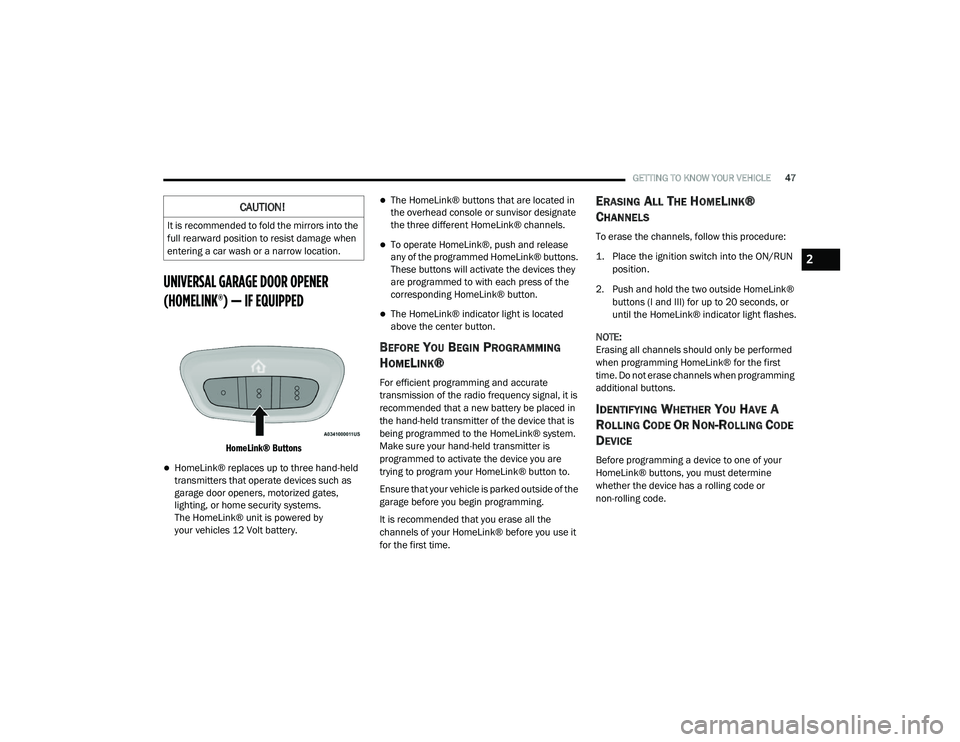
(HOMELINK®) — IF EQUIPPED
HomeLink® Buttons
HomeLink® replaces up to three hand-held
transmitters that operate devices such as
garage door openers, motorized gates,
lighting, or home security systems.
The HomeLink® unit is powered by
your vehicles 12 Volt battery.
The HomeLink® buttons that are located in
the overhead console or sunvisor designate
the three different HomeLink® channels.
To operate HomeLink®, push and release
any of the programmed HomeLink® buttons.
These buttons will activate the devices they
are programmed to with each press of the
corresponding HomeLink® button.
The HomeLink® indicator light is located
above the center button.
BEFORE YOU BEGIN PROGRAMMING
H
OMELINK®
For efficient programming and accurate
transmission of the radio frequency signal, it is
recommended that a new battery be placed in
the hand-held transmitter of the device that is
being programmed to the HomeLink® system.
Make sure your hand-held transmitter is
programmed to activate the device you are
trying to program your HomeLink® button to.
Ensure that your vehicle is parked outside of the
garage before you begin programming.
It is recommended that you erase all the
channels of your HomeLink® before you use it
for the first time.
ERASING ALL THE HOMELINK®
C
HANNELS
To erase the channels, follow this procedure:
1. Place the ignition switch into the ON/RUN
position.
2. Push and hold the two outside HomeLink® buttons (I and III) for up to 20 seconds, or
until the HomeLink® indicator light flashes.
NOTE:
Erasing all channels should only be performed
when programming HomeLink® for the first
time. Do not erase channels when programming
additional buttons.
IDENTIFYING WHETHER YOU HAVE A
R
OLLING CODE OR NON-ROLLING CODE
D
EVICE
Before programming a device to one of your
HomeLink® buttons, you must determine
whether the device has a rolling code or
non-rolling code.
CAUTION!
It is recommended to fold the mirrors into the
full rearward position to resist damage when
entering a car wash or a narrow location.
2
21_DPF_OM_EN_USC_t.book Page 47
Page 69 of 463
GETTING TO KNOW YOUR VEHICLE67
(Continued)
Center Storage Compartment — If
Equipped
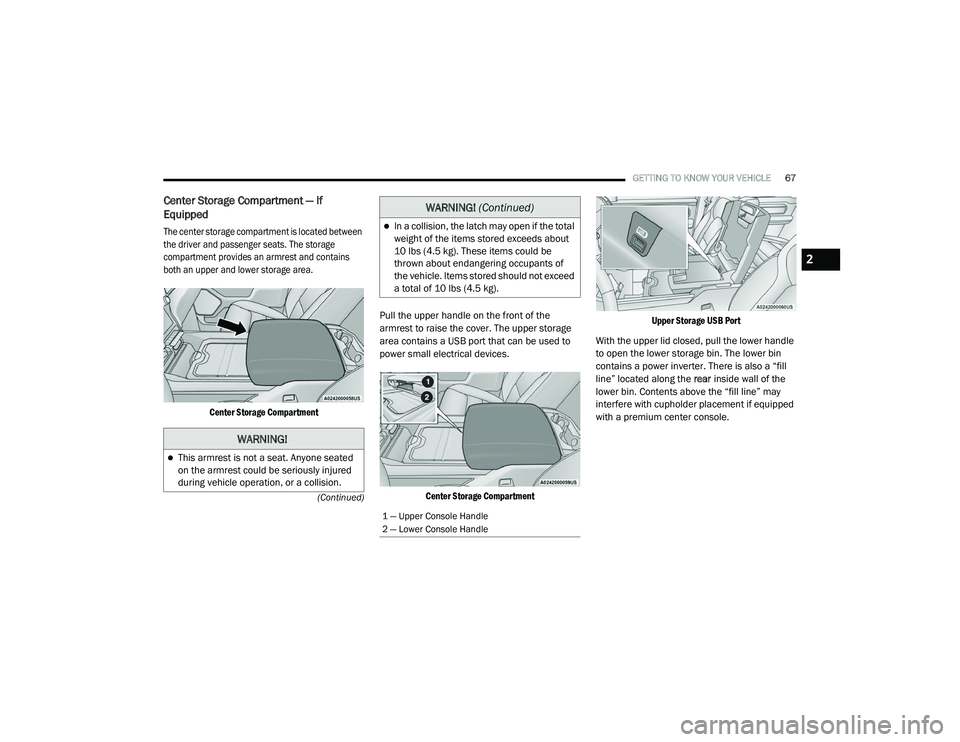
The center storage compartment is located between
the driver and passenger seats. The storage
compartment provides an armrest and contains
both an upper and lower storage area.
Center Storage Compartment
Pull the upper handle on the front of the
armrest to raise the cover. The upper storage
area contains a USB port that can be used to
power small electrical devices.
Center Storage Compartment Upper Storage USB Port
With the upper lid closed, pull the lower handle
to open the lower storage bin. The lower bin
contains a power inverter. There is also a “fill
line” located along the rear inside wall of the
lower bin. Contents above the “fill line” may
interfere with cupholder placement if equipped
with a premium center console.
WARNING!
This armrest is not a seat. Anyone seated
on the armrest could be seriously injured
during vehicle operation, or a collision.
In a collision, the latch may open if the total
weight of the items stored exceeds about
10 lbs (4.5 kg). These items could be
thrown about endangering occupants of
the vehicle. Items stored should not exceed
a total of 10 lbs (4.5 kg).
1 — Upper Console Handle
2 — Lower Console Handle
WARNING! (Continued)
2
21_DPF_OM_EN_USC_t.book Page 67
Page 70 of 463
68GETTING TO KNOW YOUR VEHICLE
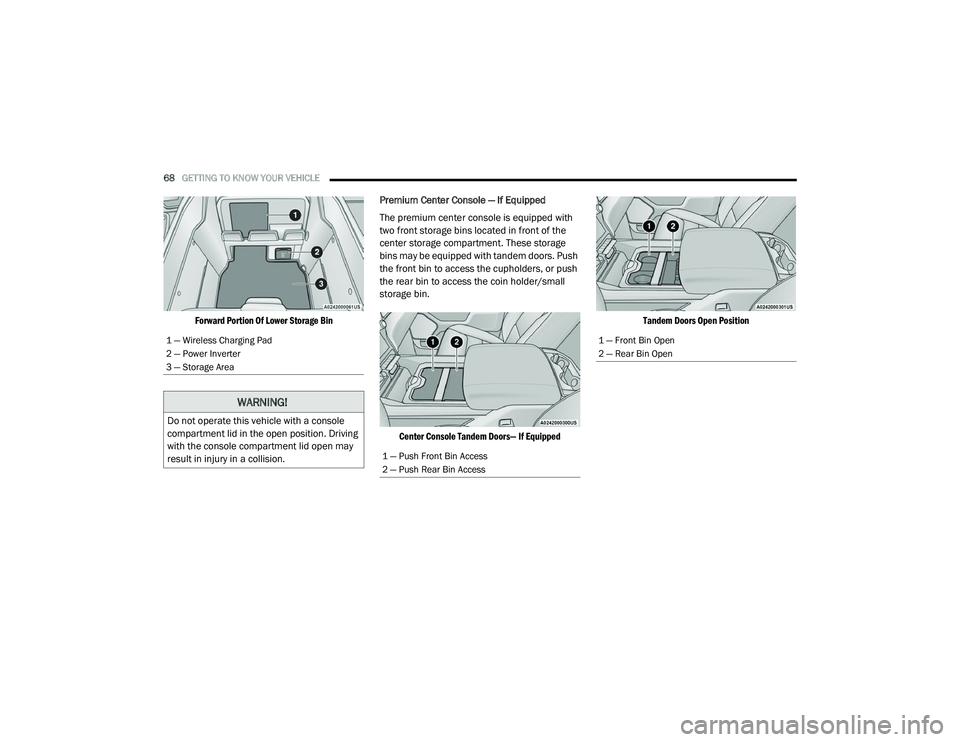
Forward Portion Of Lower Storage Bin
Premium Center Console — If Equipped
The premium center console is equipped with
two front storage bins located in front of the
center storage compartment. These storage
bins may be equipped with tandem doors. Push
the front bin to access the cupholders, or push
the rear bin to access the coin holder/small
storage bin.
Center Console Tandem Doors— If Equipped Tandem Doors Open Position
1 — Wireless Charging Pad
2 — Power Inverter
3 — Storage Area
WARNING!
Do not operate this vehicle with a console
compartment lid in the open position. Driving
with the console compartment lid open may
result in injury in a collision.
1 — Push Front Bin Access
2 — Push Rear Bin Access
1 — Front Bin Open
2 — Rear Bin Open
21_DPF_OM_EN_USC_t.book Page 68
Page 71 of 463
GETTING TO KNOW YOUR VEHICLE69
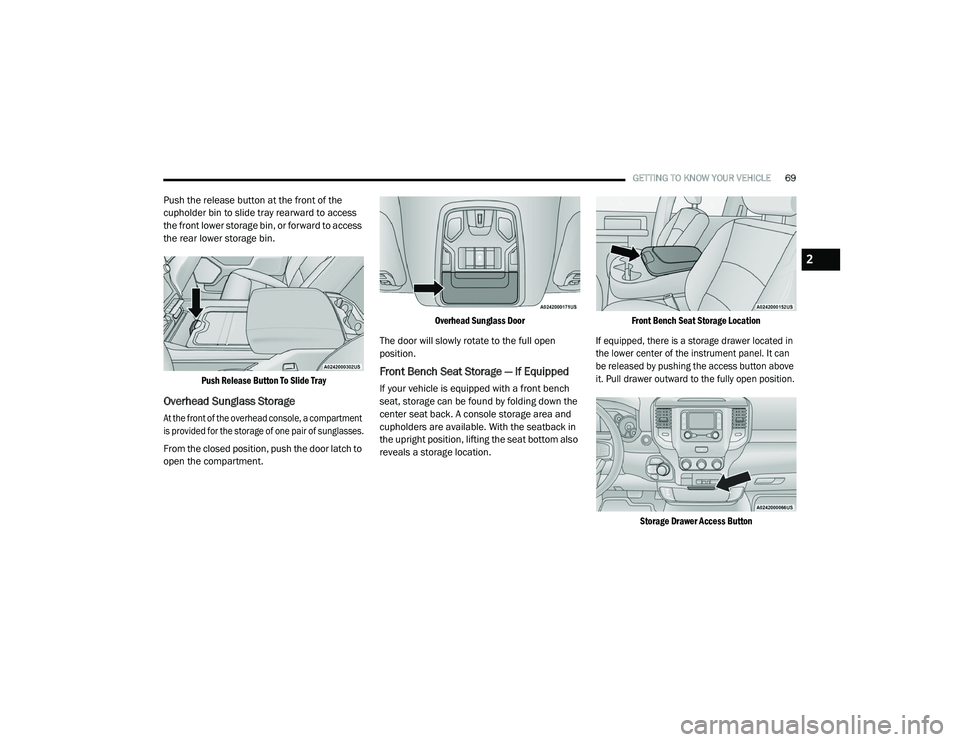
Push the release button at the front of the
cupholder bin to slide tray rearward to access
the front lower storage bin, or forward to access
the rear lower storage bin.
Push Release Button To Slide Tray
Overhead Sunglass Storage
At the front of the overhead console, a compartment
is provided for the storage of one pair of sunglasses.
From the closed position, push the door latch to
open the compartment.
Overhead Sunglass Door
The door will slowly rotate to the full open
position.
Front Bench Seat Storage — If Equipped
If your vehicle is equipped with a front bench
seat, storage can be found by folding down the
center seat back. A console storage area and
cupholders are available. With the seatback in
the upright position, lifting the seat bottom also
reveals a storage location.
Front Bench Seat Storage Location
If equipped, there is a storage drawer located in
the lower center of the instrument panel. It can
be released by pushing the access button above
it. Pull drawer outward to the fully open position.
Storage Drawer Access Button
2
21_DPF_OM_EN_USC_t.book Page 69
Page 74 of 463
72GETTING TO KNOW YOUR VEHICLE
USB/AUX CONTROL
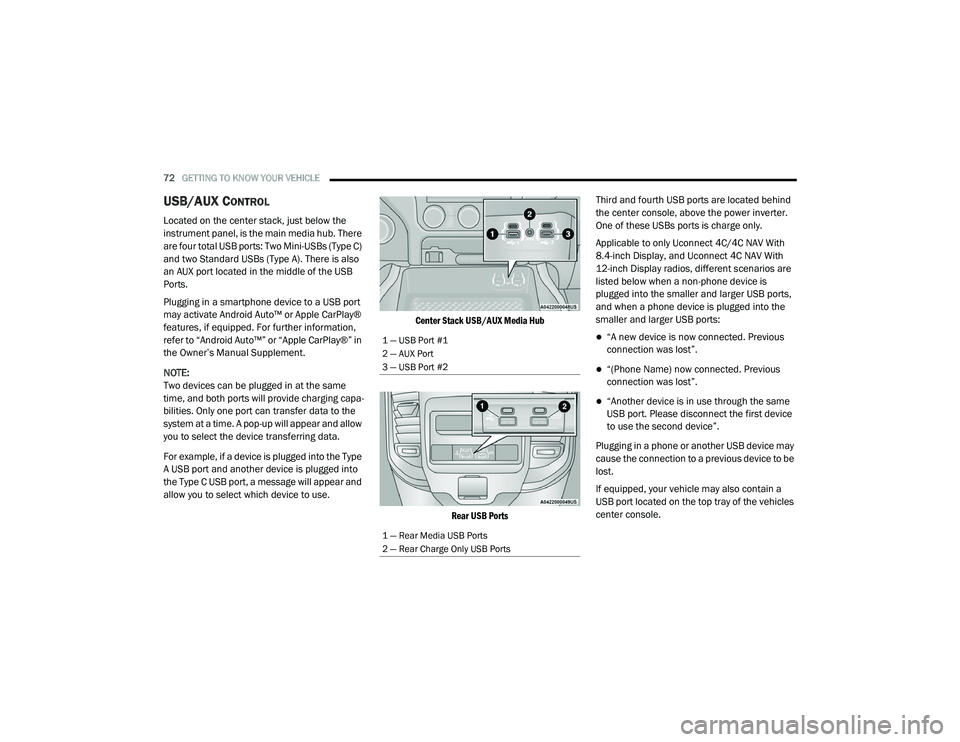
Located on the center stack, just below the
instrument panel, is the main media hub. There
are four total USB ports: Two Mini-USBs (Type C)
and two Standard USBs (Type A). There is also
an AUX port located in the middle of the USB
Ports.
Plugging in a smartphone device to a USB port
may activate Android Auto™ or Apple CarPlay®
features, if equipped. For further information,
refer to “Android Auto™” or “Apple CarPlay®” in
the Owner’s Manual Supplement.
NOTE:
Two devices can be plugged in at the same
time, and both ports will provide charging capa-
bilities. Only one port can transfer data to the
system at a time. A pop-up will appear and allow
you to select the device transferring data.
For example, if a device is plugged into the Type
A USB port and another device is plugged into
the Type C USB port, a message will appear and
allow you to select which device to use.
Center Stack USB/AUX Media Hub
Rear USB Ports
Third and fourth USB ports are located behind
the center console, above the power inverter.
One of these USBs ports is charge only.
Applicable to only Uconnect 4C/4C NAV With
8.4-inch Display, and Uconnect 4C NAV With
12-inch Display radios, different scenarios are
listed below when a non-phone device is
plugged into the smaller and larger USB ports,
and when a phone device is plugged into the
smaller and larger USB ports:
“A new device is now connected. Previous
connection was lost”.
“(Phone Name) now connected. Previous
connection was lost”.
“Another device is in use through the same
USB port. Please disconnect the first device
to use the second device”.
Plugging in a phone or another USB device may
cause the connection to a previous device to be
lost.
If equipped, your vehicle may also contain a
USB port located on the top tray of the vehicles
center console.
1 — USB Port #1
2 — AUX Port
3 — USB Port #2
1 — Rear Media USB Ports
2 — Rear Charge Only USB Ports
21_DPF_OM_EN_USC_t.book Page 72
Page 75 of 463
GETTING TO KNOW YOUR VEHICLE73
(Continued)
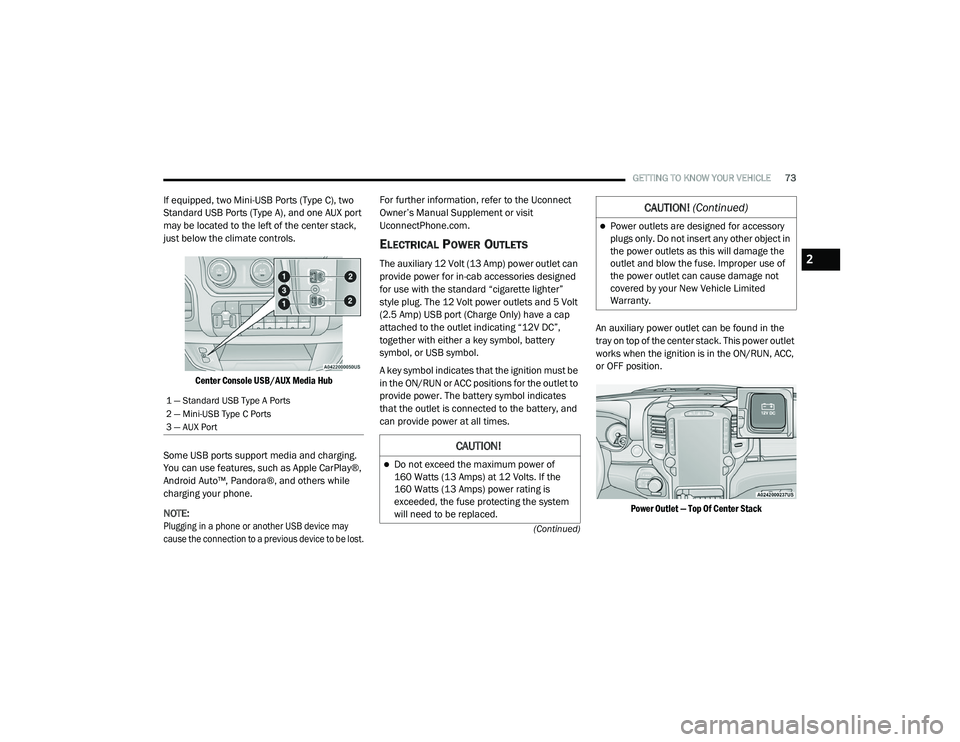
If equipped, two Mini-USB Ports (Type C), two
Standard USB Ports (Type A), and one AUX port
may be located to the left of the center stack,
just below the climate controls.
Center Console USB/AUX Media Hub
Some USB ports support media and charging.
You can use features, such as Apple CarPlay®,
Android Auto™, Pandora®, and others while
charging your phone.
NOTE:
Plugging in a phone or another USB device may
cause the connection to a previous device to be lost.
For further information, refer to the Uconnect
Owner’s Manual Supplement or visit
UconnectPhone.com.
ELECTRICAL POWER OUTLETS
The auxiliary 12 Volt (13 Amp) power outlet can
provide power for in-cab accessories designed
for use with the standard “cigarette lighter”
style plug. The 12 Volt power outlets and 5 Volt
(2.5 Amp) USB port (Charge Only) have a cap
attached to the outlet indicating “12V DC”,
together with either a key symbol, battery
symbol, or USB symbol.
A key symbol indicates that the ignition must be
in the ON/RUN or ACC positions for the outlet to
provide power. The battery symbol indicates
that the outlet is connected to the battery, and
can provide power at all times.
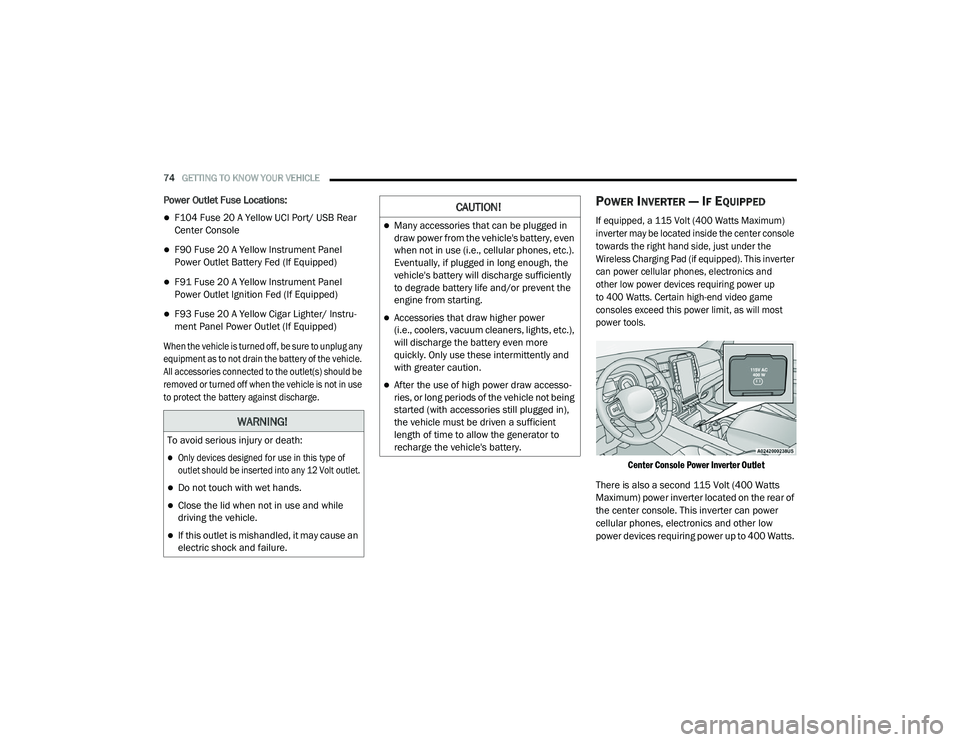
An auxiliary power outlet can be found in the
tray on top of the center stack. This power outlet
works when the ignition is in the ON/RUN, ACC,
or OFF position.
Power Outlet — Top Of Center Stack
1 — Standard USB Type A Ports
2 — Mini-USB Type C Ports
3 — AUX Port
CAUTION!
Do not exceed the maximum power of
160 Watts (13 Amps) at 12 Volts. If the
160 Watts (13 Amps) power rating is
exceeded, the fuse protecting the system
will need to be replaced.
Power outlets are designed for accessory
plugs only. Do not insert any other object in
the power outlets as this will damage the
outlet and blow the fuse. Improper use of
the power outlet can cause damage not
covered by your New Vehicle Limited
Warranty.
CAUTION! (Continued)
2
21_DPF_OM_EN_USC_t.book Page 73
Page 76 of 463
74GETTING TO KNOW YOUR VEHICLE
Power Outlet Fuse Locations:
F104 Fuse 20 A Yellow UCI Port/ USB Rear
Center Console
F90 Fuse 20 A Yellow Instrument Panel
Power Outlet Battery Fed (If Equipped)
F91 Fuse 20 A Yellow Instrument Panel
Power Outlet Ignition Fed (If Equipped)
F93 Fuse 20 A Yellow Cigar Lighter/ Instru -
ment Panel Power Outlet (If Equipped)
When the vehicle is turned off, be sure to unplug any
equipment as to not drain the battery of the vehicle.
All accessories connected to the outlet(s) should be
removed or turned off when the vehicle is not in use
to protect the battery against discharge.
POWER INVERTER — IF EQUIPPED
If equipped, a 115 Volt (400 Watts Maximum)
inverter may be located inside the center console
towards the right hand side, just under the
Wireless Charging Pad (if equipped). This inverter
can power cellular phones, electronics and
other low power devices requiring power up
to 400 Watts. Certain high-end video game
consoles exceed this power limit, as will most
power tools.
Center Console Power Inverter Outlet
There is also a second 115 Volt (400 Watts
Maximum) power inverter located on the rear of
the center console. This inverter can power
cellular phones, electronics and other low
power devices requiring power up to 400 Watts.
WARNING!
To avoid serious injury or death:
Only devices designed for use in this type of
outlet should be inserted into any 12 Volt outlet.
Do not touch with wet hands.
Close the lid when not in use and while
driving the vehicle.
If this outlet is mishandled, it may cause an
electric shock and failure.
CAUTION!
Many accessories that can be plugged in
draw power from the vehicle's battery, even
when not in use (i.e., cellular phones, etc.).
Eventually, if plugged in long enough, the
vehicle's battery will discharge sufficiently
to degrade battery life and/or prevent the
engine from starting.
Accessories that draw higher power
(i.e., coolers, vacuum cleaners, lights, etc.),
will discharge the battery even more
quickly. Only use these intermittently and
with greater caution.
After the use of high power draw accesso -
ries, or long periods of the vehicle not being
started (with accessories still plugged in),
the vehicle must be driven a sufficient
length of time to allow the generator to
recharge the vehicle's battery.
21_DPF_OM_EN_USC_t.book Page 74
Page 77 of 463
GETTING TO KNOW YOUR VEHICLE75
Certain high-end video game consoles exceed
this power limit, as will most power tools.
All power inverters are designed with built-in
overload protection. If the power rating of 400 Watts
is exceeded, the power inverter shuts down. Once
the electrical device has been removed from the
outlet the inverter should reset.
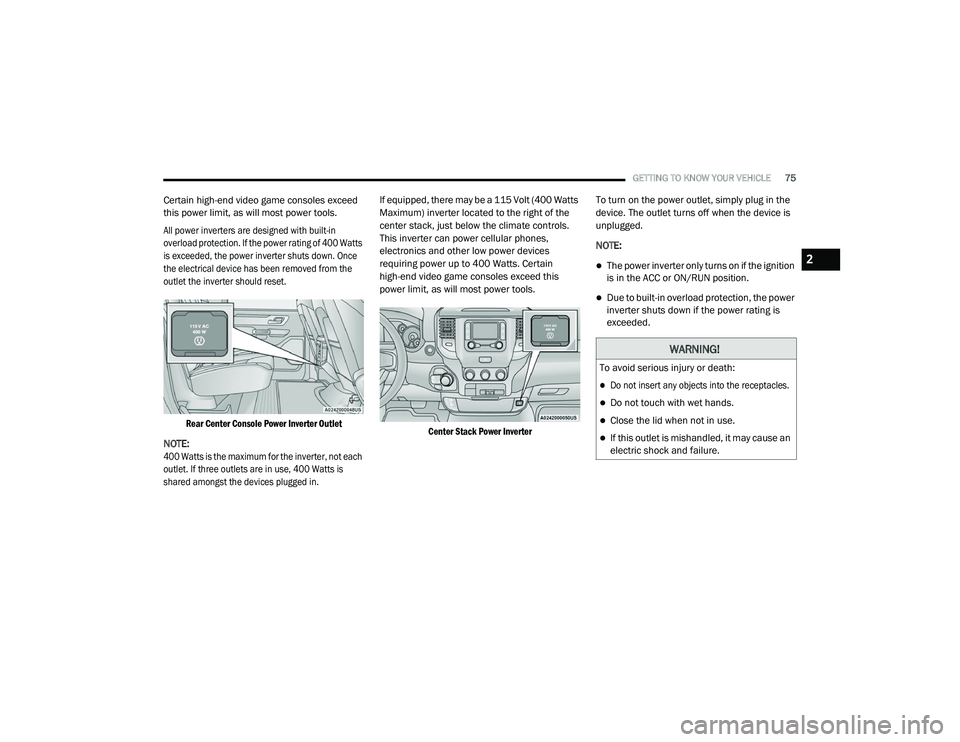
Rear Center Console Power Inverter Outlet
NOTE:
400 Watts is the maximum for the inverter, not each
outlet. If three outlets are in use, 400 Watts is
shared amongst the devices plugged in.
If equipped, there may be a 115 Volt (400 Watts
Maximum) inverter located to the right of the
center stack, just below the climate controls.
This inverter can power cellular phones,
electronics and other low power devices
requiring power up to 400 Watts. Certain
high-end video game consoles exceed this
power limit, as will most power tools.
Center Stack Power Inverter
To turn on the power outlet, simply plug in the
device. The outlet turns off when the device is
unplugged.
NOTE:
The power inverter only turns on if the ignition
is in the ACC or ON/RUN position.
Due to built-in overload protection, the power
inverter shuts down if the power rating is
exceeded.
WARNING!
To avoid serious injury or death:
Do not insert any objects into the receptacles.
Do not touch with wet hands.
Close the lid when not in use.
If this outlet is mishandled, it may cause an
electric shock and failure.
2
21_DPF_OM_EN_USC_t.book Page 75
Page 78 of 463
76GETTING TO KNOW YOUR VEHICLE
WIRELESS CHARGING PAD — IF
E
QUIPPED
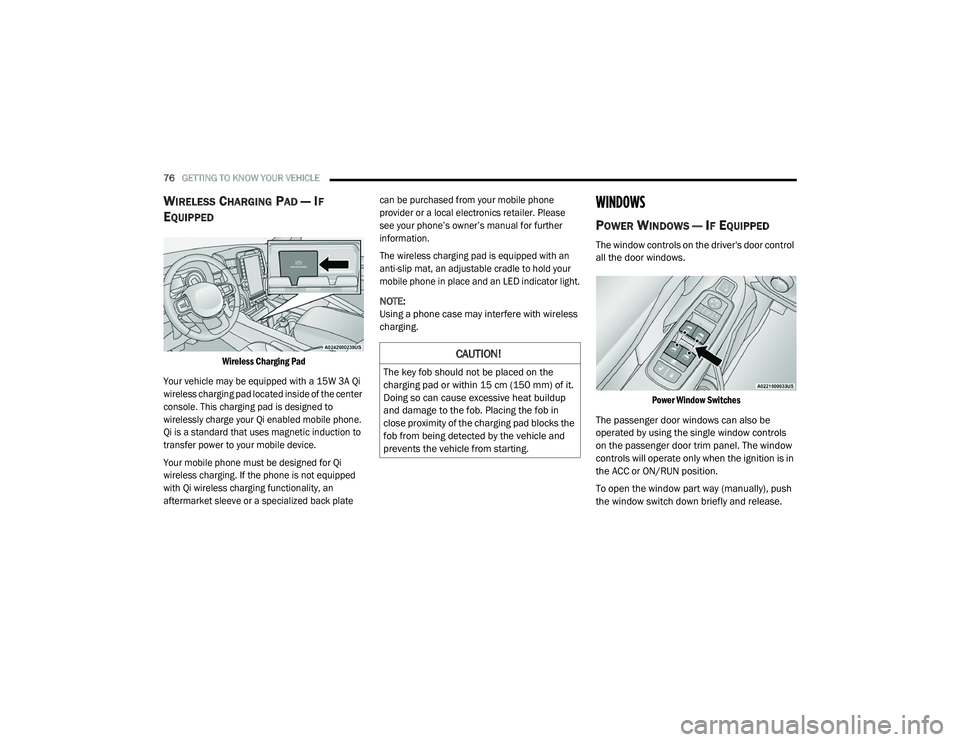
Wireless Charging Pad
Your vehicle may be equipped with a 15W 3A Qi
wireless charging pad located inside of the center
console. This charging pad is designed to
wirelessly charge your Qi enabled mobile phone.
Qi is a standard that uses magnetic induction to
transfer power to your mobile device.
Your mobile phone must be designed for Qi
wireless charging. If the phone is not equipped
with Qi wireless charging functionality, an
aftermarket sleeve or a specialized back plate can be purchased from your mobile phone
provider or a local electronics retailer. Please
see your phone’s owner’s manual for further
information.
The wireless charging pad is equipped with an
anti-slip mat, an adjustable cradle to hold your
mobile phone in place and an LED indicator light.
NOTE:
Using a phone case may interfere with wireless
charging.
WINDOWS
POWER WINDOWS — IF EQUIPPED
The window controls on the driver's door control
all the door windows.
Power Window Switches
The passenger door windows can also be
operated by using the single window controls
on the passenger door trim panel. The window
controls will operate only when the ignition is in
the ACC or ON/RUN position.
To open the window part way (manually), push
the window switch down briefly and release.
CAUTION!
The key fob should not be placed on the
charging pad or within 15 cm (150 mm) of it.
Doing so can cause excessive heat buildup
and damage to the fob. Placing the fob in
close proximity of the charging pad blocks the
fob from being detected by the vehicle and
prevents the vehicle from starting.
21_DPF_OM_EN_USC_t.book Page 76