instrument panel RAM CHASSIS CAB 2022 User Guide
[x] Cancel search | Manufacturer: RAM, Model Year: 2022, Model line: CHASSIS CAB, Model: RAM CHASSIS CAB 2022Pages: 428, PDF Size: 20.18 MB
Page 54 of 428

52GETTING TO KNOW YOUR VEHICLE
NOTE:The Rear Courtesy/Reading Lights will remain on
until the switch is pushed a second time, so be
sure they have been turned off before exiting the
vehicle. If the interior lights are left on after the
ignition is turned off, they will automatically turn off
after 10 minutes.
Dimmer Controls
The dimmer controls are part of the headlight
switch and are located on the left side of the
instrument panel.
Dimmer Controls Dimmer Controls (Vehicles Sold In Canada Only)
With the parking lights or headlights on, rotating
the right dimmer control upward will increase the
brightness of the instrument panel lights. Rotating
the left dimmer control will adjust the interior and
ambient light levels.
NOTE:The ambient lights are only active when the head -
lights or parking lights are on.
ILLUMINATED ENTRY
The courtesy lights will turn on when you use the
key fob to unlock the doors (if the vehicle is
equipped with remote power door locks) or open
any door.
This feature also turns on the puddle lamps
located beneath the outside mirrors (if equipped).
The lights will fade to off after approximately 30
seconds, or they will immediately fade to off once
the ignition switch is turned to ON/RUN from the
OFF position.
The front courtesy overhead console and door
courtesy lights will not turn off if the Dome On
button on the overhead console is pushed.
The illuminated entry system will not operate if the
Dome Off button on the overhead console is
pushed.
NOTE:If your vehicle is equipped with Illuminated
Approach lights under the outside mirrors, they will
also be turned off by pushing the Dome Off button.
1 — Ambient Light Control
2 — Instrument Panel Dimmer Control
1 — Ambient Light Control
2 — Instrument Panel Dimmer Control
22_DPF_OM_EN_USC_t.book Page 52
Page 56 of 428

54GETTING TO KNOW YOUR VEHICLE
RAIN SENSING WIPERS — IF EQUIPPED
This feature senses rain or snowfall on the
windshield and automatically activates the wipers.
Rotate the end of the multifunction lever to one of
five detent positions to activate this feature.
The sensitivity of the system can be adjusted with
the multifunction lever. Wiper delay position 1 is
the least sensitive, and wiper delay position 5 is
the most sensitive. Position 3 should be used for
normal rain conditions. Positions 1 and 2 can be
used if the driver desires less wiper sensitivity.
Positions 4 and 5 can be used if the driver desires
more sensitivity. Place the wiper switch in the
O (off) position when not using the system.
NOTE:
The Rain Sensing feature will not operate when
the wiper switch is in the low or high-speed posi -
tion.
The Rain Sensing feature may not function prop -
erly when ice, or dried salt water is present on
the windshield.
Use of Rain-X or products containing wax or sili-
cone may reduce Rain Sensing performance.
The Rain Sensing feature can be turned on and
off using the Uconnect system Ú page 191.The Rain Sensing system has protection features
for the wiper blades and arms, and will not operate
under the following conditions:
Low Ambient Temperature
— When the ignition
is first placed in the ON position, the Rain
Sensing system will not operate until the wiper
switch is moved, vehicle speed is greater than
0 mph (0 km/h), or the outside temperature is
greater than 32°F (0°C).
Transmission In NEUTRAL Position — When the
ignition is ON, and the transmission is in the
NEUTRAL position, the Rain Sensing system will
not operate until the wiper switch is moved,
vehicle speed is greater than 5 mph (8 km/h),
or the gear selector is moved out of the
NEUTRAL position.
Remote Start Mode Inhibit — On vehicles
equipped with the Remote Start system, Rain
Sensing wipers are not operational when the
vehicle is in the Remote Start mode. Once the
operator is in the vehicle and has placed the
ignition switch in the RUN position, Rain Sensing
wiper operation can resume, if it has been
selected, and no other inhibit conditions
(mentioned previously) exist.
CLIMATE CONTROLS
The Climate Control system allows you to regulate
the temperature, air flow, and direction of air
circulating throughout the vehicle. The controls are
located on the touchscreen (if equipped), on the
sides of the touchscreen, or on the instrument
panel below the radio.
AUTOMATIC CLIMATE CONTROL
D
ESCRIPTIONS AND FUNCTIONS
Uconnect 5/5 NAV With 8.4–inch Display Automatic
Temperature Controls
22_DPF_OM_EN_USC_t.book Page 54
Page 59 of 428

GETTING TO KNOW YOUR VEHICLE57
Touchscreen
Use the small blower icon to reduce the blower
setting and the large blower icon to increase the
blower setting. Blower can also be selected by
pressing the blower bar area between the icons.
Mode Control
Select Mode by pressing one of the Mode
buttons on the touchscreen, or pushing
the Mode button on the faceplate, to
change the airflow distribution mode.
The airflow distribution mode can be adjusted so
air comes from the instrument panel outlets, floor
outlets, defrost outlets, and demist outlets.
Faceplate
Push the Mode Button to change the airflow
distribution mode. The airflow distribution mode
can be adjusted so air comes from the instrument
panel outlets, floor outlets, defrost outlets and
demist outlets.
Touchscreen
Press one of the “MODE” buttons to change the
airflow distribution mode. The airflow distribution
mode can be adjusted so air comes from the
instrument panel outlets, floor outlets, defrost
outlets and demist outlets.
Panel Mode
Air comes from the outlets in the
instrument panel. Each of these outlets
can be individually adjusted to direct the
flow of air. The air vanes of the center
outlets and outboard outlets can be moved up and
down or side to side to regulate airflow direction.
There is a shut-off wheel located below the air
vanes to shut off or adjust the amount of airflow
from these outlets.
Bi-Level Mode
Air comes from the instrument panel
outlets and floor outlets. A slight amount
of air is directed through the defrost and
side window demister outlets.
NOTE:Bi-Level mode is designed under comfort condi -
tions to provide cooler air out of the panel outlets
and warmer air from the floor outlets.
Floor Mode
Air comes from the floor outlets. A slight
amount of air is directed through the
defrost and side window demister
outlets.
Mix Mode
Air is directed through the floor, defrost,
and side window demister outlets. This
setting works best in cold or snowy
conditions that require extra heat to the
windshield. This setting is good for maintaining
comfort while reducing moisture on the
windshield.
Climate Control OFF Button
Press and release the OFF button on the
touchscreen, or push the OFF button on
the faceplate (if equipped) to turn the
Climate Control on/off.
2
22_DPF_OM_EN_USC_t.book Page 57
Page 61 of 428
GETTING TO KNOW YOUR VEHICLE59
Temperature Control
Temperature Control regulates the temperature of
the air forced through the climate system.
The temperature increases as you turn
the temperature control knob clockwise.
The temperature decreases as you turn
the temperature control knob
counterclockwise.
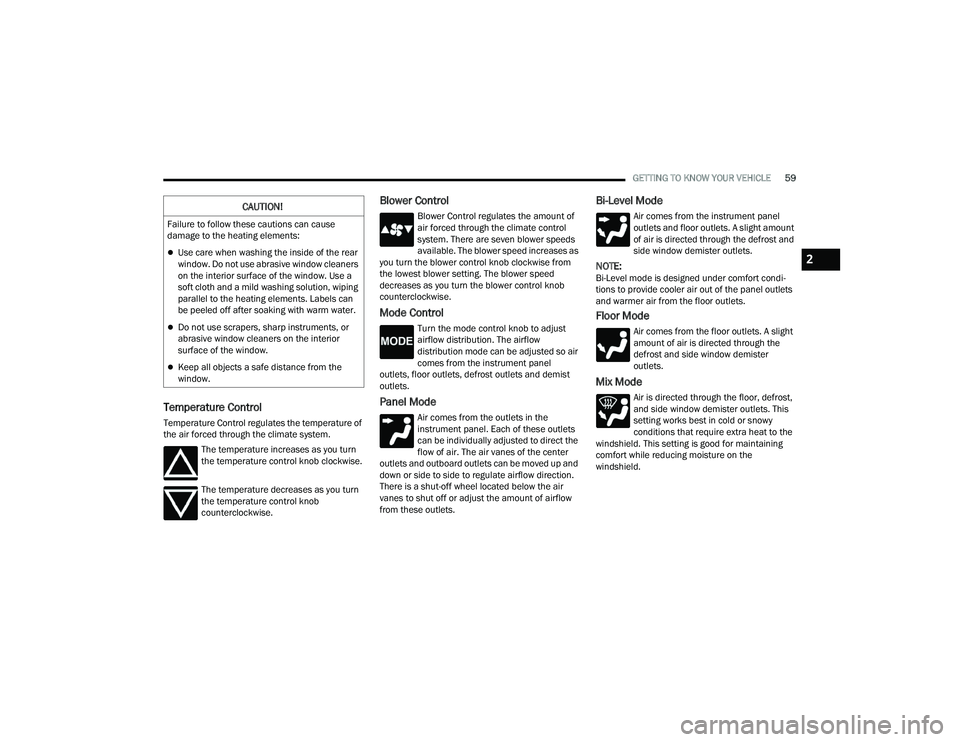
Blower Control
Blower Control regulates the amount of
air forced through the climate control
system. There are seven blower speeds
available. The blower speed increases as
you turn the blower control knob clockwise from
the lowest blower setting. The blower speed
decreases as you turn the blower control knob
counterclockwise.
Mode Control
Turn the mode control knob to adjust
airflow distribution. The airflow
distribution mode can be adjusted so air
comes from the instrument panel
outlets, floor outlets, defrost outlets and demist
outlets.
Panel Mode
Air comes from the outlets in the
instrument panel. Each of these outlets
can be individually adjusted to direct the
flow of air. The air vanes of the center
outlets and outboard outlets can be moved up and
down or side to side to regulate airflow direction.
There is a shut-off wheel located below the air
vanes to shut off or adjust the amount of airflow
from these outlets.
Bi-Level Mode
Air comes from the instrument panel
outlets and floor outlets. A slight amount
of air is directed through the defrost and
side window demister outlets.
NOTE:Bi-Level mode is designed under comfort condi -
tions to provide cooler air out of the panel outlets
and warmer air from the floor outlets.
Floor Mode
Air comes from the floor outlets. A slight
amount of air is directed through the
defrost and side window demister
outlets.
Mix Mode
Air is directed through the floor, defrost,
and side window demister outlets. This
setting works best in cold or snowy
conditions that require extra heat to the
windshield. This setting is good for maintaining
comfort while reducing moisture on the
windshield.
CAUTION!
Failure to follow these cautions can cause
damage to the heating elements:
Use care when washing the inside of the rear
window. Do not use abrasive window cleaners
on the interior surface of the window. Use a
soft cloth and a mild washing solution, wiping
parallel to the heating elements. Labels can
be peeled off after soaking with warm water.
Do not use scrapers, sharp instruments, or
abrasive window cleaners on the interior
surface of the window.
Keep all objects a safe distance from the
window.
2
22_DPF_OM_EN_USC_t.book Page 59
Page 63 of 428

GETTING TO KNOW YOUR VEHICLE61
Window Fogging
Vehicle windows tend to fog on the inside in mild,
rainy, and/or humid weather. To clear the
windows, select Defrost or Mix mode and increase
the front blower speed. Do not use the
Recirculation mode without A/C for long periods,
as fogging may occur.
Outside Air Intake
Make sure the air intake, located directly in front of
the windshield, is free of obstructions, such as
leaves. Leaves collected in the air intake may
reduce airflow, and if they enter the plenum, they
could plug the water drains. In Winter months,
make sure the air intake is clear of ice, slush, and
snow.
Cabin Air Filter
The Climate Control system filters out dust and
pollen from the air. Contact an authorized dealer to
service your cabin air filter, and to have it replaced
when needed.
Operating Tips ChartINTERIOR STORAGE AND EQUIPMENT
STORAGE
Glove Compartment
The glove compartment is located on the
passenger side of the instrument panel and
features both an upper and lower storage area.
NOTE:Not all vehicles are equipped with a door over the
upper storage area.
Glove Compartment
WEATHER CONTROL SETTINGS
Hot Weather And
Vehicle Interior Is Very Hot Set the mode control to
(Panel Mode),
(A/C) on, and blower
on high. Roll down the
windows for a minute
to flush out the hot air.
Adjust the controls as
needed to achieve
comfort.
Warm Weather Turn (A/C) on and
set the mode control to
(Panel Mode).
Cool Sunny Operate in (Bi-Level
Mode).
Cool & Humid Conditions Set the mode control to
(Floor Mode) and
turn (A/C) on to
keep windows clear.
Cold Weather Set the mode control to
(Floor Mode). If
windshield fogging
starts to occur, move
the control to (Mix
Mode).
1 — Upper Glove Compartment Release Button
(If Equipped)
2 — Upper Glove Compartment
3 — Lower Glove Compartment
2
22_DPF_OM_EN_USC_t.book Page 61
Page 66 of 428

64GETTING TO KNOW YOUR VEHICLE
Overhead Sunglass Storage
At the front of the overhead console, a
compartment is provided for the storage of one
pair of sunglasses.
From the closed position, push the door latch to
open the compartment.
Overhead Sunglass Door
The door will slowly rotate to the full open position.
Front Bench Seat Storage — If Equipped
If your vehicle is equipped with a front bench seat,
storage can be found by folding down the center
seatback. A console storage area and cupholders
are available. With the seatback in the upright
position, lifting the seat bottom also reveals a
storage location.
Front Bench Seat Storage Location
The console storage contains a USB port that can
be used to power small electrical devices.
Bench Seat Storage USB Port
If equipped, there is a storage drawer located in
the lower center of the instrument panel. It can be
released by pushing the access button above it.
Pull drawer outward to the fully open position.
Storage Drawer Access Button
Seatback Storage — If Equipped
Located in the back of both the driver and
passenger front seats are pockets that can be
used for storage.
Driver’s Side Seatback Storage
22_DPF_OM_EN_USC_t.book Page 64
Page 68 of 428

66GETTING TO KNOW YOUR VEHICLE
3. Lift the load floor up to access storage under the load floor.
Load Floor Securing Straps/Crew Cab
4. Reverse the procedure to put the load floor back in the secured down position before you
operate the vehicle.
Below Rear Seat Storage (Crew Cab)
The Crew Cab models provide additional storage
under the rear seats. Lift the seats to access the
storage compartment.
To open the storage compartments, unsnap the
securing snap located at either side of the load
floor and lift upward on the fold flat lid.
Crew Cab Storage
NOTE:For more information on storage and the fold flat
floor, refer to “Fold Flat Load Floor” in the previous
section.
USB/AUX CONTROL
Located on the center stack, just below the
instrument panel, is the main media hub. There
are four total USB ports: Two Mini-USBs (Type C)
and two Standard USBs (Type A). There is also an
AUX port located in the middle of the USB Ports.
Plugging in a smartphone device to a USB port may
activate Android Auto™ or Apple CarPlay®
features, if equipped. For further information, refer
to “Android Auto™” or “Apple CarPlay®” in the
Owner’s Manual Supplement.
NOTE:Two devices can be plugged in at the same time,
and both ports will provide charging capabilities.
Only one port can transfer data to the system at a
time. A pop-up will appear and allow you to select
the device transferring data.
For example, if a device is plugged into the Type A
USB port and another device is plugged into the
Type C USB port, a message will appear and allow
you to select which device to use.
WARNING!
Do not drive with the load floor in the up
position. When stopping fast or in an accident,
the load floor could move to the down position
causing serious injury.
22_DPF_OM_EN_USC_t.book Page 66
Page 70 of 428

68GETTING TO KNOW YOUR VEHICLE
(Continued)
NOTE:Plugging in a phone or another USB device may
cause the connection to a previous device to be
lost.
For further information, refer to the Uconnect
Owner’s Manual Supplement or visit
UconnectPhone.com.
ELECTRICAL POWER OUTLETS
The auxiliary 12 Volt (13 Amp) power outlet can
provide power for in-cab accessories designed for
use with the standard “cigarette lighter” style plug.
The 12 Volt power outlets and 5 Volt (2.5 Amp) USB
port (Charge Only) have a cap attached to the
outlet indicating “12V DC”, together with either a
key symbol, battery symbol, or USB symbol.
A key symbol indicates that the ignition must be in
the ON/RUN or ACC positions for the outlet to
provide power. The battery symbol indicates that
the outlet is connected to the battery, and can
provide power at all times. An auxiliary power outlet can be found in the tray
on top of the center stack. This power outlet works
when the ignition is in the ON/RUN, ACC, or OFF
position.
Power Outlet — Top Of Center Stack
Power Outlet Fuse Locations:
F104 Fuse 20 A Yellow UCI Port/ USB Rear
Center Console
F90 Fuse 20 A Yellow Instrument Panel Power
Outlet Battery Fed (If Equipped)
F91 Fuse 20 A Yellow Instrument Panel Power
Outlet Ignition Fed (If Equipped)
F93 Fuse 20 A Yellow Cigar Lighter/ Instrument
Panel Power Outlet (If Equipped)
When the vehicle is turned off, be sure to unplug
any equipment as to not drain the battery of the
vehicle. All accessories connected to the outlet(s)
should be removed or turned off when the vehicle
is not in use to protect the battery against
discharge.
CAUTION!
Do not exceed the maximum power of 160 Watts
(13 Amps) at 12 Volts. If the 160 Watts
(13 Amps) power rating is exceeded, the fuse
protecting the system will need to be replaced.
Power outlets are designed for accessory
plugs only. Do not insert any other object in
the power outlets as this will damage the
outlet and blow the fuse. Improper use of the
power outlet can cause damage not covered
by your New Vehicle Limited Warranty.
CAUTION!
WARNING!
To avoid serious injury or death:
Only devices designed for use in this type of
outlet should be inserted into any 12 Volt
outlet.
Do not touch with wet hands.
Close the lid when not in use and while driving
the vehicle.
If this outlet is mishandled, it may cause an
electric shock and failure.
22_DPF_OM_EN_USC_t.book Page 68
Page 75 of 428

GETTING TO KNOW YOUR VEHICLE73
HOOD
TO OPEN THE HOOD
To open the hood, two latches must be released.
1. Pull the hood release lever located below the
steering wheel at the base of the instrument
panel.
Hood Release
2. Reach into the opening beneath the center of
the hood and push the safety latch lever to the
left to release it, before raising the hood.
Safety Latch Location
TO CLOSE THE HOOD
Hoods equipped with gas props are closed from
the point where the props no longer hold the hood
open.
WARNING!
Be sure the hood is fully latched before driving
your vehicle. If the hood is not fully latched, it
could open when the vehicle is in motion and
block your vision. Failure to follow this warning
could result in serious injury or death.
CAUTION!
To prevent possible damage, do not slam the
hood to close it. Use a firm downward push at
the front center of the hood to ensure that both
latches engage.
2
22_DPF_OM_EN_USC_t.book Page 73
Page 76 of 428
74
GETTING TO KNOW YOUR INSTRUMENT PANEL
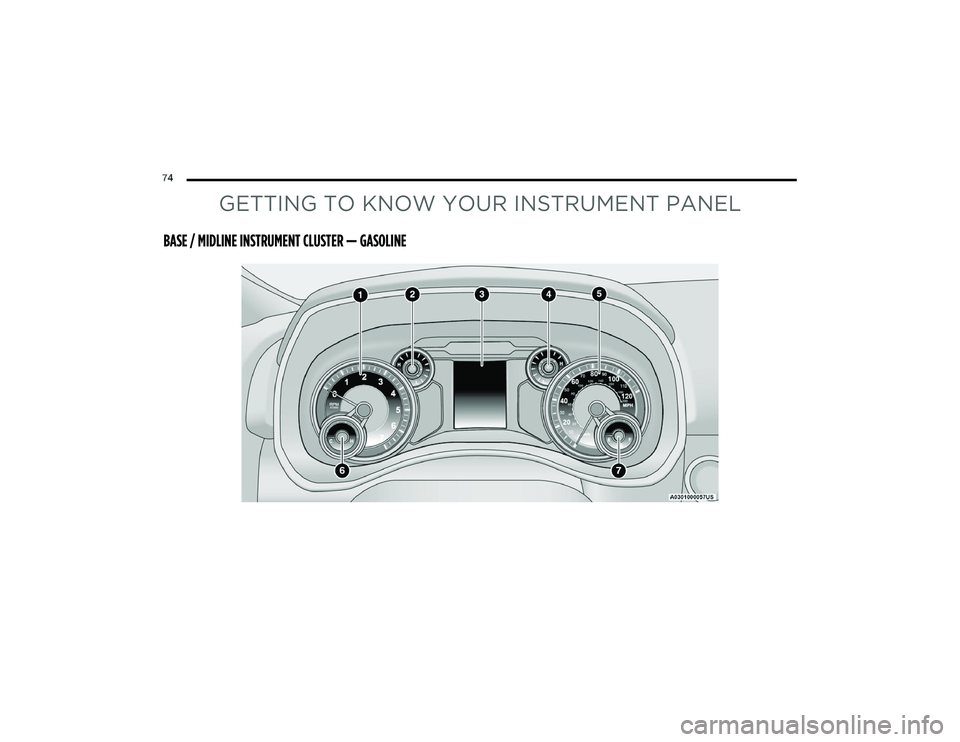
BASE / MIDLINE INSTRUMENT CLUSTER — GASOLINE
22_DPF_OM_EN_USC_t.book Page 74