engine oil RAM CHASSIS CAB 2023 Owner's Manual
[x] Cancel search | Manufacturer: RAM, Model Year: 2023, Model line: CHASSIS CAB, Model: RAM CHASSIS CAB 2023Pages: 444, PDF Size: 20.51 MB
Page 128 of 444

126STARTING AND OPERATING
PROGRAMMABLE MAXIMUM VEHICLE
S
PEED
This feature allows the owner to set a maximum
vehicle speed for the vehicle. The 2500 and 3500
Series maximum vehicle speed can be set
between 40 mph to 87 mph (64 km/h to
140 km/h). The 4500/5500 Series maximum
vehicle speed can be set between 40 mph to
85 mph (64 km/h to 136 km/h). See an
authorized dealer to enable this feature.
NOTE:DO NOT set the maximum vehicle speed to a value
greater than what the vehicle tires are rated for.
OPERATING PRECAUTIONS
Avoid Overheating The Engine
The temperature of the engine coolant (antifreeze:
a mixture of 50% ethylene-glycol and 50% water)
must not exceed the normal range of the
temperature gauge 240°F (116°C) with a 21 psi
(145 kPa) coolant pressure cap.
Usually the engine coolant (antifreeze)
temperature indicated during operation will be to
the left of center in the normal range of the gauge.
Avoid Low Coolant Temperature Operation
Continual operation at low engine coolant
(antifreeze) temperature below the normal range
on the gauge 140°F (60°C) can be harmful to the engine. Low engine coolant (antifreeze)
temperature can cause incomplete combustion
which allows carbon and varnish to form on piston
rings and injector nozzles. Also, the unburned fuel
can enter the crankcase, diluting the lubricating oil
and causing rapid wear to the engine.
COOLING SYSTEM TIPS
To reduce potential for engine and transmission
overheating in high ambient temperature
conditions, take the following actions:
City Driving — When stopped, shift the transmis
-
sion into NEUTRAL and increase engine idle
speed.
Highway Driving — Reduce your speed.
Up Steep Hills — Select a lower transmission
gear.
Air Conditioning — Turn it off temporarily.
Do Not Operate The Engine With Low Oil
Pressure
When the engine is at normal operating
temperature, the minimum oil pressures required
are:
Do Not Operate The Engine With Failed
Parts
All engine failures give some warning before the
parts fail. Be on the alert for changes in
performance, sounds, and visual evidence that the
engine requires service. Some important clues are:
Engine misfiring or vibrating severely.
Sudden loss of power.
Unusual engine noises.
Fuel, oil or coolant leaks.
Sudden change, outside the normal operating
range, in the engine operating temperature.
Excessive smoke.
Oil pressure drop.
Idle 700 to 800 RPM 10 psi (69 kPa)
Full speed and load 30 psi (207 kPa)
CAUTION!
If oil pressure falls to less than normal readings,
shut the engine off immediately. Failure to do so
could result in immediate and severe engine
damage.
23_DPF_OM_EN_USC_t.book Page 126
Page 129 of 444

STARTING AND OPERATING127
DIESEL PARTICULATE FILTER (DPF)
M
ANUAL REGENERATION — IF EQUIPPED
On equipped Chassis Cabs, a manual regeneration
can be enable through the instrument cluster. The
manual regeneration will allow the DPF to
complete a regeneration, lowering the soot level
without having to drive the vehicle. The vehicle
must be in PARK to access this feature, and the
fuel level must be over 12.5% full. A message
displaying the time left on the regeneration will
appear on the instrument cluster, and the
instrument cluster will display the soot level
Ú page 89.
ENGINE BLOCK HEATER — IF EQUIPPED
The engine block heater warms the engine, and
permits quicker starts in cold weather. Connect the
cord to a standard 110-115 Volt AC electrical
outlet with a grounded, three-wire extension cord.
The engine block heater cord is routed behind the
front bumper and accessible through the right hole
of the air dam.
The engine block heater must be plugged in at
least one hour to have an adequate warming effect
on the engine. It includes a removable cap that is secured by a
tethered strap. It also has a c-clip that is used for
storage when not in use for the Winter months.
During Winter months, remove the heater cord
wiring assembly from itself on the c-clip.
NOTE:The block heater will require 110 Volt AC and
6.5 Amps to activate the heater element.
Block Heater Usage
For ambient temperatures below 0°F (-18°C),
engine block heater usage is recommended.
For ambient temperatures below –20°F (-29°C),
engine block heater usage is required.
ENGINE BREAK-IN RECOMMENDATIONS—
GASOLINE ENGINE
A long break-in period is not required for the engine
and drivetrain (transmission and axle) in your
vehicle.
Drive moderately during the first 300 miles
(500 km). After the initial 60 miles (100 km),
speeds up to 50 or 55 mph (80 or 90 km/h) are
desirable. While cruising, brief full-throttle acceleration within
the limits of local traffic laws contributes to a good
break-in. Wide-open throttle acceleration in low
gear can be detrimental and should be avoided.
The engine oil installed in the engine at the factory
is a high-quality energy conserving type lubricant.
Oil changes should be consistent with anticipated
climate conditions under which vehicle operations
will occur. For the recommended viscosity and
quality grades Ú
page 419.
NOTE:A new engine may consume some oil during its first
few thousand miles (kilometers) of operation. This
should be considered a normal part of the break-in
and not interpreted as a problem. Please check
your oil level with the engine oil indicator often
during the break in period. Add oil as required.
CAUTION!
Never use Non-Detergent Oil or Straight Mineral
Oil in the engine or damage may result.
4
23_DPF_OM_EN_USC_t.book Page 127
Page 130 of 444

128STARTING AND OPERATING
ENGINE BREAK-IN RECOMMENDATIONS —
DIESEL ENGINE
The Cummins® Turbo Diesel engine does not
require a break-in period due to its construction.
Normal operation is allowed, providing the
following recommendations are followed:
Warm up the engine before placing it under
load.
Do not operate the engine at idle for prolonged
periods.
Use the appropriate transmission gear to
prevent engine lugging.
Observe vehicle oil pressure and temperature
indicators.
Check the coolant and oil levels frequently.
Vary throttle position at highway speeds when
carrying or towing significant weight.
NOTE:Light duty operation such as light trailer towing or
no load operation will extend the time before the
engine is at full efficiency. Reduced fuel economy
and power may be seen at this time.
For additional vehicle break-in requirements
Úpage 186. Because of the construction of the Cummins®
Turbo Diesel engine, engine run-in is enhanced by
loaded operating conditions which allow the
engine parts to achieve final finish and fit during
the first 6,000 miles (10,000 km).
PARKING BRAKE
Before leaving the vehicle, make sure that the
parking brake is fully applied. Also, be certain to
leave the transmission in PARK.
The foot operated parking brake is located below
the lower left corner of the instrument panel. To
apply the parking brake, firmly push the parking
brake pedal fully. To release the parking brake, pull
the parking brake release handle.
Parking Brake Release
When the parking brake is applied with the ignition
switch ON, the Brake Warning Light in the
instrument cluster will illuminate.
NOTE:
When the parking brake is applied and the
transmission is placed in gear, the Brake
Warning Light will flash. If vehicle speed is
detected, a chime will sound to alert the driver.
Fully release the parking brake before
attempting to move the vehicle.
This light only shows that the parking brake is
applied. It does not show the degree of brake
application.
When parking on a hill, it is important to turn the
front wheels toward the curb on a downhill grade
and away from the curb on an uphill grade. Apply
the parking brake before placing the gear selector
in PARK, otherwise the load on the transmission
locking mechanism may make it difficult to move
the gear selector out of PARK. The parking brake
should always be applied whenever the driver is
not in the vehicle.
23_DPF_OM_EN_USC_t.book Page 128
Page 178 of 444
176STARTING AND OPERATING
(Continued)
AUX CAMERA — IF EQUIPPED
Your vehicle may be equipped with one or two AUX
Cameras, which display a rearview image from the
trailer on the touchscreen.
NOTE:Two Aux Cameras are only available on vehicles
with NAV equipped radios if the vehicle is not
equipped with a Center High Mounted Stop Lamp
(CHMSL) and Surround View Camera system.
Activation
The AUX Camera is activated by first pressing the
Backup Camera or Cargo Camera (if equipped)
button on the touchscreen, followed by the AUX
button located in the upper left corner of the rearview display. On vehicles with Surround View
Camera (if equipped), the AUX Camera can be
activated when the vehicle is in REVERSE by first
pressing the More Cams button in the Surround
view screen, followed by the AUX tab. The AUX
camera can also be activated when the vehicle is
in REVERSE by pressing the AUX button.
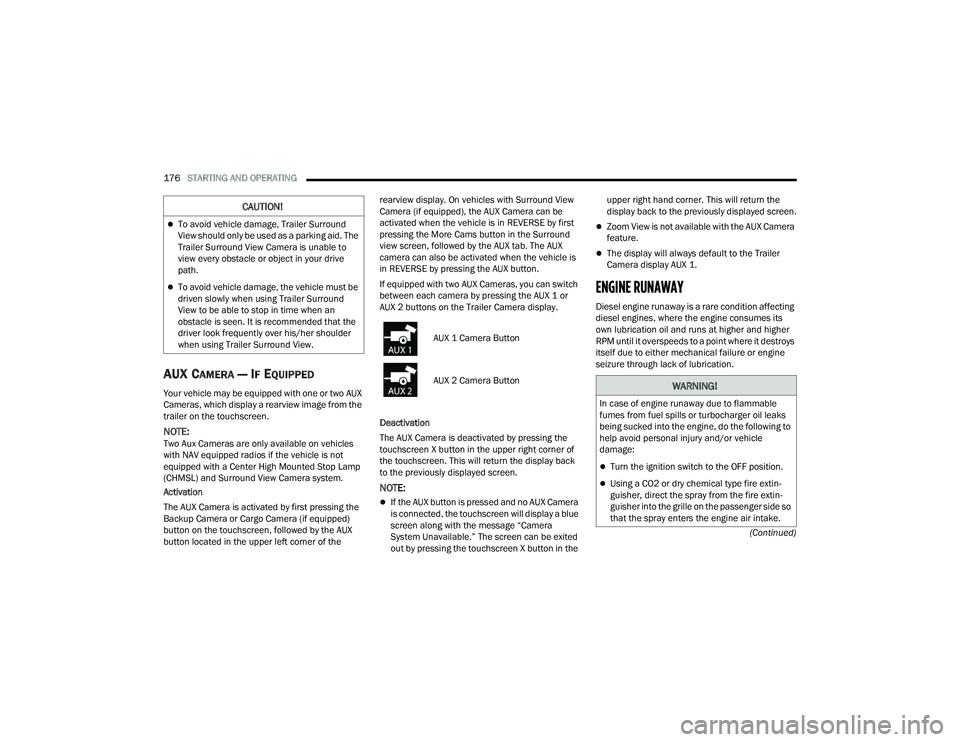
If equipped with two AUX Cameras, you can switch
between each camera by pressing the AUX 1 or
AUX 2 buttons on the Trailer Camera display.
Deactivation
The AUX Camera is deactivated by pressing the
touchscreen X button in the upper right corner of
the touchscreen. This will return the display back
to the previously displayed screen.
NOTE:
If the AUX button is pressed and no AUX Camera
is connected, the touchscreen will display a blue
screen along with the message “Camera
System Unavailable.” The screen can be exited
out by pressing the touchscreen X button in the upper right hand corner. This will return the
display back to the previously displayed screen.
Zoom View is not available with the AUX Camera
feature.
The display will always default to the Trailer
Camera display AUX 1.
ENGINE RUNAWAY
Diesel engine runaway is a rare condition affecting
diesel engines, where the engine consumes its
own lubrication oil and runs at higher and higher
RPM until it overspeeds to a point where it destroys
itself due to either mechanical failure or engine
seizure through lack of lubrication.
CAUTION!
To avoid vehicle damage, Trailer Surround
View should only be used as a parking aid. The
Trailer Surround View Camera is unable to
view every obstacle or object in your drive
path.
To avoid vehicle damage, the vehicle must be
driven slowly when using Trailer Surround
View to be able to stop in time when an
obstacle is seen. It is recommended that the
driver look frequently over his/her shoulder
when using Trailer Surround View.
AUX 1 Camera Button
AUX 2 Camera Button
WARNING!
In case of engine runaway due to flammable
fumes from fuel spills or turbocharger oil leaks
being sucked into the engine, do the following to
help avoid personal injury and/or vehicle
damage:
Turn the ignition switch to the OFF position.
Using a CO2 or dry chemical type fire extin
-
guisher, direct the spray from the fire extin -
guisher into the grille on the passenger side so
that the spray enters the engine air intake.
23_DPF_OM_EN_USC_t.book Page 176
Page 200 of 444

198STARTING AND OPERATING
(Continued)
DRIVING THROUGH WATER
Driving through water more than a few inches/
centimeters deep will require extra caution to
ensure safety and prevent damage to your vehicle.
Flowing/Rising WaterShallow Standing Water
Although your vehicle is capable of driving through
shallow standing water, consider the following
Warnings and Cautions before doing so.WARNING!
Rapid acceleration on slippery surfaces is
dangerous. Unequal traction can cause sudden
pulling of the rear wheels. You could lose control
of the vehicle and possibly have a collision.
Accelerate slowly and carefully whenever there
is likely to be poor traction (ice, snow, wet, mud,
loose sand, etc.).
WARNING!
Do not drive on or across a road or path where
water is flowing and/or rising (as in storm
run-off). Flowing water can wear away the road
or path's surface and cause your vehicle to sink
into deeper water. Furthermore, flowing and/or
rising water can carry your vehicle away swiftly.
Failure to follow this warning may result in
injuries that are serious or fatal to you, your
passengers, and others around you.
WARNING!
Driving through standing water limits your
vehicle’s traction capabilities. Do not exceed
5 mph (8 km/h) when driving through
standing water.
Driving through standing water limits your
vehicle’s braking capabilities, which increases
stopping distances. Therefore, after driving
through standing water, drive slowly and
lightly press on the brake pedal several times
to dry the brakes.
Failure to follow these warnings may result in
injuries that are serious or fatal to you, your
passengers, and others around you.
CAUTION!
Always check the depth of the standing water
before driving through it. Never drive through
standing water that is deeper than the bottom
of the tire rims mounted on the vehicle.
Determine the condition of the road or the
path that is under water and if there are any
obstacles in the way before driving through
the standing water.
Do not exceed 5 mph (8 km/h) when driving
through standing water. This will minimize
wave effects.
Driving through standing water may cause
damage to your vehicle’s drivetrain compo -
nents. Always inspect your vehicle’s fluids
(i.e., engine oil, transmission, axle, etc.) for
signs of contamination (i.e., fluid that is milky
or foamy in appearance) after driving through
standing water. Do not continue to operate
the vehicle if any fluid appears contaminated,
as this may result in further damage. Such
damage is not covered by the New Vehicle
Limited Warranty.
Getting water inside your vehicle’s engine can
cause it to lock up and stall out, and cause
serious internal damage to the engine. Such
damage is not covered by the New Vehicle
Limited Warranty.
CAUTION!
23_DPF_OM_EN_USC_t.book Page 198
Page 254 of 444
252MULTIMEDIA
Remote Vehicle Start
Description
The Remote Vehicle Start feature provides you with
the ability to start the engine on your vehicle
without the keys and from virtually any distance.
Once started, the preset climate controls in your
vehicle can warm up or cool down the interior.
You can also send a command to turn off an
engine that has been started using Remote Vehicle
Start. After 15 minutes, if you have not entered
your vehicle with the key, the engine will shut off
automatically.
This remote function requires your vehicle to be
equipped with a factory-installed Remote Start
system.
You can set up push notifications every time a
command is sent to activate or cancel Remote
Start.
Working Vehicle Conditions
The vehicle must be off or in ACC mode.
The vehicle has been started with the key fob
within the last 14 days.
The vehicle must be in PARK or at a standstill.
The vehicle’s security system has been armed
and not triggered since the last vehicle start.
The doors, hood, and trunk/liftgate are closed.
The vehicle’s check engine light must be off.
The vehicle must have at least a quarter tank of
fuel, along with oil and battery power.
The vehicle’s hazard lights must be off.
If equipped, the vehicle must have an automatic
transmission.
The vehicle must be in an open area with cell
tower reception.
Your mobile device must have a cellular or Wi-Fi
connection.
If the Panic button has been pressed, the
vehicle must be started at least once after
alarming the system.
NOTE:The SiriusXM Guardian™ Customer Care agents
are not authorized for Remote Vehicle Start
services. Contact the Uconnect Care Team for
assistance.
Remote Horn & Lights
Description
It is easy to locate a vehicle in a dark, crowded or
noisy parking area by activating the horn and
lights. It may also help if you need to draw attention
to your vehicle for any reason.
If you want, you can set up push notifications every
time a command is sent to turn on the horn and
lights. Working Vehicle Conditions
The vehicle must in PARK or at a standstill.
The vehicle must be in an open area with cell
tower reception.
Your mobile device must have a cellular or Wi-Fi
connection.
NOTE:The Remote Horn & Lights feature is designed to
be loud and get noticed. Please keep in mind the
surroundings when using this feature. You are
responsible for compliance with local laws, rules
and ordinances in the location of your vehicle
when using Remote Horn & Lights.
Assist — If Equipped
Description
Vehicles equipped with the SiriusXM Guardian™
connected services feature may contain an ASSIST
button in the vehicle. Once your SiriusXM
Guardian™ connected services have been
activated, the ASSIST button can connect you
directly to the Customer Care call center (if
equipped). You will be directed to one of the
following four services:
Roadside Assistance
— If you get a flat tire or
need a tow, you’ll be connected to someone
who can help anytime.
23_DPF_OM_EN_USC_t.book Page 252
Page 259 of 444
MULTIMEDIA257
An active subscription to SiriusXM Guardian™ is
required. To use Amazon Alexa, first, register for
SiriusXM Guardian™ Ú page 245.
Next, link the Uconnect system on your vehicle to
Amazon Alexa:
1. Download the Amazon Alexa app on your mobile device (Apple® or Android™).
2. Once in the app, tap MENU and go to SKILLS.
3. Search for
4. Tap SAVE SETTINGS when prompted.
5. Link the vehicle brand name to the
6. Log in using your Owner Account credentials. This will be the same user name and password
you used when registering for SiriusXM
Guardian™ connected services. There will be
additional settings to confirm on the following
screen.
7. AUTHORIZE the account to return to the
You can now begin using the
on Alexa!
Google Assistant — If Equipped
With the Google Assistant, you can get help and
keep tabs on your car. Google Assistant is available
across your devices, including Android™ phones,
iPhone® devices, or voice-activated speakers, like
Google Home. If you need assistance, ask Google
for help, or for a complete list of commands by
saying: “Hey Google, ask
with my car.”
Here are a few examples of commands:
“Hey Google, ask
“Hey Google, ask
“Hey Google, ask
Chrysler Drive, Auburn Hills, Michigan to my
“Hey Google, ask
fuel level of my
To link your Uconnect account with Google
Assistant, follow these steps:
1. Download and install the Google Assistant app on your smart phone from the App
Store® or Google Play.
2. After installation, log in to the Google Assistant
app with your Gmail ID. Verify your account by
pressing the icon in the upper right-hand
corner.
3. Press the Discover button in the bottom left corner of the screen. Enter the vehicle brand
name.
4. A prompt will appear to link your Uconnect account. Press “Link Uconnect to Google”.
5. Press “Sign In” and enter the email address and password you created when you activated
SiriusXM Guardian™. There will be additional
settings to confirm on the following screen.
6. Lastly, press “Authorize” to complete the linking process.
Now, you can ask Google Assistant to help you:Remotely start the engine, or cancel a remote
start
Send a destination to your vehicle’s built-in
Uconnect Navigation system
Monitor vehicle vitals, such as tire pressure, fuel
level and oil life
And more!
5
23_DPF_OM_EN_USC_t.book Page 257
Page 326 of 444

324SAFETY
(Continued)
Lights
Have someone observe the operation of brake
lights and exterior lights while you work the
controls. Check turn signal and high beam
indicator lights on the instrument panel.
Door Latches
Check for proper closing, latching, and locking.
Fluid Leaks
Check area under the vehicle after overnight
parking for fuel, coolant, oil, or other fluid leaks.
Also, if gasoline fumes are detected or if fuel or
brake fluid leaks are suspected, the cause should
be located and corrected immediately.
EXHAUST GAS
The best protection against carbon monoxide entry
into the vehicle body is a properly maintained
engine exhaust system.
Whenever a change is noticed in the sound of the
exhaust system, when exhaust fumes can be
detected inside the vehicle, or when the underside
or rear of the vehicle is damaged, have an
authorized dealer inspect the complete exhaust
system and adjacent body areas for broken,
damaged, deteriorated, or mispositioned parts.
Open seams or loose connections could permit
exhaust fumes to seep into the passenger
compartment. In addition, inspect the exhaust
system each time the vehicle is raised for
lubrication or oil change. Replace as required.
CARBON MONOXIDE WARNINGS
WARNING!
Exhaust gases can injure or kill. They contain
carbon monoxide (CO), which is colorless and
odorless. Breathing it can make you
unconscious and can eventually poison you. To
avoid breathing (CO), follow these safety tips:
Do not run the engine in a closed garage or in
confined areas any longer than needed to
move your vehicle in or out of the area.
If you are required to drive with the trunk/lift -
gate/rear doors open, make sure that all
windows are closed and the climate control
BLOWER switch is set at high speed. DO NOT
use the recirculation mode.
If it is necessary to sit in a parked vehicle with
the engine running, adjust your heating or
cooling controls to force outside air into the
vehicle. Set the blower at high speed.
WARNING!
WARNING!
Carbon monoxide (CO) in exhaust gases is
deadly. Follow the precautions below to prevent
carbon monoxide poisoning:
Do not inhale exhaust gases. They contain
carbon monoxide, a colorless and odorless
gas, which can kill. Never run the engine in a
closed area, such as a garage, and never sit in
a parked vehicle with the engine running for
an extended period. If the vehicle is stopped in
an open area with the engine running for more
than a short period, adjust the ventilation
system to force fresh, outside air into the
vehicle.
Guard against carbon monoxide with proper
maintenance. Have the exhaust system
inspected every time the vehicle is raised.
Have any abnormal conditions repaired
promptly. Until repaired, drive with all side
windows fully open.
23_DPF_OM_EN_USC_t.book Page 324
Page 344 of 444

342
SERVICING AND MAINTENANCE
SCHEDULED SERVICING
Your vehicle is equipped with an engine oil change
indicator system. This system will alert you when it
is time to change your engine oil by displaying the
words “Oil Change Due” in your instrument cluster
display. The engine oil change indicator system is
duty cycle based, which means the engine oil
change interval may fluctuate depending on your
personal driving style. Failure to change the engine
oil per the maintenance schedule can result in
internal engine damage.
An authorized dealer will reset the oil change
indicator message after completing the scheduled
oil change. If a scheduled oil change is performed
by someone other than an authorized dealer, the
message can be reset by referring to the steps
described under instrument cluster display
Úpage 89. For Gasoline Engines, under no circumstances
should oil change intervals exceed 8,000 miles
(13,000 km), 12 months or 350 hours of engine
run time, whichever comes first. The 350 hours of
engine run or idle time is generally only a concern
for fleet customers.
For Diesel Engines, under no circumstances
should oil change intervals exceed 15,000 miles
(24,000 km) or 12 months, whichever comes first
or sooner if prompted by the oil change indicator
system.
NOTE:
It is recommended that every 3,000 miles
(4,800 km), check the engine oil level at least
30 minutes after a fully warmed engine is shut
off. Checking the oil level while the vehicle is on
level ground will improve the accuracy of the oil
level reading. Add oil only when the level is at or
below the ADD or MIN mark.
Severe service (high ambient temperature,
short trips, heavy loading, trailer towing,
off-road, or law enforcement use) may reduce
oil change intervals.
For Diesel Engines, configured with optional B20
capability are operated with greater than 5% levels
of biodiesel, the oil change interval must not
exceed 12,500 miles (20,000 km) or 400 hours,
whichever comes first under any circumstances.
See the Fuel Requirements section for more
information regarding operation with biodiesel
blend (B6-B20) fuel meeting ASTM specification
D-7467.
Perform Service Indicator — Diesel Engine
Your vehicle will require emissions maintenance at
a set interval. To help remind you when this
maintenance is due, the instrument cluster will
display “Perform Service”. When the “Perform
Service” message is displayed on the instrument
cluster it is necessary to have the emissions
maintenance performed. Emissions maintenance
may include replacing the Closed Crankcase
Ventilation (CCV) filter element. The procedure for
clearing and resetting the “Perform Service”
indicator message is located in the appropriate
Service Information.
CAUTION!
Failure to perform the required maintenance
items may result in damage to the vehicle.
23_DPF_OM_EN_USC_t.book Page 342
Page 345 of 444

SERVICING AND MAINTENANCE343
Once A Month Or Before A Long Trip:
Check engine oil level.
Rotate tires at the first sign of irregular wear,
even if it occurs before the oil indicator system
turns on.
Check windshield washer fluid level.
Check the fluid levels of the coolant reservoir,
brake master cylinder and power steering and
fill as needed.
Check function of all interior and exterior lights. At Each Oil Change
Change the engine oil and filter.
Inspect the exhaust system.
Check tire pressure and look for unusual wear
or damage. Rotate tires at the first sign of irreg -
ular wear, even if it occurs before the oil indi -
cator system turns on.
Inspect the batteries, and clean and tighten the
terminals as required.
Inspect the CV/Universal joints.
Inspect brake pads, shoes, rotors, drums, hoses
and parking brake.
Inspect engine cooling system protection and
hoses.
Inspect front end, and lubricate — If equipped
with serviceable fittings.
Inspect engine air cleaner filter if using in dusty
or off-road conditions. If required, replace
engine air cleaner filter.
Inspect and replace the Evaporative System
Fresh Air Filter as necessary, replacement may
be more frequent if vehicle is operated in
extreme dusty conditions.
Inspection and service should also be performed
anytime a malfunction is observed or suspected.
Retain all receipts.
NOTE:Using white lithium grease, lubricate the door
hinge pivot joints twice a year to prevent
premature wear.
8
23_DPF_OM_EN_USC_t.book Page 343