radio RAM PROMASTER 2021 Owner's Guide
[x] Cancel search | Manufacturer: RAM, Model Year: 2021, Model line: PROMASTER, Model: RAM PROMASTER 2021Pages: 288, PDF Size: 15.22 MB
Page 160 of 288

158SAFETY
Rear Cross Path (RCP)
RCP is intended to aid the driver when backing
out of parking spaces where their vision of
oncoming vehicles may be blocked. Proceed
slowly and cautiously out of the parking space
until the rear end of the vehicle is exposed. The
RCP system will then have a clear view of the
cross traffic, and if an oncoming vehicle is
detected, alert the driver.
RCP Detection Zones
RCP monitors the rear detection zones on both
sides of the vehicle, for objects that are moving
toward the side of the vehicle with a minimum
speed of approximately 3 mph (5 km/h), to
objects moving a maximum of approximately
20 mph (32 km/h), such as in parking lot
situations. When RCP is on and the vehicle is in REVERSE
(R), the driver is alerted using both the visual
and audible alarms, including reducing the
radio volume.
NOTE:
In a parking lot situation, oncoming vehicles can
be blocked by vehicles parked on either side. If
the sensors are blocked by other structures or
vehicles, the system will not be able to alert the
driver.
Blind Spot Modes
Blind Spot has three selectable modes of
operation that are available in the Uconnect
system.
Blind Spot Alert Lights Only
When operating in Blind Spot Alert mode, the
BSM system will provide a visual alert in the
appropriate side view mirror based on a
detected object. However, when the system is
operating in Rear Cross Path (RCP) mode, the
system will respond with both visual and
audible alerts when a detected object is
present. Whenever an audible alert is
requested, the radio is muted.
Blind Spot Alert Lights/Chime
When operating in Blind Spot Alert Lights/
Chime mode, the BSM system will provide a
visual alert in the appropriate side view mirror
based on a detected object. If the turn signal is
then activated, and it corresponds to an alert
present on that side of the vehicle, an audible
chime will also be sounded. Whenever a turn
signal and detected object are present on the
same side at the same time, both the visual and
audible alerts will be issued. In addition to the
audible alert the radio (if on) will also be muted.
WARNING!
Rear Cross Path Detection (RCP) is not a
backup aid system. It is intended to be used
to help a driver detect an oncoming vehicle in
a parking lot situation. Drivers must be
careful when backing up, even when using
RCP. Always check carefully behind your
vehicle, look behind you, and be sure to
check for pedestrians, animals, other
vehicles, obstructions, and blind spots before
backing up. Failure to do so can result in
serious injury or death.
21_VF_OM_EN_USC_t.book Page 158
Page 161 of 288
SAFETY159
NOTE:
Whenever an audible alert is requested by the
BSM system, the radio is also muted.
When the system is in RCP, the system shall
respond with both visual and audible alerts
when a detected object is present. Whenever
an audible alert is requested, the radio is also
muted. Turn/hazard signal status is ignored;
the RCP state always requests the chime.
Blind Spot Alert Off
When the BSM system is turned off there will be
no visual or audible alerts from either the BSM
or RCP systems.
NOTE:
The BSM system will store the current operating
mode when the vehicle is shut off. Each time
the vehicle is started the previously stored
mode will be recalled and used.
FORWARD COLLISION WARNING (FCW)
W
ITH MITIGATION — IF EQUIPPED
The FCW with Mitigation system provides the
driver with audible warnings, visual warnings
(within the instrument cluster display), and may
apply a brake jerk to warn the driver when it
detects a potential frontal collision. The warnings and limited braking are intended
to provide the driver with enough time to react,
avoid or mitigate the potential collision.
NOTE:
FCW monitors the information from the forward
looking sensors as well as the Electronic Brake
Controller (EBC), to calculate the probability of a
forward collision. When the system determines
that a forward collision is probable, the driver
will be provided with audible and visual warn-
ings as well as a possible brake jerk warning.
If the driver does not take action based upon
these progressive warnings, then the system
will provide a limited level of active braking to
help slow the vehicle and mitigate the potential
forward collision. If the driver reacts to the warn
-
ings by braking and the system determines that
the driver intends to avoid the collision by
braking but has not applied sufficient brake
force, the system will compensate and provide
additional brake force as required.
If a FCW with Mitigation event begins at a speed
below 26 mph (42 km/h), the system may
provide the maximum braking possible to miti -
gate the potential forward collision. Vehicles
With Automatic Transmission: After the end of the intervention of automatic braking, the trans
-
mission may remain in last gear stored — there -
fore the vehicle could lurch forward, once the
brakes release a few seconds later. If the
Forward Collision Warning with Mitigation event
stops the vehicle completely, the system will
hold the vehicle at standstill for two seconds
and then release the brakes.
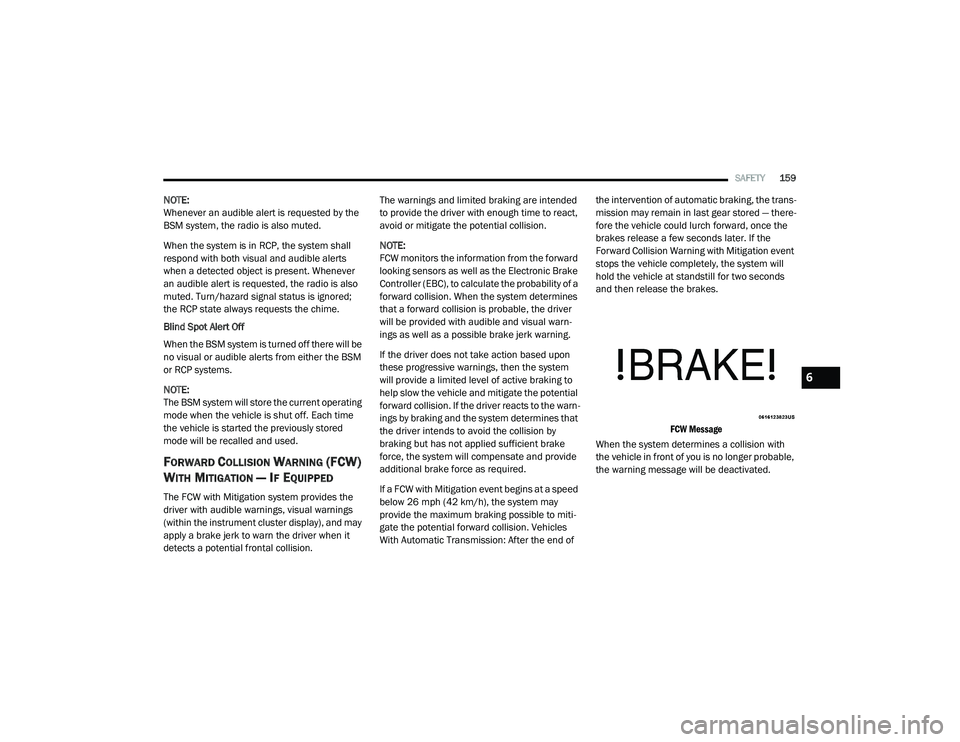
FCW Message
When the system determines a collision with
the vehicle in front of you is no longer probable,
the warning message will be deactivated.
6
21_VF_OM_EN_USC_t.book Page 159
Page 166 of 288

164SAFETY
Check TPMS Warnings
The Tire Pressure Monitoring System Warning
Light will flash on and off for 75 seconds and
remain on solid when a system fault is detected,
an audible chime will be activated and the “Tire
Pressure Monitoring Unavailable” message will
display. If the ignition key is cycled, this
sequence will repeat providing the system fault
still exists. The TPMS Warning Light will turn off
when the fault condition no longer exists. A
system fault can occur with any of the following
scenarios:
Jamming due to electronic devices or driving
next to facilities emitting the same radio
frequencies as the TPMS sensors
Installing some form of aftermarket window
tinting that affects radio wave signals
Snow or ice around the wheels or wheel
housings
Using tire chains on the vehicle
Using wheels/tires not equipped with TPMS
sensors NOTE:
Your vehicle is equipped with a regular size
spare wheel.
1. The spare tire does not have a TPMS
sensor. Therefore, the TPMS will not
monitor the pressure in the spare tire.
2. If a spare tire not equipped with the Tire Pressure Monitoring system sensor is used,
the TPMS Warning Light will turn on,
flashing for 75 seconds and then remaining
solid for each subsequent ignition key cycle.
3. Once you repair or replace the original road tire and reinstall it on the vehicle in place of
the spare tire, the TPMS will update
automatically and the Tire Pressure
Monitoring System Warning Light will
extinguish once the updated tire pressures
have been received. The vehicle may need
to be driven for up to 20 minutes above
15 mph (24 km/h) to receive this
information.
NOTE:
For correct Tire Pressure Monitoring System
behavior, please wait for about 20 minutes in
key-off during each tire substitution.
OCCUPANT RESTRAINT SYSTEMS
Some of the most important safety features in
your vehicle are the restraint systems:
OCCUPANT RESTRAINT SYSTEMS
F
EATURES
Seat Belt Systems
Supplemental Restraint Systems (SRS) Air
Bags
Child Restraints
Some of the safety features described in this
section may be standard equipment on some
models, or may be optional equipment on others.
If you are not sure, ask an authorized dealer.
IMPORTANT SAFETY PRECAUTIONS
Please pay close attention to the information in
this section. It tells you how to use your restraint
system properly, to keep you and your
passengers as safe as possible.
21_VF_OM_EN_USC_t.book Page 164
Page 206 of 288

204IN CASE OF EMERGENCY
See below steps to prepare for jump starting:
1. Apply the parking brake, shift the
automatic transmission into PARK (P) and
turn the ignition to the OFF position.
2. Turn off the heater, radio, and all electrical accessories.
3. Pull upward and remove the protective cover over the remote positive (+) battery
post.
4. If using another vehicle to jump start the battery, park the vehicle within the jumper
cables reach, apply the parking brake and
make sure the ignition is OFF.
JUMP STARTING PROCEDURE
Connecting The Jumper Cables
Jumper Cable Connections
1. Connect the positive
(+) end of the jumper
cable to the remote positive (+)
post of the
discharged vehicle.
NOTE:
The remote positive (+) post is located in the
engine compartment on the driver's side under
the cover of the Front Power Distribution Center.
Batteries contain sulfuric acid that can
burn your skin or eyes and generate
hydrogen gas which is flammable and
explosive. Keep open flames or sparks
away from the battery.
WARNING! (Continued)WARNING!
Do not allow vehicles to touch each other as
this could establish a ground connection and
personal injury could result.
WARNING!
Failure to follow this jump starting procedure
could result in personal injury or property
damage due to battery explosion.
CAUTION!
Failure to follow these procedures could
result in damage to the charging system of
the booster vehicle or the discharged vehicle.
21_VF_OM_EN_USC_t.book Page 204
Page 265 of 288

SERVICING AND MAINTENANCE263
LEATHER SURFACES
Mopar Total Clean is specifically recommended
for leather upholstery.
Your leather upholstery can be best preserved
by regular cleaning with a damp soft cloth.
Small particles of dirt can act as an abrasive
and damage the leather upholstery and should
be removed promptly with a damp cloth.
Stubborn soils can be removed easily with a soft
cloth and Mopar Total Clean. Care should be
taken to avoid soaking your leather upholstery
with any liquid. Please do not use polishes, oils,
cleaning fluids, solvents, detergents, or
ammonia-based cleaners to clean your leather
upholstery.
NOTE:
If equipped with light colored leather, it tends to
show any foreign material, dirt, and fabric dye
transfer more so than darker colors. The leather
is designed for easy cleaning, and FCA recom -
mends Mopar total care leather cleaner applied
on a cloth to clean the leather seats as needed.
GLASS SURFACES
All glass surfaces should be cleaned on a
regular basis with Mopar Glass Cleaner, or any
commercial household-type glass cleaner.
Never use an abrasive type cleaner. Use caution
when cleaning the inside rear window equipped
with electric defrosters or windows equipped
with radio antennas. Do not use scrapers or
other sharp instruments that may scratch the
elements.
When cleaning the rear view mirror, spray
cleaner on the towel or cloth that you are using.
Do not spray cleaner directly on the mirror.
CLEANING THE INSTRUMENT PANEL
C
UPHOLDERS
Removal
Pull the flexible liner from the cupholder drawer
starting at one edge to ease removal.
Cleaning
The liner is top shelf dishwasher safe, or you
may follow the cleaning procedure below.
Soak the liner in a mixture of medium hot tap
water and one teaspoon of mild liquid dish
soap. Let soak for approximately 30 minutes.
After 30 minutes, pull the liner from the water
and dip it back into the water about six times.
This will loosen any remaining debris. Rinse the
liner thoroughly under warm running water.
Shake the excess water from the liner and dry
the outer surfaces with a clean soft cloth.
Installation
Place the liner into the cupholder drawer and
push the liner into place so that the retention
tabs seat into the corresponding openings in
the drawer.
CAUTION!
Do not use Alcohol and Alcohol-based and/or
Ketone based cleaning products to clean
leather upholstery, as damage to the
upholstery may result.
8
21_VF_OM_EN_USC_t.book Page 263
Page 276 of 288
274CUSTOMER ASSISTANCE
PUBLICATION ORDER FORMS
To order the following manuals, you may use
either the website or the phone numbers listed
below.
Service Manuals
These comprehensive Service Manuals provide
a complete working knowledge of the vehicle,
system, and/or components and is written in
straightforward language with illustrations,
diagrams, and charts.
Diagnostic Procedure Manuals
Diagnostic Procedure Manuals are filled with
diagrams, charts and detailed illustrations.
These manuals make it easy to find and fix
problems on computer-controlled vehicle
systems and features. They show exactly how to
find and correct problems, using step-by-step
troubleshooting and drivability procedures,
proven diagnostic tests and a complete list of all
tools and equipment.
Owner's Manuals
These Owner's Manuals have been prepared
with the assistance of service and engineering
specialists to acquaint you with specific FCA US
LLC vehicles. To access your Owner's Information online, visit
www.mopar.com/om
To order a hard copy of your Owner's
Information, visit us at:
www.techauthority.com (US)
Or
Call Tech Authority toll free at:
1-800-890-4038 (US)
1-800-387-1143 (Canada)
GENERAL INFORMATION
The following regulatory statement applies to all
Radio Frequency (RF) devices equipped in this
vehicle:
CANADA
Model SRR3-B
Canada 310
This device complies with Industry Canada's
RSS - 310. Operation is subject to the condition
that this device must not cause harmful
interference and must accept any interference,
including interference that may cause
undesired operation of the device. Cet appareil est conforme au RSS - 310 d
'Industrie Canada. Le fonctionnement est
soumis à la condition que cet appareil ne
provoque pas d'interférences nuisibles et
accepte toute interférence, y compris les
interférences susceptibles de provoquer un
fonctionnement indésirable de l'appareil
US
FCC ID: OAYSRR3B
This device complies with Part 15 of the FCC
Rules. Operation is subject to the following two
conditions: (1) This device may not cause harmful
interference, and (2) This device must accept any
interference received, including interference that
may cause undesired operation.
Radio frequency radiation exposure
information: This equipment complies with
radiation exposure limits set forth for an
uncontrolled environment. This equipment
should be installed and operated with minimum
distance of 20 cm between the radiator and the
body of any persons, user or bystander.
FCC Notice: Changes or modifications not
expressly approved by the party responsible for
compliance could void the user's authority to
operate the equipment.
21_VF_OM_EN_USC_t.book Page 274
Page 277 of 288

275
INDEX
A
Adding Engine Coolant (Antifreeze)............... 224Adding Washing Fluid.................................... 217Additives, Fuel............................................... 266Advance Phone Connectivity......................... 121Air Bag........................................................... 174Air Bag Operation...................................... 175Air Bag Warning Light................................ 173Enhanced Accident Response...................210Event Data Recorder (EDR)....................... 210If Deployment Occurs................................ 178Maintaining Your Air Bag System.............. 179Maintenance............................................. 179Side Air Bags............................................. 175Transporting Pets...................................... 187Air Bag Light..................................48, 173, 187Air Cleaner, Engine
(Engine Air Cleaner Filter).............................. 219Air Conditioner Maintenance......................... 219Air Conditioner Refrigerant.................. 219, 220Air Conditioner System.................................. 219Air Conditioning Filter............................. 35, 220Air Conditioning, Operating Tips................ 34, 35Air Filter......................................................... 219Air PressureTires.......................................................... 249
AlarmSecurity Alarm...................................... 13, 50Alarm SystemSecurity Alarm............................................. 13Alterations/ModificationsVehicle........................................................... 7Antifreeze (Engine Coolant)................. 223, 268Disposal................................................... 225Anti-Lock Brake System (ABS)...................... 149Anti-Lock Warning Light................................... 53Assist, Hill Start............................................. 153Audio Settings............................................... 107Audio Systems (Radio)..................................... 88Auto Down Power Windows............................. 39Auto Up Power Windows.................................. 39Automatic Door Locks...................................... 15Automatic Transmission.........................60, 227Adding Fluid.............................................. 227Fluid And Filter Change............................ 227Fluid Change............................................ 227Fluid Level Check............................ 226, 227Fluid Type........................................ 226, 270Special Additives...................................... 227AUX Cord.......................................................... 37Auxiliary Driving Systems.............................. 155
B
Battery................................................... 48, 217Charging System Light.................................48Keyless Key Fob Replacement....................11Belts, Seat.................................................... 187Blind Spot Monitoring................................... 155BluetoothConnecting To A Particular Mobile PhoneOr Audio Device After Pairing
................ 116Body Builders Guide........................................... 7Body Mechanism Lubrication........................ 221B-Pillar Location............................................ 245Brake Assist System..................................... 150Brake Control System, Electronic.................. 150Brake Fluid........................................... 226, 270Brake System....................................... 226, 264Anti-Lock (ABS)......................................... 149Fluid Check............................................... 226Master Cylinder........................................ 226Parking........................................................59Warning Light...............................................49Brake, Parking.................................................59Brake/Transmission Interlock..........................60Bulb Replacement........................................ 235Bulbs, Light.......................................... 188, 23511
21_VF_OM_EN_USC_t.book Page 275
Page 282 of 288

280 R
Radial Ply Tires
.............................................. 250Radiator Cap (Coolant Pressure Cap)............ 224Radio Frequency General Information.................................. 148Rear Camera................................................... 73Rear Cross Path............................................. 158Rear ParkSense System.................................. 69Rearview Mirror............................................... 23Recreational Towing........................................ 85Reformulated Gasoline.................................. 266Refrigerant.................................................... 220Release, Hood................................................. 40Reminder, Seat Belt...................................... 166Remote Keyless EntryProgramming Additional Key Fobs.............. 11Replacement Bulbs....................................... 235Replacement Keys........................................... 11Replacement Tires......................................... 251Reporting Safety Defects............................... 273Restraints, Child............................................ 181Restraints, Head.............................................. 20Rotation, Tires............................................... 258
S
Safety Checks Inside Vehicle......................... 187Safety Checks Outside Vehicle...................... 188Safety Defects, Reporting.............................. 273Safety Information, Tire................................. 240Safety Tips..................................................... 186
Safety, Exhaust Gas...................................... 189Satellite Radio.............................................. 102Schedule, Maintenance................................ 211Seat Belts............................................ 165, 187Adjustable Shoulder Belt.......................... 169Adjustable Upper Shoulder Anchorage..... 169Adjustable Upper Shoulder Belt Anchorage..................................... 169Automatic Locking Retractor (ALR)........... 171Child Restraints........................................ 181Energy Management Feature................... 171Front Seat............................... 165, 166, 168Inspection................................................. 187Lap/Shoulder Belt Operation.................... 168Lap/Shoulder Belt Untwisting................... 169Lap/Shoulder Belts.................................. 166Operating Instructions.............................. 168Pregnant Women...................................... 170Rear Seat................................................. 166Reminder.................................................. 166Untwisting Procedure............................... 169Seat Belts Maintenance............................... 262Seats............................................................... 15Adjustment.................................................. 15Heated......................................................... 19Rear Folding................................................ 15Tilting........................................................... 15Security Alarm........................................... 13, 50Selection Of Coolant (Antifreeze).................. 268Sentry Key (Immobilizer).................................. 12
Service Assistance........................................ 271Service Contract............................................ 272Service Manuals........................................... 274SettingsPersonal......................................................89Settings, Audio.............................................. 107Shift Lever Override...................................... 207Shoulder Belts.............................................. 166Signals, Turn.......................................... 54, 188Sirius Satellite Radio..................................... 102Favorites................................................... 106Replay....................................................... 104SiriusXM Satellite RadioBrowse in SXM.......................................... 106Favorites................................................... 106Replay....................................................... 104Snow Chains (Tire Chains)............................ 257Snow Tires.................................................... 253Spare Tires........................................... 253, 255Spark Plugs................................................... 268Starting............................................................57Automatic Transmission..............................57Button..........................................................12Cold Weather...............................................57Engine Fails To Start....................................57Steering...........................................................15Column Lock................................................15Power....................................................66, 67Steering Wheel Audio Controls...................... 146Storage, Vehicle..................................... 35, 260
21_VF_OM_EN_USC_t.book Page 280
Page 287 of 288

WARNING: Operating, servicing and maintaining a passenger vehicle or off-highway
motor vehicle can expose you to chemicals including engine exhaust, carbon monoxide,
phthalates, and lead, which are known to the State of California to cause cancer and birth defects
or other reproductive harm. To minimize exposure, avoid breathing exhaust, do not idle the
engine except as necessary, service your vehicle in a well-ventilated area and wear gloves or wash
your hands frequently when servicing your vehicle. For more information go to
www.P65Warnings.ca.gov/passenger-vehicle.
This Owner’s Manual illustrates and describes the operation of features and equipment that are either standard or optional on this vehicle. This manual may
also include a description of features and equipment that are no longer available or were not ordered on this vehicle. Please disregard any features and
equipment that are no longer available or were not ordered on this vehicle. FCA US LLC reserves the right to make changes in design and specifications, and/or
make additions to or improvements to its products without imposing any obligation upon itself to install them on products previously manufactured.
With respect to vehicles sold in Canada, the name FCA US LLC shall be deemed to be deleted and the name FCA Canada Inc. used in substitution therefore.
If you are the first registered retail owner of your vehicle, you may obtain a complimentary printed copy of the Warranty Booklet by calling
1-866-726-4636 (U.S.) or 1-800-387-1143 (Canada), or by contacting your dealer.
This Owner’s Manual is intended to familiarize you with the important features of your vehicle. Your most up-to-date Owner’s Manual, Navigation/Uconnect
manuals and Warranty Booklet can be found by visiting the website on the back cover. U.S. residents can purchase replacement kits by visiting
www.techauthority.com and Canadian residents can purchase replacement kits by calling 1-800-387-1143.
The driver’s primary responsibility is the safe operation of the vehicle. Driving while distracted can result in loss of vehicle control, resulting in an accident and
personal injury. FCA US LLC strongly recommends that the driver use extreme caution when using any device or feature that may take their attention off the
road. Use of any electrical devices, such as cellular telephones, computers, portable radios, vehicle navigation or other devices, by the driver while the vehicle
is moving is dangerous and could lead to a serious accident. Texting while driving is also dangerous and should never be done while the vehicle is moving. If you
find yourself unable to devote your full attention to vehicle operation, pull off the road to a safe location and stop your vehicle. Some states or provinces prohibit
the use of cellular telephones or texting while driving. It is always the driver’s responsibility to comply with all local laws.
This Owner’s Manual has been prepared to help you get acquainted with your new Ram brand vehicle and to provide a convenient reference for common
questions.
Not all features shown in this manual may apply to your vehicle. For additional information on accessories to help personalize your vehicle, visit
www.mopar.com/en-us/care/owners-manual.html (U.S.), www.owners.mopar.ca (Canada) or your local Ram brand dealer.
DRIVING AND ALCOHOL
Drunk driving is one of the most frequent causes of accidents. Your driving ability can be seriously
impaired with blood alcohol levels far below the legal minimum. If you are drinking, don’t drive. Ride with
a designated non-drinking driver, call a cab, a friend or use public transportation.
WARNING
Driving after drinking can lead to an accident. Your perceptions are less sharp, your reflexes are slower
and your judgment is impaired when you have been drinking. Never drink and then drive.