ignition Ram ProMaster City 2020 Workshop Manual
[x] Cancel search | Manufacturer: RAM, Model Year: 2020, Model line: ProMaster City, Model: Ram ProMaster City 2020Pages: 350, PDF Size: 13.27 MB
Page 178 of 350

STARTING AND OPERATING 175
To Resume Speed
To resume a previously set speed, push the RES (+) button and
release. Resume can be used at any speed above 20 mph
(32 km/h) up to the maximum speed of 100 mph (160 km/h).
To Deactivate
A soft tap on the brake pedal, pushing the CAN button, or
normal brake pressure while slowing the vehicle will deacti-
vate the Speed Control without erasing the set speed from
memory.
Pushing the on/off button or turning the ignition switch off
erases the set speed from memory.
PARKSENSE REAR PARK ASSIST — IF EQUIPPED
The ParkSense system provides an audible indication of the
distance between the rear fascia/bumper and a detected
obstacle when backing up (e.g. during a parking maneuver).
Refer to “ParkSense Rear Park Assist System Usage Precau-
tions” in this section for limitations of this system and recom -
mendations.
The ParkSense system is automatically activated when the
transmission is placed into REVERSE. As the distance from
an obstacle behind the vehicle decreases, the audible alert
becomes more frequent.
Interaction With Trailer Towing
The ParkSense system is automatically deactivated when a
trailer equipped by Mopar is hitched to the vehicle. The
system will be automatically activated as soon as the trailer
is removed. If it does not happen, turning the key ignition
switch to OFF and then to ON again would be needed. If a
non-Mopar trailer hitch is mounted, the sensor deactivation
cannot be guaranteed.
5
2020_RAM_PROMASTER_CITY_OM_USA=GUID-7B6A7FCA-79B0-423F-95C5-ED2A949C3D13=1=en=.book Page 175
Page 180 of 350

STARTING AND OPERATING 177
While audible signals are emitted, the audio system is
muted.
The audible signal is turned off immediately if the distance
increases. The tone cycle remains constant if the distance
measured by the inner sensors is constant. If this condition occurs
for the external sensors, the signal is turned off after three seconds
(stopping warnings during maneuvers parallel to walls).
ParkSense Rear Park Assist Failure Indications
A malfunction of the ParkSense sensors or system is indi
-
cated, during REVERSE gear engagement, by the instrument
panel warning icon.
The warning icon is illuminated and a message is
displayed on the instrument cluster display (if
equipped). Refer to “Warning Lights And
Messages” in “Getting To Know Your Instrument Panel” for
further information.
The sensors and wiring are tested continuously when the
ignition is in the MAR (ACC/ON/RUN) position. Failures are
indicated immediately if they occur when the system is on.
Even if the system is able to identify that a specific sensor is
in failure condition, the instrument cluster display shall
indicate that the ParkSense system is unavailable, without
reference to the sensor in failure condition. If even a single
sensor fails, the entire system must be disabled. The system
is turned off automatically.
Audible And Visual Signals Supplied By The Park
Assist System
SIGNAL MEANING INDICATION
Obstacle
Distance An obstacle
is present
within the sensors' field of view Audible signal
(dashboard
loudspeaker)
• Sound pulses emitted at a rate
that increases as the distance
decreases
• Emits continuous tone at
12 inches (30 cm)
• Adjustable volume level
programmable through personal
settings in the instrument cluster
display. Refer to “Instrument
Cluster Display” in “Getting To
Know Your Instrument Panel” for
further information.
Failure Sensor or
system
failures Visual Signal
(instrument panel)
• Icon appears on display
• Message is displayed on
instrument cluster display (if
equipped)
5
2020_RAM_PROMASTER_CITY_OM_USA=GUID-7B6A7FCA-79B0-423F-95C5-ED2A949C3D13=1=en=.book Page 177
Page 183 of 350

180 STARTING AND OPERATING
The Camera Delay setting can be set to on/off in the rear
camera settings menu. When the vehicle is shifted out of
REVERSE and the Camera Delay is turned off, the rear
camera mode is exited and the navigation or audio screen
appears on display again.
When the transmission is shifted out of REVERSE, and
Camera Delay is activated in the menu screen, the camera
image will continue to be displayed for up to 10 seconds,
unless the speed of the vehicle is greater than 8 mph (13 km/h), the transmission is in PARK, or the ignition is placed in
the OFF position.
When displayed, static grid lines will illustrate the width of
the vehicle and will show separate zones that will help
indicate the distance to the rear of the vehicle. The following
table shows the approximate distances for each zone:
NOTE:
If snow, ice, mud, or any foreign substance builds up on the
camera lens, clean the lens, rinse with water, and dry with a
soft cloth. Do not cover the lens.
Zone
Distance To The Rear Of The
Vehicle
Red 0 - 1 ft (0 - 30 cm)
Yellow 1 ft - 3 ft (30 cm - 1 m)
Green 3 ft or greater (1 m or greater)WARNING!
Drivers must be careful when backing up even when
using the ParkView Rear Back Up Camera. Always check
carefully behind your vehicle, and be sure to check for
pedestrians, animals, other vehicles, obstructions, or
blind spots before backing up. You are responsible for
the safety of your surroundings and must continue to
pay attention while backing up. Failure to do so can
result in serious injury or death.
CAUTION!
• To avoid vehicle damage, ParkView should only be used as a parking aid. The ParkView camera is unable
to view every obstacle or object in your drive path.
• To avoid vehicle damage, the vehicle must be driven slowly when using ParkView to be able to stop in time
when an obstacle is seen. It is recommended that the
driver look frequently over his/her shoulder when
using ParkView.
2020_RAM_PROMASTER_CITY_OM_USA=GUID-7B6A7FCA-79B0-423F-95C5-ED2A949C3D13=1=en=.book Page 180
Page 202 of 350
199
IN CASE OF EMERGENCY
HAZARD WARNING FLASHERS
The Hazard Warning flasher switch is located on the instru-
ment panel below the climate controls.Push the switch to turn on the Hazard Warning
flasher. When the switch is activated, all directional
turn signals will flash on and off to warn oncoming
traffic of an emergency. Push the switch a second time to
turn off the Hazard Warning flashers.
This is an emergency warning system and it should not be
used when the vehicle is in motion. Use it when your vehicle
is disabled and it is creating a safety hazard for other
motorists. When you must leave the vehicle to seek assistance, the
Hazard Warning flashers will continue to operate even
though the ignition is placed in the OFF position.
NOTE:
With extended use, the Hazard Warning flashers may wear
down your battery.
6
2020_RAM_PROMASTER_CITY_OM_USA=GUID-7B6A7FCA-79B0-423F-95C5-ED2A949C3D13=1=en=.book Page 199
Page 209 of 350
206 IN CASE OF EMERGENCY
FUSESUnderhood Fuses
The Front Distribution Unit is located on the right side of the
engine compartment, next to the battery. To access the fuses,
remove fasteners and remove the cover.
Front Distribution Unit
The ID number of the electrical component corresponding to
each fuse can be found on the back of the cover.WARNING!
• When replacing a blown fuse, always use an appro -
priate replacement fuse with the same amp rating as the
original fuse. Never replace a fuse with another fuse of
higher amp rating. Never replace a blown fuse with
metal wires or any other material. Do not place a fuse
inside a circuit breaker cavity or vice versa. Failure to
use proper fuses may result in serious personal injury,
fire and/or property damage.
• Before replacing a fuse, make sure that the ignition is off and that all the other services are switched off and/
or disengaged.
• If the replaced fuse blows again, contact an authorized dealer.
• If a general protection fuse for safety systems (air bag system, braking system), power unit systems (engine
system, transmission system) or steering system blows,
contact an authorized dealer.
2020_RAM_PROMASTER_CITY_OM_USA=GUID-7B6A7FCA-79B0-423F-95C5-ED2A949C3D13=1=en=.book Page 206
Page 210 of 350

IN CASE OF EMERGENCY 207
CavityMaxi Fuse Mini Fuse Description
F01 60 Amp Blue –Body Controller
F02 40 Amp Orange –Rear Power Windows, Fog Lamps, Front Heated Seats
(If Equipped)
F02 30 Amp Green –Rear Power Windows, Front Heated Seats (If Equipped)
F02 30 Amp Green –Fog Lamps, Front Heated Seats (If Equipped)
F02 20 Amp Yellow
–Front Heated Seats (If Equipped)
F03 20 Amp Yellow –Ignition Switch
F04 40 Amp Orange –BSM System Module
F06 20 Amp Yellow –Radiator Fan - Low Speed
F07 50 Amp Red –Radiator Fan - High Speed
F08 40 Amp Orange –Blower Motor
F10 –15 Amp Blue Horn
F11 –10 Amp Red Secondary Loads ECM
F14 –15 Amp Blue High Beam
F15 –15 Amp Blue IP Power Outlet 12 Volt
F16 –5 Amp Tan ECM and Transmission Shifter
F17 –25 Amp Clear ECM Power Loads
F18 –5 Amp Tan ECM Load, Main Relay
F19 –7.5 Amp Brown Air Conditioning
6
2020_RAM_PROMASTER_CITY_OM_USA=GUID-7B6A7FCA-79B0-423F-95C5-ED2A949C3D13=1=en=.book Page 207
Page 220 of 350
IN CASE OF EMERGENCY 217
7. Pull the retainer through the center of the wheel.RetainerPreparations For Jacking
1. Park the vehicle on a firm level surface as far from theedge of the roadway as possible. Avoid icy or slippery
areas.
2. Turn on the Hazard Warning flasher.
3. Apply the parking brake.
4. Place the gear selector into PARK (P).
5. Turn the ignition to the STOP (OFF/LOCK) position.
WARNING!
Do not attempt to change a tire on the side of the vehicle
close to moving traffic. Pull far enough off the road to
avoid being hit when operating the jack or changing the
wheel.
6
2020_RAM_PROMASTER_CITY_OM_USA=GUID-7B6A7FCA-79B0-423F-95C5-ED2A949C3D13=1=en=.book Page 217
Page 235 of 350

232 IN CASE OF EMERGENCY
1. Apply the parking brake, shift the automatic transmis-sion into PARK (P) and turn the ignition to STOP.
2. Turn off the heater, radio, and all unnecessary electrical accessories. 3. If using another vehicle to jump-start the battery, park the
vehicle within the jumper cables reach, apply the parking
brake and make sure the ignition is OFF.
Jump Starting Procedure
WARNING!
• Take care to avoid the radiator cooling fan whenever the hood is raised. It can start anytime the ignition
switch is ON. You can be injured by moving fan blades.
• Remove any metal jewelry such as rings, watch bands and bracelets that could make an inadvertent electrical
contact. You could be seriously injured.
• Batteries contain sulfuric acid that can burn your skin or eyes and generate hydrogen gas which is flammable
and explosive. Keep open flames or sparks away from
the battery.
WARNING!
Do not allow vehicles to touch each other as this could
establish a ground connection and personal injury could
result.
WARNING!
Failure to follow this jump starting procedure could
result in personal injury or property damage due to
battery explosion.
CAUTION!
Failure to follow these procedures could result in
damage to the charging system of the booster vehicle or
the discharged vehicle.
2020_RAM_PROMASTER_CITY_OM_USA=GUID-7B6A7FCA-79B0-423F-95C5-ED2A949C3D13=1=en=.book Page 232
Page 238 of 350
IN CASE OF EMERGENCY 235
IGNITION KEY REMOVAL OVERRIDE
This vehicle is equipped with a Key Ignition Park Interlock
which requires the transmission to be in PARK (P) before the
ignition switch can be turned to the LOCK/OFF (key
removal) position. To remove the key manually, proceed as
follows:
1. Firmly apply the parking brake.
2. Remove the Allen Key located in the rear cargo area, inthe tool bag (if equipped) or on the left side in the cargo
box.
3. Unlock the steering column, pull the tilt/telescoping control handle down. 4. Pull the steering wheel outward until it is in the end of the
travel position, then lock the steering column in position,
push the control handle up until fully engaged.
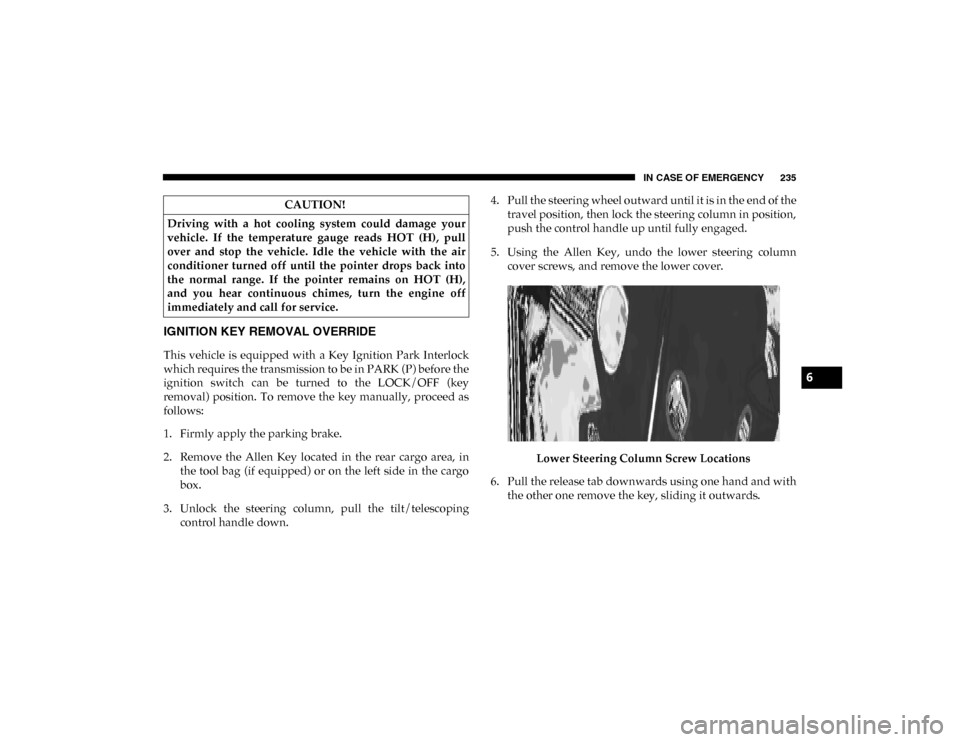
5. Using the Allen Key, undo the lower steering column cover screws, and remove the lower cover.
Lower Steering Column Screw Locations
6. Pull the release tab downwards using one hand and with the other one remove the key, sliding it outwards.
CAUTION!
Driving with a hot cooling system could damage your
vehicle. If the temperature gauge reads HOT (H), pull
over and stop the vehicle. Idle the vehicle with the air
conditioner turned off until the pointer drops back into
the normal range. If the pointer remains on HOT (H),
and you hear continuous chimes, turn the engine off
immediately and call for service.
6
2020_RAM_PROMASTER_CITY_OM_USA=GUID-7B6A7FCA-79B0-423F-95C5-ED2A949C3D13=1=en=.book Page 235
Page 242 of 350

IN CASE OF EMERGENCY 239
Proper towing or lifting equipment is required to prevent
damage to your vehicle. Use only tow bars and other equip-
ment designed for this purpose, following equipment manu-
facturer’s instructions. Use of safety chains is mandatory.
Attach a tow bar or other towing device to main structural
members of the vehicle, not to bumpers or associated
brackets. State and local laws regarding vehicles under tow
must be observed.
If you must use the accessories (wipers, defrosters, etc.)
while being towed, the ignition must be in the ON/RUN
mode.
If the ignition key is unavailable, or the vehicle's battery is
discharged, refer to “Gear Selector Override” in this section
for instructions on shifting the transmission out of PARK (P)
for towing. The manufacturer recommends towing your vehicle with all
four wheels OFF the ground using a flatbed.
If flatbed equipment is not available, this vehicle must be
towed with the front wheels OFF the ground (using a towing
dolly, or wheel lift equipment with the front wheels raised).
CAUTION!
• Do not use sling type equipment when towing. Vehicle damage may occur.
• When securing the vehicle to a flat bed truck, do not attach to front or rear suspension components. Damage
to your vehicle may result from improper towing.
CAUTION!
Towing this vehicle in violation of the above
requirements can cause severe transmission damage.
Damage from improper towing is not covered under the
New Vehicle Limited Warranty.
6
2020_RAM_PROMASTER_CITY_OM_USA=GUID-7B6A7FCA-79B0-423F-95C5-ED2A949C3D13=1=en=.book Page 239