change time Ram ProMaster City 2020 Owner's Manual
[x] Cancel search | Manufacturer: RAM, Model Year: 2020, Model line: ProMaster City, Model: Ram ProMaster City 2020Pages: 350, PDF Size: 13.27 MB
Page 6 of 350

3
EXTERIOR LIGHTS .......................................................... 43
Multifunction Lever ...................................................... 43
Headlights ..................................................................... 43
Daytime Running Lights — If Equipped .................. 43
High Beams .................................................................... 44
Flash-To-Pass ................................................................ 44
Parking Lights ............................................................... 44
Follow Me Home/Headlight Delay ........................... 44
Fog Lights — If Equipped ........................................... 45
Turn Signals.................................................................... 45
Lane Change Assist ....................................................... 45
INTERIOR LIGHTS ............................................................ 46
Courtesy/Interior Lights .............................................. 46
WIPERS AND WASHERS .............................................. 50
Front Wiper Operation ................................................. 50
Rear Wiper Operation — If Equipped........................ 52
CLIMATE CONTROLS ..................................................... 53
Manual Climate Control Overview ............................ 53
Climate Control Functions ........................................... 56
Operating Tips ............................................................... 57
WINDOWS .......................................................................... 60
Power Windows — If Equipped ................................ 60
Window Bar Grates — If Equipped ............................ 63
Wind Buffeting .............................................................. 63
HOOD ...................................................................................64
Opening...........................................................................64
Closing.............................................................................65
CARGO AREA FEATURES ............................................66
Rear Cargo Tie-Downs ................................................66
INTERNAL EQUIPMENT .................................................68
Storage .............................................................................68
Cupholders ....................................................................69
Power Outlets ................................................................70
ROOF RACK — IF EQUIPPED .........................................72
GETTING TO KNOW YOUR INSTRUMENT
PANEL
INSTRUMENT CLUSTER ..................................................75
Instrument Cluster Descriptions .................................76
INSTRUMENT CLUSTER DISPLAY ...............................77
Location And Controls..................................................77
Change Engine Oil — If Equipped ...........................80
Instrument Cluster Display Menu Items....................80
TRIP COMPUTER ...............................................................82
Trip Button......................................................................82
Trip Functions ...............................................................83
Values Displayed ...........................................................83
2020_RAM_PROMASTER_CITY_OM_USA=GUID-7B6A7FCA-79B0-423F-95C5-ED2A949C3D13=1=en=.book Page 3
Page 13 of 350

10
INTRODUCTION
INTRODUCTION
Dear Customer,
Congratulations on selecting your new vehicle. Be assured
that it represents precision workmanship, distinctive styling,
and high quality. This Owner’s Manual has been prepared
with the assistance of service and engineering specialists to
acquaint you with the operation and maintenance of your
vehicle. It is supplemented by Warranty Information, and
customer-oriented documents located online. Within this
information, you will find a description of the services that
FCA US LLC offers to its customers, the vehicle's warranty
coverage, and the details of the terms and conditions for
maintaining its validity. Please take the time to read all of
these publications carefully before driving your vehicle for
the first time. Following the instructions, recommendations,
tips, and important warnings in this manual will help assure
safe and enjoyable operation of your vehicle. Be sure you are
familiar with all vehicle controls, particularly those used for
braking, steering, transmission, and transfer case shifting (if
equipped). Learn how your vehicle handles on different road
surfaces. Your driving skills will improve with experience.This Owner’s Manual describes all versions of this vehicle.
Options and equipment dedicated to specific markets or
versions are not expressly indicated in the text. Therefore,
you should only consider the information which is related to
the trim level, engine, and version that you have purchased.
Any content introduced throughout the Owner’s Informa
-
tion, that may or may not be applicable to your vehicle, will
be identified with the wording “If Equipped”. All data
contained in this publication are intended to help you use
your vehicle in the best possible way. FCA US LLC aims at a
constant improvement of the vehicles produced. For this
reason, it reserves the right to make changes to the model
described for technical and/or commercial reasons. For
further information, contact an authorized dealer.
When it comes to service, remember that an authorized
dealer knows your vehicle best, has factory-trained
technicians and genuine MOPAR® parts, and cares about
your satisfaction.
2020_RAM_PROMASTER_CITY_OM_USA=GUID-7B6A7FCA-79B0-423F-95C5-ED2A949C3D13=1=en=.book Page 10
Page 18 of 350
GETTING TO KNOW YOUR VEHICLE 15
To Lock The Doors
Push and release the lock button on the key fob to lock all
doors. The turn signal lights will flash to acknowledge the
signal. If a door is open, the turn signal lights will flash at an
increased rate. This is to indicate that a door is still open.
Horn activation settings after a Radio Frequency (RF) lock
command can be adjusted manually. Refer to “Uconnect
Settings” in “Multimedia” for further information.
Locking Doors With A Key
1. Insert the key with either side up.
2. Turn the key to the right to lock the door.
3. Turn the key to the left to unlock the door.
Refer to “Dealer Service” in “Servicing And Maintenance”
for maintenance procedures.
Sound Horn With Lock
This feature will cause the horn to chirp when the doors are
locked with the key fob. This feature can be turned on or
turned off. To change the current setting, refer to “Uconnect
Settings” in “Multimedia” for further information.
Key Fob Battery Replacement
NOTE:
Perchlorate Material – special handling may apply. See
www.dtsc.ca.gov/hazardouswaste/perchlorate.
The recommended replacement battery is CR2032.
1. Push the mechanical key release button and release the mechanical key to access the battery case screw located on
the side of the key fob.
2. Rotate the screw located on the side of the key fob using a small screwdriver.
2
2020_RAM_PROMASTER_CITY_OM_USA=GUID-7B6A7FCA-79B0-423F-95C5-ED2A949C3D13=1=en=.book Page 15
Page 48 of 350
GETTING TO KNOW YOUR VEHICLE 45
Deactivation
Pull the multifunction lever toward the steering wheel and
hold it for more than two seconds.
Fog Lights — If Equipped
The fog light switch is located on the center stack of the
instrument panel, just below the climate controls.Push the switch once to turn the fog lights on.
Push the switch a second time to turn the fog
lights off.
NOTE:
If the vehicle’s ignition is turned off, the fog lights will also
turn off.
Turn Signals
Move the multifunction lever up or down and the arrows on
each side of the instrument cluster flash to show proper oper -
ation of the front and rear turn signal lights.
NOTE:
If either light remains on and does not flash, or there is a very
fast flash rate, check for a defective outside light bulb. If an
indicator fails to light when the lever is moved, it would
suggest that the indicator bulb is defective.
Lane Change Assist
Tap the lever up or down once, without moving beyond the
detent, and the turn signal (right or left) will flash five times
then automatically turn off.
2
2020_RAM_PROMASTER_CITY_OM_USA=GUID-7B6A7FCA-79B0-423F-95C5-ED2A949C3D13=1=en=.book Page 45
Page 83 of 350
80 GETTING TO KNOW YOUR INSTRUMENT PANEL
Change Engine Oil — If Equipped
Your vehicle may be equipped with an engine oil change
indicator system. The “Change Engine Oil” message will
display in the instrument cluster display. The engine oil
change indicator system is duty cycle based, which means
the engine oil change interval may fluctuate, dependent
upon your personal driving style.
Unless reset, this message will continue to display each time
you turn the ignition switch to the ON/RUN position. To
turn off the message temporarily, push and release the
MENU button. To reset the oil change indicator system (after
performing the scheduled maintenance), refer to the
following procedure.
1. Turn the ignition switch to the ON position (do not start the engine).
2. Fully push the accelerator pedal slowly, three times, within 10 seconds.
3. Turn the ignition switch to the OFF/LOCK position.
NOTE:
If the indicator message illuminates when you start the
vehicle, the oil change indicator system did not reset. If
necessary, repeat this procedure.
Instrument Cluster Display Menu Items
Speed Beep
This function is used to set a speed limit (MPH or km/h); the
driver is alerted when this limit is exceeded.
To set the desired speed limit:
1. Push the MENU button briefly. The display will show the
wording (SPEED BEEP) and the unit (MPH) or (km/h)
previously set.
2. If the function is on, push and release the up or down
arrow button to select the required speed limit and then
push MENU to confirm.
NOTE:
The speed may be set in the range from 20 to 125 MPH (30 to
200 km/h) according to the previously chosen unit.
The setting will increase/decrease by five units each time the
up or down arrow button is pushed. Hold down the up or
down arrow button to automatically increase/decrease the
setting rapidly. Complete the adjustment when you
approach the desired value.
2020_RAM_PROMASTER_CITY_OM_USA=GUID-7B6A7FCA-79B0-423F-95C5-ED2A949C3D13=1=en=.book Page 80
Page 86 of 350

GETTING TO KNOW YOUR INSTRUMENT PANEL 83
Start Of Trip Procedure
With the ignition on, push and hold the TRIP button for over
two seconds to reset trip information.
Exit Trip
1. To exit the Trip function, wait until all the values havebeen displayed or hold the MENU button for longer than
one second.
2. Briefly push and release the MENU button to go back to the menu screen or push and hold the MENU button
(approximately one second) to go back to the main screen
without storing settings.
Trip Functions
Both trip functions are resettable (reset — start of new trip).
“Trip A” can be used to display the figures relating to:
• Range
• Trip distance A
• Average Economy A
• Instantaneous Economy • Average speed A
• Travel time A (driving time)
“Trip B” can be used to display the figures relating to:
• Trip distance B
• Average Economy B
• Average speed B
• Travel time B (driving time)
NOTE:
“Trip B” functions may be excluded (see “Trip B Data”).
“Range” and “Instantaneous Economy” cannot be reset.
Values Displayed
Range
This indicates the distance which may be traveled with the
fuel remaining in the tank, assuming that driving conditions
will not change. The message “----” will appear on the
display in the following cases:
• Distance less than 30 miles (or 50 km).
• The vehicle is parked for a long time with the engine
running.
3
2020_RAM_PROMASTER_CITY_OM_USA=GUID-7B6A7FCA-79B0-423F-95C5-ED2A949C3D13=1=en=.book Page 83
Page 103 of 350
100 SAFETY
ESC Activation/Malfunction Indicator Light And ESC
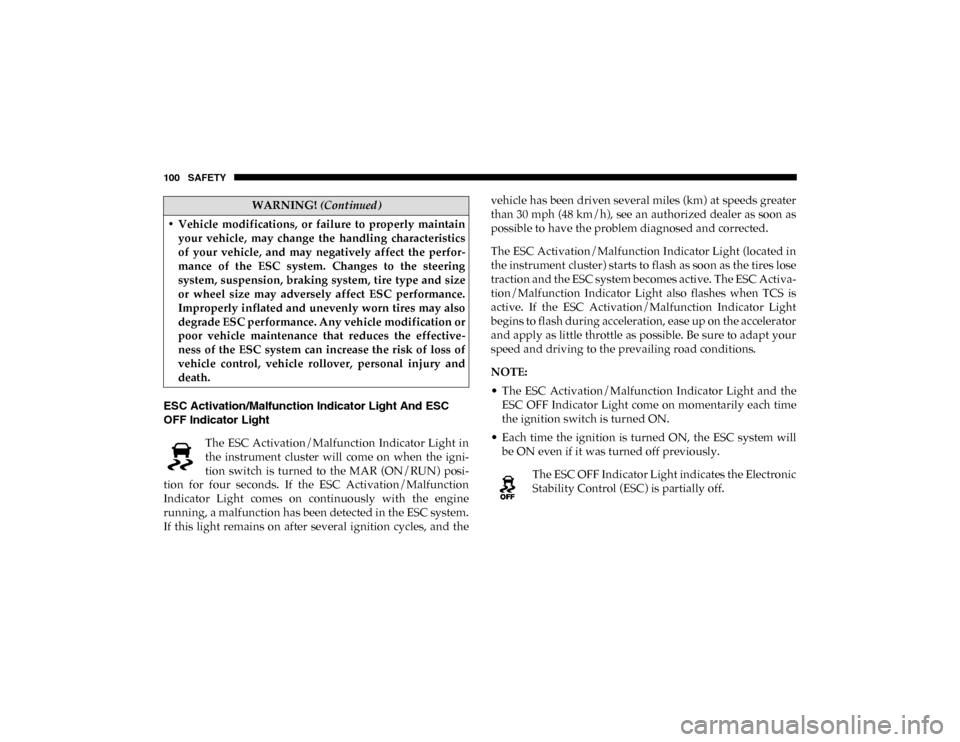
OFF Indicator Light The ESC Activation/Malfunction Indicator Light in
the instrument cluster will come on when the igni -
tion switch is turned to the MAR (ON/RUN) posi -
tion for four seconds. If the ESC Activation/Malfunction
Indicator Light comes on continuously with the engine
running, a malfunction has been detected in the ESC system.
If this light remains on after several ignition cycles, and the vehicle has been driven several miles (km) at speeds greater
than 30 mph (48 km/h), see an authorized dealer as soon as
possible to have the problem diagnosed and corrected.
The ESC Activation/Malfunction Indicator Light (located in
the instrument cluster) starts to flash as soon as the tires lose
traction and the ESC system becomes active. The ESC Activa
-
tion/Malfunction Indicator Light also flashes when TCS is
active. If the ESC Activation/Malfunction Indicator Light
begins to flash during acceleration, ease up on the accelerator
and apply as little throttle as possible. Be sure to adapt your
speed and driving to the prevailing road conditions.
NOTE:
• The ESC Activation/Malfunction Indicator Light and the ESC OFF Indicator Light come on momentarily each time
the ignition switch is turned ON.
• Each time the ignition is turned ON, the ESC system will be ON even if it was turned off previously.
The ESC OFF Indicator Light indicates the Electronic
Stability Control (ESC) is partially off.
• Vehicle modifications, or failure to properly maintain
your vehicle, may change the handling characteristics
of your vehicle, and may negatively affect the perfor -
mance of the ESC system. Changes to the steering
system, suspension, braking system, tire type and size
or wheel size may adversely affect ESC performance.
Improperly inflated and unevenly worn tires may also
degrade ESC performance. Any vehicle modification or
poor vehicle maintenance that reduces the effective -
ness of the ESC system can increase the risk of loss of
vehicle control, vehicle rollover, personal injury and
death.
WARNING! (Continued)
2020_RAM_PROMASTER_CITY_OM_USA=GUID-7B6A7FCA-79B0-423F-95C5-ED2A949C3D13=1=en=.book Page 100
Page 104 of 350
SAFETY 101
Electronic Roll Mitigation (ERM)
Electronic Roll Mitigation (ERM) anticipates the potential for
wheel lift by monitoring the driver’s steering wheel input
and the speed of the vehicle. When ERM determines that the
rate of change of the steering wheel angle and vehicle’s
speed are sufficient to potentially cause wheel lift, it then
applies the appropriate brake and may also reduce engine
power to lessen the chance that wheel lift will occur.
ERM can only reduce the chance of wheel lift occurring
during severe or evasive driving maneuvers; it cannot
prevent wheel lift due to other factors, such as road
conditions, leaving the roadway, or striking objects or other
vehicles.Hill Start Assist (HSA)
Hill Start Assist (HSA) is designed to assist the driver when
starting a vehicle from a stop on a hill. HSA will maintain the
level of brake pressure the driver applied for a short period
of time after the driver takes their foot off of the brake pedal.
If the driver does not apply the throttle during this short
period of time, the system will release brake pressure and the
vehicle will roll down the hill. The system will release brake
pressure in proportion to the amount of throttle applied as
the vehicle starts to move in the intended direction of travel.
HSA Activation Criteria
The following criteria must be met in order for HSA to
activate:
• The vehicle must be stopped.
• The vehicle must be on a 5% (approximate) grade or
greater hill.
• Gear selection matches vehicle uphill direction (i.e., vehicle facing uphill is in forward gear; vehicle backing
uphill is in REVERSE (R) gear).
HSA will work in REVERSE and all forward gears when the
activation criteria have been met. The system will not activate if
the vehicle is placed in NEUTRAL (N) or PARK (P).
WARNING!
Many factors, such as vehicle loading, road conditions
and driving conditions, influence the chance that wheel
lift or rollover may occur. ERM cannot prevent all wheel
lift or roll overs, especially those that involve leaving the
roadway or striking objects or other vehicles. The
capabilities of an ERM-equipped vehicle must never be
exploited in a reckless or dangerous manner which could
jeopardize the user's safety or the safety of others.
4
2020_RAM_PROMASTER_CITY_OM_USA=GUID-7B6A7FCA-79B0-423F-95C5-ED2A949C3D13=1=en=.book Page 101
Page 157 of 350
154 SAFETY
Whenever a change is noticed in the sound of the exhaust
system, when exhaust fumes can be detected inside the
vehicle, or when the underside or rear of the vehicle is
damaged, have a competent mechanic inspect the complete
exhaust system and adjacent body areas for broken,
damaged, deteriorated, or mispositioned parts. Open seams
or loose connections could permit exhaust fumes to seep into
the passenger compartment. In addition, inspect the exhaust
system each time the vehicle is raised for lubrication or oil
change. Replace as required.
Safety Checks You Should Make Inside The Vehicle
Seat Belts
Inspect the seat belt system periodically, checking for cuts,
frays, and loose parts. Damaged parts must be replaced
immediately. Do not disassemble or modify the system.
Front seat belt assemblies must be replaced after a collision.
Rear seat belt assemblies must be replaced after a collision if
they have been damaged (i.e., bent retractor, torn webbing,
etc.). If there is any question regarding seat belt or retractor
condition, replace the seat belt.Air Bag Warning Light
The Air Bag warning light will turn on for four to eight
seconds as a bulb check when the ignition switch is first
turned to ON/RUN. If the light is either not on during
starting, stays on, or turns on while driving, have the system
inspected at an authorized dealer as soon as possible. After
the bulb check, this light will illuminate with a single chime
when a fault with the Air Bag System has been detected. It
will stay on until the fault is removed. If the light comes on
intermittently or remains on while driving, have an autho
-
rized dealer service the vehicle immediately.
Refer to “Occupant Restraint Systems” in “Safety” for
further information.
Defroster
Check operation by selecting the defrost mode and place the
blower control on high speed. You should be able to feel the
air directed against the windshield. See an authorized dealer
for service if your defroster is inoperable.
2020_RAM_PROMASTER_CITY_OM_USA=GUID-7B6A7FCA-79B0-423F-95C5-ED2A949C3D13=1=en=.book Page 154
Page 205 of 350
202 IN CASE OF EMERGENCY
3. Install the bulb into socket.
4. Rotate the bulb/socket clockwise into the lamp locking itin place.
5. Reinstall the plastic cap.
Parking And Daytime Running Lights
To change the bulb, proceed as follows:
1. Remove the cap from the back of the outer lower head -
lamp housing.
2. Rotate the bulb counterclockwise and remove.
3. Install the bulb into socket, and rotate bulb/socket clock -
wise into lamp locking it in place.
4. Reinstall the plastic cap.
Front/Rear Side Marker Lamps
To change the bulb, proceed as follows:
The front/rear side marker lamps are LED and not serviced
separately. See an authorized dealer for replacement of these
lights. Rear Tail, Stop, Backup And Turn Signal Lamps
The rear light clusters contain taillight, brake light, direction
indicator and reverse/rear fog light bulbs. To access the light
clusters, proceed as follows:
1. Open the rear doors.
2. Remove the screws and remove the tail lamp assembly.
3. Remove the screws and separate the backplate from the
lamp housing.
4. Remove the tail, stop, or turn signal bulbs by pushing them slightly and turning counterclockwise.
5. Remove the backup lamp bulb by pulling straight out.
6. Replace lamps as required and reinstall lamp.
The bulbs are arranged inside the light cluster as follows:
2020_RAM_PROMASTER_CITY_OM_USA=GUID-7B6A7FCA-79B0-423F-95C5-ED2A949C3D13=1=en=.book Page 202