seats RENAULT ALASKAN 2017 Service Manual
[x] Cancel search | Manufacturer: RENAULT, Model Year: 2017, Model line: ALASKAN, Model: RENAULT ALASKAN 2017Pages: 340, PDF Size: 6.93 MB
Page 56 of 340
•
Do not fit
arearward facing child seat on the
front passenger seat if the air bag activation/
deactivation system (where fitted) is malfunc-
tioning. Your vehicle must immediately be
taken to an approved dealer or qualified work-
shop in such asituation.
The front passenger air bag status lights and
are located on the instrument panel between
the centre vents.
When the ignition switch is placed in the ON posi-
tion, the front passenger air bag status ON and
OFF lights illuminate and then turn off or remain on
depending on the front passenger air bag status.
• When the ignition switch is placed in the ON
position and the front passenger air bag is ac-
tive, both the front passenger air bag status OFF
light ,a
nd the Supplemental Restraint Sys-
tem (SRS) air bag warning light in the com-
bination meter ➀will turn off after about
7sec-
onds.
The front passenger air bag status ON light will illuminate and then turn off after
aperiod of
time when the front passenger air bag switch is
in the ON position.
• When the ignition switch is placed in the ON
position and the front passenger air bag is inac-
tive, both the front passenger air bag status ON
light ,a
nd the Supplemental Restraint Sys-
tem (SRS) air bag warning light in the com-
bination meter ➀will turn off after about
7sec-
onds. The front passenger air bag status OFF light will illuminate and remain on as long as the
front passenger air bag switch is in the OFF
position.
If the front passenger air bag status light operates in
aw ay other than described above, the front passen-
ger air bag may not function properly. Have the sys-
tem checked, and if necessary repaired, by an ap-
proved dealer or qualified workshop promptly.
Front passenger air bag switch (where fitted):
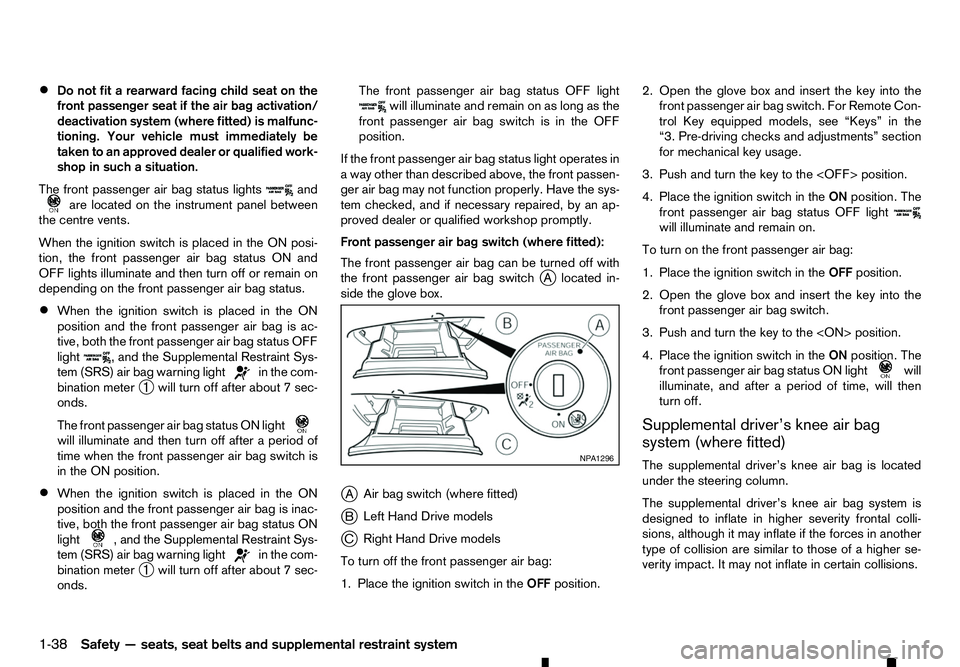
The front passenger air bag can be turned off with
the front passenger air bag switch j
Al ocated in-
side the glove box.
j A Air bag switch (where fitted)
j B Left Hand Drive models
j C Right Hand Drive models
To turn off the front passenger air bag:
1. Place the ignition switch in the OFFposition. 2. Open the glove box and insert the key into the
front passenger air bag switch. For Remote Con-
trol Key equipped models, see “Keys” in the
“3. Pre-driving checks and adjustments” section
for mechanical key usage.
3. Push and turn the key to the
4. Place the ignition switch in the ONposition. The
front passenger air bag status OFF light will illuminate and remain on.
To turn on the front passenger air bag:
1. Place the ignition switch in the OFFposition.
2. Open the glove box and insert the key into the front passenger air bag switch.
3. Push and turn the key to the
4. Place the ignition switch in the ONposition. The
front passenger air bag status ON light will
illuminate, and after
aperiod of time, will then
turn off.
Supplemental driver’s knee air bag
system (where fitted)
The supplemental driver’s knee air bag is located
under the steering column.
The supplemental driver’s knee air bag system is
designed to inflate in higher severity frontal colli-
sions, although it may inflate if the forces in another
type of collision are similar to those of ahigher se-
verity impact. It may not inflate in certain collisions. NP A1296
1-38 Safety —seats, seat belts and supplemental restraint system
Page 57 of 340
Vehicle damage (or lack of it) is not always an indi-
cation of proper supplemental driver’s knee air bag
system operation.
Supplemental side-impact air bag
system (where fitted)
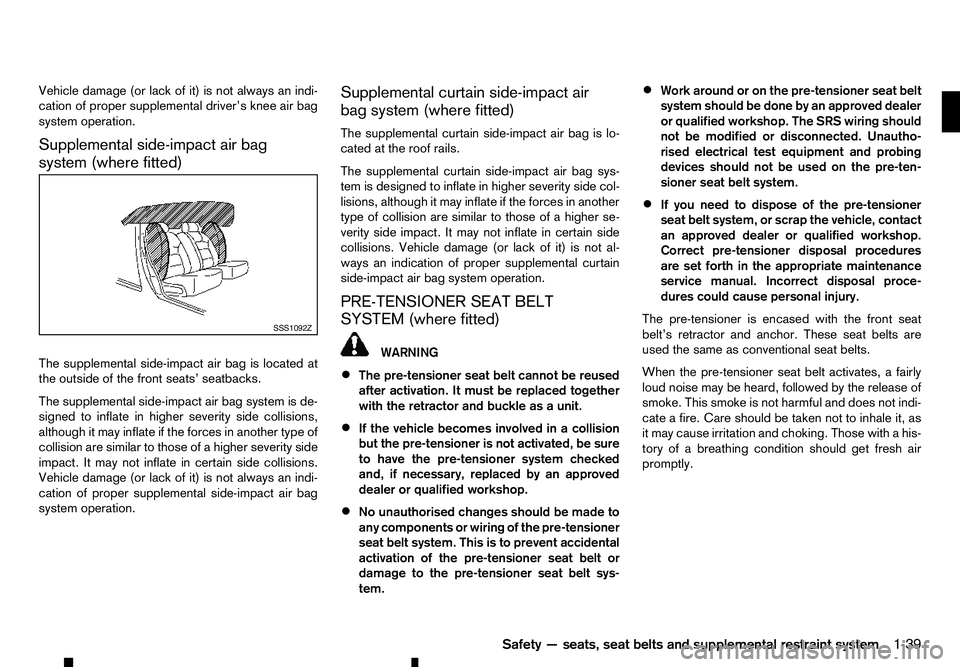
The supplemental side-impact air bag is located at
the outside of the front seats’ seatbacks.
The supplemental side-impact air bag system is de-
signed to inflate in higher severity side collisions,
although it may inflate if the forces in another type of
collision are similar to those of ahigher severity side
impact. It may not inflate in certain side collisions.
Vehicle damage (or lack of it) is not always an indi-
cation of proper supplemental side-impact air bag
system operation. Supplemental curtain side-impact air
bag system (where fitted)
The supplemental curtain side-impact air bag is lo-
cated at the roof rails.
The supplemental curtain side-impact air bag sys-
tem is designed to inflate in higher severity side col-
lisions, although it may inflate if the forces in another
type of collision are similar to those of ahigher se-
verity side impact. It may not inflate in certain side
collisions. Vehicle damage (or lack of it) is not al-
ways an indication of proper supplemental curtain
side-impact air bag system operation.
PRE-TENSIONER SEAT BELT
SYSTEM (where fitted) WARNING
• The pre-tensioner seat belt cannot be reused
after activation. It must be replaced together
with the retractor and buckle as aunit.
• If the vehicle becomes involved in
acollision
but the pre-tensioner is not activated, be sure
to have the pre-tensioner system checked
and, if necessary, replaced by an approved
dealer or qualified workshop.
• No unauthorised changes should be made to
any components or wiring of the pre-tensioner
seat belt system. This is to prevent accidental
activation of the pre-tensioner seat belt or
damage to the pre-tensioner seat belt sys-
tem. •
Work around or on the pre-tensioner seat belt
system should be done by an approved dealer
or qualified workshop. The SRS wiring should
not be modified or disconnected. Unautho-
rised electrical test equipment and probing
devices should not be used on the pre-ten-
sioner seat belt system.
• If you need to dispose of the pre-tensioner
seat belt system, or scrap the vehicle, contact
an approved dealer or qualified workshop.
Correct pre-tensioner disposal procedures are set forth in the appropriate maintenance
service manual. Incorrect disposal proce-
dures could cause personal injury.
The pre-tensioner is encased with the front seat
belt’s retractor and anchor. These seat belts are
used the same as conventional seat belts.
When the pre-tensioner seat belt activates, afairly
loud noise may be heard, followed by the release of
smoke. This smoke is not harmful and does not indi-
cate afire. Care should be taken not to inhale it, as
it may cause irritation and choking. Those with ahis-
tory of abreathing condition should get fresh air
promptly. SSS1092Z
Safety—seats, seat belts and supplemental restraint system
1-39
Page 58 of 340
REPAIR AND REPLACEMENT
PROCEDURE WARNING
• Once the supplemental front-impact air bags
have been inflated, the air bag modules will
not function and must be replaced. The air
bag modules must be replaced by an ap- proved dealer or qualified workshop. The in-
flated air bag modules cannot be repaired.
• The air bag systems should be inspected by
an approved dealer or qualified workshop if
there is any damage to the vehicle.
• If you need to dispose of the SRS or scrap the
vehicle, contact an approved dealer or quali-
fied workshop. Correct disposal procedures
are set forth in the appropriate maintenance
service manual. Incorrect disposal proce-
dures could cause personal injury.
The supplemental front-impact air bags and pre-
tensioner seat belts (where fitted) are designed to
activate on aone-time-only basis. As areminder,
unless the SRS air bag warning light is damaged,
the SRS air bag warning light remains illuminated
after inflation has occurred. The repair and replace-
ment of the SRS should be done only by an ap-
proved dealer or qualified workshop. When maintenance work is required on the vehicle,
information about the air bags, pre-tensioner seat
belts and related parts should be pointed out to the
person performing the maintenance. The ignition
switch should always be in the “LOCK” position
when working under the bonnet or inside the ve-
hicle.
1-40 Safety —seats, seat belts and supplemental restraint system
Page 70 of 340
Supplemental Restraint System
(SRS) air bag warning light (where fitted)
When the ignition switch is in the ON position, the
Supplemental Restraint System (SRS) air bag warn-
ing light illuminates for about 7seconds and then
turns off. This indicates the SRS air bag system is
operational.
If any of the following conditions occur, the SRS air
bag system and/or pre-tensioner seat belt (where
fitted) need servicing. Have the system checked,
and if necessary repaired, by an approved dealer or
qualified workshop promptly.
• The SRS air bag warning light remains illumi-
nated after about
7seconds.
• The SRS air bag warning light flashes intermit-
tently.
• The SRS air bag warning light does not come on
at all.
Unless checked and repaired, the SRS air bag sys-
tem and/or pre-tensioner seat belt may not function
properly. (See “Supplemental Restraint System
(SRS) (where fitted)” in the “1. Safety —seats, seat
belts and supplemental restraint system” section.) Water-in-fuel-filter warning light
(where fitted)
If the water-in-fuel-filter warning light illuminates
while the engine is running, contact an approved
dealer or qualified workshop as soon as possible. CAUTION
Continuing vehicle operation without properly
draining could cause serious damage to the en-
gine.
INDICATOR LIGHTS Differential lock indicator light
(where fitted)
When the differential lock mode switch is in the ON
position, the differential lock indicator light will blink
and then stay on after the differential gear is com-
pletely locked.
See “Rear differential locking system (where fitted)”
in the “5. Starting and driving” section. Dipped beam indicator light
(where fitted)
The dipped beam indicator light illuminates when
the headlight low beam is on. (See “Headlight and
turn signal switch” later in this section.) Electronic Stability Programme
(ESP) off indicator light
The Electronic Stability Programme (ESP) off indi-
cator light illuminates when the ESP OFF switch is
pushed to the OFF position.
When the ESP OFF switch is pushed to the OFF
position, the ESP system is turned off.
When the rear differential lock is engaged with the
differential lock mode switch or the <4LO> position
is selected with the Four-Wheel Drive (4WD) mode switch, the ESP system is disabled and the ESP off
indicator light illuminates. (See “Electronic Stability
Programme (ESP) system (where fitted)” in the
“5. Starting and driving” section and “Rear differen-
tial locking system (where fitted)” in the “5. Starting
and driving” section.)
Front fog light indicator light
(where fitted)
The front fog light indicator light illuminates when
the front fog lights are on. (See “Fog light switch
(where fitted)” later in this section.) / Front passenger air
bag status light
The front passenger air bag status light ( )l
o-
cated on the instrument panel will illuminate when
the front passenger air bag is turned off with the
front passenger air bag switch. When the front pas-
senger air bag is turned on, the front passenger air
bag status light ( )w
ill illuminate.
For more details, see “Front passenger air bag sta-
tus light (where fitted)” in the “1. Safety —seats,
seat belts and supplemental restraint system” sec-
tion. Glow plug indicator light
(where fitted)
When the ignition switch is in the ON position, the
glow plug indicator light illuminates and turns off
after the glow plugs have warmed up.
If the glow plugs have already warmed up, the glow
plug indicator flashes briefly and then turns off.
2-12 Instruments and controls
Page 85 of 340
13. Door open warning
This warning appears if any of the doors are open or
not closed securely. The vehicle icon indicates
which door is open on the display. Make sure that all
of the doors are closed.
14. Second row seat belt warning
(where fitted)
This second row seat belt warning appears after the
ignition switch is placed in the ON position. If any of
the second row seat passenger seat belts is not fas-
tened, achime will sound and the seat icon illumi-
nates in red to show which seat belt is not fastened.
The seat icon illuminates in red until the correspond-
ing second row seat passenger’s seat belt is fas-
tened. The warning will automatically turn off after approximately 35 seconds.
For more details and precautions on seat belt us-
age, see “Seat belts” in the “1. Safety —seats, seat
belts and supplemental restraint system” section.
15. 4WD mode indicator (where fitted)
This indicator shows the drive mode of the 4WD
system.
See “Four-Wheel Drive (4WD) (where fitted)” in the
“5. Starting and driving” section for details. 16. Low washer fluid warning
(where fitted)
This warning appears when the washer tank fluid is
at
alow level. Add washer fluid as necessary. (See
“Window washer fluid” in the “8. Maintenance and
do-it-yourself” section.)
17. Key System Error warning
(where fitted)
This warning appears if there is amalfunction in the
Remote Control Key system.
If this warning appears while the engine is stopped,
the engine cannot be started. If this warning ap-
pears while the engine is running, the vehicle can be
driven. However, contact an approved dealer or
qualified workshop for repair as soon as possible.
18. Oil Level Low indicator
(where fitted)
If the low level indicator is displayed, the engine oil
level is low. If the low level indicator is displayed, check the level using the engine oil dipstick. (See
“Checking engine oil level” in the “8. Maintenance
and do-it-yourself” section.)
CAUTION
The oil level should be checked regularly using
the engine oil dipstick. Operating with an insuffi-
cient amount of oil can damage the engine and such damage is not covered by the warranty. 19. Oil level sensor warning
(where fitted)
If the oil level sensor warning is displayed, the en-
gine oil level sensor may be malfunctioning. Contact
an approved dealer or qualified workshop immedi-
ately.
20. Low Oil Pressure Stop vehicle
warning (where fitted)
This warning appears if low engine oil pressure is
detected. If the warning appears during normal driv-
ing, pull off the road in
asafe area, stop the engine
immediately and call an approved dealer or qualified
workshop.
The low oil pressure warning is not designed to indi-
cate alow oil level. Use the dipstick to check the oil
level. (See “Checking engine oil level” in the
“8. Maintenance and do-it-yourself” section.)
CAUTION
Running the engine with the engine oil pressure
warning displayed could cause serious damage
to the engine.
21. 4WD Error warning (where fitted)
This warning appears when the four wheel drive
(4WD) system is not functioning properly while the
engine is running. Reduce vehicle speed and have
your vehicle checked by an approved dealer or quali-
fied workshop. See “Four-Wheel Drive (4WD)
(where fitted)” in the “5. Starting and driving” sec-
tion.
Instruments and controls 2-27
Page 164 of 340
•
The CD player sometimes may not function when
the passenger compartment temperature is ex-
tremely high. Lower the temperature before use.
• Do not expose the CD to direct sunlight.
• CDs that are of poor quality, or are dirty,
scratched, covered with fingerprints, or that have
pin holes may not work properly.
• The following CDs may not work properly.
–C
opy control compact discs (CCCD)
–R ecordable compact discs (CD-R)
–R ewritable compact discs (CD-RW)
• Do not use the following CDs as they may cause
the CD player to malfunction.
–8
cm (3.1 in) discs
–C Ds that are not round
–C Ds with apaper label
–C Ds that are warped, scratched or have un-
usual edges.
• This audio system can only play prerecorded
CDs. It has no capabilities to record or burn
CDs. USB (Universal Serial Bus) Connection
Port WARNING
Do not connect, disconnect or operate the USB
device while driving. Doing so can be adistrac-
tion. If distracted you could lose control of your
vehicle and cause an accident or serious injury.
CAUTION
• Do not force the USB device into the USB
port. Inserting the USB device tilted or up-
side-down into the port may damage the port.
Make sure that the USB device is connected
correctly into the USB port.
• Do not grab the USB port cover (where fitted)
when pulling the USB device out of the port.
This could damage the port and the cover.
• Do not leave the USB cable in
aplace where
it can be pulled unintentionally. Pulling the
cable may damage the port.
The vehicle is not equipped with aUSB device.
USB devices should be purchased separately as
necessary.
This system cannot be used to format USB devices.
To format aUSB device, use apersonal computer.
In some areas, the USB device for the front seats
plays only sound without images for regulatory rea-
sons, even when the vehicle is parked. This system supports various USB memory devices,
USB hard drives and iPod players. Some USB de-
vices may not be supported by this system.
• Partitioned USB devices may not play correctly.
• Some characters used in other languages (Chi-
nese, Japanese, etc.) may not appear properly in
the display. Using English language characters
with
aUSB device is recommended.
General notes for USB use:
Refer to your device manufacturer’s owner informa-
tion regarding the proper use and care of the de-
vice.
Notes for iPod use:
iPod is atrademark of Apple Inc., registered in the
U.S. and other countries.
• Improperly plugging in the iPod may cause a
checkmark to be displayed on and off (flicker-
ing). Always make sure that the iPod is con-
nected properly.
• An iPod nano (1st Generation) may remain in
fast forward or rewind mode if it is connected
during
aseek operation. In this case, please
manually reset the iPod.
• An iPod nano (2nd Generation) will continue to
fast-forward or rewind if it is disconnected dur-
ing
aseek operation.
• An incorrect song title may appear when the Play
Mode is changed while using an iPod nano (2nd
Generation).
4-32 Display screen, heater and air conditioner, and audio system
Page 176 of 340
CAUTION
•
Do not force the USB device into the USB
port. Inserting the USB device tilted or up-
side-down into the port may damage the port.
Make sure that the USB device is connected
correctly into the USB port.
• Do not grab the USB port cover (where fitted)
when pulling the USB device out of the port.
This could damage the port and the cover.
• Do not leave the USB cable in
aplace where
it can be pulled unintentionally. Pulling the
cable may damage the port.
• Do not locate objects near the USB device to
prevent the objects from leaning on the USB
device and the port. Pressure from the ob-
jects may damage the USB device and the
port.
The vehicle is not equipped with aUSB device.
USB devices should be purchased separately as
necessary.
This system cannot be used to format USB devices.
To format aUSB device, use apersonal computer.
In some areas, the USB device for the front seats
plays only sound without images for regulatory rea-
sons, even when the vehicle is parked.
This system supports various USB connection port
devices, USB hard drives and iPod players. Some
USB devices may not be supported by this system.
• Partitioned USB devices may not play correctly. •
Some characters used in other languages (Chi-
nese, Japanese, etc.) may not appear properly in
the display. Using English language characters
with
aUSB device is recommended.
General notes for USB use:
Refer to your device manufacturer’s owner informa-
tion regarding the proper use and care of the de-
vice.
MEDIA button
To operate the USB device press
repeatedly until [USB] is available.
Audio main operation
The following operations are identical to the audio
main operation of the Compact Disc (CD) opera-
tion. For details, see “Compact Disc (CD)
operation” earlier in this section.
• List view
• Quick search
• ,
•
MIX (Random play)
• RPT (Repeat track)
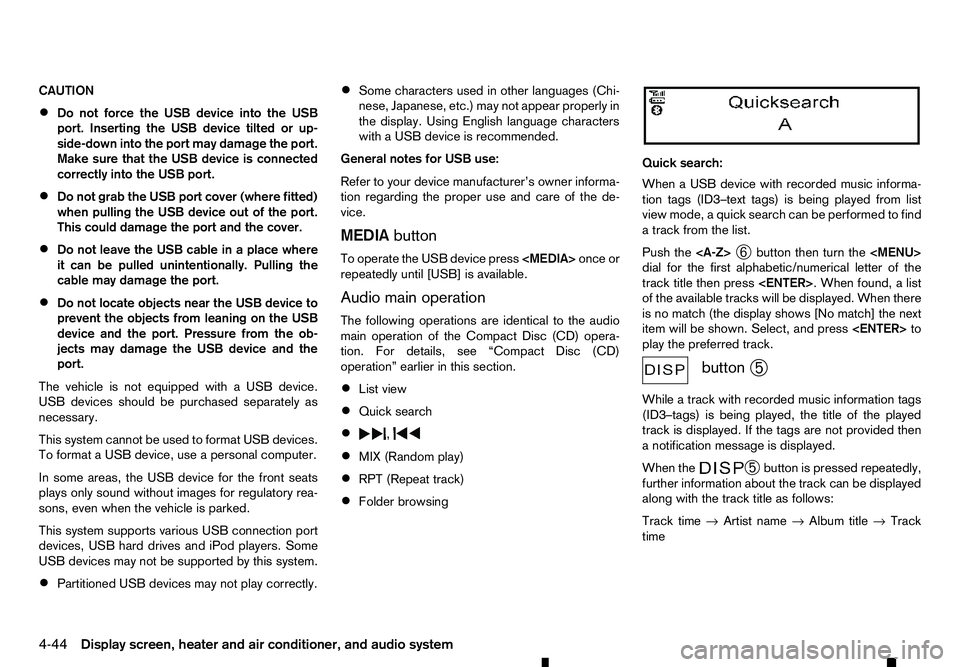
• Folder browsing Quick search:
When
aUSB device with recorded music informa-
tion tags (ID3–text tags) is being played from list
view mode, aquick search can be performed to find
at rack from the list.
Push the
➅button then turn the
Page 256 of 340
The hazard warning flasher switch operates regard-
less of the ignition switch position except when the
battery is discharged.
The hazard warning flasher is used to warn other drivers when you have to stop or park under emer-
gency conditions.
When the hazard warning flasher switch is pushed,
all turn signal lights will flash. To turn off the hazard
warning flasher, push the hazard warning flasher
switch again. If you have
aflat tyre, follow the instructions in this
section.
STOPPING VEHICLE WARNING
• Be sure to apply the parking brake firmly.
• Be sure to move the shift lever to the
P(Park)
position (automatic transmission model).
• Be sure to move the shift lever to the
R(Re-
verse) position (manual transmission model).
• Never change tyres when the vehicle is on a
slope, ice or slippery area. This is hazardous.
• Never change tyres when the oncoming traf-
fic is close to your vehicle. Call for profes-
sional road assistance.
1. Safely move the vehicle off the road and away from traffic.
2. Turn on the hazard warning flasher lights.
3. Park on alevel surface.
4. Apply the parking brake.
5. Automatic transmission model:
Move the shift lever to the P(Park) position.
Manual transmission model:
Move the shift lever to the R(Reverse) position.
6. Turn off the engine. 7. Open the bonnet:
• To warn other traffic.
• To signal professional road assistance per-
sonnel that you need assistance.
8. Have all passengers get out of the vehicle and stand in asafe place, away from other traffic and
clear of the vehicle.
CHANGING FLAT TYRE (for models
with spare tyre)
Preparing tools
For Double Cab model
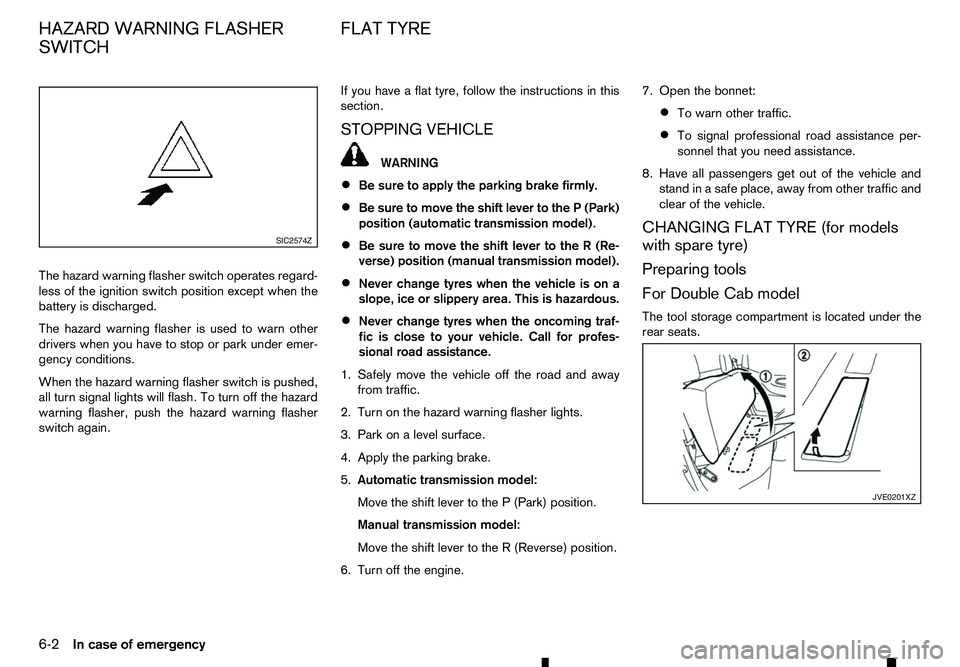
The tool storage compartment is located under the
rear seats. SIC2574Z
JVE0201XZ
HAZARD WARNING FLASHER
SWITCH FLAT TYRE
6-2 In case of emergency
Page 273 of 340
GLASS
Use glass cleaner to remove smoke and dust film
from the glass surfaces. It is normal for glass to
become coated with afilm after the vehicle is parked
in the hot sun. Glass cleaner and asoft cloth will
easily remove this film.
UNDERBODY
In areas where road salt is used in the winter, it is
necessary to clean the vehicle’s underbody regu-
larly in order to prevent dirt and salt from building up
and causing the acceleration of corrosion on the
underbody and suspension.
Before the winter and again in the spring, the under- seal must be checked and, if necessary, re-treated.
WHEELS
• Wash the wheels when washing the vehicle to
maintain their appearance.
• Clean the inner side of the wheels when the
wheel is changed or the underside of the vehicle
is washed.
• Do not use abrasive cleaners when washing the
wheels.
• Inspect wheel rims regularly for dents or corro-
sion. This may cause loss of pressure or damage
the tyre bead.
• RENAULT recommends that the road wheels be
waxed to protect against road salt in areas where
it is used during winter. ALUMINIUM ALLOY WHEELS
Wash the wheels regularly with
asponge damp-
ened in amild soap solution, especially during win-
ter in areas where road salt is used. The salt residue
from road salt could discolour the wheels if it is not
washed off regularly.
CAUTION
Follow the directions below to avoid staining or
discolouring the wheels:
• Do not use
acleaner that uses strong acid or
alkali contents to clean the wheels.
• Do not apply wheel cleaners to the wheels
when they are hot. The wheel temperature
should be the same as ambient temperature.
• Rinse the wheel to completely remove the
cleaner within 15 minutes after the cleaner is
applied.
CHROME PARTS
Clean all chrome parts regularly with anon abrasive
chrome polish to maintain the finish. Occasionally remove loose dust from the interior
trim, plastic parts and seats using
avacuum cleaner
or soft bristled brush. Wipe the vinyl and leather sur-
faces with aclean, soft cloth dampened in mild soap
solution, then wipe clean with adry, soft cloth.
Regular care and cleaning is required in order to
maintain the appearance of the leather.
Before using any fabric protector, read the manu-
facturer’s recommendations. Some fabric protec-
tors contain chemicals that may stain or bleach the
seat material.
Use asoft cloth dampened only with water to clean
the meter and gauge lens covers.
CAUTION
• Never use benzene, thinner or any similar ma-
terial.
• Small dirt particles can be abrasive and dam-
aging to leather surfaces and should be re-
moved promptly. Do not use saddle soap, car
waxes, polishes, oils, cleaning fluids,
solvents, detergents or ammonia-based
cleaners as they damage the natural leather
finish.
• Never use fabric protectors unless recom-
mended by the manufacturer.
• Do not use glass or plastic cleaner on meter
or gauge lens covers. It may damage the lens
covers.
CLEANING INTERIOR
Appearance and care 7-3
Page 274 of 340
AIR FRESHENERS
Most air fresheners use asolvent that could affect
the vehicle interior. If you use an air freshener, take
the following precautions:
• Hanging-type air fresheners can cause perma-
nent discoloration when they contact vehicle in-
terior surfaces. Place the air freshener in
aloca-
tion that allows it to hang free and not contact an
interior surface.
• Liquid-type air fresheners typically clip on the
vents. These products can cause immediate
damage and discoloration when spilled on inte-
rior surfaces.
Carefully read and follow the manufacturer’s instruc-
tions before using air fresheners.
FLOOR MATS
The use of floor mats (where fitted) can extend the
life of your vehicle carpet and make it easier to clean
the interior. Regardless of what mats are used, be
sure they are fitted for your vehicle and are properly
positioned in the foot well to prevent interference
with pedal operation. Mats should be maintained
with regular cleaning and replaced if they become
excessively worn. Floor mat positioning aid
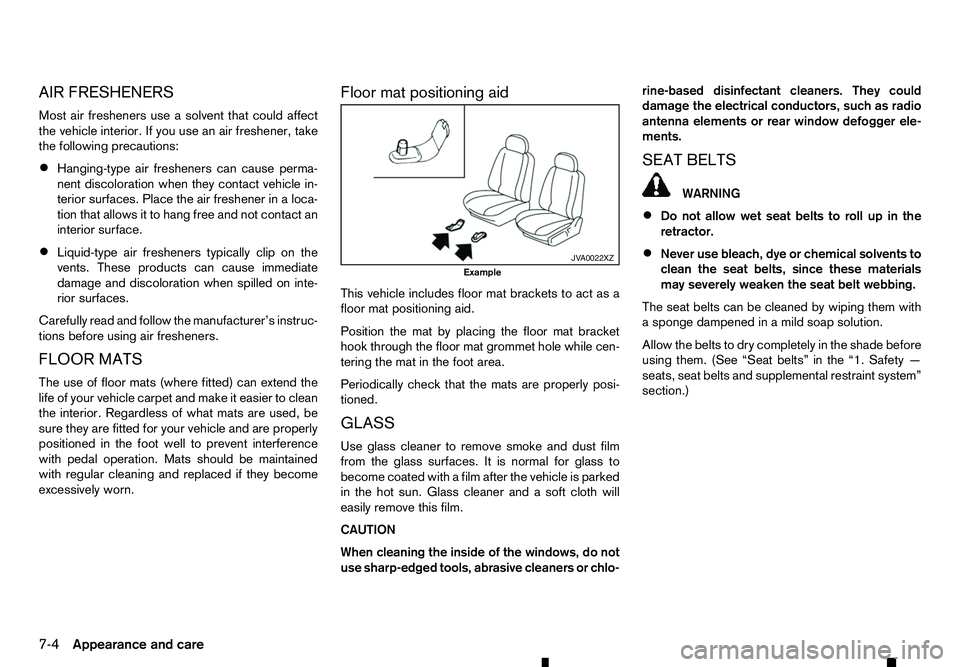
This vehicle includes floor mat brackets to act as a
floor mat positioning aid.
Position the mat by placing the floor mat bracket
hook through the floor mat grommet hole while cen-
tering the mat in the foot area.
Periodically check that the mats are properly posi-
tioned.
GLASS
Use glass cleaner to remove smoke and dust film
from the glass surfaces. It is normal for glass to
become coated with afilm after the vehicle is parked
in the hot sun. Glass cleaner and asoft cloth will
easily remove this film.
CAUTION
When cleaning the inside of the windows, do not
use sharp-edged tools, abrasive cleaners or chlo- rine-based disinfectant cleaners. They could
damage the electrical conductors, such as radio
antenna elements or rear window defogger ele-
ments.
SEAT BELTS WARNING
• Do not allow wet seat belts to roll up in the
retractor.
• Never use bleach, dye or chemical solvents to
clean the seat belts, since these materials
may severely weaken the seat belt webbing.
The seat belts can be cleaned by wiping them with
as ponge dampened in amild soap solution.
Allow the belts to dry completely in the shade before
using them. (See “Seat belts” in the “1. Safety —
seats, seat belts and supplemental restraint system”
section.) JV A0022XZ
Example
7-4 Appearance and care